> ## Documentation Index
> Fetch the complete documentation index at: https://sudomock.com/docs/llms.txt
> Use this file to discover all available pages before exploring further.
> ## Agent Instructions
> The base URL is https://api.sudomock.com.
> Authenticate every request with the x-api-key header. Keys begin with sm_.
> A render returns the finished image at data.print_files[0].export_path. A request sent with is_async true returns a job_id to poll at GET /api/v1/jobs/{job_id}.
> Prefer the official SDKs over hand-written HTTP calls: npm install sudomock for Node, pip install sudomock for Python.
# How pay as you go works
> Fund a balance so renders continue past your credits.
Pay as you go is a balance you fund before you spend it. While it holds money, a
request that arrives after your credits are gone is rendered rather than
refused, and the cost comes off the balance. Nothing is billed afterwards and
nothing is owed, because the money is already there.
It sits alongside a plan rather than replacing one. A subscriber uses it as the
safety net under a busy month, and an account with no plan uses it as the whole
arrangement. Subscriptions from \$0.002 per render. Without one, \$0.05 per
render, the same rate standalone mockup APIs charge on a paid plan. This page
therefore describes the highest per-render rate on the account rather than the
usual rate.
## Adding a balance
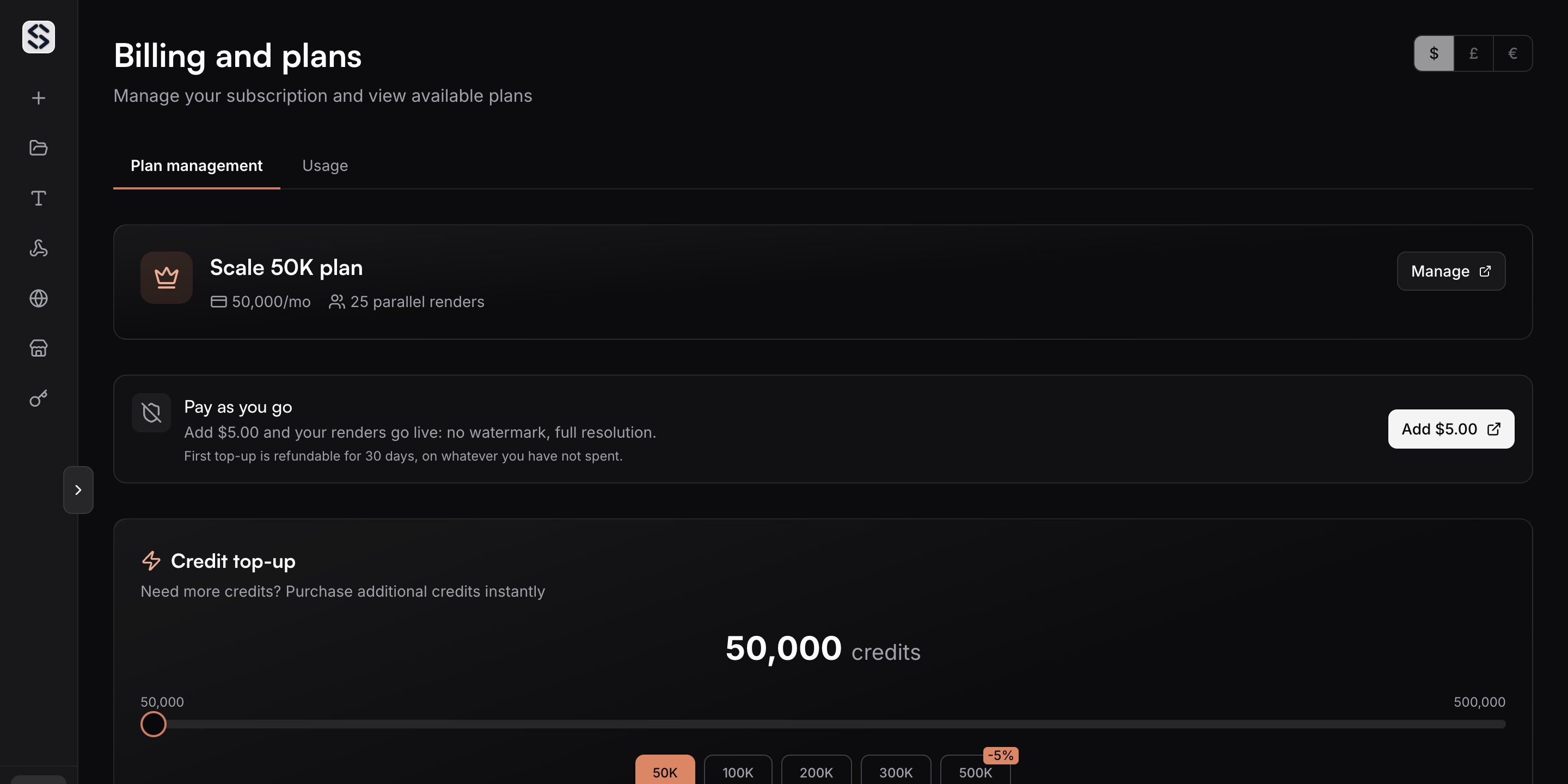
The Pay as you go card on the [Billing](https://sudomock.com/dashboard/billing)
page shows the balance and the button that adds to it. A single top up runs from
\$5 to \$500. Your first balance purchase is refundable for 30 days on whatever
you have not spent.
 The card you pay with is kept, and that first purchase also arms automatic top
up: when the balance falls below \$3, another \$10 goes on it. The payment page
states this before it charges you, and the switch, the threshold and the amount
are yours to change or turn off on the billing page afterwards. A threshold has
to be at least \$3 and an automatic amount at least \$10, which is what keeps the
reload landing before the balance reaches zero.
## What it costs
With a plan in place the balance is drawn at a rate derived from that plan
instead of from the catalogue. The usage tab on the billing page prints that
rate per render beside the balance, so the figure you are spending at is
always the one on the screen.
With no plan in place, the balance is spent per operation instead. One finished
image is \$0.05, whether it came from a PSD render, a photo mockup render, a
generated image or a background removal. Creating a photo mockup from a product
photograph is \$0.10, because it produces a reusable template rather than a
picture. Setup work that produces no image, such as adjusting a mask or moving a
print area, costs nothing.
## When the balance runs out
The API answers `402`. An account that has funded a balance and spent it reads
`error_code` as `insufficient_balance`, and the response carries an action that
leads straight to the top up. An account that has never been funded reads
`credits_exhausted` instead, and the way forward there is a card or a plan.
Neither is worth retrying: [Errors](/docs/errors) covers which statuses are transient
and which ask you to fix the billing state first.
A render that never produced an image is refunded to whatever paid for it, the
balance included.
## Reading the balance from code
[Retrieve the current account](/docs/api-reference/account/retrieve-the-current-account)
reports `usage.prepaid_balance` next to the credit counters, so a queue that
renders unattended can check both before it starts a long batch.
Which source a single operation draws on, and what happens at renewal.
This documentation is built and hosted on [Mintlify](https://mintlify.com), a developer documentation platform.
The card you pay with is kept, and that first purchase also arms automatic top
up: when the balance falls below \$3, another \$10 goes on it. The payment page
states this before it charges you, and the switch, the threshold and the amount
are yours to change or turn off on the billing page afterwards. A threshold has
to be at least \$3 and an automatic amount at least \$10, which is what keeps the
reload landing before the balance reaches zero.
## What it costs
With a plan in place the balance is drawn at a rate derived from that plan
instead of from the catalogue. The usage tab on the billing page prints that
rate per render beside the balance, so the figure you are spending at is
always the one on the screen.
With no plan in place, the balance is spent per operation instead. One finished
image is \$0.05, whether it came from a PSD render, a photo mockup render, a
generated image or a background removal. Creating a photo mockup from a product
photograph is \$0.10, because it produces a reusable template rather than a
picture. Setup work that produces no image, such as adjusting a mask or moving a
print area, costs nothing.
## When the balance runs out
The API answers `402`. An account that has funded a balance and spent it reads
`error_code` as `insufficient_balance`, and the response carries an action that
leads straight to the top up. An account that has never been funded reads
`credits_exhausted` instead, and the way forward there is a card or a plan.
Neither is worth retrying: [Errors](/docs/errors) covers which statuses are transient
and which ask you to fix the billing state first.
A render that never produced an image is refunded to whatever paid for it, the
balance included.
## Reading the balance from code
[Retrieve the current account](/docs/api-reference/account/retrieve-the-current-account)
reports `usage.prepaid_balance` next to the credit counters, so a queue that
renders unattended can check both before it starts a long batch.
Which source a single operation draws on, and what happens at renewal.
This documentation is built and hosted on [Mintlify](https://mintlify.com), a developer documentation platform.