

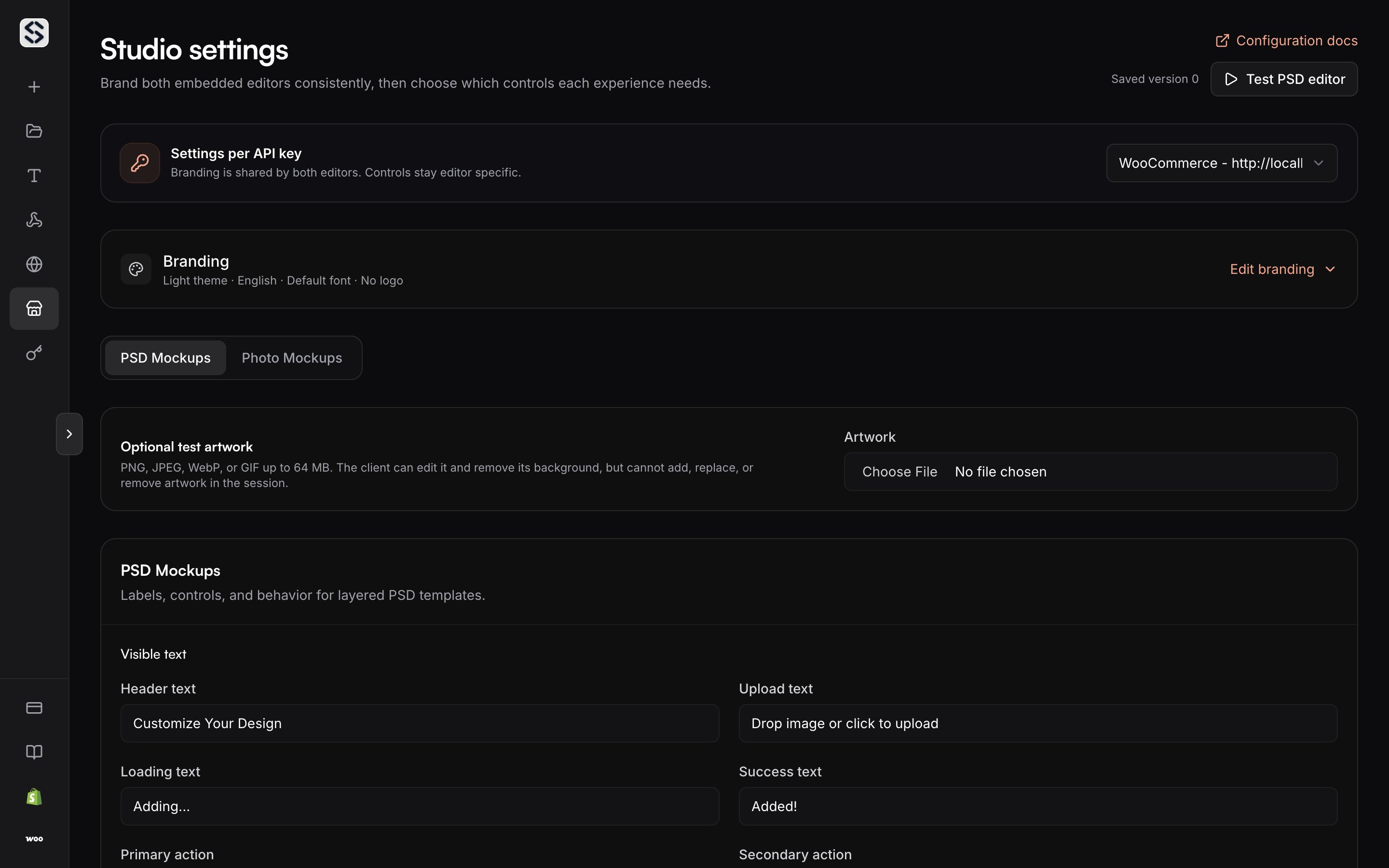
Settings belong to a key
Each API key keeps its own Studio settings, so one account can dress the editor differently for two storefronts. Pick the key at the top of the page and everything below applies to sessions created with it. An account with no key yet is asked to create one first. Settings cannot exist before the key they belong to.Branding
The logo, the accent colour and the neutral palette are shared by both editors, the PSD one and the photo one, so a buyer moving between them does not see two different products. A logo is served over HTTPS, and leaving it empty hides it rather than showing a placeholder. Leaving the font empty uses the default. Changing the preset resets the neutral palette, so choose the preset first and tune the colours after.Controls
Controls are set per editor, because the two editors do not offer the same work.- Editor language sets what your customers read.
- Auto render delay decides how long an edit settles before the preview redraws.
- Maximum upload size bounds what a shopper can send, from 1 to 50 MB, and is shared by both editors.
- Primary and secondary actions name the two buttons: one for a shopper working with a ready mockup, one for a merchant preparing and saving one.
Test before you embed
A live session runs against the saved settings for the selected key, with optional test artwork and a mockup you own, so you see the real editor rather than a preview of it.Authentication
Why the key stays on your side and the browser gets a short-lived token.