Etsy Listing Photo Size: Etsy's Rules and Files That Meet Them
Etsy recommends listing photos at least 2000 pixels wide and tall, a landscape or square first photo of at least 635 pixels, and JPG, PNG, GIF, SVG or HEIC files, with uploads over 1 MB at risk. A SudoMock render of a 4800 x 3584 photo at width 2679 came back at 2679 x 2000 pixels, 408,734 bytes as a JPG at quality 80.
Published 7 min readBeck
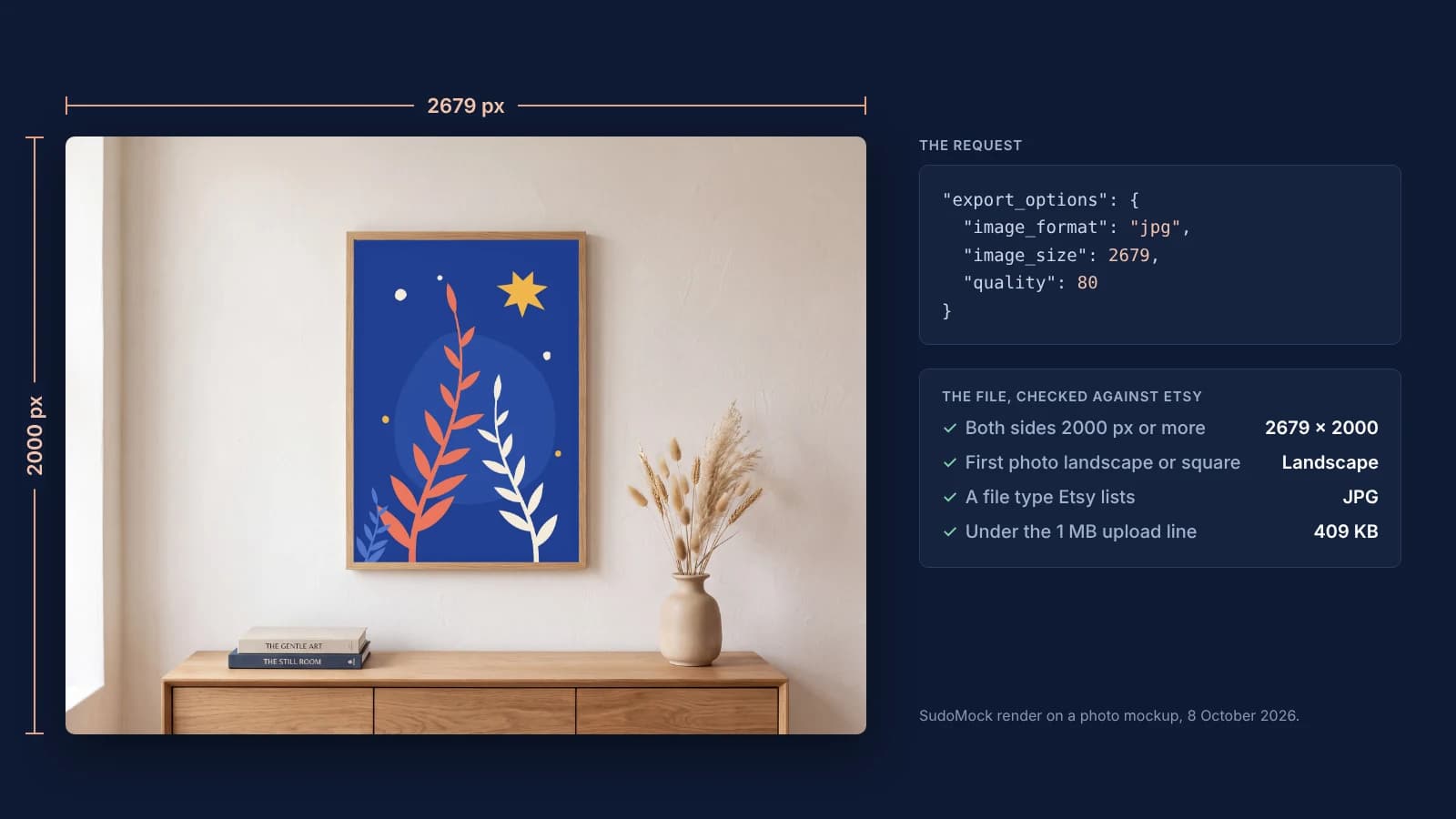
Key takeaways
- A photo that looks 4:3 can miss 2000 px: compute the width from the template's real size.
- Set the format to JPG: WebP is not on Etsy's list, and transparent PNG areas turn black.
- Link one render per colour: Etsy takes variation photos for up to 20 options.
What size Etsy listing photos should be
Etsy's 2000 pixel figure is a recommendation for image quality: the listing form warns below 2000 pixels wide, and Etsy says that warning "is only a suggestion and you should be able to continue publishing". The 635 pixel floor on the first photo is the number tied to search placement.
These are Etsy's own lines, read on 8 October 2026 at three help articles, with the date each article was last edited:
| Rule | What Etsy's help page says | Page, last edited |
|---|---|---|
| Recommended size | "a width and height of at least 2000 pixels or more" | Requirements and Best Practices for Images, 4 May 2026 |
| First photo minimum | "at least 635 pixels to avoid showing up lower in searches" | Same page |
| First photo shape | "horizontal (landscape) or square" | Same page |
| Shape of the other photos | the first photo "dictates the shape of the photos that follow" | Same page |
| File types | ".jpg, .gif, .png, .svg, or .heic", and transparent parts of a PNG "will appear black" | Same page |
| File size | over 1 MB "may not finish uploading", and "Files bigger than 300k may time out" | Same page, and How to Create a Listing, 29 June 2026 |
| Photos per listing | "up to 20 photos and 2 videos" | How to Create a Listing, 29 June 2026 |
| Photos on variations | photos for 20 options of a variation at most | How to Add Variations, 28 August 2026 |
Numbers that come from older Etsy pages
Several figures that circulate as Etsy rules are not on the current image article. The 72 PPI line and "2000px for the shortest side" come from Etsy's community announcement of 24 July 2023, which read: "Recommended size is 2000px for the shortest side, and a resolution of 72PPI."
The current article sets no PPI and no aspect ratio number. PPI is a tag inside the file and does not change its pixels: the render docs describe SudoMock's dpi option the same way, as metadata that leaves the pixel size to image_size. A file of 2679 by 2000 pixels is the same image at 72 or at 300 PPI.
Etsy's own pages also differ in two places. The variations article still says "You can add up to ten photos" in its photo step, while the listing article says 20. The upload warning is 1 MB on the image article and 300k on the listing article.
Pick the width from your template's shape
In a SudoMock render, image_size sets the output width and the height follows the template's own shape. So the width that gives 2000 pixels on both sides depends on the template: 2000 for square templates, more for landscape ones.
For a landscape template, multiply 2000 by the template's width divided by its height and round up. A PSD mockup returns its size as data.width and data.height, a photo mockup as data.source_width and data.source_height. The photo rendered for this page is 4800 by 3584 pixels. It looks like 4:3, but a width of 2667 returned 2667 by 1991 pixels, nine short of 2000 in height. The same rule gives 2679, and 2679 returned exactly 2679 by 2000.
| Template shape | Template size | image_size | Output |
|---|---|---|---|
| Square 1:1 | 3000 x 3000 | 2000 | 2000 x 2000 |
| Landscape 5:4 | 3000 x 2400 | 2500 | 2500 x 2000 |
| Landscape 4:3 | 3200 x 2400 | 2667 | 2667 x 2000 |
| The photo on this page | 4800 x 3584 | 2679 | 2679 x 2000 |
| Landscape 3:2 | 3000 x 2000 | 3000 | 3000 x 2000 |
| Landscape 16:9 | 3840 x 2160 | 3556 | 3556 x 2000 |
The render request
One request renders the design on the template in a format Etsy lists, at the width you set. This is the photo mockup render that made the files below, with the IDs and the design URL as placeholders:
curl -X POST https://api.sudomock.com/api/v1/photo-mockups/YOUR_PHOTO_MOCKUP_ID/render \-H "x-api-key: $SUDOMOCK_API_KEY" \-H "Content-Type: application/json" \-d '{"print_areas": [{ "uuid": "YOUR_PRINT_AREA_UUID","artwork_url": "https://example.com/designs/botanical-print.png","adjustments": { "blend_mode": "normal" } }],"export_options": { "image_format": "jpg", "image_size": 1024, "quality": 80 }}'
const response = await fetch('https://api.sudomock.com/api/v1/photo-mockups/YOUR_PHOTO_MOCKUP_ID/render', {method: 'POST',headers: {'x-api-key': process.env.SUDOMOCK_API_KEY,'Content-Type': 'application/json',},body: JSON.stringify({"print_areas": [{"uuid": "YOUR_PRINT_AREA_UUID","artwork_url": "https://example.com/designs/botanical-print.png","adjustments": {"blend_mode": "normal"}}],"export_options": {"image_format": "jpg","image_size": 1024,"quality": 80}}),});const data = await response.json();console.log(data);
import osimport requestsresponse = requests.post("https://api.sudomock.com/api/v1/photo-mockups/YOUR_PHOTO_MOCKUP_ID/render",headers={"x-api-key": os.environ["SUDOMOCK_API_KEY"],"Content-Type": "application/json",},json={"print_areas": [{"uuid": "YOUR_PRINT_AREA_UUID","artwork_url": "https://example.com/designs/botanical-print.png","adjustments": {"blend_mode": "normal",},},],"export_options": {"image_format": "jpg","image_size": 1024,"quality": 80,},},)print(response.json())
package mainimport ("bytes""fmt""io""net/http""os")func main() {payload := []byte(`{"print_areas": [{"uuid": "YOUR_PRINT_AREA_UUID","artwork_url": "https://example.com/designs/botanical-print.png","adjustments": {"blend_mode": "normal"}}],"export_options": {"image_format": "jpg","image_size": 1024,"quality": 80}}`)req, err := http.NewRequest("POST", "https://api.sudomock.com/api/v1/photo-mockups/YOUR_PHOTO_MOCKUP_ID/render", bytes.NewBuffer(payload))if err != nil {panic(err)}req.Header.Set("x-api-key", os.Getenv("SUDOMOCK_API_KEY"))req.Header.Set("Content-Type", "application/json")resp, err := http.DefaultClient.Do(req)if err != nil {panic(err)}defer resp.Body.Close()body, _ := io.ReadAll(resp.Body)fmt.Println(string(body))}
<?php$payload = <<<'JSON'{"print_areas": [{"uuid": "YOUR_PRINT_AREA_UUID","artwork_url": "https://example.com/designs/botanical-print.png","adjustments": {"blend_mode": "normal"}}],"export_options": {"image_format": "jpg","image_size": 1024,"quality": 80}}JSON;$ch = curl_init('https://api.sudomock.com/api/v1/photo-mockups/YOUR_PHOTO_MOCKUP_ID/render');curl_setopt_array($ch, [CURLOPT_CUSTOMREQUEST => 'POST',CURLOPT_RETURNTRANSFER => true,CURLOPT_HTTPHEADER => ['x-api-key: ' . getenv('SUDOMOCK_API_KEY'),'Content-Type: application/json',],CURLOPT_POSTFIELDS => $payload,]);$response = curl_exec($ch);curl_close($ch);echo $response;
For the listing files, set image_size to the width the table gives for your template: the files below used 2679. The image URL comes back in data.print_files[0].export_path.
Set image_format to jpg in every request. The API returns WebP when the format is left out, and WebP is not on Etsy's list of supported image types. A PSD template takes the same export_options in Render a PSD mockup.
What the files measured
All three files below are SudoMock renders made on 8 October 2026 from one photo mockup at image_size 2679, and each came back at exactly 2679 by 2000 pixels. At quality 90 the JPG is 799,805 bytes, under Etsy's 1 MB line, and quality 80 is about half that size.
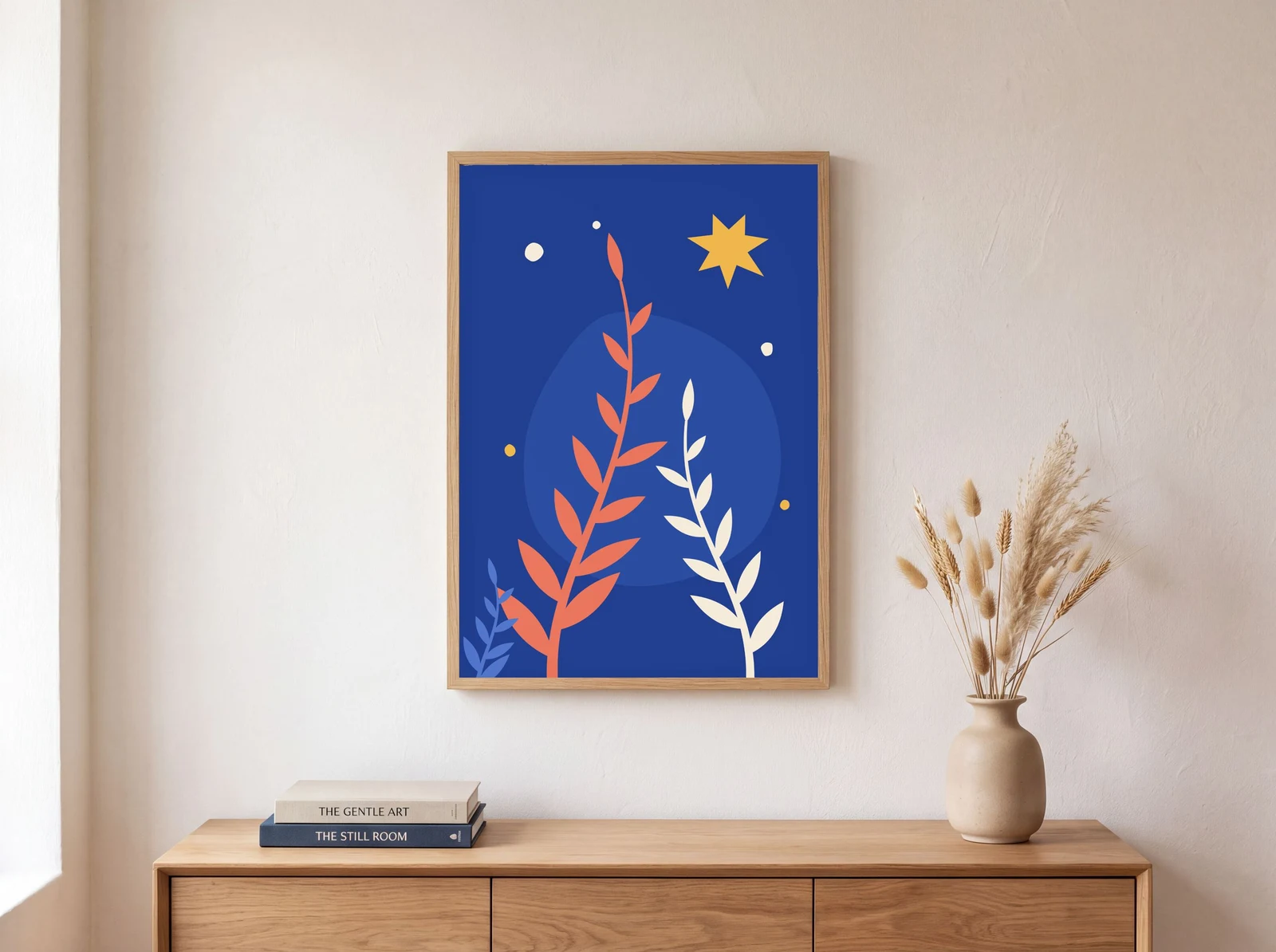 A SudoMock render on a photo mockup, shown here at 1600 px. The product photo was made with an image model for this example.
| JPG quality | Pixels | File size | Full file |
|---|---|---|---|
| 90 | 2679 x 2000 | 799,805 bytes | quality 90 |
| 80 | 2679 x 2000 | 408,734 bytes | quality 80 |
| 70 | 2679 x 2000 | 308,529 bytes | quality 70 |
At full size the three files are hard to tell apart. The crop below shows the same 700 by 520 pixel area of the quality 90 and quality 70 files at 100 percent.
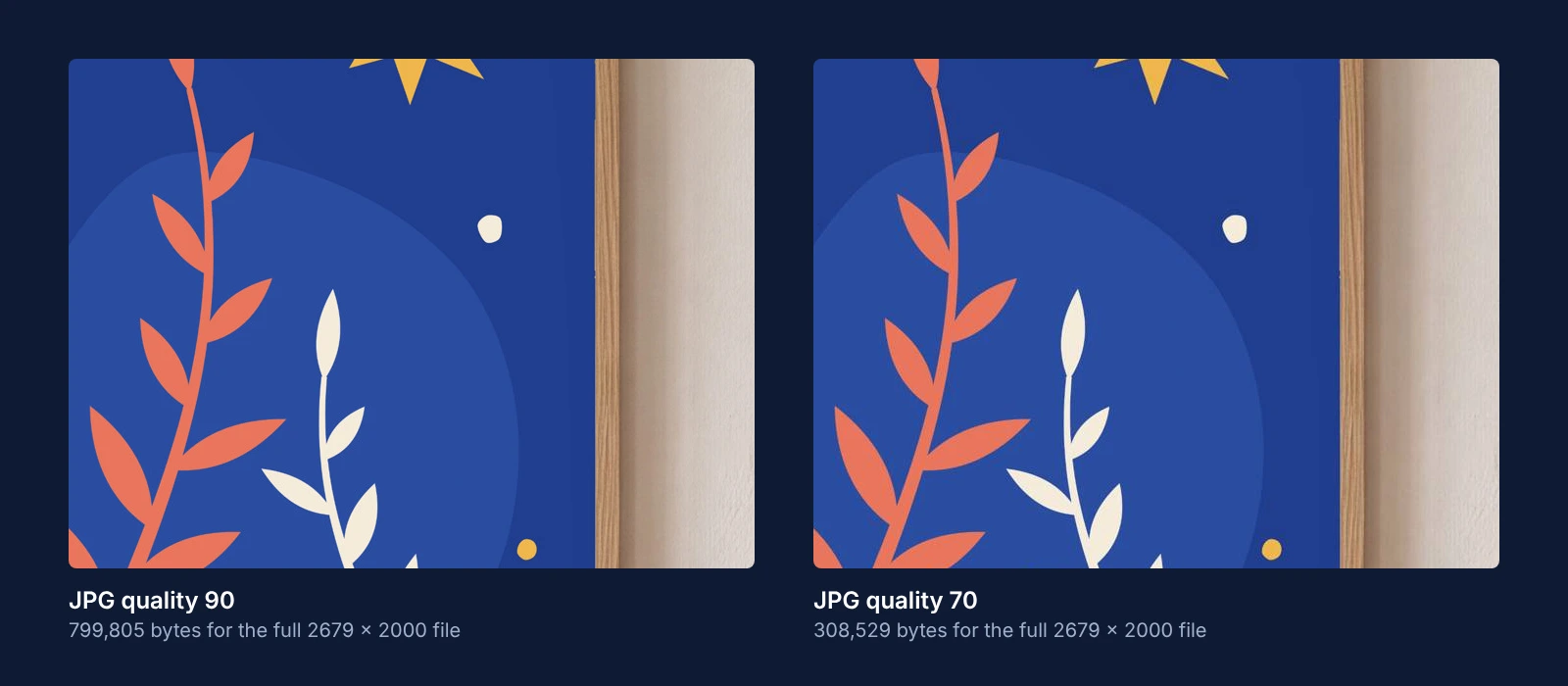 The same area of the quality 90 and quality 70 renders at 100 percent.
Etsy compresses uploads again on its side: "Images may appear less sharp after being uploaded due to compression of the image files." Quality 80 keeps the file well under 1 MB with room to spare, and quality 70 sits just above the 300k line of the listing article.
Keep one shape and one image per variation
Etsy's first photo sets the shape of the photos after it, so render the whole set from templates of one shape. For colour or style variations, render one image per option: Etsy lets a seller link photos to 20 options of a variation.
- Choose templates of one shape for the listing, landscape or square for the first photo.
- Keep the product centred with space around it. Etsy crops the first photo "to square, portrait, and landscape thumbnails" and asks for "enough of a border" so none of the product is lost.
- Render each design on each template, one request per colour, with
image_formatjpg and the width from the table. Send the requests in parallel: the average SudoMock render finishes in under a second. - Upload the files in listing order, then link each colour's photo to its variation option.
To send the photos to Etsy by script, Etsy's Open API takes the image file per listing: Etsy listing generator shows the draft and upload calls, and How to Automate Etsy Product Mockups runs the render loop over a catalogue.
Next step
Render one listing photo with the request above at the width your template needs, check its pixels and bytes, then render the rest of the set. With a product photo, create a mockup from a product photo: its print area is found automatically. With no template yet, start from the mockup templates for Etsy sellers. Without code, the SudoMock node in n8n takes the same format, width and quality settings for a PSD template (PSD Mockup: Render): see the n8n integration guide. The Etsy mockups use case covers the rest of a listing workflow.
Frequently asked questions
What size should Etsy listing photos be?
Etsy recommends at least 2000 pixels on both the width and the height. The first photo should be at least 635 pixels on each side, or the listing may show lower in search. The listing form warns below 2000 pixels wide, but the warning does not block publishing.
Does Etsy accept WebP images?
No. Etsy's image help article lists .jpg, .gif, .png, .svg and .heic as the only supported image types. Export listing photos as JPG, or as PNG without transparency, because transparent areas show as black on Etsy.
Should Etsy listing photos be square or landscape?
Etsy asks for a first photo that is horizontal or square, and that first photo sets the shape of the photos after it. Its thumbnail guidance leans to landscape and asks for a border around the product, because the first photo is cropped into square, portrait and landscape thumbnails.
How large can an Etsy photo file be?
Etsy's image article says files over 1 MB may not finish uploading on a slower connection, and its listing article says files over 300k may time out. These are upload warnings, and neither page states a hard maximum. A SudoMock render at 2679 x 2000 pixels, JPG quality 80, measured 408,734 bytes.
How many photos can an Etsy listing have?
Etsy's listing help article allows up to 20 photos and 2 videos per listing. Photos can also be linked to the options of a variation, for at most 20 options.
Sources
- Requirements and Best Practices for Images in Your Etsy Shop (opens in new tab), Etsy Help Center
- How to Create a Listing (opens in new tab), Etsy Help Center
- How to Add Variations to Your Listings (opens in new tab), Etsy Help Center
- We're making updates to size and ratio for listing images (opens in new tab), Etsy Community
- Render a photo mockup (opens in new tab)
- Render a PSD mockup (opens in new tab)
- Create a mockup from a product photo (opens in new tab)
Beck
CTO
Related articles
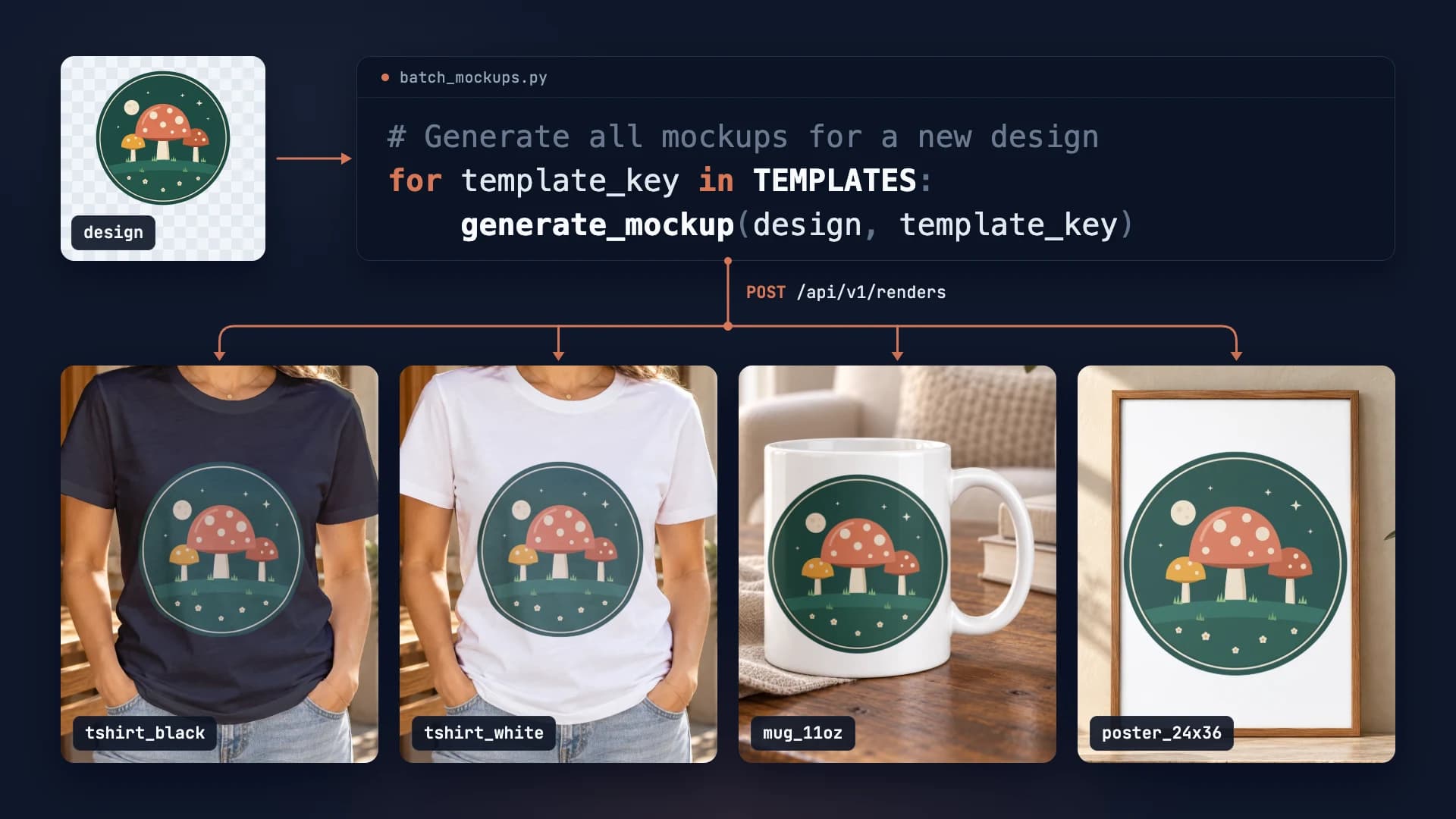
How to Automate Etsy Product Mockups in 2026
Step-by-step guide to automating your Etsy listing mockups with SudoMock API. Save hours of manual work.
2 min read
Etsy Listing Generator: Build Your Own With Claude and SudoMock
One design in, a full Etsy listing out: photos rendered on your own templates, then the title, tags and alt text Claude writes from them.
10 min read
How to Make Your Own Mockup from Any Product Photo
One photo of your own product becomes a reusable mockup: the create call, the render call and real renders of four designs on a canvas tote.
7 min read
Your own PSD, rendered via API
Render your own PSD through the API. Start with 500 one-time credits, no card.