Video Mockups by API: A Product Clip for Every Design
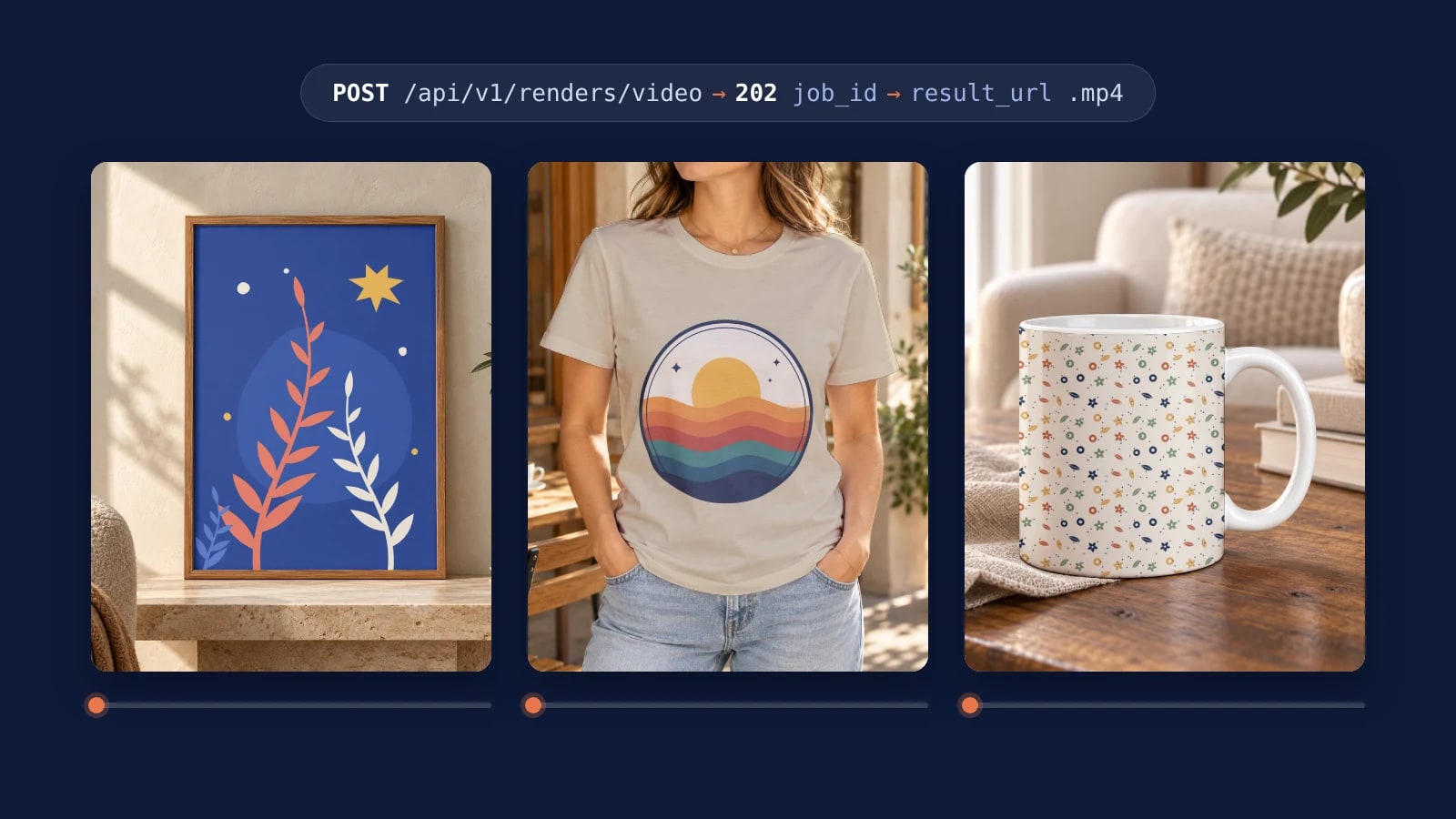
A video mockup by API is one request per design: the template, smart objects and export options of a still render, plus length, motion and sound. The clip opens on your exact render as its first frame and arrives as an MP4, so one script gives every design in a catalogue its product video.
Published 7 min readBeck
Key takeaways
- A length the chosen model does not offer returns 400 with allowed_durations to retry with.
- Patterns animate with the tile, size and tile_spacing fields of a still render.
- image_url animates a finished PNG or JPEG you already have, with no render step.
The request
The request names the template and the artwork exactly as a still render of the same template does, and a video block sets the clip's length, motion and sound. SudoMock answers at once with 202 Accepted and a job, and the clip is an MP4 at the job's result_url when it is done.
curl -X POST https://api.sudomock.com/api/v1/renders/video \-H "x-api-key: $SUDOMOCK_API_KEY" \-H "Content-Type: application/json" \-d '{"mockup_uuid": "YOUR_MOCKUP_UUID","smart_objects": [{ "uuid": "YOUR_ARTWORK_SMART_OBJECT_UUID","asset": { "url": "https://example.com/designs/sunset-waves.png", "fit": "fit" } },{ "uuid": "YOUR_COLOR_SMART_OBJECT_UUID","color": { "hex": "#D8C8A8", "blending_mode": "multiply" } }],"export_options": { "image_format": "jpg", "image_size": 1024 },"video": { "duration_seconds": 6, "audio": false, "motion": "ambient" }}'
const response = await fetch('https://api.sudomock.com/api/v1/renders/video', {method: 'POST',headers: {'x-api-key': process.env.SUDOMOCK_API_KEY,'Content-Type': 'application/json',},body: JSON.stringify({"mockup_uuid": "YOUR_MOCKUP_UUID","smart_objects": [{"uuid": "YOUR_ARTWORK_SMART_OBJECT_UUID","asset": {"url": "https://example.com/designs/sunset-waves.png","fit": "fit"}},{"uuid": "YOUR_COLOR_SMART_OBJECT_UUID","color": {"hex": "#D8C8A8","blending_mode": "multiply"}}],"export_options": {"image_format": "jpg","image_size": 1024},"video": {"duration_seconds": 6,"audio": false,"motion": "ambient"}}),});const data = await response.json();console.log(data);
import osimport requestsresponse = requests.post("https://api.sudomock.com/api/v1/renders/video",headers={"x-api-key": os.environ["SUDOMOCK_API_KEY"],"Content-Type": "application/json",},json={"mockup_uuid": "YOUR_MOCKUP_UUID","smart_objects": [{"uuid": "YOUR_ARTWORK_SMART_OBJECT_UUID","asset": {"url": "https://example.com/designs/sunset-waves.png","fit": "fit",},},{"uuid": "YOUR_COLOR_SMART_OBJECT_UUID","color": {"hex": "#D8C8A8","blending_mode": "multiply",},},],"export_options": {"image_format": "jpg","image_size": 1024,},"video": {"duration_seconds": 6,"audio": False,"motion": "ambient",},},)print(response.json())
package mainimport ("bytes""fmt""io""net/http""os")func main() {payload := []byte(`{"mockup_uuid": "YOUR_MOCKUP_UUID","smart_objects": [{"uuid": "YOUR_ARTWORK_SMART_OBJECT_UUID","asset": {"url": "https://example.com/designs/sunset-waves.png","fit": "fit"}},{"uuid": "YOUR_COLOR_SMART_OBJECT_UUID","color": {"hex": "#D8C8A8","blending_mode": "multiply"}}],"export_options": {"image_format": "jpg","image_size": 1024},"video": {"duration_seconds": 6,"audio": false,"motion": "ambient"}}`)req, err := http.NewRequest("POST", "https://api.sudomock.com/api/v1/renders/video", bytes.NewBuffer(payload))if err != nil {panic(err)}req.Header.Set("x-api-key", os.Getenv("SUDOMOCK_API_KEY"))req.Header.Set("Content-Type", "application/json")resp, err := http.DefaultClient.Do(req)if err != nil {panic(err)}defer resp.Body.Close()body, _ := io.ReadAll(resp.Body)fmt.Println(string(body))}
<?php$payload = <<<'JSON'{"mockup_uuid": "YOUR_MOCKUP_UUID","smart_objects": [{"uuid": "YOUR_ARTWORK_SMART_OBJECT_UUID","asset": {"url": "https://example.com/designs/sunset-waves.png","fit": "fit"}},{"uuid": "YOUR_COLOR_SMART_OBJECT_UUID","color": {"hex": "#D8C8A8","blending_mode": "multiply"}}],"export_options": {"image_format": "jpg","image_size": 1024},"video": {"duration_seconds": 6,"audio": false,"motion": "ambient"}}JSON;$ch = curl_init('https://api.sudomock.com/api/v1/renders/video');curl_setopt_array($ch, [CURLOPT_CUSTOMREQUEST => 'POST',CURLOPT_RETURNTRANSFER => true,CURLOPT_HTTPHEADER => ['x-api-key: ' . getenv('SUDOMOCK_API_KEY'),'Content-Type: application/json',],CURLOPT_POSTFIELDS => $payload,]);$response = curl_exec($ch);curl_close($ch);echo $response;
The reply carries the job_id to poll, and model and outcome_tier name the clip you are paying for. Poll GET /api/v1/jobs/{job_id} until status reads succeeded, failed or cancelled. A succeeded video job carries the MP4 link in result_url, and a failed one carries an error with a stable error_code.
The UUIDs come from your own template: upload the PSD once (up to 300 MB a file in the dashboard, with no file size limit over the API), and its smart objects are listed with their UUIDs. Render a video mockup lists every request field, the pattern fields included.
The clip starts from your render
When the request names a template, the clip opens on exactly the frame that same body returns as a still on POST /api/v1/renders, with your file in the template's smart object. The design in the video is the file you sent, in the place and on the color the template gives it, and the scene moves around it.
The reply names the model your clip was made with in model: the documented example is Veo 3.1 Fast (veo-3.1-fast). The still renders and the clips run on one API key and one bill.
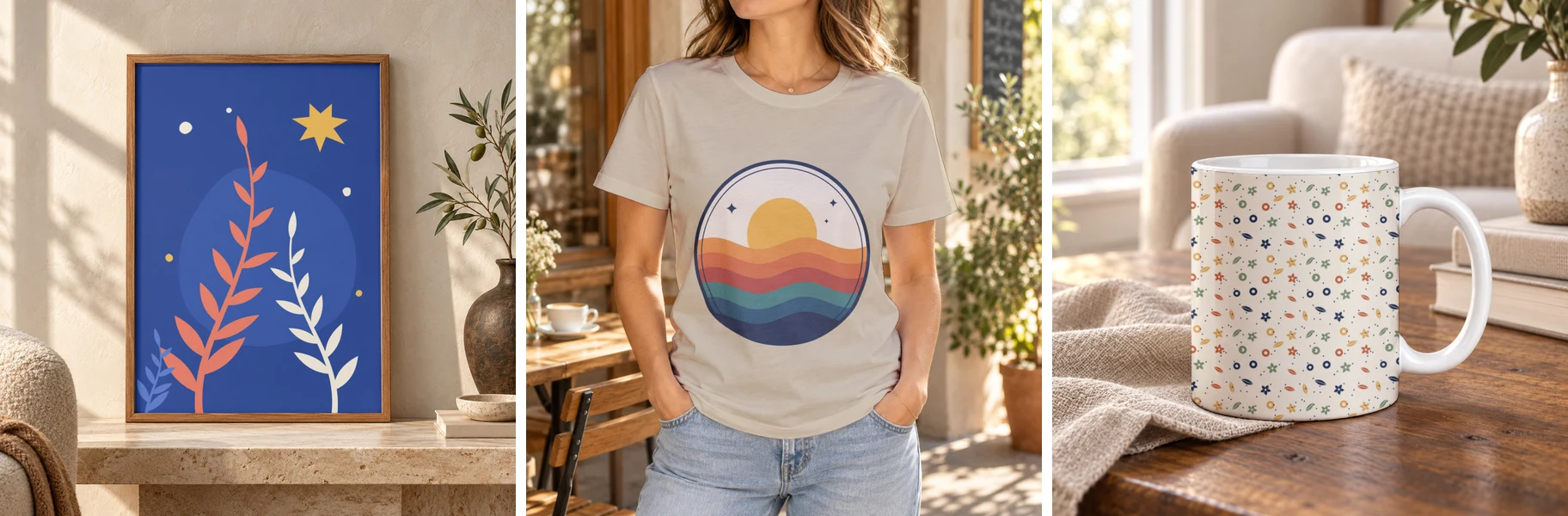 The frames three clips open on: still renders by SudoMock on 9 November 2026 at 1024px of a framed print, a t-shirt colored #D8C8A8 and a mug with a repeating pattern.
We rendered these three frames on 9 November 2026, one still request each at image_size 1024: a botanical print in a wall art template, the sunset design on a sand t-shirt, and a garden pattern on a mug. Each one is the frame its clip opens on when the same body goes to /api/v1/renders/video.
Length, motion and sound
duration_seconds must be one of the lengths the chosen model offers, motion sets how the scene moves, and audio adds sound. A length the model does not offer comes back as 400 with error_code INVALID_VIDEO_DURATION and an allowed_durations list, so a script picks from that list instead of hardcoding a length.
| Field | Values | Use it for |
|---|---|---|
motion | ambient (default) | A subtle looping move that keeps the print readable, muted unless audio is on. Product pages and listings. |
motion | showcase | One deliberate camera or product move, always with sound, priced as audio: true. Ads and short social clips. |
audio | false (default) or true | Muted clips cost less. Leave it off for a channel that plays clips without sound. |
duration_seconds | default 4 | Set it in every request: the cost scales with the length. |
Send the same video block for every design in a catalogue, so the clips match in length and pace.
Render the whole catalogue
Video jobs always queue, so a catalogue script submits every design first and collects the clips as they finish. The script below reads designs.csv, keeps each job id in jobs.json so a second run never submits a design twice, and saves each clip as clips/<sku>.mp4.
sku,design_urlSUN-TEE,https://example.com/designs/sunset-waves.pngPLANT-PRINT,https://example.com/designs/botanical.png
import csv, json, os, pathlib, timeimport requestsAPI = "https://api.sudomock.com/api/v1"HEADERS = {"x-api-key": os.environ["SUDOMOCK_API_KEY"]}MOCKUP_UUID = "YOUR_MOCKUP_UUID"ARTWORK_SO = "YOUR_SMART_OBJECT_UUID"JOBS = pathlib.Path("jobs.json")CLIPS = pathlib.Path("clips")def submit(design_url, seconds=6):body = {"mockup_uuid": MOCKUP_UUID,"smart_objects": [{"uuid": ARTWORK_SO, "asset": {"url": design_url, "fit": "fit"}}],"export_options": {"image_format": "jpg", "image_size": 1024},"video": {"duration_seconds": seconds, "audio": False, "motion": "ambient"},}for _ in range(5):r = requests.post(f"{API}/renders/video", headers=HEADERS, json=body, timeout=60)if r.status_code == 429:time.sleep(int(r.headers.get("Retry-After", "5")))continueif r.status_code == 400 and r.json().get("error_code") == "INVALID_VIDEO_DURATION":allowed = r.json()["allowed_durations"]body["video"]["duration_seconds"] = min(allowed, key=lambda s: abs(s - seconds))continuer.raise_for_status()return r.json()["job_id"]raise RuntimeError(f"not accepted: {design_url}")jobs = json.loads(JOBS.read_text()) if JOBS.exists() else {}with open("designs.csv", newline="") as f:for row in csv.DictReader(f):if row["sku"] not in jobs:jobs[row["sku"]] = submit(row["design_url"])JOBS.write_text(json.dumps(jobs, indent=2))CLIPS.mkdir(exist_ok=True)pending = {sku: job for sku, job in jobs.items() if not (CLIPS / f"{sku}.mp4").exists()}while pending:for sku, job_id in list(pending.items()):r = requests.get(f"{API}/jobs/{job_id}", headers=HEADERS, timeout=30)if r.status_code == 429:time.sleep(int(r.headers.get("Retry-After", "5")))continuer.raise_for_status()job = r.json()if job["status"] == "succeeded":clip = requests.get(job["result_url"], timeout=120)clip.raise_for_status()(CLIPS / f"{sku}.mp4").write_bytes(clip.content)del pending[sku]elif job["status"] in ("failed", "cancelled"):print(sku, job["status"], job["error"])del pending[sku]if pending:time.sleep(15)
A 429, on a submit or a poll, waits the seconds its Retry-After header gives, and an INVALID_VIDEO_DURATION reply resends the design at the allowed length nearest to 6 seconds. A failed job prints its error and keeps its line in jobs.json: delete that line to submit the design again.
For a large list, a webhook can replace the polling loop. Register an endpoint for video.succeeded and video.failed: each delivery carries the job_id, kind video and the clip in result_url. Treat job_id plus the event name as the idempotency key, and read the job when a replayed delivery arrives with result_url set to null, as Webhooks describes.
A pattern in motion
A repeat pattern goes into a clip with the fields a still render uses: tile: true on the smart object's asset, size for one tile and tile_spacing for the gap between tiles. Check the tile for seams before you send it, because a seam in the still is a seam in every frame of the clip.
"asset": {"url": "https://example.com/patterns/garden-tile.png","fit": "fit","tile": true,"size": { "width": 300, "height": 300 },"tile_spacing": 0}
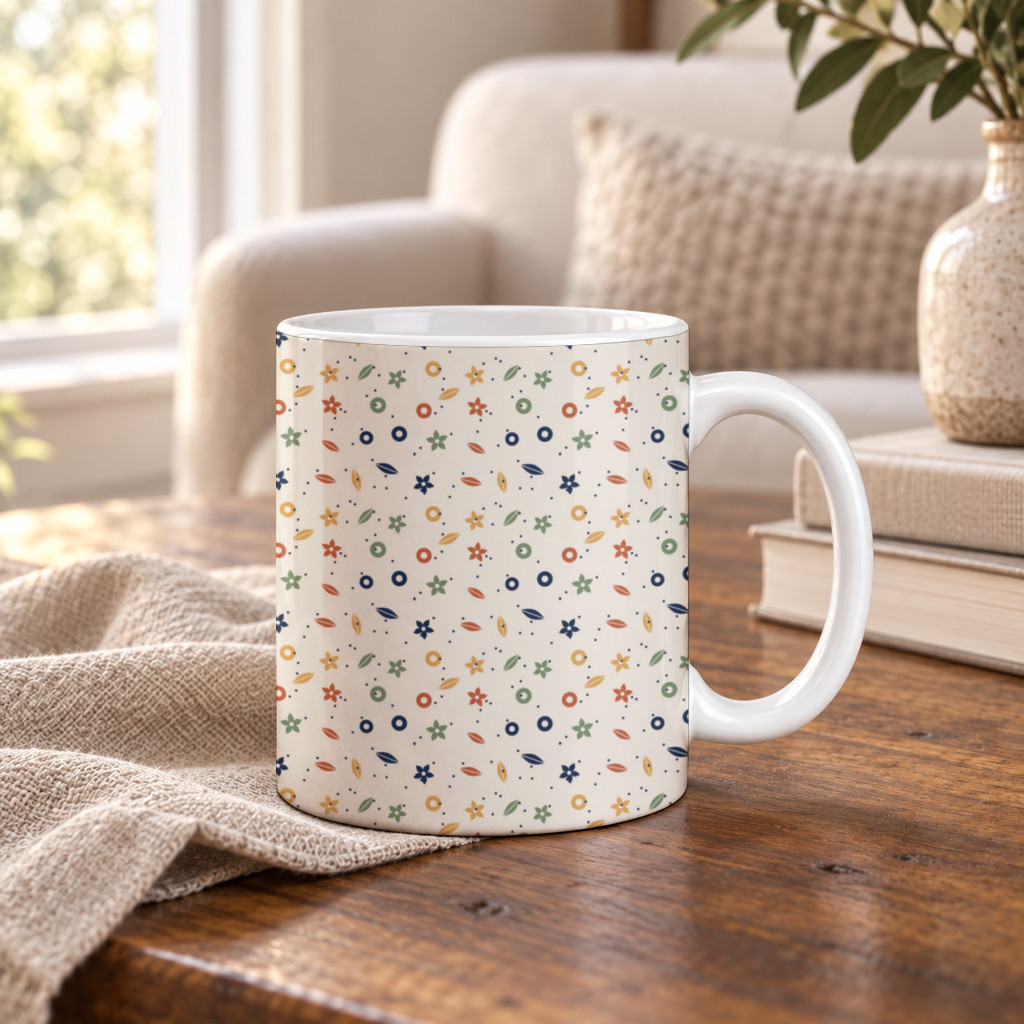 The frame a mug clip opens on: a garden tile repeated in 300px tiles across the mug's print area, a still render by SudoMock on 9 November 2026.
That asset filled the print area of a mug template in the frame above. The seam check is free and says whether the tile repeats without a visible seam and where one shows. A video render that tiles a pattern can carry the TILE_SEAM_VISIBLE warning, the same one a still render gets when the tile was checked before and showed a visible seam. Seamless Repeat Pattern Check covers the check and the fix.
Animate an image you already have
Send image_url in place of mockup_uuid and smart_objects, and SudoMock animates that image with no render step. It takes a public https PNG or JPEG, and the video block works the same way.
curl -X POST https://api.sudomock.com/api/v1/renders/video \-H "x-api-key: $SUDOMOCK_API_KEY" \-H "Content-Type: application/json" \-d '{"image_url": "https://example.com/listing/citrus-tee-white.jpg","video": { "duration_seconds": 6, "audio": false, "motion": "ambient" }}'
const response = await fetch('https://api.sudomock.com/api/v1/renders/video', {method: 'POST',headers: {'x-api-key': process.env.SUDOMOCK_API_KEY,'Content-Type': 'application/json',},body: JSON.stringify({"image_url": "https://example.com/listing/citrus-tee-white.jpg","video": {"duration_seconds": 6,"audio": false,"motion": "ambient"}}),});const data = await response.json();console.log(data);
import osimport requestsresponse = requests.post("https://api.sudomock.com/api/v1/renders/video",headers={"x-api-key": os.environ["SUDOMOCK_API_KEY"],"Content-Type": "application/json",},json={"image_url": "https://example.com/listing/citrus-tee-white.jpg","video": {"duration_seconds": 6,"audio": False,"motion": "ambient",},},)print(response.json())
package mainimport ("bytes""fmt""io""net/http""os")func main() {payload := []byte(`{"image_url": "https://example.com/listing/citrus-tee-white.jpg","video": {"duration_seconds": 6,"audio": false,"motion": "ambient"}}`)req, err := http.NewRequest("POST", "https://api.sudomock.com/api/v1/renders/video", bytes.NewBuffer(payload))if err != nil {panic(err)}req.Header.Set("x-api-key", os.Getenv("SUDOMOCK_API_KEY"))req.Header.Set("Content-Type", "application/json")resp, err := http.DefaultClient.Do(req)if err != nil {panic(err)}defer resp.Body.Close()body, _ := io.ReadAll(resp.Body)fmt.Println(string(body))}
<?php$payload = <<<'JSON'{"image_url": "https://example.com/listing/citrus-tee-white.jpg","video": {"duration_seconds": 6,"audio": false,"motion": "ambient"}}JSON;$ch = curl_init('https://api.sudomock.com/api/v1/renders/video');curl_setopt_array($ch, [CURLOPT_CUSTOMREQUEST => 'POST',CURLOPT_RETURNTRANSFER => true,CURLOPT_HTTPHEADER => ['x-api-key: ' . getenv('SUDOMOCK_API_KEY'),'Content-Type: application/json',],CURLOPT_POSTFIELDS => $payload,]);$response = curl_exec($ch);curl_close($ch);echo $response;
That fits a product photo you already list with, or a still you rendered earlier with image_format set to jpg. A request uses one of the two modes, never both.
Where the clips go
The MP4 goes where a store takes product video. Shopify accepts uploaded product videos as .mp4, .mov or .webm files of up to 1 GB, up to 10 minutes long and up to 4K, according to its Product media types page, read on 9 November 2026.
Etsy sets its own length, sound and shape rules for listing videos, and Etsy Video Size and Length quotes each one with its date and the upload call that adds a clip to a listing.
Without code: n8n, Make and an AI agent
The same job runs in the no-code tools and in an AI agent. Each one takes the template, the artwork and the video options, and hands back the clip.
- n8n: the SudoMock node's Render Video operation always runs as a job, and its Wait for Completion toggle returns the clip on the node output. n8n lists the fields.
- Make: the Render a video module, then Get a job, or a second scenario that Watch events starts when the clip is ready. Make lists the modules.
- AI agents: the SudoMock MCP server offers
render_video, withwait_for_jobto hold until the clip is done, so an assistant such as Claude can render a clip from a mockup you name. Connect an agent lists the tools.
Next step
Run the script on five designs, check the clips, then run it on the full list. Retrieve a single job shows the reply that carries the clip, and Usage limits how queued jobs behave in a large batch. With no PSD yet, open a wall art template with Use This Mockup, render your design on it as a JPEG, and send that render's URL as image_url. For the photos next to each clip, Shopify Bulk Product Upload: One Mockup per Color in the CSV puts one render per color into the product CSV.
Frequently asked questions
What is a video mockup?
A video mockup is a short product clip that shows your design on the item as the scene moves. SudoMock renders one by API from your own template and design, one request per design, so a whole catalogue gets its clips.
Can I make video mockups in bulk?
Yes. Send one video request per design: each one answers at once with a job, and the clips finish in the background. A script submits the whole design list first, then collects each MP4 by polling the jobs or through a webhook.
How long can a video mockup be?
You set the length per request in duration_seconds, and it must be one of the lengths the chosen video model offers. The default is 4 seconds. A length the model does not offer returns a 400 error that lists allowed_durations, so a script can pick from that list.
Does a video mockup have sound?
Not by default: audio is off and muted clips cost less. Set audio to true to add sound, and the showcase motion always comes with sound.
Can I animate a mockup image I already have?
Yes. Send image_url with a public https PNG or JPEG in place of the template and smart objects, and SudoMock animates that image with no render step. The length, motion and sound options work the same way.
Sources
- Render a video mockup (opens in new tab), SudoMock docs
- Retrieve a single job (opens in new tab), SudoMock docs
- Webhooks (opens in new tab), SudoMock docs
- Usage limits (opens in new tab), SudoMock docs
- Check seams (opens in new tab), SudoMock docs
- Render mockups with n8n and SudoMock (opens in new tab), SudoMock docs
- Render mockups with Make and SudoMock (opens in new tab), SudoMock docs
- Connect an agent (opens in new tab), SudoMock docs
- Product media types (opens in new tab), Shopify Help Center
Beck
CTO
Related articles
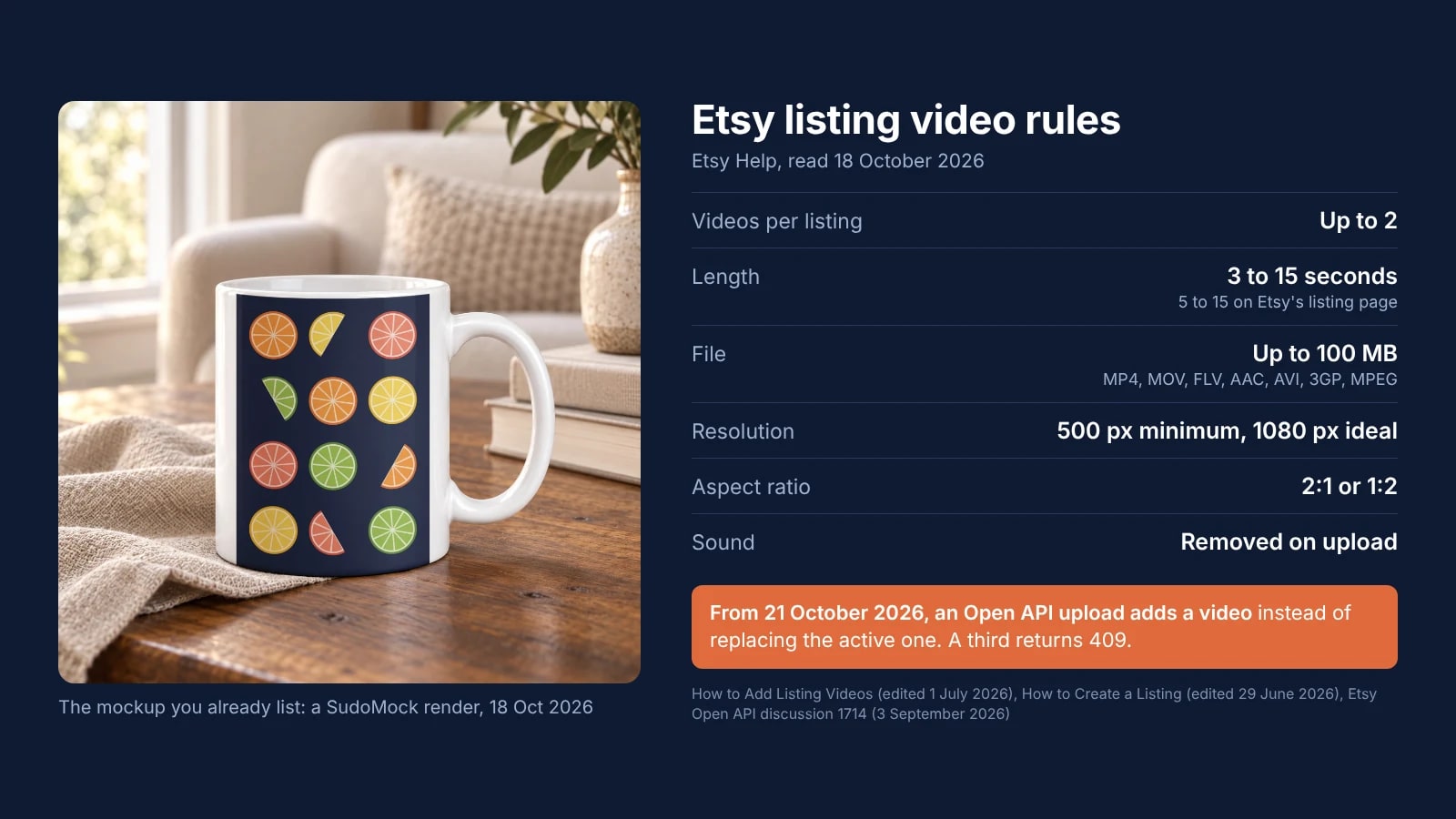
Etsy Video Size and Length: The Listing Video Rules and the 21 October API Change
Etsy's own sentences on listing video size, length, format and sound, and what a script that uploads videos must change on 21 October 2026.
7 min read
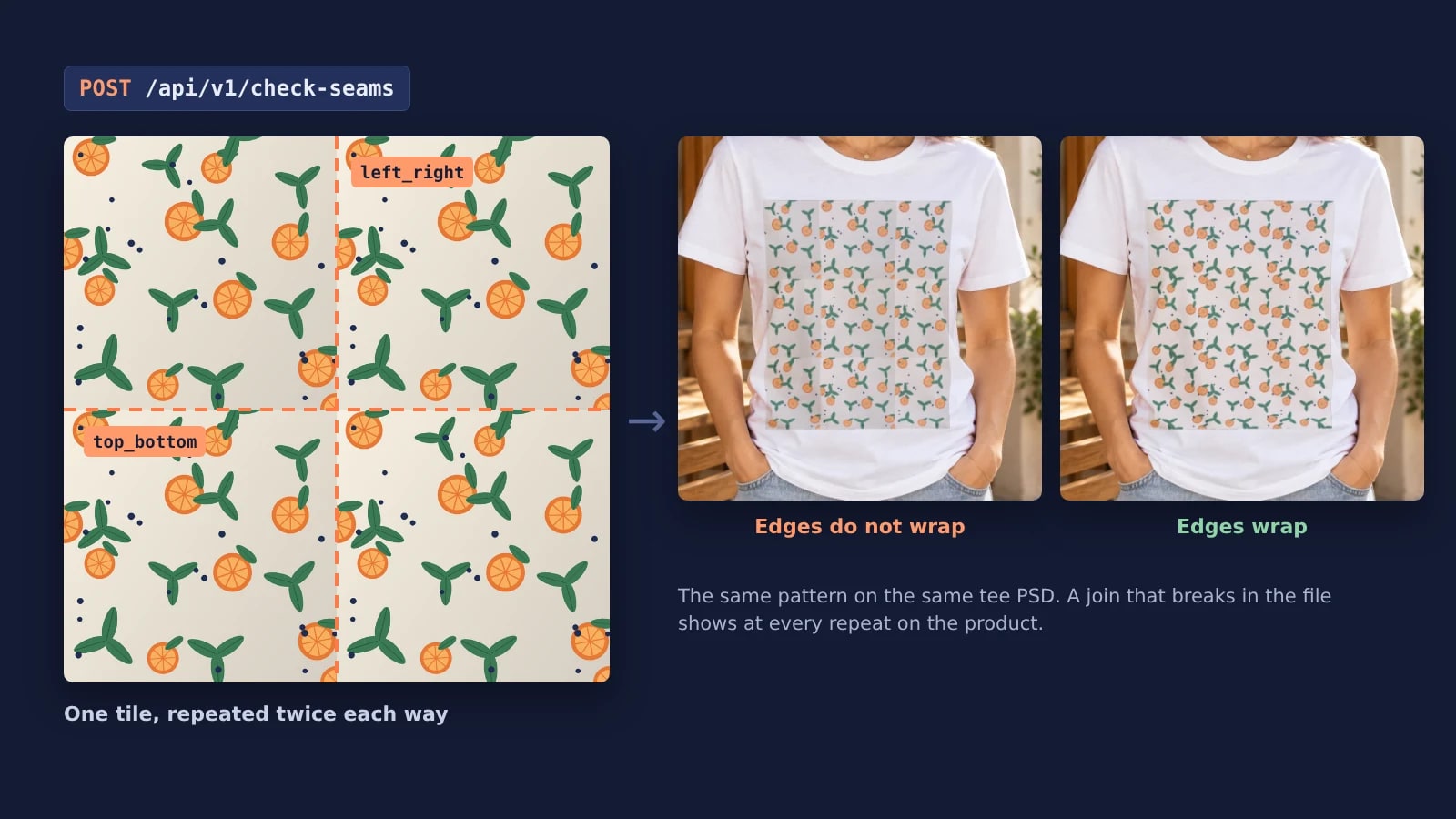
Seamless Repeat Pattern Check: Find and Fix a Seam Before It Prints
What makes a repeat pattern seamless, why one seam becomes a grid on the product, and how to check, fix and render every tile of a collection by API.
7 min read
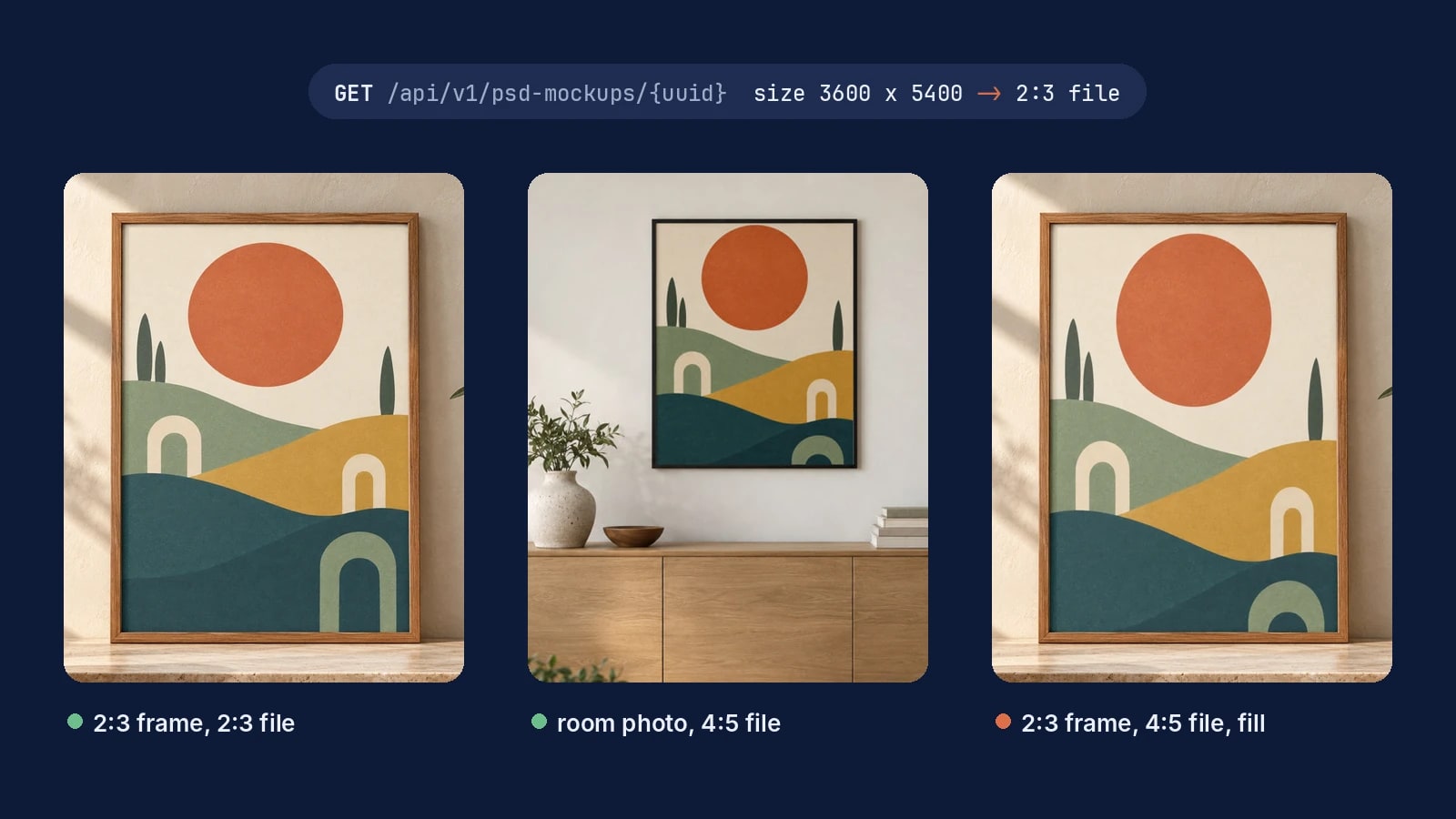
Wall Art Mockups for Every Print Size, Rendered by API
Match the artwork file to the frame's opening and every wall art mockup shows the whole print, from one frame to a full catalog.
7 min read
Explore by use case
See SudoMock in action for your specific product category
Your own PSD, rendered via API
Render your own PSD through the API. Start with 500 one-time credits, no card.