Seamless Repeat Pattern Check: Find and Fix a Seam Before It Prints
A repeat pattern is seamless when everything leaving one edge of the tile comes back in at the opposite edge. Check every tile before it goes on a product: SudoMock's seam check is free, answers in the same call with seamless, faint_seam or visible_seam and the join that breaks, and a fix returns a repaired tile.
Published 7 min readBeck
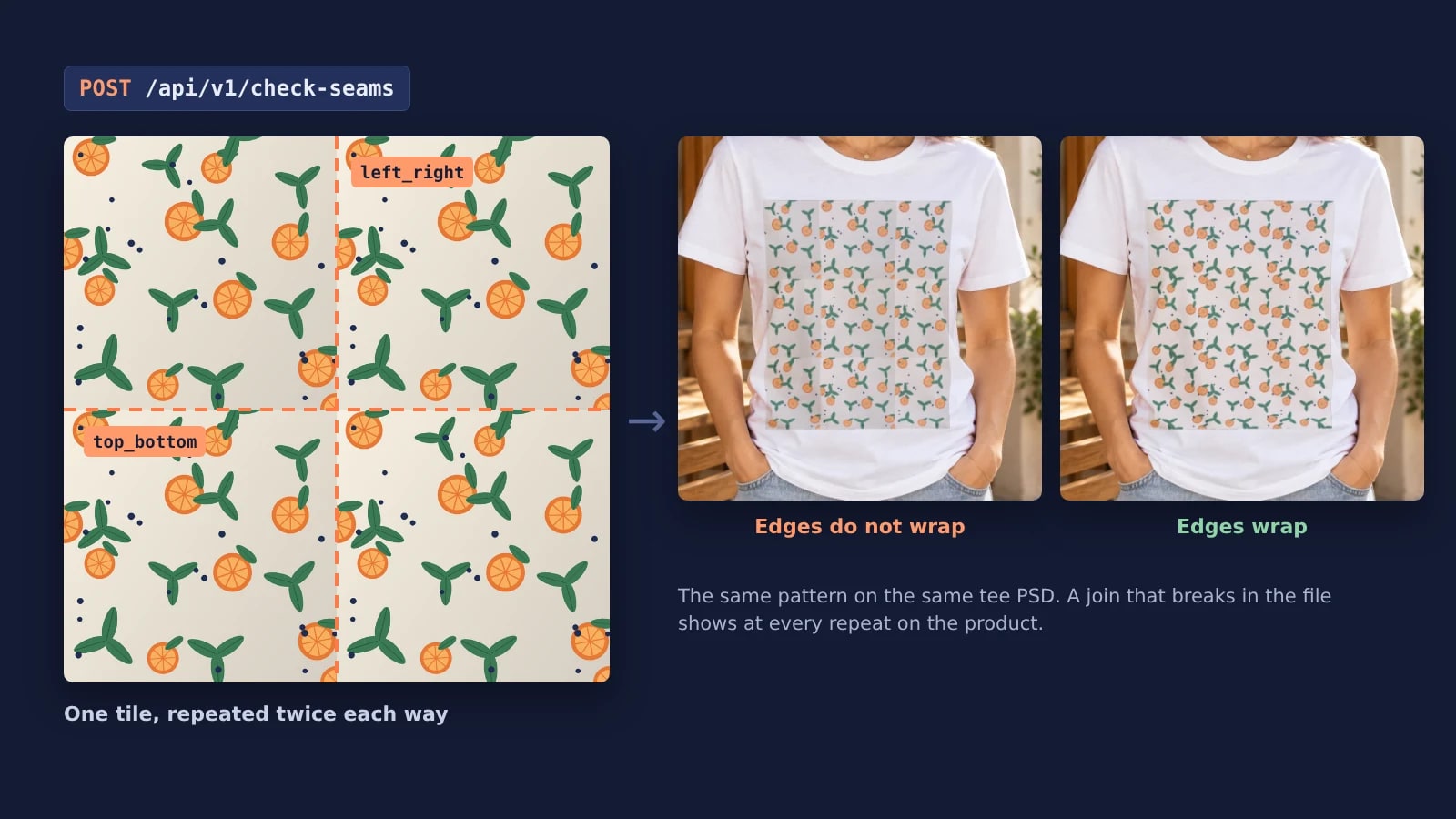
Key takeaways
- A seam that is invisible in one tile shows at every join once the tile repeats on a product.
- Send crop_aspect when the render crops the tile, so the check sees the same cut.
- Gate every render on the check: render seamless tiles, fix visible seams, return the rest.
What makes a repeat pattern seamless
The right edge of a tile has to run on into its left edge, and the bottom into its top, so each copy meets the next with nothing to mark the join. Two faults cause most seams: a motif cut at one edge that never reappears on the other side, and a background whose tone or texture changes from one side of the tile to the other.
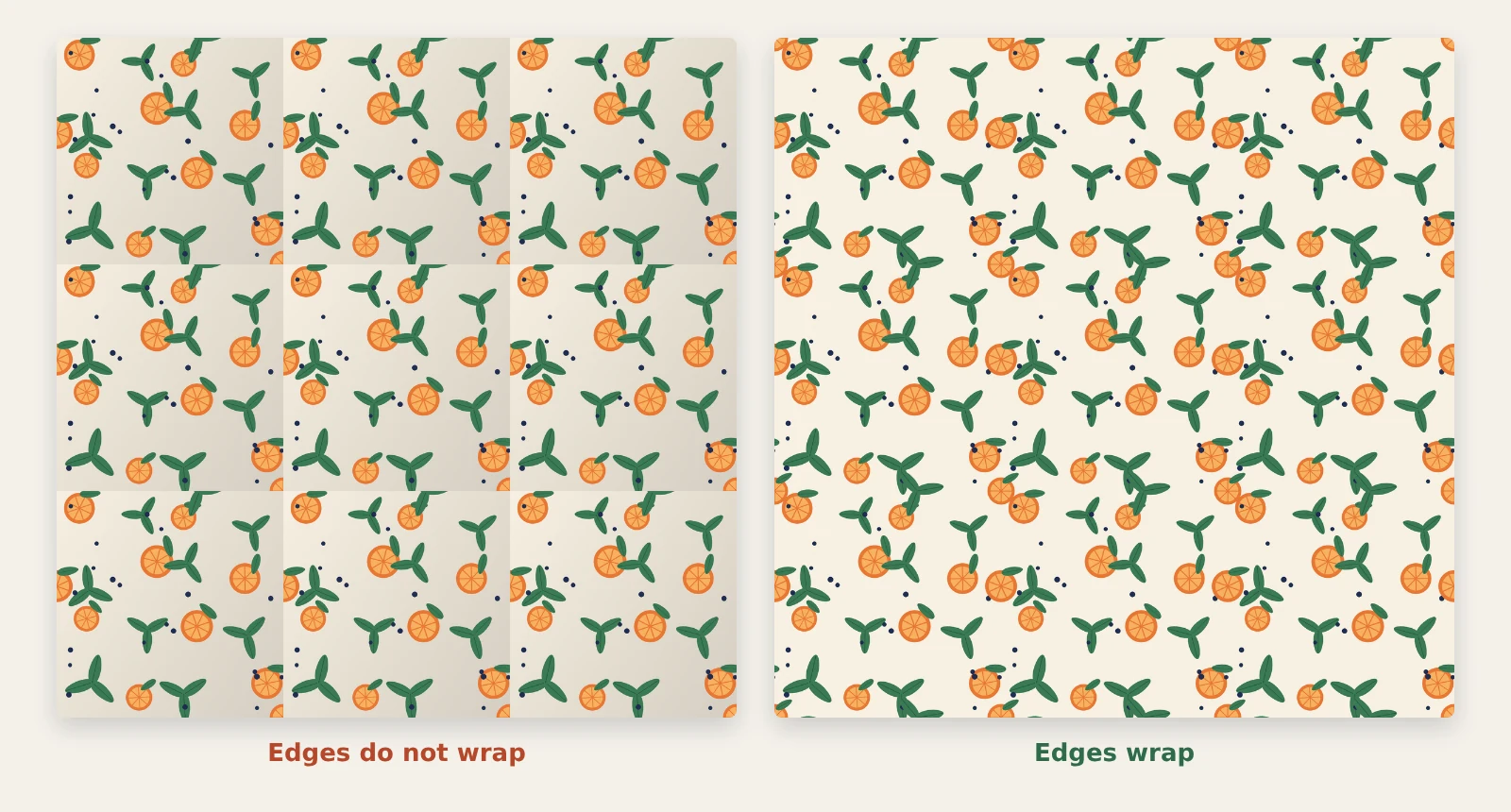 Two tile files drawn for this post with the same motifs, each repeated three by three. Left: motifs drawn once and a background that darkens toward one corner. Right: every motif that crosses an edge is drawn again on the opposite side.
Seen on its own, each of these tiles looks finished. The left one only breaks where its copies meet, so a preview of the single file gives nothing away.
One seam becomes a grid on the product
A product render repeats exactly what is in the file, so a join that breaks once in the tile breaks at every repeat. On the tee below, one tile's breaks become a grid of squares across the whole print.
 Both tiles on the same tee PSD, 1,600 pixels per tile in the print area, tile set to true. SudoMock renders, 5 November 2026.
The two renders differ only in the tile URL. Each is the ordinary tiled request from Pattern mockups by API: "tile": true and the size of one tile in the smart object's asset, here on a white tee like the ones in the t-shirt mockup templates. A buyer who zooms into the left listing photo sees the squares at once, and a printed run carries the same lines.
Check a tile by eye in Photoshop
The manual check moves the joins into the middle of the canvas, where they are easy to see. In Photoshop, choose Filter > Other > Offset and pick Wrap Around for the undefined area, as Adobe's Julieanne Kost shows in How to Create a Seamless Pattern (Tile) in Photoshop (21 January 2015). Shift the tile by about half its width and half its height: the four edges now meet in a cross through the center, and a cut motif or a step in tone shows along it.
This works for one file you have open. It does not scale to a collection of a few hundred tiles in several colorways, and it checks the whole file even when the product crops the tile to another shape.
Check every tile by API before it is rendered
The SudoMock seam check takes a PNG, JPEG or WebP tile as a public URL or as base64 and answers in the same call. A check is free, and the same image checked again answers at once.
curl -X POST https://api.sudomock.com/api/v1/check-seams \-H "x-api-key: YOUR_API_KEY" \-H "Content-Type: application/json" \-d '{"url": "https://example.com/orange-grove-tile.png","crop_aspect": 1.5}'
const response = await fetch('https://api.sudomock.com/api/v1/check-seams', {method: 'POST',headers: {'x-api-key': 'YOUR_API_KEY','Content-Type': 'application/json',},body: JSON.stringify({"url": "https://example.com/orange-grove-tile.png","crop_aspect": 1.5}),});const data = await response.json();console.log(data);
import requestsresponse = requests.post("https://api.sudomock.com/api/v1/check-seams",headers={"x-api-key": "YOUR_API_KEY","Content-Type": "application/json",},json={"url": "https://example.com/orange-grove-tile.png","crop_aspect": 1.5,},)print(response.json())
package mainimport ("bytes""fmt""io""net/http")func main() {payload := []byte(`{"url": "https://example.com/orange-grove-tile.png","crop_aspect": 1.5}`)req, err := http.NewRequest("POST", "https://api.sudomock.com/api/v1/check-seams", bytes.NewBuffer(payload))if err != nil {panic(err)}req.Header.Set("x-api-key", "YOUR_API_KEY")req.Header.Set("Content-Type", "application/json")resp, err := http.DefaultClient.Do(req)if err != nil {panic(err)}defer resp.Body.Close()body, _ := io.ReadAll(resp.Body)fmt.Println(string(body))}
<?php$payload = <<<'JSON'{"url": "https://example.com/orange-grove-tile.png","crop_aspect": 1.5}JSON;$ch = curl_init('https://api.sudomock.com/api/v1/check-seams');curl_setopt_array($ch, [CURLOPT_CUSTOMREQUEST => 'POST',CURLOPT_RETURNTRANSFER => true,CURLOPT_HTTPHEADER => ['x-api-key: YOUR_API_KEY','Content-Type: application/json',],CURLOPT_POSTFIELDS => $payload,]);$response = curl_exec($ch);curl_close($ch);echo $response;
crop_aspect is for a render that places the tile with fit set to crop: send the width of the tile size in the render divided by its height (1 for a square tile), and the check cuts the image exactly the way the render will, then checks that cut. Leave it out to check the whole image, which is what a render with fill repeats.
The answer to act on is data.status:
status | What it means | What to do |
|---|---|---|
seamless | The copies meet with no line. | Render. |
faint_seam | A slight line that can show on close inspection. | Render, or fix it for a print seen up close. |
visible_seam | A line most people will notice. | Fix it, or ask the designer for a new file. |
data.seams lists only the joins that break. left_right is where the right edge of one copy meets the left edge of the next, and top_bottom is where the bottom edge meets the top. Each entry carries ranges, half-open pixel spans along that join, rows on left_right and columns on top_bottom, so a review screen can point at the exact stretch. The check seams reference shows this answer for a 2,048 pixel tile that breaks along its left and right edges:
{"data": {"status": "visible_seam","seams": [{"side": "left_right","status": "visible_seam","ranges": [[0, 412], [1630, 2048]]}],"width": 2048,"height": 2048,"fixable": true,"unfixable_reason": null,"previous_fix": null},"success": true}
Fix a seam without redrawing the tile
A tile with a seam can be repaired as a job, and the check already says whether the fix will take it. fixable is false when the tile has transparent pixels along its edges (unfixable_reason reads transparent_edges; fill the edges in the design file first) or is larger than a fix takes (too_large), and the fix refuses both before anything is charged.
Send the same body to the fix endpoint with an Idempotency-Key, so a retry returns the same job instead of starting a second fix:
curl -X POST https://api.sudomock.com/api/v1/fix-seams \-H "x-api-key: YOUR_API_KEY" \-H "Content-Type: application/json" \-H "Idempotency-Key: orange-grove-tile-v1" \-d '{"url": "https://example.com/orange-grove-tile.png","crop_aspect": 1.5}'
const response = await fetch('https://api.sudomock.com/api/v1/fix-seams', {method: 'POST',headers: {'x-api-key': 'YOUR_API_KEY','Content-Type': 'application/json','Idempotency-Key': 'orange-grove-tile-v1',},body: JSON.stringify({"url": "https://example.com/orange-grove-tile.png","crop_aspect": 1.5}),});const data = await response.json();console.log(data);
import requestsresponse = requests.post("https://api.sudomock.com/api/v1/fix-seams",headers={"x-api-key": "YOUR_API_KEY","Content-Type": "application/json","Idempotency-Key": "orange-grove-tile-v1",},json={"url": "https://example.com/orange-grove-tile.png","crop_aspect": 1.5,},)print(response.json())
package mainimport ("bytes""fmt""io""net/http")func main() {payload := []byte(`{"url": "https://example.com/orange-grove-tile.png","crop_aspect": 1.5}`)req, err := http.NewRequest("POST", "https://api.sudomock.com/api/v1/fix-seams", bytes.NewBuffer(payload))if err != nil {panic(err)}req.Header.Set("x-api-key", "YOUR_API_KEY")req.Header.Set("Content-Type", "application/json")req.Header.Set("Idempotency-Key", "orange-grove-tile-v1")resp, err := http.DefaultClient.Do(req)if err != nil {panic(err)}defer resp.Body.Close()body, _ := io.ReadAll(resp.Body)fmt.Println(string(body))}
<?php$payload = <<<'JSON'{"url": "https://example.com/orange-grove-tile.png","crop_aspect": 1.5}JSON;$ch = curl_init('https://api.sudomock.com/api/v1/fix-seams');curl_setopt_array($ch, [CURLOPT_CUSTOMREQUEST => 'POST',CURLOPT_RETURNTRANSFER => true,CURLOPT_HTTPHEADER => ['x-api-key: YOUR_API_KEY','Content-Type: application/json','Idempotency-Key: orange-grove-tile-v1',],CURLOPT_POSTFIELDS => $payload,]);$response = curl_exec($ch);curl_close($ch);echo $response;
The call answers 202 with a job_id. Poll the job until status reads succeeded, failed or cancelled, or subscribe an endpoint to the seam_fix.succeeded and seam_fix.failed webhooks. A finished fix carries result_url, the repaired tile at the same width and height; result_status, a fresh check of that tile; and changes, which reads edges when only the area along the joins changed and whole_tile when the tile was rebuilt. When alternative_url is set, a second repair passed too, so show both to whoever approves the collection.
A failed fix is refunded. A later check of the same image with the same crop_aspect hands back your latest successful repair in previous_fix, so you can reuse that repair instead of paying for a second fix. Render with result_url as the artwork, with the same fit and tile size you checked with.
Gate a whole collection on the check
For a collection, put the check in front of every render: seamless and faint tiles go straight to the render, tiles with a visible seam go to the fix, and the ones the fix cannot take go back to the designer with the join and the ranges. Because the check is free, it costs nothing to run it on every tile, the ones you believe are clean included.
import { randomUUID } from "node:crypto";const API = "https://api.sudomock.com/api/v1";const KEY = { "x-api-key": process.env.SUDOMOCK_API_KEY };const sleep = (ms) => new Promise((r) => setTimeout(r, ms));async function post(path, body, extra = {}) {for (;;) {const res = await fetch(`${API}/${path}`, {method: "POST",headers: { ...KEY, "Content-Type": "application/json", ...extra },body: JSON.stringify(body),});if (res.status === 429) {await sleep(1000 * Number(res.headers.get("Retry-After") || 5));continue;}if (!res.ok) throw new Error(`${path} answered ${res.status}`);return res.json();}}// Returns the tile URL to render, or tile: null with a note for the designer.async function readyTile(url, cropAspect) {const body = cropAspect ? { url, crop_aspect: cropAspect } : { url };const { data } = await post("check-seams", body);if (data.status !== "visible_seam") return { tile: url, note: data.status };if (data.previous_fix) return { tile: data.previous_fix.result_url, note: "fixed before" };if (!data.fixable) return { tile: null, note: data.unfixable_reason, seams: data.seams };let job = await post("fix-seams", body, { "Idempotency-Key": randomUUID() });const id = job.job_id;while (!["succeeded", "failed", "cancelled"].includes(job.status)) {await sleep(3000);const r = await fetch(`${API}/jobs/${id}`, { headers: KEY });if (r.ok) job = await r.json();}if (job.status !== "succeeded") return { tile: null, note: job.error?.error_code ?? job.status };return { tile: job.result_url, note: `fixed: ${job.changes}` };}
Pass each returned tile into the render request of every product that uses the same fit and tile shape; a product that crops the tile to another shape gets its own readyTile call with its own crop_aspect. A render that repeats a tile whose check found a visible seam adds TILE_SEAM_VISIBLE to its warnings and still succeeds, so a seam that slips past the gate is flagged on the render itself. A tile that was never checked carries no warning, which is one more reason to check first.
Let an agent check before it renders
Over SudoMock's MCP server an assistant gets the free check as check_seams and the repair as fix_seams; have it ask you before each fix. Ask it in one message, for example: "Check these twelve pattern tiles for seams, tell me which ones need a fix, fix those after I say yes, then render each one on my tee template." check_seams returns the status and the breaking joins of each tile, so the assistant can name the tiles that need a fix and render only the ones that pass. Connect an agent covers the connection, with steps for Claude Code and Cursor, and Merch mockups with ChatGPT or Claude shows the render half of the same conversation.
Next step
Run the check on the tiles of your next collection before the first render, starting with the ones that go on large surfaces. Check and fix pattern seams walks through the check, the job and the webhook, and Artwork placement covers tile, size and fit on a PSD. To see the repeat on a product without a PSD of your own, open the throw pillow mockup templates or the wallpaper mockup templates with Use This Mockup and turn on Pattern. For tile size and spacing per product, see Pattern mockups by API.
Frequently asked questions
How do I know if a repeat pattern is seamless?
Repeat the tile at least two by two and look along the joins: a cut motif or a step in tone there means the edges do not wrap. A seam check by API runs the same test without opening the file and names the join that breaks. A tile that repeats cleanly comes back as seamless.
Why does my pattern look fine alone but show lines on the product?
A seam sits at the edges of the tile, and the edges only meet once the tile repeats. One break in the file then shows at every join, so on a large print it forms a grid. Check the tile at the cut the product uses before you render it.
Can a seam be fixed without redrawing the pattern?
Yes. A seam fix repairs the joins of a tile as a job and returns a new file at the same width and height, and a failed fix is refunded. The free check says before any charge whether the fix will take the tile.
Does checking a pattern tile for seams cost anything?
No. The SudoMock seam check is free and answers in the same call. Checking the same image again returns the first answer at once, so a whole collection can be checked before every render.
Can I check a tile that the product crops?
Yes. Send crop_aspect, the width of one tile in the render divided by its height, and the check cuts the image the way a render with fit set to crop does, then checks that cut. Leave it out to check the whole image.
Sources
- How to Create a Seamless Pattern (Tile) in Photoshop (opens in new tab), Julieanne Kost's Blog
- Check and fix pattern seams (opens in new tab)
- Check the seams of a pattern tile (opens in new tab)
- How to check a pattern tile before you render it on a mockup (opens in new tab)
- Connect an agent (opens in new tab)
- Artwork placement (opens in new tab)
Beck
CTO
Related articles
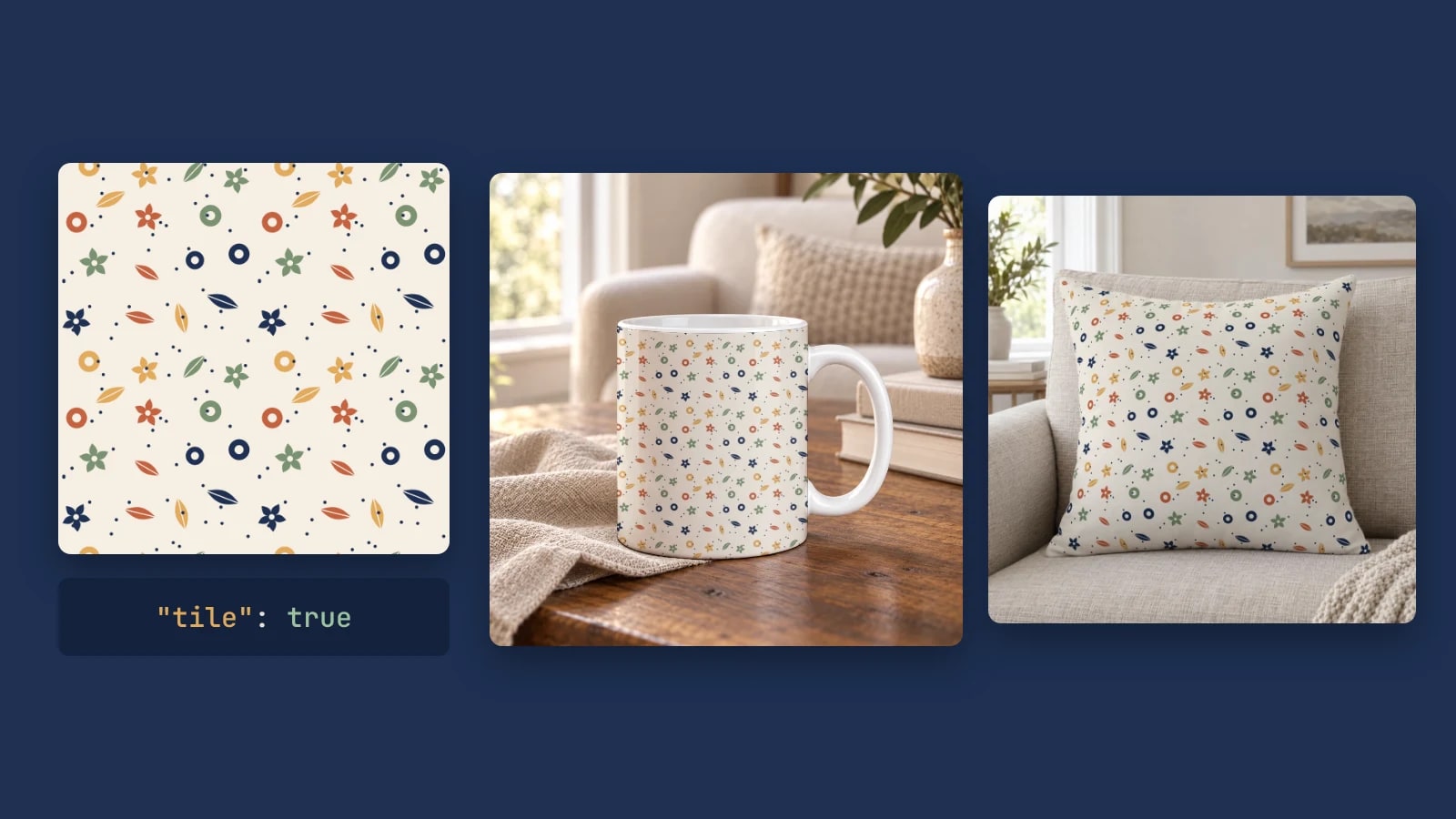
Pattern Mockups by API: Repeat a Seamless Design on Your Own PSD or Photo
Repeat one seamless tile across a mug, a pillow or any smart object with one render request: set the tile size, add spacing and render a collection.
6 min read

Wallpaper and Mural Mockups on Your Own Room Photo, by API
Render each wallpaper design as a repeat at its printed scale, or one mural across the wall, on your own room photo with one request per design.
6 min read
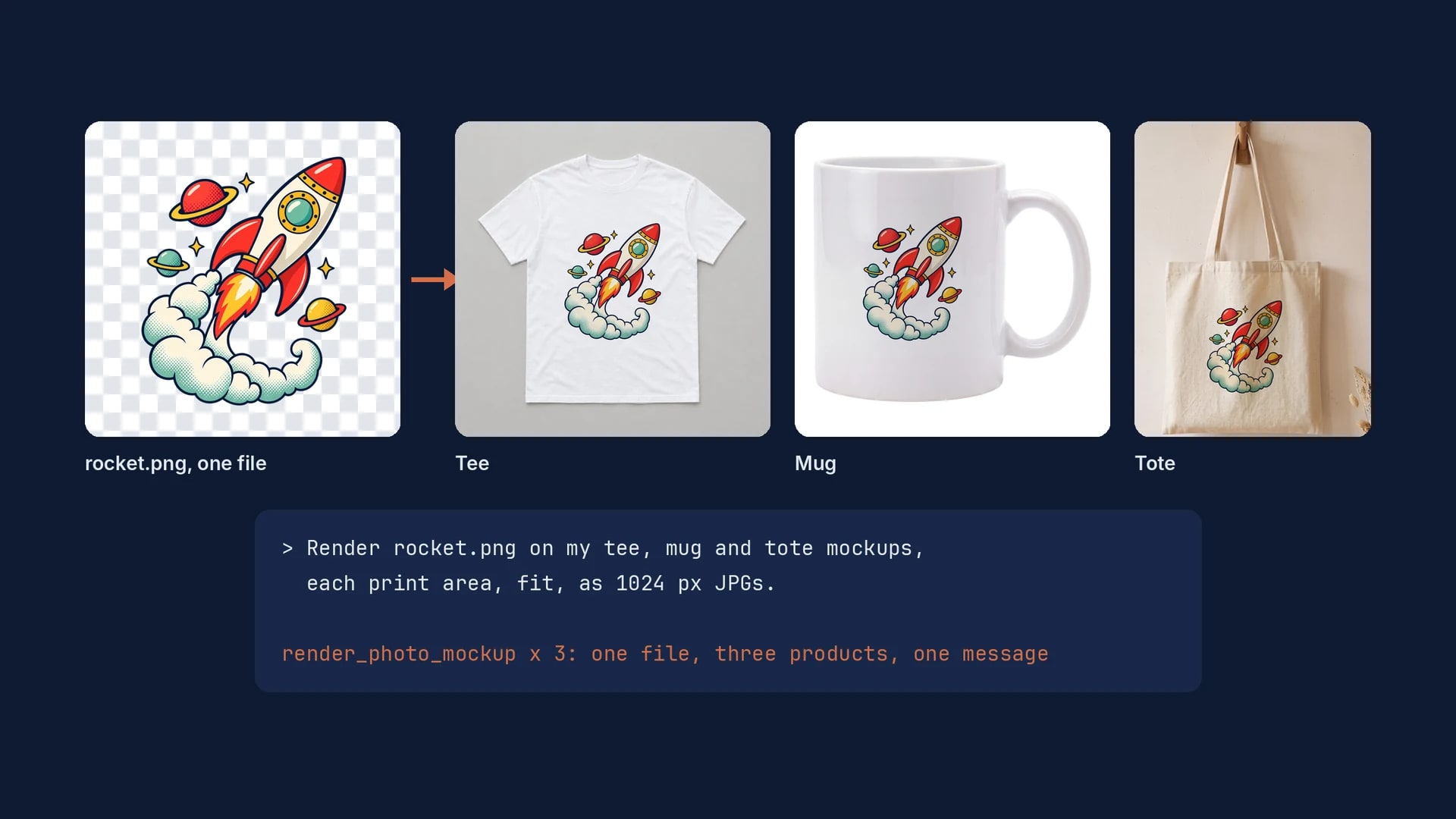
Merch Mockups With ChatGPT or Claude: One Design on a Tee, a Mug and a Tote
One design file, one mockup per product, and one message to ChatGPT or Claude that renders the tee, the mug and the tote exactly.
6 min read
Your own PSD, rendered via API
Render your own PSD through the API. Start with 500 one-time credits, no card.