A fine-text logo on a tote
Ideogram kept it in 1 of 4 attempts

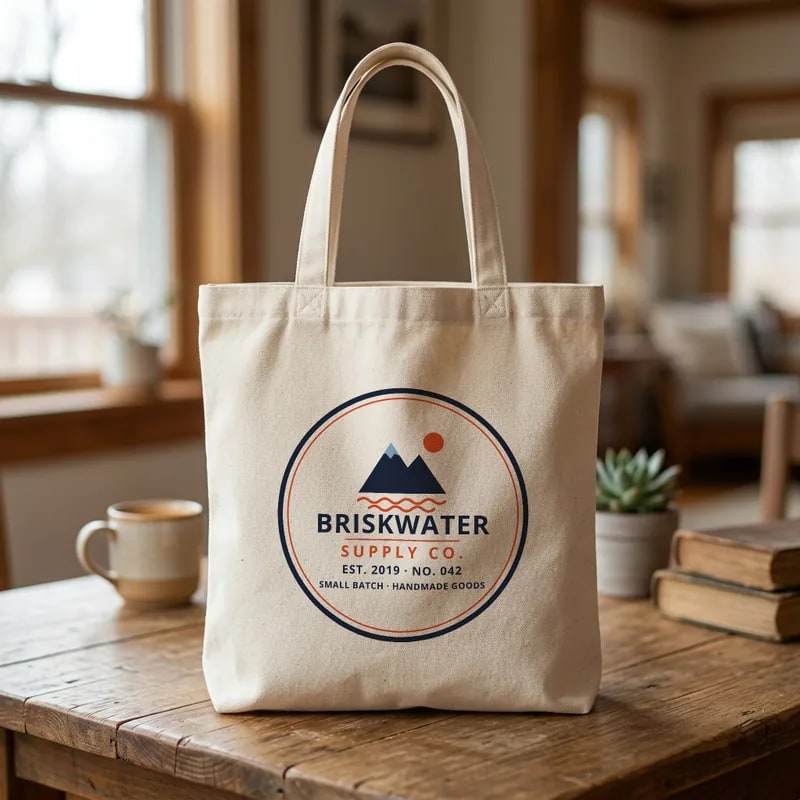
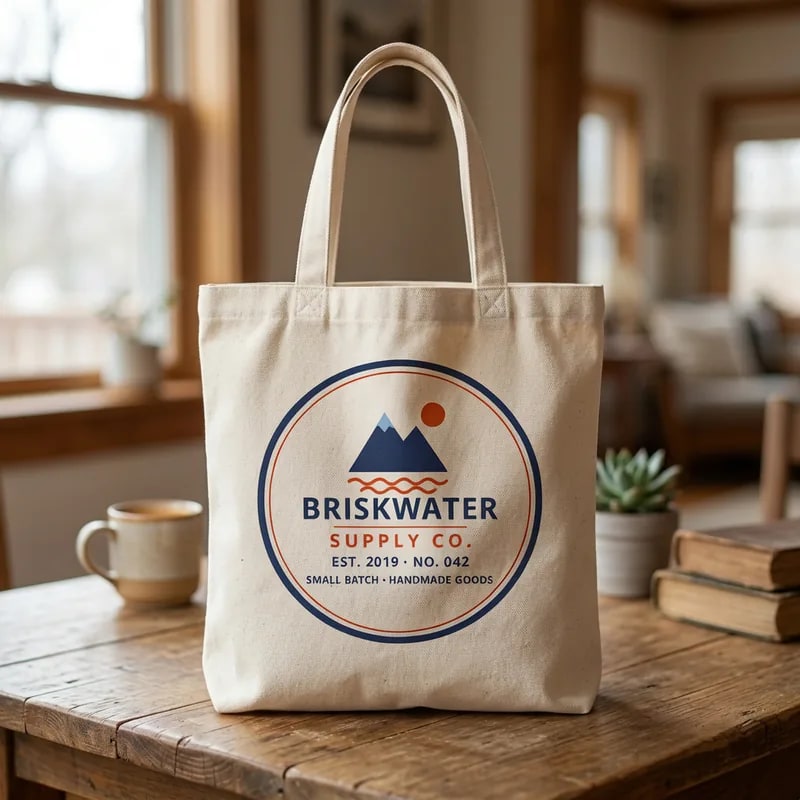
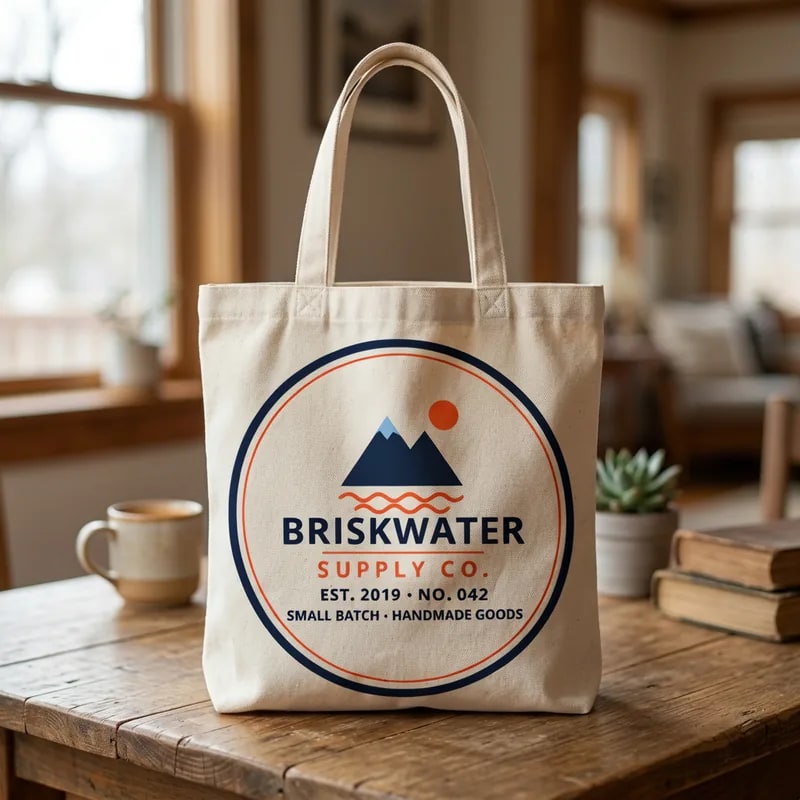
Close-up of the small text
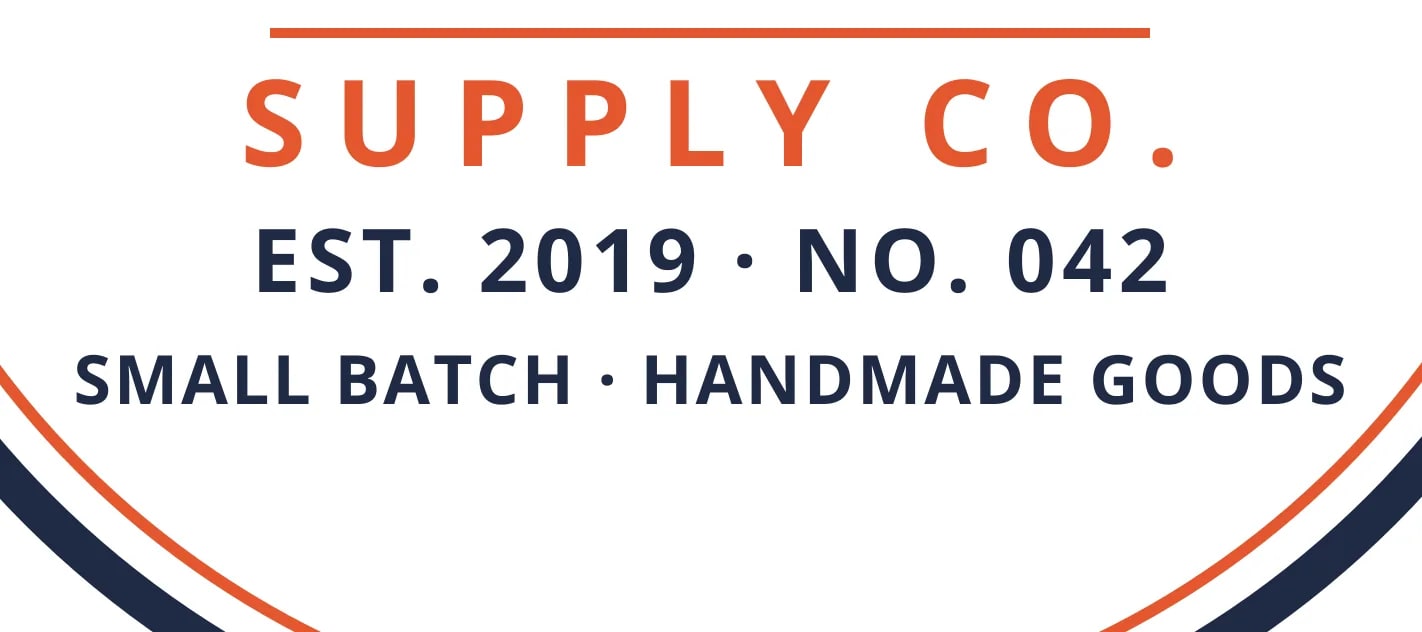
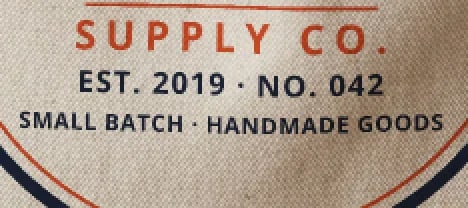
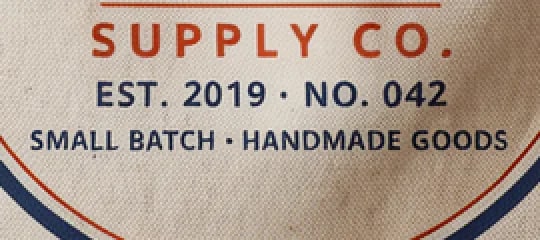
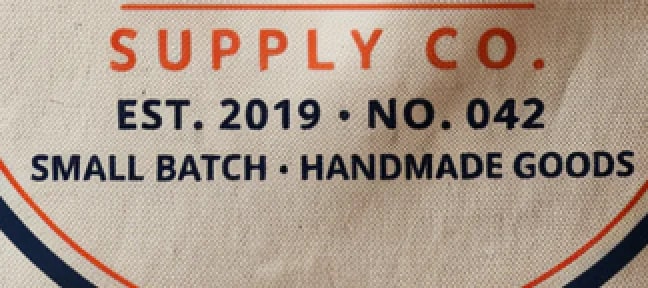
Attempt 2 kept every letter. In attempts 1, 3 and 4 the two small middle dots in the text became round bullets.
We put the same three designs on a tee, a mug and a tote with an AI image editor and with Photo Mockups. Photo Mockups kept the exact design in 9 of 9 cells, the same on every render. Ideogram 4.5 Precise Edit at high quality kept it in 20 of 36 attempts, and the print moved from one attempt to the next.
A print-on-demand seller puts one design on many products: a tee, a mug, a tote, every color. Each listing has to show the design the buyer will receive. Without a Photoshop template, one way to make those images is to ask an AI image editor to place the design on a product photo. Another is to turn the product photo into a Photo Mockup once and render designs onto it. We ran both on the same files to see which one keeps the design exact, and how often.
Ideogram kept the design in at least one attempt in every cell. The difference is consistency: Photo Mockups kept it every time, in the same place, in about a second.
Design kept exactly
Kept on the first try
Attempts until the design was kept
Run it again
Placement from run to run
Time per result
| Design | Product | Photo Mockups | Ideogram keptIdeogram attempts that kept it | First keptFirst attempt that kept it |
|---|---|---|---|---|
| Fine-text logoTee | Tee | Kept | 1 of 4 | Attempt 2 |
| Fine-text logoMug | Mug | Kept | 4 of 4 | Attempt 1 |
| Fine-text logoTote | Tote | Kept | 1 of 4 | Attempt 2 |
| Photo-like imageTee | Tee | Kept | 3 of 4 | Attempt 2 |
| Photo-like imageMug | Mug | Kept | 2 of 4 | Attempt 1 |
| Photo-like imageTote | Tote | Kept | 1 of 4 | Attempt 3 |
| Vector illustrationTee | Tee | Kept | 3 of 4 | Attempt 1 |
| Vector illustrationMug | Mug | Kept | 4 of 4 | Attempt 1 |
| Vector illustrationTote | Tote | Kept | 1 of 4 | Attempt 3 |
By the rule we set before the test, an attempt where one review passed and the other did not counts as changed. Seven of the 16 Ideogram attempts counted as changed were such split decisions. Photo Mockups had none.
Three of the nine cells, one for each design. For each: the design, a Photo Mockups render and two of the four Ideogram attempts. The table above has every cell, including the mug, where Ideogram kept the logo in all four attempts.
The Ideogram images are scored outputs from the test. The Photo Mockups images are illustrative: the same designs rendered again on each product’s standard print area, where a print shop would place them. They were not scored; the scored Photo Mockups renders are counted in the tables above.
Ideogram kept it in 1 of 4 attempts
Attempt 2 kept every letter. In attempts 1, 3 and 4 the two small middle dots in the text became round bullets.
Ideogram kept it in 3 of 4 attempts
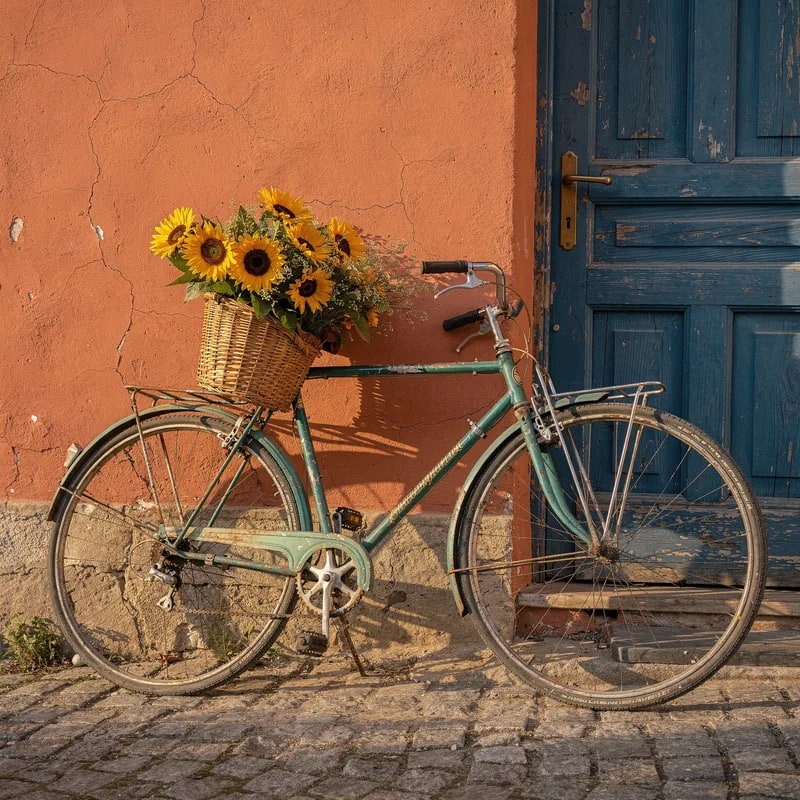
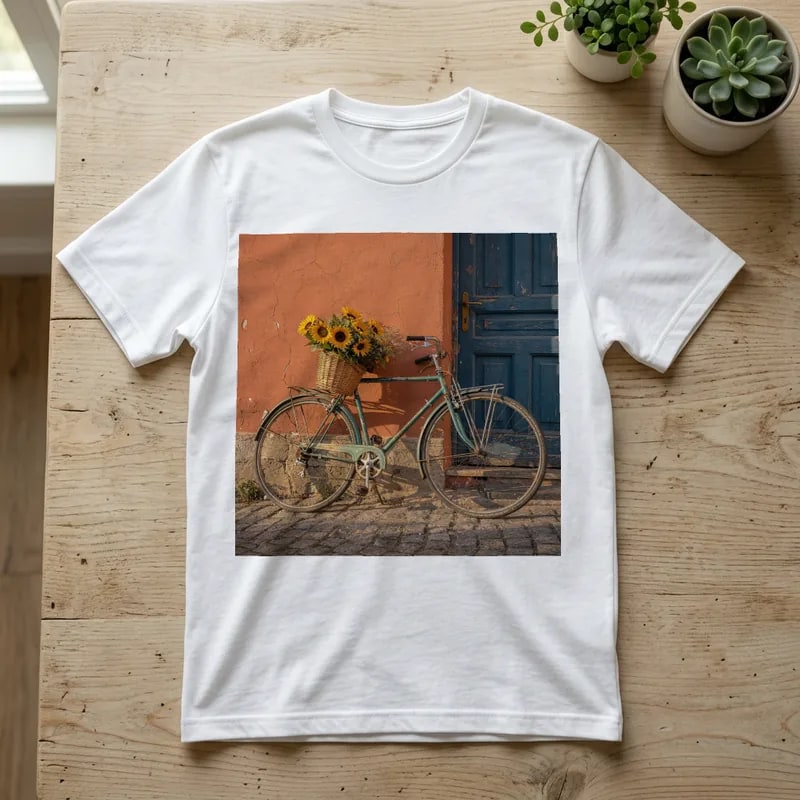
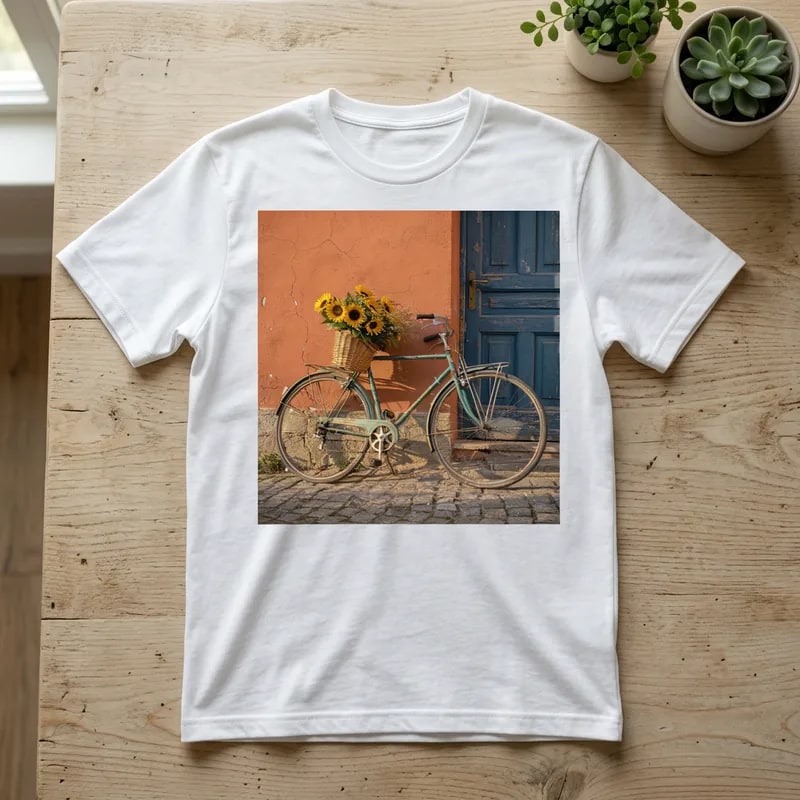
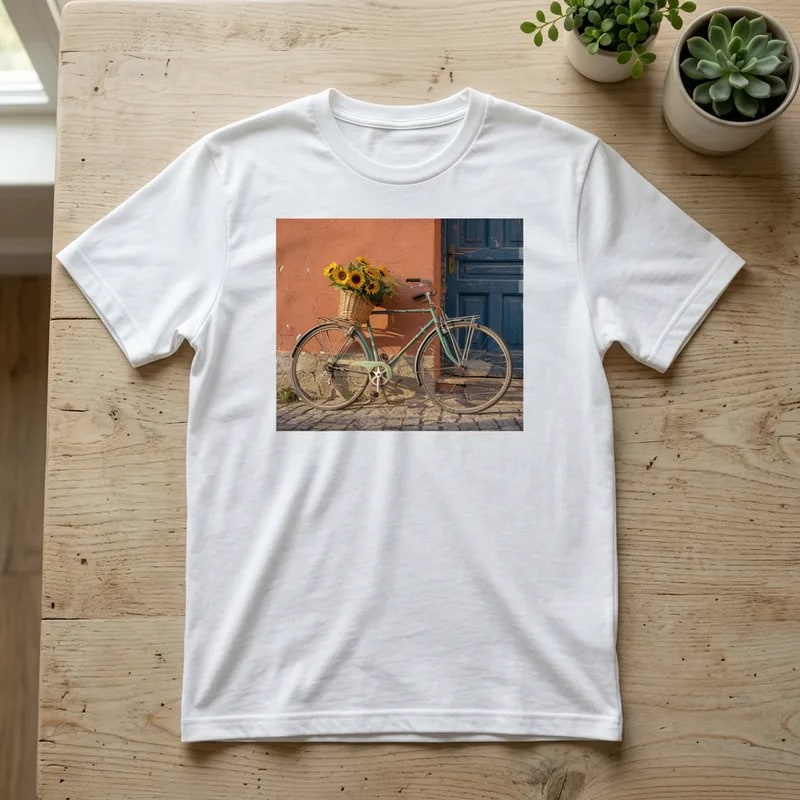
Attempt 1 printed the square photo as a rectangle about 16% wider than it is tall and cut off its top and bottom. Attempts 2 to 4 kept the whole photo.
Ideogram kept it in 1 of 4 attempts

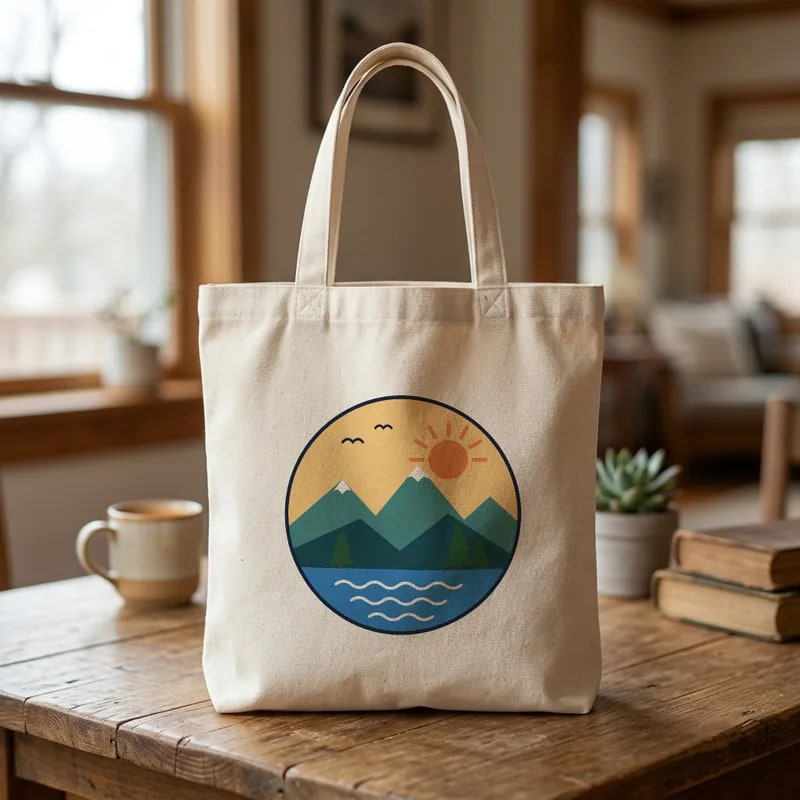
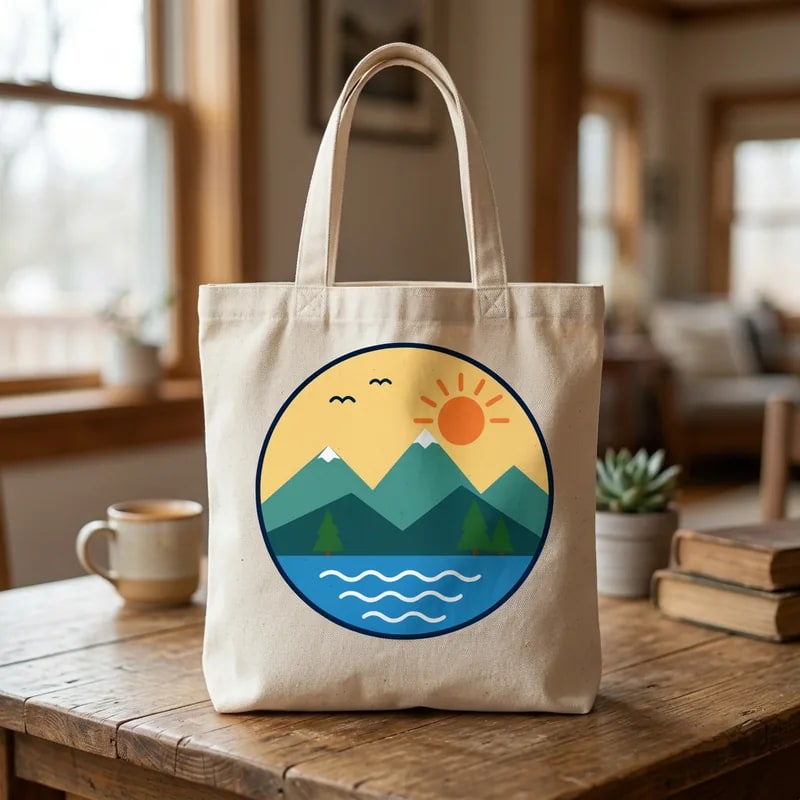
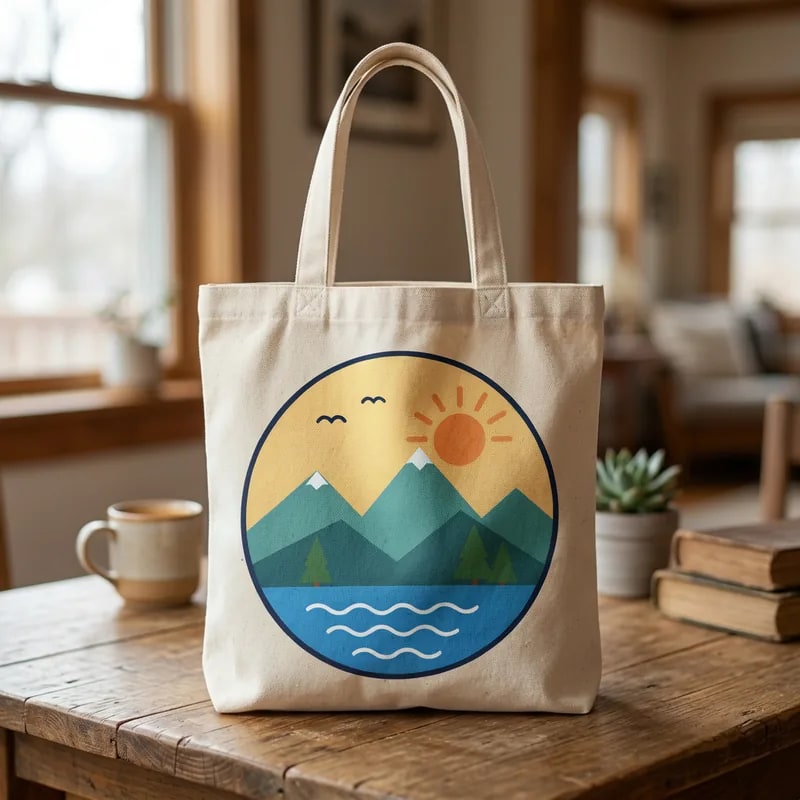
Attempt 3 kept the design. Attempt 2 redrew the pine trees with fewer tiers, and the other two attempts changed colors.
AI image generation makes the scene. Photo Mockups keeps your exact design on it, render after render. Each AI attempt generates the image again, so size, position and small details can change from one listing to the next. Photo Mockups places the file you upload, in the same place every time. In SudoMock you use them together:
In the SudoMock dashboard, describe the product photo you want, such as a tee on a wooden table or a mug by a window, and image generation makes it.
The generated scene turns into a reusable mockup with its print area ready. Already have product photos? Start here with your own.
Each render places your exact file, so a whole catalog shows up the same way on every listing. The same renders run from the API.
AI image editors, Photo Mockups, and keeping a design exact
Often, but not every time. In our test on 2026-10-20, Ideogram 4.5 Precise Edit at high quality kept a fine-text badge logo exactly in 6 of 12 attempts on a tee, a mug and a tote. The other attempts had a malformed letter, a shifted orange, or separator dots turned into bullets. Photo Mockups kept the logo exactly on all three products.
Yes. In our test on 2026-10-20, Ideogram 4.5 Precise Edit at high quality kept the design on the tee in 7 of 12 attempts, and the size and position of the print changed between attempts. To show the exact design the same way on every listing, use AI image generation to make the scene and Photo Mockups to place the design. SudoMock has both in one dashboard.
Each attempt is a new generated image, and the design is part of that image. In our test on 2026-10-20, a new attempt in the same cell moved the print, resized it, cropped a photo design or changed a small detail such as a letter. Photo Mockups returns the same image for the same inputs, so every listing matches.
In our test on 2026-10-20, one Ideogram 4.5 Precise Edit attempt at high quality took about 30 to 41 seconds (median in each cell), queue included. A Photo Mockups render takes about 1 second. Turning a product photo into a Photo Mockup is a one-time step per photo.
No. Photo Mockups turns one product photo into a reusable mockup you can render any design on. Use your own photo, or generate the scene in the SudoMock dashboard first. Every new account gets 500 one-time credits.
Turn a product photo into a Photo Mockup, or generate the scene first in the dashboard, then render every design on it. Every new account gets 500 one-time credits.