Pattern Mockups by API: Repeat a Seamless Design on Your Own PSD or Photo
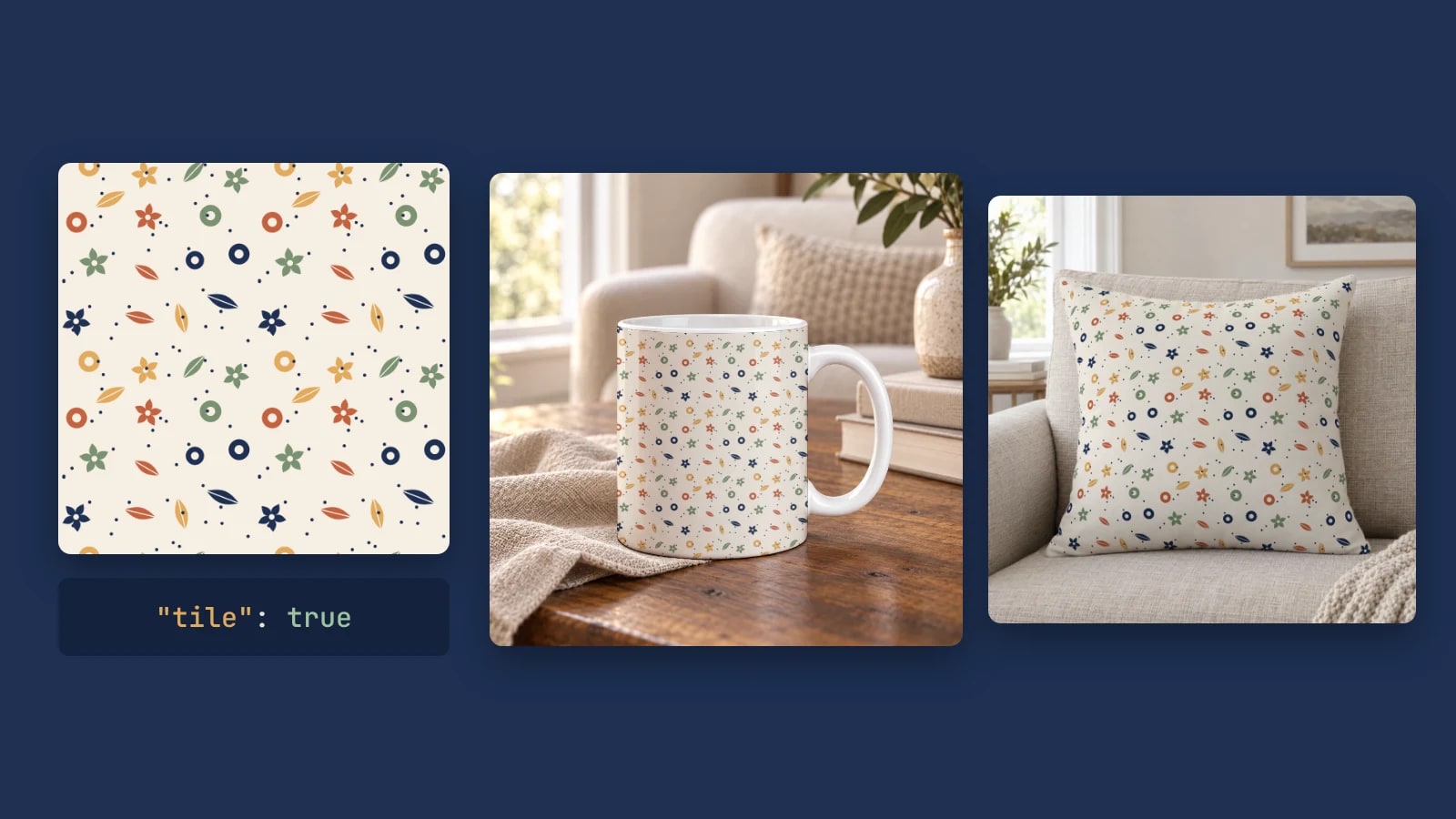
A pattern mockup repeats one seamless tile across the product at the scale it prints. Send the tile in a SudoMock render request with tile set to true and the size of one tile, and the repeat covers your PSD's smart object or a product photo's surface, following its curve. One call per pattern renders a collection.
Published 6 min readBeck
Key takeaways
- The tile size is the printed scale: half the size gives twice the repeats.
- tile_spacing is a percentage of the tile, so 50 leaves half a tile between logo copies.
- A tile without a size, or a spacing outside 0 to 100, returns 422.
What a pattern mockup needs
A pattern mockup needs three things: a seamless tile, a product whose print surface the tile can cover, and the size one tile takes on that surface. The tile is your pattern's repeat unit. The size decides how many times the motif repeats, so it is the one number you choose per product.
- The tile. A square PNG whose left edge continues into its right edge and its top into its bottom. A file that does not join shows a seam at every repeat, on every product.
- The product. Your own PSD with a smart object over the print surface, or a photo of the blank product saved as a photo mockup. With neither, start from the throw pillow mockup templates or the mug mockup templates: Use This Mockup opens the template's photo in the mockup editor, where the Pattern switch repeats your tile.
- The tile size. Measured in the smart object's pixels on a PSD, and in target pixels on a photo mockup.
The renders in this post use a garden tile drawn for it, in two colorways, and an emblem, on a mug PSD and on a throw pillow photo, rendered on 24 October 2026.
Repeat the tile across a PSD smart object
Add "tile": true and a size to the smart object's asset in an ordinary render request. The size is one tile, fit places the artwork inside each tile, and SudoMock repeats it across the whole smart object, following the template's warp and perspective.
curl -X POST https://api.sudomock.com/api/v1/renders \-H "x-api-key: YOUR_API_KEY" \-H "Content-Type: application/json" \-d '{"mockup_uuid": "YOUR_MOCKUP_UUID","smart_objects": [{"uuid": "YOUR_SMART_OBJECT_UUID","asset": {"url": "https://example.com/garden-tile.png","fit": "fill","size": { "width": 300, "height": 300 },"tile": true}}],"export_options": { "image_format": "webp", "image_size": 1024 }}'
const response = await fetch('https://api.sudomock.com/api/v1/renders', {method: 'POST',headers: {'x-api-key': 'YOUR_API_KEY','Content-Type': 'application/json',},body: JSON.stringify({"mockup_uuid": "YOUR_MOCKUP_UUID","smart_objects": [{"uuid": "YOUR_SMART_OBJECT_UUID","asset": {"url": "https://example.com/garden-tile.png","fit": "fill","size": {"width": 300,"height": 300},"tile": true}}],"export_options": {"image_format": "webp","image_size": 1024}}),});const data = await response.json();console.log(data);
import requestsresponse = requests.post("https://api.sudomock.com/api/v1/renders",headers={"x-api-key": "YOUR_API_KEY","Content-Type": "application/json",},json={"mockup_uuid": "YOUR_MOCKUP_UUID","smart_objects": [{"uuid": "YOUR_SMART_OBJECT_UUID","asset": {"url": "https://example.com/garden-tile.png","fit": "fill","size": {"width": 300,"height": 300,},"tile": True,},},],"export_options": {"image_format": "webp","image_size": 1024,},},)print(response.json())
package mainimport ("bytes""fmt""io""net/http")func main() {payload := []byte(`{"mockup_uuid": "YOUR_MOCKUP_UUID","smart_objects": [{"uuid": "YOUR_SMART_OBJECT_UUID","asset": {"url": "https://example.com/garden-tile.png","fit": "fill","size": {"width": 300,"height": 300},"tile": true}}],"export_options": {"image_format": "webp","image_size": 1024}}`)req, err := http.NewRequest("POST", "https://api.sudomock.com/api/v1/renders", bytes.NewBuffer(payload))if err != nil {panic(err)}req.Header.Set("x-api-key", "YOUR_API_KEY")req.Header.Set("Content-Type", "application/json")resp, err := http.DefaultClient.Do(req)if err != nil {panic(err)}defer resp.Body.Close()body, _ := io.ReadAll(resp.Body)fmt.Println(string(body))}
<?php$payload = <<<'JSON'{"mockup_uuid": "YOUR_MOCKUP_UUID","smart_objects": [{"uuid": "YOUR_SMART_OBJECT_UUID","asset": {"url": "https://example.com/garden-tile.png","fit": "fill","size": {"width": 300,"height": 300},"tile": true}}],"export_options": {"image_format": "webp","image_size": 1024}}JSON;$ch = curl_init('https://api.sudomock.com/api/v1/renders');curl_setopt_array($ch, [CURLOPT_CUSTOMREQUEST => 'POST',CURLOPT_RETURNTRANSFER => true,CURLOPT_HTTPHEADER => ['x-api-key: YOUR_API_KEY','Content-Type: application/json',],CURLOPT_POSTFIELDS => $payload,]);$response = curl_exec($ch);curl_close($ch);echo $response;
fill on a seamless file is what keeps the joins invisible, because each tile takes the exact box with no margin. The response carries the finished image in data.print_files[0].export_path. In a template with several views of the same product, such as a mug shown from six angles, the repeat continues across every copy of the smart object, so every view carries the pattern.
Pick the tile size from how the pattern prints
The tile size sets the printed scale: half the size gives twice the repeats across the same surface. Choose it from the repeat your print provider prints.
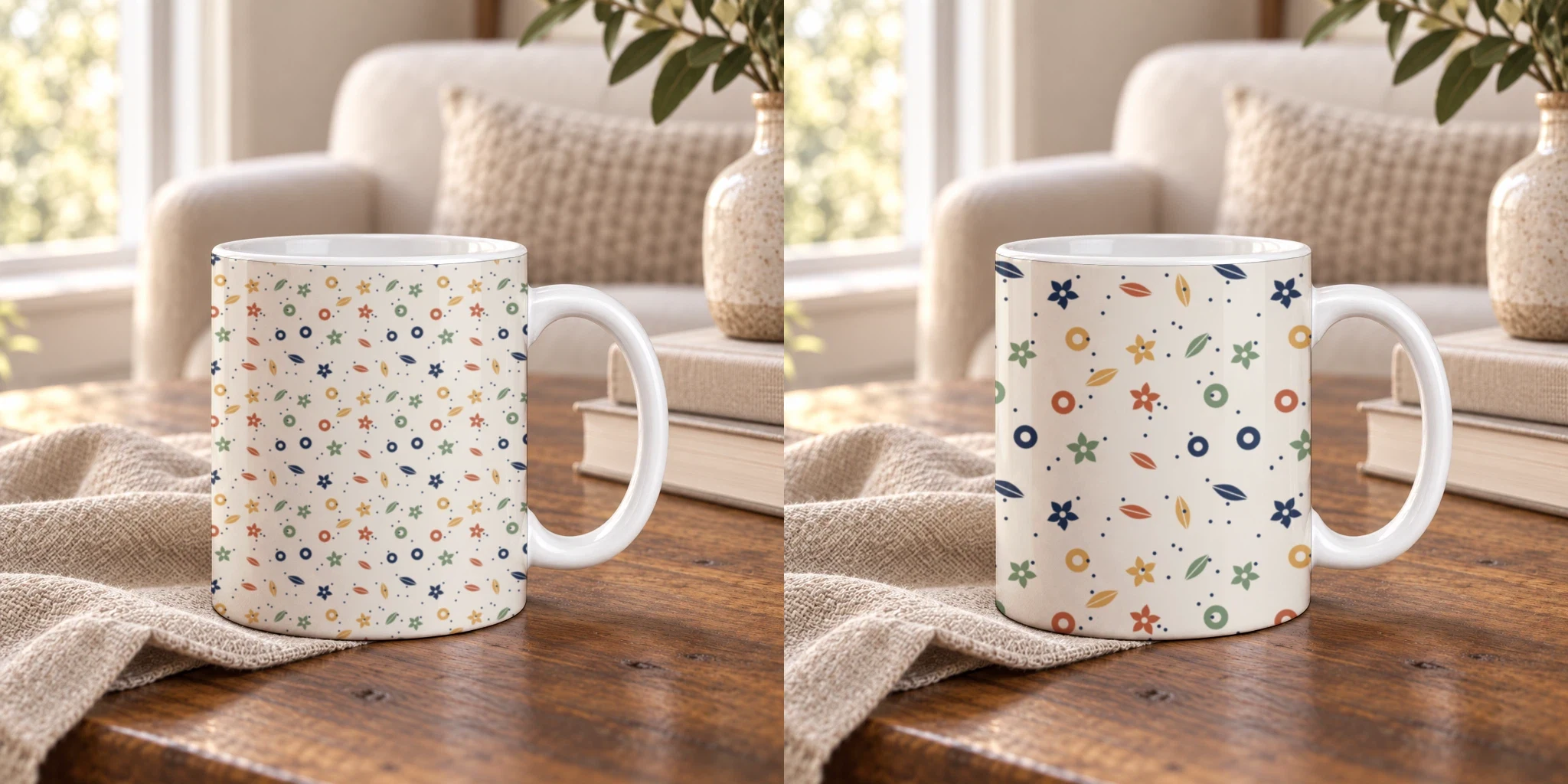 One tile, two sizes on the same mug PSD: 300 pixels on the left, 600 on the right. SudoMock renders, 24 October 2026.
The smart object on this mug is 853 by 1050 pixels, so a 300 pixel tile repeats about 2.8 times across it and a 600 pixel tile about 1.4 times. To match a physical repeat, divide: tile width equals the smart object's width times the repeat's printed width, divided by the printed width the smart object covers on the product. A pattern that repeats every 3 inches on a smart object that covers 8.5 inches of the print takes a tile about 35 percent of the smart object's width.
A buyer compares the mockup with the product that arrives. When the mockup shows motifs at twice their printed size, the product looks wrong in hand, so render each pattern at its print scale and keep that size per product in your catalog data.
Repeat a logo with space between copies
tile_spacing adds a gap between the tiles as a percentage of the tile size, from 0 to 100. Use it for a logo or an emblem repeated across a product, where each copy should stand on its own with space around it.
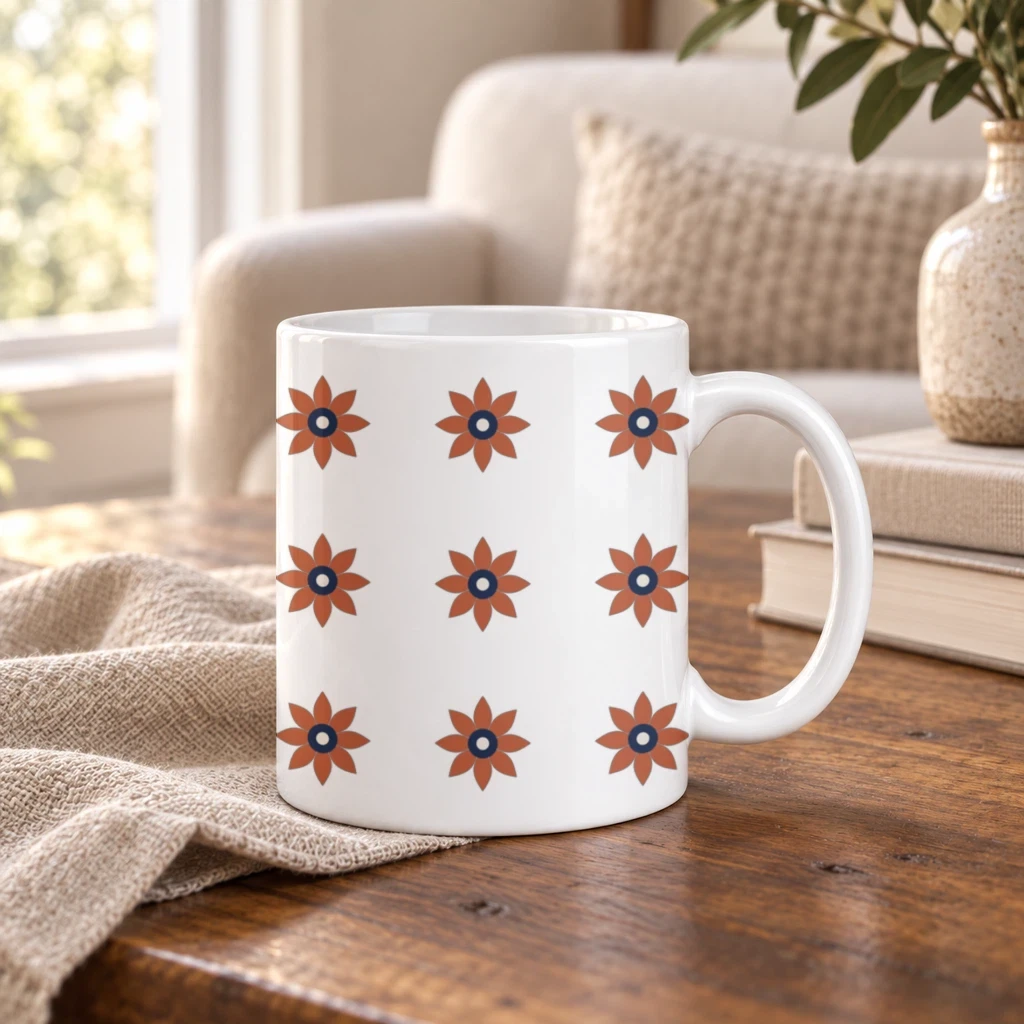 An emblem PNG with a transparent background, a 220 pixel tile, fit set to fit and tile_spacing 50. SudoMock render, 24 October 2026.
The asset for this render was "fit": "fit", "size": { "width": 220, "height": 220 }, "tile": true and "tile_spacing": 50. With 50 the horizontal gap is half the tile width and the vertical gap half the tile height, here 110 pixels each way. A value outside 0 to 100 returns 422, and so does a tile without a size.
Put the pattern on a product photo
On a photo mockup the same two fields go in the target's placement. Target the whole product with surface_uuid, give the tile's box with width and height, and the pattern fills every part of the surface, including the parts something in front of it splits apart.
curl -X POST https://api.sudomock.com/api/v1/photo-mockups/YOUR_PHOTO_MOCKUP_ID/render \-H "x-api-key: YOUR_API_KEY" \-H "Content-Type: application/json" \-d '{"print_areas": [{"surface_uuid": "YOUR_SURFACE_UUID","artwork_url": "https://example.com/garden-tile.png","placement": { "width": 360, "height": 360, "tile": true }}],"export_options": { "image_format": "webp", "image_size": 1024 }}'
const response = await fetch('https://api.sudomock.com/api/v1/photo-mockups/YOUR_PHOTO_MOCKUP_ID/render', {method: 'POST',headers: {'x-api-key': 'YOUR_API_KEY','Content-Type': 'application/json',},body: JSON.stringify({"print_areas": [{"surface_uuid": "YOUR_SURFACE_UUID","artwork_url": "https://example.com/garden-tile.png","placement": {"width": 360,"height": 360,"tile": true}}],"export_options": {"image_format": "webp","image_size": 1024}}),});const data = await response.json();console.log(data);
import requestsresponse = requests.post("https://api.sudomock.com/api/v1/photo-mockups/YOUR_PHOTO_MOCKUP_ID/render",headers={"x-api-key": "YOUR_API_KEY","Content-Type": "application/json",},json={"print_areas": [{"surface_uuid": "YOUR_SURFACE_UUID","artwork_url": "https://example.com/garden-tile.png","placement": {"width": 360,"height": 360,"tile": True,},},],"export_options": {"image_format": "webp","image_size": 1024,},},)print(response.json())
package mainimport ("bytes""fmt""io""net/http")func main() {payload := []byte(`{"print_areas": [{"surface_uuid": "YOUR_SURFACE_UUID","artwork_url": "https://example.com/garden-tile.png","placement": {"width": 360,"height": 360,"tile": true}}],"export_options": {"image_format": "webp","image_size": 1024}}`)req, err := http.NewRequest("POST", "https://api.sudomock.com/api/v1/photo-mockups/YOUR_PHOTO_MOCKUP_ID/render", bytes.NewBuffer(payload))if err != nil {panic(err)}req.Header.Set("x-api-key", "YOUR_API_KEY")req.Header.Set("Content-Type", "application/json")resp, err := http.DefaultClient.Do(req)if err != nil {panic(err)}defer resp.Body.Close()body, _ := io.ReadAll(resp.Body)fmt.Println(string(body))}
<?php$payload = <<<'JSON'{"print_areas": [{"surface_uuid": "YOUR_SURFACE_UUID","artwork_url": "https://example.com/garden-tile.png","placement": {"width": 360,"height": 360,"tile": true}}],"export_options": {"image_format": "webp","image_size": 1024}}JSON;$ch = curl_init('https://api.sudomock.com/api/v1/photo-mockups/YOUR_PHOTO_MOCKUP_ID/render');curl_setopt_array($ch, [CURLOPT_CUSTOMREQUEST => 'POST',CURLOPT_RETURNTRANSFER => true,CURLOPT_HTTPHEADER => ['x-api-key: YOUR_API_KEY','Content-Type: application/json',],CURLOPT_POSTFIELDS => $payload,]);$response = curl_exec($ch);curl_close($ch);echo $response;
The surface ids come from the photo mockup itself, listed on Print areas and surfaces. A saved print area works too: send its id as uuid and the pattern stays inside that area. The default blend reads like ink on material, so the pillow keeps its folds and shading under the print.
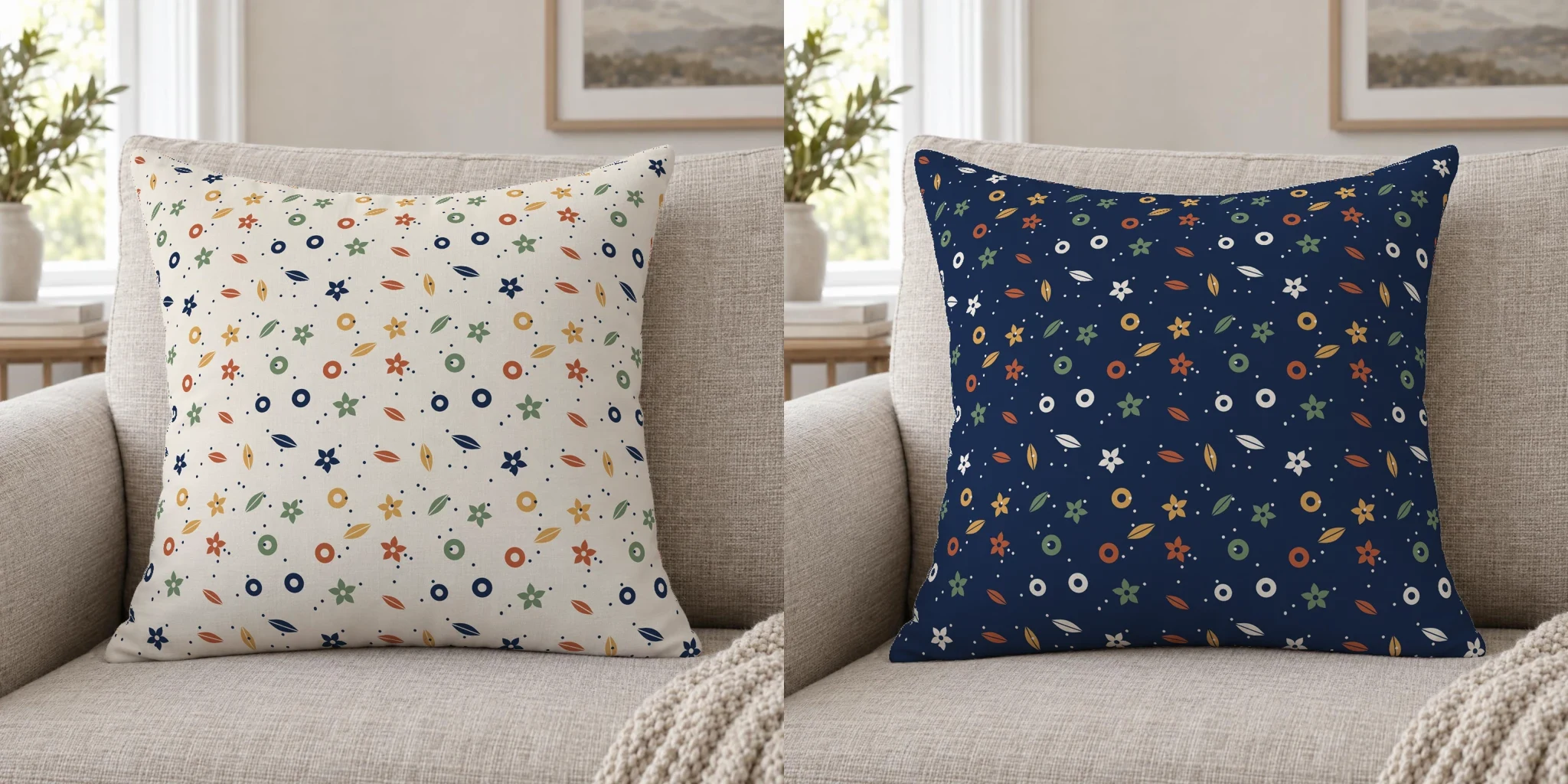 Two colorways of one pattern on one throw pillow photo, a 360 pixel tile each. SudoMock renders, 24 October 2026.
Render a whole collection
A collection is the same request with a different tile URL: one call per pattern and colorway, fired in parallel. The mockup, the target and the tile size stay fixed per product, so the request is a template your code, n8n or Make fills from a list of pattern files.
For a large collection add "is_async": true and collect each image from its job instead of holding connections open. Each tiled render is one render, billed the same as the same render with the design placed once. Plans start at $25/month. Subscriptions from $0.002 per render.
Before a collection goes to your listings, check three things in the first render of each product:
- Joins. Zoom where four tiles meet. A visible line means the tile file does not wrap. Fix the file and render again.
- Scale. Compare motif size with the printed sample or the provider's preview at the same tile size.
- Start of the grid.
positionand the offsets set where the first tile lands. Move them when a motif is cut at a prominent edge, such as the top of a mug.
Next step
Open the throw pillow mockup templates with Use This Mockup, or upload your own PSD (up to 300 MB in the dashboard, no file size limit over the API). In the mockup editor, turn on Pattern and set Tile size and Spacing by eye. Its Code tab prints the same request with your mockup and target ids. Send it with one of your tiles at two sizes and keep the one that matches your print. Artwork placement covers tile and tile_spacing on PSDs, and Render artwork onto a photo mockup covers them on photos. For one design on a tee, a mug and a tote from one assistant message, see Merch mockups with ChatGPT or Claude.
Frequently asked questions
How do I make a pattern mockup?
Place a seamless tile on the product's print surface and repeat it at the size it prints. With SudoMock that is one render request with tile set to true and the size of one tile, on your own PSD's smart object or on a product photo saved as a photo mockup. The repeat follows the product's curve and folds.
What size should a pattern tile be in a mockup?
The size of one repeat as it prints, in the smart object's pixels on a PSD and in target pixels on a photo mockup. Divide the repeat's printed width by the printed width the smart object covers on the product and multiply by the smart object's width. Halving the tile size doubles the number of repeats across the same surface.
Can I make pattern mockups for a whole collection at once?
Yes. Keep the mockup, the target and the tile size fixed per product and send one render request per pattern file, in parallel or as asynchronous jobs. Code, n8n or Make can read the pattern list and send the requests.
How do I add space between repeated logos?
Set tile_spacing between 0 and 100. It is a percentage of the tile size, so 50 leaves half a tile width between columns and half a tile height between rows. On a PSD, set fit to fit so the logo keeps its proportions inside each tile.
Why is there a line where the pattern repeats?
The tile file does not wrap: its left edge does not continue into its right edge, or its top into its bottom. Fix the file in your design tool, then render again. On a PSD, fit set to fill repeats a seamless file with no visible joins.
Sources
- Artwork placement (opens in new tab), SudoMock docs
- Render artwork onto a photo mockup (opens in new tab), SudoMock docs
- Print areas and surfaces (opens in new tab), SudoMock docs
- Render a PSD mockup (opens in new tab), SudoMock docs
- Retrieve a single job (opens in new tab), SudoMock docs
Beck
CTO
Related articles
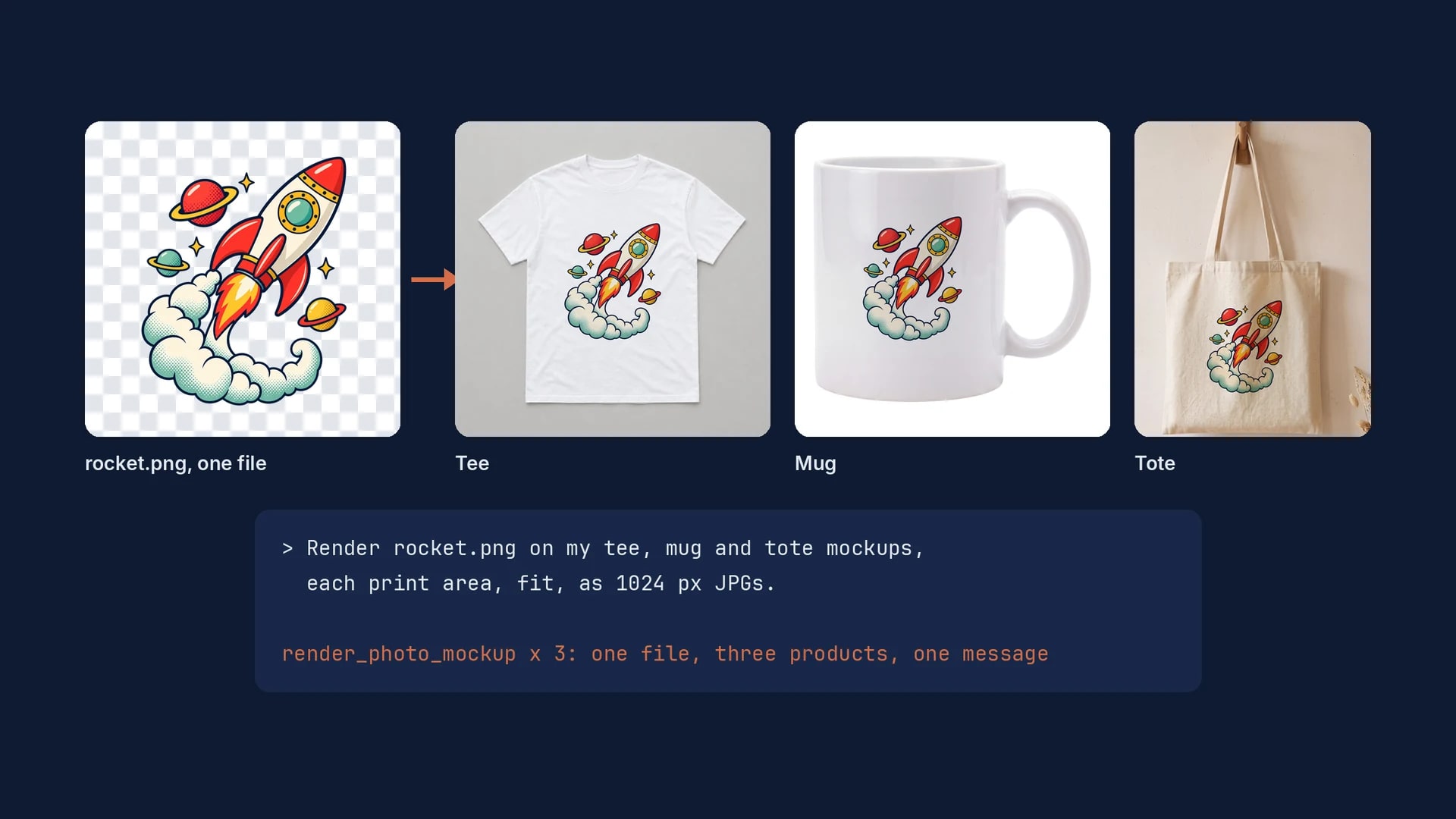
Merch Mockups With ChatGPT or Claude: One Design on a Tee, a Mug and a Tote
One design file, one mockup per product, and one message to ChatGPT or Claude that renders the tee, the mug and the tote exactly.
6 min read
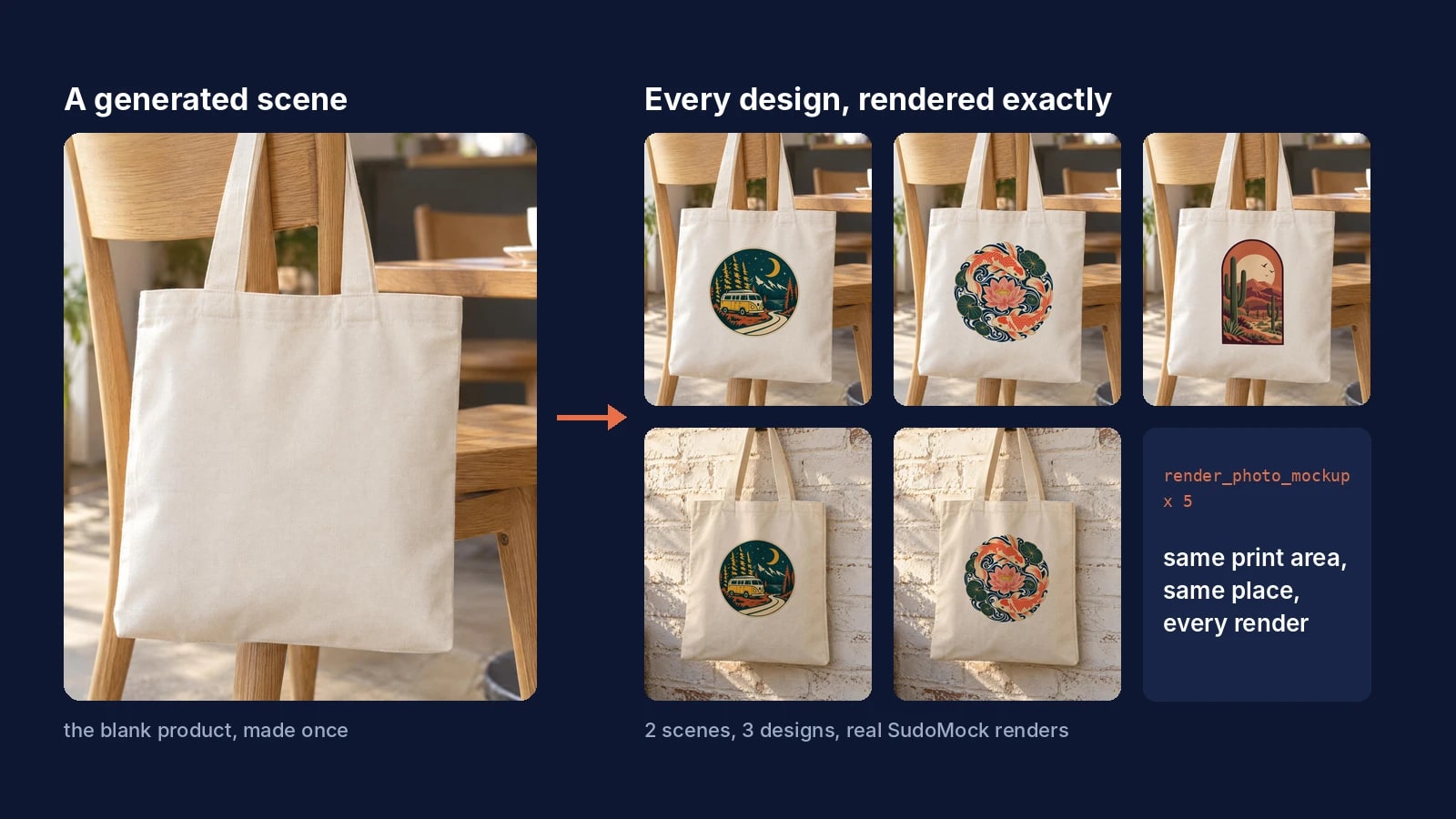
AI Product Photography for Print on Demand: Generate the Scene Once, Render Every Design Exactly
Generate the product scene once, make it a reusable mockup, and render every design on it exactly from ChatGPT, Claude or the API.
7 min read
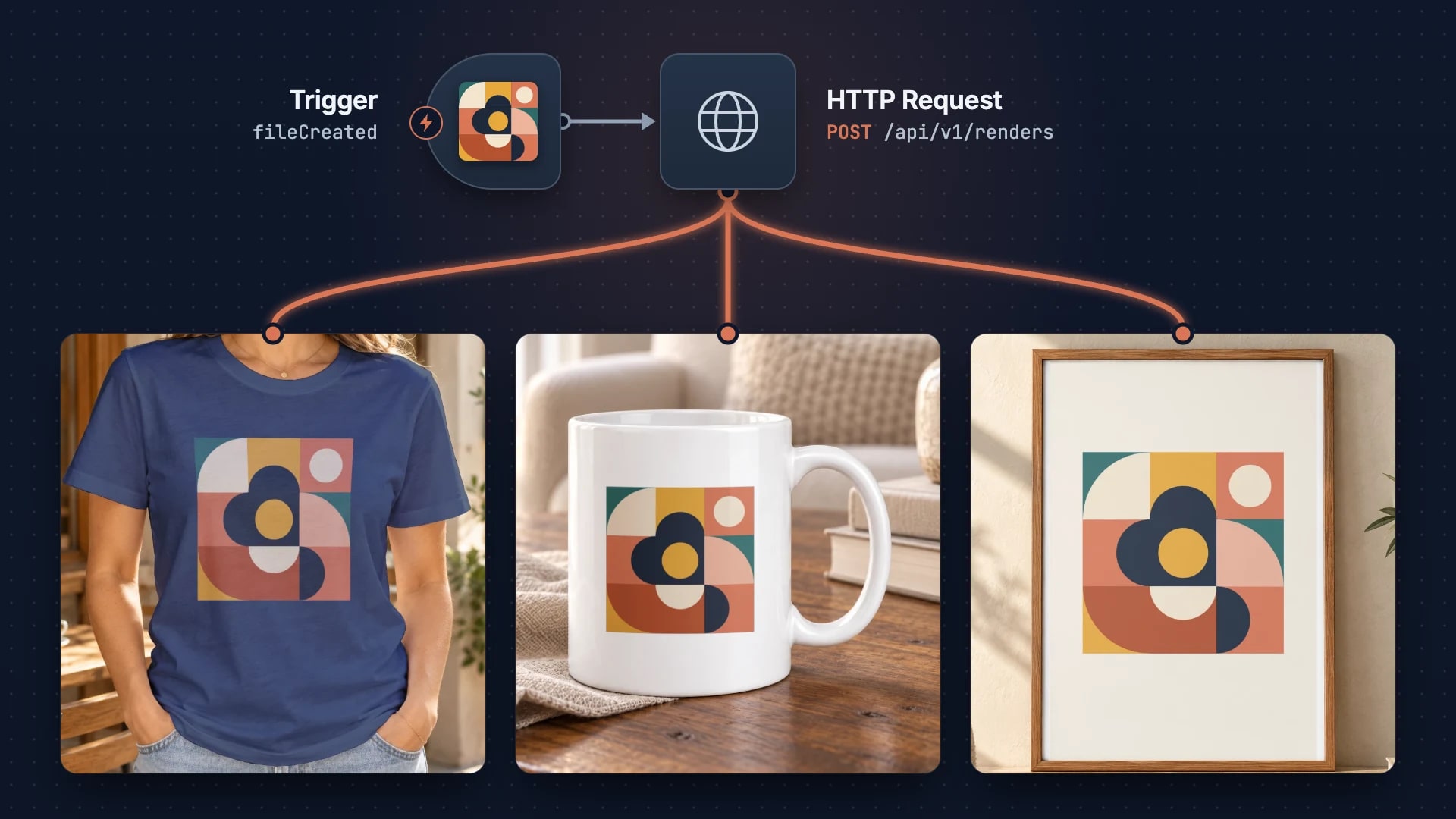
Building a Print-on-Demand Pipeline with n8n
Build an automated print-on-demand pipeline with n8n and SudoMock API. Step-by-step guide from design upload to Etsy/Shopify listing creation from $0.002 per render.
2 min read
Explore by use case
See SudoMock in action for your specific product category
Your own PSD, rendered via API
Render your own PSD through the API. Start with 500 one-time credits, no card.