WooCommerce MCP: Create Products With Images From Your Own Template
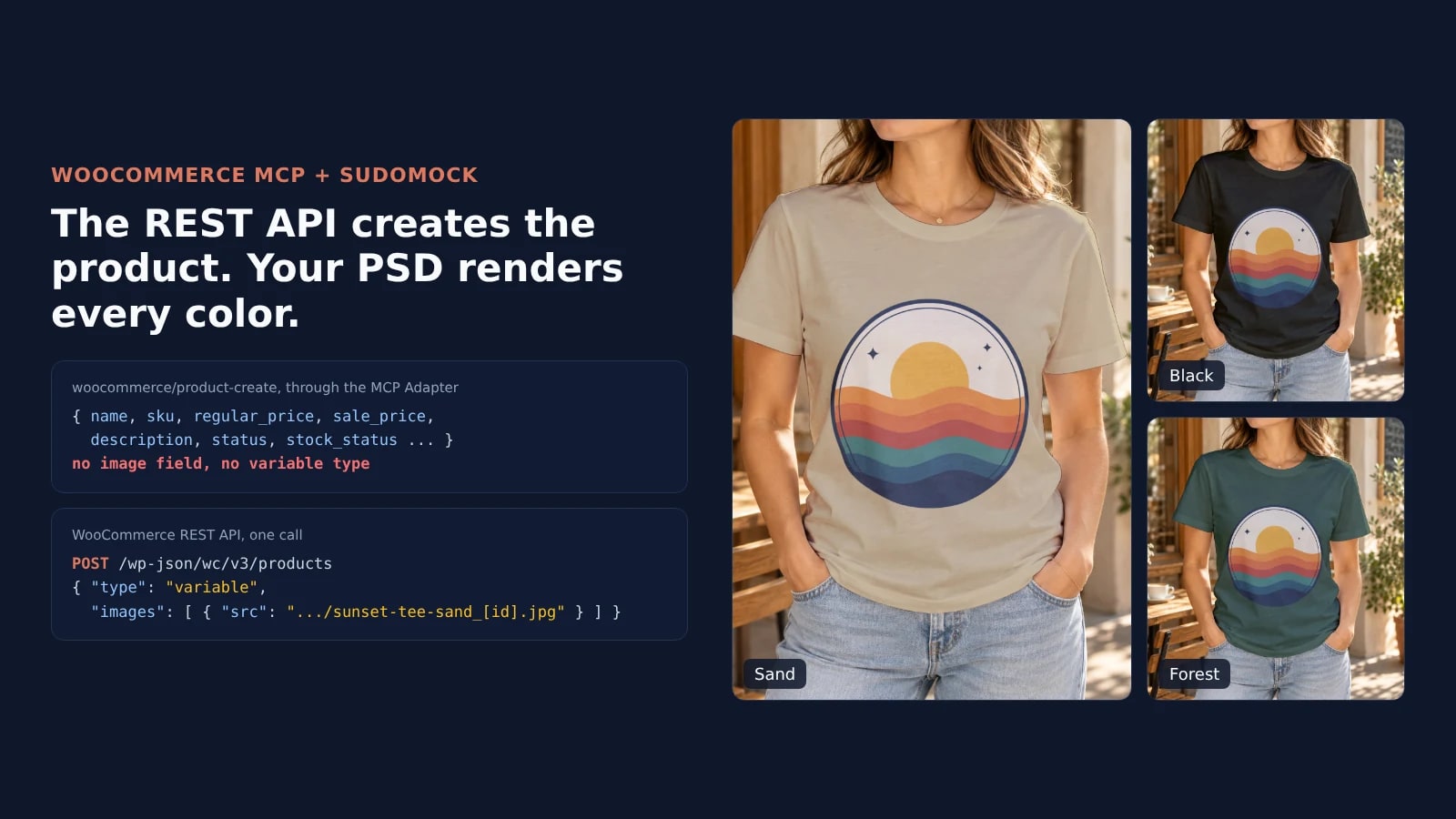
WooCommerce connects Claude Code or Cursor to your store through the WordPress MCP Adapter, and its product abilities set a name, price and stock but no images and no color variations. Add SudoMock's MCP server to render each color from your own PSD, and two REST calls put every render on its variation.
Published 7 min readBeck
Key takeaways
- WooCommerce 11.3 removes /wp-json/woocommerce/mcp, which then answers HTTP 410.
- A Shop Manager user with an Application Password covers the MCP Adapter and the REST calls.
- Pass image.id on each variation to reuse the attachment the product call already made.
How does an agent connect to WooCommerce over MCP?
Through the WordPress MCP Adapter plugin and an Application Password. WooCommerce registers its product and order abilities in WordPress, and the adapter serves them to Claude Code, Cursor or another MCP client at /wp-json/mcp/mcp-adapter-default-server.
WooCommerce's MCP documentation, read on 23 October 2026, marks the feature as a developer preview and says "WooCommerce does not bundle the MCP adapter," which holds from 11.3, the version the page describes. WooCommerce 11.2.1 still ships the adapter inside the plugin, and the MCP Adapter plugin worked on our 11.2.1 test store. Remote clients sign in with "a WordPress username and an Application Password", and the page adds: "Do not use your account password or a WooCommerce REST API key." It also asks for a dedicated user with only the capabilities the client needs. In our test store, a user with the Shop Manager role connected over MCP and created products with images through the REST API.
Install the adapter on the store, then add the store and SudoMock to the agent. The first claude mcp add carries the values WooCommerce documents for Claude Code, with the server name first, where Claude Code expects it. The second is from Connect an agent:
wp plugin install mcp-adapter --activateclaude mcp add woocommerce_store \--env WP_API_URL=https://yourstore.com/wp-json/mcp/mcp-adapter-default-server \--env WP_API_USERNAME=your-username \--env WP_API_PASSWORD='your-application-password' \-- npx -y @automattic/mcp-wordpress-remote@latestclaude mcp add --transport http sudomock https://mcp.sudomock.com
SudoMock signs in through the browser: the client opens a window where you approve access, and no API key goes into the chat. WooCommerce's page gives the same store entry for Claude Desktop and Cursor in their mcpServers settings, and Connect an agent covers SudoMock in Cursor, Codex and any client that speaks remote MCP.
WooCommerce 11.3 removes the old endpoint
WooCommerce 11.3 makes the MCP Adapter the only MCP route WooCommerce itself provides. WooCommerce's developer post of 21 October 2026 says that "Starting with WooCommerce 11.3, WooCommerce core product and order abilities will be enabled by default" and that 11.3 "will require the WordPress MCP Adapter plugin active on your store to establish an MCP connection."
The same post says the update removes the old /wp-json/woocommerce/mcp endpoint and its X-MCP-API-Key header, and that requests to it "now return HTTP 410 with a JSON-RPC error that explains how to connect through the MCP Adapter." On 23 October 2026 the stable release on wordpress.org was 11.2.1, so a store that connected an agent through the old endpoint can move to the adapter and an Application Password before it updates. The old endpoint's woocommerce/products-create mirrored the REST API, and the abilities post of 12 May 2026 calls that a deprecated transition path, which 11.3 removes with the endpoint.
Can the WooCommerce MCP add product images?
Not through the abilities the MCP Adapter serves. They create and update a product's name, SKU, prices, descriptions, status and stock, and none of them takes an image or a color variation.
We read the schemas on a test store with WooCommerce 11.2.1 and MCP Adapter 0.7.1 on 23 October 2026, through the adapter's mcp-adapter-get-ability-info tool. The input schema of woocommerce/product-create lists name, sku, regular_price, sale_price, description, short_description, status and the stock fields, plus external_url, button_text and grouped_products for affiliate and grouped products, and it sets additionalProperties to false. Its five product types are the ones WooCommerce's abilities post of 12 May 2026 names: physical, virtual, digital, affiliate and grouped. When we asked woocommerce/product-update to publish a variable product, it answered: "Product type is not supported by this ability."
| Job | MCP Adapter ability on 11.2.1 | REST API under /wp-json/wc/v3 |
|---|---|---|
| Find a product | woocommerce/products-query | GET /products |
| Create a simple product | woocommerce/product-create | POST /products |
| Create a product with a Color option | Not in the schema | POST /products with type variable, then POST /products/{id}/variations/batch |
| Add product images | Not in the schema | images[].src on the product |
| Give each color its own image | Not in the schema | image on each variation |
The REST API takes images by URL: WooCommerce's REST API documentation describes images[].src as "Image URL", and a variation's image takes the same object. WordPress accepts Application Passwords on its REST API. Export the same username and Application Password as WP_USER and WP_APP_PASSWORD in the shell the agent runs in, and it signs both calls with them.
Render one image per color from your template
The template takes the design in its print area and the color in a color smart object, set up as in T-shirt color variant mockups. Every render answers with a public image URL that WooCommerce can download.
In the agent, list_psd_mockups finds the template, get_psd_mockup returns the UUIDs of its smart objects and render_psd_mockup renders each color. A script sends the same render to the API:
curl -X POST https://api.sudomock.com/api/v1/renders \-H "x-api-key: $SUDOMOCK_API_KEY" \-H "Content-Type: application/json" \-d '{"mockup_uuid": "e532c503-fe20-4653-a301-af9f7a934609","smart_objects": [{ "uuid": "39865245-8d99-42e9-b1fc-3713fa4dbc94","asset": { "url": "https://example.com/designs/sunset-waves.png", "fit": "fit" } },{ "uuid": "ea565e8a-2b2b-46a1-b181-ff19d0e18eac","color": { "hex": "#121403", "blending_mode": "multiply" } }],"export_options": { "image_format": "jpg", "image_size": 1024 },"export_label": "sunset-tee-black"}'
const response = await fetch('https://api.sudomock.com/api/v1/renders', {method: 'POST',headers: {'x-api-key': process.env.SUDOMOCK_API_KEY,'Content-Type': 'application/json',},body: JSON.stringify({"mockup_uuid": "e532c503-fe20-4653-a301-af9f7a934609","smart_objects": [{"uuid": "39865245-8d99-42e9-b1fc-3713fa4dbc94","asset": {"url": "https://example.com/designs/sunset-waves.png","fit": "fit"}},{"uuid": "ea565e8a-2b2b-46a1-b181-ff19d0e18eac","color": {"hex": "#121403","blending_mode": "multiply"}}],"export_options": {"image_format": "jpg","image_size": 1024},"export_label": "sunset-tee-black"}),});const data = await response.json();console.log(data);
import osimport requestsresponse = requests.post("https://api.sudomock.com/api/v1/renders",headers={"x-api-key": os.environ["SUDOMOCK_API_KEY"],"Content-Type": "application/json",},json={"mockup_uuid": "e532c503-fe20-4653-a301-af9f7a934609","smart_objects": [{"uuid": "39865245-8d99-42e9-b1fc-3713fa4dbc94","asset": {"url": "https://example.com/designs/sunset-waves.png","fit": "fit",},},{"uuid": "ea565e8a-2b2b-46a1-b181-ff19d0e18eac","color": {"hex": "#121403","blending_mode": "multiply",},},],"export_options": {"image_format": "jpg","image_size": 1024,},"export_label": "sunset-tee-black",},)print(response.json())
package mainimport ("bytes""fmt""io""net/http""os")func main() {payload := []byte(`{"mockup_uuid": "e532c503-fe20-4653-a301-af9f7a934609","smart_objects": [{"uuid": "39865245-8d99-42e9-b1fc-3713fa4dbc94","asset": {"url": "https://example.com/designs/sunset-waves.png","fit": "fit"}},{"uuid": "ea565e8a-2b2b-46a1-b181-ff19d0e18eac","color": {"hex": "#121403","blending_mode": "multiply"}}],"export_options": {"image_format": "jpg","image_size": 1024},"export_label": "sunset-tee-black"}`)req, err := http.NewRequest("POST", "https://api.sudomock.com/api/v1/renders", bytes.NewBuffer(payload))if err != nil {panic(err)}req.Header.Set("x-api-key", os.Getenv("SUDOMOCK_API_KEY"))req.Header.Set("Content-Type", "application/json")resp, err := http.DefaultClient.Do(req)if err != nil {panic(err)}defer resp.Body.Close()body, _ := io.ReadAll(resp.Body)fmt.Println(string(body))}
<?php$payload = <<<'JSON'{"mockup_uuid": "e532c503-fe20-4653-a301-af9f7a934609","smart_objects": [{"uuid": "39865245-8d99-42e9-b1fc-3713fa4dbc94","asset": {"url": "https://example.com/designs/sunset-waves.png","fit": "fit"}},{"uuid": "ea565e8a-2b2b-46a1-b181-ff19d0e18eac","color": {"hex": "#121403","blending_mode": "multiply"}}],"export_options": {"image_format": "jpg","image_size": 1024},"export_label": "sunset-tee-black"}JSON;$ch = curl_init('https://api.sudomock.com/api/v1/renders');curl_setopt_array($ch, [CURLOPT_CUSTOMREQUEST => 'POST',CURLOPT_RETURNTRANSFER => true,CURLOPT_HTTPHEADER => ['x-api-key: ' . getenv('SUDOMOCK_API_KEY'),'Content-Type: application/json',],CURLOPT_POSTFIELDS => $payload,]);$response = curl_exec($ch);curl_close($ch);echo $response;
The image URL comes back in data.print_files[0].export_path, and the export_label starts its file name. Use the UUIDs of your own template in place of ours. We rendered black #121403, sand #CDB991 and forest #2E4B3A this way on 23 October 2026:
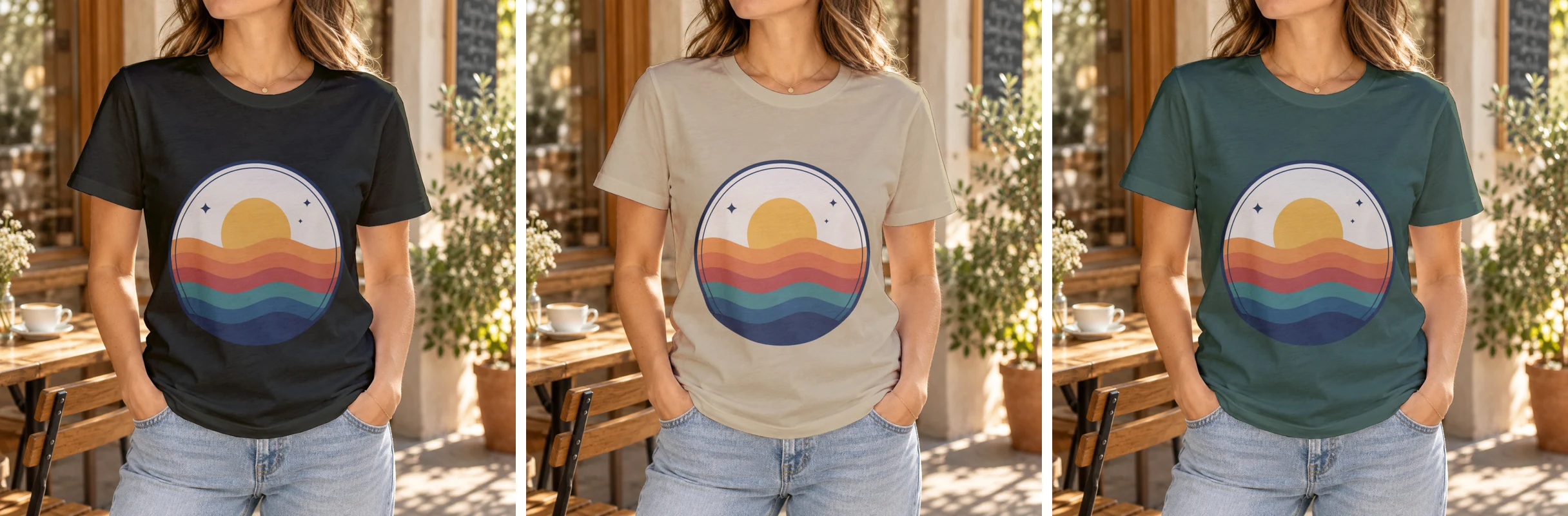 Three renders of one PSD template, 23 October 2026: the images WooCommerce received for Black, Sand and Forest.
With no PSD of your own, the crewneck t-shirt templates render a tee the same way. The average SudoMock render finishes in under a second.
Attach each render to its variation
Two REST calls finish the job. The first creates the variable product with its Color attribute and the three renders, and WooCommerce downloads each src into the media library. The second creates the variations, each with the image of its color.
curl -X POST https://yourstore.com/wp-json/wc/v3/products \-u "$WP_USER:$WP_APP_PASSWORD" \-H "Content-Type: application/json" \-d '{"name": "Sunset Waves Tee","type": "variable","status": "draft","attributes": [{ "name": "Color", "visible": true, "variation": true, "options": ["Black", "Sand", "Forest"] }],"images": [{ "src": "https://cdn.sudomock.com/mockup-assets/renders/e532c503-fe20-4653-a301-af9f7a934609/sunset-tee-black_bce13ddc-68b5-4d67-b2c2-c6b3ba65c735.jpg", "alt": "Sunset Waves Tee in black" },{ "src": "https://cdn.sudomock.com/mockup-assets/renders/e532c503-fe20-4653-a301-af9f7a934609/sunset-tee-sand_8f19cbe6-1012-4f68-b7a0-25a4a7b05409.jpg", "alt": "Sunset Waves Tee in sand" },{ "src": "https://cdn.sudomock.com/mockup-assets/renders/e532c503-fe20-4653-a301-af9f7a934609/sunset-tee-forest_34dff29f-2ae7-42f7-be84-d3d8fae2fb95.jpg", "alt": "Sunset Waves Tee in forest green" }]}'
The response returns the product id and one entry per image with its media library id, in the order you sent them, and the first image becomes the product image. The variations then point at those IDs, so each render is stored once:
curl -X POST https://yourstore.com/wp-json/wc/v3/products/14/variations/batch \-u "$WP_USER:$WP_APP_PASSWORD" \-H "Content-Type: application/json" \-d '{"create": [{ "regular_price": "24.00", "attributes": [ { "name": "Color", "option": "Black" } ], "image": { "id": 11 } },{ "regular_price": "24.00", "attributes": [ { "name": "Color", "option": "Sand" } ], "image": { "id": 12 } },{ "regular_price": "24.00", "attributes": [ { "name": "Color", "option": "Forest" } ], "image": { "id": 13 } }]}'
The three src links, product 14 and images 11, 12 and 13 are from our run: use the export_path of your own renders and the IDs your first call returns. On 23 October 2026 the product call answered 201 with the three renders in the media library under their own file names, such as sunset-tee-black_bce13ddc-68b5-4d67-b2c2-c6b3ba65c735.jpg. The batch created three variations, and on the product page each color showed its own render.
Instructions for the agent
A coding agent such as Claude Code, Cursor or Codex runs the whole job, because it holds both MCP servers and a shell for the two REST calls. These rules go into CLAUDE.md or AGENTS.md and keep it on your template, your design file and a draft you check:
You add products to my WooCommerce store with images from SudoMock.1. Ask me once for the design file link, the PSD template and thecolors. Never render to find out.2. Find the template with list_psd_mockups and read its smart objectUUIDs with get_psd_mockup.3. Render one image per color with render_psd_mockup, jpg atimage_size 1024 unless I ask for a larger width. Keep eachexport_path.4. Use my design file as it is. Never redraw it with an image model.5. Look the product name up with woocommerce/products-query firstand stop if it exists.6. Create the product as a draft: POST /wp-json/wc/v3/products withtype variable, a Color attribute and the renders in images[].src,in the order of my colors.7. Create one variation per color with POST/wp-json/wc/v3/products/{id}/variations/batch, each with the imageid the first call returned for its color.8. Read the product back with GET and list each color with its image.Never publish the product.9. Sign the REST calls with $WP_USER and $WP_APP_PASSWORD from theshell. Never ask me for the password in the chat.
Next step
Connect both servers with the commands above and Connect an agent. Upload your PSD once with Upload a PSD, or press Use This Mockup on a crewneck template, so list_psd_mockups finds it. Then ask for one product in one color and check the draft. For more images per color, WooCommerce variation image galleries fills gallery_image_ids on each variation, and the same agent job on Shopify is in Shopify MCP for product images. The render reference lists every render parameter, and the WooCommerce integration page covers the storefront customizer.
Frequently asked questions
Does the MCP Adapter work with WooCommerce?
Yes. WooCommerce registers its product and order abilities in WordPress, and the MCP Adapter plugin serves them to MCP clients at /wp-json/mcp/mcp-adapter-default-server. From 11.3, WooCommerce no longer bundles the adapter, so it is installed as its own plugin, which 11.3 requires for an MCP connection.
Can the WooCommerce MCP add product images?
Not through the abilities the MCP Adapter serves. On WooCommerce 11.2.1 those create and update abilities take names, prices, descriptions, status and stock, with no image field and no variable product type. The REST API adds images by URL, with images[].src on the product and image on each variation.
Why does /wp-json/woocommerce/mcp return 410?
WooCommerce removes that endpoint in 11.3, and requests to it return HTTP 410 with a JSON-RPC error that explains how to connect through the MCP Adapter. Point the client at the adapter's endpoint with a WordPress username and an Application Password, and revoke the REST API keys made for the old endpoint.
How do I connect Claude Code or Cursor to WooCommerce?
Install the MCP Adapter plugin, create an Application Password for a dedicated user, and add the store through the @automattic/mcp-wordpress-remote proxy with the endpoint URL, the username and the password. Claude Code takes it with claude mcp add, and Claude Desktop and Cursor read it from their mcpServers settings.
What does it cost to render the product images?
Each color image is one SudoMock render, billed the same way whether the agent calls the MCP server or a script calls the API. Plans start at $25/month. Subscriptions from $0.002 per render.
Sources
- Model Context Protocol (MCP) Integration (opens in new tab), WooCommerce developer docs
- WooCommerce 11.3 MCP Adaptor updates (opens in new tab), The WooCommerce Developer Blog
- Introducing canonical WooCommerce abilities for products and orders (opens in new tab), The WooCommerce Developer Blog
- WooCommerce REST API Documentation - WP REST API v3 (opens in new tab), WooCommerce
- WooCommerce (opens in new tab), WordPress.org plugin directory
- MCP Adapter (opens in new tab), WordPress.org plugin directory
- Authentication (opens in new tab), REST API Handbook
- Connect an agent (opens in new tab)
- Render a PSD mockup (opens in new tab)
Beck
CTO
Related articles
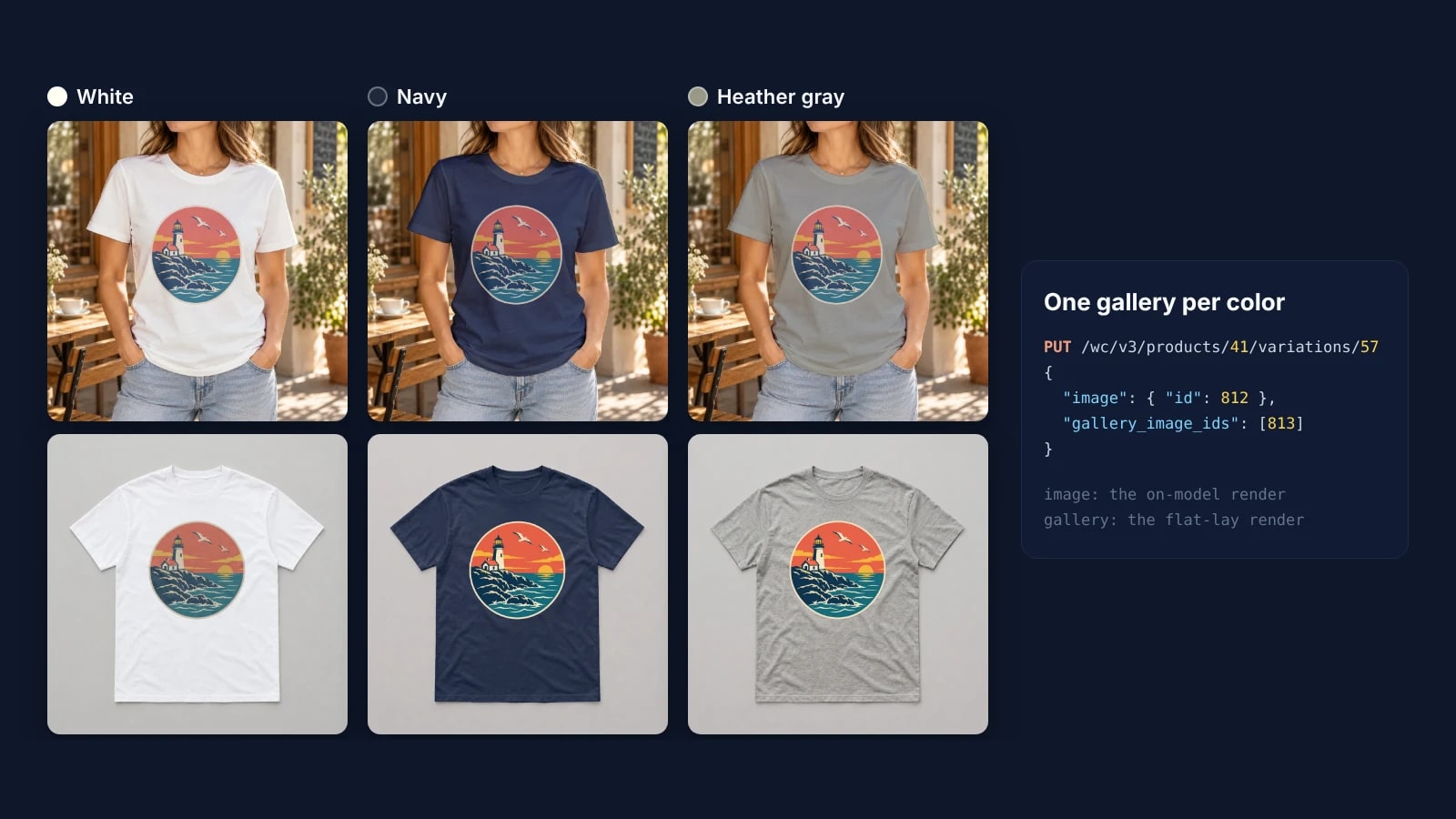
WooCommerce Variation Image Galleries: Fill Each Color by API
Fill the native WooCommerce variation galleries by API: render each color from a PSD and a product photo, upload, then set gallery_image_ids.
5 min read
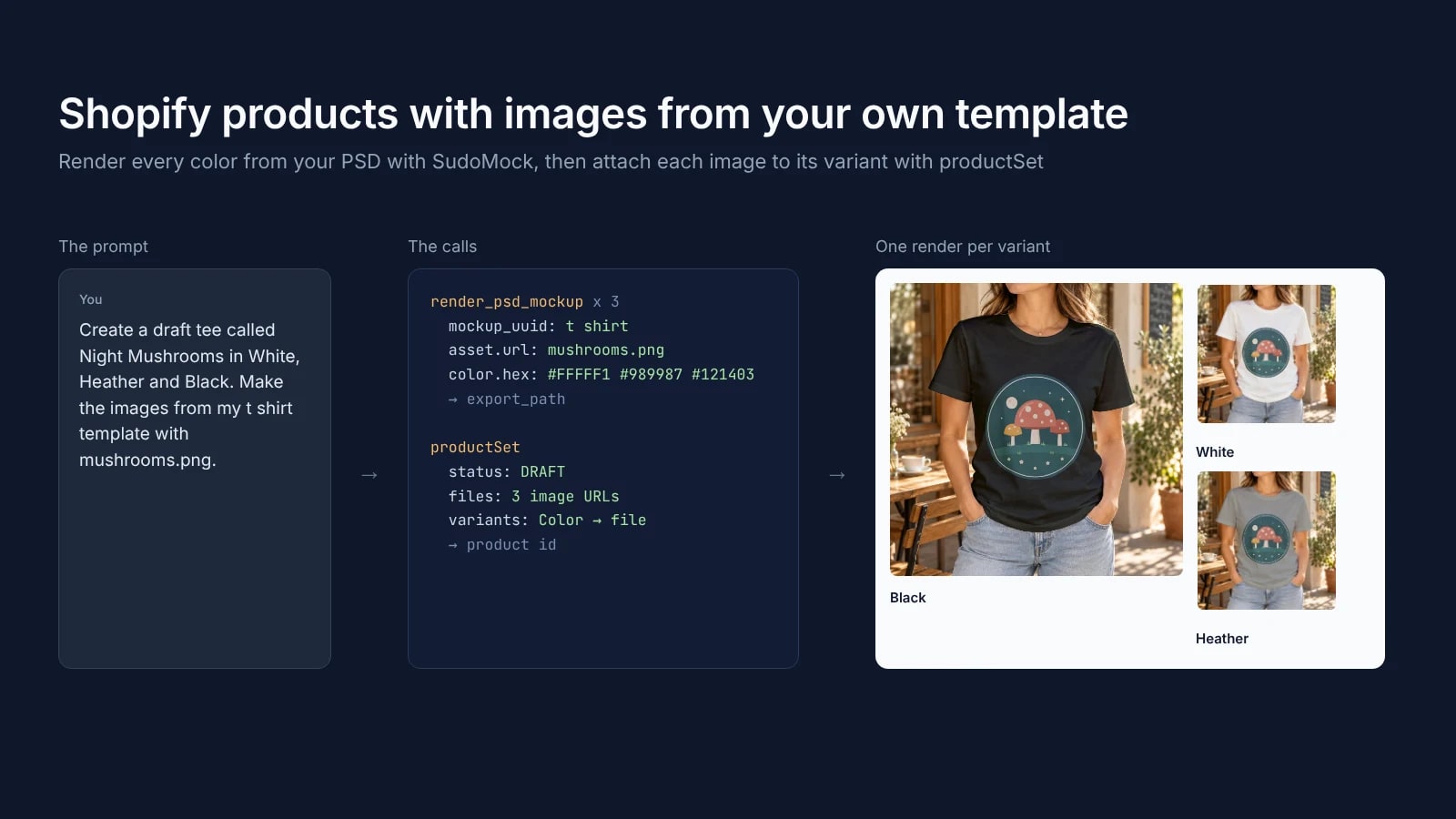
Shopify MCP for Product Images: Create Products With Mockups From Your Own Templates
Shopify's connector for Claude and plugin for ChatGPT create products. Add SudoMock to render each color's image from your own PSD template.
7 min read
Product Mockups With ChatGPT or Claude From One Product Photo
Make product mockups in ChatGPT or Claude without a PSD: one product photo becomes a reusable mockup, and each design is one render on it.
7 min read
Explore by use case
See SudoMock in action for your specific product category
Your own PSD, rendered via API
Render your own PSD through the API. Start with 500 one-time credits, no card.