AI Product Photography for Print on Demand: Generate the Scene Once, Render Every Design Exactly
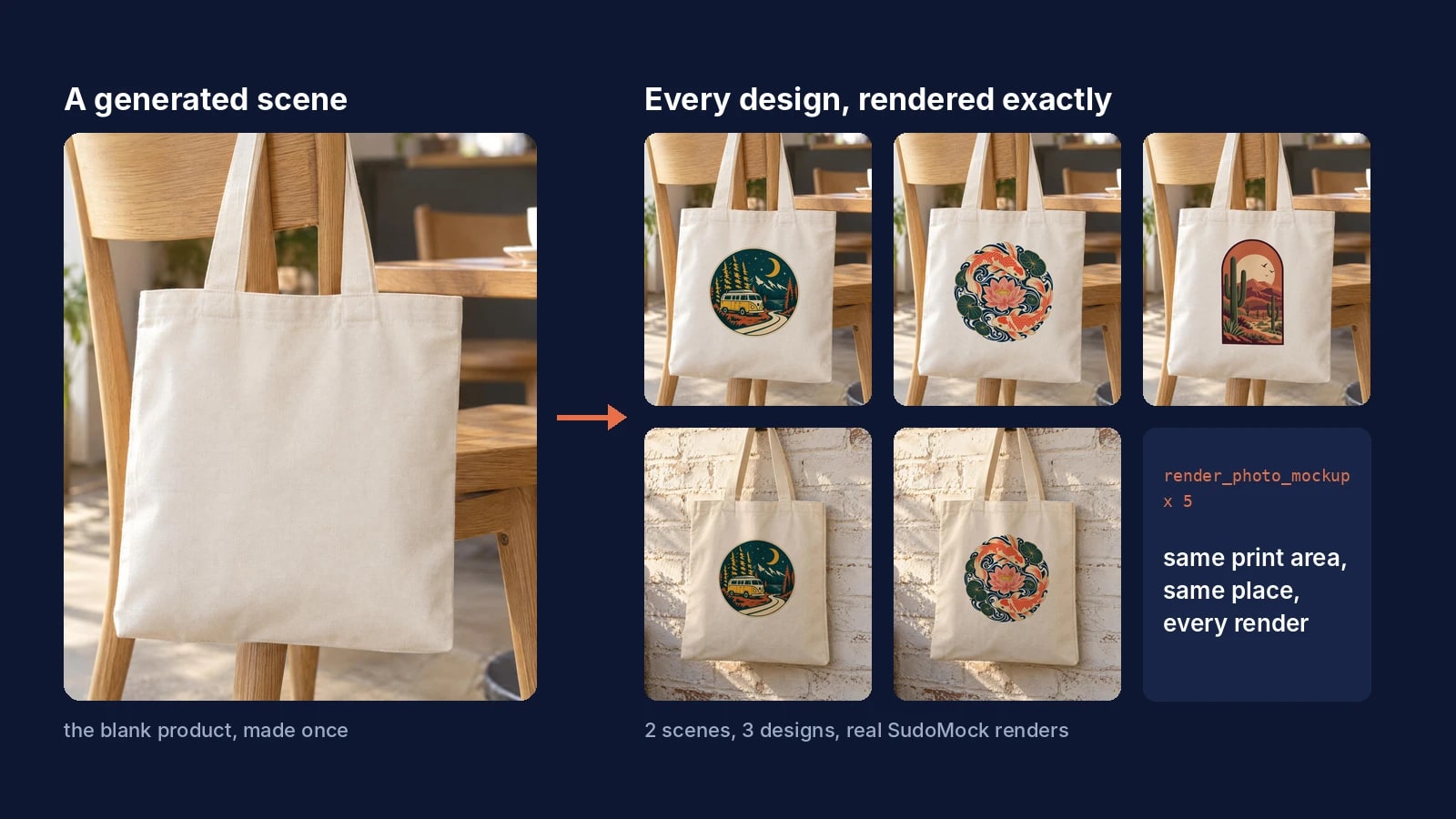
Generate the scene once with the product blank, then render every design onto it. The image model makes the lifestyle photo, and SudoMock places your print file as it is, in the same place on every render. Connected to SudoMock, ChatGPT or Claude runs those renders from one message.
Published 7 min readBeck
Why a new generation for every design breaks a catalog
An image model draws a new picture each time it is asked, so a design placed by generation comes back redrawn and moved from one listing to the next. Across a catalog that drift adds up, and each listing shows a slightly different print from the one the buyer receives.
The model makers document this themselves. OpenAI's image generation guide, read on 21 October 2026, lists among its limitations that the model "may occasionally struggle to maintain visual consistency for recurring characters or brand elements across multiple generations" and "may have difficulty placing elements precisely in structured or layout-sensitive compositions."
The size of the problem has been measured. In the Photoroom Product Fidelity Benchmark, published 31 July 2026, 850 products ran through four AI image-editing models, and the best model kept the product accurate in 29.0% of generations. Across its 3,400 generations, logo and text distortion affected 20.1% and a pattern or design change 11.4%.
So split the job in two. The image model makes the scene, once. SudoMock's Photo Mockups then puts your exact design in the same place on every render.
Generate the scene with the product blank
The scene is a photo of the bare product where your buyers would use it, with nothing printed on it. Ask for the printable face straight on to the camera, plain fabric and no people, and one scene serves every design you sell on that product.
In the SudoMock dashboard the Create page generates it: choose the product, the aspect ratio and the style, describe the product scene and generate it. The Create page docs say the library keeps the result, "so one scene can be reused across a season of designs", and the scene then opens in the mockup editor like an uploaded photo. A scene made with any other image model works the same way once you upload it.
This is the prompt we used on 21 October 2026 for the scene below:
Photorealistic lifestyle product photograph for an online shop.A blank natural cream cotton canvas tote bag hangs by its twohandles from the back of a light oak cafe chair. The front panelof the bag faces the camera straight on, flat and smooth,completely plain fabric with nothing printed on it: no text,no logo, no pattern, no label. Soft morning window light fromthe left, gentle natural shadows. Background: a sunny cafe cornerwith a small ceramic coffee cup and a green potted plant on awooden table, softly out of focus. No people, no hands, nowriting anywhere in the image. Eye-level camera, 50mm lens look,warm neutral colors.
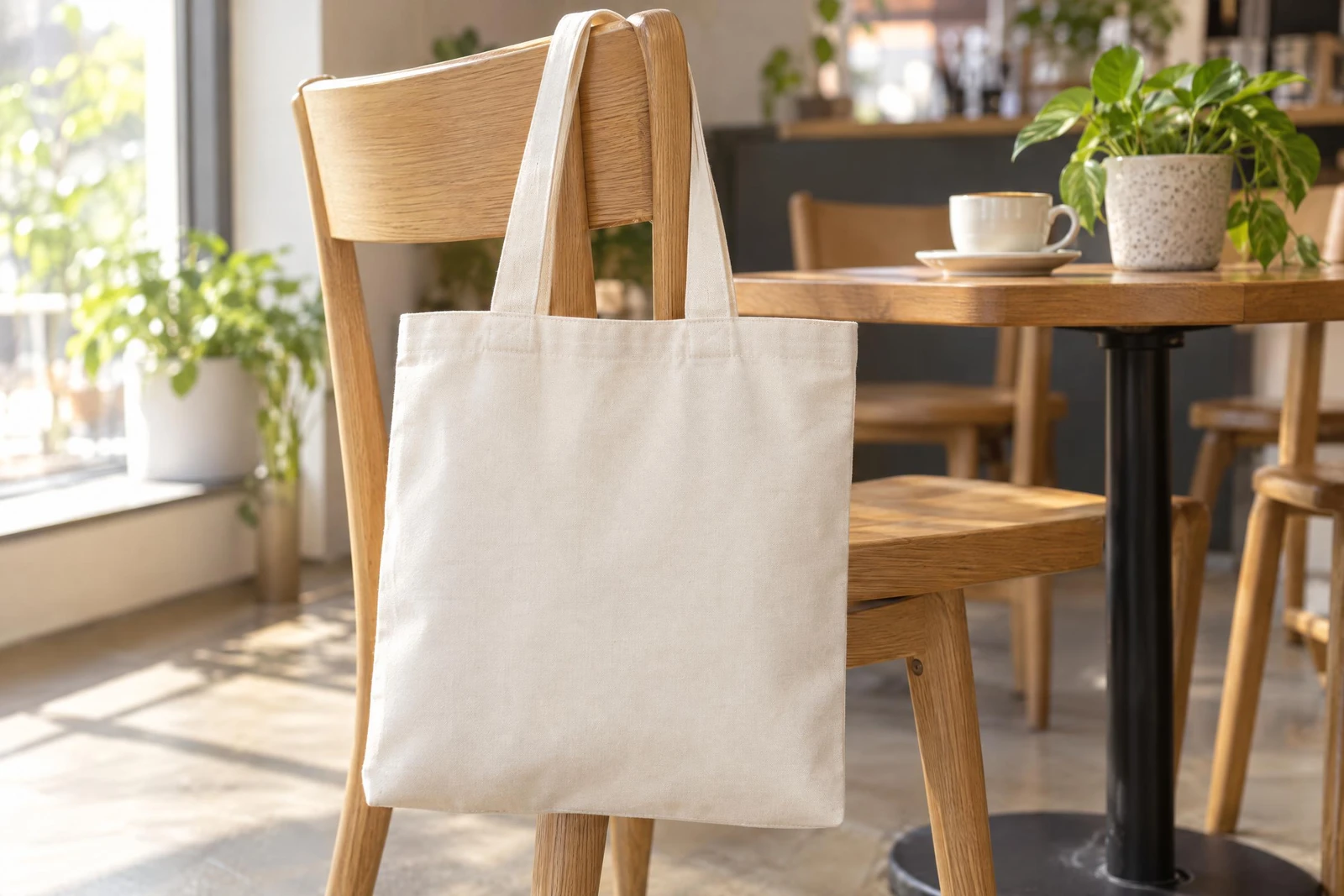 The scene, made with an AI image model for this example. The tote is blank, so every design starts from the same photo.
Each line of the prompt protects the renders that follow. Text or a logo on the product would sit under every design, a hand or a strap across the panel would cover the print, and a panel turned away from the camera leaves a design less room.
Make the scene a mockup with the print area where it prints
One call turns the scene into a reusable photo mockup, and its print area goes where your print provider prints that product. On a tote that is the front panel below the top hem.
We drew the tote's front area as four corner points in the scene's own pixels, from the top left clockwise, in the 5 by 6 shape of a standard tote front print file. Sent with the create request, the points are used as given and detection is skipped:
curl -X POST https://api.sudomock.com/api/v1/photo-mockups \-H "x-api-key: $SUDOMOCK_API_KEY" \-H "Content-Type: application/json" \-d '{"source_url": "https://example.com/scenes/tote-cafe-chair.jpg","name": "Tote on a cafe chair","is_async": true,"print_areas": [{ "name": "Front", "points": [[858, 685], [1370, 691], [1348, 1321], [821, 1302]] }]}'
const response = await fetch('https://api.sudomock.com/api/v1/photo-mockups', {method: 'POST',headers: {'x-api-key': process.env.SUDOMOCK_API_KEY,'Content-Type': 'application/json',},body: JSON.stringify({"source_url": "https://example.com/scenes/tote-cafe-chair.jpg","name": "Tote on a cafe chair","is_async": true,"print_areas": [{"name": "Front","points": [[858,685],[1370,691],[1348,1321],[821,1302]]}]}),});const data = await response.json();console.log(data);
import osimport requestsresponse = requests.post("https://api.sudomock.com/api/v1/photo-mockups",headers={"x-api-key": os.environ["SUDOMOCK_API_KEY"],"Content-Type": "application/json",},json={"source_url": "https://example.com/scenes/tote-cafe-chair.jpg","name": "Tote on a cafe chair","is_async": True,"print_areas": [{"name": "Front","points": [[858,685,],[1370,691,],[1348,1321,],[821,1302,],],},],},)print(response.json())
package mainimport ("bytes""fmt""io""net/http""os")func main() {payload := []byte(`{"source_url": "https://example.com/scenes/tote-cafe-chair.jpg","name": "Tote on a cafe chair","is_async": true,"print_areas": [{"name": "Front","points": [[858,685],[1370,691],[1348,1321],[821,1302]]}]}`)req, err := http.NewRequest("POST", "https://api.sudomock.com/api/v1/photo-mockups", bytes.NewBuffer(payload))if err != nil {panic(err)}req.Header.Set("x-api-key", os.Getenv("SUDOMOCK_API_KEY"))req.Header.Set("Content-Type", "application/json")resp, err := http.DefaultClient.Do(req)if err != nil {panic(err)}defer resp.Body.Close()body, _ := io.ReadAll(resp.Body)fmt.Println(string(body))}
<?php$payload = <<<'JSON'{"source_url": "https://example.com/scenes/tote-cafe-chair.jpg","name": "Tote on a cafe chair","is_async": true,"print_areas": [{"name": "Front","points": [[858,685],[1370,691],[1348,1321],[821,1302]]}]}JSON;$ch = curl_init('https://api.sudomock.com/api/v1/photo-mockups');curl_setopt_array($ch, [CURLOPT_CUSTOMREQUEST => 'POST',CURLOPT_RETURNTRANSFER => true,CURLOPT_HTTPHEADER => ['x-api-key: ' . getenv('SUDOMOCK_API_KEY'),'Content-Type: application/json',],CURLOPT_POSTFIELDS => $payload,]);$response = curl_exec($ch);curl_close($ch);echo $response;
With is_async set, the call answers at once with a status_url to poll. The finished job carries the new mockup's mockup_uuid, and GET /api/v1/photo-mockups/{mockup_uuid} returns the mockup with the print_area_id of its Front area under quads. Print areas and surfaces covers the rules for the four points.
In a chat, the assistant does the same with create_photo_mockup and the scene's link, then update_photo_mockup_print_areas with the same four points. A scene you generated and marked in the dashboard is already a photo mockup in your account, where the assistant finds it with list_photo_mockups. For a tote you would rather render on a studio photo, the tote bag mockup templates take the same design files.
Render every design on the scene
On a generated scene a design needs no new generation: one render names the mockup, the Front print area and the design's link. Every design lands in the same box.
This is the request for the camper van design as we ran it on 21 October 2026, with your design's link in artwork_url and your own mockup and print area ids. The finished image is at data.print_files[0].export_path:
curl -X POST https://api.sudomock.com/api/v1/photo-mockups/d7cf5932-0545-4647-a9fe-df067afe04b3/render \-H "x-api-key: $SUDOMOCK_API_KEY" \-H "Content-Type: application/json" \-d '{"print_areas": [{"uuid": "b57496cd-8b67-443a-a7cb-059d9614f99f","artwork_url": "https://example.com/designs/camper-van-badge.png","placement": { "fit": "fit" }}],"export_options": { "image_format": "jpg", "image_size": 1024 }}'
const response = await fetch('https://api.sudomock.com/api/v1/photo-mockups/d7cf5932-0545-4647-a9fe-df067afe04b3/render', {method: 'POST',headers: {'x-api-key': process.env.SUDOMOCK_API_KEY,'Content-Type': 'application/json',},body: JSON.stringify({"print_areas": [{"uuid": "b57496cd-8b67-443a-a7cb-059d9614f99f","artwork_url": "https://example.com/designs/camper-van-badge.png","placement": {"fit": "fit"}}],"export_options": {"image_format": "jpg","image_size": 1024}}),});const data = await response.json();console.log(data);
import osimport requestsresponse = requests.post("https://api.sudomock.com/api/v1/photo-mockups/d7cf5932-0545-4647-a9fe-df067afe04b3/render",headers={"x-api-key": os.environ["SUDOMOCK_API_KEY"],"Content-Type": "application/json",},json={"print_areas": [{"uuid": "b57496cd-8b67-443a-a7cb-059d9614f99f","artwork_url": "https://example.com/designs/camper-van-badge.png","placement": {"fit": "fit",},},],"export_options": {"image_format": "jpg","image_size": 1024,},},)print(response.json())
package mainimport ("bytes""fmt""io""net/http""os")func main() {payload := []byte(`{"print_areas": [{"uuid": "b57496cd-8b67-443a-a7cb-059d9614f99f","artwork_url": "https://example.com/designs/camper-van-badge.png","placement": {"fit": "fit"}}],"export_options": {"image_format": "jpg","image_size": 1024}}`)req, err := http.NewRequest("POST", "https://api.sudomock.com/api/v1/photo-mockups/d7cf5932-0545-4647-a9fe-df067afe04b3/render", bytes.NewBuffer(payload))if err != nil {panic(err)}req.Header.Set("x-api-key", os.Getenv("SUDOMOCK_API_KEY"))req.Header.Set("Content-Type", "application/json")resp, err := http.DefaultClient.Do(req)if err != nil {panic(err)}defer resp.Body.Close()body, _ := io.ReadAll(resp.Body)fmt.Println(string(body))}
<?php$payload = <<<'JSON'{"print_areas": [{"uuid": "b57496cd-8b67-443a-a7cb-059d9614f99f","artwork_url": "https://example.com/designs/camper-van-badge.png","placement": {"fit": "fit"}}],"export_options": {"image_format": "jpg","image_size": 1024}}JSON;$ch = curl_init('https://api.sudomock.com/api/v1/photo-mockups/d7cf5932-0545-4647-a9fe-df067afe04b3/render');curl_setopt_array($ch, [CURLOPT_CUSTOMREQUEST => 'POST',CURLOPT_RETURNTRANSFER => true,CURLOPT_HTTPHEADER => ['x-api-key: ' . getenv('SUDOMOCK_API_KEY'),'Content-Type: application/json',],CURLOPT_POSTFIELDS => $payload,]);$response = curl_exec($ch);curl_close($ch);echo $response;
fit keeps the whole design inside the print area at its own proportions. The average SudoMock render finishes in under a second.
Three designs on the same scene, rendered on 21 October 2026 at 1600 px:
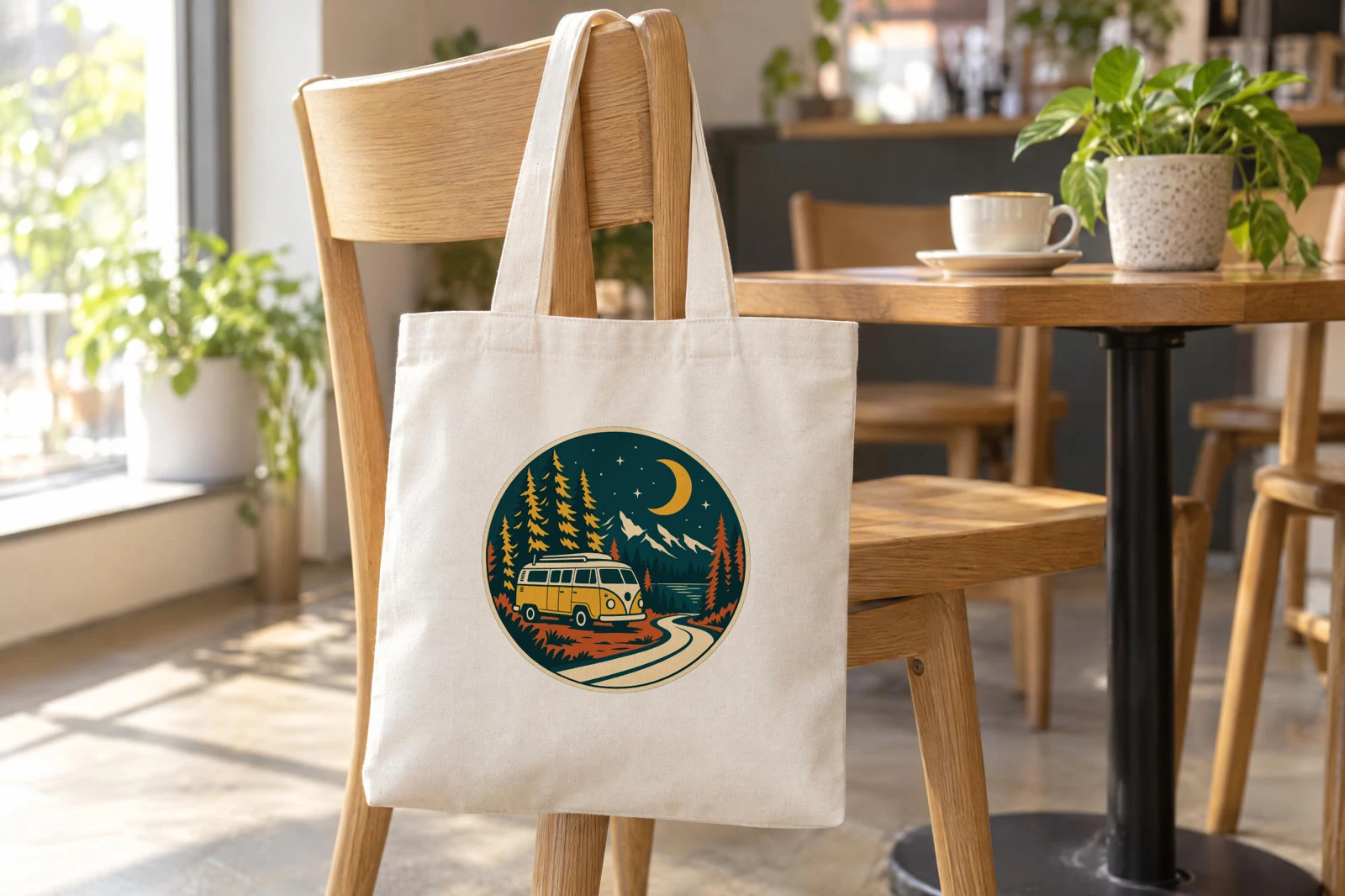 Camper van badge on the generated cafe scene, fit in the Front print area.
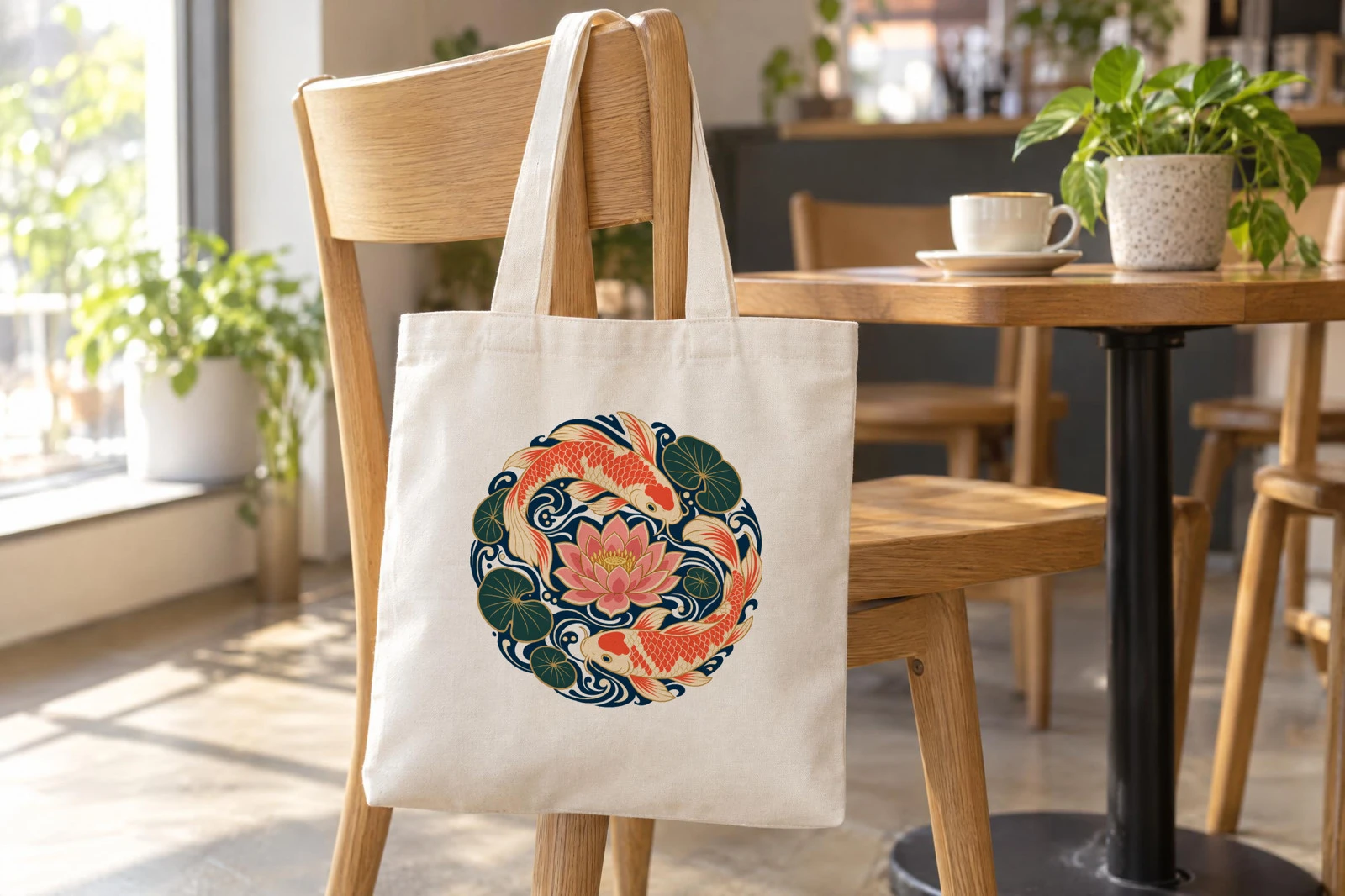 Koi and lotus circle, same mockup and print area, only the design link changed.
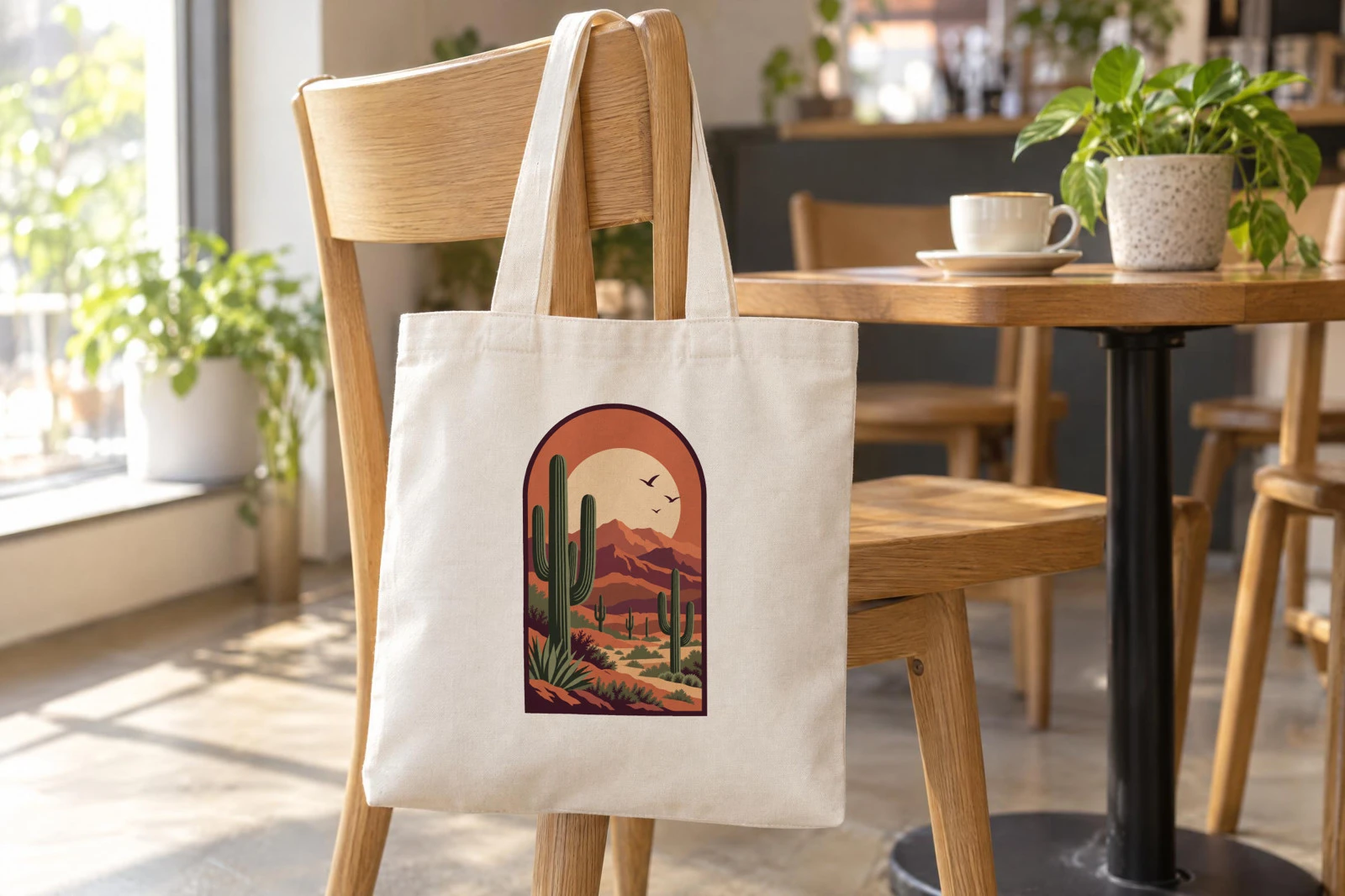 A portrait design fits by height inside the same Front area.
From ChatGPT or Claude the same renders take one message. With SudoMock connected (the steps are in Product mockups with ChatGPT or Claude), ask:
Render these three designs on my "Tote on a cafe chair" mockup,Front print area, fit, as 1024 px JPGs, and give me the links:https://example.com/designs/camper-van-badge.pnghttps://example.com/designs/koi-lotus.pnghttps://example.com/designs/desert-arch.png
The assistant calls render_photo_mockup once per design with the mockup's id, the print_area_uuid and the design's artwork_url, and answers with the three image links.
One design set, more scenes
A second scene gives every design a second listing photo with no new design work. Generate it the same way, mark its print area, and render the same files on it.
Our second scene hangs the tote on a brick wall at a market, with its Front area drawn by the same rule. The camper van and koi files went onto it with the same request, with only the mockup and print area ids changed:
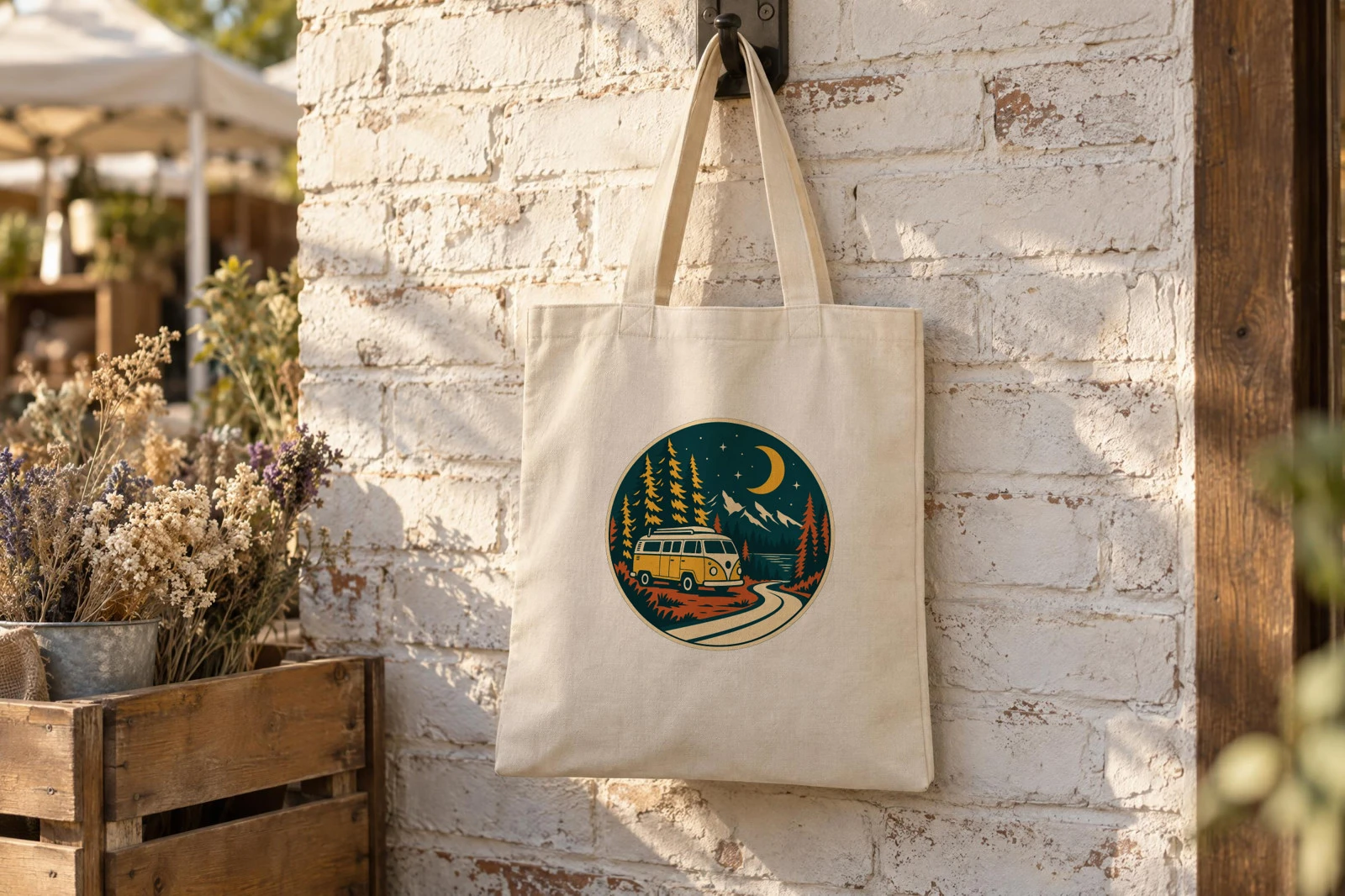 The camper van badge on a second generated scene, rendered on 21 October 2026.
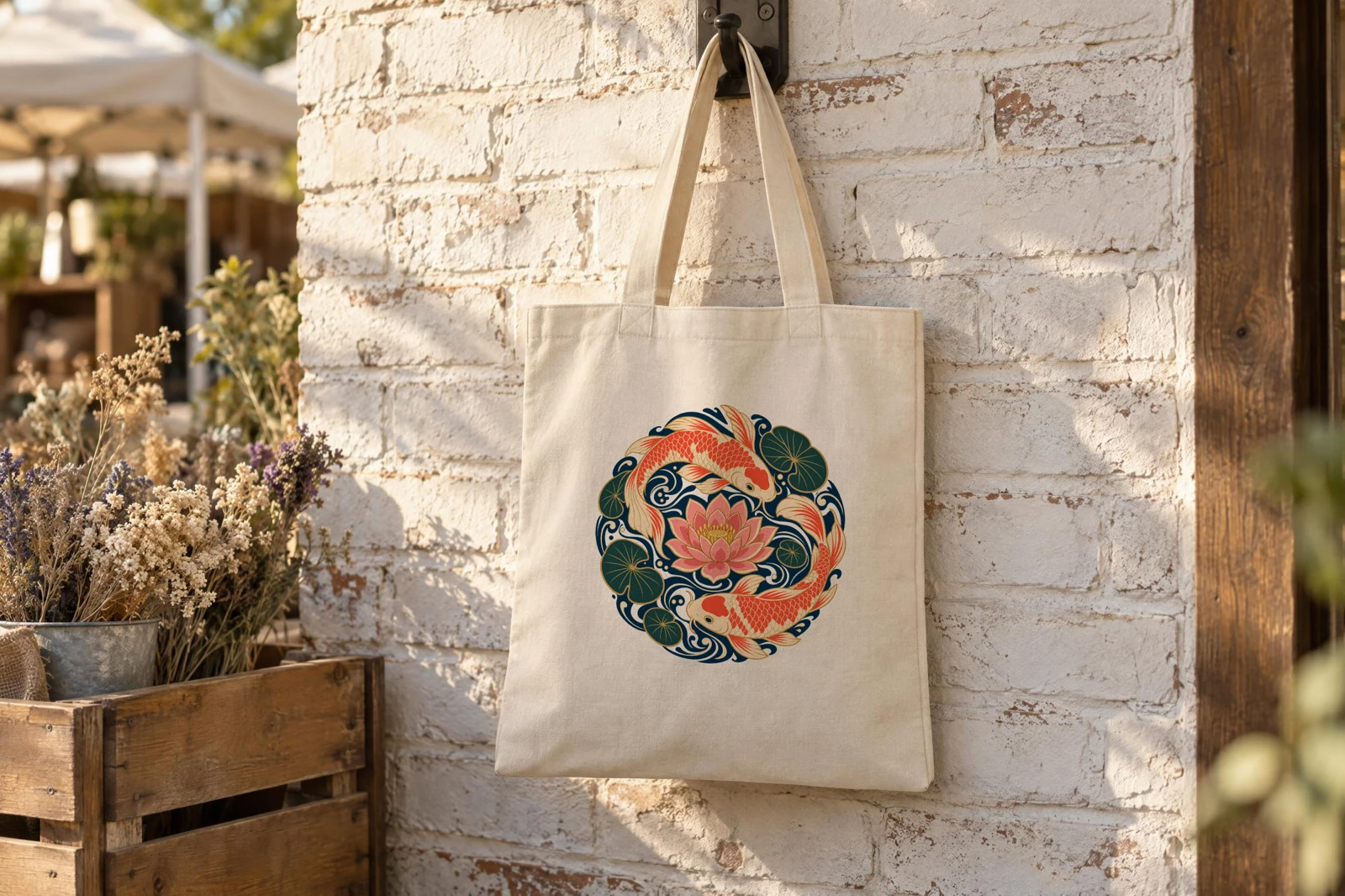 The koi and lotus circle on the market scene, same placement rule as the cafe scene.
Rules for an assistant that renders on your scenes
Three rules keep an assistant on the right side of the split: it finds your scenes, renders every design on each one, and never generates or redraws a scene. Paste them into a ChatGPT or Claude project next to the general rules in Product mockups with ChatGPT or Claude.
1. My scenes are photo mockups in my SudoMock account. Find themwith list_photo_mockups and render on each scene's printarea.2. When I name several scenes, render every design on each oneand list the images by design and scene.3. Never generate, edit or redraw a scene, a product or a designwith an image model. A new scene comes from me.
Next step
Generate your first scene with the steps in Create a mockup in the browser, then connect ChatGPT or Claude with the steps in Product mockups with ChatGPT or Claude, or a coding agent with Connect an agent. Render artwork onto a photo mockup lists every placement option, and How to make your own mockup covers the same steps for a photo of your own sample.
Frequently asked questions
What should a prompt for a mockup scene include?
The bare product with its printable face straight on to the camera, in plain material with no text, logo, pattern or label, and no people or hands. Keep straps, folds and props off the panel where the print goes. The setting, the light and the props can be anything your buyers recognize.
Can ChatGPT or Claude make AI product photos of my designs?
Yes, by rendering each design on a scene you saved once. With SudoMock connected as a custom MCP server, the assistant renders every design on a scene stored as a photo mockup in your account, and the design stays exactly as you made it. The scene itself comes from the SudoMock dashboard or from any image model.
How many designs can one generated scene take?
Every design you sell on that product. The scene is saved once as a photo mockup, and each design is one render on it with the same placement. A second scene gives the whole set a second photo.
Can I use a scene made with another image model?
Yes. Upload it as a product photo in the dashboard or send its link to the create request, and draw the print area where your provider prints. From then on it works like a scene generated in the dashboard.
What does it cost to render designs on a generated scene?
Plans start at $25/month. Subscriptions from $0.002 per render. Generating a scene in the dashboard draws on the same balance as a render, preparing the photo mockup costs 25 credits once, and each render onto it costs 5 credits from the same monthly pool.
Sources
- Image generation (opens in new tab), OpenAI API docs
- How to close the fidelity gap in AI product photography (opens in new tab), Photoroom
- Create a mockup in the browser (opens in new tab)
- Print areas and surfaces (opens in new tab)
- Render artwork onto a photo mockup (opens in new tab)
- Create a mockup from a product photo (opens in new tab)
- Connect an agent (opens in new tab)
Beck
CTO
Related articles
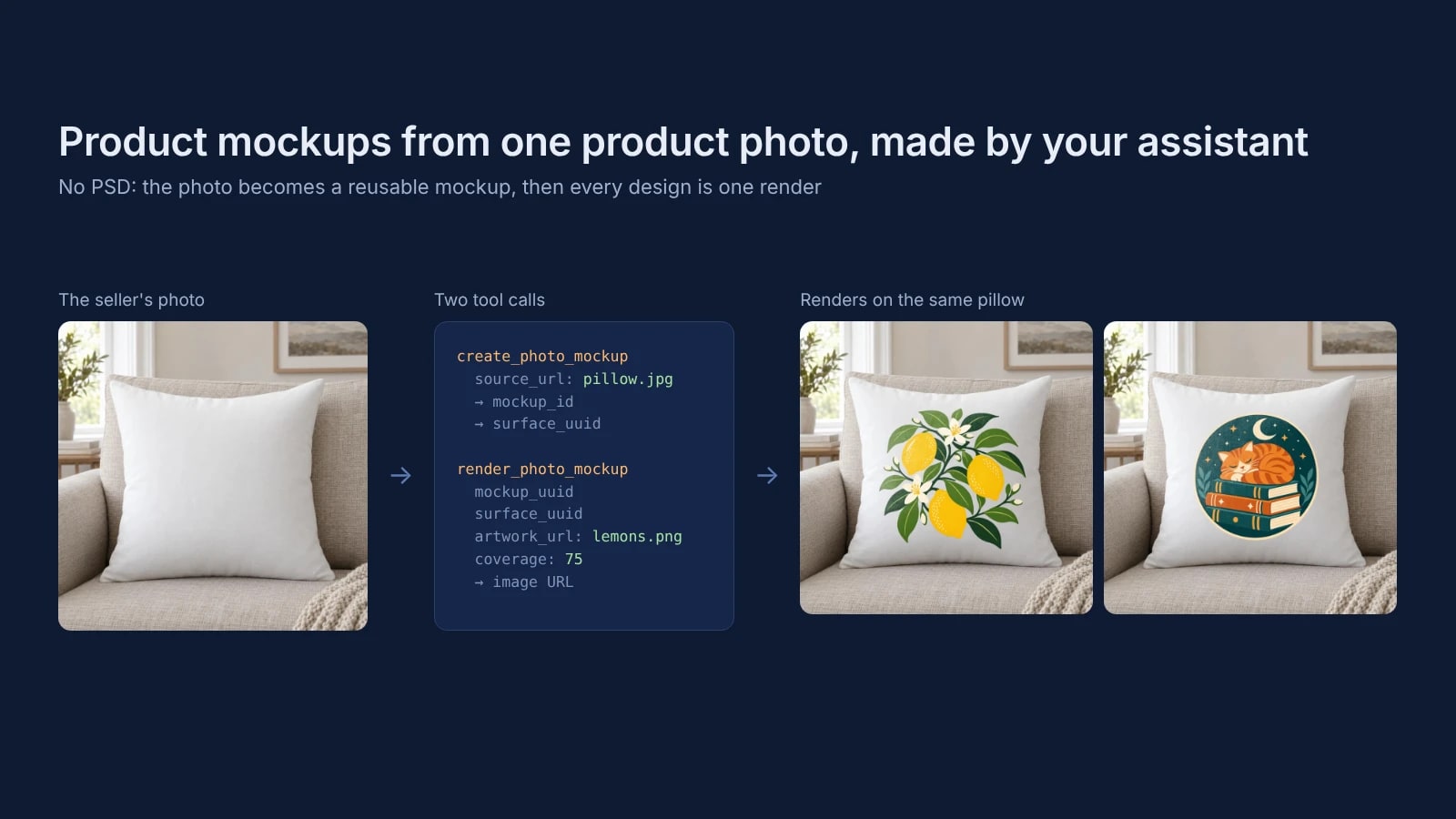
Product Mockups With ChatGPT or Claude From One Product Photo
Make product mockups in ChatGPT or Claude without a PSD: one product photo becomes a reusable mockup, and each design is one render on it.
7 min read
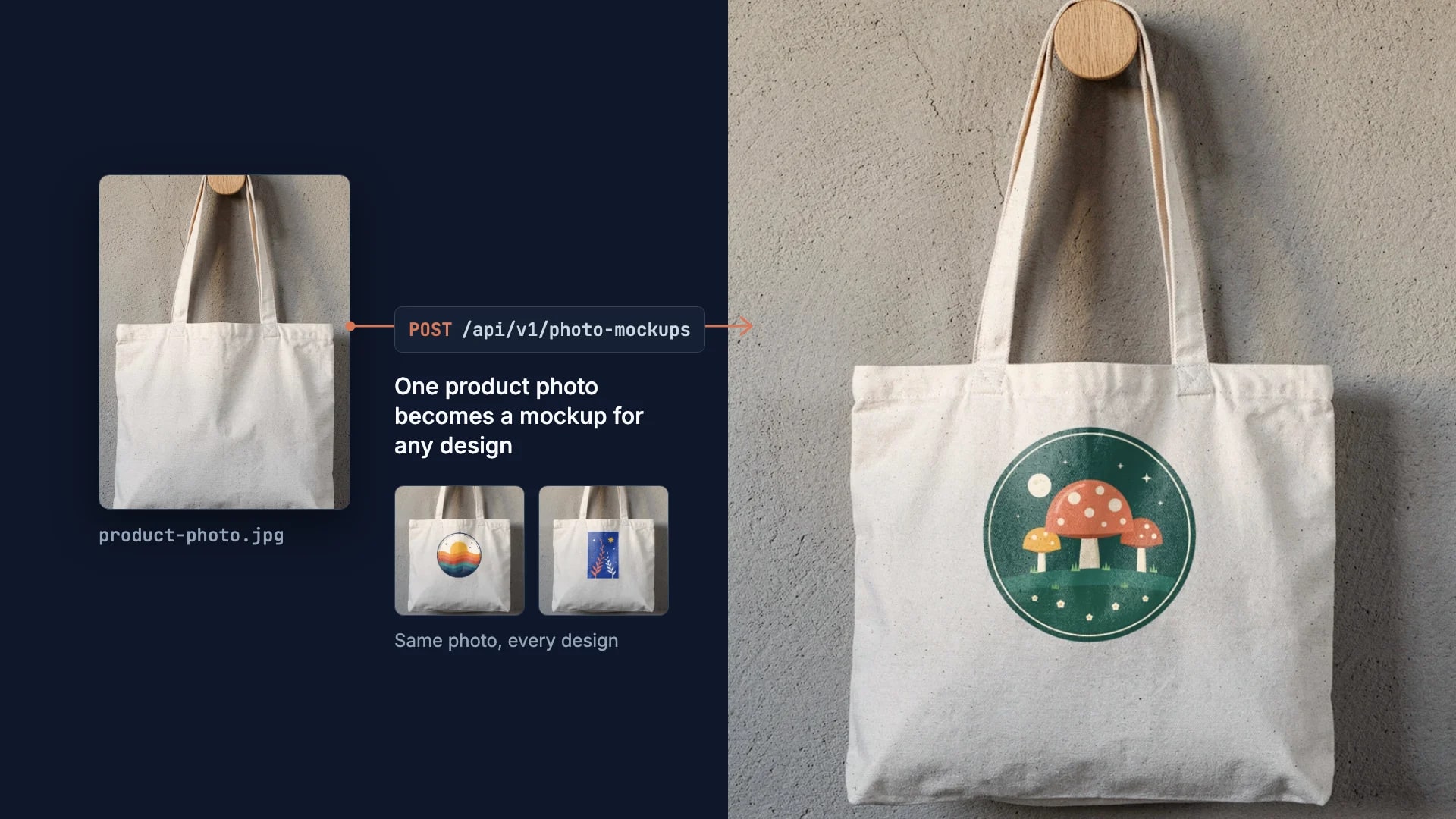
How to Make Your Own Mockup from Any Product Photo
One photo of your own product becomes a reusable mockup: the create call, the render call and real renders of four designs on a canvas tote.
7 min read
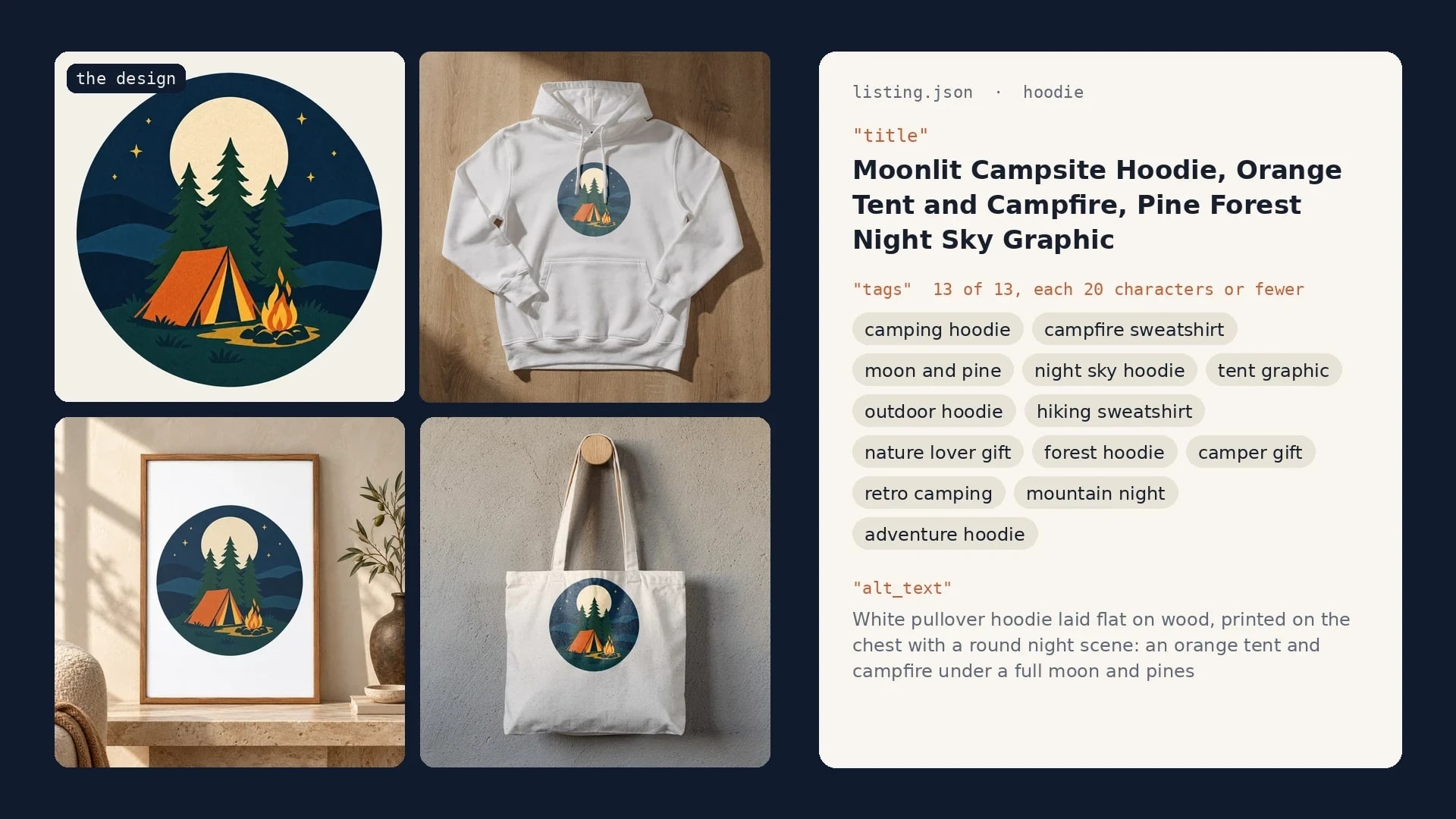
Etsy Listing Generator: Build Your Own With Claude and SudoMock
One design in, a full Etsy listing out: photos rendered on your own templates, then the title, tags and alt text Claude writes from them.
10 min read
Explore by use case
See SudoMock in action for your specific product category
Your own PSD, rendered via API
Render your own PSD through the API. Start with 500 one-time credits, no card.