Shopify MCP for Product Images: Create Products With Mockups From Your Own Templates
Shopify's connector for Claude and its plugin for ChatGPT create products once you approve write access, while its store MCP servers only search, fill carts and check out. Add SudoMock's MCP server to the same assistant and each color's image is rendered from your own PSD template and comes back as a public link.
Published 7 min readBeck
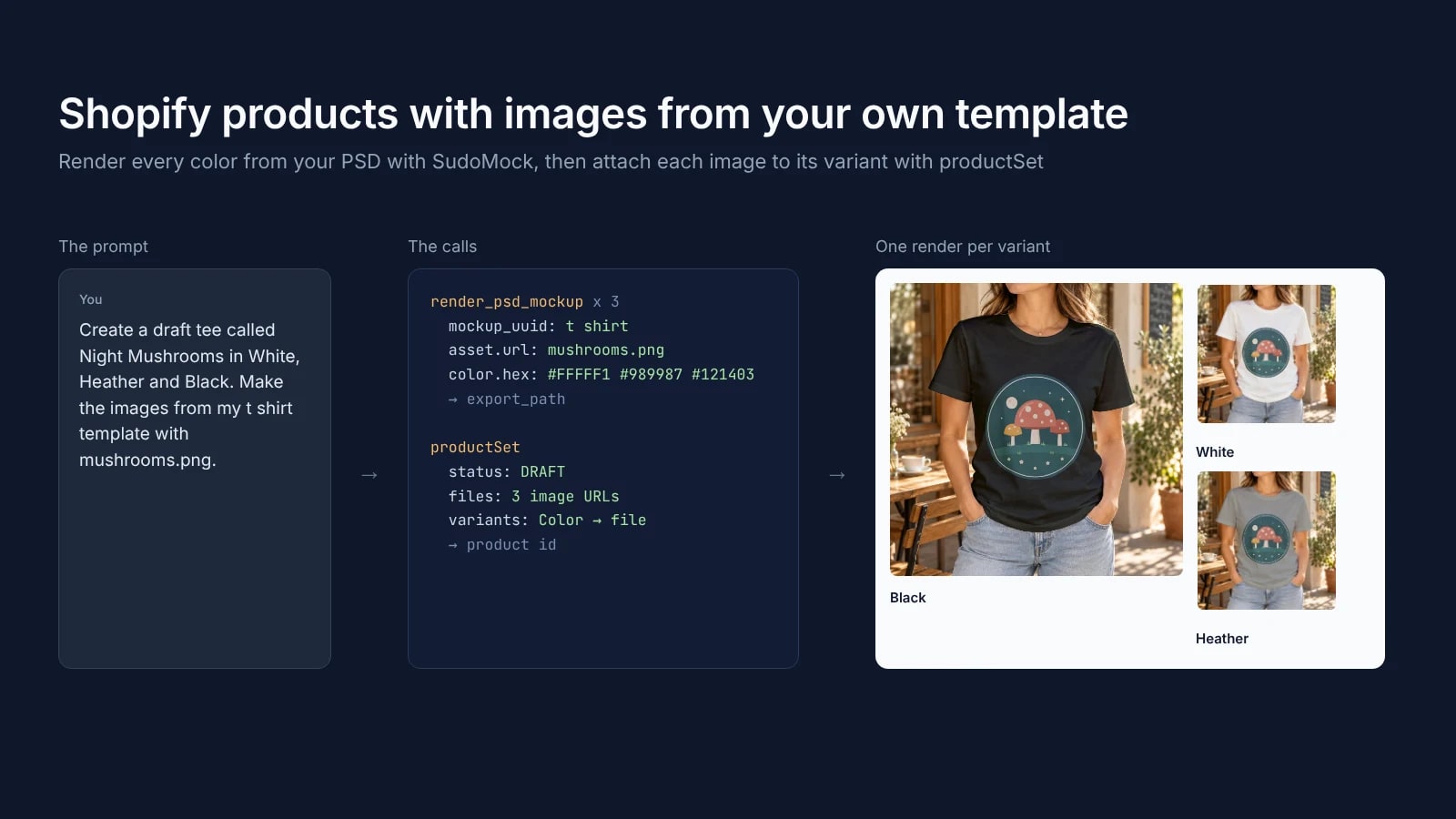
Key takeaways
- Shopify's ChatGPT plugin takes an image by link, and the link must be a public web address.
- Shopify's productSet example puts each image link in files and in its variant's file.
- On an existing product, productSet deletes the variants left out of its input.
Which Shopify MCP creates products
Shopify's MCP servers split by who uses them: the merchant, the developer and the shopping agent. Only the two merchant tools write to your catalog from a chat, within the access you approve in Shopify admin.
| Server | Who uses it | Adds products |
|---|---|---|
Shopify connector for Claude, https://setup.shopify.com/mcp | A merchant, in Claude | Yes, with write access |
| Shopify plugin for ChatGPT | A merchant, in ChatGPT | Yes, with write access |
Dev MCP, @shopify/dev-mcp | A developer, in a coding agent | No: docs, API schemas and code validation |
Shop MCP, https://mcp.shop.com | A shopping agent | No: catalog search, carts and Shop Pay checkout |
Storefront Catalog, Cart and Checkout MCP on /api/ucp/mcp | A shopping agent on one store | No |
| Customer Accounts MCP | A signed-in customer | No: orders and account details |
Shopify's help page for the Claude connector, read on 19 October 2026, lists both product actions: "Create a product with a title, description, price, variants, options, and inventory tracking" and "Update a product's title, description, status, images, variant prices, or SKUs." The Claude directory lists the connector as made by Shopify, added in April 2026, with tools such as create-product, update-product and upload-image. Shop MCP, announced on 13 October 2026, is the buying side: it "lets your agent or app search Shopify Catalog, build carts, and complete Shop Pay checkout."
None of these servers makes product images from your template. The assistant needs them as files or links, and SudoMock's MCP server renders each one from your PSD and answers with a public link.
The job, from prompt to draft product
The assistant holds two connections: SudoMock for the images and Shopify for the product. It makes one SudoMock render per color, then creates the draft product with those images, and every image is your template with your design file in it.
- Find the template.
list_psd_mockupslists the PSD templates in your SudoMock account, andget_psd_mockupreturns the UUIDs of a template's smart objects, here the print area and the garment color. - Render each color. One
render_psd_mockupcall per color places the design and sets the garment color. Each answer carries a public image URL. - Create the draft. In ChatGPT, Shopify's plugin creates the product and adds each image by its link. In your own app's code, one
productSetcall creates the product, a Color option, one variant per color and the three images, each attached to its variant, and a coding agent runs the same mutation through Shopify CLI. - Check the images. Shopify fetches each image from its link. You read the product back, look at the images and publish it from Shopify admin.
Create the product from Claude or ChatGPT
With both connectors on, the assistant renders the colors with SudoMock and hands the images to Shopify's product actions. Shopify's help page for the ChatGPT plugin, read on 19 October 2026, says: "You can also supply a link to an image on the web," and "An image link must be a public web address." A SudoMock render URL is one. For Claude, Shopify's page lists the same product actions, updating a product's images among them.
A prompt that names everything the assistant needs:
Create a draft product called Night Mushrooms Tee with a Coloroption: White, Heather and Black, at $24 each. Render one imageper color from my "t shirt" template in SudoMock withhttps://example.com/designs/night-mushrooms.png, and add the threeimages to the product. Keep the product in draft.
To put each image on its own color variant, use the productSet call below, which Shopify documents with a file on each variant.
Shopify's help page notes that "A connected AI tool changes items one at a time, so a large batch can stop partway." For a whole collection, ask the assistant to read each product back and list the ones that still miss an image.
Render one image per color from your template
Each color is one render_psd_mockup call with two smart objects: the design on the print area and a color fill on the garment. The template does not change between calls, so the black tee and the white tee carry the same print in the same place.
These are the arguments for the black tee on the t-shirt template used here. Use the UUIDs get_psd_mockup returns for your own template:
{"mockup_uuid": "e532c503-fe20-4653-a301-af9f7a934609","smart_objects": [{"uuid": "39865245-8d99-42e9-b1fc-3713fa4dbc94","asset": { "url": "https://example.com/designs/night-mushrooms.png", "fit": "fit" }},{"uuid": "ea565e8a-2b2b-46a1-b181-ff19d0e18eac","color": { "hex": "#121403", "blending_mode": "multiply" }}],"image_format": "jpg","image_size": 1024,"export_label": "tee-mushroom-black"}
The tool answers with the render, and the image URL is data.print_files[0].export_path. A script makes the same render with one request:
curl -X POST https://api.sudomock.com/api/v1/renders \-H "x-api-key: $SUDOMOCK_API_KEY" \-H "Content-Type: application/json" \-d '{"mockup_uuid": "e532c503-fe20-4653-a301-af9f7a934609","smart_objects": [{ "uuid": "39865245-8d99-42e9-b1fc-3713fa4dbc94","asset": { "url": "https://example.com/designs/night-mushrooms.png", "fit": "fit" } },{ "uuid": "ea565e8a-2b2b-46a1-b181-ff19d0e18eac","color": { "hex": "#121403", "blending_mode": "multiply" } }],"export_options": { "image_format": "jpg", "image_size": 1024 },"export_label": "tee-mushroom-black"}'
const response = await fetch('https://api.sudomock.com/api/v1/renders', {method: 'POST',headers: {'x-api-key': process.env.SUDOMOCK_API_KEY,'Content-Type': 'application/json',},body: JSON.stringify({"mockup_uuid": "e532c503-fe20-4653-a301-af9f7a934609","smart_objects": [{"uuid": "39865245-8d99-42e9-b1fc-3713fa4dbc94","asset": {"url": "https://example.com/designs/night-mushrooms.png","fit": "fit"}},{"uuid": "ea565e8a-2b2b-46a1-b181-ff19d0e18eac","color": {"hex": "#121403","blending_mode": "multiply"}}],"export_options": {"image_format": "jpg","image_size": 1024},"export_label": "tee-mushroom-black"}),});const data = await response.json();console.log(data);
import osimport requestsresponse = requests.post("https://api.sudomock.com/api/v1/renders",headers={"x-api-key": os.environ["SUDOMOCK_API_KEY"],"Content-Type": "application/json",},json={"mockup_uuid": "e532c503-fe20-4653-a301-af9f7a934609","smart_objects": [{"uuid": "39865245-8d99-42e9-b1fc-3713fa4dbc94","asset": {"url": "https://example.com/designs/night-mushrooms.png","fit": "fit",},},{"uuid": "ea565e8a-2b2b-46a1-b181-ff19d0e18eac","color": {"hex": "#121403","blending_mode": "multiply",},},],"export_options": {"image_format": "jpg","image_size": 1024,},"export_label": "tee-mushroom-black",},)print(response.json())
package mainimport ("bytes""fmt""io""net/http""os")func main() {payload := []byte(`{"mockup_uuid": "e532c503-fe20-4653-a301-af9f7a934609","smart_objects": [{"uuid": "39865245-8d99-42e9-b1fc-3713fa4dbc94","asset": {"url": "https://example.com/designs/night-mushrooms.png","fit": "fit"}},{"uuid": "ea565e8a-2b2b-46a1-b181-ff19d0e18eac","color": {"hex": "#121403","blending_mode": "multiply"}}],"export_options": {"image_format": "jpg","image_size": 1024},"export_label": "tee-mushroom-black"}`)req, err := http.NewRequest("POST", "https://api.sudomock.com/api/v1/renders", bytes.NewBuffer(payload))if err != nil {panic(err)}req.Header.Set("x-api-key", os.Getenv("SUDOMOCK_API_KEY"))req.Header.Set("Content-Type", "application/json")resp, err := http.DefaultClient.Do(req)if err != nil {panic(err)}defer resp.Body.Close()body, _ := io.ReadAll(resp.Body)fmt.Println(string(body))}
<?php$payload = <<<'JSON'{"mockup_uuid": "e532c503-fe20-4653-a301-af9f7a934609","smart_objects": [{"uuid": "39865245-8d99-42e9-b1fc-3713fa4dbc94","asset": {"url": "https://example.com/designs/night-mushrooms.png","fit": "fit"}},{"uuid": "ea565e8a-2b2b-46a1-b181-ff19d0e18eac","color": {"hex": "#121403","blending_mode": "multiply"}}],"export_options": {"image_format": "jpg","image_size": 1024},"export_label": "tee-mushroom-black"}JSON;$ch = curl_init('https://api.sudomock.com/api/v1/renders');curl_setopt_array($ch, [CURLOPT_CUSTOMREQUEST => 'POST',CURLOPT_RETURNTRANSFER => true,CURLOPT_HTTPHEADER => ['x-api-key: ' . getenv('SUDOMOCK_API_KEY'),'Content-Type: application/json',],CURLOPT_POSTFIELDS => $payload,]);$response = curl_exec($ch);curl_close($ch);echo $response;
We rendered the three colors from this template on 19 October 2026: white #FFFFF1, heather gray #989987 and black #121403.
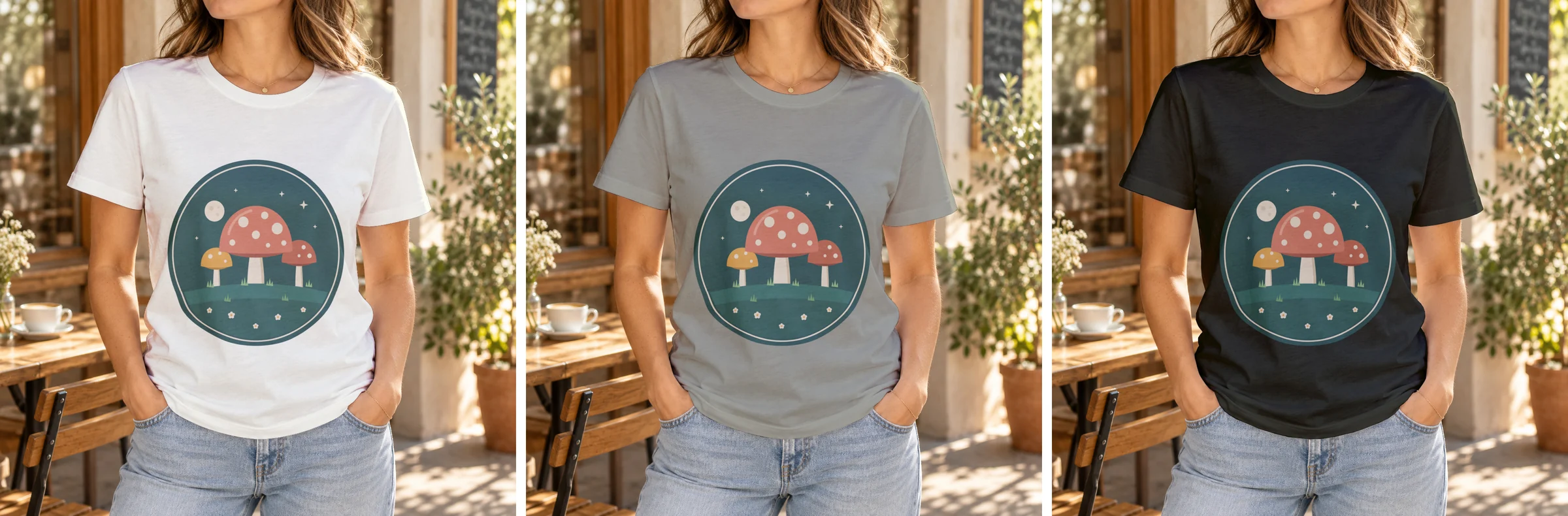 Three renders of one PSD template, 19 October 2026: the same print on white, heather gray and black.
The loop over a whole color list is in T-shirt color variant mockups. The average SudoMock render finishes in under a second, and the three answers came back together. For the sizes and formats Shopify takes, see Shopify product image size.
Create the product with the Admin API
productSet creates the product, its Color option, the variants and the images in one call, and the file of each variant attaches its image. It needs the write_products access scope, and status: DRAFT keeps the product off every sales channel until you publish it.
Shopify's help page on authorizing AI tools, read on 20 October 2026, says: "Use the official Shopify integration for each AI tool, and don't create an API access token or build your own integration to connect an AI tool to your store." The token in this call belongs to your own app or script. A coding agent sends the same mutation with shopify store execute, described below.
This is the call with the three render URLs, on Admin API version 2026-10. Replace the store name, the access token and the three image links with the export_path of your own renders:
curl -X POST "https://$SHOPIFY_STORE.myshopify.com/admin/api/2026-10/graphql.json" \-H "X-Shopify-Access-Token: $SHOPIFY_ACCESS_TOKEN" \-H "Content-Type: application/json" \-d '{"query": "mutation createProduct($productSet: ProductSetInput!, $synchronous: Boolean!) { productSet(synchronous: $synchronous, input: $productSet) { product { id media(first: 5) { nodes { alt status } } } userErrors { field message } } }","variables": {"synchronous": true,"productSet": {"title": "Night Mushrooms Tee","status": "DRAFT","productOptions": [{ "name": "Color", "values": [ { "name": "White" }, { "name": "Heather" }, { "name": "Black" } ] }],"files": [{ "originalSource": "https://cdn.sudomock.com/mockup-assets/renders/e532c503-fe20-4653-a301-af9f7a934609/tee-mushroom-white_04d578c6-241d-4202-ac98-b4d4d1640c07.jpg", "alt": "Night Mushrooms tee in white", "contentType": "IMAGE" },{ "originalSource": "https://cdn.sudomock.com/mockup-assets/renders/e532c503-fe20-4653-a301-af9f7a934609/tee-mushroom-heather_640d9fa4-ce1c-48f8-ae89-5b8d9d88b8fa.jpg", "alt": "Night Mushrooms tee in heather gray", "contentType": "IMAGE" },{ "originalSource": "https://cdn.sudomock.com/mockup-assets/renders/e532c503-fe20-4653-a301-af9f7a934609/tee-mushroom-black_2dfb5aa4-d527-4c96-8c8d-0363bb5c720e.jpg", "alt": "Night Mushrooms tee in black", "contentType": "IMAGE" }],"variants": [{ "optionValues": [ { "optionName": "Color", "name": "White" } ], "price": 24.00,"file": { "originalSource": "https://cdn.sudomock.com/mockup-assets/renders/e532c503-fe20-4653-a301-af9f7a934609/tee-mushroom-white_04d578c6-241d-4202-ac98-b4d4d1640c07.jpg", "alt": "Night Mushrooms tee in white", "contentType": "IMAGE" } },{ "optionValues": [ { "optionName": "Color", "name": "Heather" } ], "price": 24.00,"file": { "originalSource": "https://cdn.sudomock.com/mockup-assets/renders/e532c503-fe20-4653-a301-af9f7a934609/tee-mushroom-heather_640d9fa4-ce1c-48f8-ae89-5b8d9d88b8fa.jpg", "alt": "Night Mushrooms tee in heather gray", "contentType": "IMAGE" } },{ "optionValues": [ { "optionName": "Color", "name": "Black" } ], "price": 24.00,"file": { "originalSource": "https://cdn.sudomock.com/mockup-assets/renders/e532c503-fe20-4653-a301-af9f7a934609/tee-mushroom-black_2dfb5aa4-d527-4c96-8c8d-0363bb5c720e.jpg", "alt": "Night Mushrooms tee in black", "contentType": "IMAGE" } }]}}}'
const response = await fetch('https://' + process.env.SHOPIFY_STORE + '.myshopify.com/admin/api/2026-10/graphql.json', {method: 'POST',headers: {'X-Shopify-Access-Token': process.env.SHOPIFY_ACCESS_TOKEN,'Content-Type': 'application/json',},body: '{\n "query": "mutation createProduct($productSet: ProductSetInput!, $synchronous: Boolean!) { productSet(synchronous: $synchronous, input: $productSet) { product { id media(first: 5) { nodes { alt status } } } userErrors { field message } } }",\n "variables": {\n "synchronous": true,\n "productSet": {\n "title": "Night Mushrooms Tee",\n "status": "DRAFT",\n "productOptions": [\n { "name": "Color", "values": [ { "name": "White" }, { "name": "Heather" }, { "name": "Black" } ] }\n ],\n "files": [\n { "originalSource": "https://cdn.sudomock.com/mockup-assets/renders/e532c503-fe20-4653-a301-af9f7a934609/tee-mushroom-white_04d578c6-241d-4202-ac98-b4d4d1640c07.jpg", "alt": "Night Mushrooms tee in white", "contentType": "IMAGE" },\n { "originalSource": "https://cdn.sudomock.com/mockup-assets/renders/e532c503-fe20-4653-a301-af9f7a934609/tee-mushroom-heather_640d9fa4-ce1c-48f8-ae89-5b8d9d88b8fa.jpg", "alt": "Night Mushrooms tee in heather gray", "contentType": "IMAGE" },\n { "originalSource": "https://cdn.sudomock.com/mockup-assets/renders/e532c503-fe20-4653-a301-af9f7a934609/tee-mushroom-black_2dfb5aa4-d527-4c96-8c8d-0363bb5c720e.jpg", "alt": "Night Mushrooms tee in black", "contentType": "IMAGE" }\n ],\n "variants": [\n { "optionValues": [ { "optionName": "Color", "name": "White" } ], "price": 24.00,\n "file": { "originalSource": "https://cdn.sudomock.com/mockup-assets/renders/e532c503-fe20-4653-a301-af9f7a934609/tee-mushroom-white_04d578c6-241d-4202-ac98-b4d4d1640c07.jpg", "alt": "Night Mushrooms tee in white", "contentType": "IMAGE" } },\n { "optionValues": [ { "optionName": "Color", "name": "Heather" } ], "price": 24.00,\n "file": { "originalSource": "https://cdn.sudomock.com/mockup-assets/renders/e532c503-fe20-4653-a301-af9f7a934609/tee-mushroom-heather_640d9fa4-ce1c-48f8-ae89-5b8d9d88b8fa.jpg", "alt": "Night Mushrooms tee in heather gray", "contentType": "IMAGE" } },\n { "optionValues": [ { "optionName": "Color", "name": "Black" } ], "price": 24.00,\n "file": { "originalSource": "https://cdn.sudomock.com/mockup-assets/renders/e532c503-fe20-4653-a301-af9f7a934609/tee-mushroom-black_2dfb5aa4-d527-4c96-8c8d-0363bb5c720e.jpg", "alt": "Night Mushrooms tee in black", "contentType": "IMAGE" } }\n ]\n }\n }\n }',});const data = await response.json();console.log(data);
import osimport requestsresponse = requests.post("https://" + os.environ["SHOPIFY_STORE"] + ".myshopify.com/admin/api/2026-10/graphql.json",headers={"X-Shopify-Access-Token": os.environ["SHOPIFY_ACCESS_TOKEN"],"Content-Type": "application/json",},data="{\n \"query\": \"mutation createProduct($productSet: ProductSetInput!, $synchronous: Boolean!) { productSet(synchronous: $synchronous, input: $productSet) { product { id media(first: 5) { nodes { alt status } } } userErrors { field message } } }\",\n \"variables\": {\n \"synchronous\": true,\n \"productSet\": {\n \"title\": \"Night Mushrooms Tee\",\n \"status\": \"DRAFT\",\n \"productOptions\": [\n { \"name\": \"Color\", \"values\": [ { \"name\": \"White\" }, { \"name\": \"Heather\" }, { \"name\": \"Black\" } ] }\n ],\n \"files\": [\n { \"originalSource\": \"https://cdn.sudomock.com/mockup-assets/renders/e532c503-fe20-4653-a301-af9f7a934609/tee-mushroom-white_04d578c6-241d-4202-ac98-b4d4d1640c07.jpg\", \"alt\": \"Night Mushrooms tee in white\", \"contentType\": \"IMAGE\" },\n { \"originalSource\": \"https://cdn.sudomock.com/mockup-assets/renders/e532c503-fe20-4653-a301-af9f7a934609/tee-mushroom-heather_640d9fa4-ce1c-48f8-ae89-5b8d9d88b8fa.jpg\", \"alt\": \"Night Mushrooms tee in heather gray\", \"contentType\": \"IMAGE\" },\n { \"originalSource\": \"https://cdn.sudomock.com/mockup-assets/renders/e532c503-fe20-4653-a301-af9f7a934609/tee-mushroom-black_2dfb5aa4-d527-4c96-8c8d-0363bb5c720e.jpg\", \"alt\": \"Night Mushrooms tee in black\", \"contentType\": \"IMAGE\" }\n ],\n \"variants\": [\n { \"optionValues\": [ { \"optionName\": \"Color\", \"name\": \"White\" } ], \"price\": 24.00,\n \"file\": { \"originalSource\": \"https://cdn.sudomock.com/mockup-assets/renders/e532c503-fe20-4653-a301-af9f7a934609/tee-mushroom-white_04d578c6-241d-4202-ac98-b4d4d1640c07.jpg\", \"alt\": \"Night Mushrooms tee in white\", \"contentType\": \"IMAGE\" } },\n { \"optionValues\": [ { \"optionName\": \"Color\", \"name\": \"Heather\" } ], \"price\": 24.00,\n \"file\": { \"originalSource\": \"https://cdn.sudomock.com/mockup-assets/renders/e532c503-fe20-4653-a301-af9f7a934609/tee-mushroom-heather_640d9fa4-ce1c-48f8-ae89-5b8d9d88b8fa.jpg\", \"alt\": \"Night Mushrooms tee in heather gray\", \"contentType\": \"IMAGE\" } },\n { \"optionValues\": [ { \"optionName\": \"Color\", \"name\": \"Black\" } ], \"price\": 24.00,\n \"file\": { \"originalSource\": \"https://cdn.sudomock.com/mockup-assets/renders/e532c503-fe20-4653-a301-af9f7a934609/tee-mushroom-black_2dfb5aa4-d527-4c96-8c8d-0363bb5c720e.jpg\", \"alt\": \"Night Mushrooms tee in black\", \"contentType\": \"IMAGE\" } }\n ]\n }\n }\n }".encode("utf-8"),)print(response.json())
package mainimport ("bytes""fmt""io""net/http""os")func main() {payload := []byte(`{"query": "mutation createProduct($productSet: ProductSetInput!, $synchronous: Boolean!) { productSet(synchronous: $synchronous, input: $productSet) { product { id media(first: 5) { nodes { alt status } } } userErrors { field message } } }","variables": {"synchronous": true,"productSet": {"title": "Night Mushrooms Tee","status": "DRAFT","productOptions": [{ "name": "Color", "values": [ { "name": "White" }, { "name": "Heather" }, { "name": "Black" } ] }],"files": [{ "originalSource": "https://cdn.sudomock.com/mockup-assets/renders/e532c503-fe20-4653-a301-af9f7a934609/tee-mushroom-white_04d578c6-241d-4202-ac98-b4d4d1640c07.jpg", "alt": "Night Mushrooms tee in white", "contentType": "IMAGE" },{ "originalSource": "https://cdn.sudomock.com/mockup-assets/renders/e532c503-fe20-4653-a301-af9f7a934609/tee-mushroom-heather_640d9fa4-ce1c-48f8-ae89-5b8d9d88b8fa.jpg", "alt": "Night Mushrooms tee in heather gray", "contentType": "IMAGE" },{ "originalSource": "https://cdn.sudomock.com/mockup-assets/renders/e532c503-fe20-4653-a301-af9f7a934609/tee-mushroom-black_2dfb5aa4-d527-4c96-8c8d-0363bb5c720e.jpg", "alt": "Night Mushrooms tee in black", "contentType": "IMAGE" }],"variants": [{ "optionValues": [ { "optionName": "Color", "name": "White" } ], "price": 24.00,"file": { "originalSource": "https://cdn.sudomock.com/mockup-assets/renders/e532c503-fe20-4653-a301-af9f7a934609/tee-mushroom-white_04d578c6-241d-4202-ac98-b4d4d1640c07.jpg", "alt": "Night Mushrooms tee in white", "contentType": "IMAGE" } },{ "optionValues": [ { "optionName": "Color", "name": "Heather" } ], "price": 24.00,"file": { "originalSource": "https://cdn.sudomock.com/mockup-assets/renders/e532c503-fe20-4653-a301-af9f7a934609/tee-mushroom-heather_640d9fa4-ce1c-48f8-ae89-5b8d9d88b8fa.jpg", "alt": "Night Mushrooms tee in heather gray", "contentType": "IMAGE" } },{ "optionValues": [ { "optionName": "Color", "name": "Black" } ], "price": 24.00,"file": { "originalSource": "https://cdn.sudomock.com/mockup-assets/renders/e532c503-fe20-4653-a301-af9f7a934609/tee-mushroom-black_2dfb5aa4-d527-4c96-8c8d-0363bb5c720e.jpg", "alt": "Night Mushrooms tee in black", "contentType": "IMAGE" } }]}}}`)req, err := http.NewRequest("POST", "https://"+os.Getenv("SHOPIFY_STORE")+".myshopify.com/admin/api/2026-10/graphql.json", bytes.NewBuffer(payload))if err != nil {panic(err)}req.Header.Set("X-Shopify-Access-Token", os.Getenv("SHOPIFY_ACCESS_TOKEN"))req.Header.Set("Content-Type", "application/json")resp, err := http.DefaultClient.Do(req)if err != nil {panic(err)}defer resp.Body.Close()body, _ := io.ReadAll(resp.Body)fmt.Println(string(body))}
<?php$ch = curl_init('https://' . getenv('SHOPIFY_STORE') . '.myshopify.com/admin/api/2026-10/graphql.json');curl_setopt_array($ch, [CURLOPT_CUSTOMREQUEST => 'POST',CURLOPT_RETURNTRANSFER => true,CURLOPT_HTTPHEADER => ['X-Shopify-Access-Token: ' . getenv('SHOPIFY_ACCESS_TOKEN'),'Content-Type: application/json',],CURLOPT_POSTFIELDS => '{"query": "mutation createProduct($productSet: ProductSetInput!, $synchronous: Boolean!) { productSet(synchronous: $synchronous, input: $productSet) { product { id media(first: 5) { nodes { alt status } } } userErrors { field message } } }","variables": {"synchronous": true,"productSet": {"title": "Night Mushrooms Tee","status": "DRAFT","productOptions": [{ "name": "Color", "values": [ { "name": "White" }, { "name": "Heather" }, { "name": "Black" } ] }],"files": [{ "originalSource": "https://cdn.sudomock.com/mockup-assets/renders/e532c503-fe20-4653-a301-af9f7a934609/tee-mushroom-white_04d578c6-241d-4202-ac98-b4d4d1640c07.jpg", "alt": "Night Mushrooms tee in white", "contentType": "IMAGE" },{ "originalSource": "https://cdn.sudomock.com/mockup-assets/renders/e532c503-fe20-4653-a301-af9f7a934609/tee-mushroom-heather_640d9fa4-ce1c-48f8-ae89-5b8d9d88b8fa.jpg", "alt": "Night Mushrooms tee in heather gray", "contentType": "IMAGE" },{ "originalSource": "https://cdn.sudomock.com/mockup-assets/renders/e532c503-fe20-4653-a301-af9f7a934609/tee-mushroom-black_2dfb5aa4-d527-4c96-8c8d-0363bb5c720e.jpg", "alt": "Night Mushrooms tee in black", "contentType": "IMAGE" }],"variants": [{ "optionValues": [ { "optionName": "Color", "name": "White" } ], "price": 24.00,"file": { "originalSource": "https://cdn.sudomock.com/mockup-assets/renders/e532c503-fe20-4653-a301-af9f7a934609/tee-mushroom-white_04d578c6-241d-4202-ac98-b4d4d1640c07.jpg", "alt": "Night Mushrooms tee in white", "contentType": "IMAGE" } },{ "optionValues": [ { "optionName": "Color", "name": "Heather" } ], "price": 24.00,"file": { "originalSource": "https://cdn.sudomock.com/mockup-assets/renders/e532c503-fe20-4653-a301-af9f7a934609/tee-mushroom-heather_640d9fa4-ce1c-48f8-ae89-5b8d9d88b8fa.jpg", "alt": "Night Mushrooms tee in heather gray", "contentType": "IMAGE" } },{ "optionValues": [ { "optionName": "Color", "name": "Black" } ], "price": 24.00,"file": { "originalSource": "https://cdn.sudomock.com/mockup-assets/renders/e532c503-fe20-4653-a301-af9f7a934609/tee-mushroom-black_2dfb5aa4-d527-4c96-8c8d-0363bb5c720e.jpg", "alt": "Night Mushrooms tee in black", "contentType": "IMAGE" } }]}}}',]);$response = curl_exec($ch);curl_close($ch);echo $response;
Shopify fetches each image from its URL after the call: the images come back with the status UPLOADED and turn READY once processed, so the agent reads the product again before it reports the images as done. Shopify's productSet reference, read on 19 October 2026, has this file and variant shape in its example "Create a product and associate files".
On a product that already exists, productSet replaces the whole list of options and variants, and any variant left out of the input is deleted (Shopify's sync guide, read on 19 October 2026). To add new images to a live product, the agent calls productUpdate with media instead, which adds the images and leaves the variants as they are.
For a coding agent, Shopify's AI Toolkit installs in Claude Code with claude plugin install shopify-ai-toolkit@claude-plugins-official, and its shopify store execute command runs an Admin API query or mutation on your store with the authentication that shopify store auth saves. Shopify's reference says: "Mutations are disabled by default. Re-run with --allow-mutations if you intend to modify store data."
Instructions to give the agent
These rules go into the project instructions in Claude or ChatGPT, or into AGENTS.md for a coding agent. They keep the agent on your template and your design file, and they stop it from publishing anything you have not seen.
You add products to my Shopify store with images from SudoMock.1. For each product, ask me once for the design file link, thePSD template to use and the colors. Never render to find out.2. Find the template with list_psd_mockups and read its smartobject UUIDs with get_psd_mockup: the print area takes thedesign, the color smart object takes the garment color.3. Render one image per color with render_psd_mockup, as jpg atimage_size 1024 unless I ask for a larger width. Keep eachURL from data.print_files[0].export_path.4. Use my design file as it is. Never redraw the design or theproduct with an image model.5. Create the product as a draft with one variant per color andadd each render to it. In code, send productSet withshopify store execute and a file on each variant so everyrender sits on its color. On an existing product, only addimages and never replace its variants.6. Read the product again and report each image. Never set theproduct to active.7. Reply with the product link in Shopify admin, each image URLand the color it shows.
Next step
Connect SudoMock with the steps on Connect an agent, then give the agent one design and one template. With no PSD of your own, start from the mockup templates for Shopify merchants or one product photo, and the agent renders on a photo mockup as in ChatGPT or Claude makes mockups from one product photo. The Shopify integration page covers the storefront side. The render reference lists every render parameter.
Frequently asked questions
Can Shopify's MCP server create products?
Shopify's connector for Claude and its plugin for ChatGPT create and update products, including their images, once you approve write access in Shopify admin. Shop MCP and the store MCP servers on /api/ucp/mcp search catalogs, build carts and check out, and the Dev MCP helps developers write code. In code, the Admin API productSet mutation creates a product with its variants and images in one call.
Can Claude or ChatGPT add product images to Shopify from a link?
In ChatGPT, yes: Shopify's help page for the plugin says you can supply a link to an image on the web, and that the link must be a public web address. Shopify's page for the Claude connector lists updating a product's images among its actions. Every SudoMock render answers with a public image link, so the ChatGPT plugin takes it as it is.
Can the agent add images to a product that is already in my store?
Yes. In code, the agent adds them with productUpdate and its media field, which adds images and leaves the variants as they are. productSet is for new products, because on an existing product it removes the variants left out of its input.
Why not let the agent generate the product images?
An image model draws a new picture each time, so the print it shows can differ from the file you send to print. A SudoMock render places your design file as it is in your template, so every color and every later product carries the same print in the same place.
What does it cost to add products this way?
Shopify charges no extra fee for its connector for Claude or its plugin for ChatGPT, and standard Shopify plan pricing applies. Each image is one SudoMock render, billed like an API render on the same account. Plans start at $25/month. Subscriptions from $0.002 per render.
Sources
- Shopify connector for Claude (opens in new tab), Shopify Help Center
- Shopify plugin for ChatGPT (opens in new tab), Shopify Help Center
- Shopify connector | Claude by Anthropic (opens in new tab), Claude
- Add shopping and Shop Pay checkout to any agent with Shop MCP (opens in new tab), Shopify developer changelog
- Migrate from Storefront MCP (opens in new tab), Shopify Dev Docs
- Shopify AI Toolkit (opens in new tab), Shopify Dev Docs
- store execute (opens in new tab), Shopify Dev Docs
- productSet - GraphQL Admin (opens in new tab), Shopify Dev Docs
- Sync product data (opens in new tab), Shopify Dev Docs
- productUpdate - GraphQL Admin (opens in new tab), Shopify Dev Docs
- Connect an agent (opens in new tab)
- Render a PSD mockup (opens in new tab)
- Authorizing AI tool access to your store (opens in new tab), Shopify Help Center
Beck
CTO
Related articles
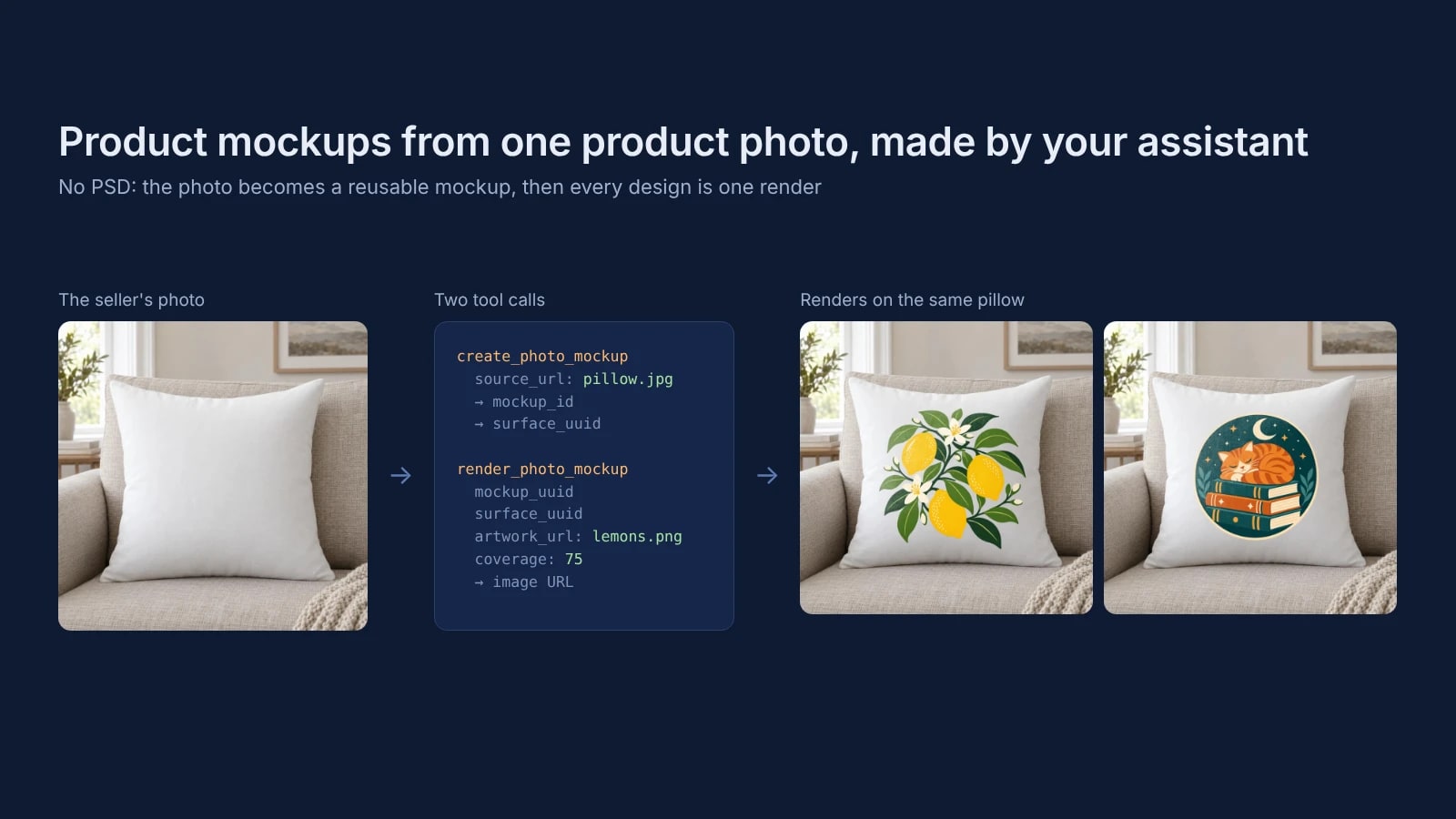
Product Mockups With ChatGPT or Claude From One Product Photo
Make product mockups in ChatGPT or Claude without a PSD: one product photo becomes a reusable mockup, and each design is one render on it.
7 min read
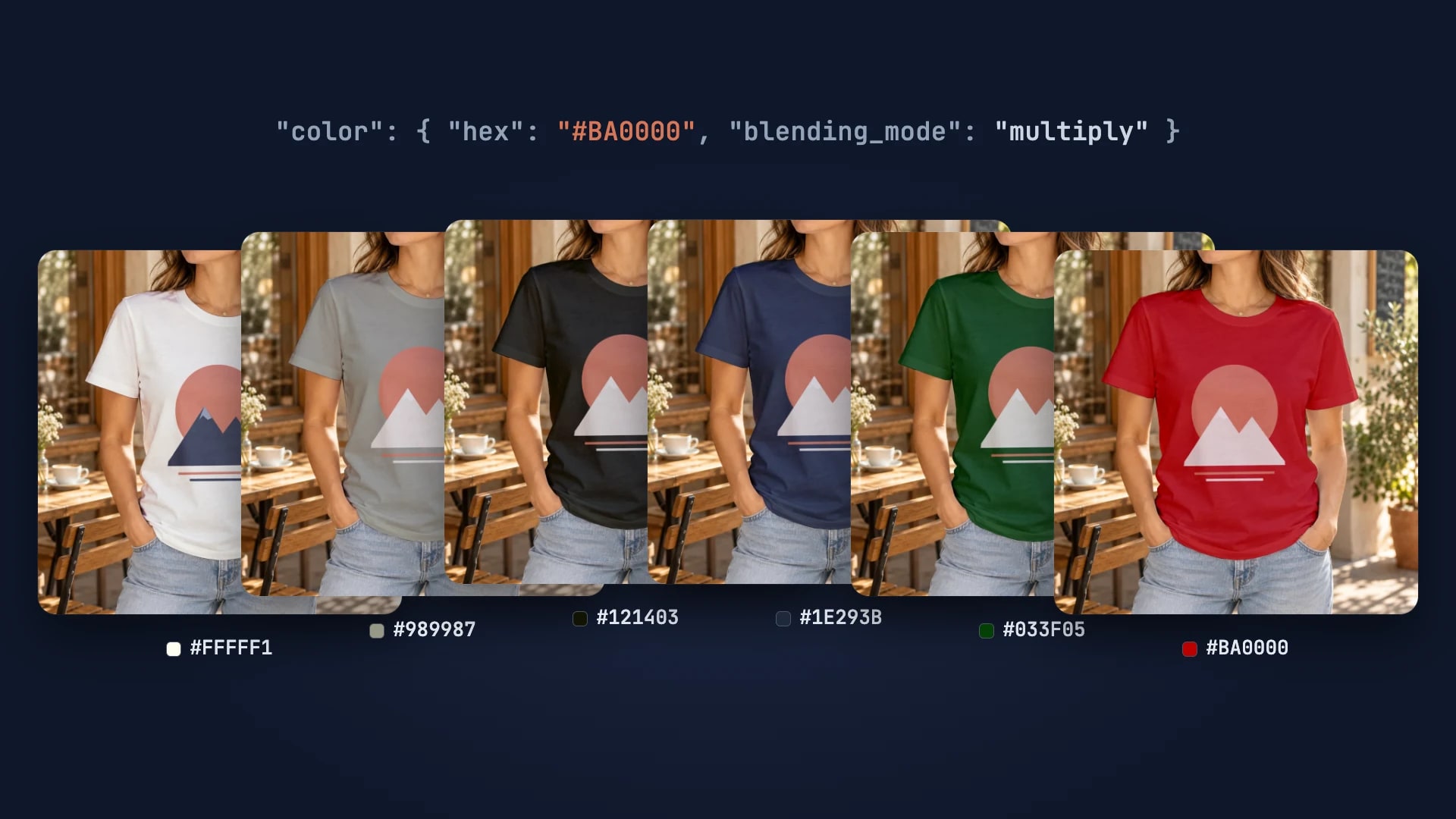
Every T-Shirt Color Variant Mockup from One PSD by API
One PSD with a color smart object renders every t-shirt colorway: one request per color, shown with six real renders.
4 min read
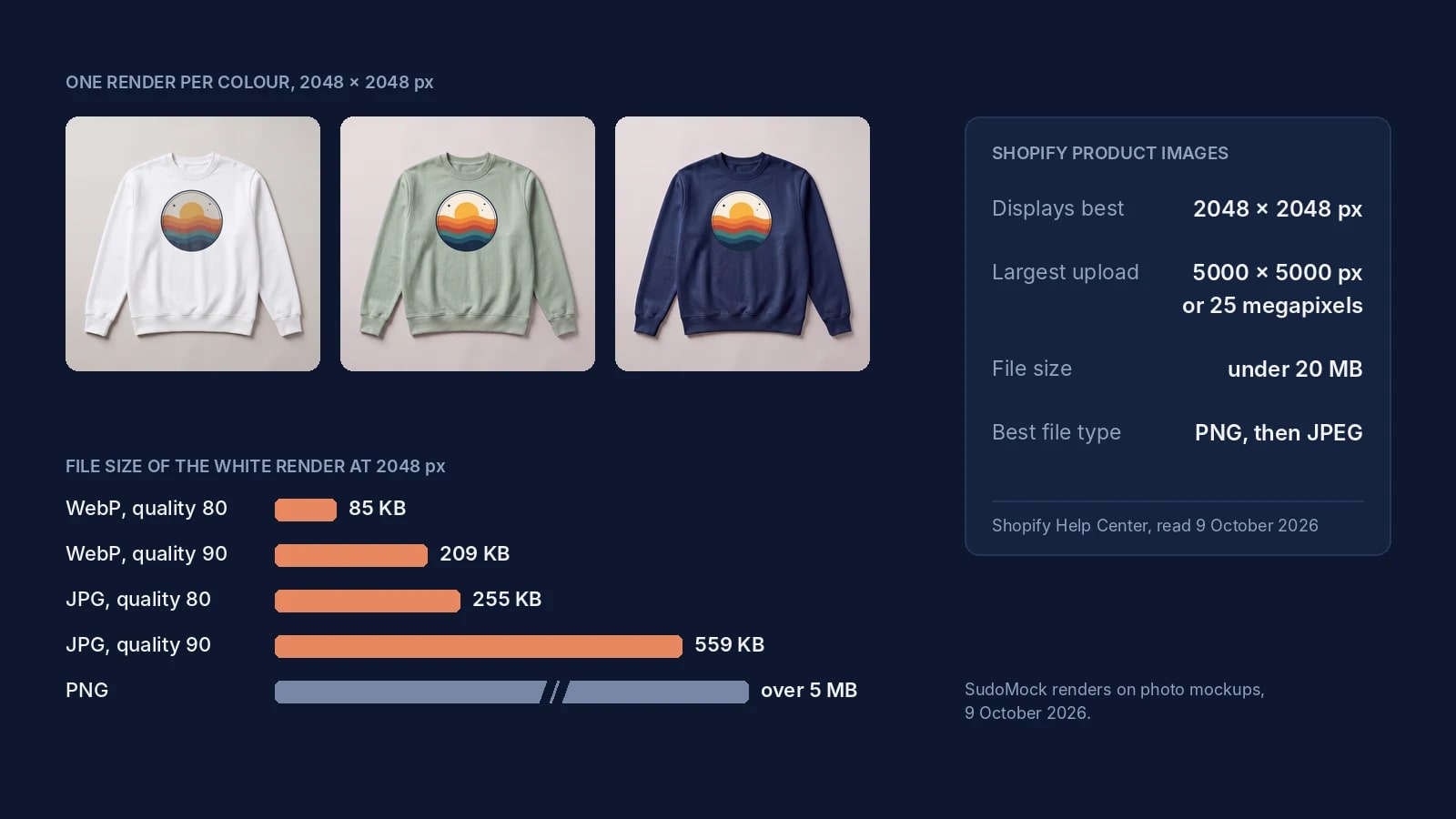
Shopify Product Image Size: 2048 px, the Real Limits and Files
Shopify's image limits quoted page by page, the old 4472 px figure explained, and 2048 px renders measured by format.
8 min read
Explore by use case
See SudoMock in action for your specific product category
Your own PSD, rendered via API
Render your own PSD through the API. Start with 500 one-time credits, no card.