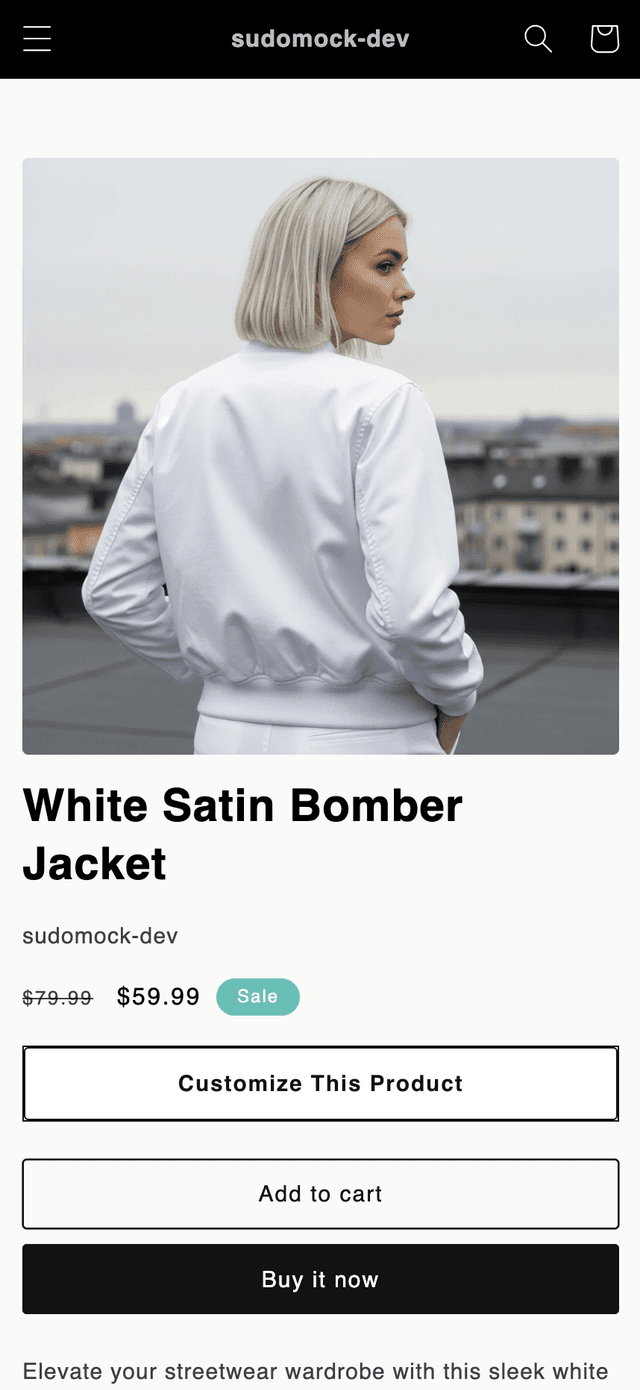
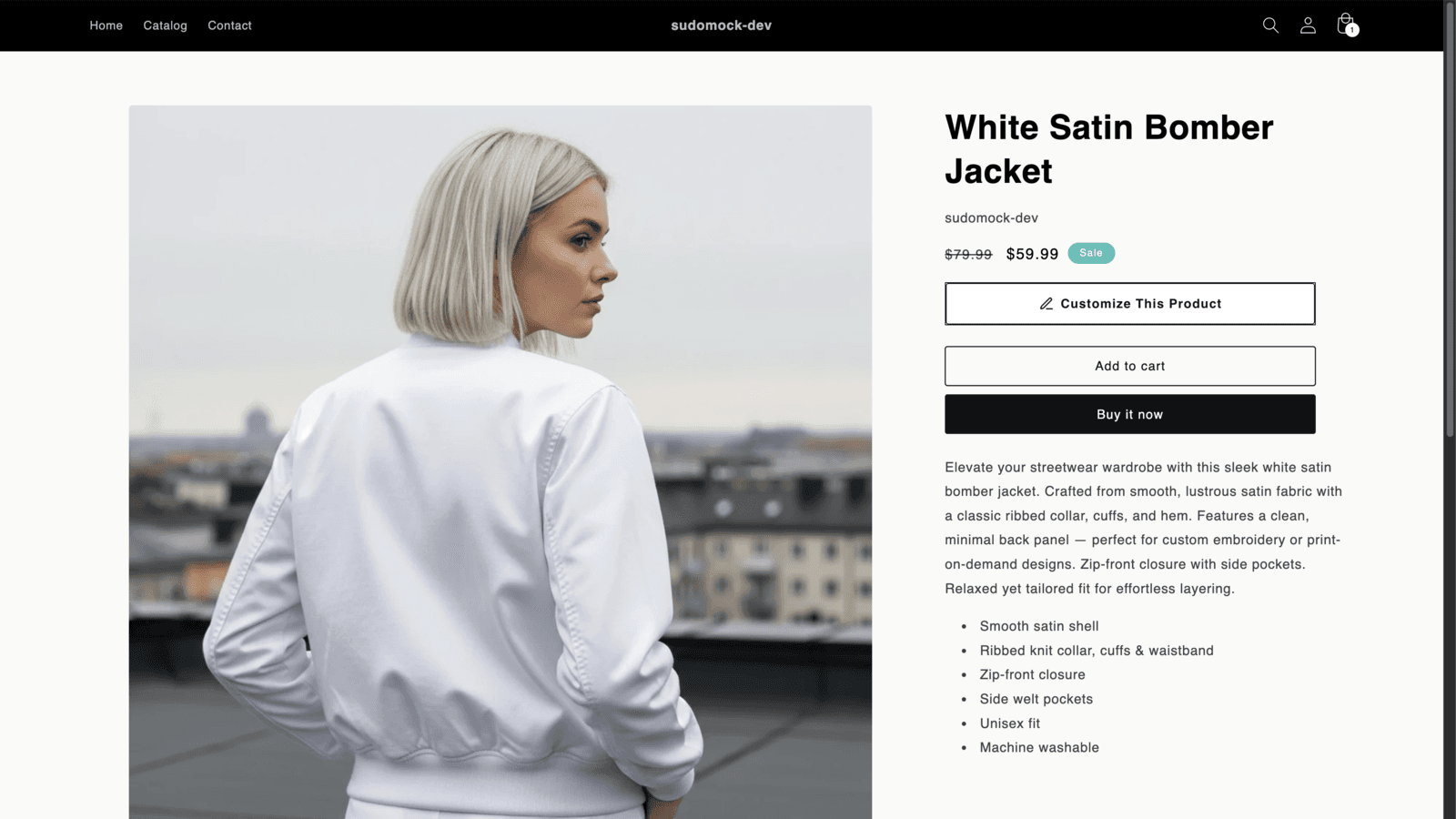
Install the SudoMock app from the Shopify App Store, connect your account, and map a PSD mockup to a product. Add or confirm the Product Customizer block in Theme Editor, then save it to show the button on mapped product pages.
 Shopify App Store
Let Customers Design Their Own Products
Add a “Customize This Product” button to mapped product pages. Customers personalize mockups with their own designs, review the rendered result, and add to cart.
Free to install · 500 one-time credits · No card required to start
500
One-time credits
25
Parallel renders on Scale
App Store
Shopify app
White-label
Customer studio
Set Up in Four Steps
Install the app, connect your account, map a PSD mockup, and add the theme app block. No theme code is required on compatible Online Store 2.0 product templates.
01
Install & Connect
Install from the Shopify App Store and connect your SudoMock account from the app.
02
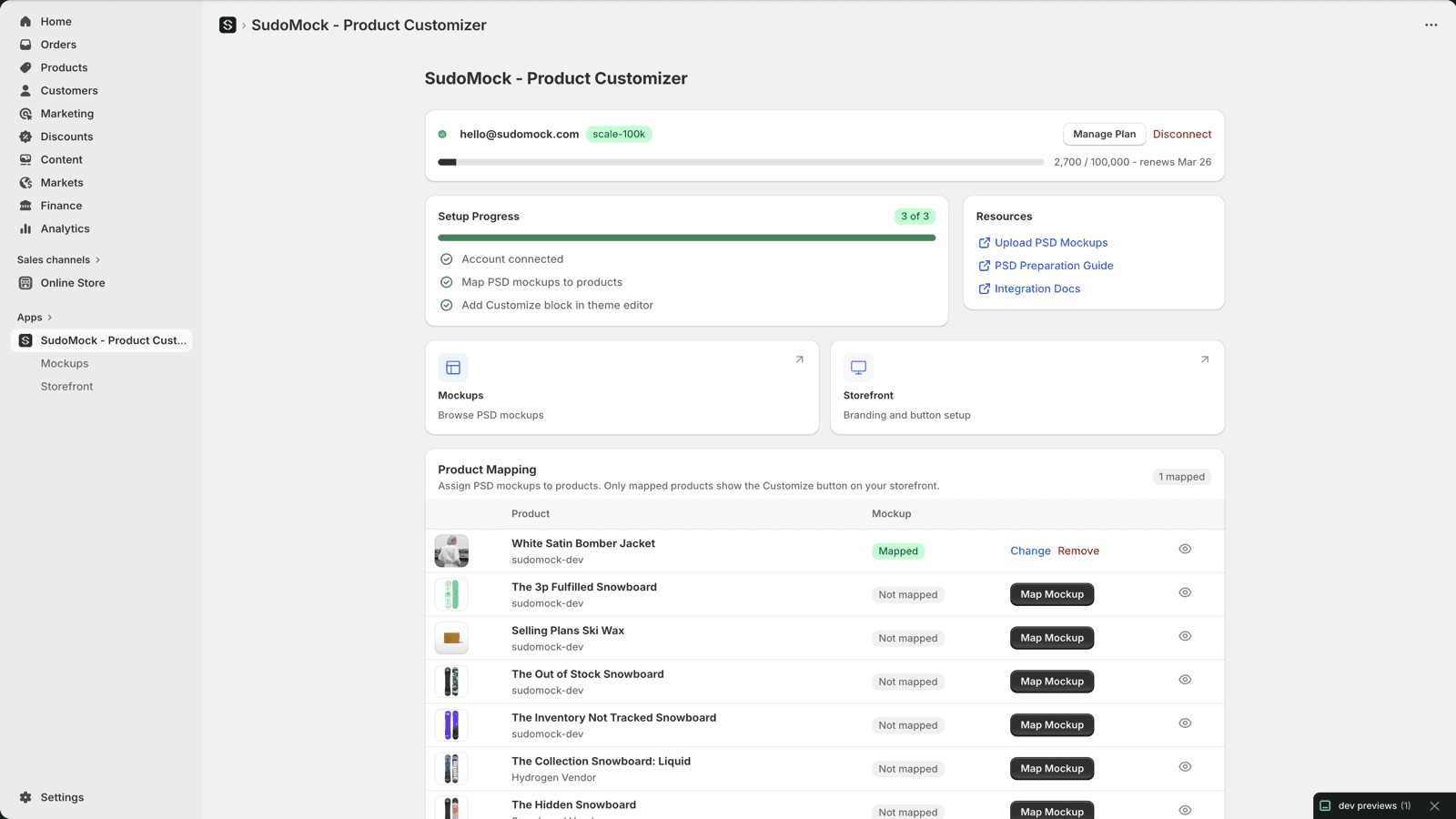
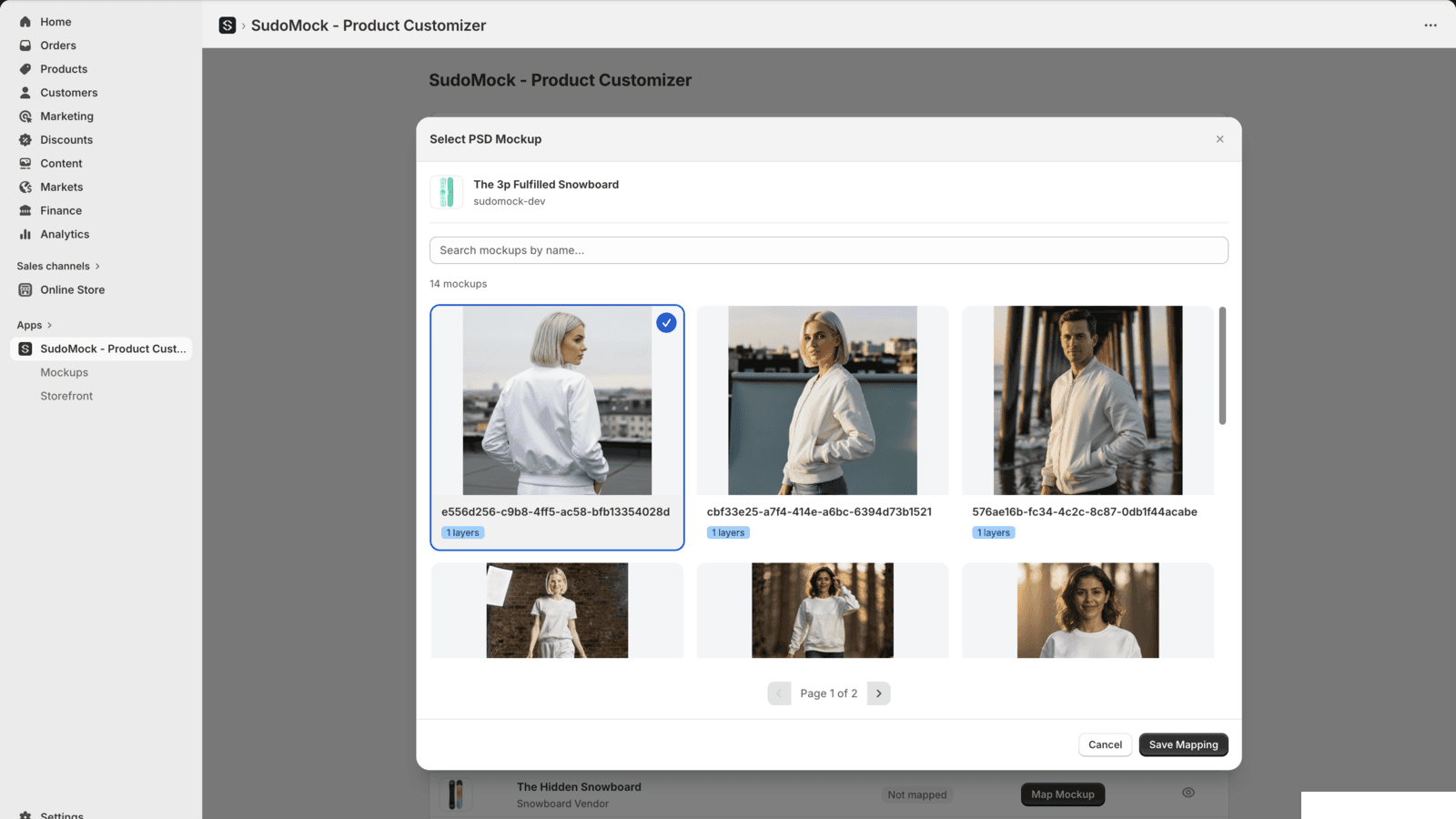
Map Mockups to Products
Upload PSD mockups and assign them to your Shopify products. Select which Smart Object layers customers can customize.
03
Add Block to Theme
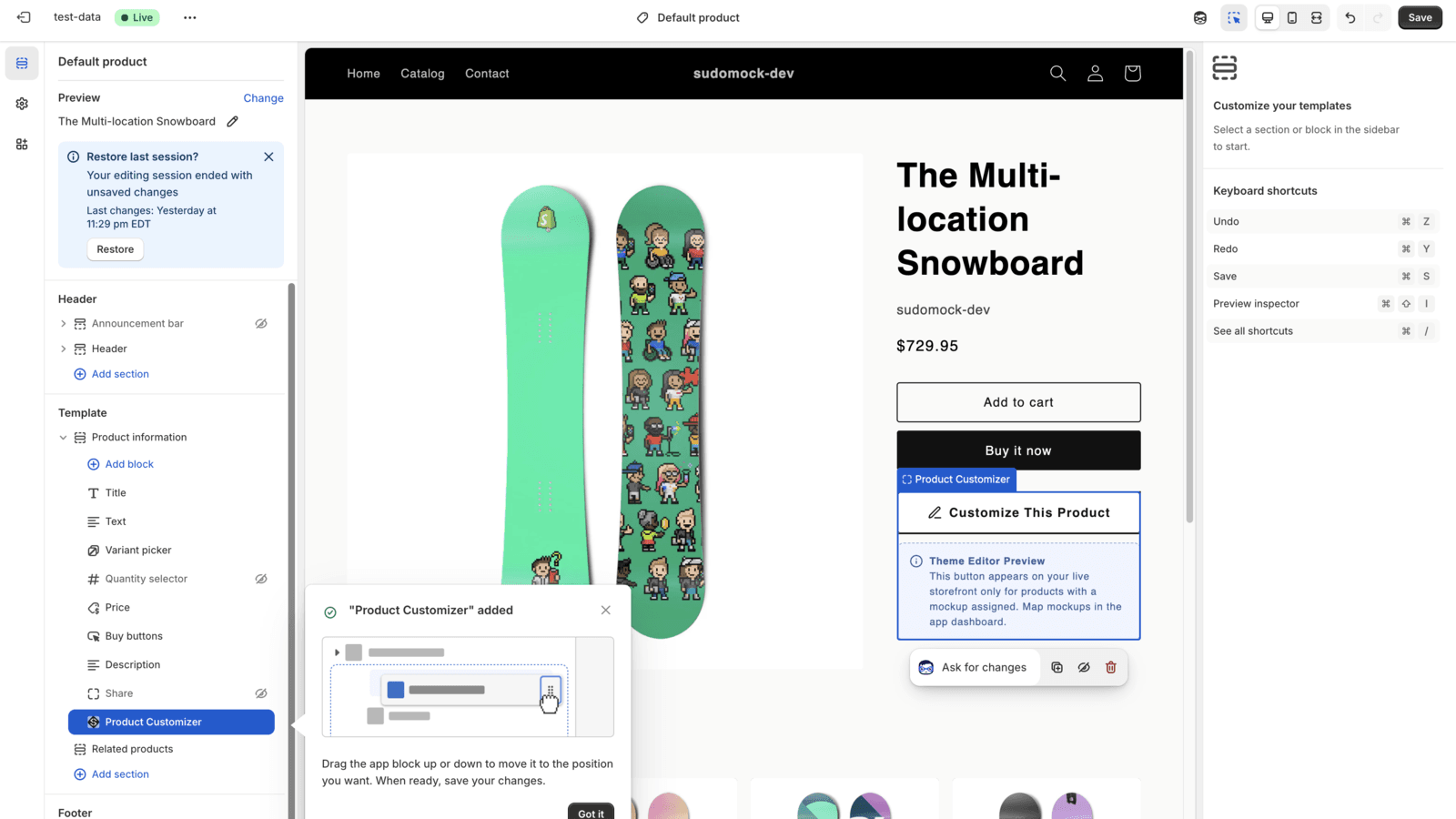
Drag the "Product Customizer" block into your theme via Shopify Theme Editor. Position it exactly where you want.
04
Customers Customize & Buy
After you save the app block, the button appears on mapped product pages. Customers design, preview, and add to cart.
Everything Your Store Needs
A complete product customization solution built specifically for Shopify merchants.
Full Studio Experience
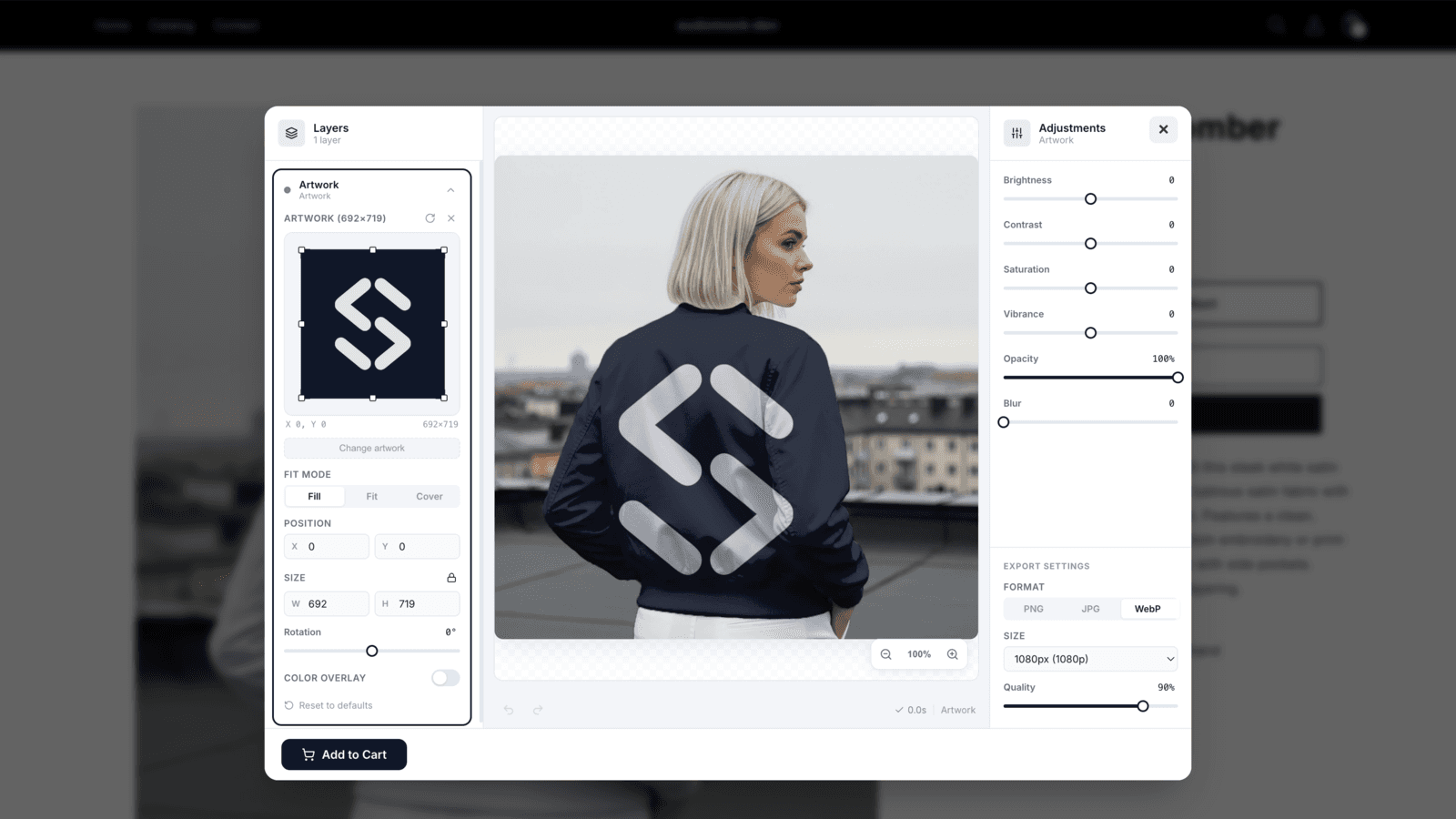
Customers upload designs, adjust colors, brightness, contrast, and position, then review the rendered preview.
One-Click Add to Cart
Customers review the rendered mockup and add it to cart with the preview image attached.
Your Own PSD Templates
Upload your Photoshop mockups with Smart Object layers. Keep full creative control over your product imagery.
Rendered Product Previews
Customers can review the generated mockup before adding the customized product to cart.
White-Label Studio
Customize every color, label, and logo. No SudoMock branding appears in the customer-facing studio.
Mobile Optimized
Responsive layouts for phones, tablets, and desktops, with touch-friendly controls.
Responsive Across Devices
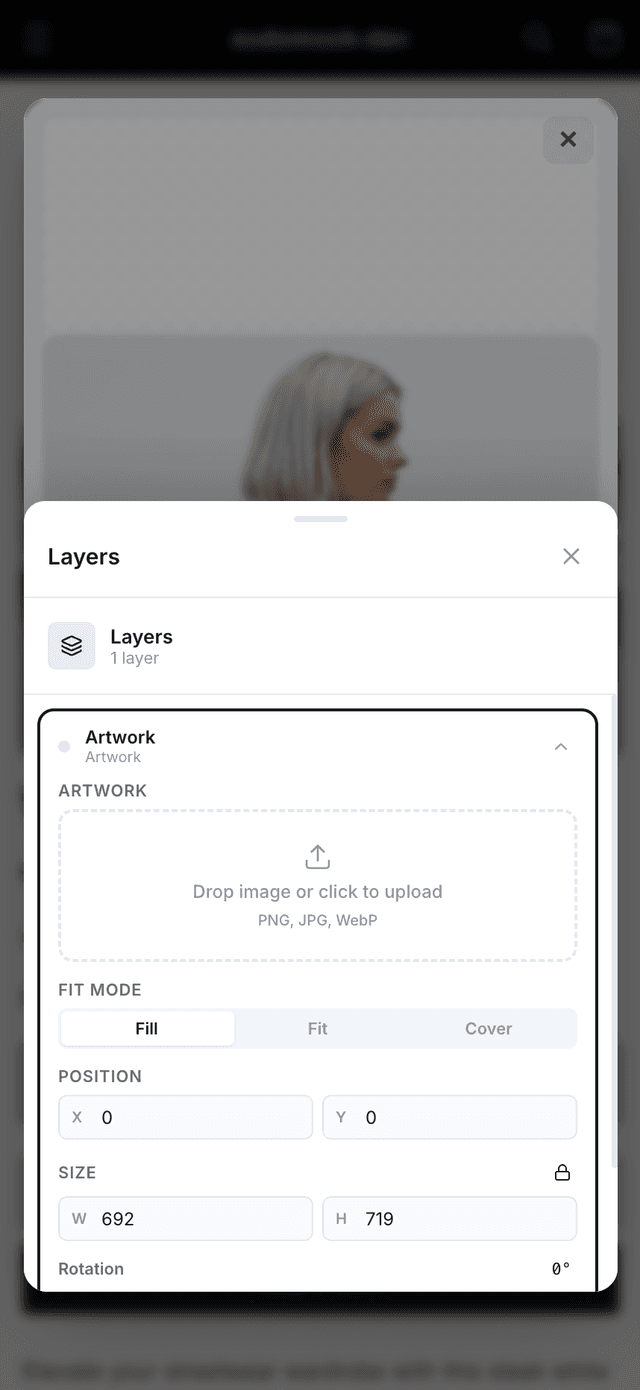
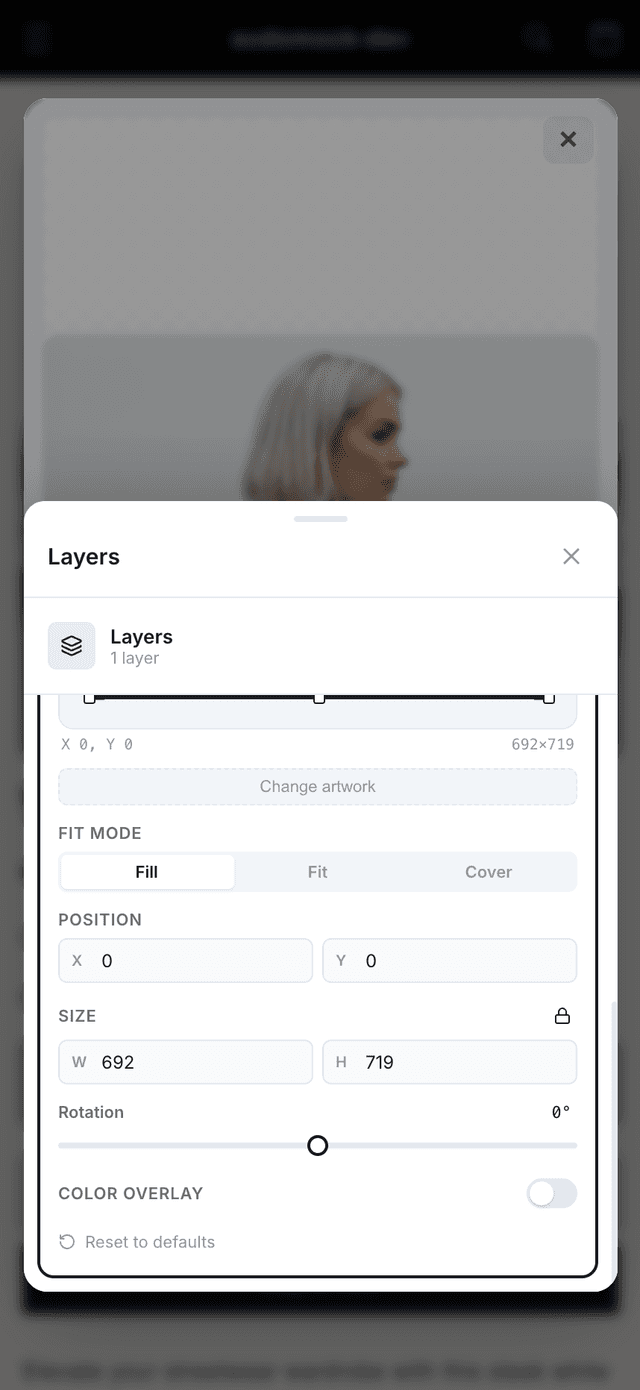
The customer studio adapts to phones, tablets, and desktops, with touch controls, bottom sheets, and pinch-to-zoom.
- Touch-friendly layer controls
- Responsive canvas with pinch-to-zoom
- Bottom sheet UI on mobile
- Visible render status while previews update
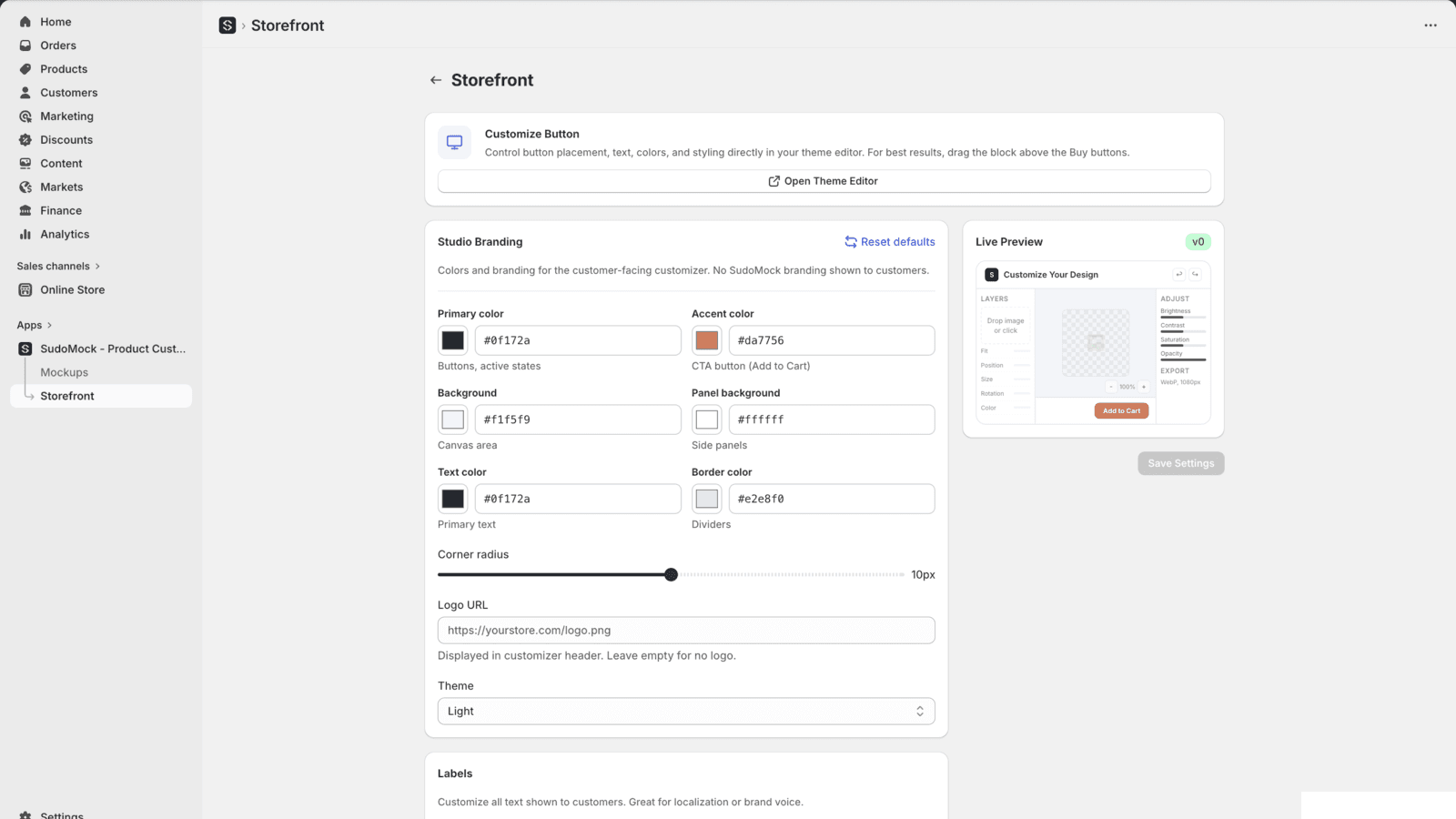
Your Brand, Not Ours
Control every aspect of the customization experience. Match your store's look and feel with customizable colors, labels, logo, and theme.
- Primary color, accent color, and background
- Custom button labels and text
- Your logo in the studio header
- Light or dark theme
- Adjustable corner radius
- No SudoMock branding in the customer-facing studio
Built for POD and Personalized-Product Storefronts
Use your own PSD templates for apparel, gifts, packaging, and other custom products.
Shopify
theme app block
Webhooks
signed completion events
Custom PSD
brand-controlled templates
Free to install · No credit card required · 500 one-time credits
Shopify Integration FAQ
Common questions about using SudoMock with your Shopify store.
No theme code is required on compatible Online Store 2.0 product templates. Install the app, connect your SudoMock account, upload or select a PSD mockup, then add the Product Customizer block in Theme Editor.
The customer studio opens so shoppers can upload their design and adjust supported layer settings such as position, color, brightness, and contrast. They review the rendered mockup, then add the customized product to cart.
SudoMock uses a theme app block on compatible Online Store 2.0 product templates. The product template must support Shopify app blocks.
Installing the app is free, and new accounts receive 500 one-time credits to try it before paying anything. Shopify plans start at 10,000 renders per month. The dashboard and PSD Mockup Editor stay free to use on any account.
Yes. From Storefront settings, you control the primary color, accent color, background, text color, border color, corner radius, logo, light or dark theme, and button labels. No SudoMock branding appears in the customer-facing studio.
Yes. The customization studio has responsive layouts for phones, tablets, and desktops, with touch-friendly controls for mobile users.
Yes — that's what makes SudoMock different. Upload your own Photoshop files with Smart Object layers. Your PSD, your mockups, your brand. We also have a free template library to get started.
Start Selling Customized Products Today
Install SudoMock on your Shopify store and let customers personalize mapped products with your PSD mockups. No theme code is required on compatible Online Store 2.0 product templates.
No credit card requiredFree PSD Mockup Editor & dashboard500 one-time credits
Already using the API? Read the advanced webhook guide