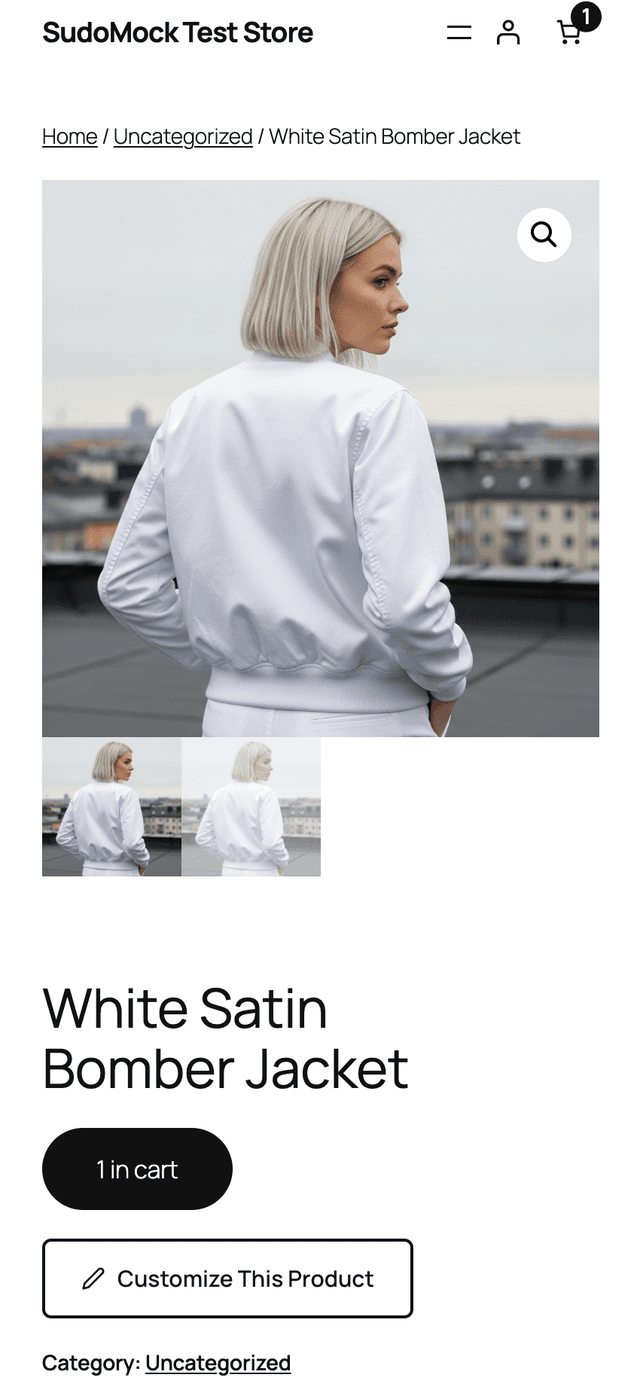
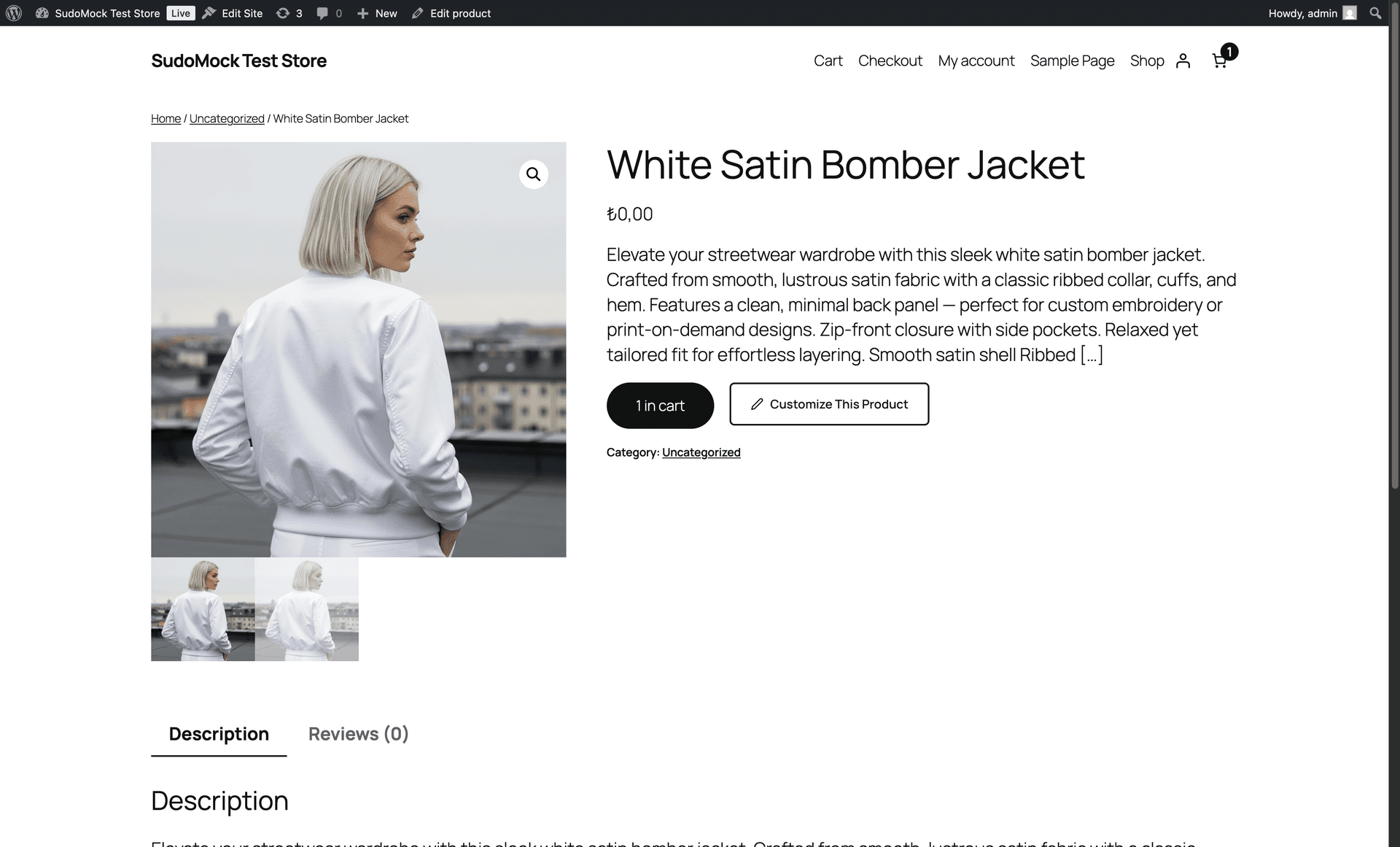
Install the SudoMock plugin from the WordPress plugin directory, connect your account, and map a PSD mockup. Classic themes use WooCommerce hooks; for block themes, add the Product Customizer block once in the Site Editor. It appears only for mapped, enabled products.
 WordPress Plugin
Product Customization for WooCommerce
Free WordPress plugin. Add a “Customize This Product” button to mapped WooCommerce products. Customers personalize mockups, review the rendered result, and add it to cart.
Free plugin · SudoMock account required · Rendering credits apply
500
One-time credits
Up to 25
Parallel renders
Translation
Ready
White-label
Customer studio
Setup in 4 Steps
No coding required. Install the plugin, connect, map your mockups, done.
01
Install & Connect
Install and activate SudoMock, connect your account, then select or create an API key.
02
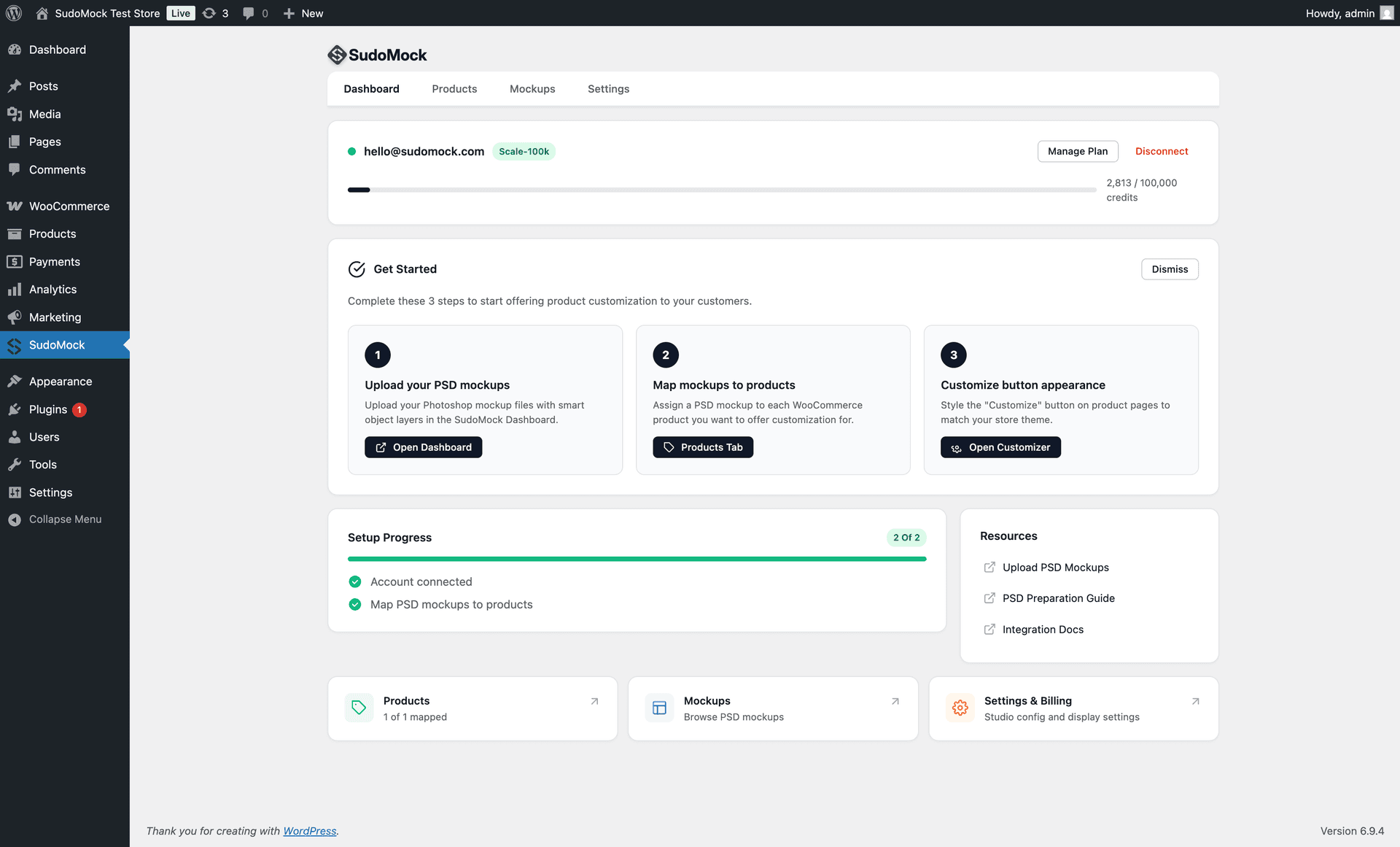
Map Mockups to Products
Go to any WooCommerce product, open the SudoMock tab, and select which PSD mockup to use. Thumbnails and names load directly from your account.
03
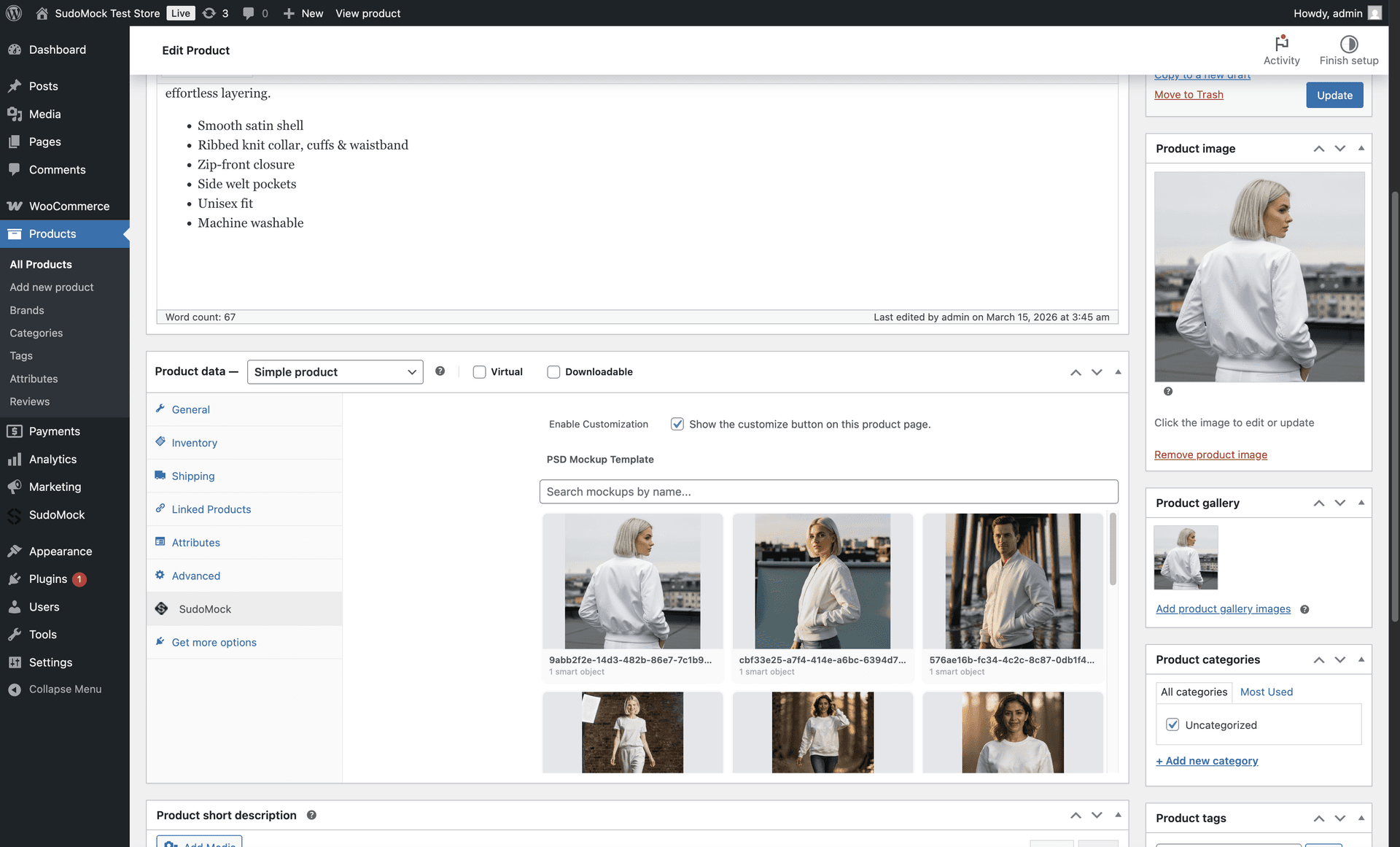
Add Block to Theme
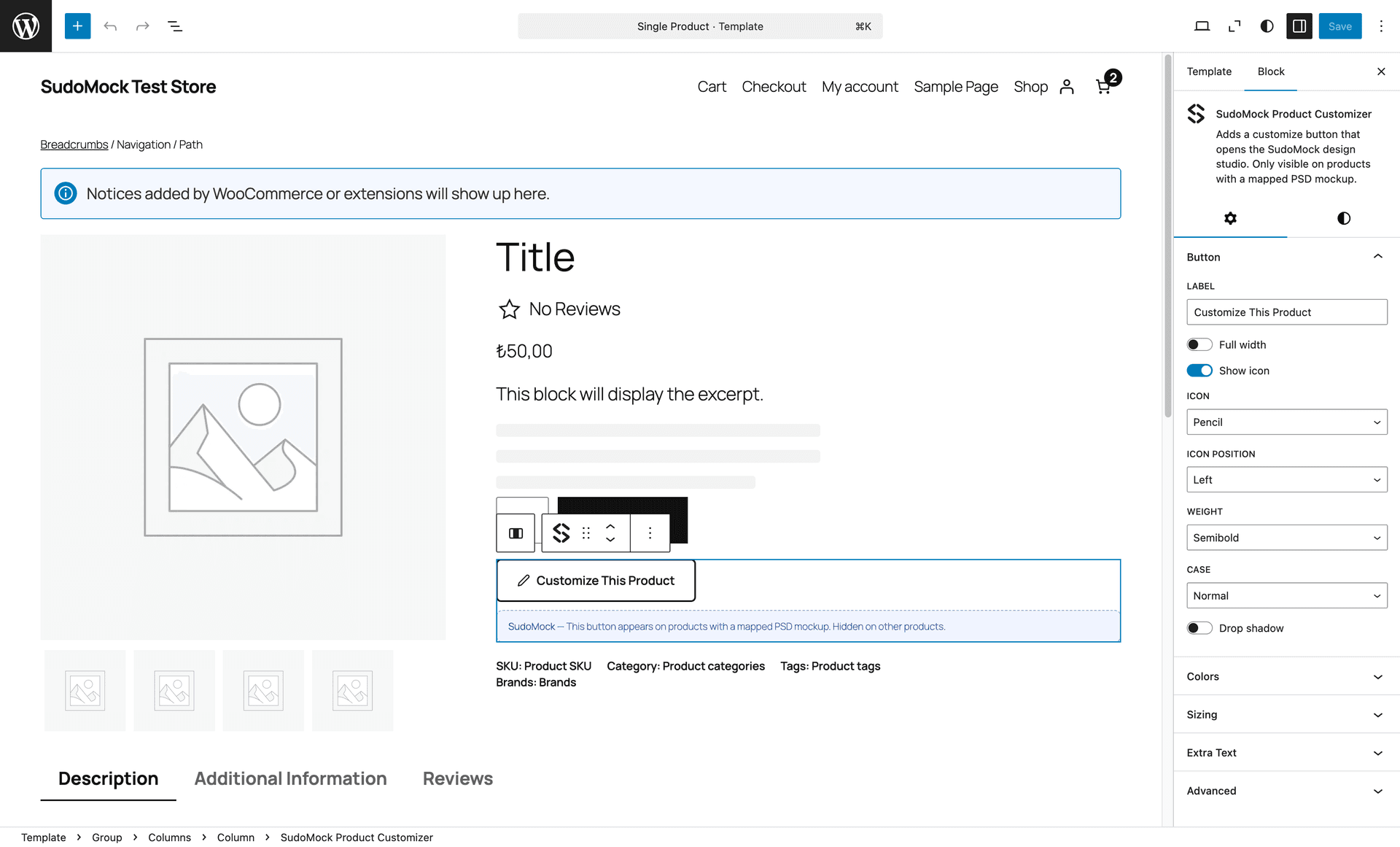
For block themes, add the Product Customizer block in the Site Editor. It renders only on mapped, enabled products.
04
Customers Customize & Buy
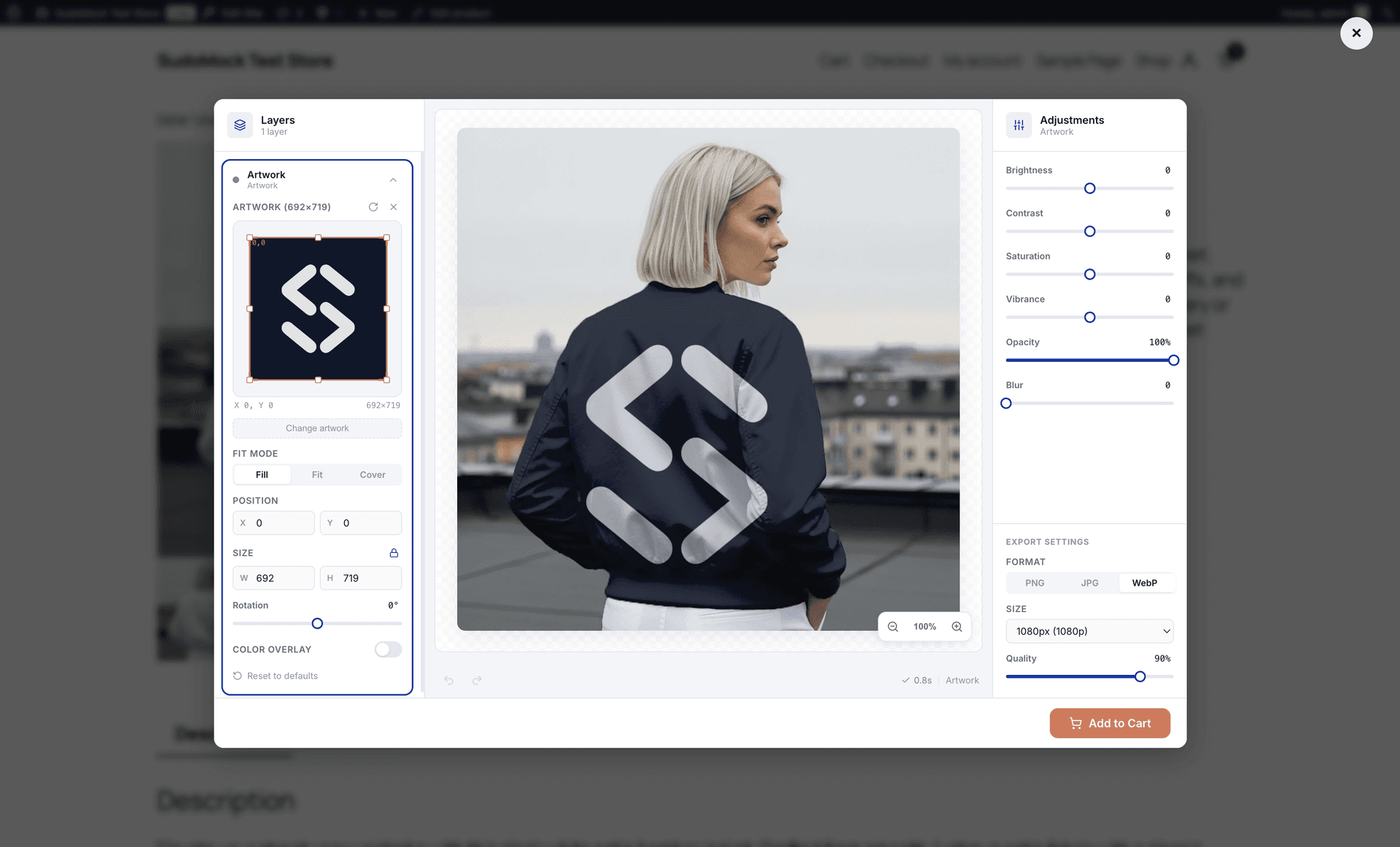
A "Customize This Product" button appears on your product page. Customers design in the studio popup, preview, and add to cart.
Built for WooCommerce
Deep WordPress integration with everything your store needs for product customization.
Full Studio Experience
Customers upload artwork, adjust supported layer settings, and review the rendered result in an overlay or separate window.
WooCommerce Cart Integration
Customized mockup image attaches to the cart item automatically. Visible in order details for fulfillment.
Your Own PSD Templates
Upload PSD mockups with Smart Object layers, up to the API's 2 GB PSD upload limit.
Deep WordPress Integration
Product-level settings, searchable mockup mapping, HPOS support, and classic and block theme integration.
White-Label & Translation Ready
Customize colors, labels, and your logo for a translation-ready customer experience without SudoMock branding.
Mobile Optimized
Responsive layouts for phones, tablets, and desktops, with touch controls, mobile bottom sheets, and pinch-to-zoom.
Your Brand, Not Ours
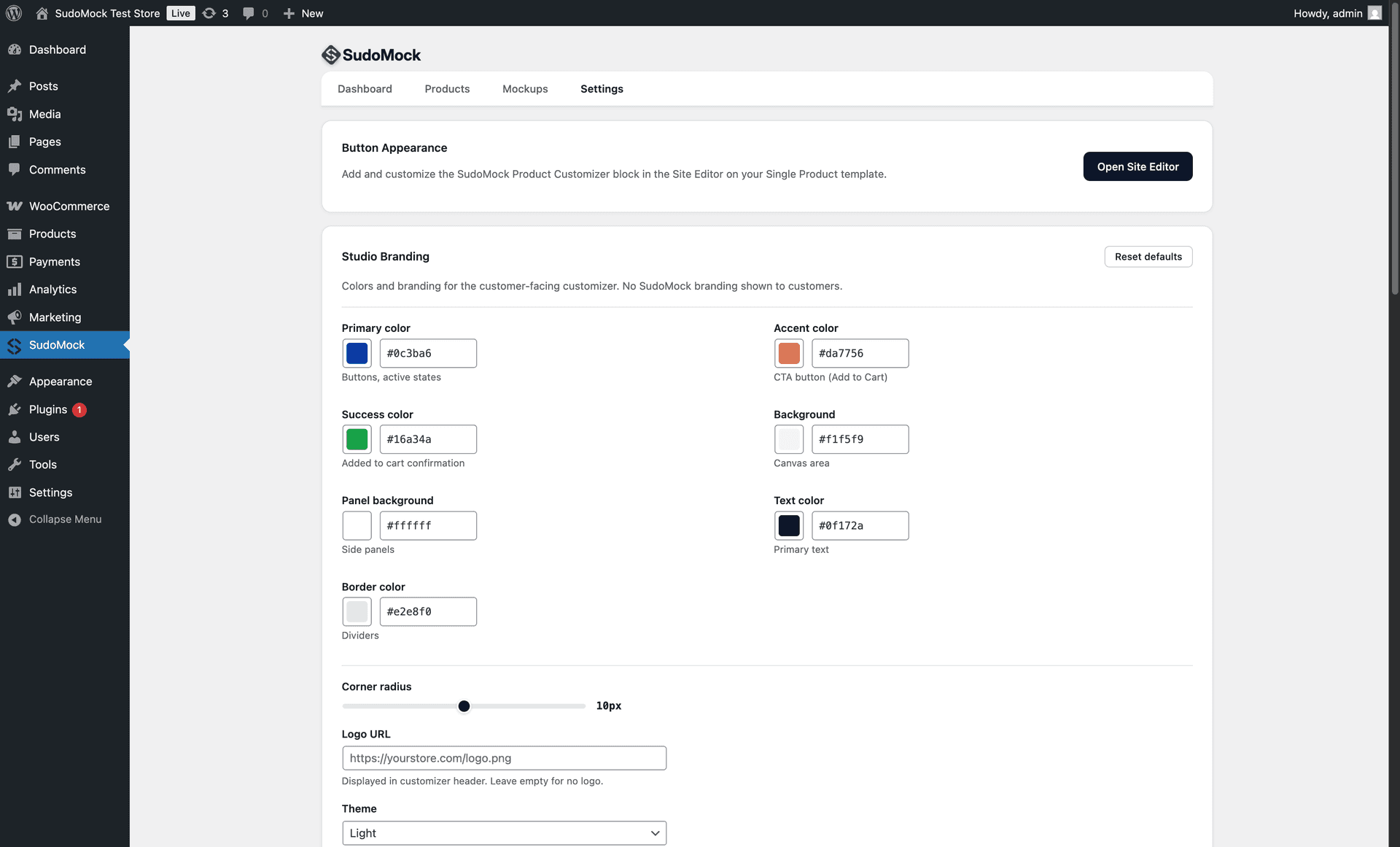
Control every aspect of the customization experience. Match your store's look and feel with customizable colors, labels, logo, and theme.
- Primary color, accent color, and background
- Success color for cart confirmation
- Custom button labels and text
- Your logo in the studio header
- Light or dark theme
- Adjustable corner radius
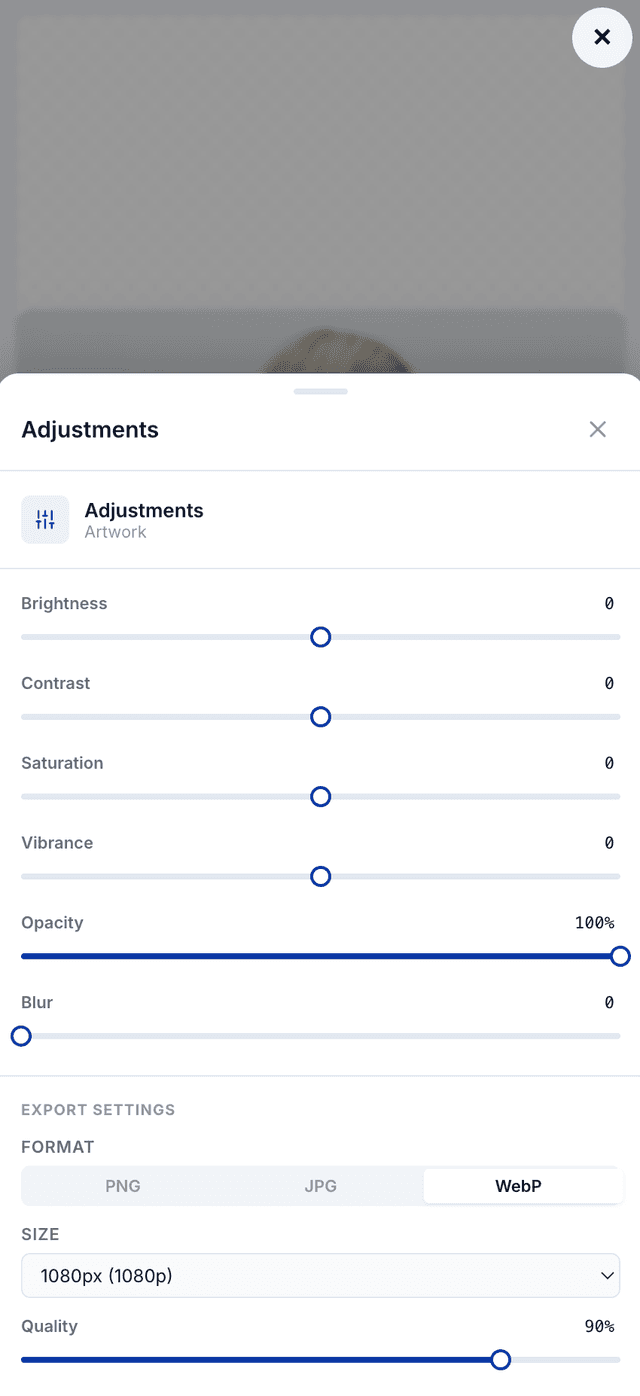
Works on Every Device
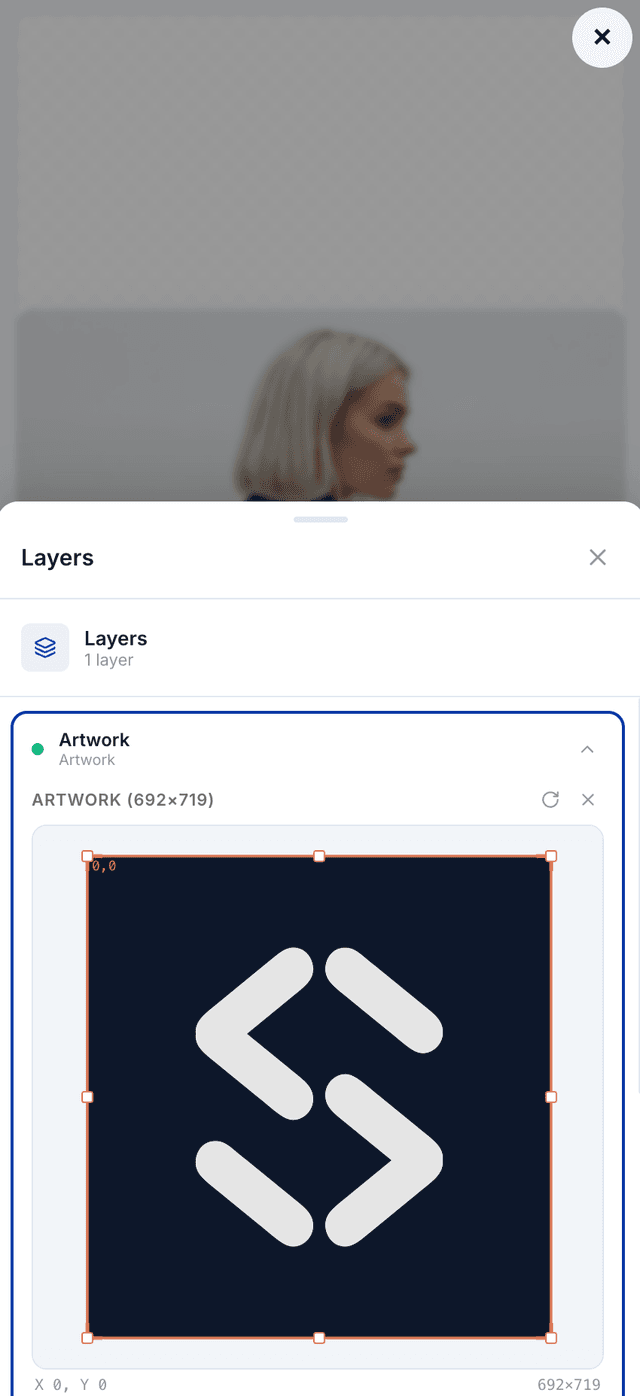
The customer studio has responsive layouts for phones, tablets, and desktops, with touch controls, mobile bottom sheets, and pinch-to-zoom.
- Touch-friendly layer controls
- Bottom sheet panels on mobile
- Responsive canvas with pinch-to-zoom
- Export settings accessible on all devices
Built into WooCommerce Workflows
The plugin adds product settings, classic-theme hooks, a Site Editor block, and cart and order metadata. The customer studio opens in an overlay or a separate window.
HPOS Compatible
Works with both legacy and High-Performance Order Storage
Block & Classic Themes
Classic-theme hooks and a block-theme Site Editor block
Flexible Studio Launch
Open the customer studio in an overlay or a separate window
Cart & Order Context
Attach the rendered preview and customization data to the order
Translation Ready
Customer-facing labels are prepared for localized storefronts
Lightweight
Assets loaded only on product pages with mapped mockups
For Developers
REST API for Custom Workflows
Need more control? Use the SudoMock REST API directly with WooCommerce webhooks. Auto-generate mockups on product create, bulk process your catalog, or build custom integrations.
functions.php
// Server-side WordPress → SudoMock Render API
$response = wp_remote_post(
  'https://api.sudomock.com/api/v1/renders',
  [
    'headers' => [
      'x-api-key' => getenv('SUDOMOCK_API_KEY'),
      'Content-Type' => 'application/json',
    ],
    'body' => wp_json_encode([
      'mockup_uuid' => 'your-mockup-uuid',
      'smart_objects' => [[
        'uuid' => 'your-smart-object-uuid',
        'asset' => [
          'url' => 'https://example.com/design.png',
          'fit' => 'crop',
        ],
      ]],
    ]),
  ]
);
PHP · WordPress HTTP APIREST API
Built for WooCommerce Product Customization
Use your own PSD templates for apparel, gifts, packaging, and other personalized products.
WooCommerce
product and order workflow
Webhooks
signed completion events
Custom PSD
brand-controlled templates
Free plugin · No credit card required · 500 one-time API credits
WooCommerce Integration FAQ
Common questions about using SudoMock with your WooCommerce store.
SudoMock supports classic themes through WooCommerce hooks and block themes through a Site Editor block. Map and enable a product before exposing its customization control.
SudoMock is fully compatible with both the legacy post-based storage and the new HPOS system. No configuration needed — it works with both.
The customer studio can open in an in-page overlay or a separate window. Customers upload and position artwork, review the rendered result, and add it to cart. The rendered preview is attached to the cart item and stored with the order.
Yes. From the Storefront settings tab, you can customize primary color, accent color, background, text color, border color, corner radius, logo, theme (light/dark), and all button labels. Your brand, not ours.
The WordPress plugin is free. New accounts include 500 one-time API credits, and paid API plans start at 5,000 renders per month. The dashboard and PSD Mockup Editor remain free to use.
The customization studio has responsive layouts for phones, tablets, and desktops, with touch controls, mobile bottom sheets, and pinch-to-zoom.
Absolutely. Upload your own Photoshop files with Smart Object layers via the SudoMock dashboard. Your PSD, your mockups, your brand.
Add Product Customization to Your WooCommerce Store
Free WordPress plugin with guided, no-code setup for standard storefront integration.
No credit card requiredFree PSD Mockup Editor & dashboard500 one-time API credits
Need webhook automation? Read the developer guide