Wallpaper and Mural Mockups on Your Own Room Photo, by API
Turn one room photo into a photo mockup and SudoMock returns its main wall as a surface labelled wall. Render each design on that surface with tile set to true and the width of one repeat, and the paper covers the wall behind the bed, the lamps and the frames. Leave tile out and one mural file spans the whole wall.
Published 6 min readBeck
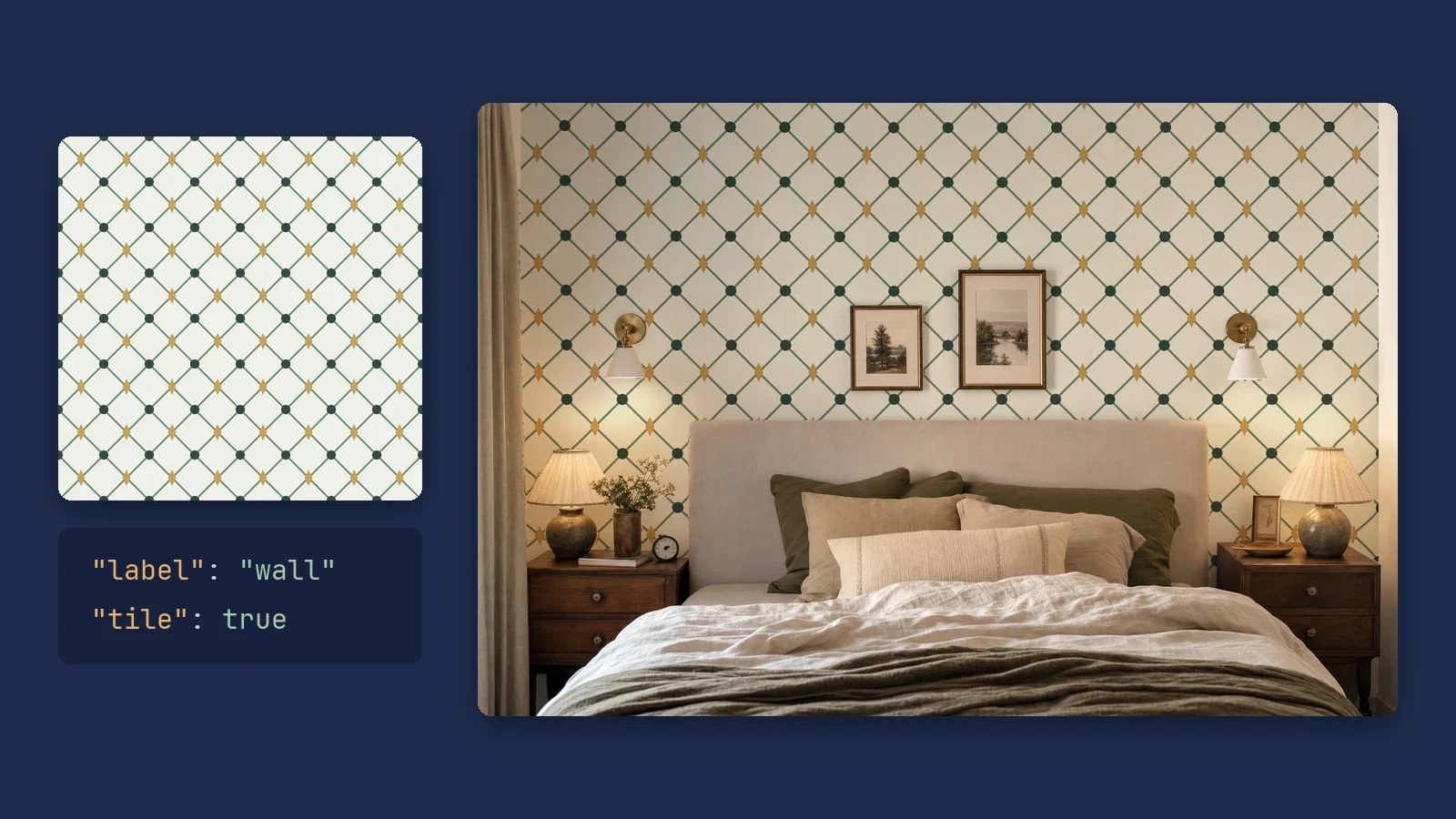
Key takeaways
- Tile width = wall width in pixels x printed repeat width / the wall's real width.
- Frames on the wall come back as surfaces too, so paper and prints render in one call.
- The same design takes its own tile size in each room, so store the size with the room.
Turn your room photo into a photo mockup
One create call turns a room photo into a photo mockup, and the room's main wall comes back as a surface of its own, labelled wall. Its surface_uuid is the render target for every wallpaper and mural you sell. You create the mockup once per room photo and keep it. Pick a photo where the wall you want to paper faces the camera and fills much of the frame, like the bedroom below.
Send the photo by URL. The call answers with the finished mockup, so there is nothing to poll before the first render.
curl -X POST https://api.sudomock.com/api/v1/photo-mockups \-H "x-api-key: YOUR_API_KEY" \-H "Content-Type: application/json" \-d '{"name": "Bedroom, headboard wall","source_url": "https://example.com/bedroom.jpg"}'
const response = await fetch('https://api.sudomock.com/api/v1/photo-mockups', {method: 'POST',headers: {'x-api-key': 'YOUR_API_KEY','Content-Type': 'application/json',},body: JSON.stringify({"name": "Bedroom, headboard wall","source_url": "https://example.com/bedroom.jpg"}),});const data = await response.json();console.log(data);
import requestsresponse = requests.post("https://api.sudomock.com/api/v1/photo-mockups",headers={"x-api-key": "YOUR_API_KEY","Content-Type": "application/json",},json={"name": "Bedroom, headboard wall","source_url": "https://example.com/bedroom.jpg",},)print(response.json())
package mainimport ("bytes""fmt""io""net/http")func main() {payload := []byte(`{"name": "Bedroom, headboard wall","source_url": "https://example.com/bedroom.jpg"}`)req, err := http.NewRequest("POST", "https://api.sudomock.com/api/v1/photo-mockups", bytes.NewBuffer(payload))if err != nil {panic(err)}req.Header.Set("x-api-key", "YOUR_API_KEY")req.Header.Set("Content-Type", "application/json")resp, err := http.DefaultClient.Do(req)if err != nil {panic(err)}defer resp.Body.Close()body, _ := io.ReadAll(resp.Body)fmt.Println(string(body))}
<?php$payload = <<<'JSON'{"name": "Bedroom, headboard wall","source_url": "https://example.com/bedroom.jpg"}JSON;$ch = curl_init('https://api.sudomock.com/api/v1/photo-mockups');curl_setopt_array($ch, [CURLOPT_CUSTOMREQUEST => 'POST',CURLOPT_RETURNTRANSFER => true,CURLOPT_HTTPHEADER => ['x-api-key: YOUR_API_KEY','Content-Type: application/json',],CURLOPT_POSTFIELDS => $payload,]);$response = curl_exec($ch);curl_close($ch);echo $response;
Read data.surfaces in the response and keep the entry whose label is wall. This is the list our bedroom photo mockup carries, read on 26 October 2026, shortened to the fields you use:
"surfaces": [{ "label": "wall", "surface_uuid": "e550ba81-d7a1-44e7-b90f-8c429eeda76a","bbox": { "x": 66, "y": 0, "width": 1438, "height": 810 } },{ "label": "framed print", "surface_uuid": "4ab6ba3a-2e7d-41d2-ae80-d448d9845b3c" },{ "label": "framed print", "surface_uuid": "1933a59d-0444-4fbc-ab94-34d2c284048b" }]
The paper ends exactly at the wall's edges, so the floor, the ceiling and the side walls stay as photographed. The two frames hanging on it are surfaces too, so the same mockup can show your wallpaper and your art prints in one image. Print areas and surfaces lists every field.
Render a design as wallpaper
Wallpaper is a render on the wall surface with tile set to true and the size of one repeat in width and height. SudoMock repeats your file across the whole wall and keeps everything that stands in front of it in front: the headboard, the lamps, the frames and the sconces.
curl -X POST https://api.sudomock.com/api/v1/photo-mockups/YOUR_PHOTO_MOCKUP_ID/render \-H "x-api-key: YOUR_API_KEY" \-H "Content-Type: application/json" \-d '{"print_areas": [{"surface_uuid": "YOUR_WALL_SURFACE_UUID","artwork_url": "https://example.com/garden-repeat.png","placement": { "tile": true, "width": 300, "height": 300 }}],"export_options": { "image_format": "jpg", "image_size": 1024 }}'
const response = await fetch('https://api.sudomock.com/api/v1/photo-mockups/YOUR_PHOTO_MOCKUP_ID/render', {method: 'POST',headers: {'x-api-key': 'YOUR_API_KEY','Content-Type': 'application/json',},body: JSON.stringify({"print_areas": [{"surface_uuid": "YOUR_WALL_SURFACE_UUID","artwork_url": "https://example.com/garden-repeat.png","placement": {"tile": true,"width": 300,"height": 300}}],"export_options": {"image_format": "jpg","image_size": 1024}}),});const data = await response.json();console.log(data);
import requestsresponse = requests.post("https://api.sudomock.com/api/v1/photo-mockups/YOUR_PHOTO_MOCKUP_ID/render",headers={"x-api-key": "YOUR_API_KEY","Content-Type": "application/json",},json={"print_areas": [{"surface_uuid": "YOUR_WALL_SURFACE_UUID","artwork_url": "https://example.com/garden-repeat.png","placement": {"tile": True,"width": 300,"height": 300,},},],"export_options": {"image_format": "jpg","image_size": 1024,},},)print(response.json())
package mainimport ("bytes""fmt""io""net/http")func main() {payload := []byte(`{"print_areas": [{"surface_uuid": "YOUR_WALL_SURFACE_UUID","artwork_url": "https://example.com/garden-repeat.png","placement": {"tile": true,"width": 300,"height": 300}}],"export_options": {"image_format": "jpg","image_size": 1024}}`)req, err := http.NewRequest("POST", "https://api.sudomock.com/api/v1/photo-mockups/YOUR_PHOTO_MOCKUP_ID/render", bytes.NewBuffer(payload))if err != nil {panic(err)}req.Header.Set("x-api-key", "YOUR_API_KEY")req.Header.Set("Content-Type", "application/json")resp, err := http.DefaultClient.Do(req)if err != nil {panic(err)}defer resp.Body.Close()body, _ := io.ReadAll(resp.Body)fmt.Println(string(body))}
<?php$payload = <<<'JSON'{"print_areas": [{"surface_uuid": "YOUR_WALL_SURFACE_UUID","artwork_url": "https://example.com/garden-repeat.png","placement": {"tile": true,"width": 300,"height": 300}}],"export_options": {"image_format": "jpg","image_size": 1024}}JSON;$ch = curl_init('https://api.sudomock.com/api/v1/photo-mockups/YOUR_PHOTO_MOCKUP_ID/render');curl_setopt_array($ch, [CURLOPT_CUSTOMREQUEST => 'POST',CURLOPT_RETURNTRANSFER => true,CURLOPT_HTTPHEADER => ['x-api-key: YOUR_API_KEY','Content-Type: application/json',],CURLOPT_POSTFIELDS => $payload,]);$response = curl_exec($ch);curl_close($ch);echo $response;
The finished image is at data.print_files[0].export_path. The design file is one seamless repeat, made as pattern mockups by API describes.
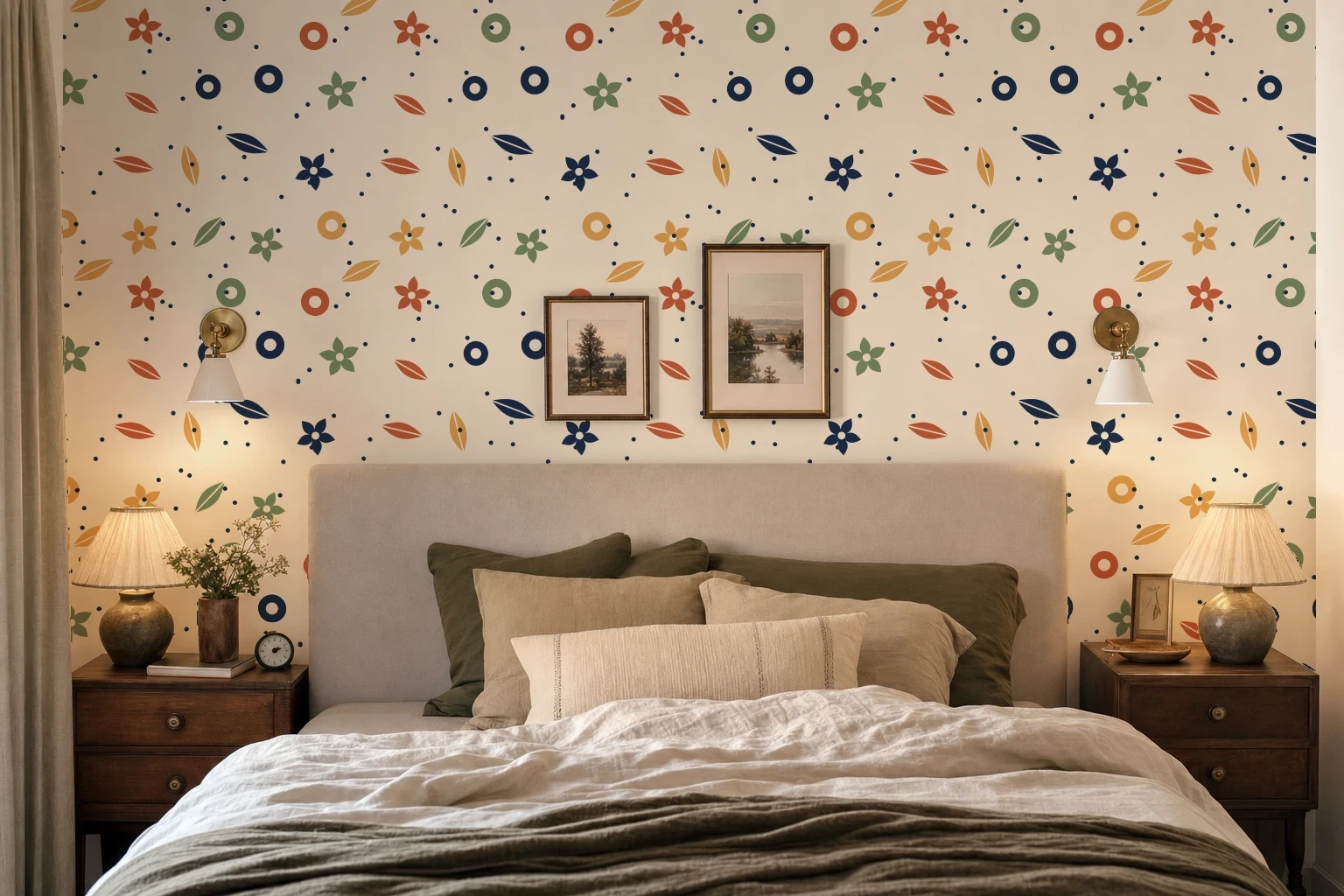 A 300 pixel garden repeat on the wall surface of a photo mockup made from a generated bedroom photo. SudoMock render, 26 October 2026.
The render keeps the photo's light on the new paper: the lamps still warm the wall beside the bed. Use jpg for files you upload to Etsy, as Render artwork onto a photo mockup advises for marketplace uploads.
Set the repeat from the printed width
The tile size is the printed scale, measured in the wall's pixels. Tile width = the wall's width in pixels x the repeat's printed width / the wall's real width. Take the pixel width from the wall's bbox and the real width from the room, or from something of known width in the photo.
On the bedroom photo the wall is 1,438 pixels wide. A 480 pixel tile repeats three times across it and a 240 pixel tile six times. If that wall is 12 feet (144 inches) wide, the 480 pixel tile shows a 48 inch repeat and the 240 pixel tile a 24 inch repeat.
Tile width and height | Repeats across a 1,438 pixel wall | Printed repeat on a 144 inch wall |
|---|---|---|
| 480 | 3 | 48 inches |
| 240 | 6 | 24 inches |
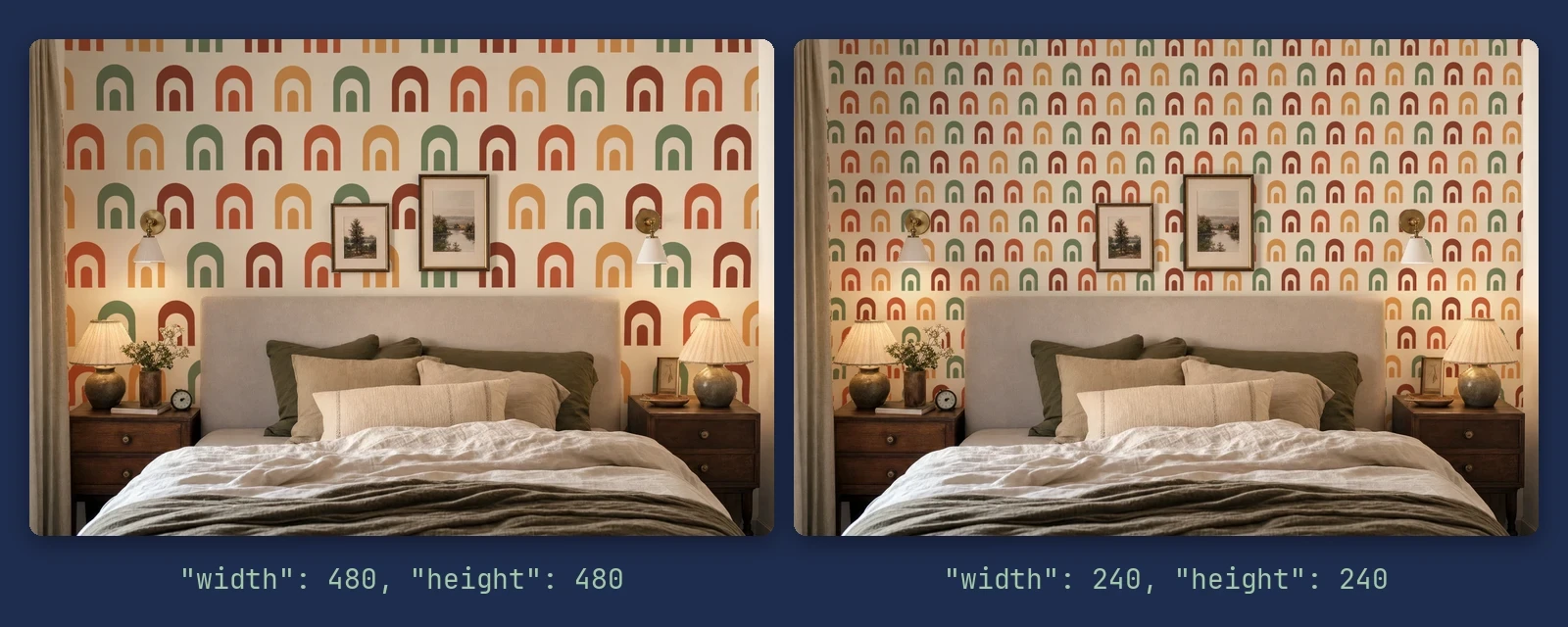 One arches repeat at width and height 480 (left) and 240 (right) on the same wall surface of a generated bedroom photo. Each tile is four arches wide, so 12 and 24 arches cross the wall. SudoMock renders, 26 October 2026.
Put one mural across the whole wall
A mural is the same call without tile. On a surface the artwork spans the whole wall by default, so one mural file covers it edge to edge, behind the furniture. coverage (10 to 100) makes it a smaller panel instead.
curl -X POST https://api.sudomock.com/api/v1/photo-mockups/YOUR_PHOTO_MOCKUP_ID/render \-H "x-api-key: YOUR_API_KEY" \-H "Content-Type: application/json" \-d '{"print_areas": [{"surface_uuid": "YOUR_WALL_SURFACE_UUID","artwork_url": "https://example.com/sunset-mural.png"}],"export_options": { "image_format": "jpg", "image_size": 1024 }}'
const response = await fetch('https://api.sudomock.com/api/v1/photo-mockups/YOUR_PHOTO_MOCKUP_ID/render', {method: 'POST',headers: {'x-api-key': 'YOUR_API_KEY','Content-Type': 'application/json',},body: JSON.stringify({"print_areas": [{"surface_uuid": "YOUR_WALL_SURFACE_UUID","artwork_url": "https://example.com/sunset-mural.png"}],"export_options": {"image_format": "jpg","image_size": 1024}}),});const data = await response.json();console.log(data);
import requestsresponse = requests.post("https://api.sudomock.com/api/v1/photo-mockups/YOUR_PHOTO_MOCKUP_ID/render",headers={"x-api-key": "YOUR_API_KEY","Content-Type": "application/json",},json={"print_areas": [{"surface_uuid": "YOUR_WALL_SURFACE_UUID","artwork_url": "https://example.com/sunset-mural.png",},],"export_options": {"image_format": "jpg","image_size": 1024,},},)print(response.json())
package mainimport ("bytes""fmt""io""net/http")func main() {payload := []byte(`{"print_areas": [{"surface_uuid": "YOUR_WALL_SURFACE_UUID","artwork_url": "https://example.com/sunset-mural.png"}],"export_options": {"image_format": "jpg","image_size": 1024}}`)req, err := http.NewRequest("POST", "https://api.sudomock.com/api/v1/photo-mockups/YOUR_PHOTO_MOCKUP_ID/render", bytes.NewBuffer(payload))if err != nil {panic(err)}req.Header.Set("x-api-key", "YOUR_API_KEY")req.Header.Set("Content-Type", "application/json")resp, err := http.DefaultClient.Do(req)if err != nil {panic(err)}defer resp.Body.Close()body, _ := io.ReadAll(resp.Body)fmt.Println(string(body))}
<?php$payload = <<<'JSON'{"print_areas": [{"surface_uuid": "YOUR_WALL_SURFACE_UUID","artwork_url": "https://example.com/sunset-mural.png"}],"export_options": {"image_format": "jpg","image_size": 1024}}JSON;$ch = curl_init('https://api.sudomock.com/api/v1/photo-mockups/YOUR_PHOTO_MOCKUP_ID/render');curl_setopt_array($ch, [CURLOPT_CUSTOMREQUEST => 'POST',CURLOPT_RETURNTRANSFER => true,CURLOPT_HTTPHEADER => ['x-api-key: YOUR_API_KEY','Content-Type: application/json',],CURLOPT_POSTFIELDS => $payload,]);$response = curl_exec($ch);curl_close($ch);echo $response;
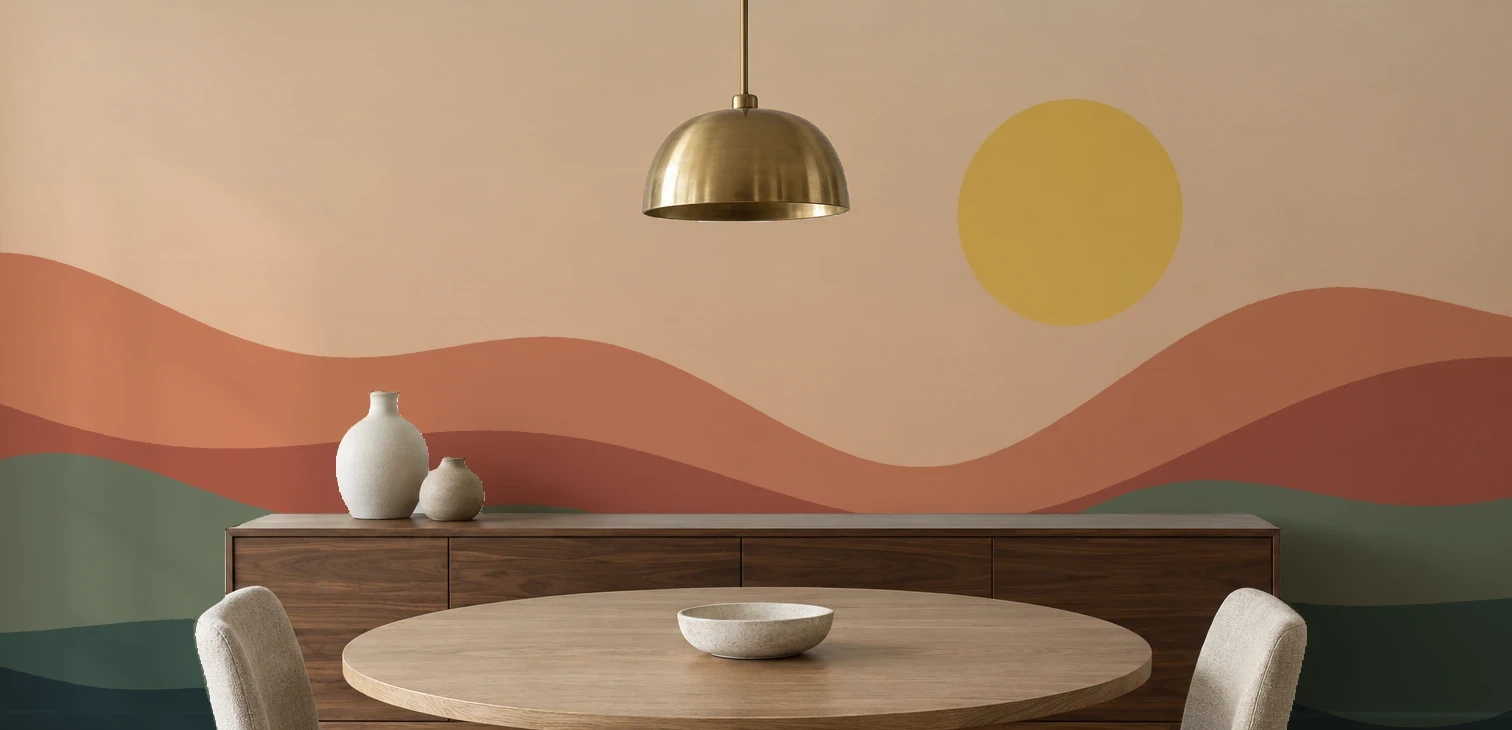 A 3072 by 1514 pixel mural file on the wall surface of a photo mockup made from a generated dining room photo, no tile. SudoMock render, 26 October 2026.
Draw the mural at the wall's proportions, read from its bbox. This dining room wall came back 1,536 by 757 pixels, so the mural file was drawn at 3072 by 1514, and the part of the design the buyer sees in the mockup is the part that covers their wall.
Render the catalog: every design, every room
A catalog is one render call per design and room photo. What changes from room to room is the tile size: each wall has its own width in pixels and its own real width, so the same design takes its own number in each photo. Store that number with the room and the design, and every listing shows the repeat at the scale that prints.
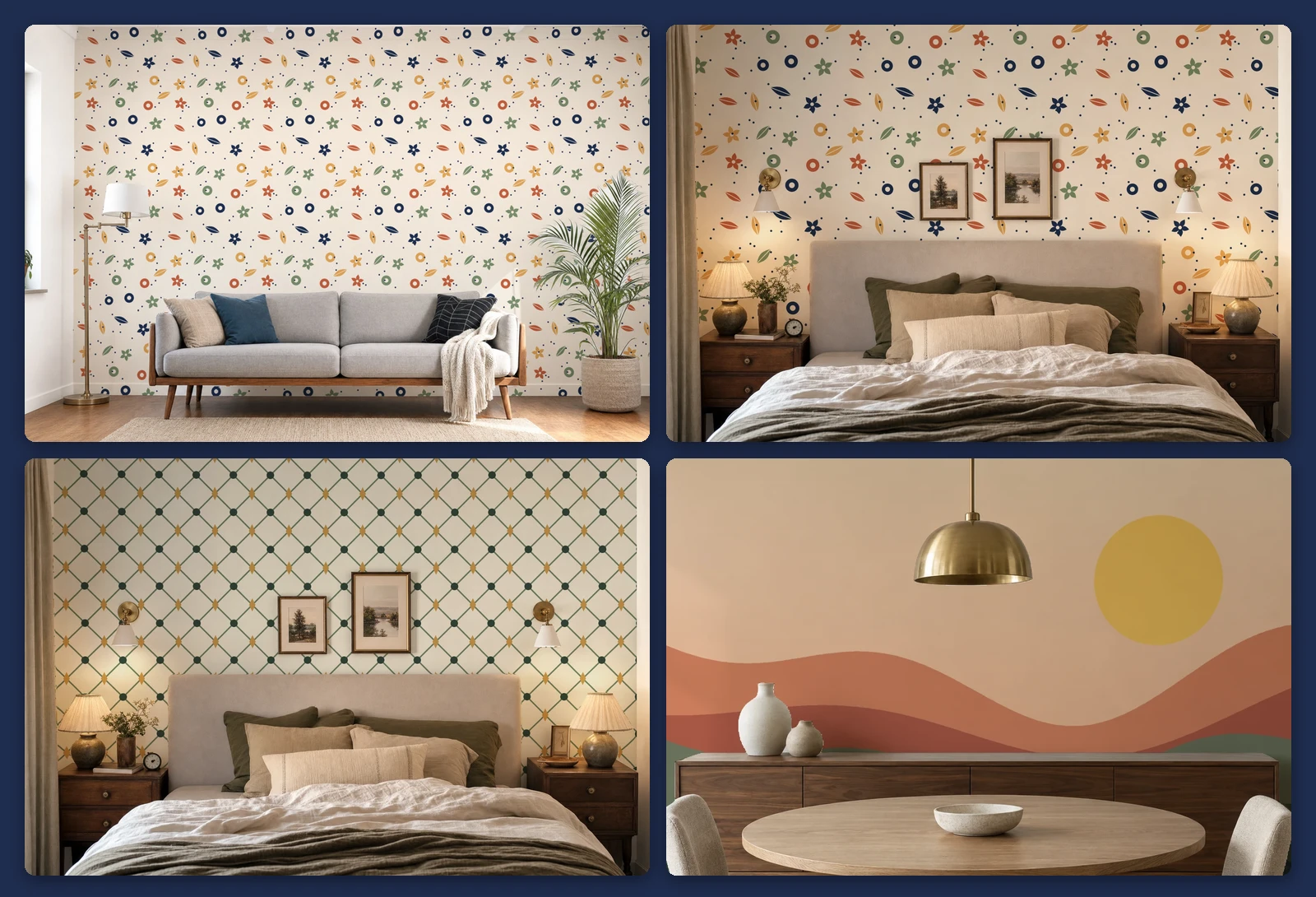 One garden design at 220 pixels on the living room wall and 300 on the bedroom wall, the trellis at 360 and the mural without tile, on three generated room photos. Four render calls. SudoMock renders, 25 and 26 October 2026.
Fire the calls in parallel, or in the background with jobs, as pattern mockups by API shows for a collection. In n8n and Make the photo render step carries the same Tile fields, so a sheet of designs and room photos drives the whole run without code. The average SudoMock render finishes in under a second. Plans start at $25/month. Subscriptions from $0.002 per render.
If you also sell framed prints or canvases for the same rooms, the wall art mockup templates and the home and living templates render them from a ready photo. If you already own an interior PSD, tile with a size works on its smart object, as pattern mockups by API shows (PSD uploads up to 300 MB in the dashboard, no file size limit over the API).
Next step
Create a photo mockup from one of your room photos and send two renders: one design at two tile sizes, to fix the scale you will use for the whole catalog. Print areas and surfaces shows where the wall's surface_uuid and bbox come from, and Render artwork onto a photo mockup covers tile, tile_spacing, coverage and the export options. In the dashboard, pick the mockup in My mockups: the editor's Code tab prints the render request with your real mockup and surface ids.
Frequently asked questions
How do I make a wallpaper mockup from my own room photo?
Create a photo mockup from the room photo and keep the surface labelled wall from the response. Send each design to that surface with tile set to true and the size of one repeat in width and height. The pattern covers the main wall, and everything in front of it stays in front.
How big should the wallpaper repeat be in a mockup?
Match the repeat as it prints. Multiply the wall's width in pixels by the repeat's printed width and divide by the wall's real width. On a wall 1,438 pixels and 144 inches wide, a 24 inch repeat is a 240 pixel tile, six repeats across.
Can furniture stay in front of the wallpaper in a mockup?
Yes. The pattern fills the wall surface, including the parts a bed, a sofa, a lamp or a frame splits apart, and those objects stay in front as photographed. The room's light stays on the new paper too.
What is the difference between a wallpaper mockup and a mural mockup?
A wallpaper mockup repeats one seamless tile across the wall at its printed scale. A mural mockup places one large design across the whole wall without repeating it. With SudoMock both are the same render call on the wall surface, with tile set to true for wallpaper and left out for a mural.
Can I show one wallpaper design in several rooms?
Yes. Create one photo mockup per room photo, then send the same design to each room's wall surface with the tile size that matches that wall. Each room is one render call, and the calls can run in parallel.
Sources
- Print areas and surfaces (opens in new tab), SudoMock docs
- Render artwork onto a photo mockup (opens in new tab), SudoMock docs
- Create a mockup from a product photo (opens in new tab), SudoMock docs
- Render a photo mockup (opens in new tab), SudoMock docs
- Photo mockups (opens in new tab), SudoMock docs
- Retrieve a single job (opens in new tab), SudoMock docs
Beck
CTO
Related articles
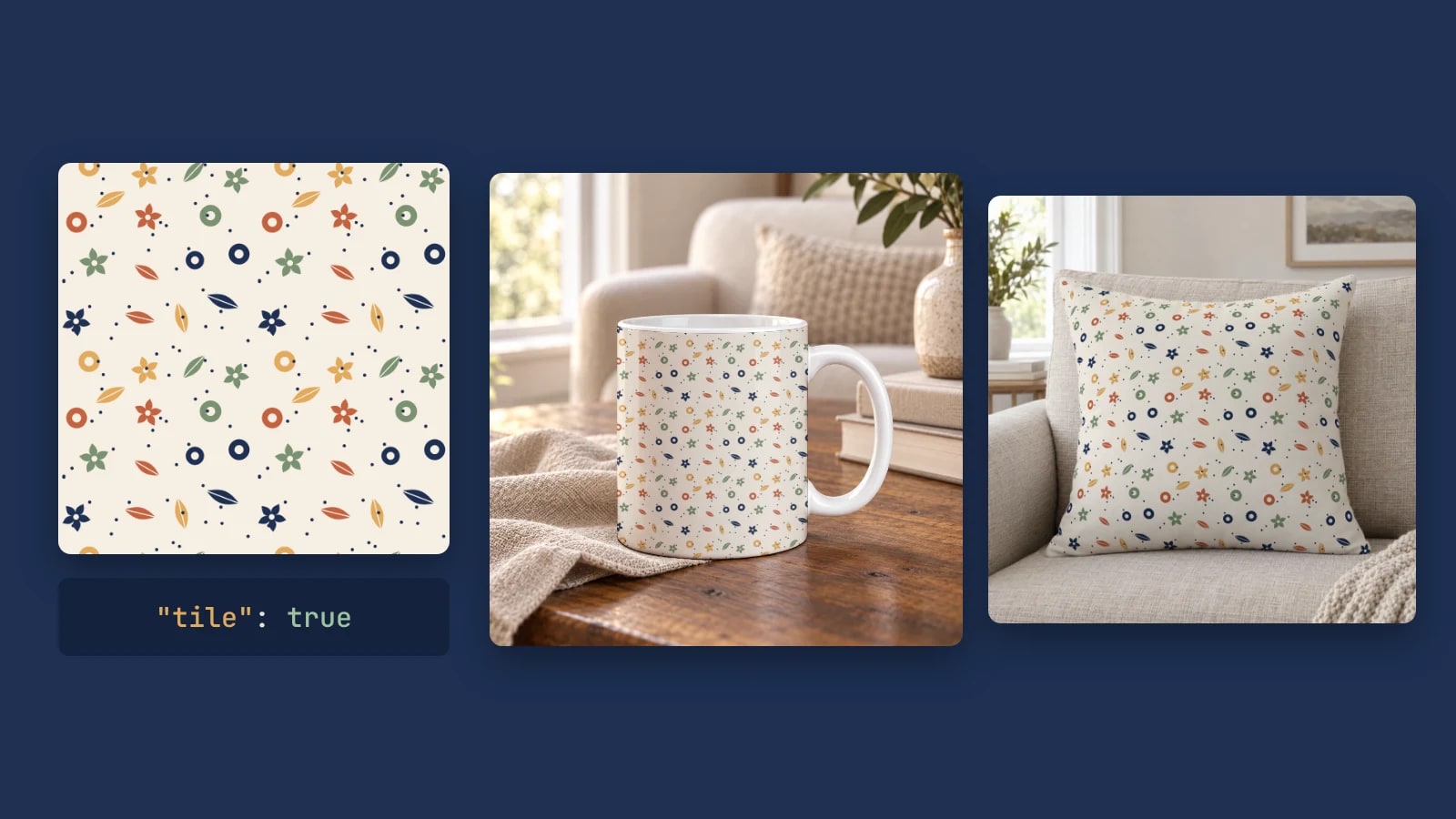
Pattern Mockups by API: Repeat a Seamless Design on Your Own PSD or Photo
Repeat one seamless tile across a mug, a pillow or any smart object with one render request: set the tile size, add spacing and render a collection.
6 min read
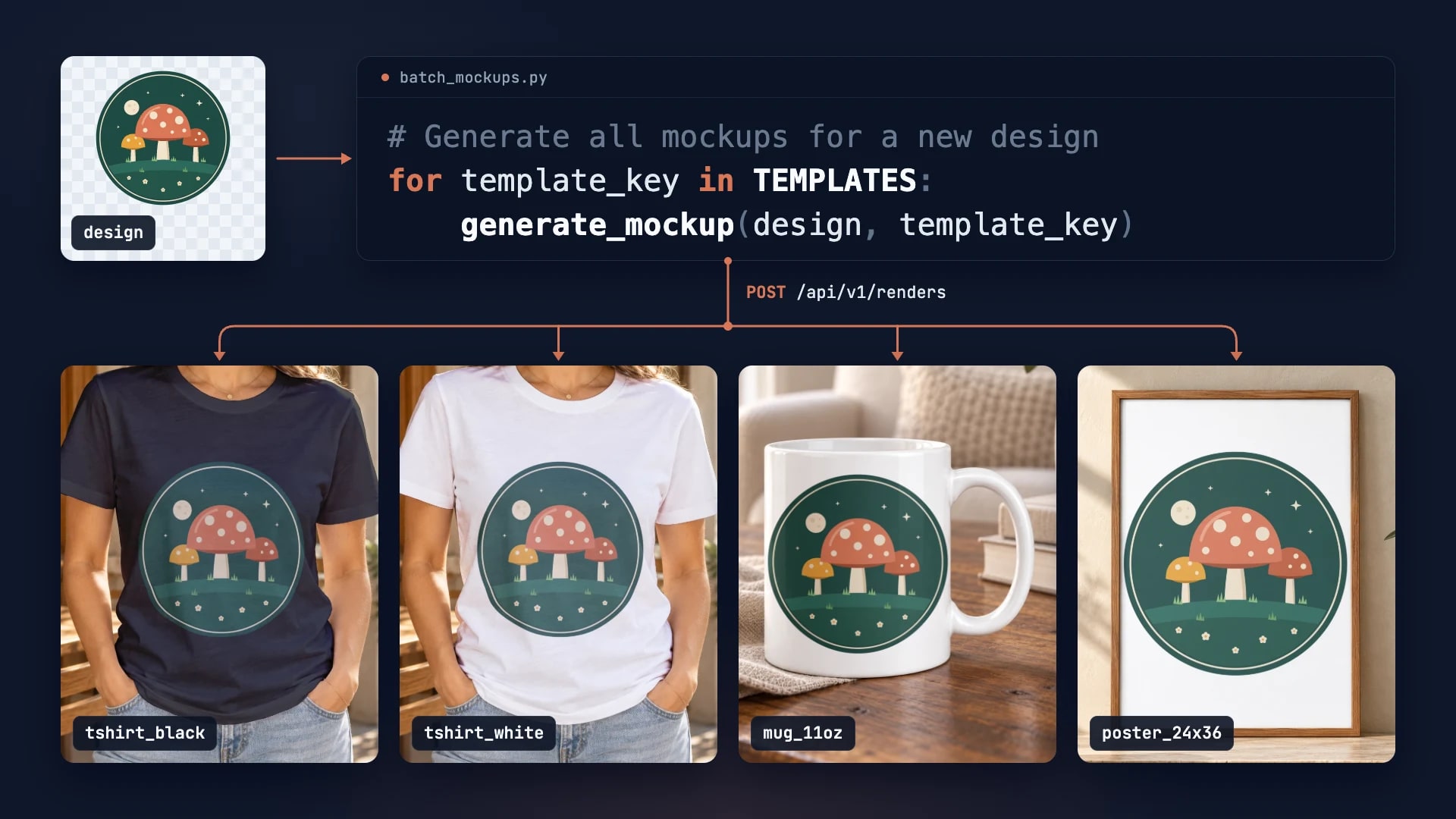
How to Automate Etsy Product Mockups in 2026
Step-by-step guide to automating your Etsy listing mockups with SudoMock API. Save hours of manual work.
2 min read
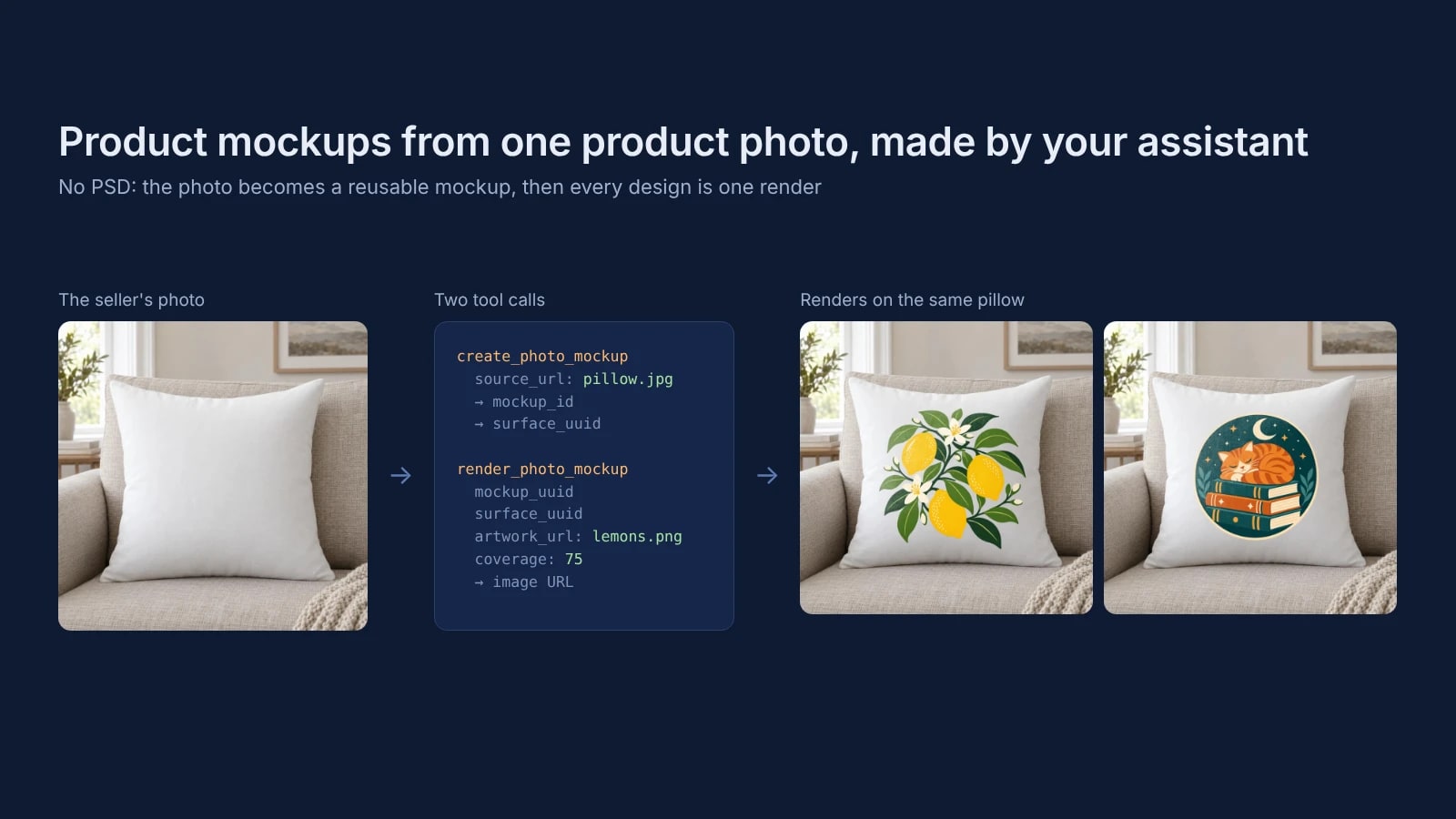
Product Mockups With ChatGPT or Claude From One Product Photo
Make product mockups in ChatGPT or Claude without a PSD: one product photo becomes a reusable mockup, and each design is one render on it.
7 min read
Explore by use case
See SudoMock in action for your specific product category
Your own PSD, rendered via API
Render your own PSD through the API. Start with 500 one-time credits, no card.