Etsy AI Policy for Print on Demand Sellers: What the 22 October Rules Change
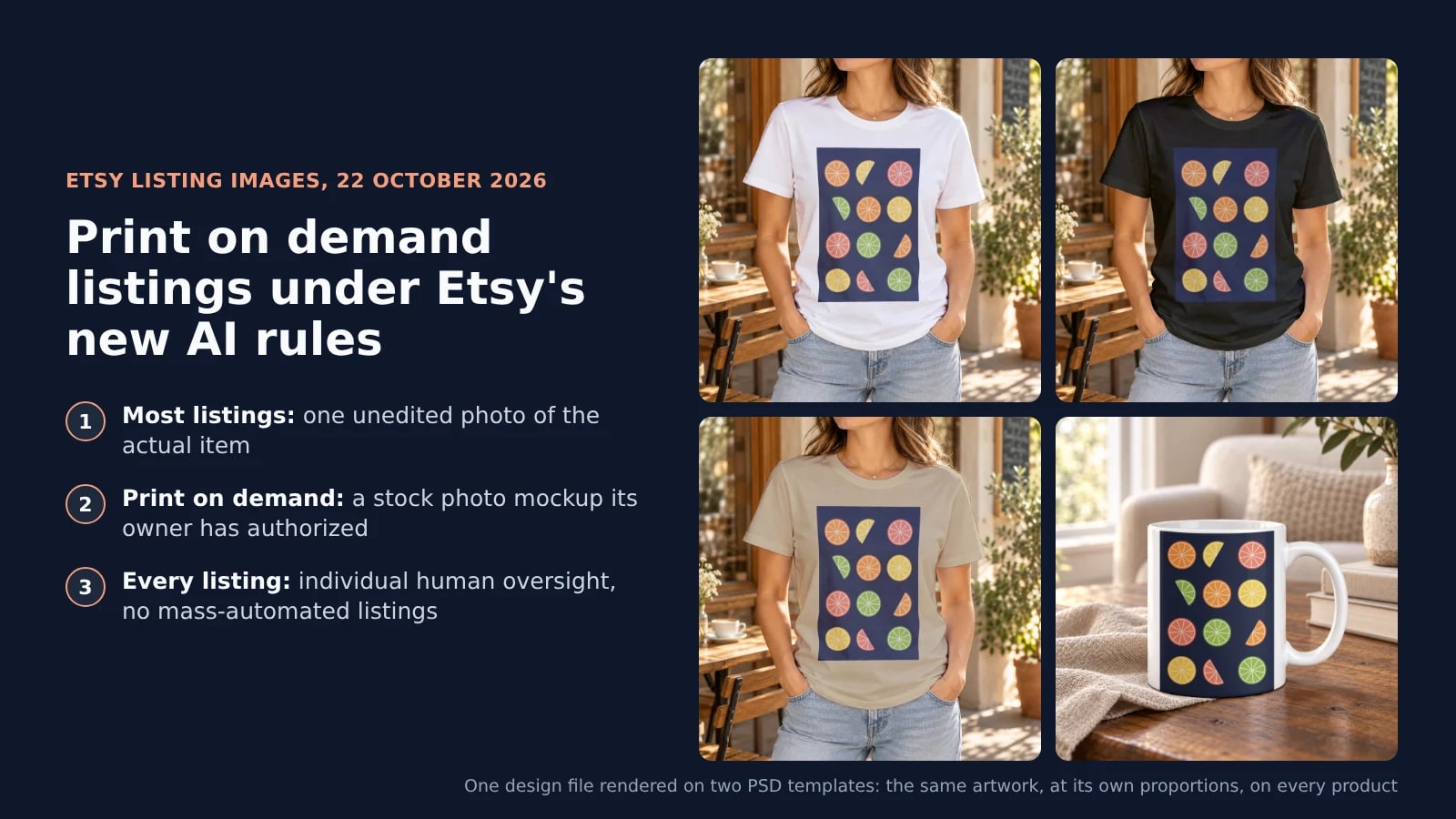
Since 22 October 2026, Etsy asks most listings for one unedited photo of the item and a person behind every listing, beside the AI disclosure it has required since 2024. Print on demand listings may still use a stock photo mockup its owner authorized, so renders on real photos you hold the rights to keep a catalog listable.
Published 7 min readBeck
Key takeaways
- Listings already live must meet the new image rules, and a mismatch refund can fall on the shop.
- Etsy's new AI image check will give tips on uploads, and buyer reports bring no enforcement yet.
- A script can render images and create drafts, and a person reviews and publishes each listing.
What Etsy changed on 22 October 2026
Etsy rewrote its AI stance and its image rules on 22 October 2026. For a print on demand shop two of them matter most: the unedited photo rule, which carries a print on demand exception, and the ban on listings generated in bulk without a person overseeing them.
The rules sit on three Etsy pages, each dated 22 October 2026:
| Rule | Etsy's words | Page |
|---|---|---|
| One unedited photo | "Your listing must include at least one unedited photo of the actual item against a real background, meaning the photo hasn't been edited or changed in any way. Some exceptions may apply depending on the types of items you sell." | Important updates to AI use on Etsy |
| Accurate images | "All images must accurately reflect the item's true appearance, including color, condition, scale, and materials." | Listing Image Requirements |
| AI-made items (required since 2024) | "Sellers must disclose within their listing description if an item is created with the use of AI." | Etsy's Stance on AI Creations |
| AI in listing images | "Sellers using AI in their listing images are also required to include at least one unedited photo against a real background." | Etsy's Stance on AI Creations |
| Automated listings | "Mass-automated generation of listings or products through scripts or other automated processes without individualized human oversight is prohibited." | Etsy's Stance on AI Creations |
The rules apply to listings that are already live. Etsy's announcement answers the question directly: "If any of your listings don't meet our new Listing Image Requirements, you'll need to update them." It also says who pays for a mismatch: when a buyer opens a case because the item received is materially different from the listing, "you may be responsible for refunding the buyer."
Where a print on demand listing stands
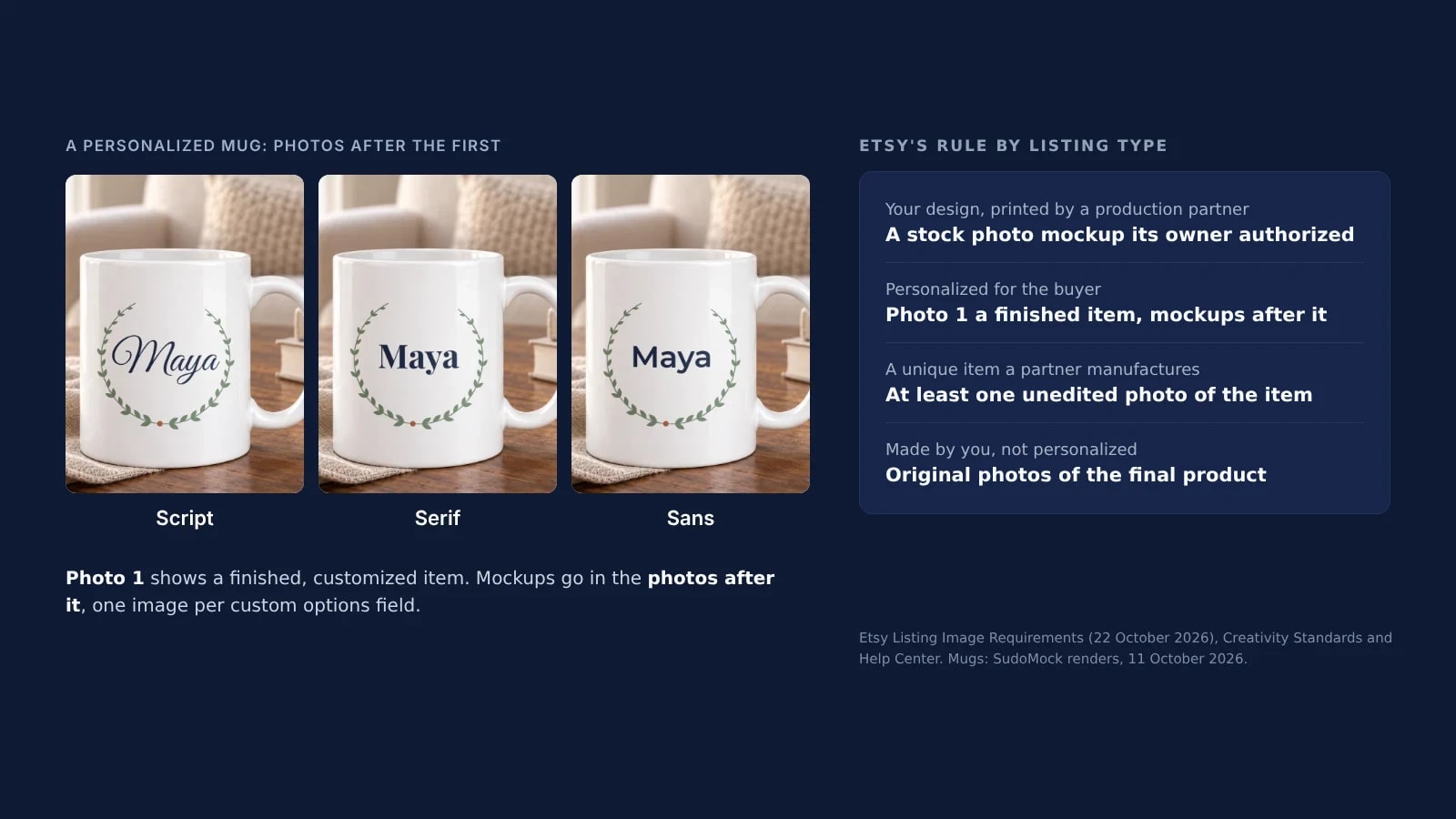
Print on demand has its own row in the Listing Image Requirements. When a production partner prints your original design on a standard base product, "you may use a stock photo mockup, if the stock photo's owner has authorized its use." So the question for each print on demand listing is who owns the photo behind its mockups, and what the image shows.
That row is one of the exceptions the unedited photo rule points to, and Etsy's examples of a standard base product are a t-shirt and a mug. Sort each listing into one of four cases:
| What the listing carries | The rule it falls under | What to do this week |
|---|---|---|
| Renders of your design on a real photo whose rights you hold: your own product photo, or a PSD built on a real photo, yours or licensed for listing images | The print on demand mockup row | Keep it, and keep the license or the original photo on file |
| Stock mockups whose license you cannot show | The same row, without the authorization it asks for | Render the listing again on a real photo you hold the rights to |
| A scene an image model generated or edited | Using AI in listing images: an accurate image, plus at least one unedited photo against a real background | Replace it with a render of the exact print file on a real photo you hold the rights to, or add a real photo of the item |
| A design you made with an AI tool | Seller-prompted AI creations | Add the AI sentence to the description |
Etsy's pages do not say whether the print on demand row also covers a scene an image model generated. A listing whose images are renders on a real photo you hold the rights to does not depend on that answer. Can You Use Mockups on Etsy? covers the other listing types, from personalized items to items you make yourself.
Re-render the catalog on real photos you hold
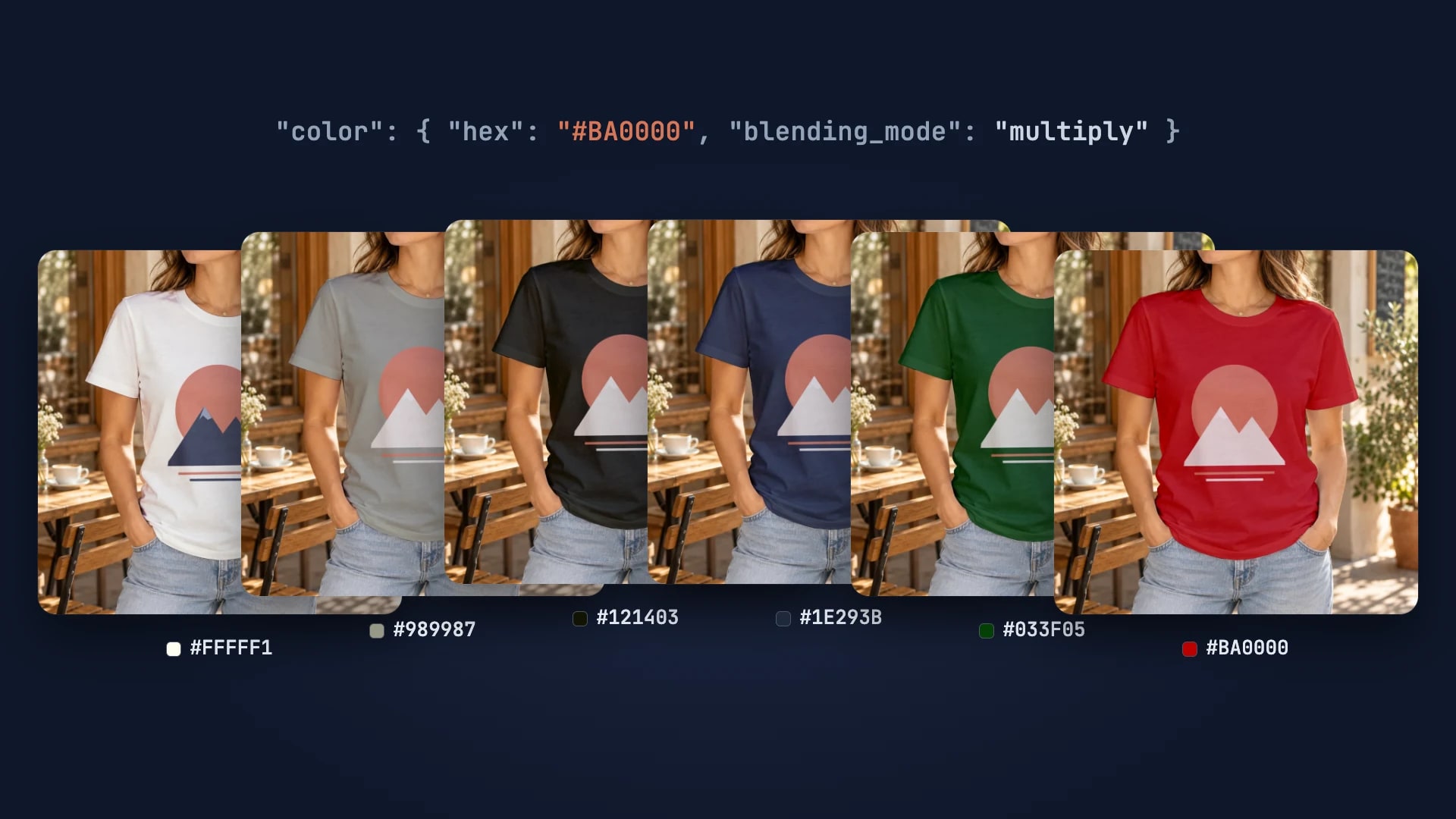
The fastest way to bring a print on demand catalog in line is to render every listing image again from a template built on a real photo whose rights you hold, with the same print file your partner prints. With SudoMock that is one request per image: the PSD's smart object takes the design, a color layer in the template takes the shirt color, and the design lands in the same place on every product.
This is the request for the black shirt below. The template and layer IDs come from List PSD mockups, which returns each template's uuid and the uuid of every smart object in it:
curl -X POST https://api.sudomock.com/api/v1/renders \-H "x-api-key: $SUDOMOCK_API_KEY" \-H "Content-Type: application/json" \-d '{"mockup_uuid": "YOUR_TSHIRT_MOCKUP_UUID","smart_objects": [{ "uuid": "YOUR_DESIGN_SMART_OBJECT_UUID","asset": { "url": "https://example.com/designs/citrus.png", "fit": "fit" } },{ "uuid": "YOUR_COLOR_LAYER_UUID","color": { "hex": "#121403", "blending_mode": "multiply" } }],"export_options": { "image_format": "jpg", "image_size": 1024 }}'
const response = await fetch('https://api.sudomock.com/api/v1/renders', {method: 'POST',headers: {'x-api-key': process.env.SUDOMOCK_API_KEY,'Content-Type': 'application/json',},body: JSON.stringify({"mockup_uuid": "YOUR_TSHIRT_MOCKUP_UUID","smart_objects": [{"uuid": "YOUR_DESIGN_SMART_OBJECT_UUID","asset": {"url": "https://example.com/designs/citrus.png","fit": "fit"}},{"uuid": "YOUR_COLOR_LAYER_UUID","color": {"hex": "#121403","blending_mode": "multiply"}}],"export_options": {"image_format": "jpg","image_size": 1024}}),});const data = await response.json();console.log(data);
import osimport requestsresponse = requests.post("https://api.sudomock.com/api/v1/renders",headers={"x-api-key": os.environ["SUDOMOCK_API_KEY"],"Content-Type": "application/json",},json={"mockup_uuid": "YOUR_TSHIRT_MOCKUP_UUID","smart_objects": [{"uuid": "YOUR_DESIGN_SMART_OBJECT_UUID","asset": {"url": "https://example.com/designs/citrus.png","fit": "fit",},},{"uuid": "YOUR_COLOR_LAYER_UUID","color": {"hex": "#121403","blending_mode": "multiply",},},],"export_options": {"image_format": "jpg","image_size": 1024,},},)print(response.json())
package mainimport ("bytes""fmt""io""net/http""os")func main() {payload := []byte(`{"mockup_uuid": "YOUR_TSHIRT_MOCKUP_UUID","smart_objects": [{"uuid": "YOUR_DESIGN_SMART_OBJECT_UUID","asset": {"url": "https://example.com/designs/citrus.png","fit": "fit"}},{"uuid": "YOUR_COLOR_LAYER_UUID","color": {"hex": "#121403","blending_mode": "multiply"}}],"export_options": {"image_format": "jpg","image_size": 1024}}`)req, err := http.NewRequest("POST", "https://api.sudomock.com/api/v1/renders", bytes.NewBuffer(payload))if err != nil {panic(err)}req.Header.Set("x-api-key", os.Getenv("SUDOMOCK_API_KEY"))req.Header.Set("Content-Type", "application/json")resp, err := http.DefaultClient.Do(req)if err != nil {panic(err)}defer resp.Body.Close()body, _ := io.ReadAll(resp.Body)fmt.Println(string(body))}
<?php$payload = <<<'JSON'{"mockup_uuid": "YOUR_TSHIRT_MOCKUP_UUID","smart_objects": [{"uuid": "YOUR_DESIGN_SMART_OBJECT_UUID","asset": {"url": "https://example.com/designs/citrus.png","fit": "fit"}},{"uuid": "YOUR_COLOR_LAYER_UUID","color": {"hex": "#121403","blending_mode": "multiply"}}],"export_options": {"image_format": "jpg","image_size": 1024}}JSON;$ch = curl_init('https://api.sudomock.com/api/v1/renders');curl_setopt_array($ch, [CURLOPT_CUSTOMREQUEST => 'POST',CURLOPT_RETURNTRANSFER => true,CURLOPT_HTTPHEADER => ['x-api-key: ' . getenv('SUDOMOCK_API_KEY'),'Content-Type: application/json',],CURLOPT_POSTFIELDS => $payload,]);$response = curl_exec($ch);curl_close($ch);echo $response;
The finished image comes back in data.print_files[0].export_path. Change the hex for each color you sell: the design file, its size and its position stay as they are. For the mug listing, use the mug template's mockup_uuid and the uuid of its design smart object, without the color entry. The average SudoMock render finishes in under a second, so the renders take one run of the script and the review is where the time goes.
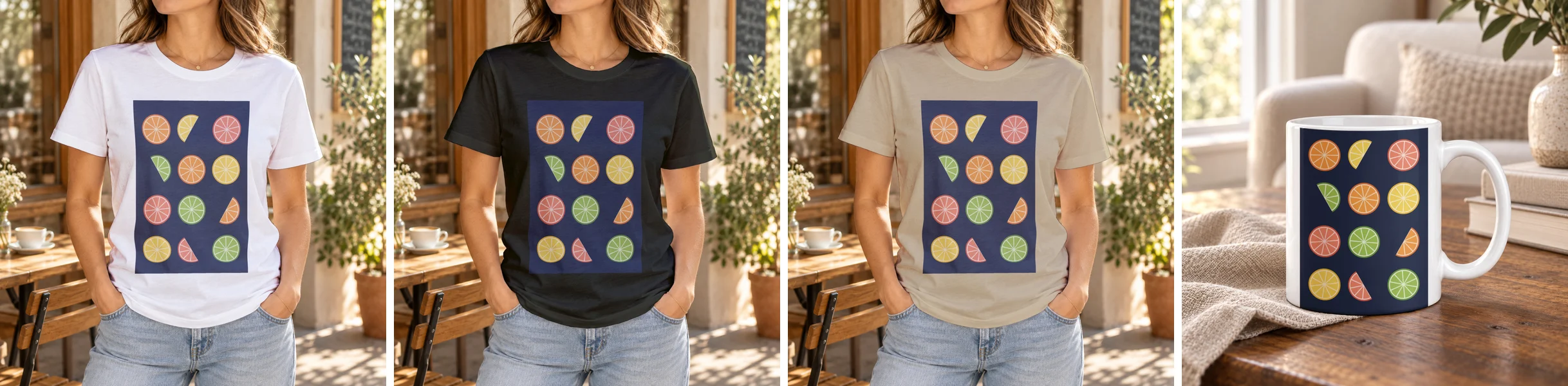 Four SudoMock renders made on 25 October 2026 from one design file: a PSD t-shirt template in white, black and sand, and a PSD mug template.
To try the same request on a shirt before you upload a file, the t-shirt and mug templates for Etsy sellers are ready to render. Every T-Shirt Color Variant Mockup from One PSD runs a full color range from one template.
No PSD for the blank you sell? Photo Mockups turn one product photo into a reusable mockup you can render any design on. Send a photo you took of the blank your partner ships to POST /api/v1/photo-mockups, then render each design onto it with one call, as Photo mockups shows. The photo is yours, so the rights behind every render are too.
Keep a person on every listing
Etsy prohibits listings generated in bulk without individualized human oversight, so the automation stops before publishing. A script renders every image and prepares every listing, and a person opens each one, checks it against the product and publishes it.
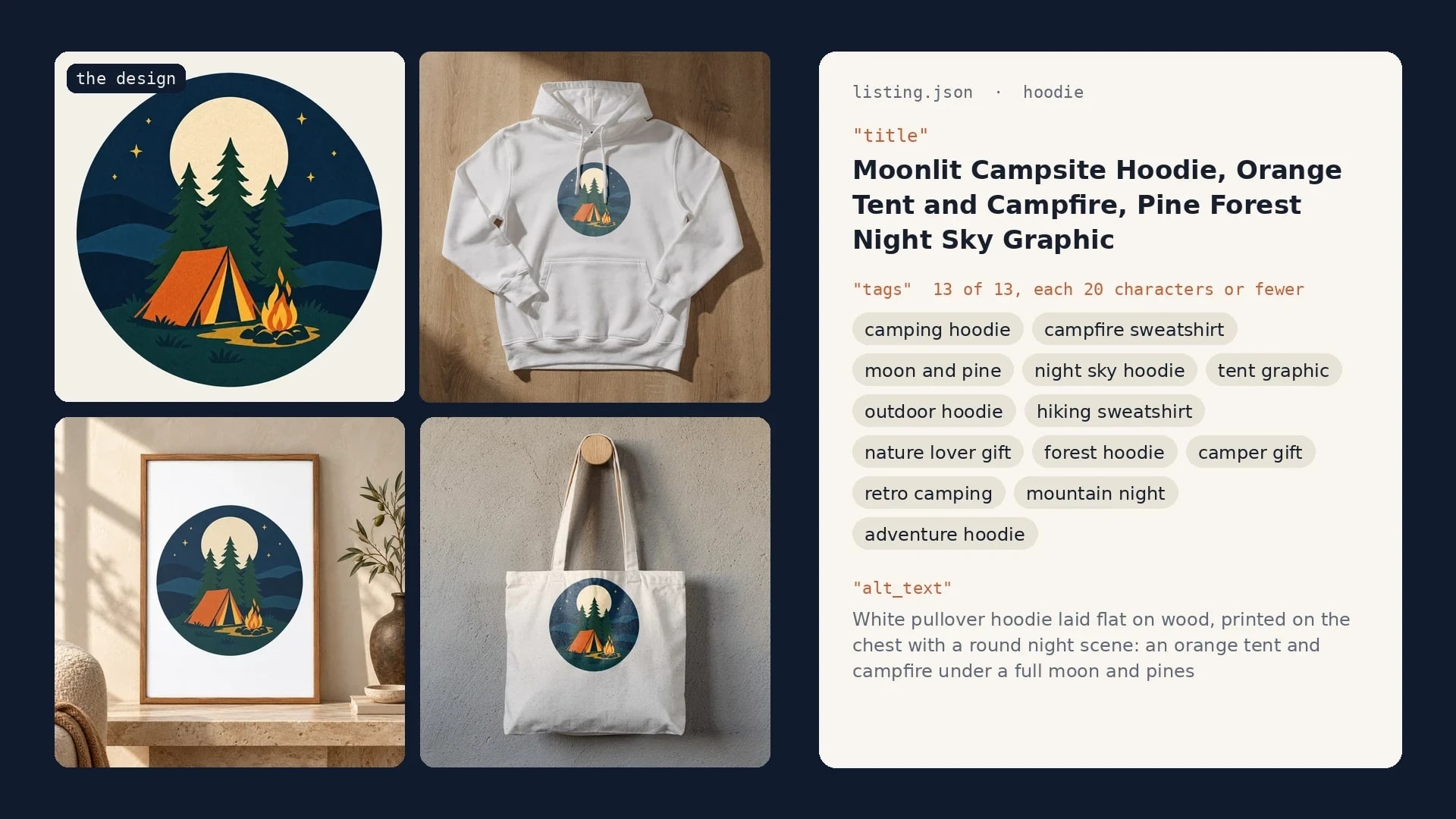
Etsy's Open API has the step for that: createDraftListing "Creates a physical draft listing product in a shop" (Etsy Open API v3 reference, read 25 October 2026), and uploadListingImage adds each render to the draft. The script stops at the draft. Etsy Listing Generator: Build Your Own With Claude and SudoMock sends a listing to Etsy as a draft, step by step.
Without code, the same render request runs from a sheet or a workflow: one row per design in Google Sheets, or a SudoMock step in n8n or Make. Each run writes the image URLs back, and a person builds and publishes each listing.
What Etsy's AI image check means for mockups
For a mockup, what decides a buyer's case is still whether the item matches its images: true color, condition, scale and materials. Etsy is adding a check of new listing images for AI-generated content that answers with tips, and buyers get a new report reason for misleading AI imagery. Etsy's announcement says the reports "won't result in immediate enforcement action" at first, and that the guidance will reach existing images over time.
Etsy's own best practice for the first photo points the same way: "Make your first listing photo the clearest, most realistic representation of the item buyers will receive." A render of your print file on a real photo of the blank your partner prints shows that item, with your exact design, in the same place, every render.
Next step
Sort your listings with the table above, starting with the ones whose mockups you cannot trace to a license. For the render request, Render a PSD mockup documents every field, and Upload a PSD gets your template in, up to 300 MB in the dashboard and with no file size limit over the API. For a catalog run with review, the Etsy mockups use case covers the listing workflow and How to Automate Etsy Product Mockups loops the renders.
Frequently asked questions
Do I need an unedited photo for a print on demand listing?
Etsy's Listing Image Requirements list print on demand among the exceptions to the unedited photo rule and allow an authorized stock photo mockup instead. Etsy's AI stance asks sellers who use AI in their listing images for at least one unedited photo against a real background. A listing whose images are renders on real photos you hold the rights to rests on the print on demand row.
Is automating Etsy listings allowed?
Etsy prohibits mass-automated generation of listings or products through scripts or other automated processes without individualized human oversight. A workflow that renders the images and creates each listing as a draft keeps a person on every listing. Someone reviews each draft against the product and publishes it.
How do I disclose AI on Etsy?
If the item itself is created with the use of AI, Etsy requires a sentence saying so in the listing description. If you used AI to edit any of your listing photos, Etsy recommends noting that in the description too.
Does Etsy detect AI-generated listing photos?
Etsy is adding a check to the listing form that gives tips when it detects AI-generated images, and it plans to extend that guidance to existing images. Buyers can also report listings for misleading AI imagery. At first, Etsy says, those reports won't result in immediate enforcement action. Over time, Etsy says, it plans to enforce these requirements more proactively as listings are created.
Sources
- Important updates to AI use on Etsy (opens in new tab), Etsy Seller Handbook
- Listing Image Requirements (opens in new tab), Etsy
- What's Etsy's Stance on AI Creations? (opens in new tab), Etsy Seller Handbook
- Etsy Open API v3 reference (opens in new tab), Etsy Developers
- Render a PSD mockup (opens in new tab), SudoMock docs
- Photo mockups (opens in new tab), SudoMock docs
Beck
CTO
Related articles
Can You Use Mockups on Etsy? The Rule by Listing Type
Etsy's own sentences on mockups by listing type, dated, and a render setup for the option photos of a personalized listing.
9 min read
Etsy Listing Generator: Build Your Own With Claude and SudoMock
One design in, a full Etsy listing out: photos rendered on your own templates, then the title, tags and alt text Claude writes from them.
9 min read
Every T-Shirt Color Variant Mockup from One PSD by API
One PSD with a color smart object renders every t-shirt colorway: one request per color, shown with six real renders.
4 min read
Explore by use case
See SudoMock in action for your specific product category
Your own PSD, rendered via API
Render your own PSD through the API. Start with 500 one-time credits, no card.