Wall Calendar Mockups for 2027: Cover, Every Month and Back
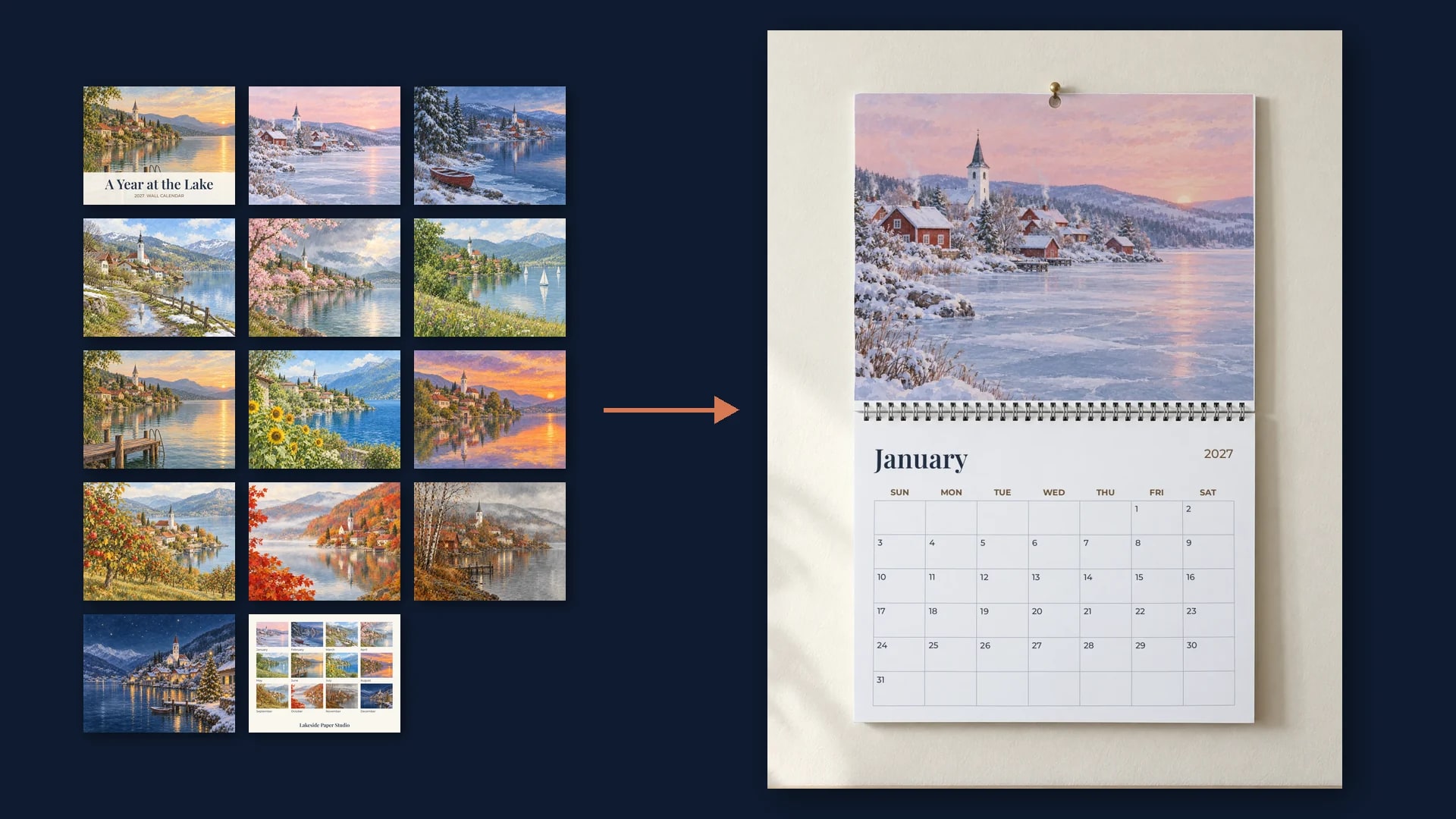
Printify's Wall Calendars (2027) print from 14 files: a front cover, one picture per month and a back cover. Save one open calendar photo with the picture page and the grid page as print areas, plus one closed calendar photo, then send one render per page to show every page of every design.
Published 9 min readBeck
Key takeaways
- Printify's Wall Calendars (2027) pages are 3375 x 2625 px; Wall Calendars (Blank) takes 26 files.
- Trim the 38 px bleed before rendering, so the page shows what remains after the cut.
- On a blank calendar each month's grid is a file too, so one render shows both printed pages.
How many print files a 2027 wall calendar takes
A print on demand wall calendar is a set of page files, one per page that prints. Printify's Wall Calendars (2027) take 14 of them: a front cover, one file for each month from January to December, and a back cover, each 3375 by 2625 pixels on the 11 by 8.5 inch size.
Printify's catalog names those 14 print areas front_cover, january through december and back_cover (Printify's product catalog, read 11 September 2026). Its product page sells the calendar in two sizes, 11 by 8.5 inches in matte and 14 by 11.5 inches in glossy, with spiral binding and a centered hole for hanging (Printify's Wall Calendars (2027) product page, printify.com/app/products/1183, read 18 November 2026). At 300 DPI, 3375 by 2625 pixels is 11.25 by 8.75 inches: the 11 by 8.5 inch page with an eighth of an inch of bleed on every edge.
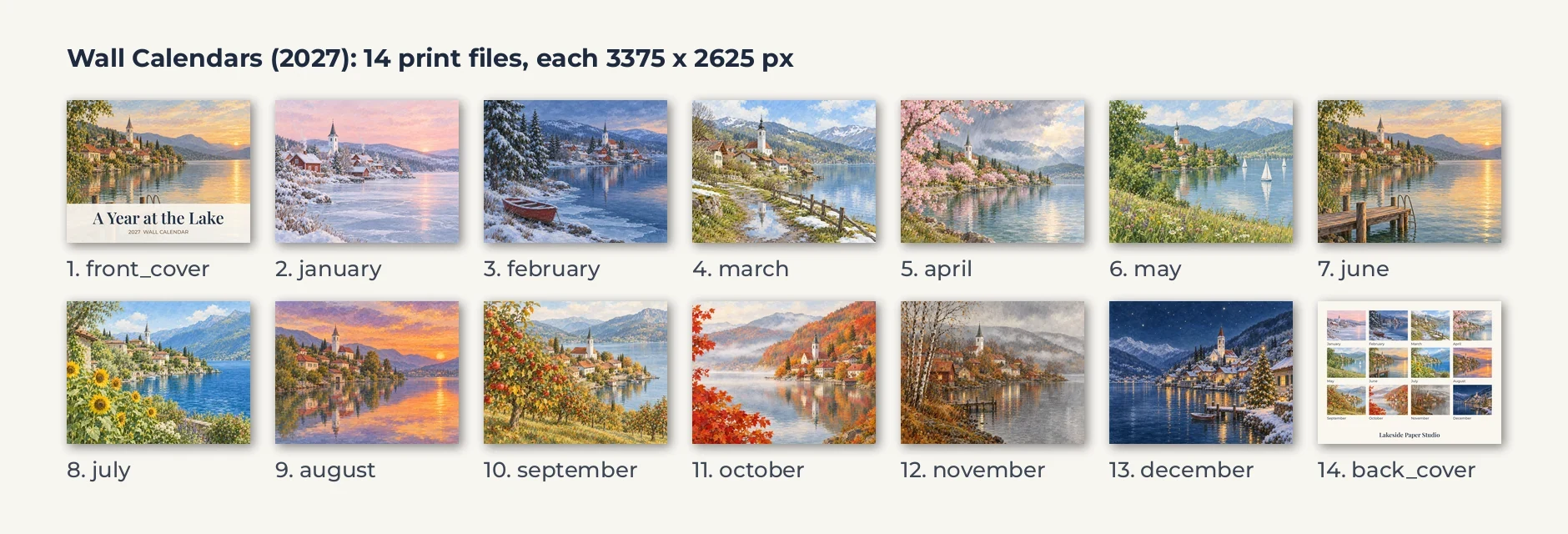 One design, 14 files, in the order of Printify's print areas. Drawn for this test, 18 November 2026.
The other calendars in the same catalog take a different number of files, so the renders per design follow the product:
| Printify calendar | Files per design | Each file |
|---|---|---|
| Wall Calendars (2027) | 14: front cover, 12 months, back cover | 3375 x 2625 px |
| Standard Wall Calendar (2027) | 14: front cover, 12 months, back cover | 3425 x 2469 px |
| Calendar (2027) | 13: front cover and 12 months | 3454 x 2725 px |
| Wall Calendars (Blank) | 26: two covers, 12 month pictures, 12 month grids | 4275 x 3525 px |
| Desktop Calendar (Blank) | 13: front cover and 12 months | 3075 x 1575 px |
The 2027 styles print their own date grid under each picture. Printify's calendar page puts it in one line: "Blank calendars give you full control over the layout, while 2027 styles come pre-dated" (printify.com/custom-calendars, read 18 November 2026). That is why the blank wall calendar takes a grid file for every month and the 2027 one does not.
What each file fills on a hanging calendar
Hung open, a wall calendar shows two pages at once: the month's picture above the binding and its date grid below it. A month file fills the upper page edge to edge, and the two cover files fill the closed calendar's front and back.
So a calendar listing comes from two photos: an open calendar for the twelve months and a closed calendar for the covers. Both are shot straight on with blank white pages, so each page is a plain rectangle in the photo's pixels.
Save the open calendar photo with two print areas
One photo of an open blank wall calendar, saved once as a photo mockup, carries every month of every design. It gets two print areas, the picture page above the binding and the grid page below it, each as four corner points clockwise from the top left.
Our test photo is a blank wall calendar hanging on a nail, 1,152 by 1,536 pixels, with its picture page at 719 by 551 pixels, the 11 by 8.5 shape of the printed page. A photo from your calendar supplier or your own shoot works the same way, and so does one generated on the dashboard's Create page from a description, such as a blank wall calendar with white pages, hanging open and straight on.
curl -X POST https://api.sudomock.com/api/v1/photo-mockups \-H "x-api-key: $SUDOMOCK_API_KEY" \-H "Content-Type: application/json" \-d '{"source_url": "https://cdn.example.com/photos/blank-wall-calendar-open.png","name": "Wall calendar, open","print_areas": [{ "points": [[215, 152], [934, 152], [934, 703], [215, 703]], "name": "Picture page" },{ "points": [[215, 744], [934, 744], [934, 1280], [215, 1280]], "name": "Grid page" }]}'
const response = await fetch('https://api.sudomock.com/api/v1/photo-mockups', {method: 'POST',headers: {'x-api-key': process.env.SUDOMOCK_API_KEY,'Content-Type': 'application/json',},body: JSON.stringify({"source_url": "https://cdn.example.com/photos/blank-wall-calendar-open.png","name": "Wall calendar, open","print_areas": [{"points": [[215,152],[934,152],[934,703],[215,703]],"name": "Picture page"},{"points": [[215,744],[934,744],[934,1280],[215,1280]],"name": "Grid page"}]}),});const data = await response.json();console.log(data);
import osimport requestsresponse = requests.post("https://api.sudomock.com/api/v1/photo-mockups",headers={"x-api-key": os.environ["SUDOMOCK_API_KEY"],"Content-Type": "application/json",},json={"source_url": "https://cdn.example.com/photos/blank-wall-calendar-open.png","name": "Wall calendar, open","print_areas": [{"points": [[215,152,],[934,152,],[934,703,],[215,703,],],"name": "Picture page",},{"points": [[215,744,],[934,744,],[934,1280,],[215,1280,],],"name": "Grid page",},],},)print(response.json())
package mainimport ("bytes""fmt""io""net/http""os")func main() {payload := []byte(`{"source_url": "https://cdn.example.com/photos/blank-wall-calendar-open.png","name": "Wall calendar, open","print_areas": [{"points": [[215,152],[934,152],[934,703],[215,703]],"name": "Picture page"},{"points": [[215,744],[934,744],[934,1280],[215,1280]],"name": "Grid page"}]}`)req, err := http.NewRequest("POST", "https://api.sudomock.com/api/v1/photo-mockups", bytes.NewBuffer(payload))if err != nil {panic(err)}req.Header.Set("x-api-key", os.Getenv("SUDOMOCK_API_KEY"))req.Header.Set("Content-Type", "application/json")resp, err := http.DefaultClient.Do(req)if err != nil {panic(err)}defer resp.Body.Close()body, _ := io.ReadAll(resp.Body)fmt.Println(string(body))}
<?php$payload = <<<'JSON'{"source_url": "https://cdn.example.com/photos/blank-wall-calendar-open.png","name": "Wall calendar, open","print_areas": [{"points": [[215,152],[934,152],[934,703],[215,703]],"name": "Picture page"},{"points": [[215,744],[934,744],[934,1280],[215,1280]],"name": "Grid page"}]}JSON;$ch = curl_init('https://api.sudomock.com/api/v1/photo-mockups');curl_setopt_array($ch, [CURLOPT_CUSTOMREQUEST => 'POST',CURLOPT_RETURNTRANSFER => true,CURLOPT_HTTPHEADER => ['x-api-key: ' . getenv('SUDOMOCK_API_KEY'),'Content-Type: application/json',],CURLOPT_POSTFIELDS => $payload,]);$response = curl_exec($ch);curl_close($ch);echo $response;
Keep three ids from the response: the mockup (data.mockup_id), the picture page (data.quads[0].print_area_id) and the grid page (data.quads[1].print_area_id). The closed calendar is a second photo mockup made the same way, with one area around its cover.
Render one month on both pages
A month render fills both areas in one request: the month's picture file goes to the picture page and the month's grid goes to the grid page. The picture file goes in with its bleed trimmed, so the page shows what remains after the cut.
The bleed is 38 pixels at 300 DPI, so a 3375 by 2625 pixel file becomes 3299 by 2549 pixels, the page's own proportion. crop covers the picture page and keeps the picture's proportions, and fit keeps the whole grid inside its page; the render reference defines fit, crop and fill.
curl -X POST https://api.sudomock.com/api/v1/photo-mockups/OPEN_MOCKUP_ID/render \-H "x-api-key: $SUDOMOCK_API_KEY" \-H "Content-Type: application/json" \-d '{"print_areas": [{"uuid": "PICTURE_AREA_ID","artwork_url": "https://cdn.example.com/calendars/lakeside-2027/january-trimmed.jpg","placement": { "fit": "crop" }},{"uuid": "GRID_AREA_ID","artwork_url": "https://cdn.example.com/calendars/grids/january.png","placement": { "fit": "fit" }}],"export_options": { "image_format": "jpg", "image_size": 1024 }}'
const response = await fetch('https://api.sudomock.com/api/v1/photo-mockups/OPEN_MOCKUP_ID/render', {method: 'POST',headers: {'x-api-key': process.env.SUDOMOCK_API_KEY,'Content-Type': 'application/json',},body: JSON.stringify({"print_areas": [{"uuid": "PICTURE_AREA_ID","artwork_url": "https://cdn.example.com/calendars/lakeside-2027/january-trimmed.jpg","placement": {"fit": "crop"}},{"uuid": "GRID_AREA_ID","artwork_url": "https://cdn.example.com/calendars/grids/january.png","placement": {"fit": "fit"}}],"export_options": {"image_format": "jpg","image_size": 1024}}),});const data = await response.json();console.log(data);
import osimport requestsresponse = requests.post("https://api.sudomock.com/api/v1/photo-mockups/OPEN_MOCKUP_ID/render",headers={"x-api-key": os.environ["SUDOMOCK_API_KEY"],"Content-Type": "application/json",},json={"print_areas": [{"uuid": "PICTURE_AREA_ID","artwork_url": "https://cdn.example.com/calendars/lakeside-2027/january-trimmed.jpg","placement": {"fit": "crop",},},{"uuid": "GRID_AREA_ID","artwork_url": "https://cdn.example.com/calendars/grids/january.png","placement": {"fit": "fit",},},],"export_options": {"image_format": "jpg","image_size": 1024,},},)print(response.json())
package mainimport ("bytes""fmt""io""net/http""os")func main() {payload := []byte(`{"print_areas": [{"uuid": "PICTURE_AREA_ID","artwork_url": "https://cdn.example.com/calendars/lakeside-2027/january-trimmed.jpg","placement": {"fit": "crop"}},{"uuid": "GRID_AREA_ID","artwork_url": "https://cdn.example.com/calendars/grids/january.png","placement": {"fit": "fit"}}],"export_options": {"image_format": "jpg","image_size": 1024}}`)req, err := http.NewRequest("POST", "https://api.sudomock.com/api/v1/photo-mockups/OPEN_MOCKUP_ID/render", bytes.NewBuffer(payload))if err != nil {panic(err)}req.Header.Set("x-api-key", os.Getenv("SUDOMOCK_API_KEY"))req.Header.Set("Content-Type", "application/json")resp, err := http.DefaultClient.Do(req)if err != nil {panic(err)}defer resp.Body.Close()body, _ := io.ReadAll(resp.Body)fmt.Println(string(body))}
<?php$payload = <<<'JSON'{"print_areas": [{"uuid": "PICTURE_AREA_ID","artwork_url": "https://cdn.example.com/calendars/lakeside-2027/january-trimmed.jpg","placement": {"fit": "crop"}},{"uuid": "GRID_AREA_ID","artwork_url": "https://cdn.example.com/calendars/grids/january.png","placement": {"fit": "fit"}}],"export_options": {"image_format": "jpg","image_size": 1024}}JSON;$ch = curl_init('https://api.sudomock.com/api/v1/photo-mockups/OPEN_MOCKUP_ID/render');curl_setopt_array($ch, [CURLOPT_CUSTOMREQUEST => 'POST',CURLOPT_RETURNTRANSFER => true,CURLOPT_HTTPHEADER => ['x-api-key: ' . getenv('SUDOMOCK_API_KEY'),'Content-Type: application/json',],CURLOPT_POSTFIELDS => $payload,]);$response = curl_exec($ch);curl_close($ch);echo $response;
data.print_files[0].export_path in the response is the URL of the rendered calendar. The average SudoMock render finishes in under a second.
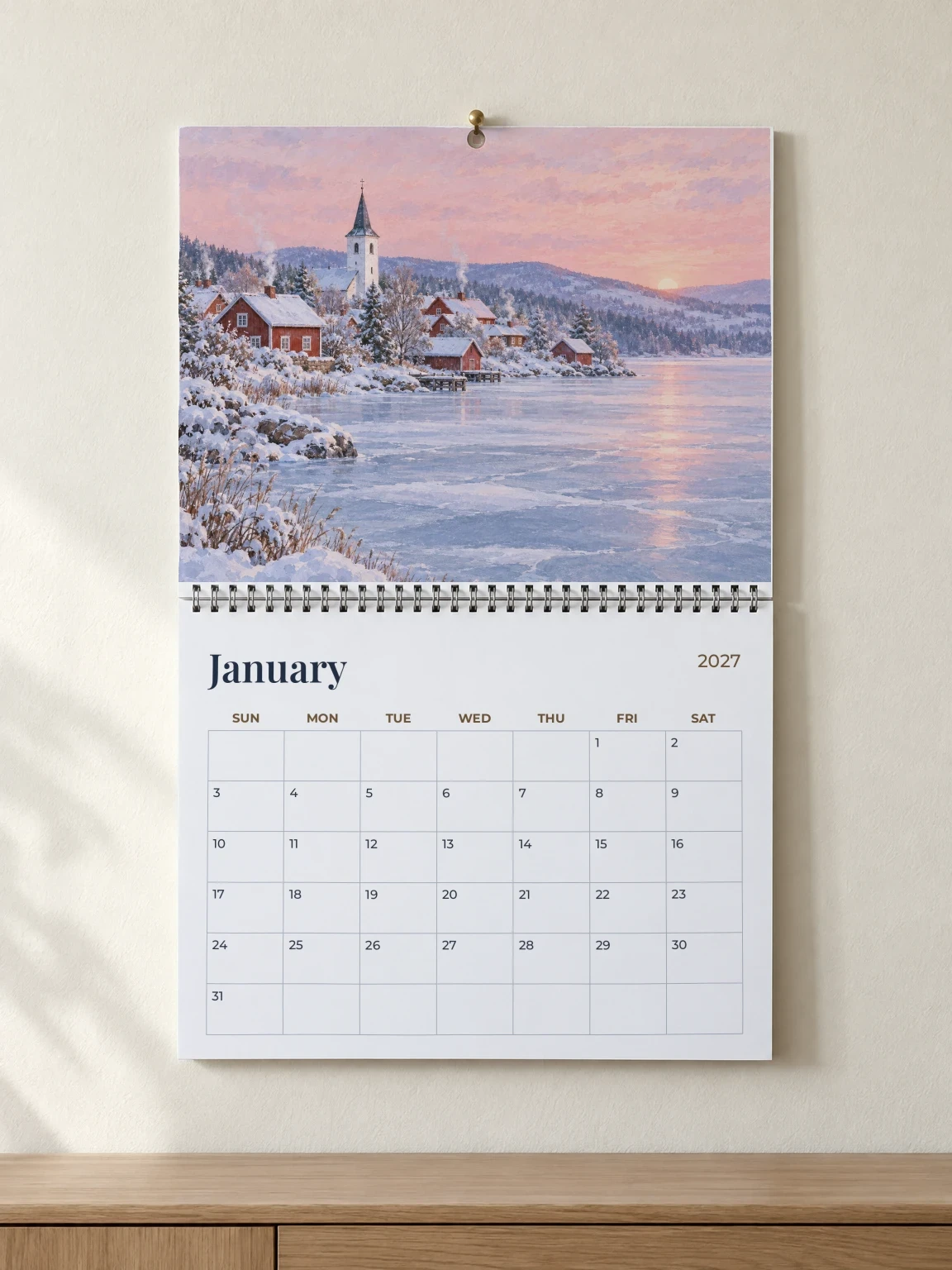 January: the trimmed January file on the picture page and the January 2027 grid file below the binding. SudoMock render, 18 November 2026.
The nail, the hanging hole and the wire binding stay in front of the picture, where they sit on a printed calendar. Our test design carries a grid file of its own for every month, the way Printify's Wall Calendars (Blank) takes them, so on a blank calendar the grid that renders is the grid that prints. A pre-dated 2027 calendar prints the provider's own grid: send an image of that month's grid as the provider prints it, or leave the grid area out of the request and the lower page stays blank, as it is in the photo.
Twelve months and both covers from two photos
Fourteen renders make a design's whole listing set: twelve on the open calendar photo and two on the closed one. Every month goes through the same mockup and the same two areas, and only the files change.
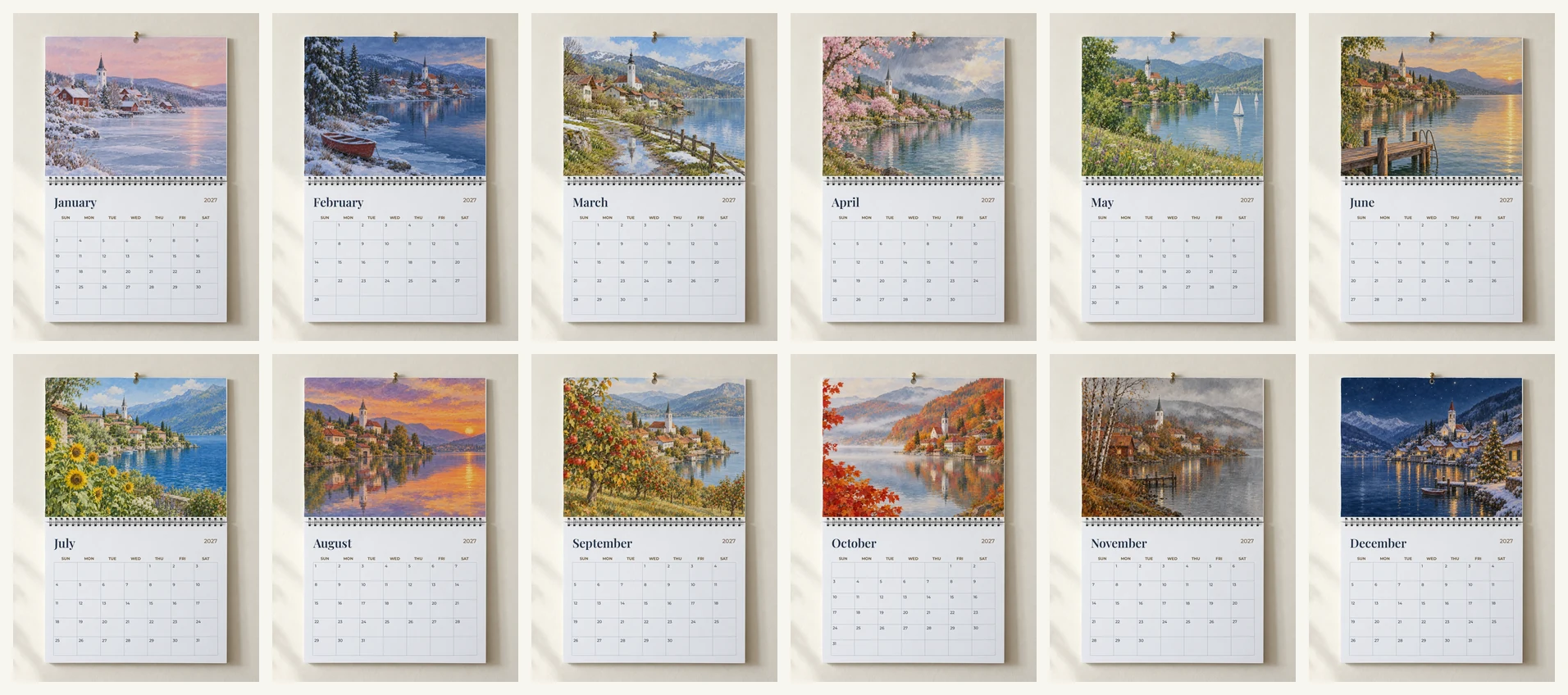 January to December of one design, all from one open calendar photo. SudoMock renders, 18 November 2026.
| Page | Photo mockup | Areas in the request | Files sent |
|---|---|---|---|
| Front cover | Closed calendar | Cover | front_cover, bleed trimmed |
| January to December | Open calendar | Picture page, grid page | The month's file, bleed trimmed, and its grid |
| Back cover | Closed calendar | Cover | back_cover, bleed trimmed |
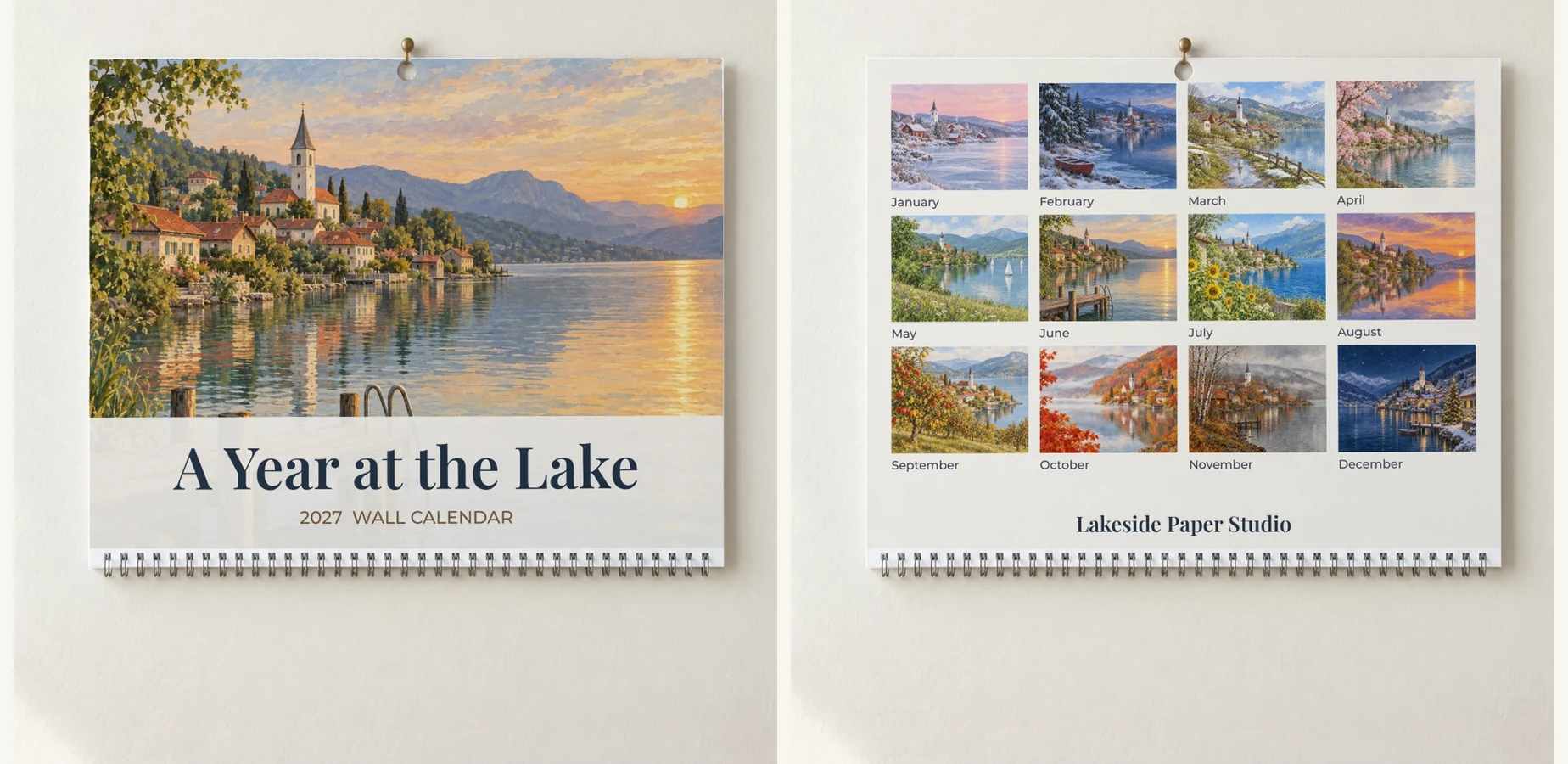 The front cover and the back cover of the same design on one closed calendar photo. SudoMock renders, 18 November 2026.
Our back cover carries the twelve month pictures as thumbnails, so one listing image shows the whole year. Both calendar photos here were generated for this test, and Lakeside Paper Studio is an example shop name.
Render every calendar design in a script
A script over one folder per design renders the whole range, 14 images for each 2027 design. Each page is read, trimmed and encoded only when its request goes out, in the render's base64 field, so memory stays flat across a large range.
Name each design's files after Printify's print areas, and keep the month grids in one folder of their own:
calendars/lakeside-2027/front_cover.pngjanuary.png ... december.pngback_cover.pngmeadow-2027/...grids/january.png ... december.png
Export your key as SUDOMOCK_API_KEY, paste the ids of both photo mockups and their areas, and run python calendars.py calendars grids; it needs requests and pillow. BLEED holds the 38 pixel bleed of Printify's 300 DPI page files; change it for a printer with another bleed. A month with no grid file in the grids folder renders its picture page alone, and a design with no back_cover.png skips that render. Without code, Make's Render a photo mockup module and n8n's Photo Mockup: Render send the same render from one spreadsheet row per page, with each page exported once without its bleed (Make, n8n).
import base64, io, os, sys, timefrom concurrent.futures import ThreadPoolExecutorfrom pathlib import Pathimport requestsfrom PIL import ImageOPEN = {"mockup": "OPEN_MOCKUP_ID", "picture": "PICTURE_AREA_ID", "grid": "GRID_AREA_ID"}CLOSED = {"mockup": "CLOSED_MOCKUP_ID", "cover": "COVER_AREA_ID"}MONTHS = ["january", "february", "march", "april", "may", "june", "july","august", "september", "october", "november", "december"]BLEED = 38API = "https://api.sudomock.com/api/v1/photo-mockups"HEADERS = {"x-api-key": os.environ["SUDOMOCK_API_KEY"]}def page(path, trim):image = Image.open(path).convert("RGBA")image = Image.alpha_composite(Image.new("RGBA", image.size, "white"), image).convert("RGB")if trim:w, h = image.sizeimage = image.crop((BLEED, BLEED, w - BLEED, h - BLEED))buf = io.BytesIO()image.save(buf, "JPEG", quality=92)return base64.b64encode(buf.getvalue()).decode()def render(mockup, areas, name):areas = [{**area, "base64": page(*area["base64"])} for area in areas]body = {"print_areas": areas, "export_options": {"image_format": "jpg", "image_size": 1024}}url = f"{API}/{mockup}/render"res = requests.post(url, json=body, headers=HEADERS, timeout=120)if res.status_code == 429:time.sleep(int(res.headers.get("Retry-After", 5)))res = requests.post(url, json=body, headers=HEADERS, timeout=120)if not res.ok:return f"{name} failed {res.status_code} {res.text}"image = requests.get(res.json()["data"]["print_files"][0]["export_path"], timeout=60)if not image.ok:return f"{name} download failed {image.status_code}"Path(name).write_bytes(image.content)return f"{name} saved"def jobs(design, grids):for cover in ("front_cover", "back_cover"):if not (design / f"{cover}.png").exists():continuearea = {"uuid": CLOSED["cover"], "base64": (design / f"{cover}.png", True), "placement": {"fit": "crop"}}yield CLOSED["mockup"], [area], f"{design.name}-{cover}.jpg"for month in MONTHS:areas = [{"uuid": OPEN["picture"], "base64": (design / f"{month}.png", True), "placement": {"fit": "crop"}}]if (grids / f"{month}.png").exists():areas.append({"uuid": OPEN["grid"], "base64": (grids / f"{month}.png", False), "placement": {"fit": "fit"}})yield OPEN["mockup"], areas, f"{design.name}-{month}.jpg"root, grids = Path(sys.argv[1]), Path(sys.argv[2])work = [job for design in sorted(p for p in root.iterdir() if p.is_dir()) for job in jobs(design, grids)]with ThreadPoolExecutor(max_workers=8) as pool:for line in pool.map(lambda job: render(*job), work):print(line)
Two designs come out as 28 images named by design and page, such as lakeside-2027-front_cover.jpg and meadow-2027-december.jpg. For a range in the hundreds of pages, "is_async": true on each request returns a job, and the job carries the image URL when it is done.
Desk calendars and a calendar PSD of your own
A desk calendar has its own page set: Printify's Desktop Calendar (Blank) takes 13 landscape files, a front cover and twelve months, at 3075 by 1575 pixels. The Desk Calendar template in the library has seven desk calendar views, and every view opens as a ready photo mockup, so send one render per page to its Straight-On view.
A calendar PSD of your own, with smart objects on the picture page and the grid, renders the same files one request per page after you upload it. In the dashboard, PSD uploads are capped at 300 MB, and API uploads support files up to Adobe's official PSD file size limit.
Next step
Save one straight-on photo of an open blank wall calendar, your own or one generated on the Create page, with its picture page and grid page as print areas, and one of the closed calendar with its cover. Render January and the front cover of one design, then put the ids in OPEN and CLOSED and let the script render the rest of the range. The create call is in create a mockup from a product photo, and every target and placement field in the render reference. Framed prints follow the same one-request-per-file pattern in wall art mockups, and folded cards with a front and an inside in greeting card mockups.
Frequently asked questions
How many pages are in a print on demand wall calendar?
Printify's Wall Calendars (2027) take 14 print files: a front cover, one file for each month and a back cover. Its Calendar (2027) takes 13 with no back cover, and its blank wall calendar takes 26 because every month has its own grid file. A listing that shows every page needs one render per cover and one per month, with a month's picture and grid in the same render.
What size is a wall calendar print file?
Printify's catalog gives 3375 by 2625 pixels for each page of its 11 by 8.5 inch Wall Calendars (2027). At 300 DPI that is the 11 by 8.5 inch page plus an eighth of an inch of bleed on every edge. With the bleed trimmed, the file is 3299 by 2549 pixels, the shape the page shows on the wall.
Can I make mockups for all twelve months at once?
Yes. Save one photo of an open wall calendar with the picture page and the grid page as print areas, then send one render per month with that month's picture and grid. With a closed calendar photo saved for the covers, a script over a folder of page files renders every month and both covers of every design, 14 images per 2027 design.
Do I need a separate mockup for the calendar cover?
Yes, the covers render on a photo of the closed calendar. Save that photo once with the cover as its print area, then send the front cover file and the back cover file to the same area. The open calendar photo carries the twelve months.
Sources
- Create a mockup from a product photo (opens in new tab), SudoMock docs
- Render a photo mockup (opens in new tab), SudoMock docs
- Retrieve a single job (opens in new tab), SudoMock docs
- Upload a PSD (opens in new tab), SudoMock docs
- What is the PSD file size limit? (opens in new tab), SudoMock docs
Beck
CTO
Related articles
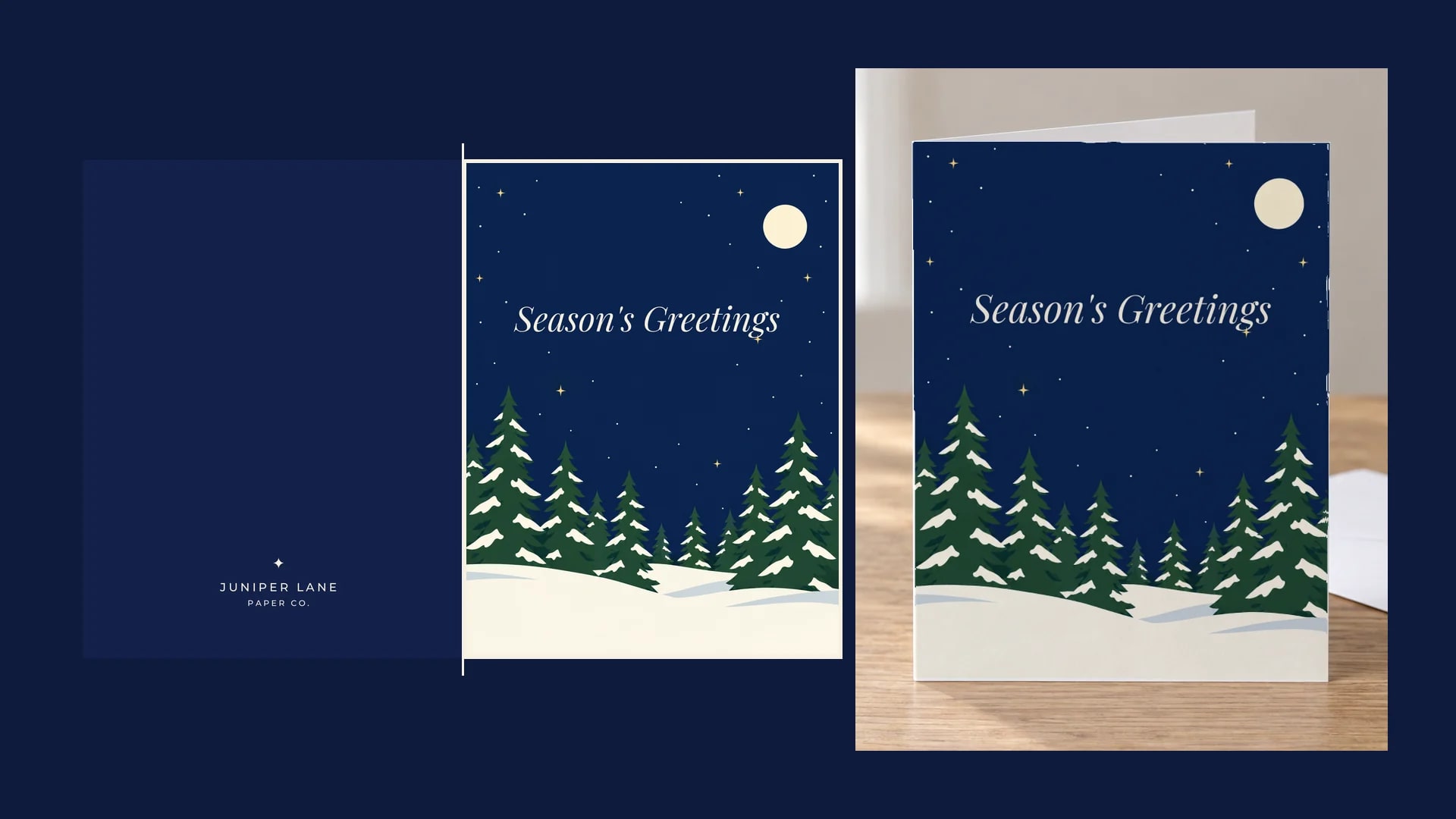
Greeting Card Mockups: Front Cover and Inside for Every Design
Cut the front cover from each outside file, render it on one saved card photo, and put the inside file on an open card.
9 min read
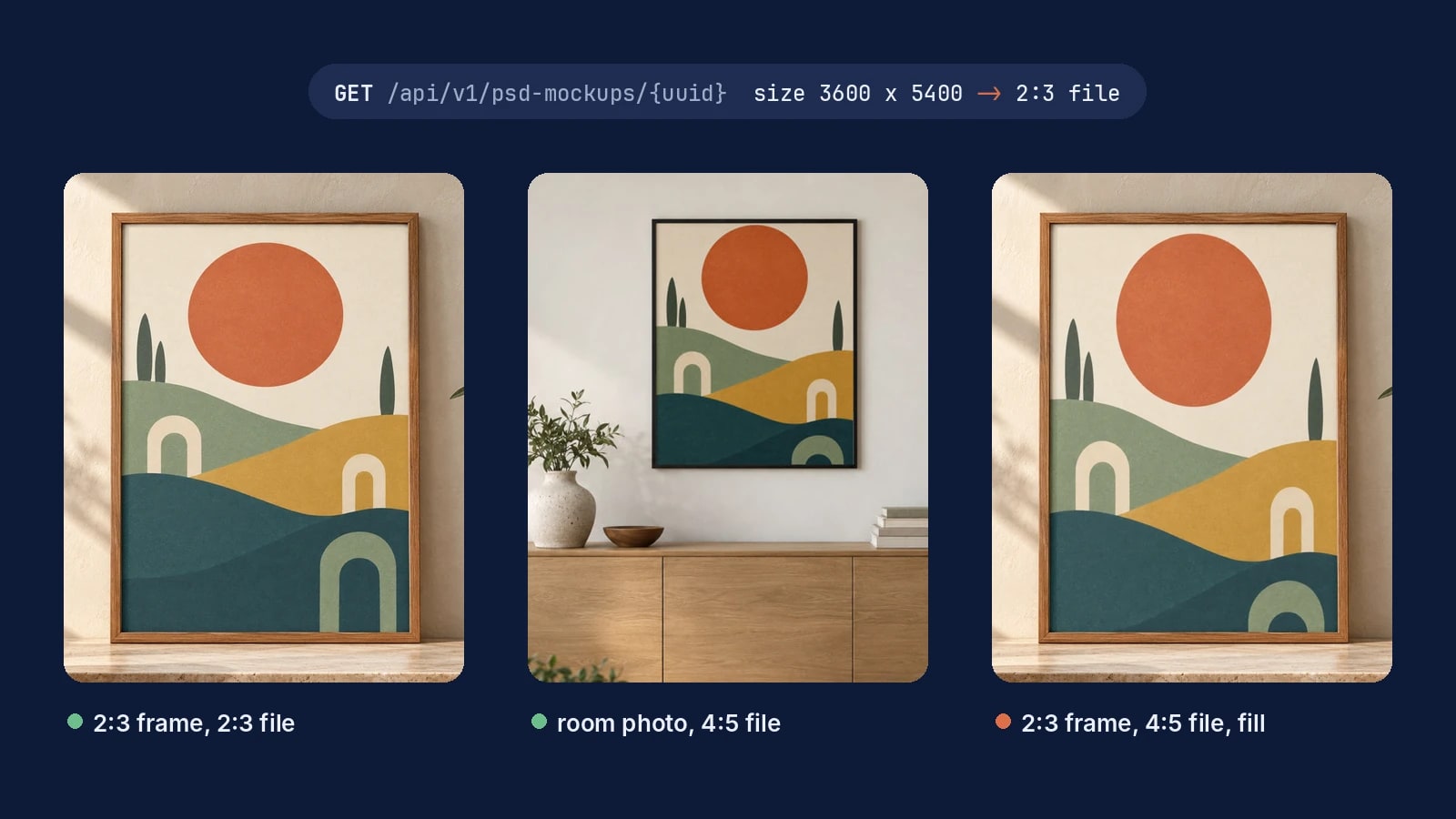
Wall Art Mockups for Every Print Size, Rendered by API
Match the artwork file to the frame's opening and every wall art mockup shows the whole print, from one frame to a full catalog.
7 min read
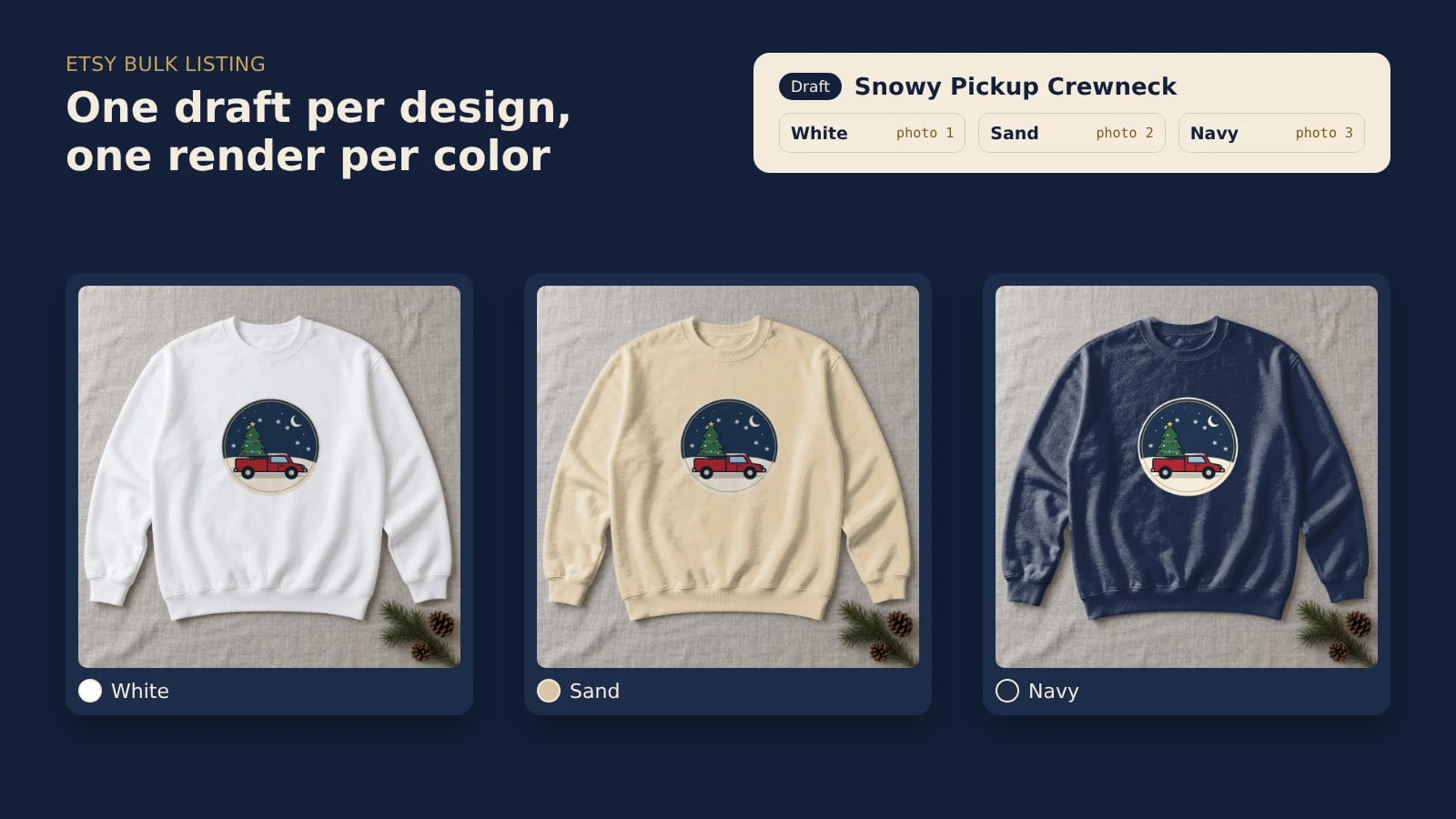
Etsy Bulk Listing: Draft a Whole Drop With a Mockup per Color
Put a whole holiday drop on Etsy as drafts, with one mockup per color rendered from your own template and linked to its color option.
8 min read
Explore by use case
See SudoMock in action for your specific product category
Your own PSD, rendered via API
Render your own PSD through the API. Start with 500 one-time credits, no card.