Etsy Bulk Listing: Draft a Whole Drop With a Mockup per Color
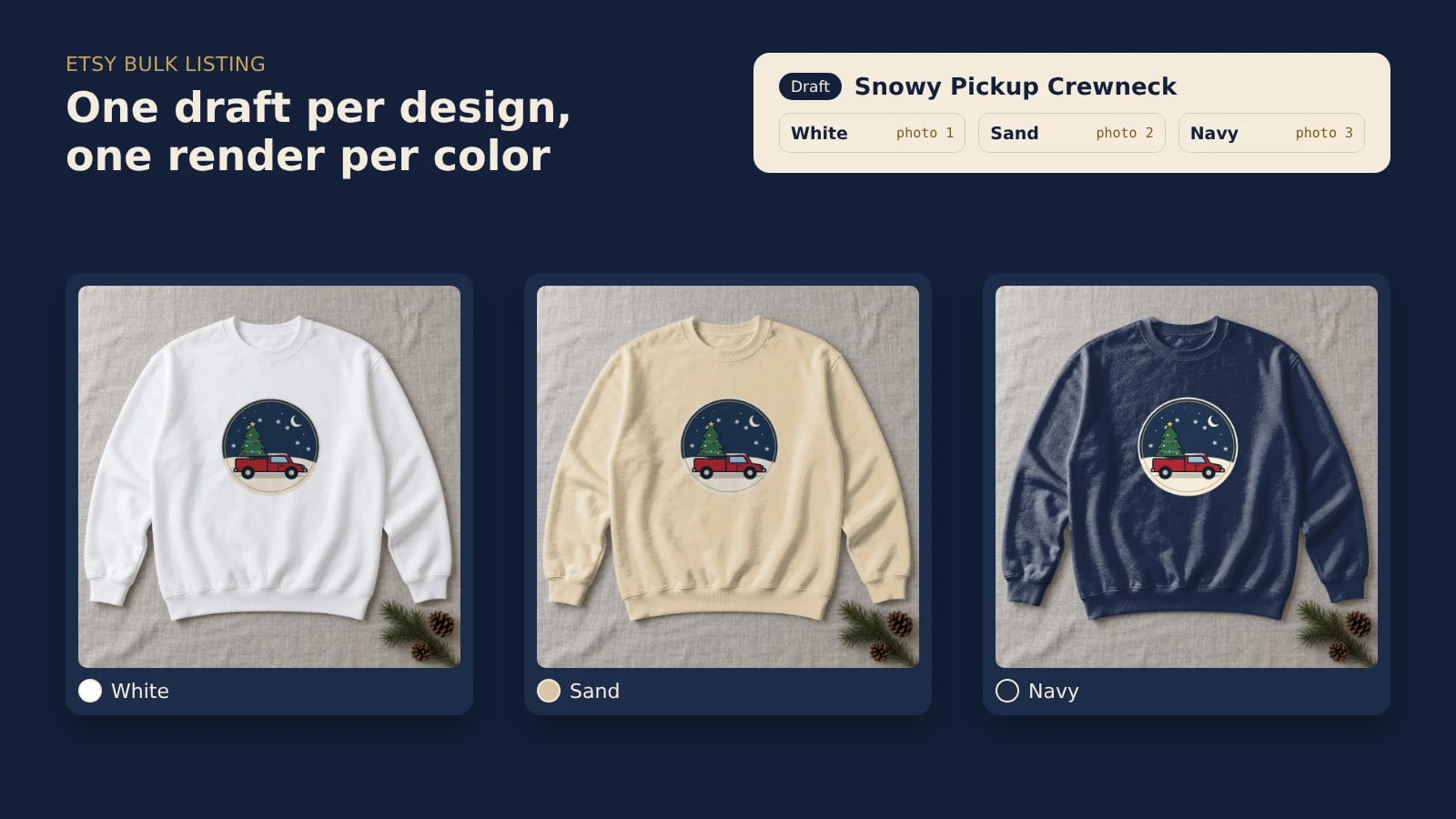
Etsy has no bulk upload for new listings, so a drop of many designs goes in through its Open API as drafts. One script renders each design once per color on your own template, creates the draft, uploads the renders and links each one to its color option; you check each draft and publish it yourself.
Published 8 min readBeck
Key takeaways
- Copy keeps the old design's info, and photos are not on the list of fields Etsy bulk edits.
- Add the colors after the draft exists: Etsy does not take variations when a listing is created.
- One unedited photo per listing covers every color option, under Etsy's 6 November update.
What Etsy lets you do in bulk
Etsy edits many listings at once and copies one listing at a time, but it does not create new listings in bulk. Its Help Center says it directly: "Etsy doesn't have a way to bulk upload new listings, but you can create one listing and copy it to save time" (Can I Create or Edit Multiple Listings at Once?, read 7 November 2026).
The bulk edit tool in Shop Manager changes titles, tags, descriptions, prices, custom options, production partners, renewal options, processing profile and shipping profiles. Photos are not on that list, and a copy is a new listing "with all of the info from the copied listing in place". For a drop of new designs, the photos are the part that stays one listing at a time.
| Task | Shop Manager | Etsy Open API |
|---|---|---|
| Change titles, tags or prices on many listings | Bulk edit | updateListing for titles and tags, updateListingInventory for prices, one call per listing |
| Create a new listing | One at a time, or Copy | createDraftListing |
| Add the new design's photos | One listing at a time | uploadListingImage |
| Give each color its own photo | In the listing editor | updateVariationImages |
One render per color for each design
Render each design once per color on the same template, and every color gets a photo with the design in the same place. On a product photo turned into a photo mockup, one request recolors the product and places the design in its print area.
This is the request for the Sand sweatshirt. The surface entry carries the color and the print area entry carries the design:
curl -X POST https://api.sudomock.com/api/v1/photo-mockups/YOUR_MOCKUP_ID/render \-H "x-api-key: $SUDOMOCK_API_KEY" \-H "Content-Type: application/json" \-d '{"print_areas": [{ "surface_uuid": "YOUR_SURFACE_UUID", "color": "#D9C7A7" },{ "uuid": "YOUR_PRINT_AREA_ID","artwork_url": "https://example.com/designs/snowy-pickup.png","placement": { "fit": "fit" } }],"export_options": { "image_format": "jpg", "image_size": 1024, "quality": 95 }}'
const response = await fetch('https://api.sudomock.com/api/v1/photo-mockups/YOUR_MOCKUP_ID/render', {method: 'POST',headers: {'x-api-key': process.env.SUDOMOCK_API_KEY,'Content-Type': 'application/json',},body: JSON.stringify({"print_areas": [{"surface_uuid": "YOUR_SURFACE_UUID","color": "#D9C7A7"},{"uuid": "YOUR_PRINT_AREA_ID","artwork_url": "https://example.com/designs/snowy-pickup.png","placement": {"fit": "fit"}}],"export_options": {"image_format": "jpg","image_size": 1024,"quality": 95}}),});const data = await response.json();console.log(data);
import osimport requestsresponse = requests.post("https://api.sudomock.com/api/v1/photo-mockups/YOUR_MOCKUP_ID/render",headers={"x-api-key": os.environ["SUDOMOCK_API_KEY"],"Content-Type": "application/json",},json={"print_areas": [{"surface_uuid": "YOUR_SURFACE_UUID","color": "#D9C7A7",},{"uuid": "YOUR_PRINT_AREA_ID","artwork_url": "https://example.com/designs/snowy-pickup.png","placement": {"fit": "fit",},},],"export_options": {"image_format": "jpg","image_size": 1024,"quality": 95,},},)print(response.json())
package mainimport ("bytes""fmt""io""net/http""os")func main() {payload := []byte(`{"print_areas": [{"surface_uuid": "YOUR_SURFACE_UUID","color": "#D9C7A7"},{"uuid": "YOUR_PRINT_AREA_ID","artwork_url": "https://example.com/designs/snowy-pickup.png","placement": {"fit": "fit"}}],"export_options": {"image_format": "jpg","image_size": 1024,"quality": 95}}`)req, err := http.NewRequest("POST", "https://api.sudomock.com/api/v1/photo-mockups/YOUR_MOCKUP_ID/render", bytes.NewBuffer(payload))if err != nil {panic(err)}req.Header.Set("x-api-key", os.Getenv("SUDOMOCK_API_KEY"))req.Header.Set("Content-Type", "application/json")resp, err := http.DefaultClient.Do(req)if err != nil {panic(err)}defer resp.Body.Close()body, _ := io.ReadAll(resp.Body)fmt.Println(string(body))}
<?php$payload = <<<'JSON'{"print_areas": [{"surface_uuid": "YOUR_SURFACE_UUID","color": "#D9C7A7"},{"uuid": "YOUR_PRINT_AREA_ID","artwork_url": "https://example.com/designs/snowy-pickup.png","placement": {"fit": "fit"}}],"export_options": {"image_format": "jpg","image_size": 1024,"quality": 95}}JSON;$ch = curl_init('https://api.sudomock.com/api/v1/photo-mockups/YOUR_MOCKUP_ID/render');curl_setopt_array($ch, [CURLOPT_CUSTOMREQUEST => 'POST',CURLOPT_RETURNTRANSFER => true,CURLOPT_HTTPHEADER => ['x-api-key: ' . getenv('SUDOMOCK_API_KEY'),'Content-Type: application/json',],CURLOPT_POSTFIELDS => $payload,]);$response = curl_exec($ch);curl_close($ch);echo $response;
Each response holds the image URL at data.print_files[0].export_path (render reference), and the mockup, surface and print area IDs come from Print areas and surfaces. Leave the surface entry out for the color the photo already shows. On light fabric the default multiply blend keeps the knit visible through the print; on a dark color, "adjustments": { "blend_mode": "normal" } on the design entry keeps its colors exact.
Three requests on one crewneck photo on 7 November 2026, at 1024 px as JPG, gave these option photos:
| White | Sand #D9C7A7 | Navy #1F2A44 |
|---|---|---|
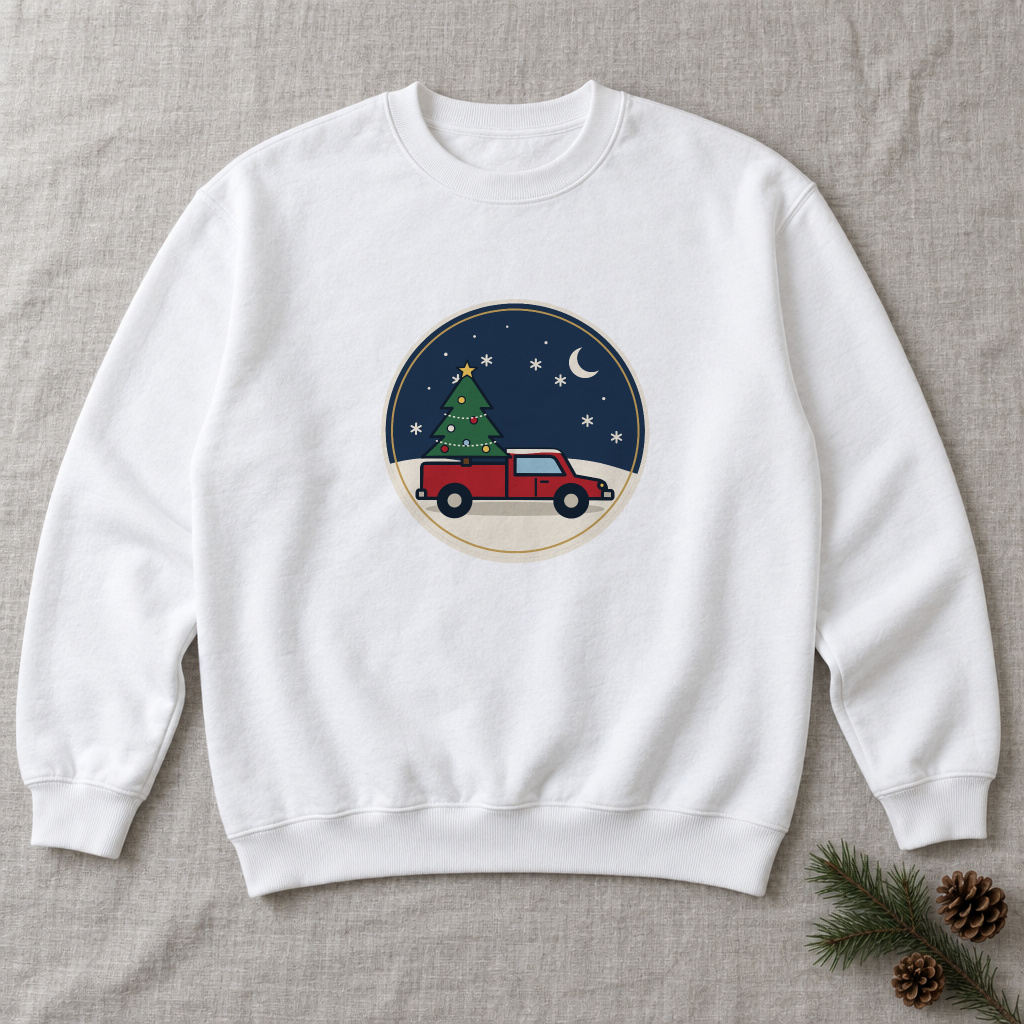 White option, rendered 7 November 2026 | 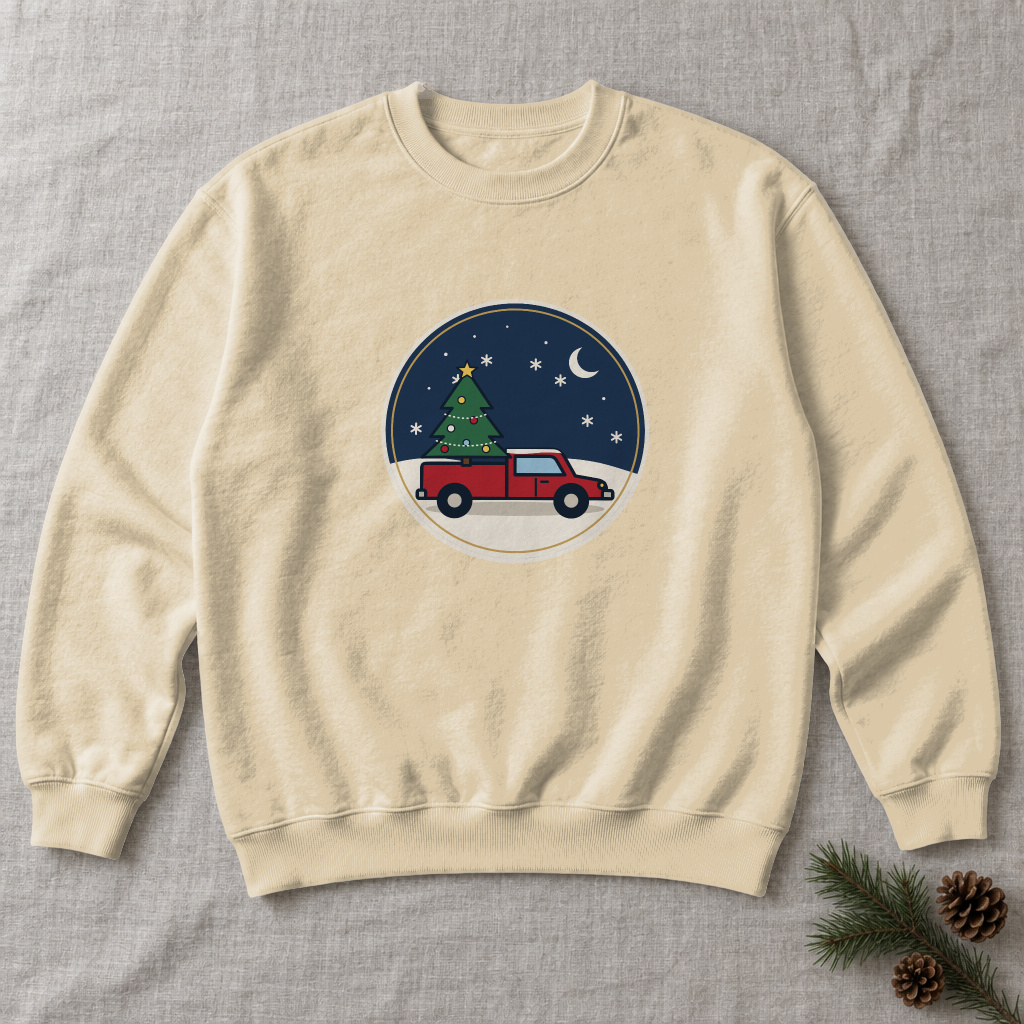 Sand option, rendered 7 November 2026 | 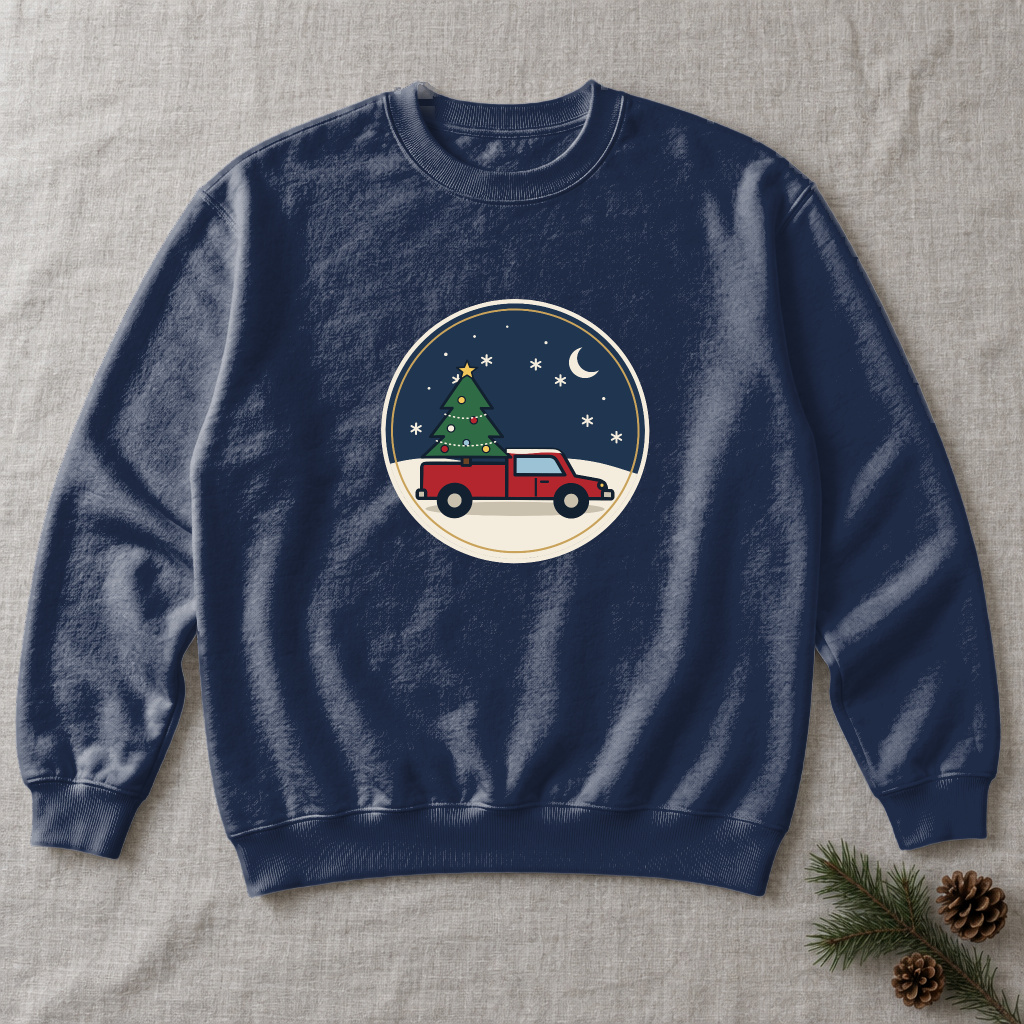 Navy option, rendered 7 November 2026. The blank sweatshirt photo was made with an image model for this example. |
Etsy shows the linked photo when a buyer selects that color, so each option opens on its own render with the badge in the same place.
In your shop, start from a photo of your own blank or from a PSD template. With a PSD, the PSD render does the same through the template's color layer, as T-shirt color variant mockups from one PSD shows; upload the PSD once, up to 300 MB in the dashboard and with no file size limit over the API. With neither, the crewneck sweatshirt mockups in the template library are ready to render.
The four Etsy calls behind one draft
Each design becomes one draft listing through four calls of Etsy's Open API v3: create the draft, upload the renders, add the colors, then link each render to its color. The colors come after the draft exists: Etsy's Listings tutorial (read 7 November 2026) says "variations can not be added at the time of creation of a new listing."
| Step | Etsy endpoint | What it carries |
|---|---|---|
| Create the draft | createDraftListing, POST /v3/application/shops/{shop_id}/listings | title, description, price, quantity, who_made, when_made, taxonomy_id, plus shipping_profile_id and readiness_state_id for a physical item |
| Upload each render | uploadListingImage, POST /v3/application/shops/{shop_id}/listings/{listing_id}/images | the image file, its rank and its alt_text |
| Add the colors | updateListingInventory, PUT /v3/application/listings/{listing_id}/inventory | one product per color, each with its SKU, price and quantity |
| Link each render to its color | updateVariationImages, POST /v3/application/shops/{shop_id}/listings/{listing_id}/variation-images | a property_id, value_id and image_id for every color |
All four calls need an OAuth token with the listings_w scope and an x-api-key header that holds your keystring and shared secret joined by a colon. A Seller App gives that access to your own shop, as Etsy listing generator describes.
Put the colors on the category's own color property, Primary color (property 200 in Etsy's examples), because buyers can filter Etsy search on its listed colors. Etsy Help says buyers "won't be able to filter their Etsy search results based on custom variations" (How to Add Variations, read 7 November 2026). A color on the property's list, such as White, takes the value_id that getPropertiesByTaxonomyId returns for it. A name that is not on the list, such as Sand, goes in with an empty value_ids list, as Etsy's Third Variation tutorial shows; Etsy assigns the ID and returns it. This is one product of the inventory body:
{"products": [{ "sku": "snowy-pickup-sand","property_values": [{ "property_id": 200, "property_name": "Primary color", "value_ids": [], "values": ["Sand"] }],"offerings": [{ "price": 38.00, "quantity": 999, "is_enabled": true, "readiness_state_id": 1234567890 }] }],"sku_on_property": [200]}
The body carries one such product per color, and sku_on_property names 200 because the SKU changes with the color; Etsy rejects an inventory whose SKUs vary on a property that field does not name. The response lists each color with the value_id Etsy assigned. Those IDs and the image IDs from the uploads make the body of updateVariationImages, which "overwrites all existing variation images on a listing" (API reference), so every color goes in one request. One variation holds up to 70 products (Listings tutorial), and Etsy lets a seller link photos to at most 20 options of a variation (How to Add Variations, Etsy Help, read 7 November 2026).
A script that drafts the whole drop
The script renders every design once per color, creates its draft and runs the three Etsy calls after it, so a list of designs becomes a set of drafts with a photo on every color. It stops at drafts: nothing goes on sale until you publish it.
import osimport timeimport requestsSUDOMOCK = "https://api.sudomock.com/api/v1/photo-mockups"MOCKUP_ID = "your-photo-mockup-id"PRINT_AREA = "your-print-area-id"SURFACE = "your-surface-uuid"ETSY = "https://openapi.etsy.com/v3/application"SHOP_ID = os.environ["ETSY_SHOP_ID"]ETSY_HEADERS = {"x-api-key": f"{os.environ['ETSY_KEYSTRING']}:{os.environ['ETSY_SHARED_SECRET']}","Authorization": f"Bearer {os.environ['ETSY_ACCESS_TOKEN']}",}SHOP = { # the same for every draft: read them once from your shop"taxonomy_id": 1234,"shipping_profile_id": 1234567890,"readiness_state_id": 1234567890,"return_policy_id": 1234567890,"production_partner_ids": "1234567",}COLOR_PROPERTY = 200 # Primary color: confirm it with getPropertiesByTaxonomyId for your taxonomy_idCOLORS = [("White", None, "multiply"), ("Sand", "#D9C7A7", "multiply"), ("Navy", "#1F2A44", "normal")]DESIGNS = [{"slug": "snowy-pickup", "price": 38.00,"title": "Snowy Pickup Christmas Tree Crewneck Sweatshirt","description": "A red pickup carries a Christmas tree under a winter moon. Unisex crewneck, made to order.","tags": "christmas sweatshirt,red truck tree,holiday crewneck","design": "https://example.com/designs/snowy-pickup.png"},]def etsy(method, path, **kwargs):while True:response = requests.request(method, ETSY + path, headers=ETSY_HEADERS, timeout=60, **kwargs)if response.status_code == 429:time.sleep(int(response.headers.get("retry-after", "5")))continueresponse.raise_for_status()return response.json()def render(design_url, hex_code, blend):areas = [{"uuid": PRINT_AREA, "artwork_url": design_url,"placement": {"fit": "fit"}, "adjustments": {"blend_mode": blend}}]if hex_code:areas.insert(0, {"surface_uuid": SURFACE, "color": hex_code})response = requests.post(f"{SUDOMOCK}/{MOCKUP_ID}/render", timeout=60,headers={"x-api-key": os.environ["SUDOMOCK_API_KEY"]},json={"print_areas": areas,"export_options": {"image_format": "jpg", "image_size": 1024, "quality": 95}})response.raise_for_status()url = response.json()["data"]["print_files"][0]["export_path"]return requests.get(url, timeout=60).contentproperties = etsy("GET", f"/seller-taxonomy/nodes/{SHOP['taxonomy_id']}/properties",params={"supports_variations": "true"})["results"]color_property = next(p for p in properties if p["property_id"] == COLOR_PROPERTY)known_colors = {v["name"]: v["value_id"] for v in color_property["possible_values"]}for item in DESIGNS:listing = etsy("POST", f"/shops/{SHOP_ID}/listings", data={"title": item["title"], "description": item["description"], "tags": item["tags"],"price": item["price"], "quantity": 999, "who_made": "i_did","when_made": "made_to_order", "is_supply": "false", **SHOP})listing_id = listing["listing_id"]image_ids = {}for rank, (color, hex_code, blend) in enumerate(COLORS, start=1):photo = render(item["design"], hex_code, blend)image = etsy("POST", f"/shops/{SHOP_ID}/listings/{listing_id}/images",files={"image": (f"{item['slug']}-{color.lower()}.jpg", photo, "image/jpeg")},data={"rank": rank, "alt_text": f"{item['title']} in {color}"})image_ids[color] = image["listing_image_id"]products = [{"sku": f"{item['slug']}-{color.lower()}","property_values": [{"property_id": COLOR_PROPERTY, "property_name": "Primary color","value_ids": [known_colors[color]] if color in known_colors else [],"values": [color]}],"offerings": [{"price": item["price"], "quantity": 999, "is_enabled": True,"readiness_state_id": SHOP["readiness_state_id"]}],} for color, _, _ in COLORS]inventory = etsy("PUT", f"/listings/{listing_id}/inventory",json={"products": products, "sku_on_property": [COLOR_PROPERTY]})links = []for product in inventory["products"]:value = product["property_values"][0]links.append({"property_id": COLOR_PROPERTY, "value_id": value["value_ids"][0],"image_id": image_ids[value["values"][0]]})etsy("POST", f"/shops/{SHOP_ID}/listings/{listing_id}/variation-images",json={"variation_images": links})print("draft", listing_id, item["title"])
The shop values come from Etsy's own endpoints: getSellerTaxonomyNodes for the category, getShopShippingProfiles, getShopReadinessStateDefinitions and getShopReturnPolicies for shipping, processing and returns, and getShopProductionPartners for the partner that prints the item; the shipping, processing and partner reads take a token with the shops_r scope as well. Etsy's reference marks return_policy_id as "Required for active physical listings" outside the EU, so set it on the draft. Add a line to DESIGNS and the run makes one more draft. A 429 from Etsy means the app went past its per-second or per-day limit: the script waits for the retry-after header and sends the request again, as Etsy's rate limit page describes, and your app's own limits are in the Developer Portal. The average SudoMock render finishes in under a second, so the renders keep pace with the Etsy calls. For the files that go live, raise image_size to at least the 2000 pixels Etsy recommends for listing photos (Requirements and Best Practices for Images, Etsy Help, read 7 November 2026); a photo mockup render goes up to 10,000 px on its longer side.
Check each draft, then publish
Open each draft in Shop Manager, pick every color to see that its photo follows, and publish the listing yourself. Etsy's announcement of its 22 October rules lists "prohibiting bot-generated listings" among the new restrictions, so a person stays on every listing; Etsy AI policy for print on demand sellers quotes the full rule.
The same announcement asks most listings for "at least one unedited photo of the actual item against a real background", with exceptions depending on what you sell, and it requires that "All photos must accurately represent what a buyer will receive" (Important updates to AI on Etsy, updated 6 November 2026). The 6 November update makes this lighter for a drop with colors: "You only need one unedited photo per listing, even if your listing has multiple variations", and it does not have to be the first image. When a listing needs that photo, add it during the check, and the color photos stay renders of the exact print file on the product.
After the check, publishing can also go through updateListing with state set to active, which Etsy accepts only when the listing has an image. Etsy plans to start enforcing the image rules proactively in early 2027 and says it will give notice first.
Next step
Run the script with one design in DESIGNS first, open that draft in Shop Manager and pick each color, then add the rest of the drop; the render guide documents every render field. Without a script of your own, the renders can come from a SudoMock step in n8n or Make, and each color photo then goes onto its option in the listing editor. For templates, the mockup templates for Etsy sellers and the crewneck sweatshirt mockups are ready, or make your own mockup from a product photo of your blank. For listings created another way, Etsy webhooks renders photos when a listing is created, and the Etsy mockups use case covers the render step on its own.
Frequently asked questions
Can you bulk upload listings on Etsy?
Not from Shop Manager. Etsy's Help Center says it has no way to bulk upload new listings and points to bulk edit and Copy instead. A script on Etsy's Open API can create many listings as drafts, which you then check and publish one by one.
Does copying an Etsy listing help with a new design?
Only for the text and settings. A copy is a new listing with all of the info from the copied listing in place, so it still shows the original design, and photos are not among the fields bulk edit changes. Each new design needs its own photos uploaded.
How do I give each color its own photo on Etsy?
Add the color as a variation, then link one listing photo to each color option. Through the Open API that is updateListingInventory for the options and updateVariationImages for the links. Etsy lets a seller link photos to at most 20 options of a variation.
Do I need a real photo of the item for every color?
No. Etsy's 6 November update says one unedited photo per listing is enough, even when the listing has variations, and it does not have to be the first image. The color photos can be renders, as long as every photo accurately shows what the buyer receives.
Sources
- Can I Create or Edit Multiple Listings at Once? (opens in new tab), Etsy Help
- How to Add Variations to Your Listings (opens in new tab), Etsy Help
- Listings Tutorial (opens in new tab), Etsy Open API v3
- Third Variation Tutorial (opens in new tab), Etsy Open API v3
- Rate Limits (opens in new tab), Etsy Open API v3
- Etsy Open API v3 reference (opens in new tab), Etsy Open API v3
- UPDATED Nov 6: Important updates to AI on Etsy (opens in new tab), Etsy Community
- Render a photo mockup (opens in new tab), SudoMock docs
- Print areas and surfaces (opens in new tab), SudoMock docs
- Requirements and Best Practices for Images in Your Etsy Shop (opens in new tab), Etsy Help
Beck
CTO
Related articles
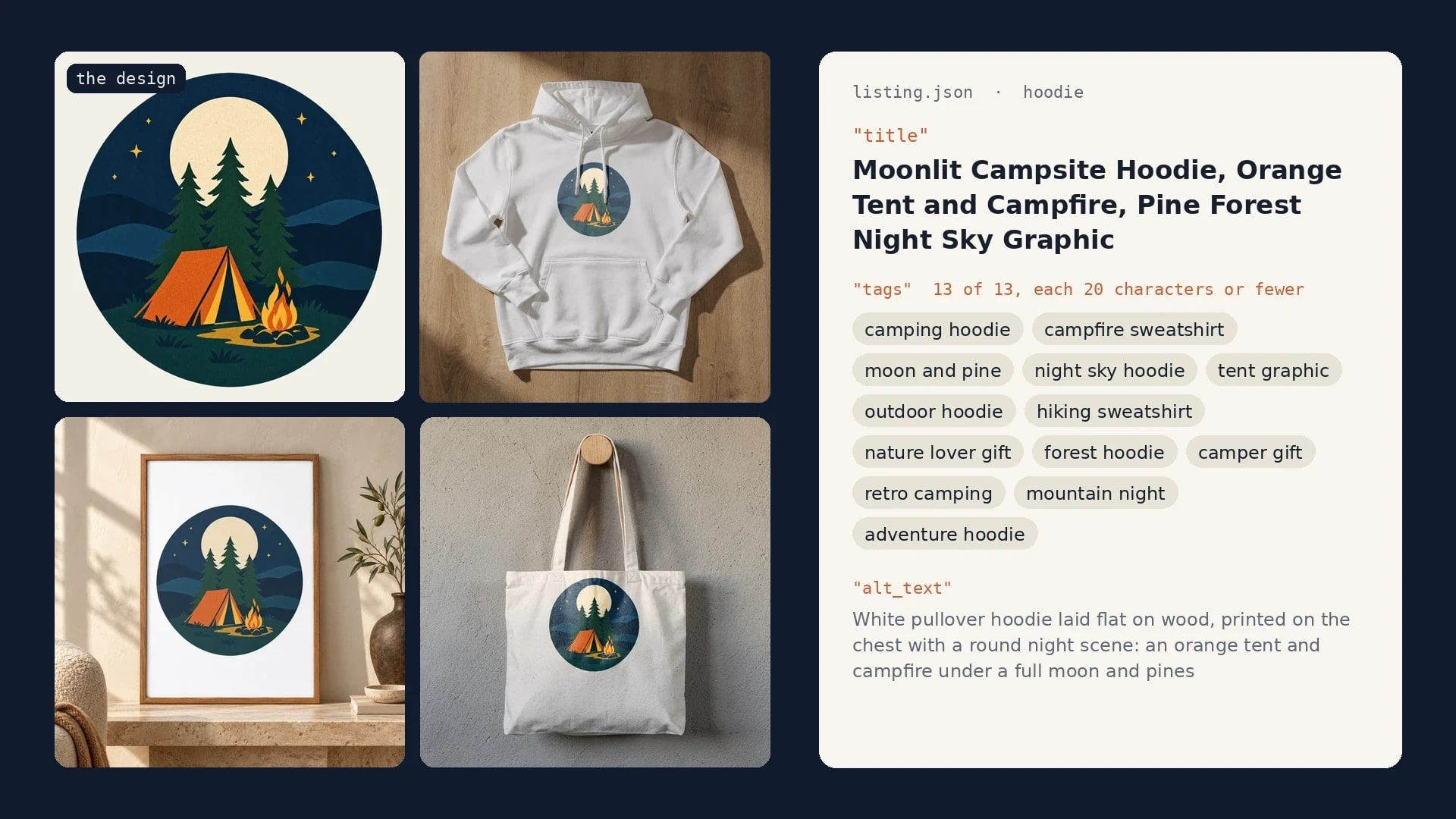
Etsy Listing Generator: Build Your Own With Claude and SudoMock
One design in, a full Etsy listing out: photos rendered on your own templates, then the title, tags and alt text Claude writes from them.
9 min read
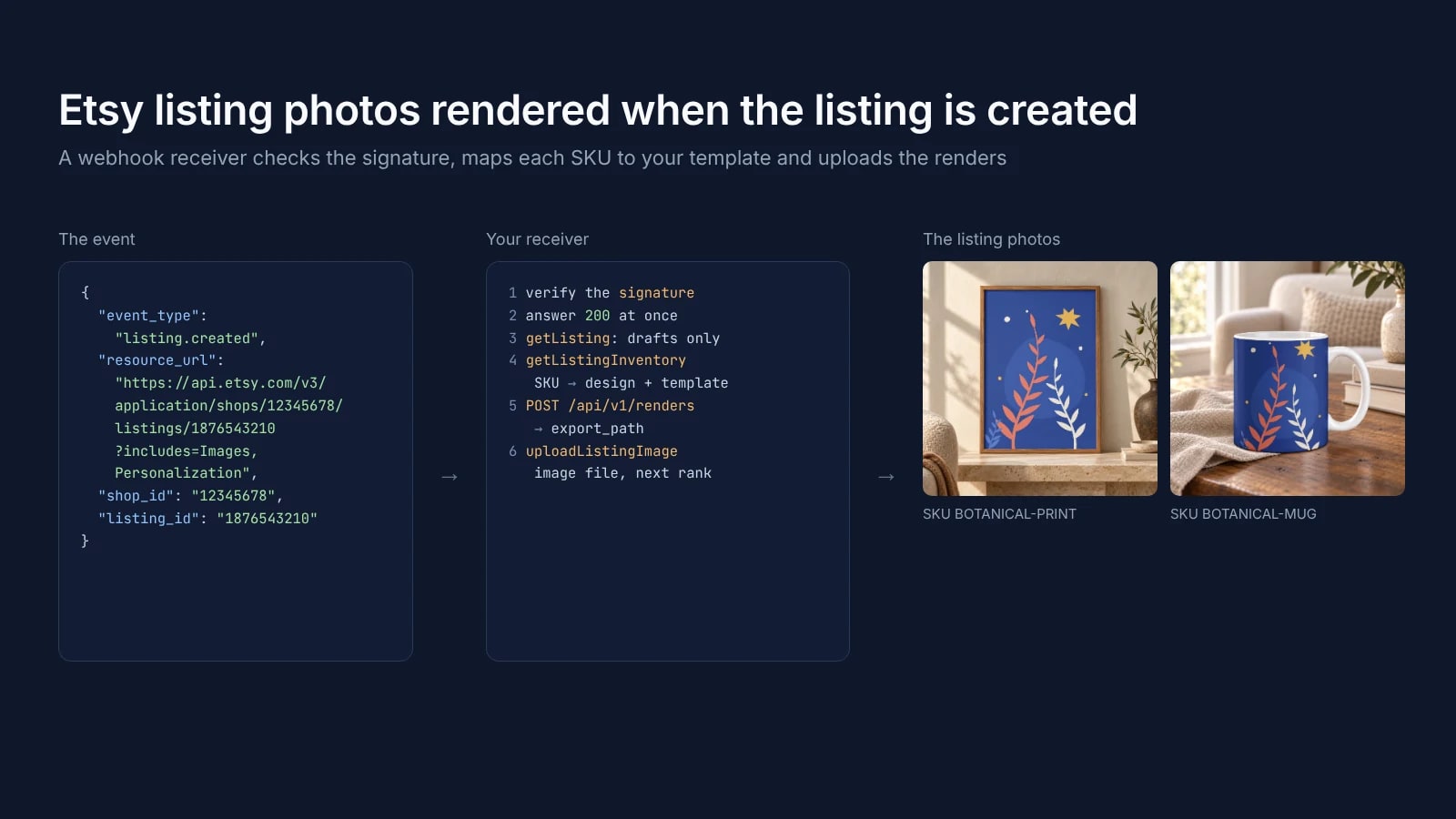
Etsy Webhooks: Render Listing Photos When a Listing Is Created
Etsy listing webhooks: the events, the four-field payload, the signature check and a receiver that uploads photos rendered from your own PSD template.
6 min read
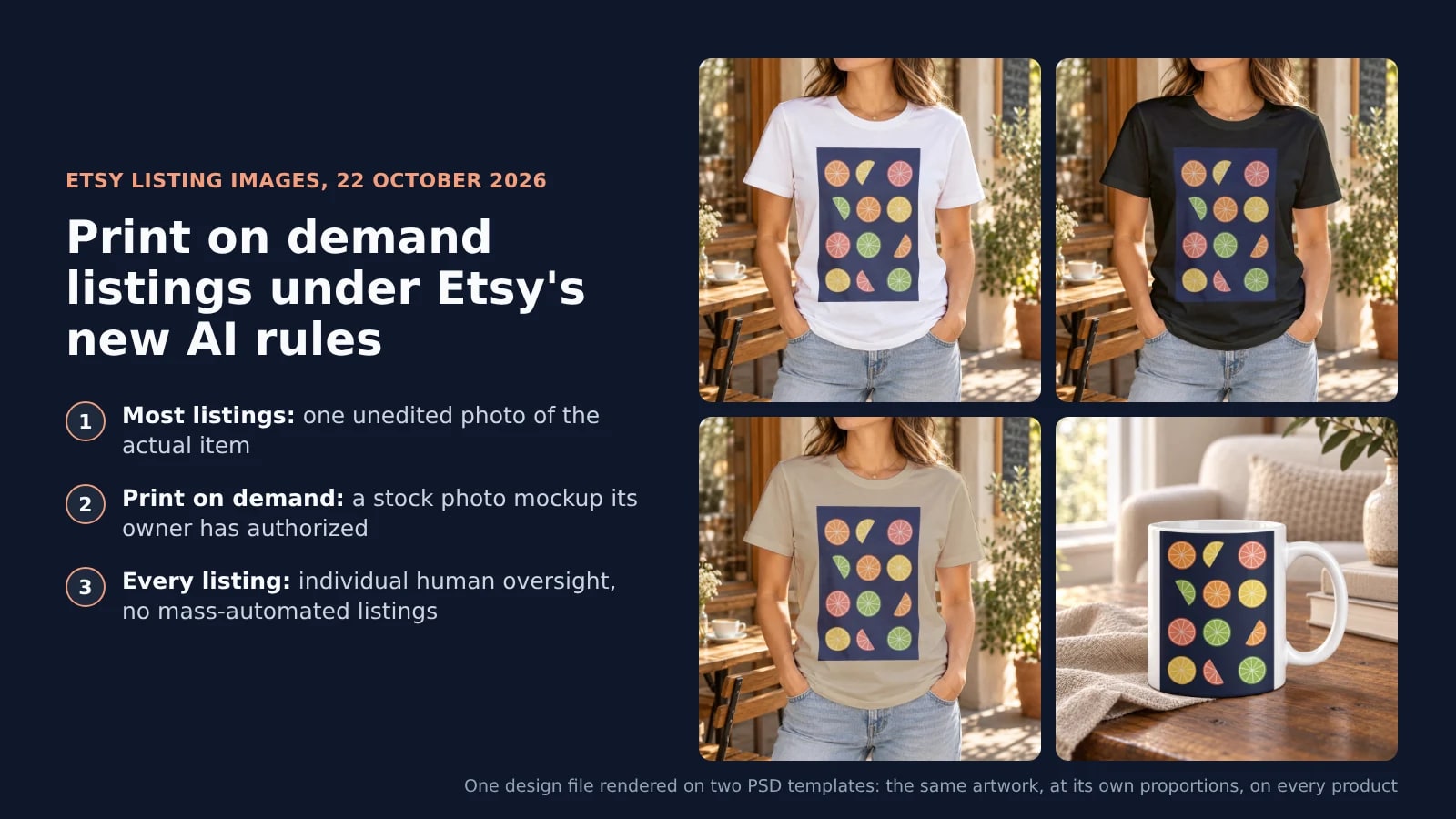
Etsy AI Policy for Print on Demand Sellers: What the 22 October Rules Change
Etsy's 22 October 2026 AI rules for print on demand sellers: the unedited photo, the mockup exception, AI disclosure and human review, with real renders.
7 min read
Explore by use case
See SudoMock in action for your specific product category
Your own PSD, rendered via API
Render your own PSD through the API. Start with 500 one-time credits, no card.