Etsy Mockups Without Photoshop: Every Design on the PSD or JPG You Bought
A mockup bought on Etsy is a layered PSD or a flat JPG, and SudoMock renders both without Photoshop. Upload a PSD as the shop sent it and its smart objects come back by name; send a JPG once and it becomes a reusable mockup. After that, each design is one request per mockup, from a script or an AI assistant.
Published 7 min readBeck
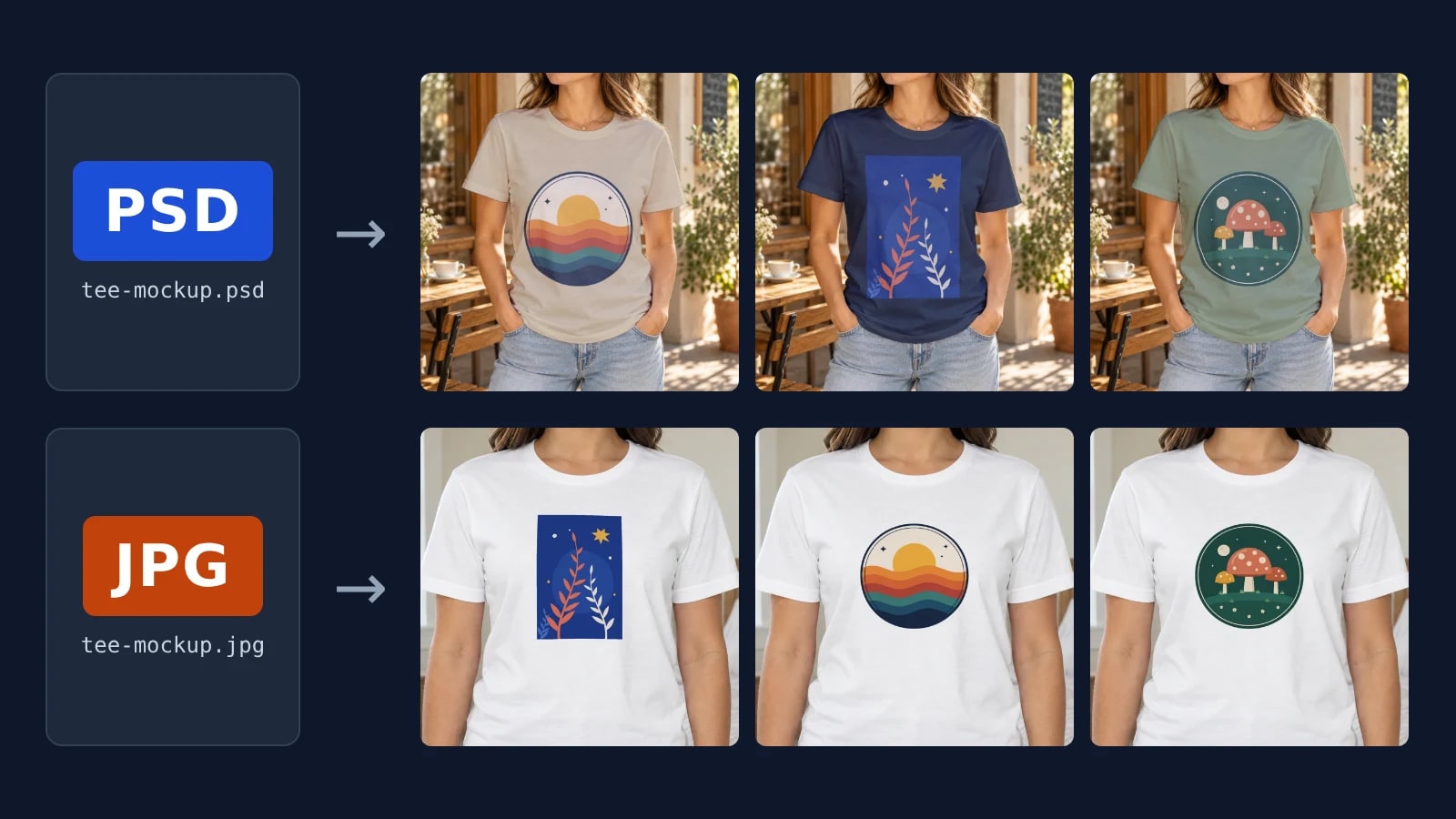
Key takeaways
- Etsy lists the files under Digital download: a PSD has layers to fill, a JPG is one photo.
- Etsy keeps the files behind your sign-in, so host a PSD yourself before an API upload.
- Moving a mockup between folders never changes its id, so scripts and assistants keep working.
PSD or JPG: what the Etsy listing delivered
An Etsy mockup listing hands over a layered PSD with a smart object where the design goes, or a flat JPG photo of the blank product. Etsy takes ZIP but not PSD files on a digital listing, each up to 20 MB (Etsy Help, read 14 November 2026), so a bought PSD arrives inside a ZIP: unpack it before you upload.
The listing names its files under Digital download, for example "Digital file type(s): 1 JPG". Apparel mockup shops such as Goldie Mocks Studio (GoldieMocksStudio on Etsy) sell Gildan and Bella+Canvas blanks worn by models, one color per file or as bundles of many colors, and the usual next step is placing each new design by hand in Photoshop, Photopea or Canva, one mockup at a time. The routes below replace that step.
| What you bought | What is in it | Route in SudoMock |
|---|---|---|
| PSD or PSB | Layers, a smart object for the design, often one for the shirt color | Upload it as it is (PSD Mockups) |
| JPG or PNG | One flat photo of the product | Save it once as a photo mockup with a print area (Photo Mockups) |
Etsy keeps the files on your account: sign in, open Purchases and select Download Files next to the order, as Etsy Help describes (read 14 November 2026). Download them first, because every route below starts from the file.
Upload a bought PSD as the shop sent it
A PSD mockup bought on Etsy or a similar marketplace works in SudoMock directly, without exception and with no customization: no renamed layers, no flattening and no Photoshop step. The upload lists every smart object in its response under the name the shop gave it.
In the dashboard, drag the files into the library; dashboard uploads take files up to 300 MB each, several at a time. From there you drop a design on the PSD and download the render in the dashboard without writing a request, so you edit the PSD mockup online; Create a mockup in the browser starts it. Over the API, SudoMock fetches the file from a link, so put the downloaded PSD on storage you control and pass a direct or signed link. API uploads support files up to Adobe's official PSD file size limit, and folder_uuid files the mockup straight into a folder.
curl -X POST https://api.sudomock.com/api/v1/psd/upload \-H "x-api-key: $SUDOMOCK_API_KEY" \-H "Content-Type: application/json" \-d '{"psd_file_url": "https://files.example.com/etsy/bella-3001-natural.psd","psd_name": "Bella 3001 Natural","folder_uuid": "FOLDER_UUID"}'
const response = await fetch('https://api.sudomock.com/api/v1/psd/upload', {method: 'POST',headers: {'x-api-key': process.env.SUDOMOCK_API_KEY,'Content-Type': 'application/json',},body: JSON.stringify({"psd_file_url": "https://files.example.com/etsy/bella-3001-natural.psd","psd_name": "Bella 3001 Natural","folder_uuid": "FOLDER_UUID"}),});const data = await response.json();console.log(data);
import osimport requestsresponse = requests.post("https://api.sudomock.com/api/v1/psd/upload",headers={"x-api-key": os.environ["SUDOMOCK_API_KEY"],"Content-Type": "application/json",},json={"psd_file_url": "https://files.example.com/etsy/bella-3001-natural.psd","psd_name": "Bella 3001 Natural","folder_uuid": "FOLDER_UUID",},)print(response.json())
package mainimport ("bytes""fmt""io""net/http""os")func main() {payload := []byte(`{"psd_file_url": "https://files.example.com/etsy/bella-3001-natural.psd","psd_name": "Bella 3001 Natural","folder_uuid": "FOLDER_UUID"}`)req, err := http.NewRequest("POST", "https://api.sudomock.com/api/v1/psd/upload", bytes.NewBuffer(payload))if err != nil {panic(err)}req.Header.Set("x-api-key", os.Getenv("SUDOMOCK_API_KEY"))req.Header.Set("Content-Type", "application/json")resp, err := http.DefaultClient.Do(req)if err != nil {panic(err)}defer resp.Body.Close()body, _ := io.ReadAll(resp.Body)fmt.Println(string(body))}
<?php$payload = <<<'JSON'{"psd_file_url": "https://files.example.com/etsy/bella-3001-natural.psd","psd_name": "Bella 3001 Natural","folder_uuid": "FOLDER_UUID"}JSON;$ch = curl_init('https://api.sudomock.com/api/v1/psd/upload');curl_setopt_array($ch, [CURLOPT_CUSTOMREQUEST => 'POST',CURLOPT_RETURNTRANSFER => true,CURLOPT_HTTPHEADER => ['x-api-key: ' . getenv('SUDOMOCK_API_KEY'),'Content-Type: application/json',],CURLOPT_POSTFIELDS => $payload,]);$response = curl_exec($ch);curl_close($ch);echo $response;
The tee PSD rendered below carries two smart objects, color for the shirt and print_area for the design, each with the uuid a render sends back (reply of GET /api/v1/psd-mockups/{uuid} on 14 November 2026, trimmed):
{"data": {"uuid": "e532c503-fe20-4653-a301-af9f7a934609","name": "t shirt","width": 1254,"height": 1254,"smart_objects": [{ "uuid": "ea565e8a-2b2b-46a1-b181-ff19d0e18eac", "name": "color", "size": { "width": 1000, "height": 1000 }, "blend_mode": "multiply" },{ "uuid": "39865245-8d99-42e9-b1fc-3713fa4dbc94", "name": "print_area", "size": { "width": 3951, "height": 4800 }, "blend_mode": "normal" }]}}
Each design is one request that fills the design smart object; when the PSD has a color smart object, the same request gives it a hex value.
curl -X POST https://api.sudomock.com/api/v1/renders \-H "x-api-key: $SUDOMOCK_API_KEY" \-H "Content-Type: application/json" \-d '{"mockup_uuid": "MOCKUP_UUID","smart_objects": [{ "uuid": "DESIGN_SMART_OBJECT_UUID", "asset": { "url": "https://cdn.example.com/designs/sunset-waves.png", "fit": "fit" } },{ "uuid": "COLOR_SMART_OBJECT_UUID", "color": { "hex": "#D8C7A8", "blending_mode": "multiply" } }],"export_options": { "image_format": "jpg", "image_size": 1024 }}'
const response = await fetch('https://api.sudomock.com/api/v1/renders', {method: 'POST',headers: {'x-api-key': process.env.SUDOMOCK_API_KEY,'Content-Type': 'application/json',},body: JSON.stringify({"mockup_uuid": "MOCKUP_UUID","smart_objects": [{"uuid": "DESIGN_SMART_OBJECT_UUID","asset": {"url": "https://cdn.example.com/designs/sunset-waves.png","fit": "fit"}},{"uuid": "COLOR_SMART_OBJECT_UUID","color": {"hex": "#D8C7A8","blending_mode": "multiply"}}],"export_options": {"image_format": "jpg","image_size": 1024}}),});const data = await response.json();console.log(data);
import osimport requestsresponse = requests.post("https://api.sudomock.com/api/v1/renders",headers={"x-api-key": os.environ["SUDOMOCK_API_KEY"],"Content-Type": "application/json",},json={"mockup_uuid": "MOCKUP_UUID","smart_objects": [{"uuid": "DESIGN_SMART_OBJECT_UUID","asset": {"url": "https://cdn.example.com/designs/sunset-waves.png","fit": "fit",},},{"uuid": "COLOR_SMART_OBJECT_UUID","color": {"hex": "#D8C7A8","blending_mode": "multiply",},},],"export_options": {"image_format": "jpg","image_size": 1024,},},)print(response.json())
package mainimport ("bytes""fmt""io""net/http""os")func main() {payload := []byte(`{"mockup_uuid": "MOCKUP_UUID","smart_objects": [{"uuid": "DESIGN_SMART_OBJECT_UUID","asset": {"url": "https://cdn.example.com/designs/sunset-waves.png","fit": "fit"}},{"uuid": "COLOR_SMART_OBJECT_UUID","color": {"hex": "#D8C7A8","blending_mode": "multiply"}}],"export_options": {"image_format": "jpg","image_size": 1024}}`)req, err := http.NewRequest("POST", "https://api.sudomock.com/api/v1/renders", bytes.NewBuffer(payload))if err != nil {panic(err)}req.Header.Set("x-api-key", os.Getenv("SUDOMOCK_API_KEY"))req.Header.Set("Content-Type", "application/json")resp, err := http.DefaultClient.Do(req)if err != nil {panic(err)}defer resp.Body.Close()body, _ := io.ReadAll(resp.Body)fmt.Println(string(body))}
<?php$payload = <<<'JSON'{"mockup_uuid": "MOCKUP_UUID","smart_objects": [{"uuid": "DESIGN_SMART_OBJECT_UUID","asset": {"url": "https://cdn.example.com/designs/sunset-waves.png","fit": "fit"}},{"uuid": "COLOR_SMART_OBJECT_UUID","color": {"hex": "#D8C7A8","blending_mode": "multiply"}}],"export_options": {"image_format": "jpg","image_size": 1024}}JSON;$ch = curl_init('https://api.sudomock.com/api/v1/renders');curl_setopt_array($ch, [CURLOPT_CUSTOMREQUEST => 'POST',CURLOPT_RETURNTRANSFER => true,CURLOPT_HTTPHEADER => ['x-api-key: ' . getenv('SUDOMOCK_API_KEY'),'Content-Type: application/json',],CURLOPT_POSTFIELDS => $payload,]);$response = curl_exec($ch);curl_close($ch);echo $response;
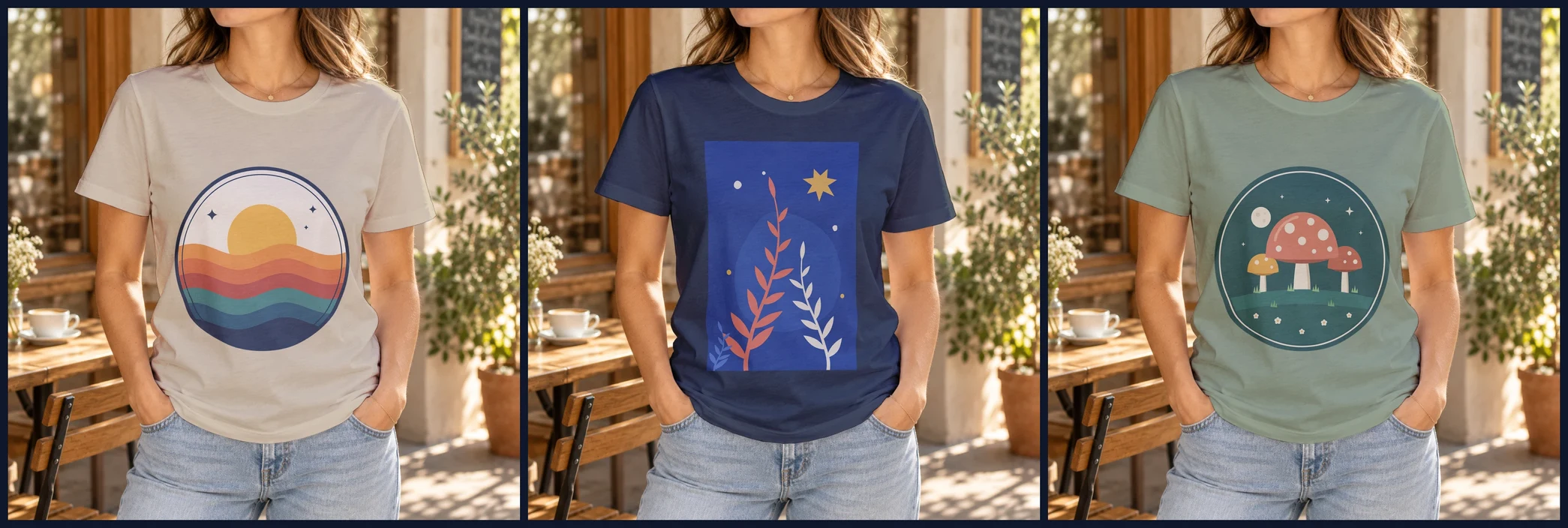 One PSD, three designs, three shirt colors from its color smart object (#D8C7A8, #1E293B, #8A9A7B). SudoMock renders, 14 November 2026.
The finished image comes back as a URL in data.print_files[0].export_path. Renders match Photoshop's own output, and the average SudoMock render finishes in under a second.
Turn a bought JPG into a mockup you can reuse
A JPG mockup is a flat photo with no layer to fill, and Photo Mockups turns it into a reusable mockup. Send it once and the mockup comes back with the print area on the product already set, or with the one you pass in print_areas; every design after that renders onto it.
We used the Worn Front photo of the Bella+Canvas 3001 tee template in the SudoMock library: a white tee on a model, the same kind of photo an apparel bundle on Etsy sells. We passed the front area ourselves to hold the print at the standard chest position: 420 by 476 pixels on the 1,600 by 2,000 pixel photo, centered on the chest below the collar. The points are pixels of the photo, listed clockwise from the top left.
curl -X POST https://api.sudomock.com/api/v1/photo-mockups \-H "x-api-key: $SUDOMOCK_API_KEY" \-H "Content-Type: application/json" \-d '{"source_url": "https://files.example.com/etsy/bella-3001-white-worn-front.jpg","name": "Bella 3001 White, worn front","folder_uuid": "FOLDER_UUID","print_areas": [{ "points": [[590, 360], [1010, 360], [1010, 836], [590, 836]], "name": "Front" }]}'
const response = await fetch('https://api.sudomock.com/api/v1/photo-mockups', {method: 'POST',headers: {'x-api-key': process.env.SUDOMOCK_API_KEY,'Content-Type': 'application/json',},body: JSON.stringify({"source_url": "https://files.example.com/etsy/bella-3001-white-worn-front.jpg","name": "Bella 3001 White, worn front","folder_uuid": "FOLDER_UUID","print_areas": [{"points": [[590,360],[1010,360],[1010,836],[590,836]],"name": "Front"}]}),});const data = await response.json();console.log(data);
import osimport requestsresponse = requests.post("https://api.sudomock.com/api/v1/photo-mockups",headers={"x-api-key": os.environ["SUDOMOCK_API_KEY"],"Content-Type": "application/json",},json={"source_url": "https://files.example.com/etsy/bella-3001-white-worn-front.jpg","name": "Bella 3001 White, worn front","folder_uuid": "FOLDER_UUID","print_areas": [{"points": [[590,360,],[1010,360,],[1010,836,],[590,836,],],"name": "Front",},],},)print(response.json())
package mainimport ("bytes""fmt""io""net/http""os")func main() {payload := []byte(`{"source_url": "https://files.example.com/etsy/bella-3001-white-worn-front.jpg","name": "Bella 3001 White, worn front","folder_uuid": "FOLDER_UUID","print_areas": [{"points": [[590,360],[1010,360],[1010,836],[590,836]],"name": "Front"}]}`)req, err := http.NewRequest("POST", "https://api.sudomock.com/api/v1/photo-mockups", bytes.NewBuffer(payload))if err != nil {panic(err)}req.Header.Set("x-api-key", os.Getenv("SUDOMOCK_API_KEY"))req.Header.Set("Content-Type", "application/json")resp, err := http.DefaultClient.Do(req)if err != nil {panic(err)}defer resp.Body.Close()body, _ := io.ReadAll(resp.Body)fmt.Println(string(body))}
<?php$payload = <<<'JSON'{"source_url": "https://files.example.com/etsy/bella-3001-white-worn-front.jpg","name": "Bella 3001 White, worn front","folder_uuid": "FOLDER_UUID","print_areas": [{"points": [[590,360],[1010,360],[1010,836],[590,836]],"name": "Front"}]}JSON;$ch = curl_init('https://api.sudomock.com/api/v1/photo-mockups');curl_setopt_array($ch, [CURLOPT_CUSTOMREQUEST => 'POST',CURLOPT_RETURNTRANSFER => true,CURLOPT_HTTPHEADER => ['x-api-key: ' . getenv('SUDOMOCK_API_KEY'),'Content-Type: application/json',],CURLOPT_POSTFIELDS => $payload,]);$response = curl_exec($ch);curl_close($ch);echo $response;
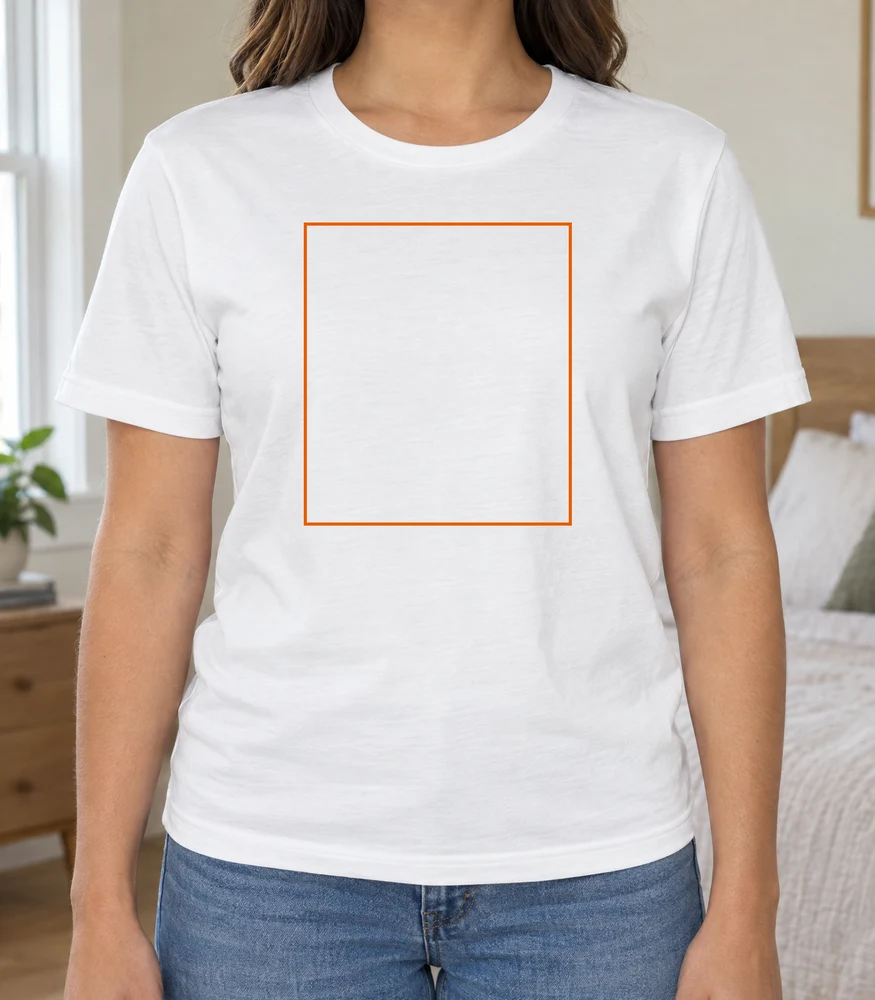 The front print area, 420 by 476 pixels on the 1,600 by 2,000 pixel photo. SudoMock library photo, 14 November 2026.
The reply carries data.mockup_id and, in data.quads, the print_area_id of the area named Front. A design is then one render request:
curl -X POST https://api.sudomock.com/api/v1/photo-mockups/MOCKUP_ID/render \-H "x-api-key: $SUDOMOCK_API_KEY" \-H "Content-Type: application/json" \-d '{"print_areas": [{ "uuid": "FRONT_AREA_ID", "artwork_url": "https://cdn.example.com/designs/botanical.png", "placement": { "fit": "fit" } }],"export_options": { "image_format": "jpg", "image_size": 1024 }}'
const response = await fetch('https://api.sudomock.com/api/v1/photo-mockups/MOCKUP_ID/render', {method: 'POST',headers: {'x-api-key': process.env.SUDOMOCK_API_KEY,'Content-Type': 'application/json',},body: JSON.stringify({"print_areas": [{"uuid": "FRONT_AREA_ID","artwork_url": "https://cdn.example.com/designs/botanical.png","placement": {"fit": "fit"}}],"export_options": {"image_format": "jpg","image_size": 1024}}),});const data = await response.json();console.log(data);
import osimport requestsresponse = requests.post("https://api.sudomock.com/api/v1/photo-mockups/MOCKUP_ID/render",headers={"x-api-key": os.environ["SUDOMOCK_API_KEY"],"Content-Type": "application/json",},json={"print_areas": [{"uuid": "FRONT_AREA_ID","artwork_url": "https://cdn.example.com/designs/botanical.png","placement": {"fit": "fit",},},],"export_options": {"image_format": "jpg","image_size": 1024,},},)print(response.json())
package mainimport ("bytes""fmt""io""net/http""os")func main() {payload := []byte(`{"print_areas": [{"uuid": "FRONT_AREA_ID","artwork_url": "https://cdn.example.com/designs/botanical.png","placement": {"fit": "fit"}}],"export_options": {"image_format": "jpg","image_size": 1024}}`)req, err := http.NewRequest("POST", "https://api.sudomock.com/api/v1/photo-mockups/MOCKUP_ID/render", bytes.NewBuffer(payload))if err != nil {panic(err)}req.Header.Set("x-api-key", os.Getenv("SUDOMOCK_API_KEY"))req.Header.Set("Content-Type", "application/json")resp, err := http.DefaultClient.Do(req)if err != nil {panic(err)}defer resp.Body.Close()body, _ := io.ReadAll(resp.Body)fmt.Println(string(body))}
<?php$payload = <<<'JSON'{"print_areas": [{"uuid": "FRONT_AREA_ID","artwork_url": "https://cdn.example.com/designs/botanical.png","placement": {"fit": "fit"}}],"export_options": {"image_format": "jpg","image_size": 1024}}JSON;$ch = curl_init('https://api.sudomock.com/api/v1/photo-mockups/MOCKUP_ID/render');curl_setopt_array($ch, [CURLOPT_CUSTOMREQUEST => 'POST',CURLOPT_RETURNTRANSFER => true,CURLOPT_HTTPHEADER => ['x-api-key: ' . getenv('SUDOMOCK_API_KEY'),'Content-Type: application/json',],CURLOPT_POSTFIELDS => $payload,]);$response = curl_exec($ch);curl_close($ch);echo $response;
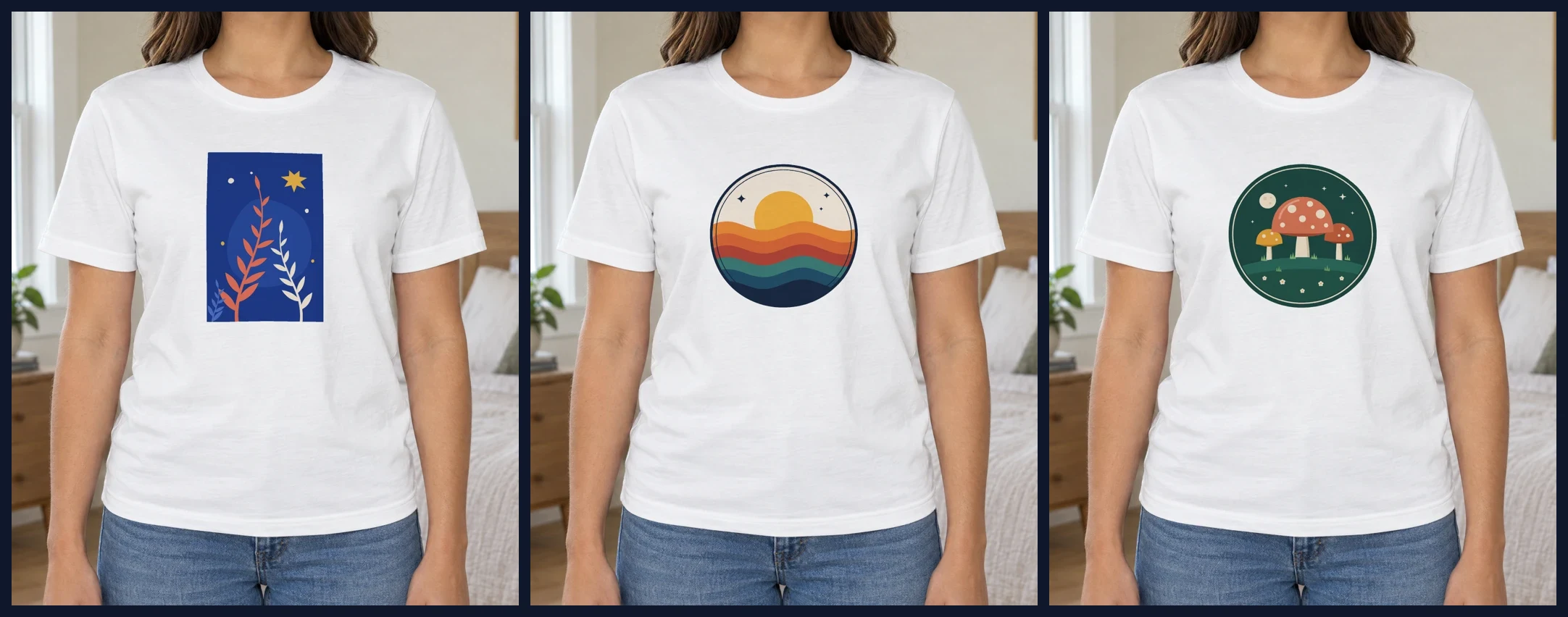 Three designs on one saved photo, each placed with fit in the front area. SudoMock renders, 14 November 2026.
A bundle with one file per shirt color becomes one photo mockup per color, and each design renders on each of them. In the browser, Start from a product photo on the Create page does the same: upload the JPG and render onto the print area the mockup comes back with, or drag its corners with Edit areas first.
Put each shop's mockups in a folder
Folders keep bought mockups apart by shop, product and color. PSD and photo mockups share one folder tree, a mockup sits in one folder, and folders nest inside each other.
In the dashboard, New folder creates one where you stand, files dropped there upload into it, and mockups move by drag and drop or Move to. Over the API, create the folder once and pass its uuid as folder_uuid on each upload or photo mockup:
curl -X POST https://api.sudomock.com/api/v1/folders \-H "x-api-key: $SUDOMOCK_API_KEY" \-H "Content-Type: application/json" \-d '{ "name": "Bella+Canvas 3001" }'
const response = await fetch('https://api.sudomock.com/api/v1/folders', {method: 'POST',headers: {'x-api-key': process.env.SUDOMOCK_API_KEY,'Content-Type': 'application/json',},body: JSON.stringify({"name": "Bella+Canvas 3001"}),});const data = await response.json();console.log(data);
import osimport requestsresponse = requests.post("https://api.sudomock.com/api/v1/folders",headers={"x-api-key": os.environ["SUDOMOCK_API_KEY"],"Content-Type": "application/json",},json={"name": "Bella+Canvas 3001",},)print(response.json())
package mainimport ("bytes""fmt""io""net/http""os")func main() {payload := []byte(`{"name": "Bella+Canvas 3001"}`)req, err := http.NewRequest("POST", "https://api.sudomock.com/api/v1/folders", bytes.NewBuffer(payload))if err != nil {panic(err)}req.Header.Set("x-api-key", os.Getenv("SUDOMOCK_API_KEY"))req.Header.Set("Content-Type", "application/json")resp, err := http.DefaultClient.Do(req)if err != nil {panic(err)}defer resp.Body.Close()body, _ := io.ReadAll(resp.Body)fmt.Println(string(body))}
<?php$payload = <<<'JSON'{"name": "Bella+Canvas 3001"}JSON;$ch = curl_init('https://api.sudomock.com/api/v1/folders');curl_setopt_array($ch, [CURLOPT_CUSTOMREQUEST => 'POST',CURLOPT_RETURNTRANSFER => true,CURLOPT_HTTPHEADER => ['x-api-key: ' . getenv('SUDOMOCK_API_KEY'),'Content-Type: application/json',],CURLOPT_POSTFIELDS => $payload,]);$response = curl_exec($ch);curl_close($ch);echo $response;
GET /api/v1/psd-mockups?folder_uuid=FOLDER_UUID lists one folder, and POST /api/v1/folders/move moves mockups and whole folders in one call. Moving a mockup never changes its id, so a script or an assistant that renders it keeps working. The folders guide covers nesting and folder names.
Render every design on a folder of PSDs
With one shop's bundle in one folder, the catalog run is a single loop: list the folder, find the design smart object in each PSD and send one render per design. The script below does that for a CSV of designs and writes one JPG per design and mockup, such as botanical-bella-3001-natural.jpg.
design,artwork_urlbotanical,https://cdn.example.com/designs/botanical.pngsunset,https://cdn.example.com/designs/sunset-waves.png
Set FOLDER_UUID, DESIGN_LAYER (the shop's name for the design smart object, as the upload reply lists it) and the key in SUDOMOCK_API_KEY, then run python etsy_mockups.py designs.csv.
import csv, os, re, sys, timeimport requestsAPI = "https://api.sudomock.com/api/v1"HEADERS = {"x-api-key": os.environ["SUDOMOCK_API_KEY"]}FOLDER_UUID = "FOLDER_UUID" # the shop's folderDESIGN_LAYER = "print_area" # the shop's name for the design smart objectdef folder_mockups():mockups, offset = [], 0while True:res = requests.get(f"{API}/psd-mockups", headers=HEADERS, timeout=60,params={"folder_uuid": FOLDER_UUID, "limit": 100, "offset": offset})res.raise_for_status()page = res.json()["data"]["mockups"]mockups += pageif len(page) < 100:return mockupsoffset += 100def render(body):res = requests.post(f"{API}/renders", json=body, headers=HEADERS, timeout=120)if res.status_code == 429:time.sleep(int(res.headers.get("Retry-After", 5)))res = requests.post(f"{API}/renders", json=body, headers=HEADERS, timeout=120)return resdef slug(text):return re.sub(r"[^a-z0-9]+", "-", text.lower()).strip("-")mockups = folder_mockups()with open(sys.argv[1], newline="") as f:designs = list(csv.DictReader(f))for mockup in mockups:slot = next((so for so in mockup["smart_objects"] if so["name"] == DESIGN_LAYER), None)if slot is None:print(mockup["name"], "skipped: no smart object named", DESIGN_LAYER)continuefor row in designs:body = {"mockup_uuid": mockup["uuid"],"smart_objects": [{"uuid": slot["uuid"], "asset": {"url": row["artwork_url"], "fit": "fit"}}],"export_options": {"image_format": "jpg", "image_size": 1024},}res = render(body)name = f"{row['design']}-{slug(mockup['name'])}.jpg"if not res.ok:print(name, "failed", res.status_code, res.text)continueimage = requests.get(res.json()["data"]["print_files"][0]["export_path"], timeout=60)if not image.ok:print(name, "download failed", image.status_code)continuewith open(name, "wb") as out:out.write(image.content)print(name, "saved")
A PSD whose design layer has another name is skipped and named in the output, so a folder that mixes shops shows which files need their own DESIGN_LAYER. The same render request runs without code from n8n, Make or Zapier, and How to Automate Etsy Product Mockups sends it from a script. The same loop over photo mockups sends the print_areas body of the previous section, and the render reference lists every field a render takes.
Let an AI assistant render a folder
Connected to SudoMock through MCP, an assistant such as Claude reads your folders, uploads a PSD from a link and renders a design on every mockup in a folder. You ask in plain words and get the image links back.
It works with the tools list_folders, list_psd_mockups filtered by folder, upload_psd, move_to_folder and render_psd_mockup; the agent setup guide lists them with their fields, and the MCP integration page shows the connection. A prompt that runs a new design across one shop's tees and files a new upload:
In SudoMock, open my folder "Bella+Canvas 3001", renderhttps://cdn.example.com/designs/botanical.png on every PSD mockup in itat 1024 pixels as jpg and give me the image links. Then uploadhttps://files.example.com/etsy/bella-3001-heather.psd and move it into the same folder.
To turn those renders into a full Etsy listing with a title, tags and a description, follow the Etsy listing generator built with Claude.
Next step
Download one bought PSD from Etsy's Purchases page, drop it into a new folder in the dashboard and render two designs on it; a bought JPG goes through Start from a product photo in Create a mockup in the browser, or Create a mockup from a product photo over the API. With no bought mockup yet, the Bella+Canvas 3001 tee template holds the Worn Front used here plus flat lay and hanger views. The upload fields are in Upload a PSD, and automate PSD mockups shows the same two requests on a library template or your own PSD.
Frequently asked questions
Do PSD mockups bought on Etsy work without Photoshop?
Yes. PSD mockups bought on Etsy and similar marketplaces work in SudoMock directly, without exception and with no customization. Upload the file as the shop sent it, and its smart objects come back under their own layer names, ready to fill. Each design is then one render request, and the output matches Photoshop's own.
What if the Etsy listing only includes a JPG?
Save the JPG once as a photo mockup; it comes back with the print area on the product already set, or with the one you pass. From then on, every design renders onto that photo with one request. A bundle with one file per color becomes one photo mockup per color.
Can I send the Etsy download link straight to the API?
No. The API fetches the file from a link that opens without signing in, and Etsy's download page needs your account. Download the files from Purchases, then drop them into the dashboard or put them on your own storage and pass that link.
Do GoldieMocksStudio mockups work in SudoMock?
Yes, whichever file the listing delivers. A layered PSD uploads as the shop sent it, and a JPG of a worn Gildan or Bella+Canvas blank becomes a reusable photo mockup. Each new design after that is one render request instead of an edit by hand.
Does moving a mockup into a folder break a running integration?
No. Moving a mockup never changes its id, so renders, webhooks and integrations that use it keep working. PSD and photo mockups share the same folders, and folders can sit inside other folders.
Sources
- How to Download a Digital Item (opens in new tab), Etsy Help
- Upload a PSD (opens in new tab), SudoMock docs
- Preparing a PSD (opens in new tab), SudoMock docs
- Render a PSD mockup (opens in new tab), SudoMock docs
- Create a mockup from a product photo (opens in new tab), SudoMock docs
- Render a photo mockup (opens in new tab), SudoMock docs
- Folders (opens in new tab), SudoMock docs
- Connect an agent (opens in new tab), SudoMock docs
- How to Manage Your Digital Listings (opens in new tab), Etsy Help
- Create a mockup in the browser (opens in new tab), SudoMock docs
Beck
CTO
Related articles
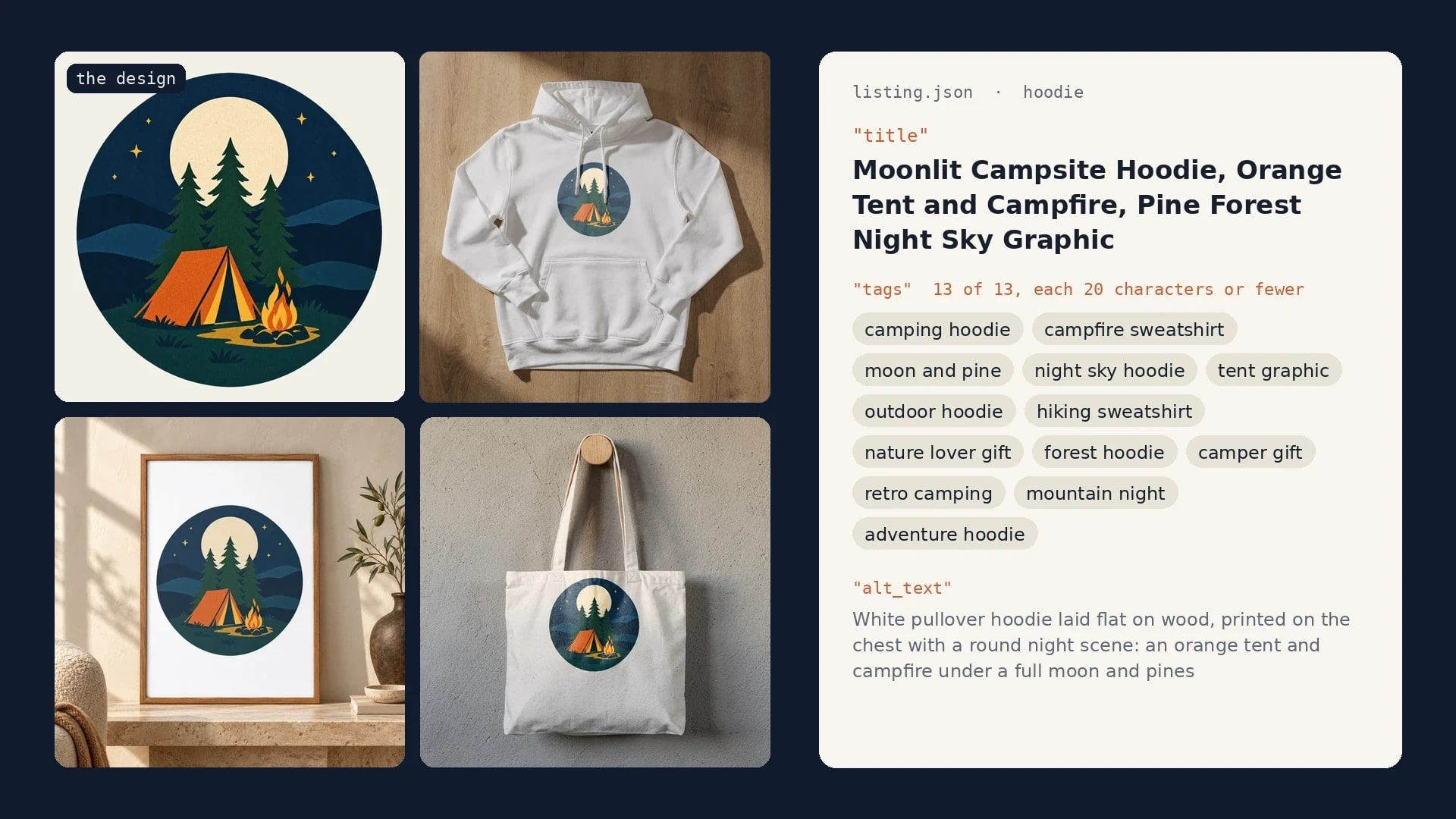
Etsy Listing Generator: Build Your Own With Claude and SudoMock
One design in, a full Etsy listing out: photos rendered on your own templates, then the title, tags and alt text Claude writes from them.
10 min read
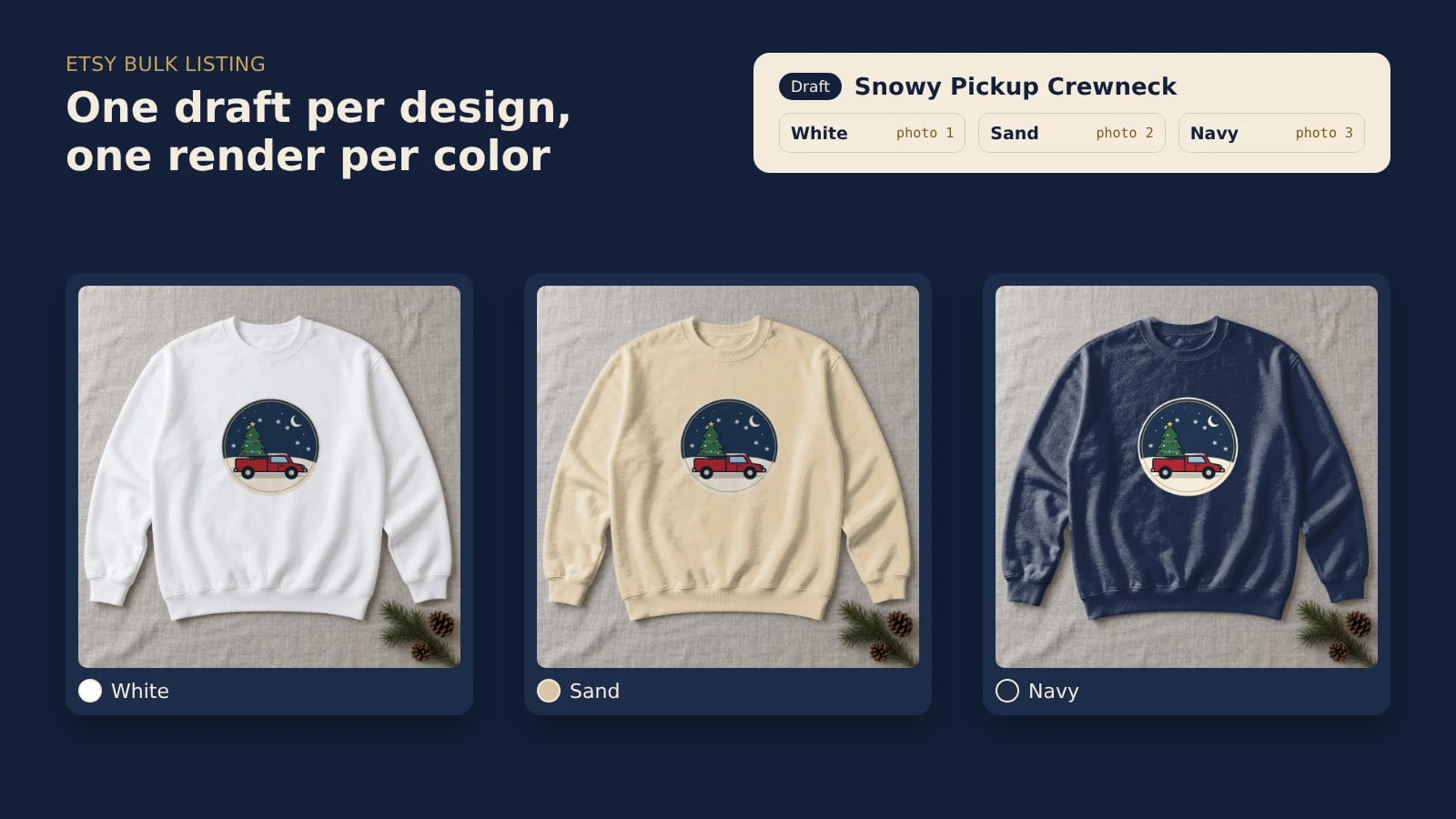
Etsy Bulk Listing: Draft a Whole Drop With a Mockup per Color
Put a whole holiday drop on Etsy as drafts, with one mockup per color rendered from your own template and linked to its color option.
8 min read
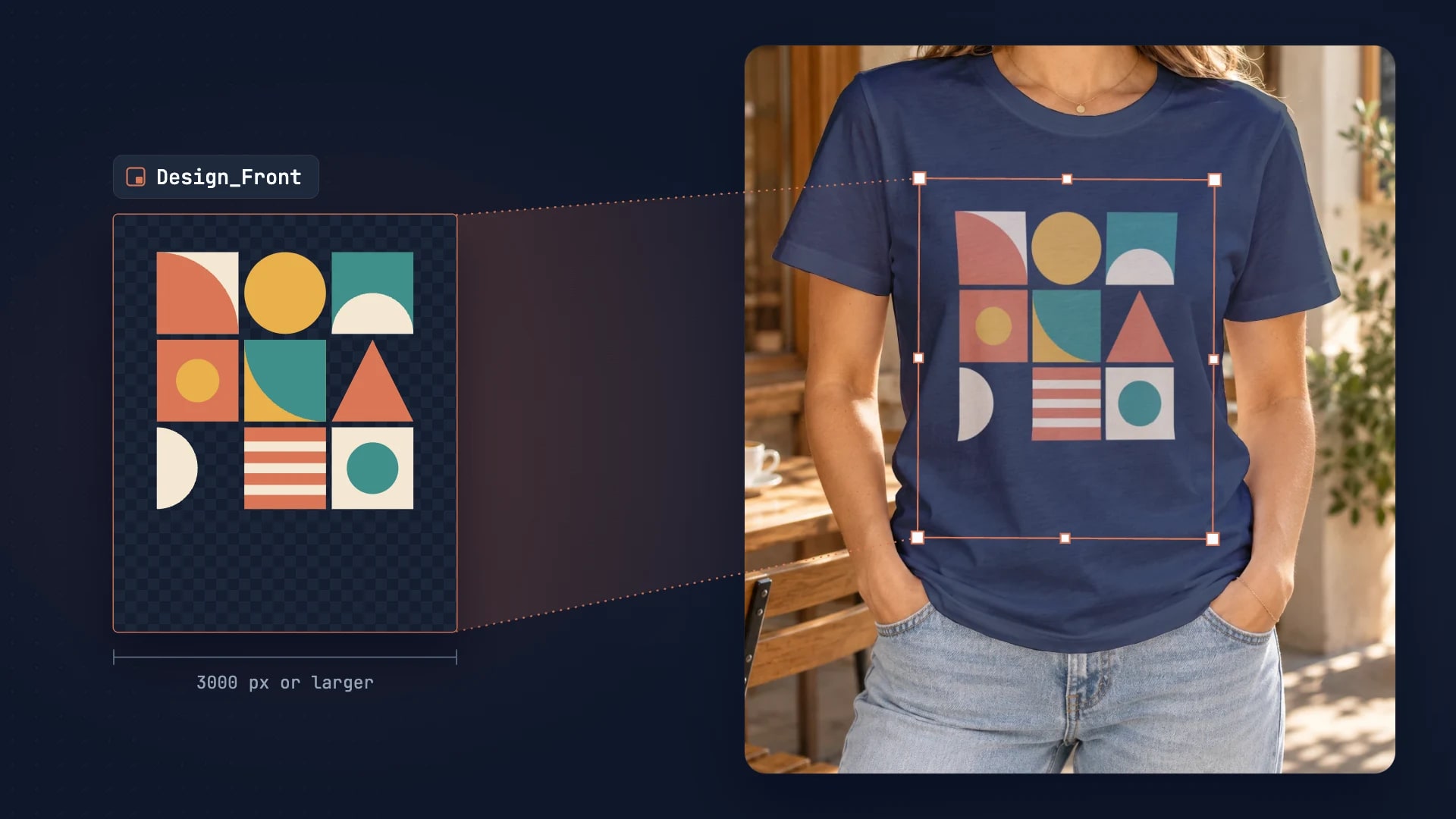
PSD Mockup Template Guide: Best Practices for Automation
Learn how to create API-ready PSD mockup templates. Complete guide covering dimensions, Smart Object setup, layer naming, blend modes, and optimization for automation.
7 min read
Explore by use case
See SudoMock in action for your specific product category
Your own PSD, rendered via API
Render your own PSD through the API. Start with 500 one-time credits, no card.