

Request the deletion
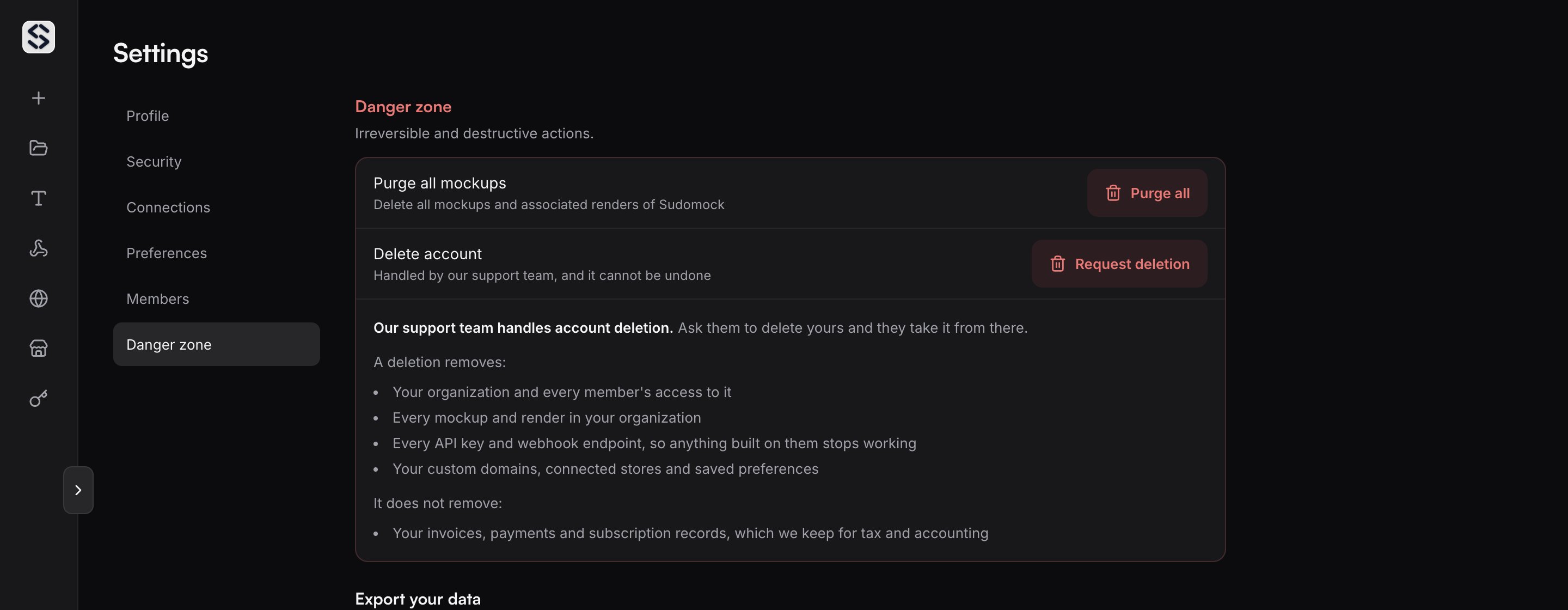
Open Settings and go to the Danger zone tab. Select Request deletion, typeDELETE to confirm, and the screen
points you to support. Write to hello@sudomock.com from the address on the
account, so we can match the request to it.
What a deletion removes
- Your organization and every member’s access to it
- Every mockup and render in your organization
- Every API key and webhook endpoint, so anything built on them stops working
- Your custom domains, connected stores and saved preferences
What stays with us
Invoices, payments and subscription records are kept for tax and accounting. Everything else on the list above is gone.Before you send the request
The same tab carries an Export your data section. Request data export there opens your email client with a filled-in request for your mockups and render history, API usage logs, billing and transaction history, and account settings. Nothing leaves your account until you send that message yourself. Send it first if you want a copy, because a deleted account cannot be exported afterwards. If a subscription is running, cancel it on the Billing page first, or say so in your deletion message and support ends the subscription along with the account.Smaller steps that stop short of deletion
Purge all mockups. In the Danger zone, an organization owner can delete every mockup, smart object configuration and render of the organization in one action. The account, its keys and its plan stay. Leave organization. A member who is not the owner leaves from the Members tab in Settings. Access ends right away, and the owner can invite them back.After the deletion
Support confirms once it is done, and nothing is left on our side to undo it with. Coming back later means a new account, started from scratch.Learn more
- How to cancel a subscription for what a plan ending does to credits and saved templates.
- API keys for revoking a single key without ending the account.
- Members for removing someone from an organization, or leaving one.