eBay Photo Requirements: The Picture Policy and a Render Set per Color
eBay asks for at least one photo of 500 pixels on the longest side, recommends about 1600 x 1600, takes up to 24 and bars added borders, text, artwork, marketing material and watermarks. For print on demand, render the design on the blank you ship, clean, with one picture set per color.
Published 6 min readBeck
Key takeaways
- eBay's stock photo ban names used, damaged or defective items; a new item is judged on accuracy.
- The first picture of each color's set is the gallery photo buyers see when they filter by color.
- Shipping, sizes, prices and promotions go in the listing text, never on the photo.
What eBay's picture policy allows
eBay's Picture policy, read on 15 November 2026, requires at least one photo that is 500 pixels on its longest side. It then lists six kinds of photo that are not allowed:
- Photos that don't accurately represent the item
- Placeholder images used to convey messages
- Stock photos for used, damaged, or defective items
- Photos with added borders
- Photos with added text, artwork or marketing material
- Watermarks of any type, including those used for ownership attributions
The same page names what eBay may do with a listing that breaks the policy: remove the listing or other content, issue a warning, restrict activity or suspend the account.
Size, count and file type of each photo
eBay's Adding pictures to your listings page, read on 15 November 2026, sets the numbers below. It also asks sellers not to add "graphics to images such as badges, logos, copyright notices or watermarks", which it says "can affect your listing's placement in search results".
| What | eBay's figure |
|---|---|
| Photos per listing | Up to 24 |
| Smallest photo | 500 x 500 pixels |
| Recommended photo | About 1600 x 1600 pixels |
| File size | Up to 12 MB each |
| File types | JPEG, PNG, GIF, TIFF, BMP, WEBP, HEIC or AVIF |
The same page calls white backgrounds "generally best" and asks for an uncluttered space against a neutral backdrop.
Where a rendered photo fits a print on demand listing
A print on demand shirt is a new item made after the order, so its photo shows the design on the blank and color the buyer receives. eBay's stock photo ban names used, damaged or defective items; for a new item the rule that matters is accuracy.
Three habits keep a rendered photo close to eBay's words. Render on the blank you ship, with each hex taken from that blank's color chart. Place the design where your provider prints it, at the size of the print file. Keep the image clean: shipping, sizes, prices and promotions belong in the title, item specifics and description, never on the photo. On a single listing, eBay's pictures page adds that "your main photos should not include any variations", so a one-color listing shows that color only.
One picture set per color
In a listing with color variations, each color can carry its own pictures beside the listing's shared set. eBay's developer guide to multiple-variation listings, read on 15 November 2026, says the pictures are tied to one variation detail such as Color, each set can hold as many pictures as the listing itself, and "the first picture in each variation picture set is used as the gallery picture for that set."
That makes the first render of each color the photo buyers see when they filter by that color. When a buyer picks a color on the listing, eBay moves the focus to that color's pictures. Here is the first picture of five sets, one design shown front and back on a tee flat lay:
| Color | First picture of the set |
|---|---|
| White | 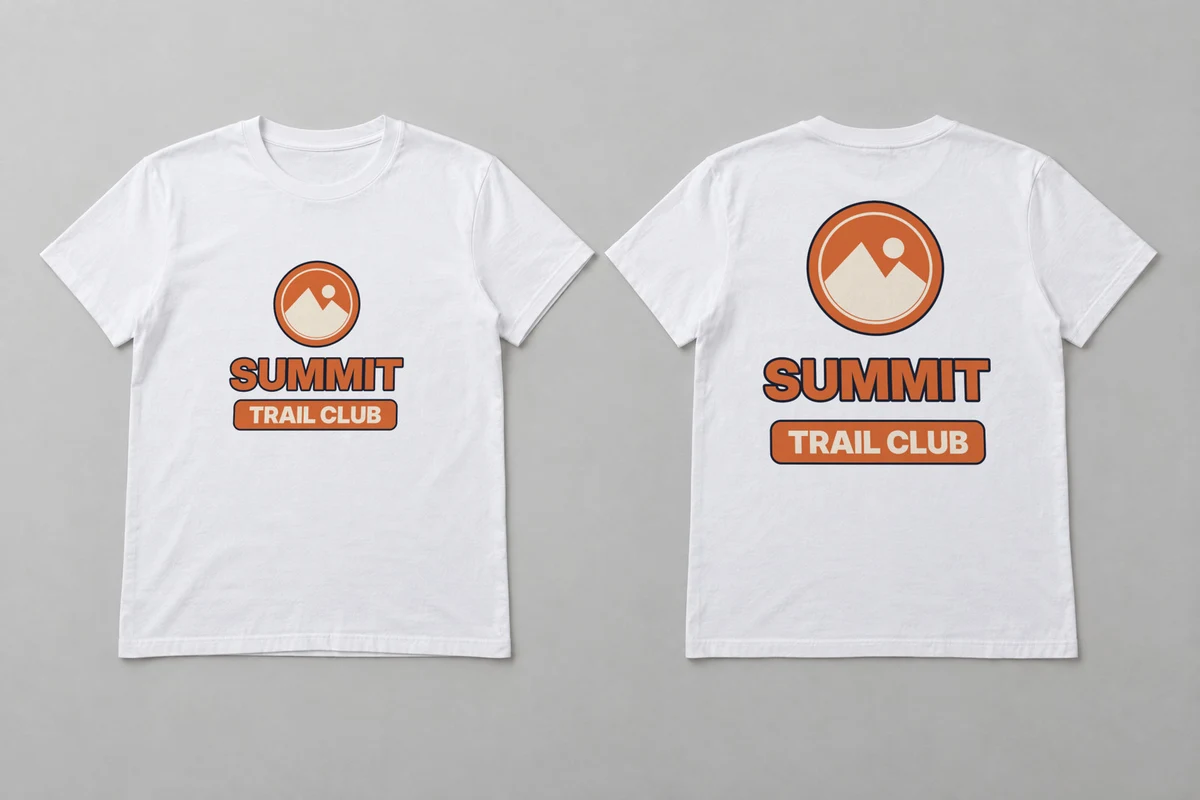 |
| Black #1B1B1D | 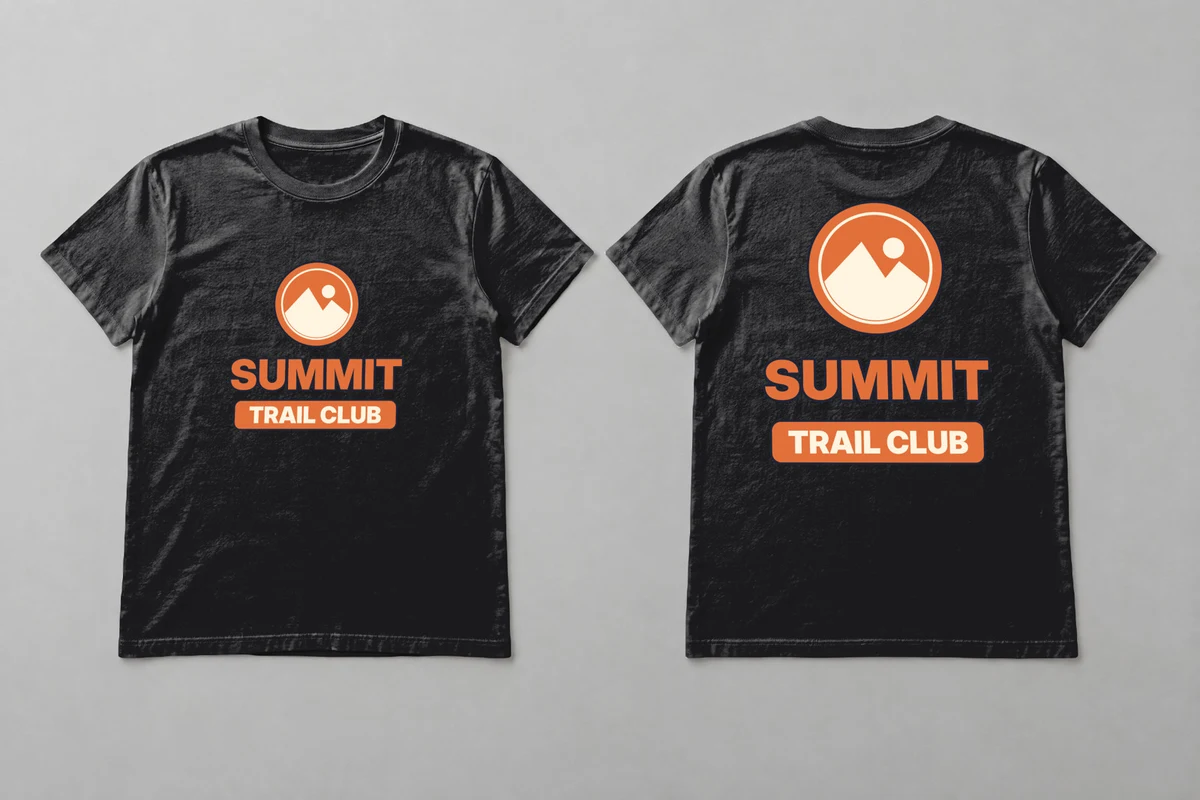 |
| Navy #1F2537 | 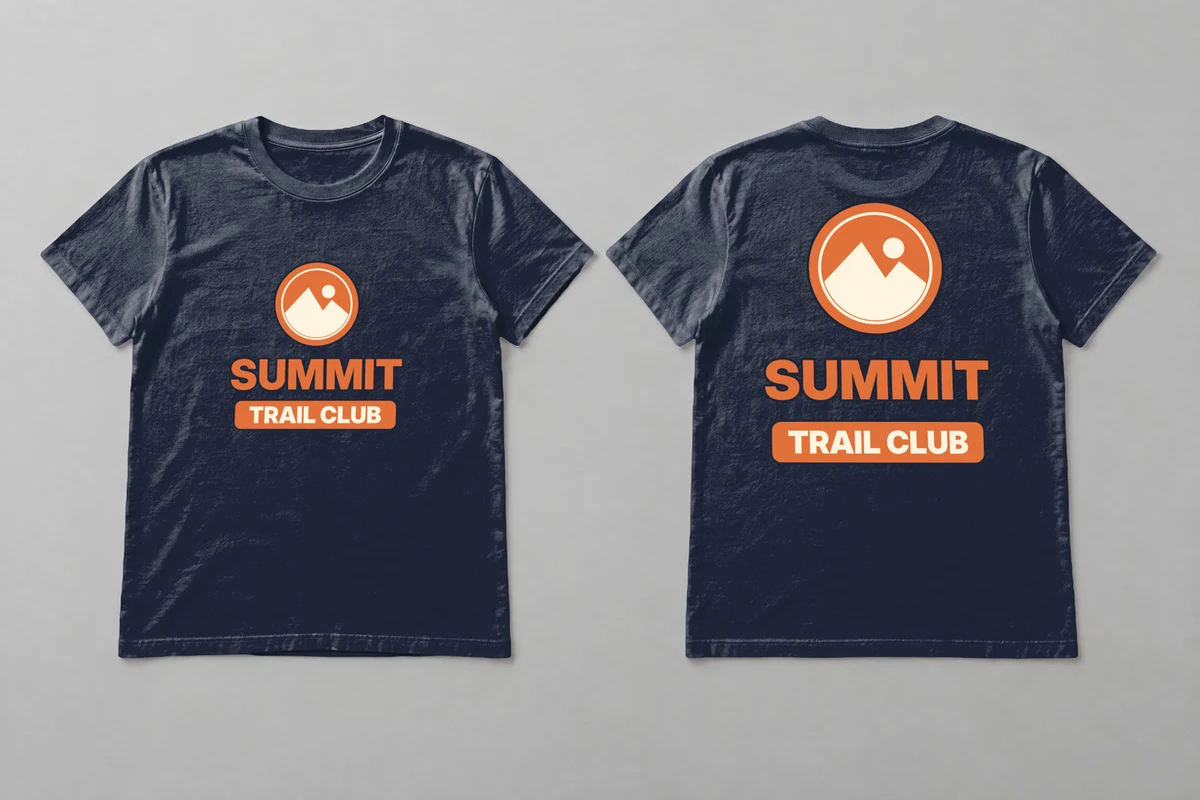 |
| Sport grey #A3A5A7 | 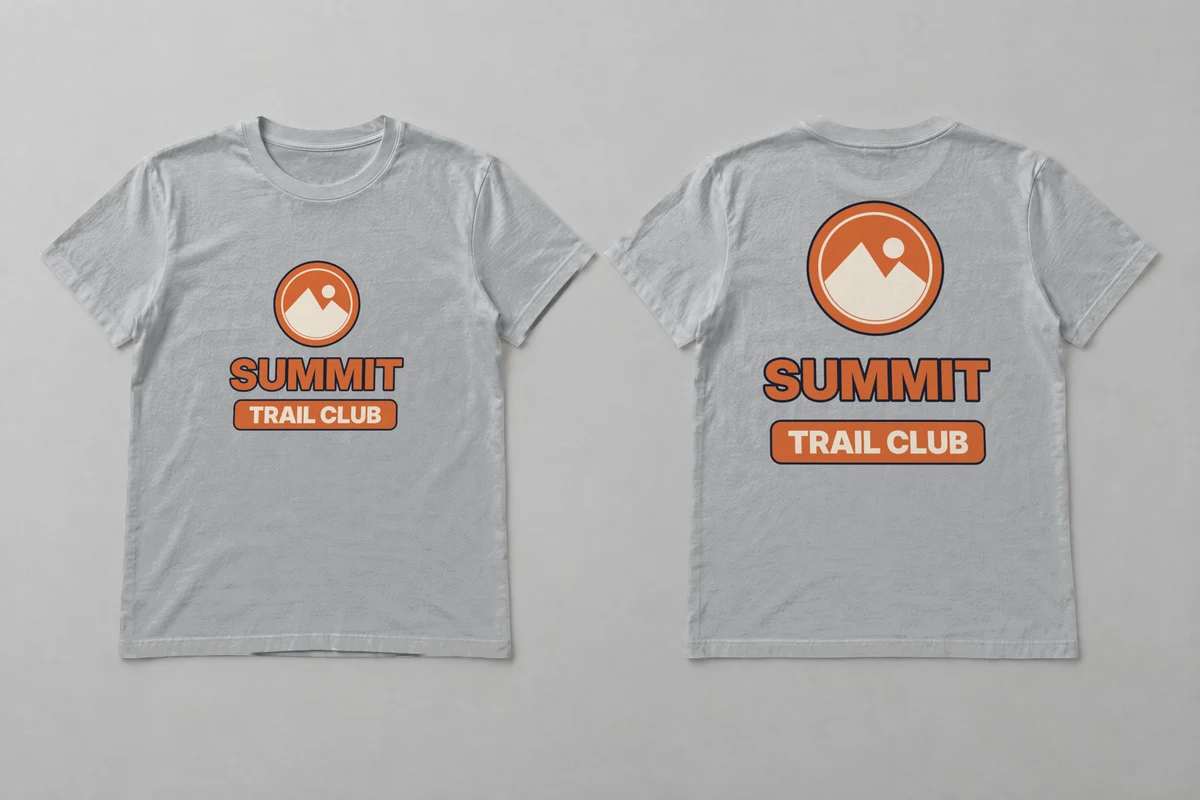 |
| Forest green #273D30 | 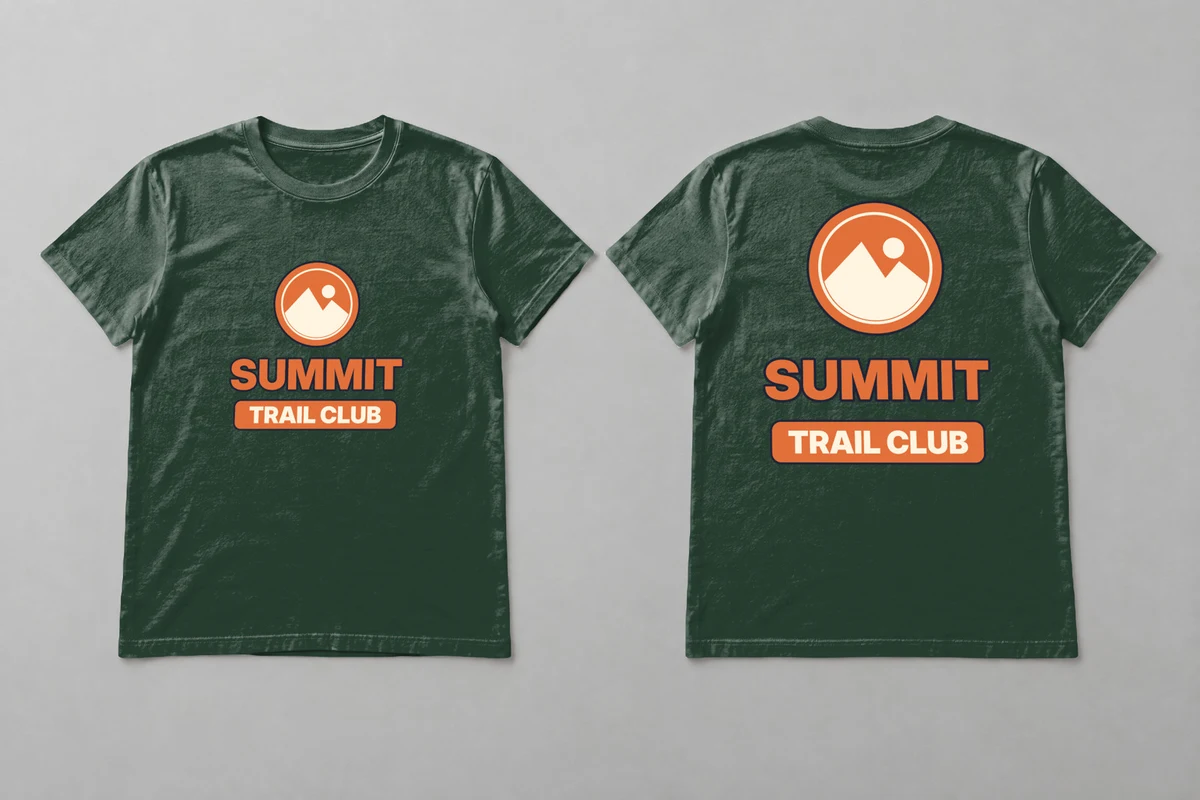 |
All five are SudoMock renders made on 15 November 2026 from one generated white flat lay photo of a front and a back; the black, navy and forest green renders print the artwork in its file colors.
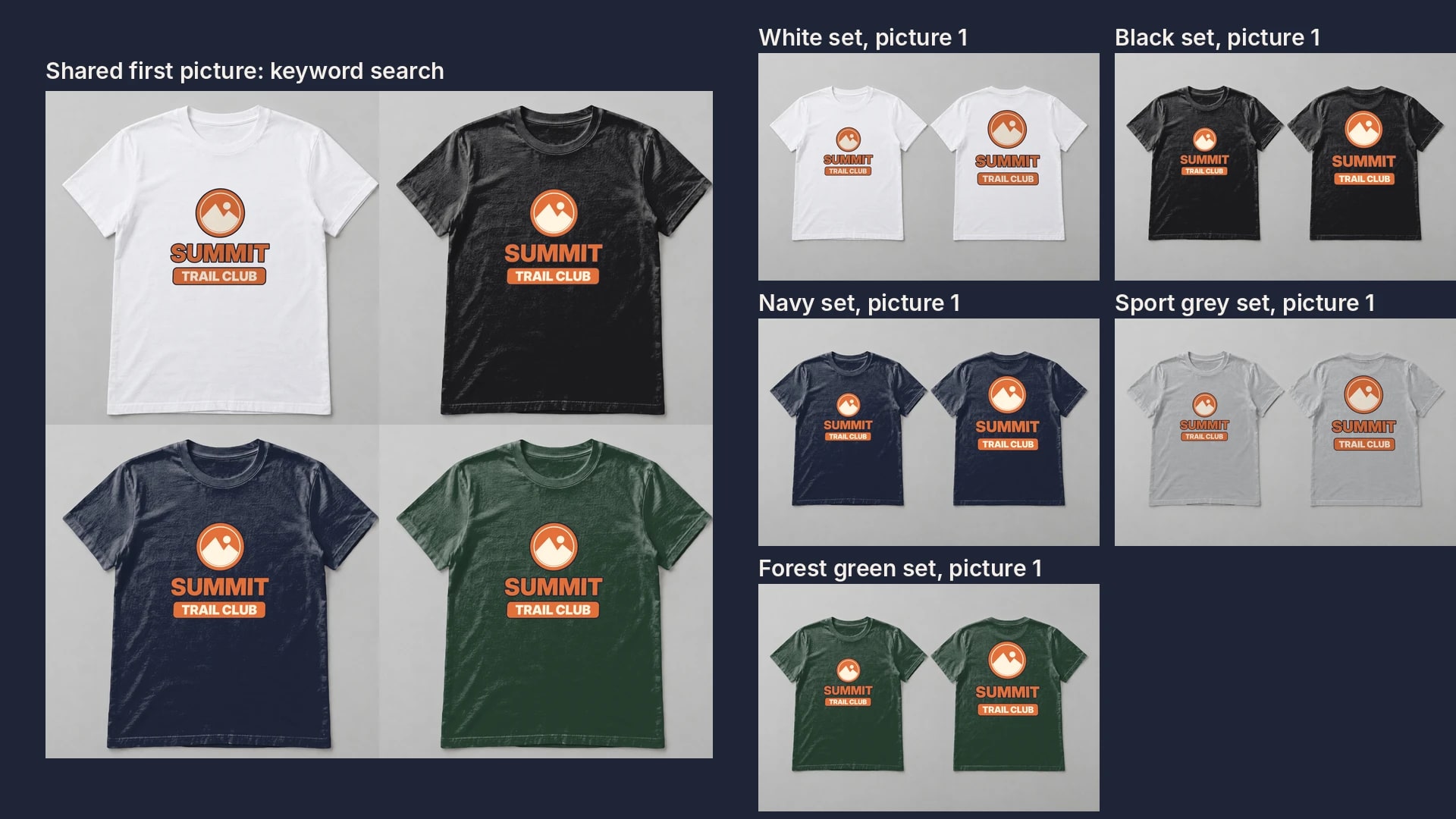
In a keyword search eBay shows the listing's shared first picture instead. The same guide notes that "it can be helpful to use a picture that conveys information about multiple variations" and gives the example "include several representative shirts in a single picture." Four of the color renders in one square image fill that slot:
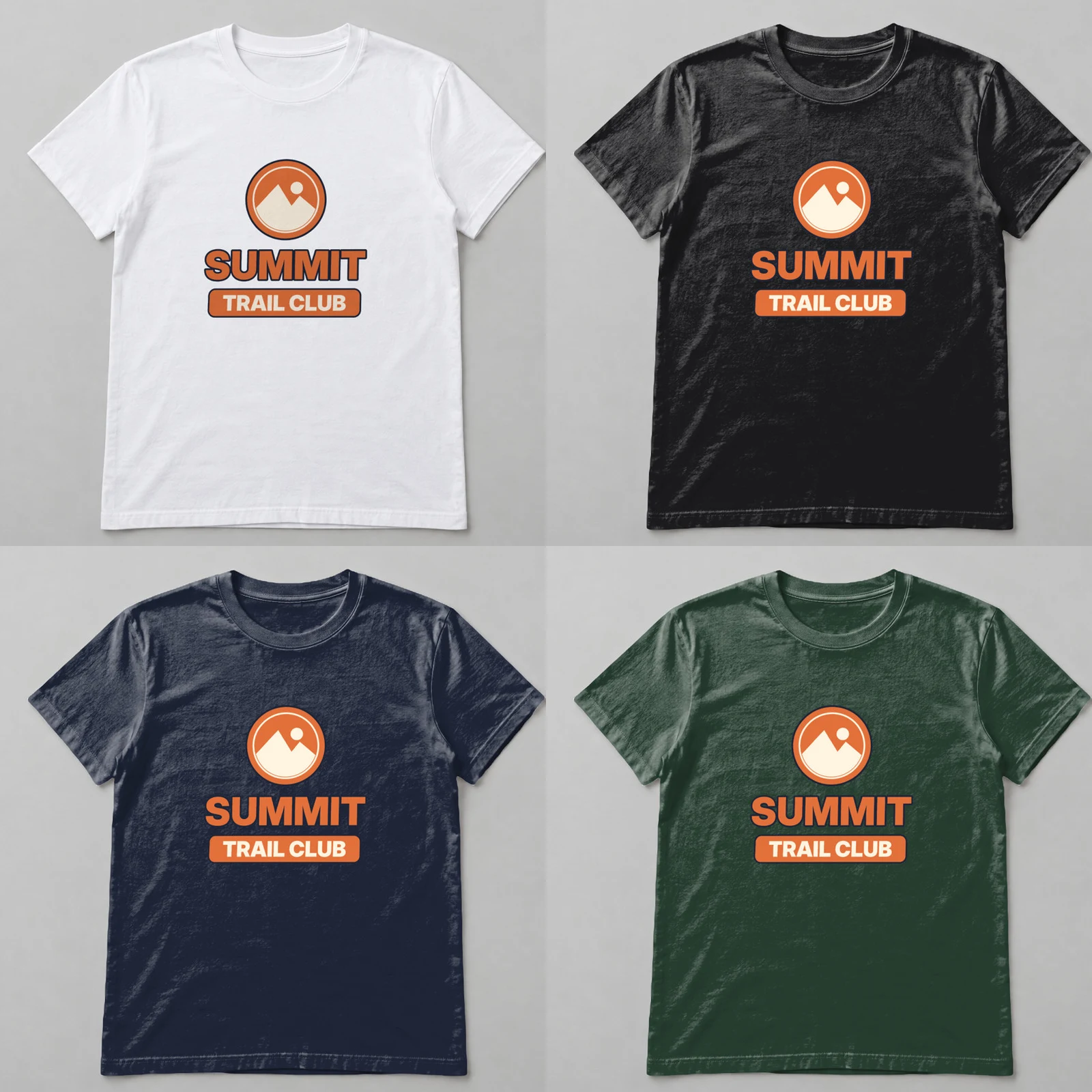 The listing's shared first picture: four color renders in one 1600 by 1600 image. SudoMock renders, 15 November 2026.
Render one color of the set
Each color's first picture is one request on the photo mockup from front and back t-shirt mockups: the two surfaces take the color's hex and the two areas take the front and back files.
curl -X POST https://api.sudomock.com/api/v1/photo-mockups/MOCKUP_ID/render \-H "x-api-key: $SUDOMOCK_API_KEY" \-H "Content-Type: application/json" \-d '{"print_areas": [{ "surface_uuid": "FRONT_SHIRT_SURFACE_ID", "color": "#273D30" },{ "surface_uuid": "BACK_SHIRT_SURFACE_ID", "color": "#273D30" },{"uuid": "FRONT_AREA_ID","artwork_url": "https://cdn.example.com/designs/summit-front.png","placement": { "fit": "fit" },"adjustments": { "blend_mode": "normal" }},{"uuid": "BACK_AREA_ID","artwork_url": "https://cdn.example.com/designs/summit-back.png","placement": { "fit": "fit" },"adjustments": { "blend_mode": "normal" }}],"export_options": { "image_format": "jpg", "image_size": 1024 }}'
const response = await fetch('https://api.sudomock.com/api/v1/photo-mockups/MOCKUP_ID/render', {method: 'POST',headers: {'x-api-key': process.env.SUDOMOCK_API_KEY,'Content-Type': 'application/json',},body: JSON.stringify({"print_areas": [{"surface_uuid": "FRONT_SHIRT_SURFACE_ID","color": "#273D30"},{"surface_uuid": "BACK_SHIRT_SURFACE_ID","color": "#273D30"},{"uuid": "FRONT_AREA_ID","artwork_url": "https://cdn.example.com/designs/summit-front.png","placement": {"fit": "fit"},"adjustments": {"blend_mode": "normal"}},{"uuid": "BACK_AREA_ID","artwork_url": "https://cdn.example.com/designs/summit-back.png","placement": {"fit": "fit"},"adjustments": {"blend_mode": "normal"}}],"export_options": {"image_format": "jpg","image_size": 1024}}),});const data = await response.json();console.log(data);
import osimport requestsresponse = requests.post("https://api.sudomock.com/api/v1/photo-mockups/MOCKUP_ID/render",headers={"x-api-key": os.environ["SUDOMOCK_API_KEY"],"Content-Type": "application/json",},json={"print_areas": [{"surface_uuid": "FRONT_SHIRT_SURFACE_ID","color": "#273D30",},{"surface_uuid": "BACK_SHIRT_SURFACE_ID","color": "#273D30",},{"uuid": "FRONT_AREA_ID","artwork_url": "https://cdn.example.com/designs/summit-front.png","placement": {"fit": "fit",},"adjustments": {"blend_mode": "normal",},},{"uuid": "BACK_AREA_ID","artwork_url": "https://cdn.example.com/designs/summit-back.png","placement": {"fit": "fit",},"adjustments": {"blend_mode": "normal",},},],"export_options": {"image_format": "jpg","image_size": 1024,},},)print(response.json())
package mainimport ("bytes""fmt""io""net/http""os")func main() {payload := []byte(`{"print_areas": [{"surface_uuid": "FRONT_SHIRT_SURFACE_ID","color": "#273D30"},{"surface_uuid": "BACK_SHIRT_SURFACE_ID","color": "#273D30"},{"uuid": "FRONT_AREA_ID","artwork_url": "https://cdn.example.com/designs/summit-front.png","placement": {"fit": "fit"},"adjustments": {"blend_mode": "normal"}},{"uuid": "BACK_AREA_ID","artwork_url": "https://cdn.example.com/designs/summit-back.png","placement": {"fit": "fit"},"adjustments": {"blend_mode": "normal"}}],"export_options": {"image_format": "jpg","image_size": 1024}}`)req, err := http.NewRequest("POST", "https://api.sudomock.com/api/v1/photo-mockups/MOCKUP_ID/render", bytes.NewBuffer(payload))if err != nil {panic(err)}req.Header.Set("x-api-key", os.Getenv("SUDOMOCK_API_KEY"))req.Header.Set("Content-Type", "application/json")resp, err := http.DefaultClient.Do(req)if err != nil {panic(err)}defer resp.Body.Close()body, _ := io.ReadAll(resp.Body)fmt.Println(string(body))}
<?php$payload = <<<'JSON'{"print_areas": [{"surface_uuid": "FRONT_SHIRT_SURFACE_ID","color": "#273D30"},{"surface_uuid": "BACK_SHIRT_SURFACE_ID","color": "#273D30"},{"uuid": "FRONT_AREA_ID","artwork_url": "https://cdn.example.com/designs/summit-front.png","placement": {"fit": "fit"},"adjustments": {"blend_mode": "normal"}},{"uuid": "BACK_AREA_ID","artwork_url": "https://cdn.example.com/designs/summit-back.png","placement": {"fit": "fit"},"adjustments": {"blend_mode": "normal"}}],"export_options": {"image_format": "jpg","image_size": 1024}}JSON;$ch = curl_init('https://api.sudomock.com/api/v1/photo-mockups/MOCKUP_ID/render');curl_setopt_array($ch, [CURLOPT_CUSTOMREQUEST => 'POST',CURLOPT_RETURNTRANSFER => true,CURLOPT_HTTPHEADER => ['x-api-key: ' . getenv('SUDOMOCK_API_KEY'),'Content-Type: application/json',],CURLOPT_POSTFIELDS => $payload,]);$response = curl_exec($ch);curl_close($ch);echo $response;
data.print_files[0].export_path in the response is the URL of the finished JPG. image_size sets the longer side in pixels: 1024 clears eBay's 500-pixel minimum, and 1600 gives the longer side eBay recommends. The average SudoMock render finishes in under a second. The target and placement fields are in the render reference.
Every design in every color, named for upload
A short script turns a CSV of designs into one file per design and color, named so each color's files sort together in the folder you upload from. Each row holds a SKU and the URLs of the front and back PNGs, under the headers sku, front_png and back_png.
import csv, os, sys, timeimport requestsMOCKUP = "MOCKUP_ID"SURFACES = ["FRONT_SHIRT_SURFACE_ID", "BACK_SHIRT_SURFACE_ID"]AREAS = {"front_png": "FRONT_AREA_ID", "back_png": "BACK_AREA_ID"}COLORS = {"white": None, "black": "#1B1B1D", "navy": "#1F2537", "sport-grey": "#A3A5A7", "forest-green": "#273D30"}DARK = {"black", "navy", "forest-green"}URL = f"https://api.sudomock.com/api/v1/photo-mockups/{MOCKUP}/render"HEADERS = {"x-api-key": os.environ["SUDOMOCK_API_KEY"]}def render(row, color):targets = [{"surface_uuid": s, "color": COLORS[color]} for s in SURFACES] if COLORS[color] else []for column, area in AREAS.items():entry = {"uuid": area, "artwork_url": row[column], "placement": {"fit": "fit"}}if color in DARK:entry["adjustments"] = {"blend_mode": "normal"}targets.append(entry)body = {"print_areas": targets, "export_options": {"image_format": "jpg", "image_size": 1024}}res = requests.post(URL, json=body, headers=HEADERS, timeout=120)if res.status_code == 429:time.sleep(int(res.headers.get("Retry-After", 5)))res = requests.post(URL, json=body, headers=HEADERS, timeout=120)if not res.ok:return f"{row['sku']} {color} failed {res.status_code} {res.text}"image = requests.get(res.json()["data"]["print_files"][0]["export_path"], timeout=60)if not image.ok:return f"{row['sku']} {color} download failed {image.status_code}"name = f"{row['sku']}-{color}-1-front-back.jpg"with open(name, "wb") as f:f.write(image.content)return f"{name} saved"with open(sys.argv[1], newline="") as f:for row in csv.DictReader(f):for color in COLORS:print(render(row, color))
Run it with python ebay_sets.py designs.csv after exporting your key as SUDOMOCK_API_KEY. Each file name starts with the SKU and the color, and the 1 marks it as the first picture of that color's set. Teams that keep designs in a spreadsheet can run the same rows from a Make scenario on Google Sheets without code.
Next step
Open the Bella+Canvas 3001 unisex jersey tee or another of the t-shirt templates in the library as a ready photo mockup, render one design in your two best-selling colors and upload each render as the first picture of that color's set. A template shows the front and the back as separate views, so render each view per color and put both renders in that color's set, front first. A front and back photo of your own blank, saved with a Front and a Back area, gives the one-request set the script renders. The other marketplaces' rules sit next to this one in Etsy listing photo size and Amazon product image requirements, and the colors from one file are covered in t-shirt color variant mockups.
Frequently asked questions
What size should eBay listing photos be?
At least 500 pixels on the longest side, per eBay's Picture policy read on 15 November 2026. eBay's pictures page recommends about 1600 x 1600 pixels and accepts files up to 12 MB in JPEG, PNG, GIF, TIFF, BMP, WEBP, HEIC or AVIF.
How many photos can you put on an eBay listing?
Up to 24, according to eBay's Adding pictures to your listings page read on 15 November 2026. A listing with color variations can also carry a picture set for each color, and eBay's developer guide says each set can hold as many pictures as the listing itself.
Can you use mockups on eBay?
eBay's Picture policy, read on 15 November 2026, does not mention mockups. It asks that photos accurately represent the item, bars added borders, text, artwork, marketing material and watermarks, and bars stock photos only for used, damaged or defective items. For a print on demand item, show the design on the exact blank and color you ship, with no border, text, badge or watermark placed over the photo.
Can each color have its own photos on eBay?
Yes. In a listing with variations, pictures are tied to one variation detail such as Color, and each color gets its own set beside the shared photos. The first picture of each set is the gallery picture for that color.
Sources
- Picture policy (opens in new tab), eBay
- Adding pictures to your listings (opens in new tab), eBay
- Multiple-variation listings (opens in new tab), eBay Developers Program
- Render a photo mockup (opens in new tab), SudoMock docs
- Print areas and surfaces (opens in new tab), SudoMock docs
Beck
CTO
Related articles
Etsy Listing Photo Size: Etsy's Rules and Files That Meet Them
Etsy's listing photo rules quoted with their dates, the render width for each template shape, and real files measured against the 1 MB line.
7 min read
Amazon Product Image Requirements: The Rules and Where a Mockup Fits
Amazon's current image guide quoted rule by rule, the mockup line it dropped, and a main image render framed to the product.
12 min read
Front and Back T-Shirt Mockups: Both Prints in One Render
Put the chest badge and the back print of every design pair on one mockup, in every shirt color, with one render request each.
6 min read
Explore by use case
See SudoMock in action for your specific product category
Your own PSD, rendered via API
Render your own PSD through the API. Start with 500 one-time credits, no card.