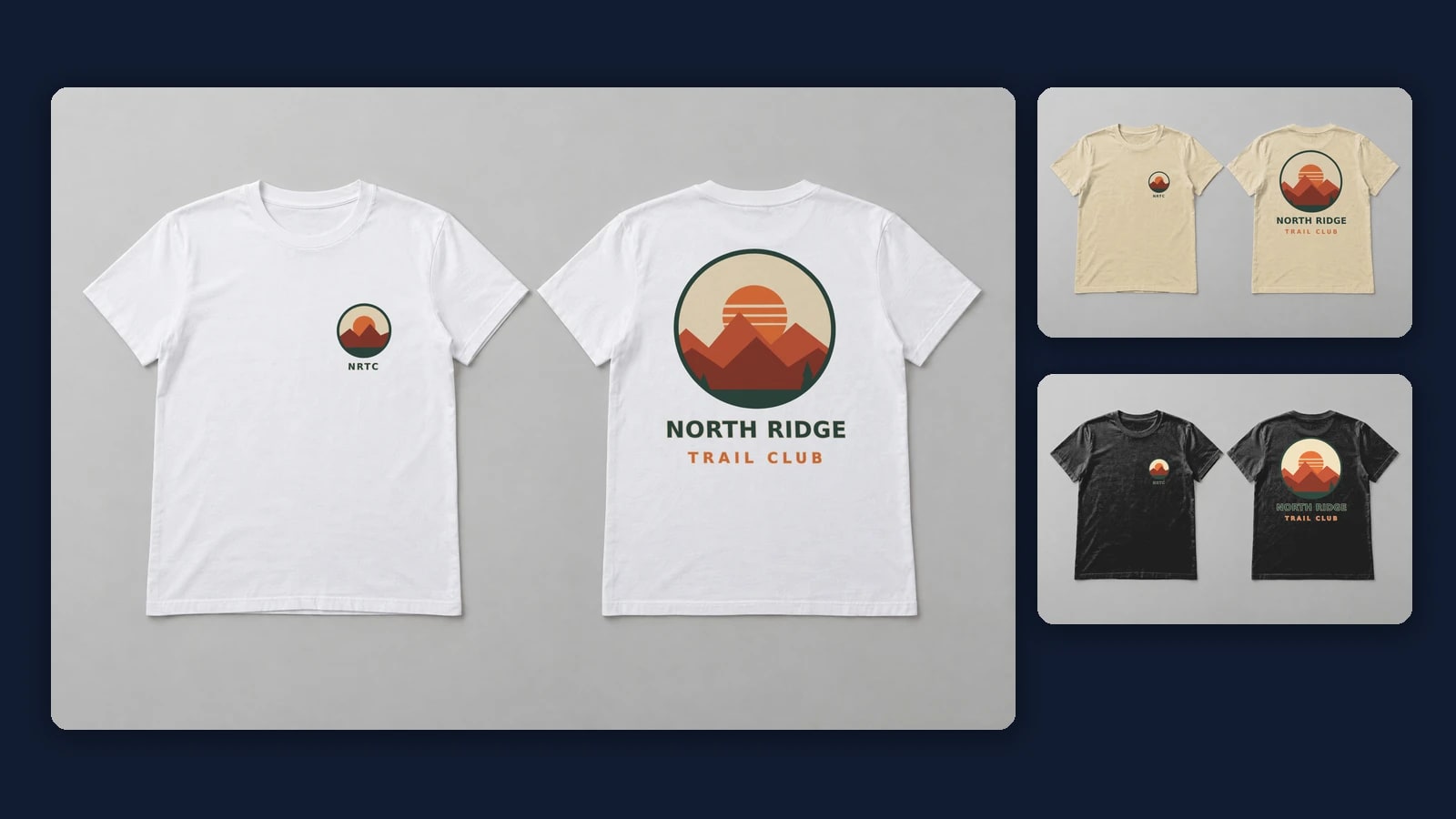
Front and Back T-Shirt Mockups: Both Prints in One Render
Put each side on its own print area, then send one render request per design pair and shirt color that fills both. On one photo of both sides that means a print area per side and the color on each shirt; on your own PSD, a smart object per side and one for the color.
Published 6 min readBeck
Key takeaways
- Keep each design pair on one CSV row so a front never meets the wrong back.
- Draw the Front and Back areas once; every later pair reuses the same IDs.
- On a dark shirt, blend_mode normal keeps the print's colors as in the file.
What a front and back mockup needs
A front and back mockup needs a template where the front and the back are separate areas, so the chest file and the back file each have a place to go.
How the template shows the two sides decides how many requests a design pair costs:
| Template | Where the two sides appear | Requests per design pair and shirt color |
|---|---|---|
| Your PSD with a front and a back smart object | One image | 1 |
| One product photo of both sides, a print area on each | One image | 1 |
| Two separate views of the shirt, a front view and a back view | Two images | 2, one per view |
The front and back templates in the mockup library cover t-shirts, long sleeves and sweatshirts. Sets such as the Gildan 5000 tee template show the shirt as separate views, among them Worn Front and Worn Back.
Draw two print areas on one photo of both sides
Create the photo mockup once and list both areas, each with four corner points and a name. Areas you send are used exactly as drawn, so the chest print and the back print land where you put them on every later render.
curl -X POST https://api.sudomock.com/api/v1/photo-mockups \-H "x-api-key: $SUDOMOCK_API_KEY" \-H "Content-Type: application/json" \-d '{"name": "Tee front and back flat lay","source_url": "https://cdn.example.com/blank-tee-front-back.png","print_areas": [{ "name": "Front", "points": [[353, 480], [857, 480], [857, 1051], [353, 1051]] },{ "name": "Back", "points": [[1431, 360], [1935, 360], [1935, 931], [1431, 931]] }]}'
const response = await fetch('https://api.sudomock.com/api/v1/photo-mockups', {method: 'POST',headers: {'x-api-key': process.env.SUDOMOCK_API_KEY,'Content-Type': 'application/json',},body: JSON.stringify({"name": "Tee front and back flat lay","source_url": "https://cdn.example.com/blank-tee-front-back.png","print_areas": [{"name": "Front","points": [[353,480],[857,480],[857,1051],[353,1051]]},{"name": "Back","points": [[1431,360],[1935,360],[1935,931],[1431,931]]}]}),});const data = await response.json();console.log(data);
import osimport requestsresponse = requests.post("https://api.sudomock.com/api/v1/photo-mockups",headers={"x-api-key": os.environ["SUDOMOCK_API_KEY"],"Content-Type": "application/json",},json={"name": "Tee front and back flat lay","source_url": "https://cdn.example.com/blank-tee-front-back.png","print_areas": [{"name": "Front","points": [[353,480,],[857,480,],[857,1051,],[353,1051,],],},{"name": "Back","points": [[1431,360,],[1935,360,],[1935,931,],[1431,931,],],},],},)print(response.json())
package mainimport ("bytes""fmt""io""net/http""os")func main() {payload := []byte(`{"name": "Tee front and back flat lay","source_url": "https://cdn.example.com/blank-tee-front-back.png","print_areas": [{"name": "Front","points": [[353,480],[857,480],[857,1051],[353,1051]]},{"name": "Back","points": [[1431,360],[1935,360],[1935,931],[1431,931]]}]}`)req, err := http.NewRequest("POST", "https://api.sudomock.com/api/v1/photo-mockups", bytes.NewBuffer(payload))if err != nil {panic(err)}req.Header.Set("x-api-key", os.Getenv("SUDOMOCK_API_KEY"))req.Header.Set("Content-Type", "application/json")resp, err := http.DefaultClient.Do(req)if err != nil {panic(err)}defer resp.Body.Close()body, _ := io.ReadAll(resp.Body)fmt.Println(string(body))}
<?php$payload = <<<'JSON'{"name": "Tee front and back flat lay","source_url": "https://cdn.example.com/blank-tee-front-back.png","print_areas": [{"name": "Front","points": [[353,480],[857,480],[857,1051],[353,1051]]},{"name": "Back","points": [[1431,360],[1935,360],[1935,931],[1431,931]]}]}JSON;$ch = curl_init('https://api.sudomock.com/api/v1/photo-mockups');curl_setopt_array($ch, [CURLOPT_CUSTOMREQUEST => 'POST',CURLOPT_RETURNTRANSFER => true,CURLOPT_HTTPHEADER => ['x-api-key: ' . getenv('SUDOMOCK_API_KEY'),'Content-Type: application/json',],CURLOPT_POSTFIELDS => $payload,]);$response = curl_exec($ch);curl_close($ch);echo $response;
Points are pixels of the source photo, four corners per area, here from the top left going clockwise (create a mockup from a product photo). From the response keep data.mockup_id, the print_area_id of each entry in data.quads, and the surface_uuid of each shirt in data.surfaces: the areas take the artwork and the surfaces take the shirt color.
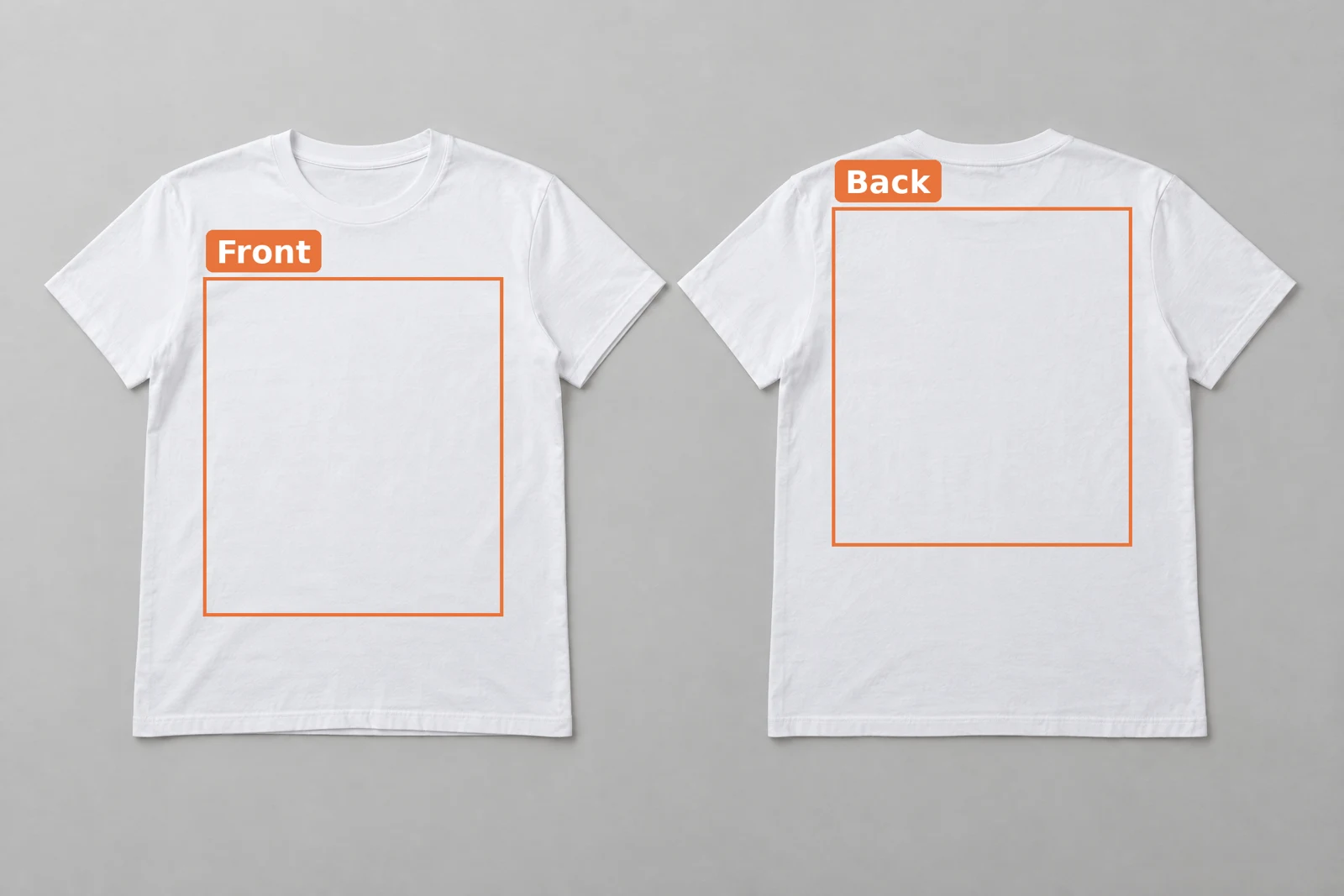 The blank photo, generated for this post, with the Front and Back print areas drawn at the same shape.
Both areas here have the same shape, so one print file size serves either side. The front area starts lower than the back one, because the front neckline dips lower than the back collar.
One request fills both sides
Each render request puts the front file on the Front area and the back file on the Back area, and for a colored shirt it adds the color to each shirt's surface. Every other color of the same pair is the same request with another hex value.
curl -X POST https://api.sudomock.com/api/v1/photo-mockups/MOCKUP_ID/render \-H "x-api-key: $SUDOMOCK_API_KEY" \-H "Content-Type: application/json" \-d '{"print_areas": [{ "surface_uuid": "FRONT_SHIRT_SURFACE_UUID", "color": "#D8C8A8" },{ "surface_uuid": "BACK_SHIRT_SURFACE_UUID", "color": "#D8C8A8" },{ "uuid": "FRONT_PRINT_AREA_ID", "artwork_url": "https://cdn.example.com/designs/north-ridge-front.png", "placement": { "fit": "fit" } },{ "uuid": "BACK_PRINT_AREA_ID", "artwork_url": "https://cdn.example.com/designs/north-ridge-back.png", "placement": { "fit": "fit" } }],"export_options": { "image_format": "jpg", "image_size": 1024, "quality": 90 }}'
const response = await fetch('https://api.sudomock.com/api/v1/photo-mockups/MOCKUP_ID/render', {method: 'POST',headers: {'x-api-key': process.env.SUDOMOCK_API_KEY,'Content-Type': 'application/json',},body: JSON.stringify({"print_areas": [{"surface_uuid": "FRONT_SHIRT_SURFACE_UUID","color": "#D8C8A8"},{"surface_uuid": "BACK_SHIRT_SURFACE_UUID","color": "#D8C8A8"},{"uuid": "FRONT_PRINT_AREA_ID","artwork_url": "https://cdn.example.com/designs/north-ridge-front.png","placement": {"fit": "fit"}},{"uuid": "BACK_PRINT_AREA_ID","artwork_url": "https://cdn.example.com/designs/north-ridge-back.png","placement": {"fit": "fit"}}],"export_options": {"image_format": "jpg","image_size": 1024,"quality": 90}}),});const data = await response.json();console.log(data);
import osimport requestsresponse = requests.post("https://api.sudomock.com/api/v1/photo-mockups/MOCKUP_ID/render",headers={"x-api-key": os.environ["SUDOMOCK_API_KEY"],"Content-Type": "application/json",},json={"print_areas": [{"surface_uuid": "FRONT_SHIRT_SURFACE_UUID","color": "#D8C8A8",},{"surface_uuid": "BACK_SHIRT_SURFACE_UUID","color": "#D8C8A8",},{"uuid": "FRONT_PRINT_AREA_ID","artwork_url": "https://cdn.example.com/designs/north-ridge-front.png","placement": {"fit": "fit",},},{"uuid": "BACK_PRINT_AREA_ID","artwork_url": "https://cdn.example.com/designs/north-ridge-back.png","placement": {"fit": "fit",},},],"export_options": {"image_format": "jpg","image_size": 1024,"quality": 90,},},)print(response.json())
package mainimport ("bytes""fmt""io""net/http""os")func main() {payload := []byte(`{"print_areas": [{"surface_uuid": "FRONT_SHIRT_SURFACE_UUID","color": "#D8C8A8"},{"surface_uuid": "BACK_SHIRT_SURFACE_UUID","color": "#D8C8A8"},{"uuid": "FRONT_PRINT_AREA_ID","artwork_url": "https://cdn.example.com/designs/north-ridge-front.png","placement": {"fit": "fit"}},{"uuid": "BACK_PRINT_AREA_ID","artwork_url": "https://cdn.example.com/designs/north-ridge-back.png","placement": {"fit": "fit"}}],"export_options": {"image_format": "jpg","image_size": 1024,"quality": 90}}`)req, err := http.NewRequest("POST", "https://api.sudomock.com/api/v1/photo-mockups/MOCKUP_ID/render", bytes.NewBuffer(payload))if err != nil {panic(err)}req.Header.Set("x-api-key", os.Getenv("SUDOMOCK_API_KEY"))req.Header.Set("Content-Type", "application/json")resp, err := http.DefaultClient.Do(req)if err != nil {panic(err)}defer resp.Body.Close()body, _ := io.ReadAll(resp.Body)fmt.Println(string(body))}
<?php$payload = <<<'JSON'{"print_areas": [{"surface_uuid": "FRONT_SHIRT_SURFACE_UUID","color": "#D8C8A8"},{"surface_uuid": "BACK_SHIRT_SURFACE_UUID","color": "#D8C8A8"},{"uuid": "FRONT_PRINT_AREA_ID","artwork_url": "https://cdn.example.com/designs/north-ridge-front.png","placement": {"fit": "fit"}},{"uuid": "BACK_PRINT_AREA_ID","artwork_url": "https://cdn.example.com/designs/north-ridge-back.png","placement": {"fit": "fit"}}],"export_options": {"image_format": "jpg","image_size": 1024,"quality": 90}}JSON;$ch = curl_init('https://api.sudomock.com/api/v1/photo-mockups/MOCKUP_ID/render');curl_setopt_array($ch, [CURLOPT_CUSTOMREQUEST => 'POST',CURLOPT_RETURNTRANSFER => true,CURLOPT_HTTPHEADER => ['x-api-key: ' . getenv('SUDOMOCK_API_KEY'),'Content-Type: application/json',],CURLOPT_POSTFIELDS => $payload,]);$response = curl_exec($ch);curl_close($ch);echo $response;
The finished image is at data.print_files[0].export_path. Leave the two surface entries out for a white shirt, and the photo keeps its own color.
Each design file is a transparent PNG at the shape of its print area, with the design where it should sit inside it. The front file here carries a small badge at its top right, so the badge lands on the wearer's left chest, and the back file fills its area with the large print.
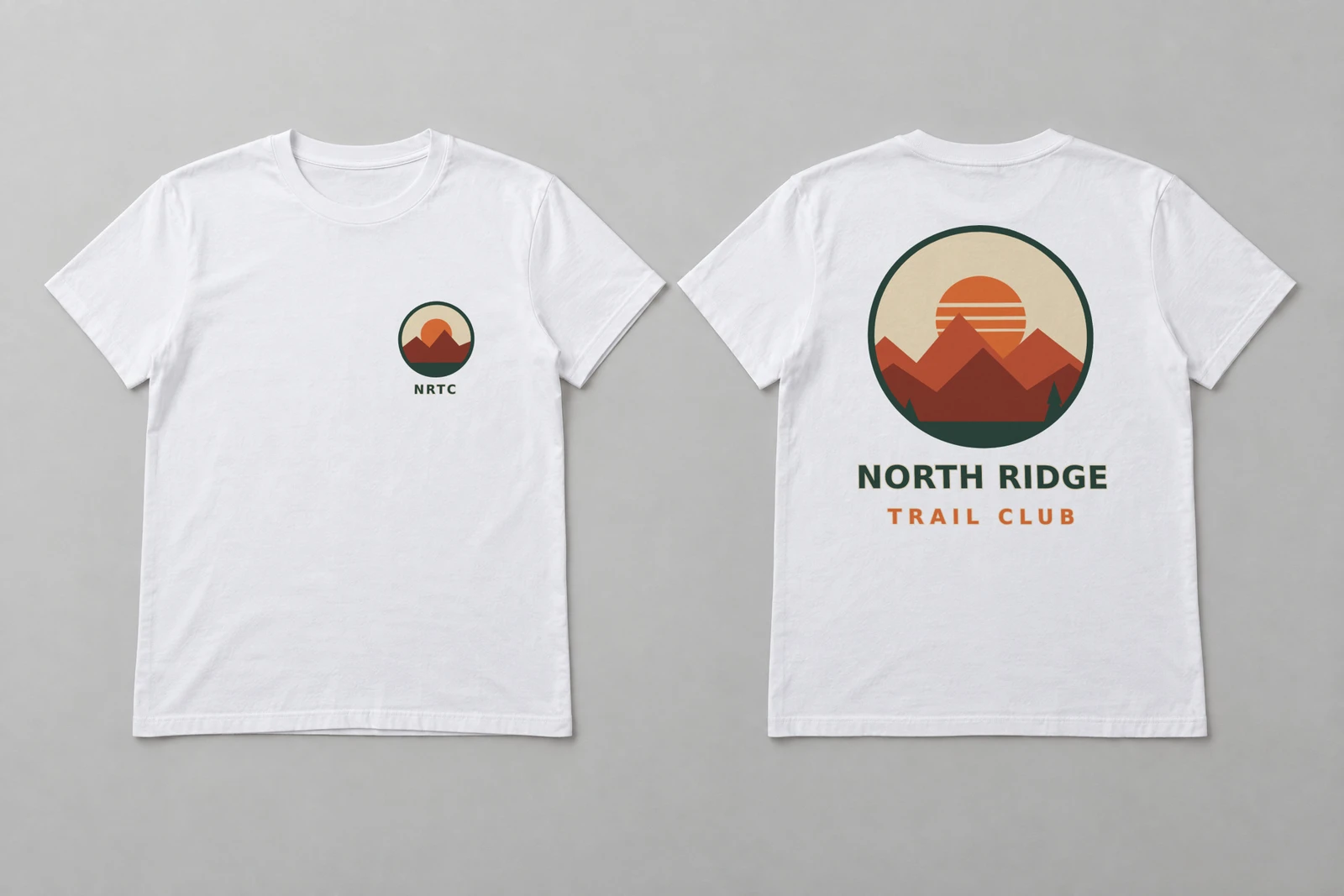 One SudoMock render: the chest badge and the back print in a single request, white shirt, 8 November 2026.
The same pair went out on sand and black as well. On a light shirt the default multiply blend keeps the fabric texture visible under the ink. The black render sets adjustments.blend_mode to normal on both print areas, which reproduces the artwork colors exactly, so the cream and orange of the design stay as they are in the file (render a photo mockup).
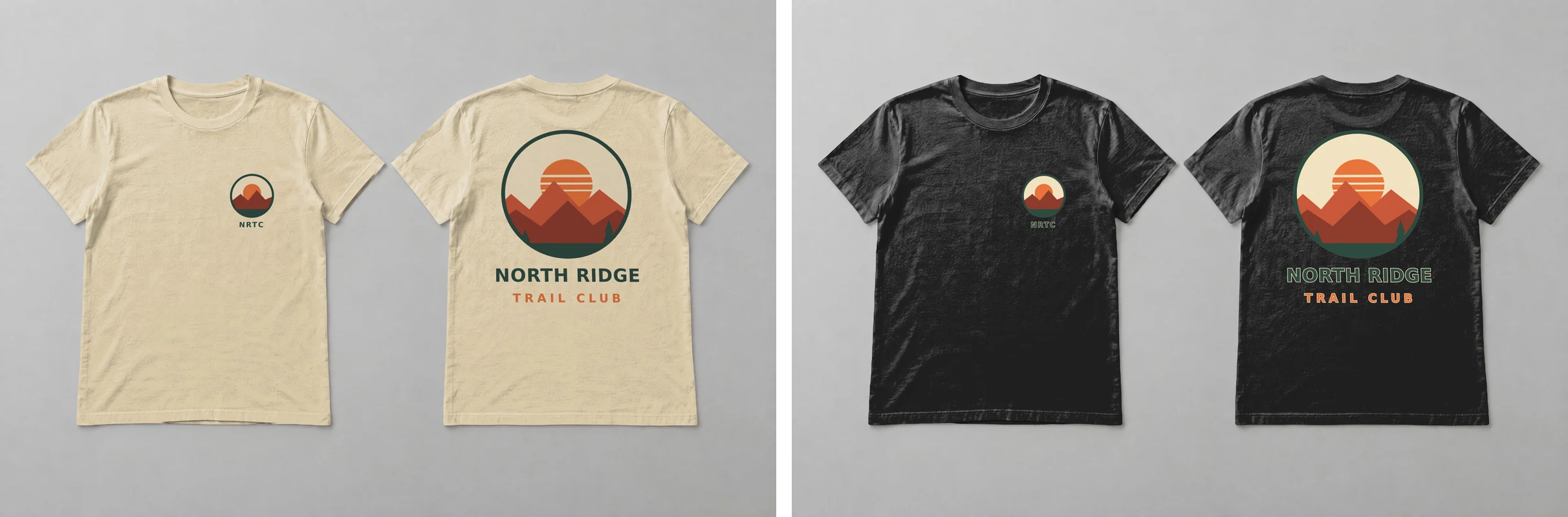 The same pair on sand (#D8C8A8) and black (#202020), one request each; the black render uses blend_mode normal.
These three renders were made on 8 November 2026, one request per color, exported as JPG with image_size 2048.
The same pair on your own PSD
A PSD with a front smart object, a back smart object and a smart object that colors the garment takes the same pair in one request: one smart_objects entry per side and one for the color. Smart objects you leave out of the request render as the designer built them.
Upload the PSD once and keep data.uuid and the uuid of each smart object listed in data.smart_objects (upload a PSD). In the dashboard, PSD uploads are capped at 300 MB. API uploads support files up to Adobe's official PSD file size limit.
curl -X POST https://api.sudomock.com/api/v1/renders \-H "x-api-key: $SUDOMOCK_API_KEY" \-H "Content-Type: application/json" \-d '{"mockup_uuid": "MOCKUP_UUID","smart_objects": [{ "uuid": "FRONT_SMART_OBJECT_UUID", "asset": { "url": "https://cdn.example.com/designs/north-ridge-front.png", "fit": "fit" } },{ "uuid": "BACK_SMART_OBJECT_UUID", "asset": { "url": "https://cdn.example.com/designs/north-ridge-back.png", "fit": "fit" } },{ "uuid": "COLOR_SMART_OBJECT_UUID", "color": { "hex": "#D8C8A8", "blending_mode": "multiply" } }],"export_options": { "image_format": "jpg", "image_size": 1024, "quality": 90 },"export_label": "north-ridge-sand"}'
const response = await fetch('https://api.sudomock.com/api/v1/renders', {method: 'POST',headers: {'x-api-key': process.env.SUDOMOCK_API_KEY,'Content-Type': 'application/json',},body: JSON.stringify({"mockup_uuid": "MOCKUP_UUID","smart_objects": [{"uuid": "FRONT_SMART_OBJECT_UUID","asset": {"url": "https://cdn.example.com/designs/north-ridge-front.png","fit": "fit"}},{"uuid": "BACK_SMART_OBJECT_UUID","asset": {"url": "https://cdn.example.com/designs/north-ridge-back.png","fit": "fit"}},{"uuid": "COLOR_SMART_OBJECT_UUID","color": {"hex": "#D8C8A8","blending_mode": "multiply"}}],"export_options": {"image_format": "jpg","image_size": 1024,"quality": 90},"export_label": "north-ridge-sand"}),});const data = await response.json();console.log(data);
import osimport requestsresponse = requests.post("https://api.sudomock.com/api/v1/renders",headers={"x-api-key": os.environ["SUDOMOCK_API_KEY"],"Content-Type": "application/json",},json={"mockup_uuid": "MOCKUP_UUID","smart_objects": [{"uuid": "FRONT_SMART_OBJECT_UUID","asset": {"url": "https://cdn.example.com/designs/north-ridge-front.png","fit": "fit",},},{"uuid": "BACK_SMART_OBJECT_UUID","asset": {"url": "https://cdn.example.com/designs/north-ridge-back.png","fit": "fit",},},{"uuid": "COLOR_SMART_OBJECT_UUID","color": {"hex": "#D8C8A8","blending_mode": "multiply",},},],"export_options": {"image_format": "jpg","image_size": 1024,"quality": 90,},"export_label": "north-ridge-sand",},)print(response.json())
package mainimport ("bytes""fmt""io""net/http""os")func main() {payload := []byte(`{"mockup_uuid": "MOCKUP_UUID","smart_objects": [{"uuid": "FRONT_SMART_OBJECT_UUID","asset": {"url": "https://cdn.example.com/designs/north-ridge-front.png","fit": "fit"}},{"uuid": "BACK_SMART_OBJECT_UUID","asset": {"url": "https://cdn.example.com/designs/north-ridge-back.png","fit": "fit"}},{"uuid": "COLOR_SMART_OBJECT_UUID","color": {"hex": "#D8C8A8","blending_mode": "multiply"}}],"export_options": {"image_format": "jpg","image_size": 1024,"quality": 90},"export_label": "north-ridge-sand"}`)req, err := http.NewRequest("POST", "https://api.sudomock.com/api/v1/renders", bytes.NewBuffer(payload))if err != nil {panic(err)}req.Header.Set("x-api-key", os.Getenv("SUDOMOCK_API_KEY"))req.Header.Set("Content-Type", "application/json")resp, err := http.DefaultClient.Do(req)if err != nil {panic(err)}defer resp.Body.Close()body, _ := io.ReadAll(resp.Body)fmt.Println(string(body))}
<?php$payload = <<<'JSON'{"mockup_uuid": "MOCKUP_UUID","smart_objects": [{"uuid": "FRONT_SMART_OBJECT_UUID","asset": {"url": "https://cdn.example.com/designs/north-ridge-front.png","fit": "fit"}},{"uuid": "BACK_SMART_OBJECT_UUID","asset": {"url": "https://cdn.example.com/designs/north-ridge-back.png","fit": "fit"}},{"uuid": "COLOR_SMART_OBJECT_UUID","color": {"hex": "#D8C8A8","blending_mode": "multiply"}}],"export_options": {"image_format": "jpg","image_size": 1024,"quality": 90},"export_label": "north-ridge-sand"}JSON;$ch = curl_init('https://api.sudomock.com/api/v1/renders');curl_setopt_array($ch, [CURLOPT_CUSTOMREQUEST => 'POST',CURLOPT_RETURNTRANSFER => true,CURLOPT_HTTPHEADER => ['x-api-key: ' . getenv('SUDOMOCK_API_KEY'),'Content-Type: application/json',],CURLOPT_POSTFIELDS => $payload,]);$response = curl_exec($ch);curl_close($ch);echo $response;
The smart objects guide describes filling several areas in one render, and color variant mockups from one PSD covers the color smart object, hex values per blank and color names. SudoMock renders match Photoshop's own output.
Pair the files in a CSV and loop
Keep the front file, the back file and the colors of each design on one row, so a script can never put one design's back under another design's front. Each row then becomes one request per color, and the image URLs go into a second file.
design,front_url,back_url,colorsnorth-ridge,https://cdn.example.com/designs/north-ridge-front.png,https://cdn.example.com/designs/north-ridge-back.png,white|sand|blacklake-loop,https://cdn.example.com/designs/lake-loop-front.png,https://cdn.example.com/designs/lake-loop-back.png,white|black
This Python script reads pairs.csv, sends the photo mockup request above for each pair and color, and writes renders.csv with one image URL per row:
import csvimport osimport requestsAPI = "https://api.sudomock.com/api/v1/photo-mockups/{}/render"KEY = os.environ["SUDOMOCK_API_KEY"]MOCKUP_ID = "MOCKUP_ID"FRONT_AREA = "FRONT_PRINT_AREA_ID"BACK_AREA = "BACK_PRINT_AREA_ID"SHIRTS = ["FRONT_SHIRT_SURFACE_UUID", "BACK_SHIRT_SURFACE_UUID"]COLORS = {"white": None, "sand": "#D8C8A8", "black": "#202020"}DARK = {"black"}def request_body(row, color):hex_code = COLORS[color]art = {"placement": {"fit": "fit"}}if color in DARK:art["adjustments"] = {"blend_mode": "normal"}areas = [{"surface_uuid": s, "color": hex_code} for s in SHIRTS if hex_code]areas.append({"uuid": FRONT_AREA, "artwork_url": row["front_url"], **art})areas.append({"uuid": BACK_AREA, "artwork_url": row["back_url"], **art})return {"print_areas": areas,"export_options": {"image_format": "jpg", "image_size": 1024, "quality": 90},}with open("pairs.csv", newline="") as pairs, open("renders.csv", "w", newline="") as out:writer = csv.writer(out)writer.writerow(["design", "color", "image_url"])for row in csv.DictReader(pairs):for color in row["colors"].split("|"):response = requests.post(API.format(MOCKUP_ID),json=request_body(row, color),headers={"x-api-key": KEY},timeout=60,)response.raise_for_status()image_url = response.json()["data"]["print_files"][0]["export_path"]writer.writerow([row["design"], color, image_url])
The two rows above make five images. The average SudoMock render finishes in under a second, and a long list can run several requests at once (usage limits). On a library set with separate views, send the front file to the front view's print area and the back file to the back view's: two requests and two image URLs per row and color.
Next step
Pick a template with both sides from the front and back templates, or draw a Front and a Back area on one photo of your own blank, and render one pair in one color before you run the whole list. The print areas guide covers drawing and replacing areas, and the photo mockup render reference lists every field used above. Without code, keep the pairs in a Google Sheet and use the Make scenario for mockups: its Render a photo mockup module takes a list of render targets, so one module run maps front_url to the Front area and back_url to the Back area, and two more targets give each shirt's Surface UUID the row's color; keep one sheet row per pair and color.
To list the finished images, Shopify bulk product upload takes the URLs of renders.csv into a product CSV, and Etsy bulk listing uploads them to drafts with one photo per color.
Frequently asked questions
Can one mockup show the front and back of a shirt?
Yes, when the template shows both sides: a PSD with a front and a back smart object, or one photo of both sides with a print area on each. One render request fills both areas, so the listing image shows the chest print and the back print together.
Do I need two separate files for the front and back print?
One file per side is the usual setup: each a transparent PNG at the shape of its print area. Put the design where it should sit inside that file, such as a small badge near the top for a chest print, and the transparent rest stays empty on the shirt.
How do I change the shirt color on both sides at once?
Send the same hex color for the surface of each shirt in the request, or for the color smart object of a PSD. Every color of the same design pair is then the same request with another hex value.
Can I use the same design on the front and the back?
Yes. Send the same artwork URL for both print areas, or different files when the back carries the large print. Each area places its own file, so the two prints can differ in size.
Sources
- Create a mockup from a product photo (opens in new tab), SudoMock docs
- Render a photo mockup (opens in new tab), SudoMock docs
- Print areas and surfaces (opens in new tab), SudoMock docs
- Smart objects (opens in new tab), SudoMock docs
- Upload a PSD (opens in new tab), SudoMock docs
- Render a PSD mockup (opens in new tab), SudoMock docs
- Usage limits (opens in new tab), SudoMock docs
Beck
CTO
Related articles
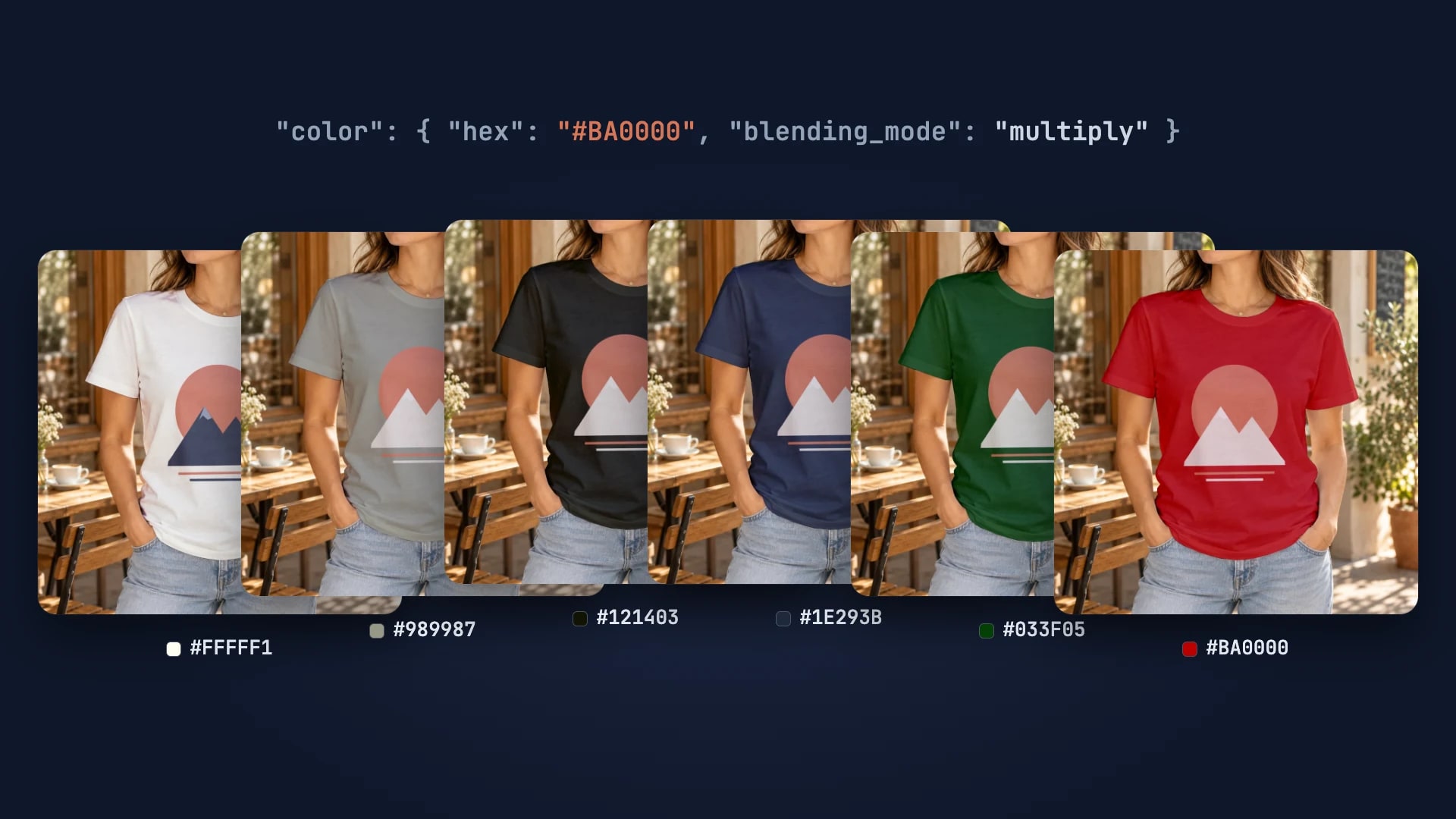
Every T-Shirt Color Variant Mockup from One PSD by API
One PSD with a color smart object renders every t-shirt colorway: one request per color, shown with six real renders.
4 min read
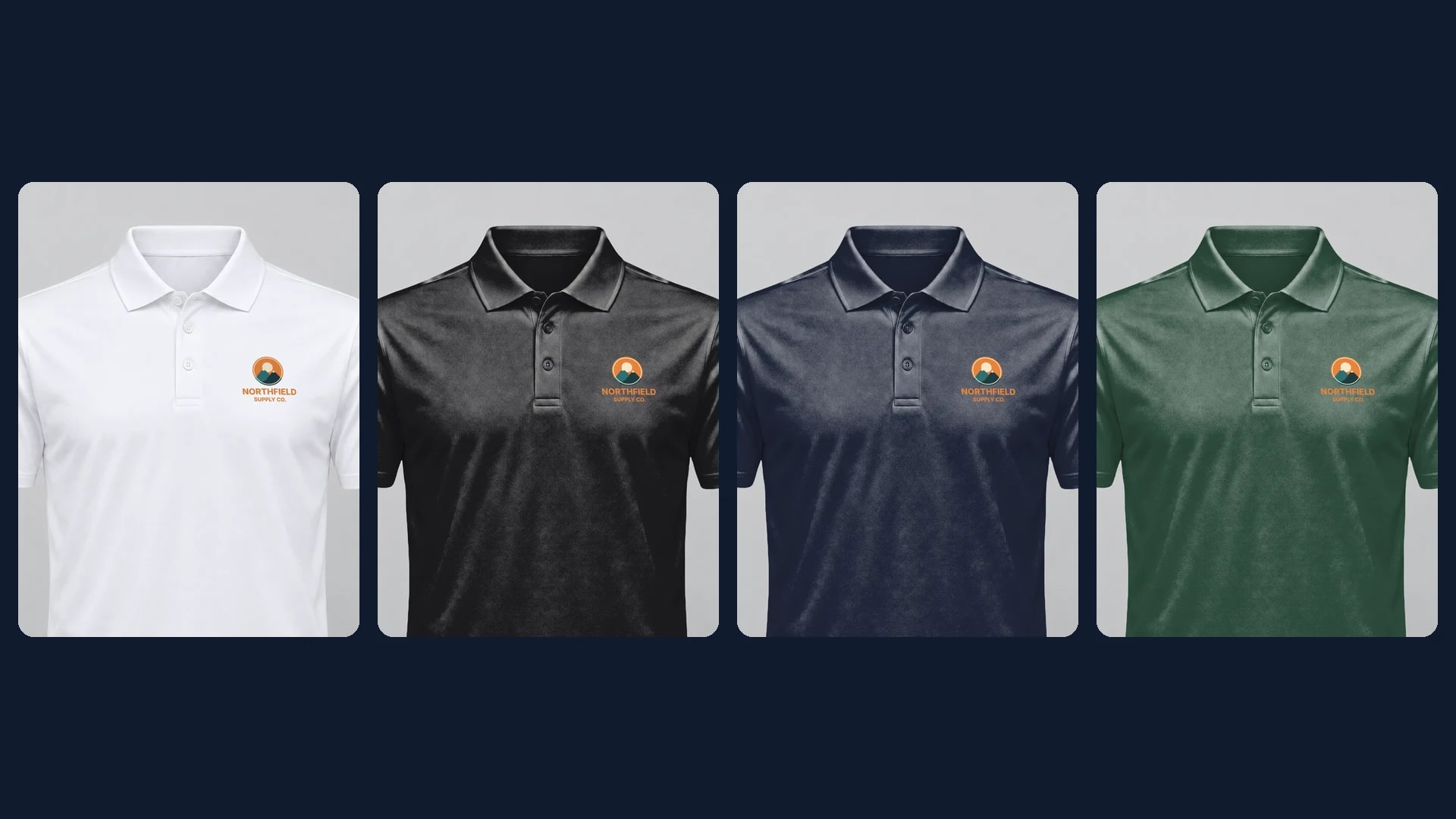
Polo Shirt Mockups: A Client Logo on the Left Chest, Every Color
Draw the left chest area on one white polo photo, then render each client logo in every polo color by API.
6 min read
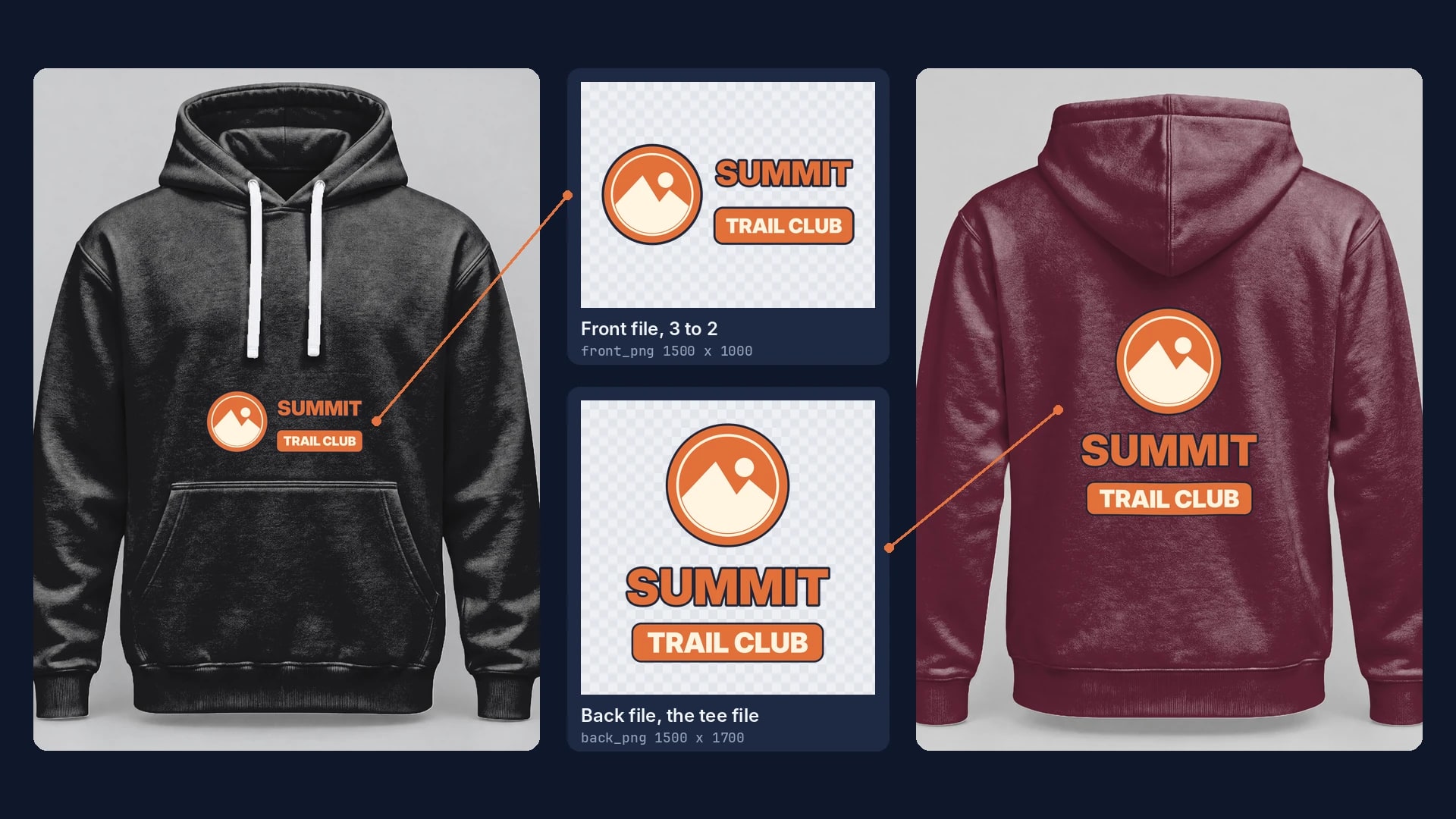
Hoodie Mockups: A Wide Front File Above the Pocket, Every Color
Draw the front area above the pocket and the back area below the hood, then render each design, side and color by API.
9 min read
Explore by use case
See SudoMock in action for your specific product category
Your own PSD, rendered via API
Render your own PSD through the API. Start with 500 one-time credits, no card.