Make.com Mockup Scenario: Render Each New Google Sheets Row on Your Own PSD or Product Photo
A Make scenario renders a mockup for each new Google Sheets row with three modules: Watch New Rows, SudoMock Render a mockup with the row's template and design link mapped in, and Update a Row to write the image link back. Rows on a product photo use Render a photo mockup instead.
Published 9 min readBeck
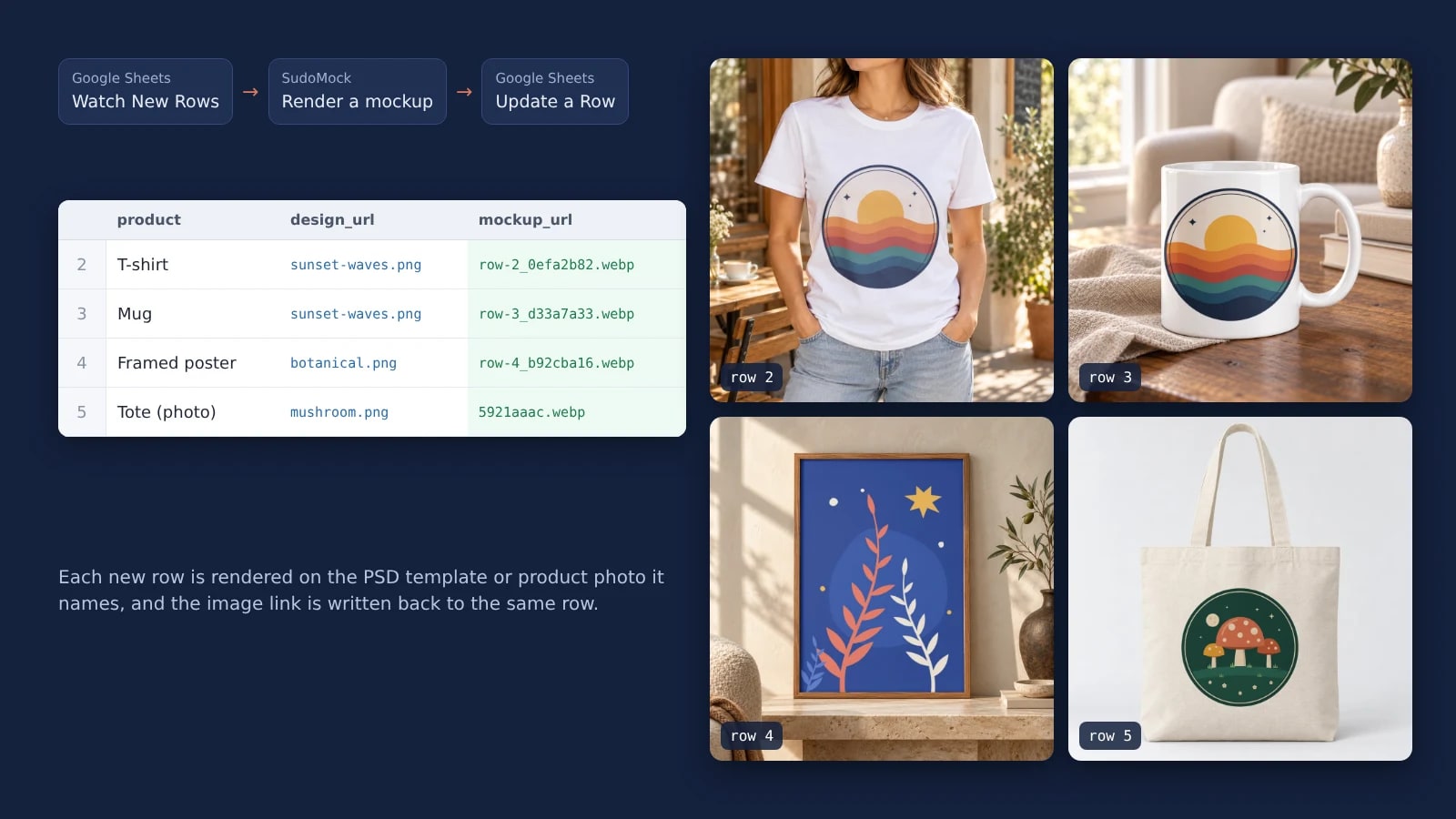
Key takeaways
- Template and smart object UUIDs in the sheet let one module render every product you sell.
- Set Fit on purpose: Fit keeps the design whole, Fill stretches it to the smart object.
- A Skip error handler keeps one broken design link from stopping the rows behind it.
One row, one mockup
One row is one mockup, so a sheet holds exactly the products a customer picked. That answers a question a printing company put on the Adobe community on 16 January 2025: "Out of a total list of 10 items the customer wants to see mockups for items 1, 4, 5 and 7 and only those items." With this scenario those four items are four rows, and nothing else is rendered.
Set up the sheet
Give the sheet a header row and one row per mockup: which template, which design, and an empty cell for the result. The template and its smart object are named by UUID, so a single SudoMock module can render a tee on one row and a framed print on the next.
| Column | What goes in it | Example |
|---|---|---|
product | Your own label for the row | T-shirt |
mockup_uuid | The template's UUID in your SudoMock account | e532c503-fe20-4653-a301-af9f7a934609 |
smart_object_uuid | The UUID of the smart object that takes the design | 39865245-8d99-42e9-b1fc-3713fa4dbc94 |
design_url | A public link that returns the design file itself (PNG, JPEG or WebP) | https://cdn.example.com/designs/sunset-waves.png |
mockup_url | Left empty; the scenario fills it |
Run the SudoMock Search mockups module once to read both UUIDs: it lists your templates with their smart objects, and Get mockup details does the same for one template. Without a PSD of your own, open a template in the library, such as the t-shirt mockups, the mug mockups or a framed print, and press Use This Mockup: it lands in your account with the same kind of UUIDs. The PSD upload guide covers your own files.
Keep the rows together. Make's Google Sheets documentation says of Watch New Rows (read 31 October 2026): "If a sheet contains a blank row, Make doesn't process all subsequent rows."
Module 1: Watch New Rows
Watch New Rows starts each run with the rows added since the last one. Point it at the spreadsheet and the sheet, and set Table contains headers to Yes so the next modules see mockup_uuid and design_url by name instead of column letters.
| Field | Value |
|---|---|
| Connection | Your Google account |
| Spreadsheet ID | The sheet that holds the rows |
| Sheet Name | The tab with the rows |
| Table contains headers | Yes |
| Limit | How many rows one run takes |
When Make opens the Choose where to start window, select All: per Make's setup guide, the module then processes the rows already in the sheet first and the rows added later after them. The scenario runs on the schedule you give it in Make, and each run passes every new row through modules 2 and 3 one after another.
Module 2: Render a mockup
Render a mockup sends the row to SudoMock and returns the finished image link. Map the three columns into the module and set Fit on purpose, because the right value depends on the design's shape.
| Field | Value |
|---|---|
| Connection | SudoMock, with an API key from API Keys |
| Mockup | Map mockup_uuid from module 1 |
| Smart objects, Smart object | Map smart_object_uuid from module 1 |
| Smart objects, Asset, Asset URL | Map design_url from module 1 |
| Smart objects, Asset, Fit | Fit for a design of any shape; Fill only when the design already has the smart object's proportions |
| Export options, Image format | WebP, PNG or JPG |
| Export options, Image size | 1024 |
| Export options, Export label | Type row- and map Row number from module 1 |
Export options are advanced fields: switch on Advanced settings in the module to see them. The connection asks for the key once, checks it against your account and shows its email, and every SudoMock module reads that one connection, so one key serves every scenario in your Make team. Fit keeps the whole design visible inside the smart object, while Fill stretches it to the smart object's edges, which suits a print file made at that exact shape. The export label starts the file name, so row-2 in the name tells you which row an image came from.
The module sends one render request. This is the same request for row 2 as an API call, with your key and your UUIDs in place of ours:
curl -X POST https://api.sudomock.com/api/v1/renders \-H "x-api-key: $SUDOMOCK_API_KEY" \-H "Content-Type: application/json" \-d '{"mockup_uuid": "e532c503-fe20-4653-a301-af9f7a934609","smart_objects": [{"uuid": "39865245-8d99-42e9-b1fc-3713fa4dbc94","asset": { "url": "https://cdn.example.com/designs/sunset-waves.png", "fit": "fit" }}],"export_options": { "image_format": "webp", "image_size": 1024 },"export_label": "row-2"}'
const response = await fetch('https://api.sudomock.com/api/v1/renders', {method: 'POST',headers: {'x-api-key': process.env.SUDOMOCK_API_KEY,'Content-Type': 'application/json',},body: JSON.stringify({"mockup_uuid": "e532c503-fe20-4653-a301-af9f7a934609","smart_objects": [{"uuid": "39865245-8d99-42e9-b1fc-3713fa4dbc94","asset": {"url": "https://cdn.example.com/designs/sunset-waves.png","fit": "fit"}}],"export_options": {"image_format": "webp","image_size": 1024},"export_label": "row-2"}),});const data = await response.json();console.log(data);
import osimport requestsresponse = requests.post("https://api.sudomock.com/api/v1/renders",headers={"x-api-key": os.environ["SUDOMOCK_API_KEY"],"Content-Type": "application/json",},json={"mockup_uuid": "e532c503-fe20-4653-a301-af9f7a934609","smart_objects": [{"uuid": "39865245-8d99-42e9-b1fc-3713fa4dbc94","asset": {"url": "https://cdn.example.com/designs/sunset-waves.png","fit": "fit",},},],"export_options": {"image_format": "webp","image_size": 1024,},"export_label": "row-2",},)print(response.json())
package mainimport ("bytes""fmt""io""net/http""os")func main() {payload := []byte(`{"mockup_uuid": "e532c503-fe20-4653-a301-af9f7a934609","smart_objects": [{"uuid": "39865245-8d99-42e9-b1fc-3713fa4dbc94","asset": {"url": "https://cdn.example.com/designs/sunset-waves.png","fit": "fit"}}],"export_options": {"image_format": "webp","image_size": 1024},"export_label": "row-2"}`)req, err := http.NewRequest("POST", "https://api.sudomock.com/api/v1/renders", bytes.NewBuffer(payload))if err != nil {panic(err)}req.Header.Set("x-api-key", os.Getenv("SUDOMOCK_API_KEY"))req.Header.Set("Content-Type", "application/json")resp, err := http.DefaultClient.Do(req)if err != nil {panic(err)}defer resp.Body.Close()body, _ := io.ReadAll(resp.Body)fmt.Println(string(body))}
<?php$payload = <<<'JSON'{"mockup_uuid": "e532c503-fe20-4653-a301-af9f7a934609","smart_objects": [{"uuid": "39865245-8d99-42e9-b1fc-3713fa4dbc94","asset": {"url": "https://cdn.example.com/designs/sunset-waves.png","fit": "fit"}}],"export_options": {"image_format": "webp","image_size": 1024},"export_label": "row-2"}JSON;$ch = curl_init('https://api.sudomock.com/api/v1/renders');curl_setopt_array($ch, [CURLOPT_CUSTOMREQUEST => 'POST',CURLOPT_RETURNTRANSFER => true,CURLOPT_HTTPHEADER => ['x-api-key: ' . getenv('SUDOMOCK_API_KEY'),'Content-Type: application/json',],CURLOPT_POSTFIELDS => $payload,]);$response = curl_exec($ch);curl_close($ch);echo $response;
The image link comes back at data.print_files[0].export_path, and the module puts it on its output as Rendered image URL. On 31 October 2026 we sent rows 2 to 4 this way: the sunset badge on a t-shirt template and on a mug template with Fit, and a botanical print made at 2:3 in a 2:3 framed print template with Fill. Each came back as a WebP named after its row. The average SudoMock render finishes in under a second.
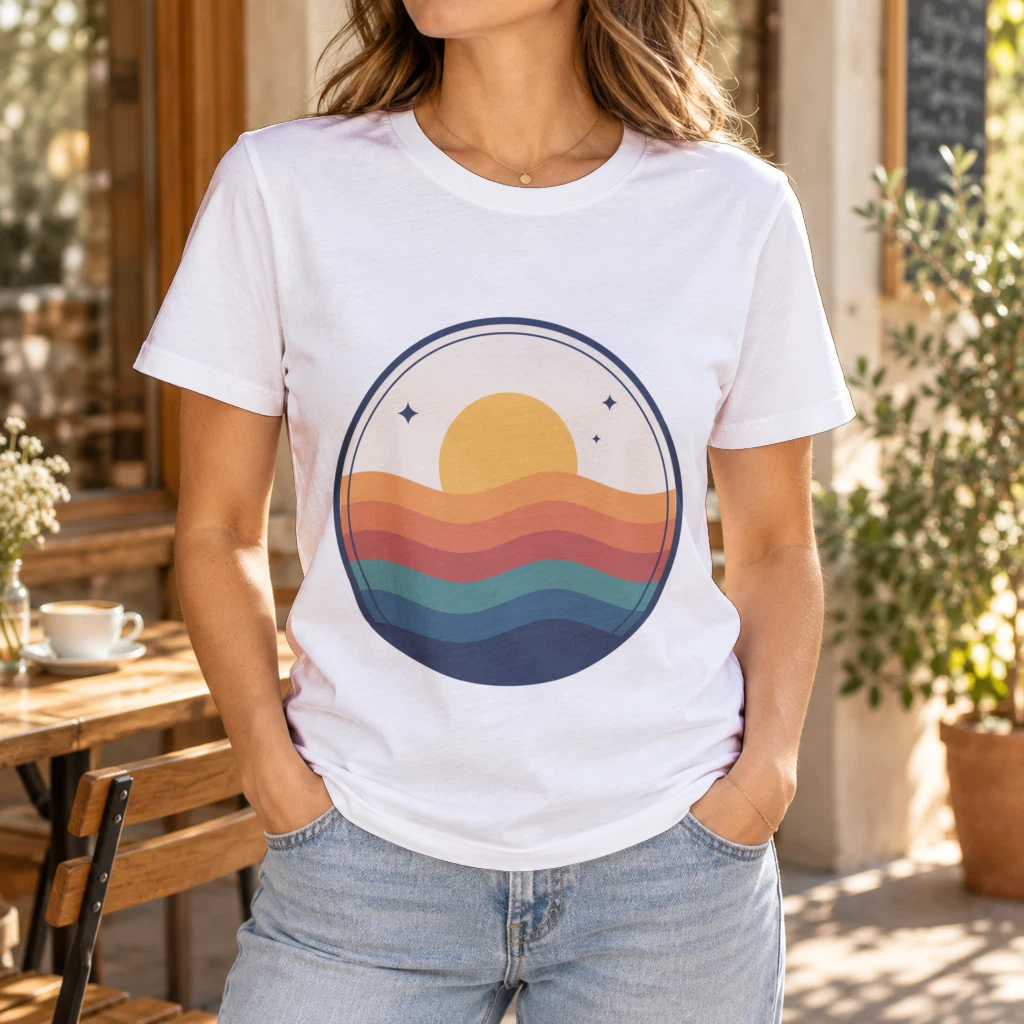 Row 2: the sunset badge on a t-shirt template, Fit.
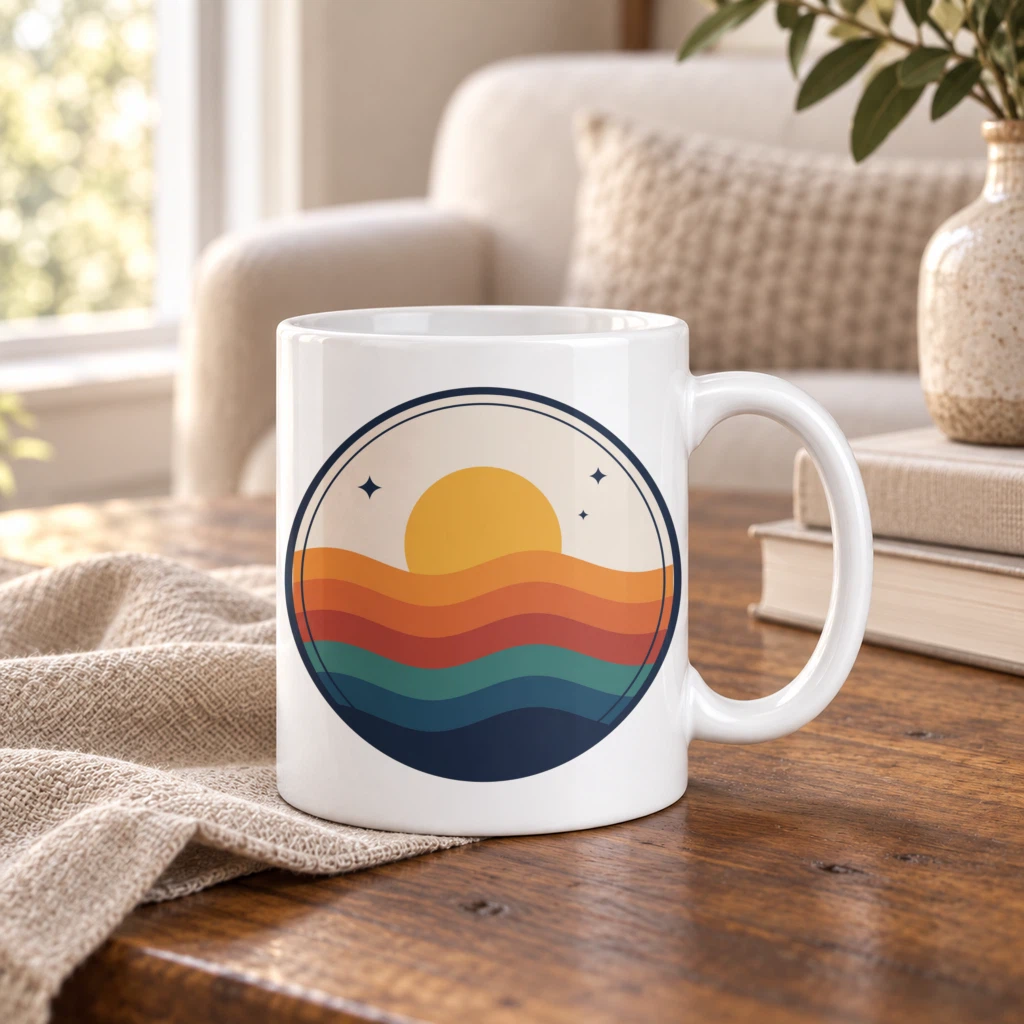 Row 3: the same design link on a mug template.
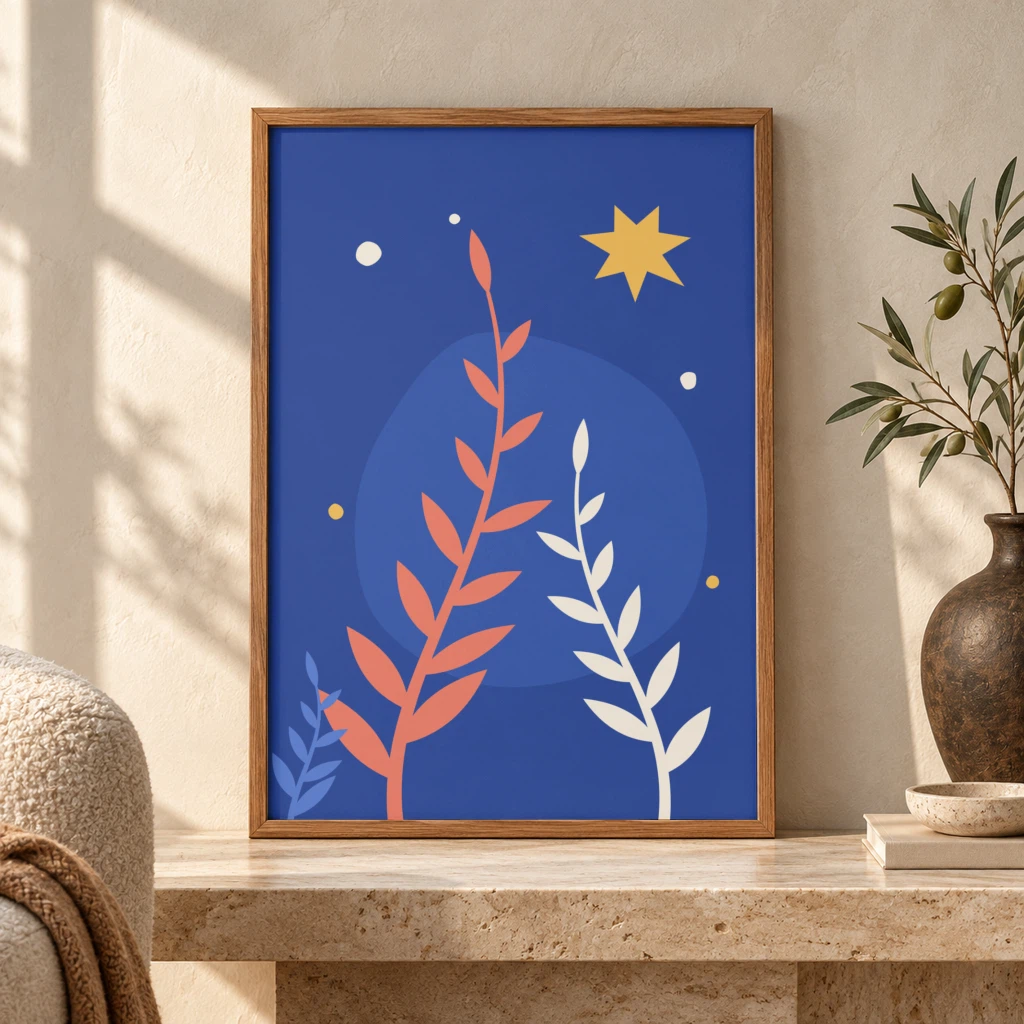 Row 4: a 2:3 print in a 2:3 framed print template, Fill.
Module 3: Update a Row
Update a Row writes the image link back into the row that asked for it. Map Row number from Watch New Rows so the link lands in the right row, and put Rendered image URL in the mockup_url column.
| Field | Value |
|---|---|
| Spreadsheet ID and Sheet Name | The same sheet as module 1 |
| Row number | Map Row number from module 1 |
| Table contains headers | Yes |
mockup_url | Map Rendered image URL from module 2 |
To keep the image file as well as the link, add the SudoMock Download a render module after module 2 with Render URL set to Rendered image URL. It returns the image as a file, which a Google Drive or Dropbox upload module stores in a folder of your choice.
Rows that use a product photo
A product with no PSD renders from a photo of the product saved as a photo mockup. Swap module 2 for Render a photo mockup, keep a photo_mockup_uuid and a print_area_uuid column in the sheet, and the rest of the scenario stays as it is. To keep PSD rows and photo rows in one sheet, add a Router after Watch New Rows with a filter on each route: rows with a photo_mockup_uuid go to Render a photo mockup, the others to Render a mockup, and each route ends in its own Update a Row.
| Field | Value |
|---|---|
| Photo mockup UUID | Map photo_mockup_uuid from module 1 |
| Render targets, Saved print area UUID | Map print_area_uuid from module 1 |
| Render targets, Artwork URL | Map design_url from module 1 |
| Render targets, Placement, Fit | Fit |
| Export options, Image size | 1024 |
The finished link is the Export path of the first entry in Print files, which goes into Update a Row the same way. You save a product photo as a photo mockup once, in the dashboard or with the Create a mockup from a photo module, and every later row reuses it; photo mockups shows how a print area is set. Get a photo mockup returns both values for the sheet: the Photo mockup ID, and the Print area ID of each area under Quads. For a bag, a ready tote bag template works too.
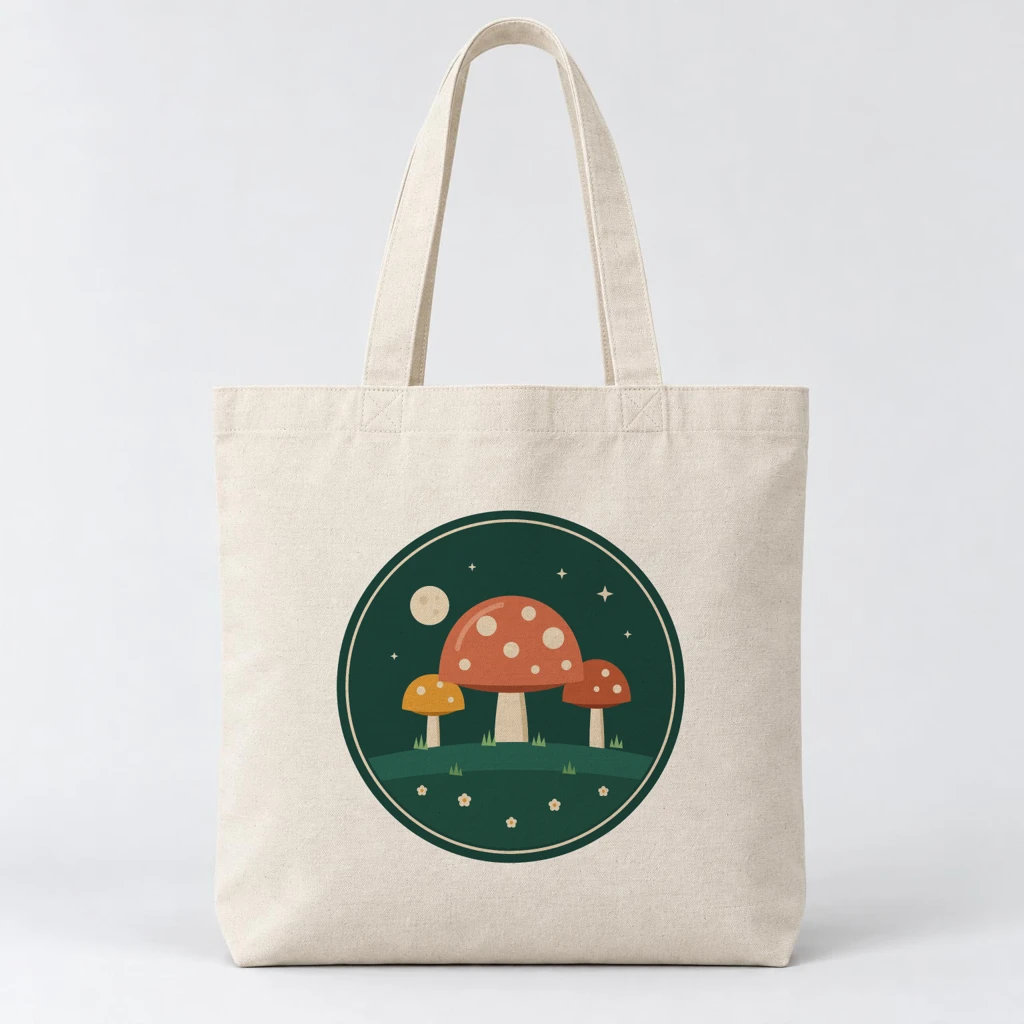 Row 5: Render a photo mockup placed the badge in the tote's saved Front area. The tote photo came from an image model; Photo Mockups kept the exact design on it.
When a row fails
A row whose design link does not open stops the run at the SudoMock module, and the rows behind it in that run are not rendered. Add an error handler to the SudoMock module so a bad row is skipped and the others still render.
When we sent a row whose design link returned a 404, SudoMock answered 422 with the code ASSET_UNREACHABLE and the message "The artwork could not be downloaded.", and the Make module shows it as [422] One or more artwork inputs are invalid. The link has to return the image file itself to anyone who opens it, so a share page or a link that needs a login fails the same way. In Make, open the context menu of the SudoMock module, choose Add error handler and pick Skip: per Make's help, it "skips the error or the failed bundle from the scenario flow" and the run "continues with the next bundle." The skipped row keeps an empty mockup_url, which shows you which rows to fix. Watch New Rows does not fetch a row it has already processed, so paste the fixed row as a new row at the end of the sheet and the next run renders it.
Next step
Build the three modules on a sheet with two rows, one template you already have and one design link, and run the scenario once with Run once. The Make integration page lists every module of the app, the render reference lists every field Render a mockup can send, and fit and blend modes shows the three fit values side by side. The SudoMock app is also listed on Make's integrations page. If your automations run on n8n, the SudoMock node for n8n renders the same rows.
Frequently asked questions
Is there a SudoMock app on Make?
Yes. Search for SudoMock in the module picker of any Make scenario and connect it with an API key from your SudoMock dashboard. The app renders PSD templates and photo mockups, renders short videos, downloads renders as files and can start a scenario when a job finishes.
How do I make mockups from a Google Sheet automatically?
Build a Make scenario with Google Sheets Watch New Rows, SudoMock Render a mockup and Google Sheets Update a Row. Each row names a template and a design link, the render module turns them into a finished mockup, and the image link is written back into the row.
Can one Make scenario render mockups for different products?
Yes. Put each template's mockup UUID and smart object UUID in the row and map both into Render a mockup instead of picking them from the list. A t-shirt row and a framed print row then run through the same module.
Do I need a PSD template to render mockups in Make?
No. You can add a ready template from the SudoMock template library to your account, or save a product photo as a photo mockup and render it with the Render a photo mockup module. Both are named by UUID in the sheet, the same way as a PSD template.
Why does a row fail with a 422 error in Make?
The design link in that row did not return an image file, so SudoMock could not download the artwork. Use a public link that opens the file itself in a private browser window. A Skip error handler on the SudoMock module lets the other rows render, and the fixed row renders once you add it again at the end of the sheet.
Sources
- Render mockups with Make and SudoMock (opens in new tab), SudoMock Docs
- Render a PSD mockup (opens in new tab), SudoMock Docs
- Fit and blend modes (opens in new tab), SudoMock Docs
- Photo mockups (opens in new tab), SudoMock Docs
- Google Sheets modules (opens in new tab), Make
- Skip error handler (opens in new tab), Make Help Center
- SudoMock integration | Workflow automation | Make (opens in new tab), Make
- Auto Populate Multiple Product Mockups From Google Sheet Data (opens in new tab), Adobe Community
- Step 5. Set up the trigger (opens in new tab), Make Help Center
Beck
CTO
Related articles
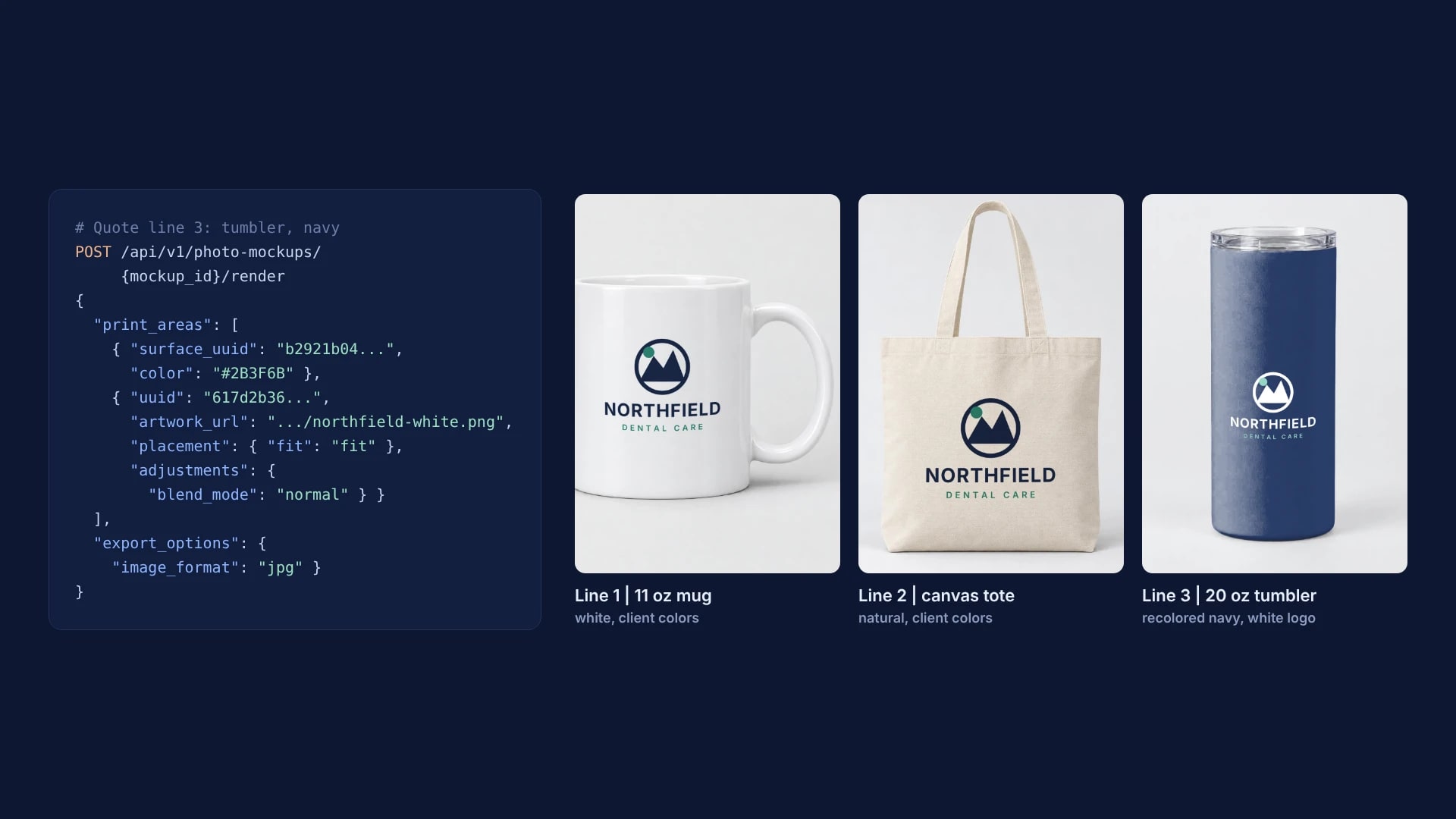
Virtual Samples for Promotional Products: One Client Logo on Every Quote Line
One client logo, one saved imprint area per supplier product and one render request per quote line, with real renders on a mug, a tote and a tumbler.
6 min read
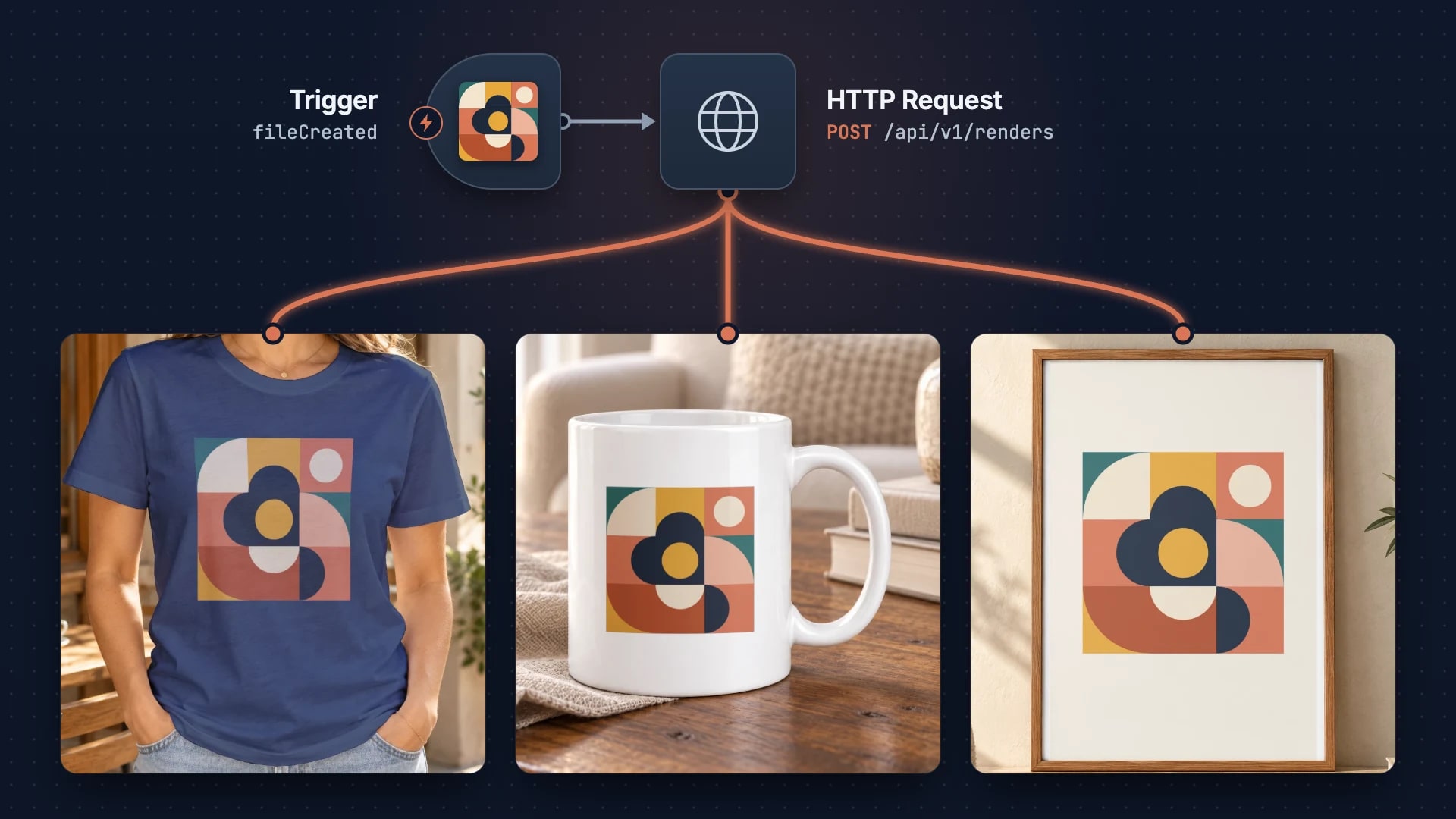
Building a Print-on-Demand Pipeline with n8n
Build an automated print-on-demand pipeline with n8n and SudoMock API. Step-by-step guide from design upload to Etsy/Shopify listing creation from $0.002 per render.
2 min read
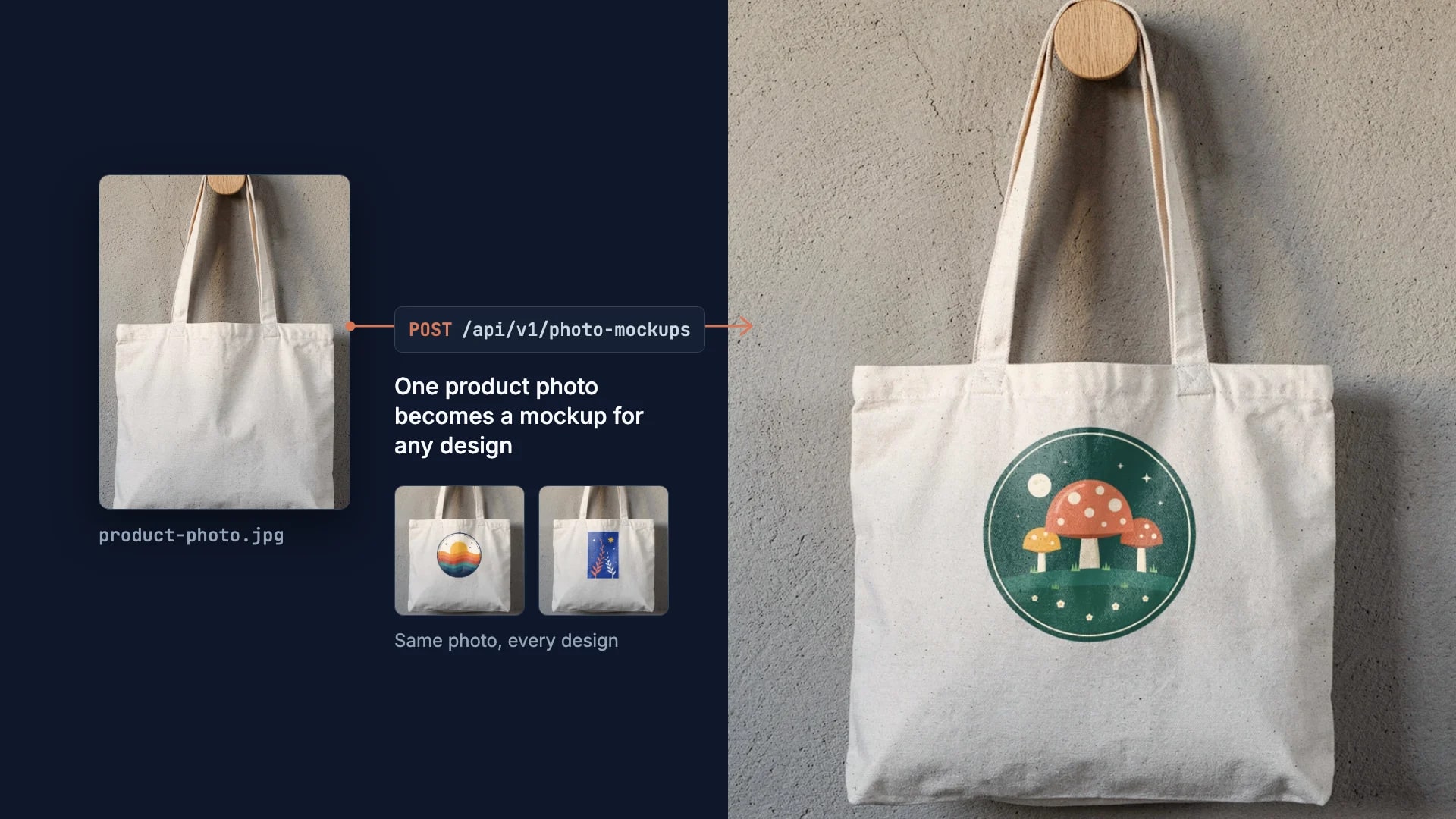
How to Make Your Own Mockup from Any Product Photo
One photo of your own product becomes a reusable mockup: the create call, the render call and real renders of four designs on a canvas tote.
7 min read
Explore by use case
See SudoMock in action for your specific product category
Your own PSD, rendered via API
Render your own PSD through the API. Start with 500 one-time credits, no card.