Virtual Samples for Promotional Products: One Client Logo on Every Quote Line
A virtual sample is the client's logo shown on each product of a quote before the order. Save each supplier product photo once as a photo mockup with its imprint area, then send one render request per quote line with the logo and the product color, so a 12 line quote is 12 calls against mockups you keep.
Published 6 min readBeck
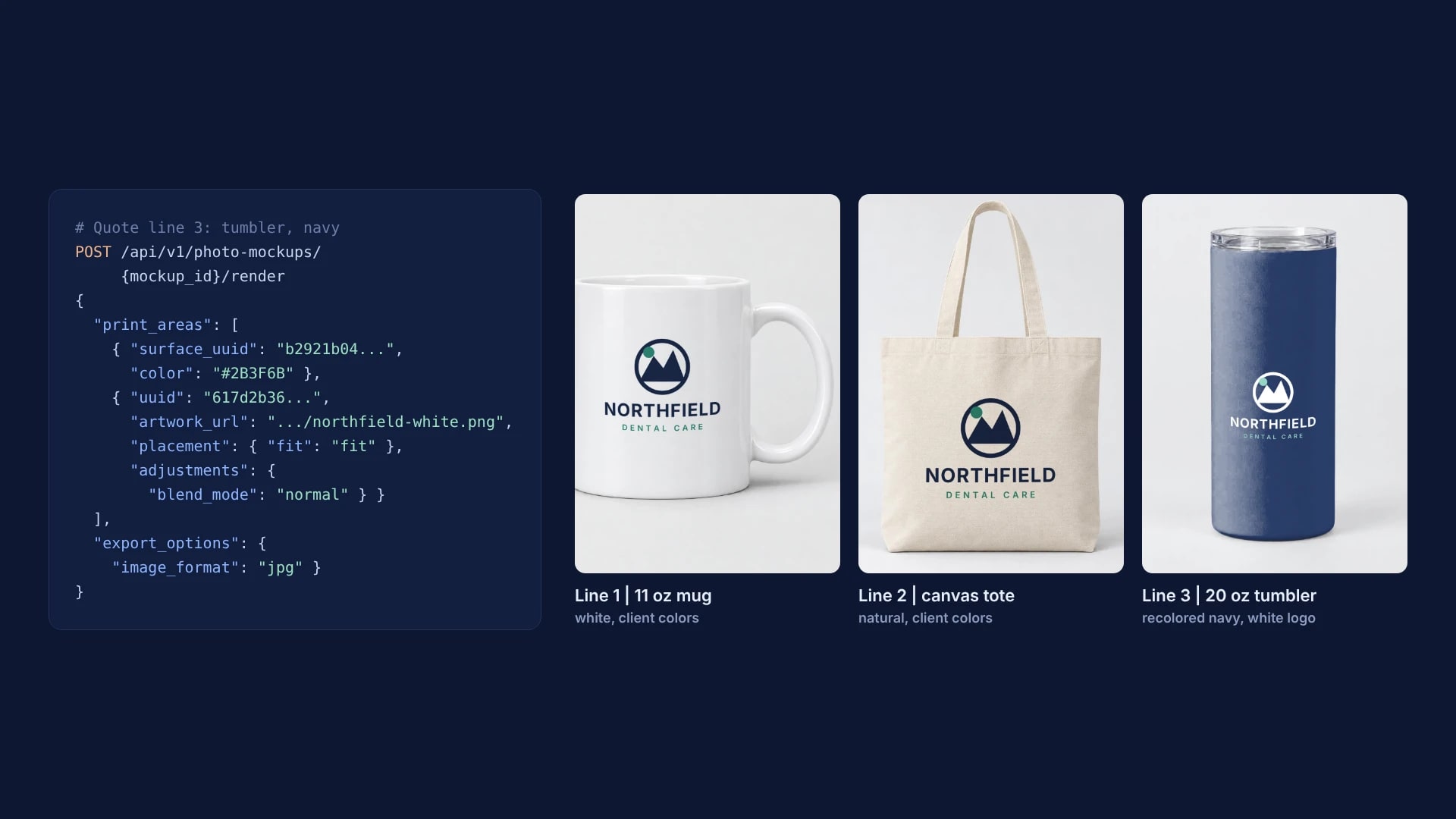
Key takeaways
- Each saved photo mockup serves every later quote: only the client's logo link changes.
- Light products take the client colors on multiply; dark ones take a white logo on normal.
- With the custom domain add-on, every sample link the client opens is on your own subdomain.
What a quote needs for its virtual samples
A quote's virtual samples need three inputs: the client's logo, one photo mockup per product with its imprint area saved, and the quote lines that say which product, color and logo version each line gets. Keep the lines in a list, and that list drives every render.
| Line | Product | Color | Logo file |
|---|---|---|---|
| 1 | 11 oz ceramic mug | white | northfield-navy.png |
| 2 | Cotton canvas tote | natural | northfield-navy.png |
| 3 | 20 oz tumbler | navy | northfield-white.png |
The logo is a transparent PNG (JPEG and WebP work too), in two versions when a quote mixes light and dark products: the client's colors for light items and a white version for dark ones. Northfield Dental Care, the client in the renders below, is a sample brand made for this post.
Save each supplier photo with its imprint area
Each product photo becomes a photo mockup once, with its imprint area saved in the photo's own pixels. POST /api/v1/photo-mockups takes the photo and an optional print_areas list, and SudoMock uses those areas exactly as sent.
curl -X POST https://api.sudomock.com/api/v1/photo-mockups \-H "x-api-key: $SUDOMOCK_API_KEY" \-H "Content-Type: application/json" \-d '{"source_url": "https://cdn.example.com/supplier/mug-11oz-white.jpg","name": "Mug 11 oz, white, front","print_areas": [{ "points": [[450, 430], [960, 430], [960, 1120], [450, 1120]], "name": "Front" }]}'
const response = await fetch('https://api.sudomock.com/api/v1/photo-mockups', {method: 'POST',headers: {'x-api-key': process.env.SUDOMOCK_API_KEY,'Content-Type': 'application/json',},body: JSON.stringify({"source_url": "https://cdn.example.com/supplier/mug-11oz-white.jpg","name": "Mug 11 oz, white, front","print_areas": [{"points": [[450,430],[960,430],[960,1120],[450,1120]],"name": "Front"}]}),});const data = await response.json();console.log(data);
import osimport requestsresponse = requests.post("https://api.sudomock.com/api/v1/photo-mockups",headers={"x-api-key": os.environ["SUDOMOCK_API_KEY"],"Content-Type": "application/json",},json={"source_url": "https://cdn.example.com/supplier/mug-11oz-white.jpg","name": "Mug 11 oz, white, front","print_areas": [{"points": [[450,430,],[960,430,],[960,1120,],[450,1120,],],"name": "Front",},],},)print(response.json())
package mainimport ("bytes""fmt""io""net/http""os")func main() {payload := []byte(`{"source_url": "https://cdn.example.com/supplier/mug-11oz-white.jpg","name": "Mug 11 oz, white, front","print_areas": [{"points": [[450,430],[960,430],[960,1120],[450,1120]],"name": "Front"}]}`)req, err := http.NewRequest("POST", "https://api.sudomock.com/api/v1/photo-mockups", bytes.NewBuffer(payload))if err != nil {panic(err)}req.Header.Set("x-api-key", os.Getenv("SUDOMOCK_API_KEY"))req.Header.Set("Content-Type", "application/json")resp, err := http.DefaultClient.Do(req)if err != nil {panic(err)}defer resp.Body.Close()body, _ := io.ReadAll(resp.Body)fmt.Println(string(body))}
<?php$payload = <<<'JSON'{"source_url": "https://cdn.example.com/supplier/mug-11oz-white.jpg","name": "Mug 11 oz, white, front","print_areas": [{"points": [[450,430],[960,430],[960,1120],[450,1120]],"name": "Front"}]}JSON;$ch = curl_init('https://api.sudomock.com/api/v1/photo-mockups');curl_setopt_array($ch, [CURLOPT_CUSTOMREQUEST => 'POST',CURLOPT_RETURNTRANSFER => true,CURLOPT_HTTPHEADER => ['x-api-key: ' . getenv('SUDOMOCK_API_KEY'),'Content-Type: application/json',],CURLOPT_POSTFIELDS => $payload,]);$response = curl_exec($ch);curl_close($ch);echo $response;
Take the area's place and shape from the imprint area the supplier lists for that item, with the corners from the top left clockwise. Store the three ids on the product's row of your price list: data.mockup_id, data.quads[0].print_area_id for the imprint area and data.surfaces[0].surface_uuid for the product color; print areas and surfaces lists every field.
On 30 October 2026 we sent three supplier style product photos this way, each 1536 pixels square, and each call answered with the mockup ready to render and its area saved as Front:
| Product | Where the imprint area sits | Area in the photo | Surface label returned |
|---|---|---|---|
| 11 oz ceramic mug | The side facing the camera, handle on the right | 510 x 690 px | white ceramic mug |
| Cotton canvas tote | Front panel, centered below the handles | 546 x 655 px | tote bag |
| 20 oz tumbler | Front of the body, centered | 373 x 448 px | white tumbler |
A mockup stays in the account, so the next quote that carries the same mug reuses it with a new client's logo. With no supplier photo for an item, the promotional products templates hold mugs, water bottles, totes, keychains and a white stainless steel tumbler, and Use This Mockup opens the chosen template in your account, ready to render.
Render one request per quote line
Each quote line is one render request against that product's mockup: the imprint area's id, the logo's link and the export settings. The tumbler line also recolors the product in the same request, because the client picked navy.
curl -X POST https://api.sudomock.com/api/v1/photo-mockups/55328645-b081-40df-82e7-f889739e1e5e/render \-H "x-api-key: $SUDOMOCK_API_KEY" \-H "Content-Type: application/json" \-d '{"print_areas": [{ "surface_uuid": "b2921b04-7eaf-4006-bc00-02aa9c0c55d3", "color": "#2B3F6B" },{"uuid": "617d2b36-5dbb-4a01-b42d-2992b7a26087","artwork_url": "https://cdn.example.com/logos/northfield-white.png","placement": { "fit": "fit" },"adjustments": { "blend_mode": "normal" }}],"export_options": { "image_format": "jpg", "image_size": 1024 }}'
const response = await fetch('https://api.sudomock.com/api/v1/photo-mockups/55328645-b081-40df-82e7-f889739e1e5e/render', {method: 'POST',headers: {'x-api-key': process.env.SUDOMOCK_API_KEY,'Content-Type': 'application/json',},body: JSON.stringify({"print_areas": [{"surface_uuid": "b2921b04-7eaf-4006-bc00-02aa9c0c55d3","color": "#2B3F6B"},{"uuid": "617d2b36-5dbb-4a01-b42d-2992b7a26087","artwork_url": "https://cdn.example.com/logos/northfield-white.png","placement": {"fit": "fit"},"adjustments": {"blend_mode": "normal"}}],"export_options": {"image_format": "jpg","image_size": 1024}}),});const data = await response.json();console.log(data);
import osimport requestsresponse = requests.post("https://api.sudomock.com/api/v1/photo-mockups/55328645-b081-40df-82e7-f889739e1e5e/render",headers={"x-api-key": os.environ["SUDOMOCK_API_KEY"],"Content-Type": "application/json",},json={"print_areas": [{"surface_uuid": "b2921b04-7eaf-4006-bc00-02aa9c0c55d3","color": "#2B3F6B",},{"uuid": "617d2b36-5dbb-4a01-b42d-2992b7a26087","artwork_url": "https://cdn.example.com/logos/northfield-white.png","placement": {"fit": "fit",},"adjustments": {"blend_mode": "normal",},},],"export_options": {"image_format": "jpg","image_size": 1024,},},)print(response.json())
package mainimport ("bytes""fmt""io""net/http""os")func main() {payload := []byte(`{"print_areas": [{"surface_uuid": "b2921b04-7eaf-4006-bc00-02aa9c0c55d3","color": "#2B3F6B"},{"uuid": "617d2b36-5dbb-4a01-b42d-2992b7a26087","artwork_url": "https://cdn.example.com/logos/northfield-white.png","placement": {"fit": "fit"},"adjustments": {"blend_mode": "normal"}}],"export_options": {"image_format": "jpg","image_size": 1024}}`)req, err := http.NewRequest("POST", "https://api.sudomock.com/api/v1/photo-mockups/55328645-b081-40df-82e7-f889739e1e5e/render", bytes.NewBuffer(payload))if err != nil {panic(err)}req.Header.Set("x-api-key", os.Getenv("SUDOMOCK_API_KEY"))req.Header.Set("Content-Type", "application/json")resp, err := http.DefaultClient.Do(req)if err != nil {panic(err)}defer resp.Body.Close()body, _ := io.ReadAll(resp.Body)fmt.Println(string(body))}
<?php$payload = <<<'JSON'{"print_areas": [{"surface_uuid": "b2921b04-7eaf-4006-bc00-02aa9c0c55d3","color": "#2B3F6B"},{"uuid": "617d2b36-5dbb-4a01-b42d-2992b7a26087","artwork_url": "https://cdn.example.com/logos/northfield-white.png","placement": {"fit": "fit"},"adjustments": {"blend_mode": "normal"}}],"export_options": {"image_format": "jpg","image_size": 1024}}JSON;$ch = curl_init('https://api.sudomock.com/api/v1/photo-mockups/55328645-b081-40df-82e7-f889739e1e5e/render');curl_setopt_array($ch, [CURLOPT_CUSTOMREQUEST => 'POST',CURLOPT_RETURNTRANSFER => true,CURLOPT_HTTPHEADER => ['x-api-key: ' . getenv('SUDOMOCK_API_KEY'),'Content-Type: application/json',],CURLOPT_POSTFIELDS => $payload,]);$response = curl_exec($ch);curl_close($ch);echo $response;
This is the tumbler line as we sent it on 30 October 2026, with your own mockup id, surface id and area id in place of ours; the images below were exported at 1536 pixels. The finished image is at data.print_files[0].export_path. The mug and tote lines leave out the surface entry and send the navy logo with the default blend mode. The average SudoMock render finishes in under a second.
The product photos were made with an AI image model; the logo, its placement and the tumbler color are SudoMock renders.
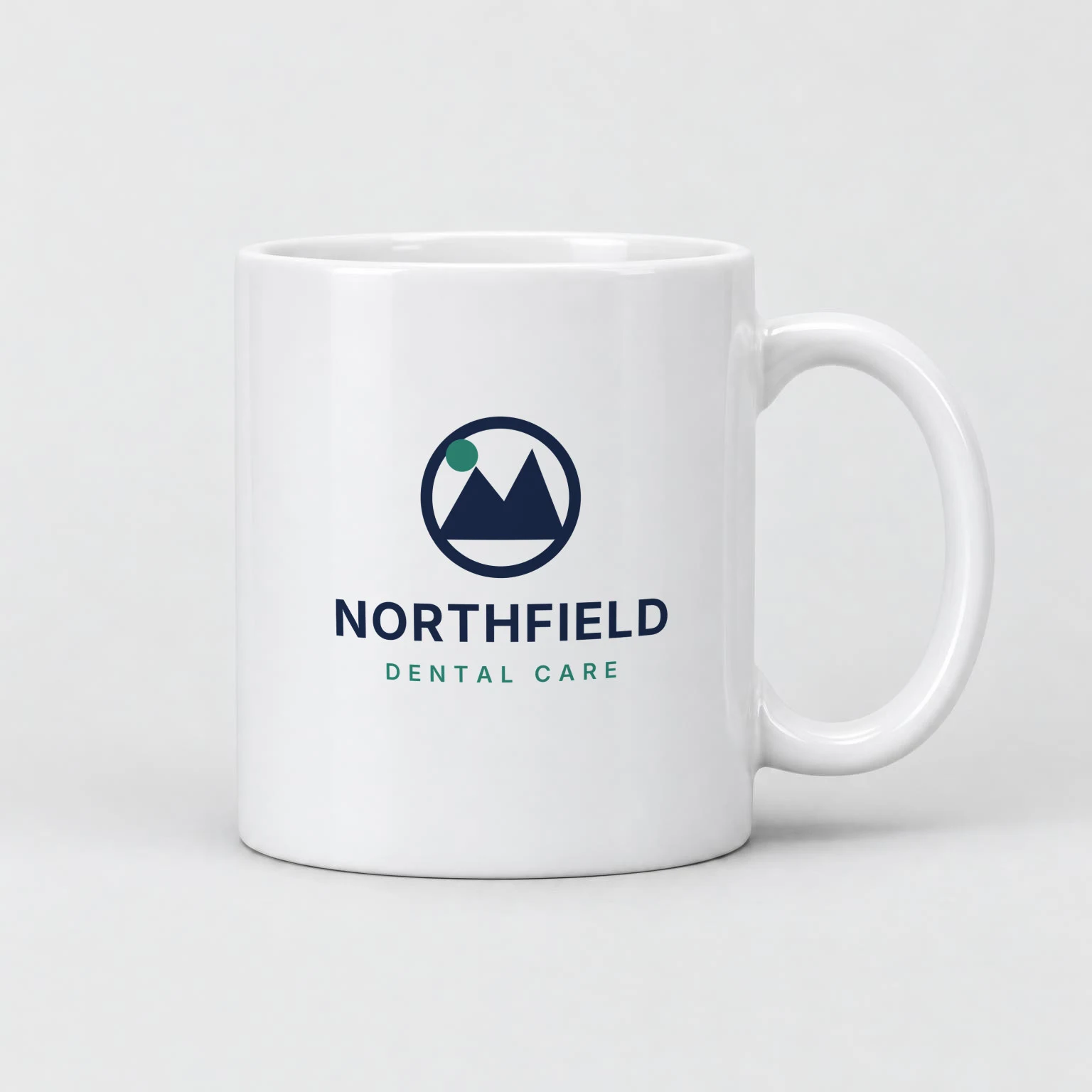 Line 1: the navy logo fit in the Front area of the white mug.
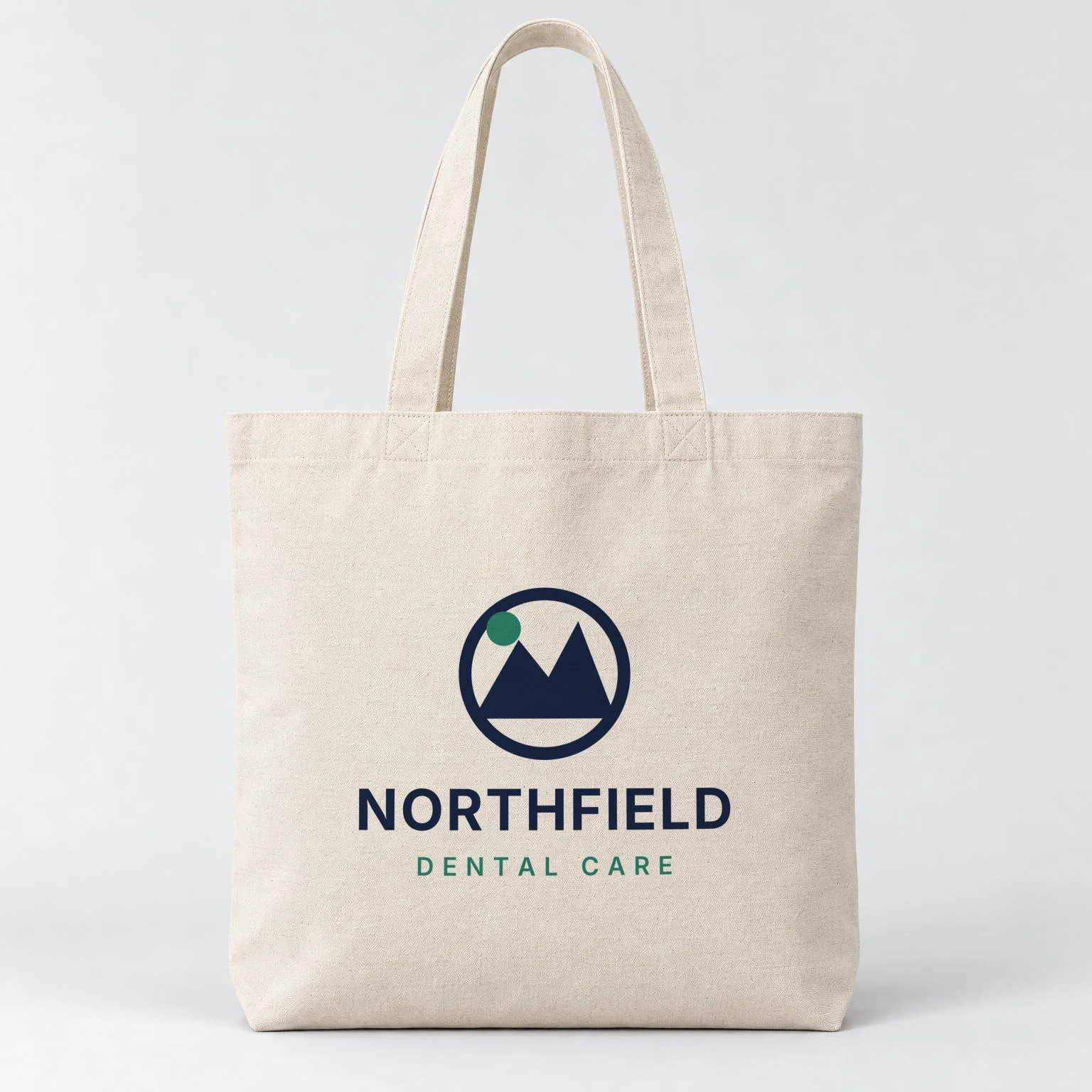 Line 2: the same logo file on the tote's front panel.
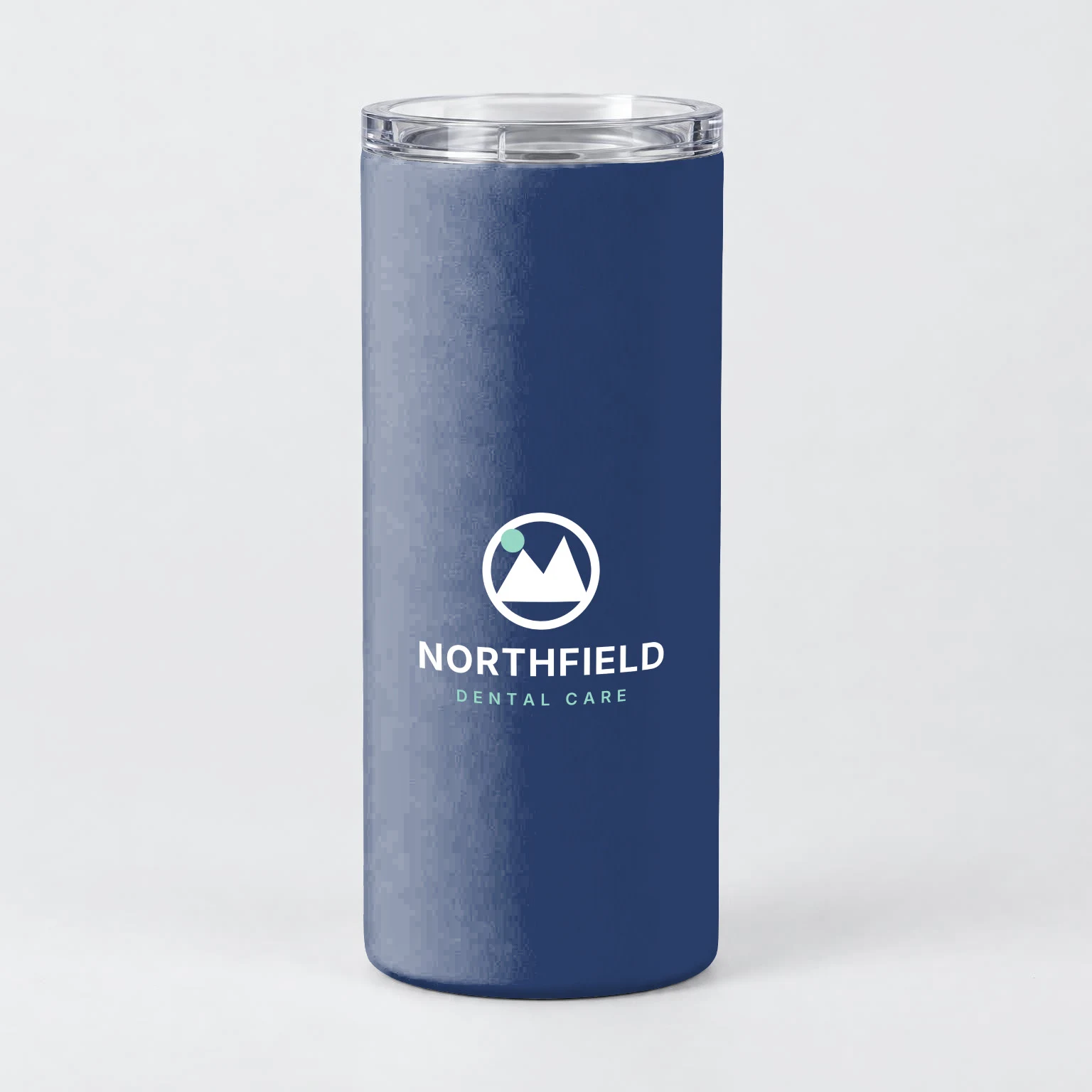 Line 3: one request recolored the white tumbler navy and placed the white logo.
Match the logo to each product
The product decides the logo version and the blend mode. A light item takes the client's colors with the default multiply, which reads like ink on the material, and a dark item takes the white logo with blend_mode set to normal, which keeps the file's colors exactly.
| Product color | Logo version | Blend mode |
|---|---|---|
| White, natural or light grey | Client colors | multiply, the default |
| Navy, black or another dark color | White or light version | normal |
| Any color, brand color must match the file | Client colors | normal |
The product color comes from the quote line. An entry with the product's surface_uuid and a color recolors the whole product, as a hex code or as the name of a color saved on the mockup, so one photo of the white tumbler serves every color the client might pick. Fit and blend modes compares all seven modes on one page.
Render the whole quote at once
A quote is a list, so a short script sends every line at once and prints one image link per line. This one reads the lines from a quote.json file exported from the quote, waits and retries when the API answers 429, and keeps each result next to its line number.
import { readFile } from 'node:fs/promises'// [{ "line": 3, "mockup": "...", "area": "...", "surface": "...", "color": "#2B3F6B",// "logo": "https://cdn.example.com/logos/northfield-white.png", "blend": "normal" }]const lines = JSON.parse(await readFile('quote.json', 'utf8'))async function render(l) {const print_areas = []if (l.color) print_areas.push({ surface_uuid: l.surface, color: l.color })print_areas.push({uuid: l.area,artwork_url: l.logo,placement: { fit: 'fit' },adjustments: { blend_mode: l.blend ?? 'multiply' },})for (;;) {const res = await fetch(`https://api.sudomock.com/api/v1/photo-mockups/${l.mockup}/render`, {method: 'POST',headers: { 'x-api-key': process.env.SUDOMOCK_API_KEY, 'Content-Type': 'application/json' },body: JSON.stringify({ print_areas, export_options: { image_format: 'jpg', image_size: 1024 } }),})if (res.status === 429) {await new Promise((r) => setTimeout(r, Number(res.headers.get('Retry-After') ?? 5) * 1000))continue}const body = await res.json()return { line: l.line, status: res.status, image: body.data?.print_files?.[0]?.export_path }}}console.table(await Promise.all(lines.map(render)))
Every rep on the account can run the same script against the same saved mockups, because members are unlimited with no seat fee on every plan. Without code, the SudoMock node for n8n renders the same lines from a sheet, one row per quote line.
Send the samples under your own brand
Virtual samples go to your client, so the links should carry your name. With the custom domain add-on, which every paid plan can add, each image link the API returns comes from a subdomain you own, such as samples.yourbrand.com, while the request and the file stay the same.
Next step
Save the three products you quote most as photo mockups with their imprint areas, then render one real quote with a client's logo. Without code, open each product in My mockups, drag its imprint area into place with Edit areas and render the client's logo there. The render reference lists every field a quote line can set, and the photo mockups overview covers the create call. To put one design on a tee, a mug and a tote from a chat with an assistant, see merch mockups with ChatGPT or Claude.
Frequently asked questions
What is a virtual sample for promotional products?
A virtual sample is an image of the client's logo on a product they are quoted, shown before the order is placed. It lets the client see the logo's place and size and the product color on every item of the quote. With SudoMock each sample is a render of the logo on a saved product photo.
How do I put one client logo on every product in a quote?
Save each product photo once as a photo mockup with its imprint area, then send one render request per quote line with the logo's link. The mockups stay in your account, so the next quote with the same products needs only the new client's logo.
Can the virtual sample show the product color the client picked?
Yes. Add an entry with the product's surface_uuid and a color to the same render request, as a hex code or the name of a color saved on the mockup. On a dark color, send a light version of the logo with blend_mode set to normal.
Can I send virtual samples under my own brand?
Yes. With the custom domain add-on, which every paid plan can add, the image links the API returns come from a subdomain you own, such as samples.yourbrand.com. The request and the image stay the same.
Do I need a PSD template for each promotional product?
No. A photo of the blank product is enough, because a photo mockup places the logo on a saved area of the photo. When you already keep PSD templates for your products, the same quote list can render on those instead.
Sources
- Photo mockups (opens in new tab), SudoMock Docs
- Print areas and surfaces (opens in new tab), SudoMock Docs
- Render artwork onto a photo mockup (opens in new tab), SudoMock Docs
- Create a mockup from a product photo (opens in new tab), SudoMock Docs
- Render a photo mockup (opens in new tab), SudoMock Docs
- Fit and blend modes (opens in new tab), SudoMock Docs
- Rate limits and concurrency limits (opens in new tab), SudoMock Docs
- Serve mockups from your own domain (opens in new tab), SudoMock Docs
- Render mockups with n8n and SudoMock (opens in new tab), SudoMock Docs
Beck
CTO
Related articles
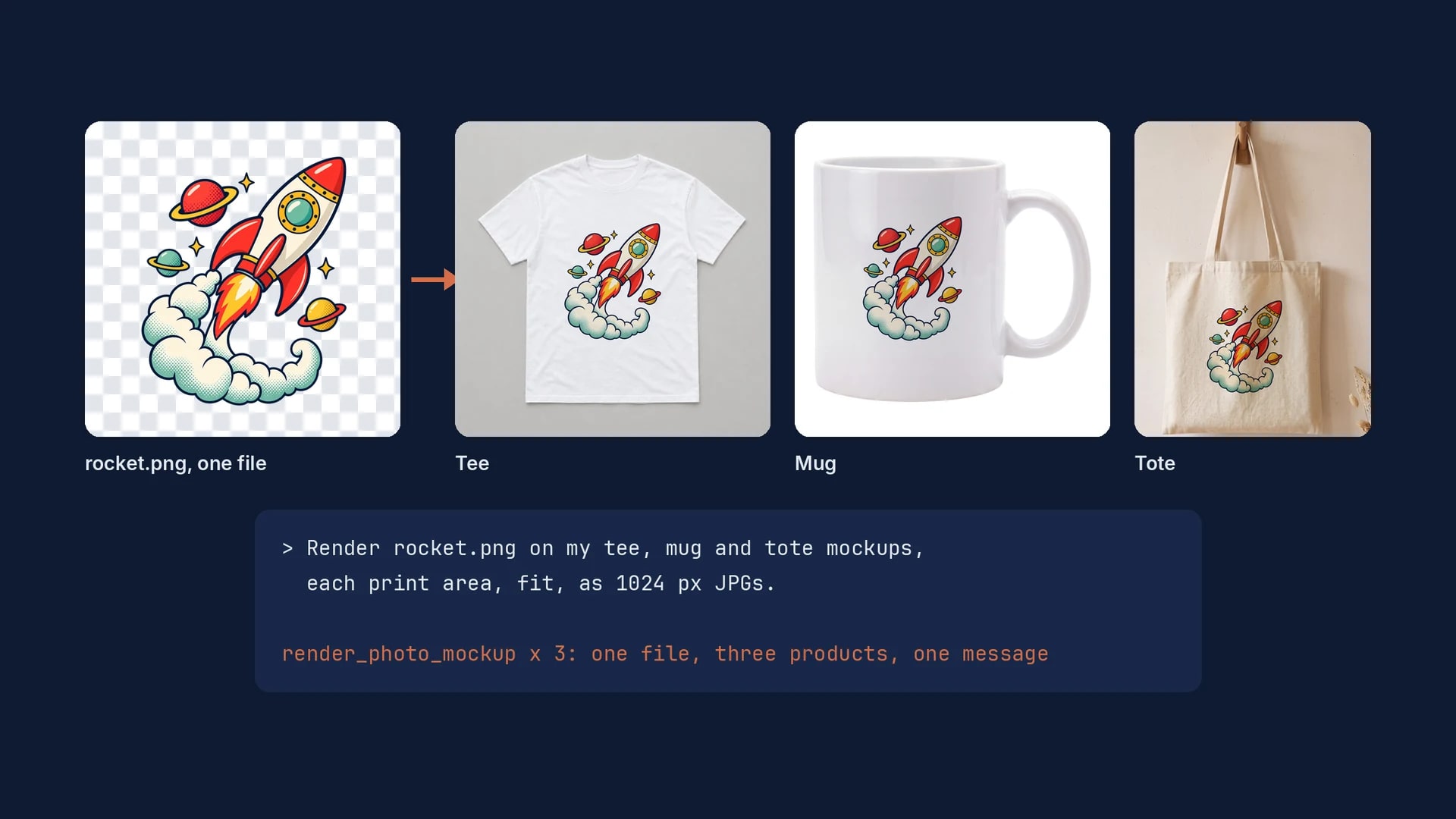
Merch Mockups With ChatGPT or Claude: One Design on a Tee, a Mug and a Tote
One design file, one mockup per product, and one message to ChatGPT or Claude that renders the tee, the mug and the tote exactly.
6 min read
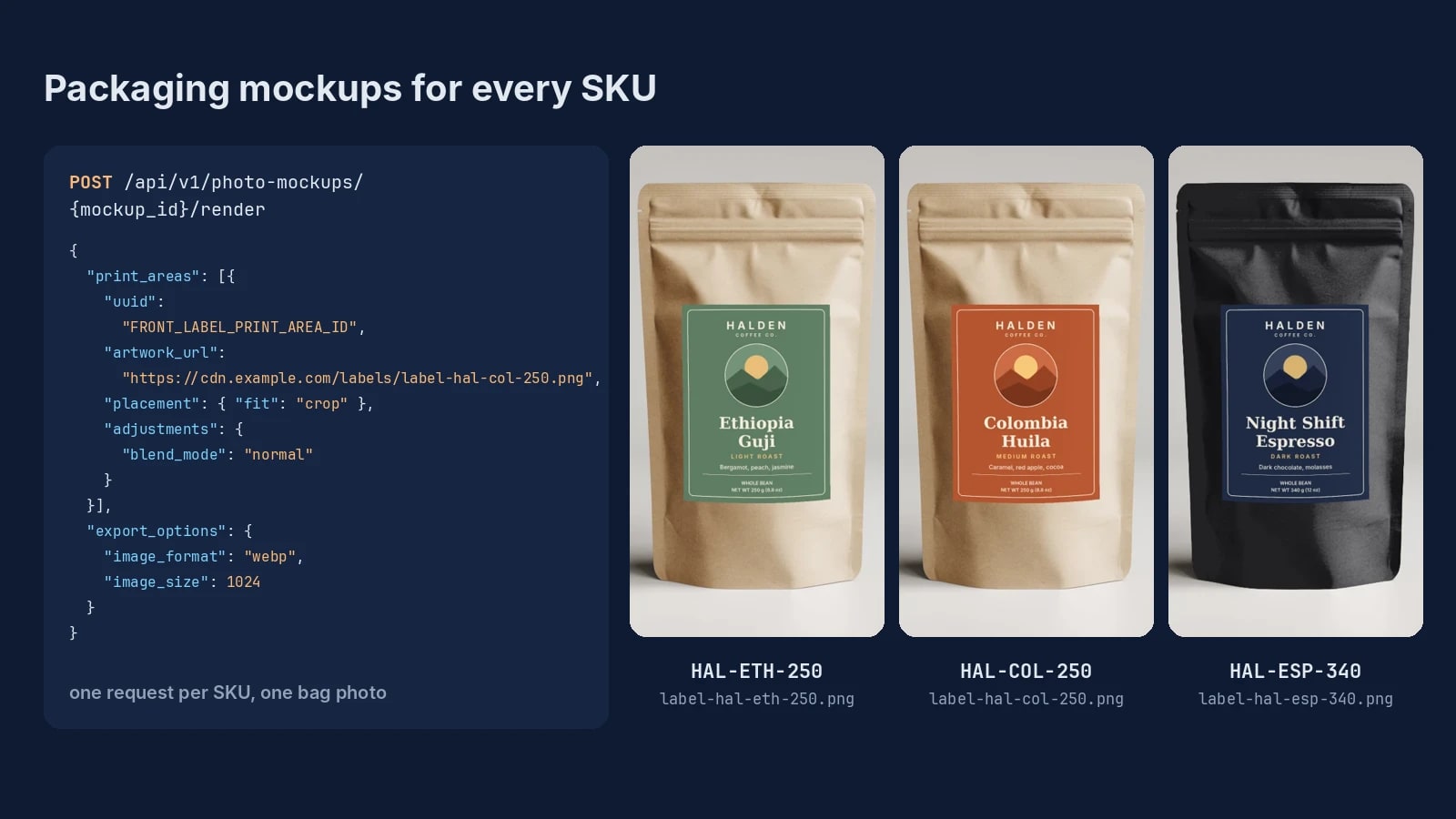
Packaging Mockups for Every SKU: One Bag Photo, One Label per Flavor
One bag photo, one label file per SKU and one render request each: packaging mockups for a whole flavor line, with real renders.
6 min read
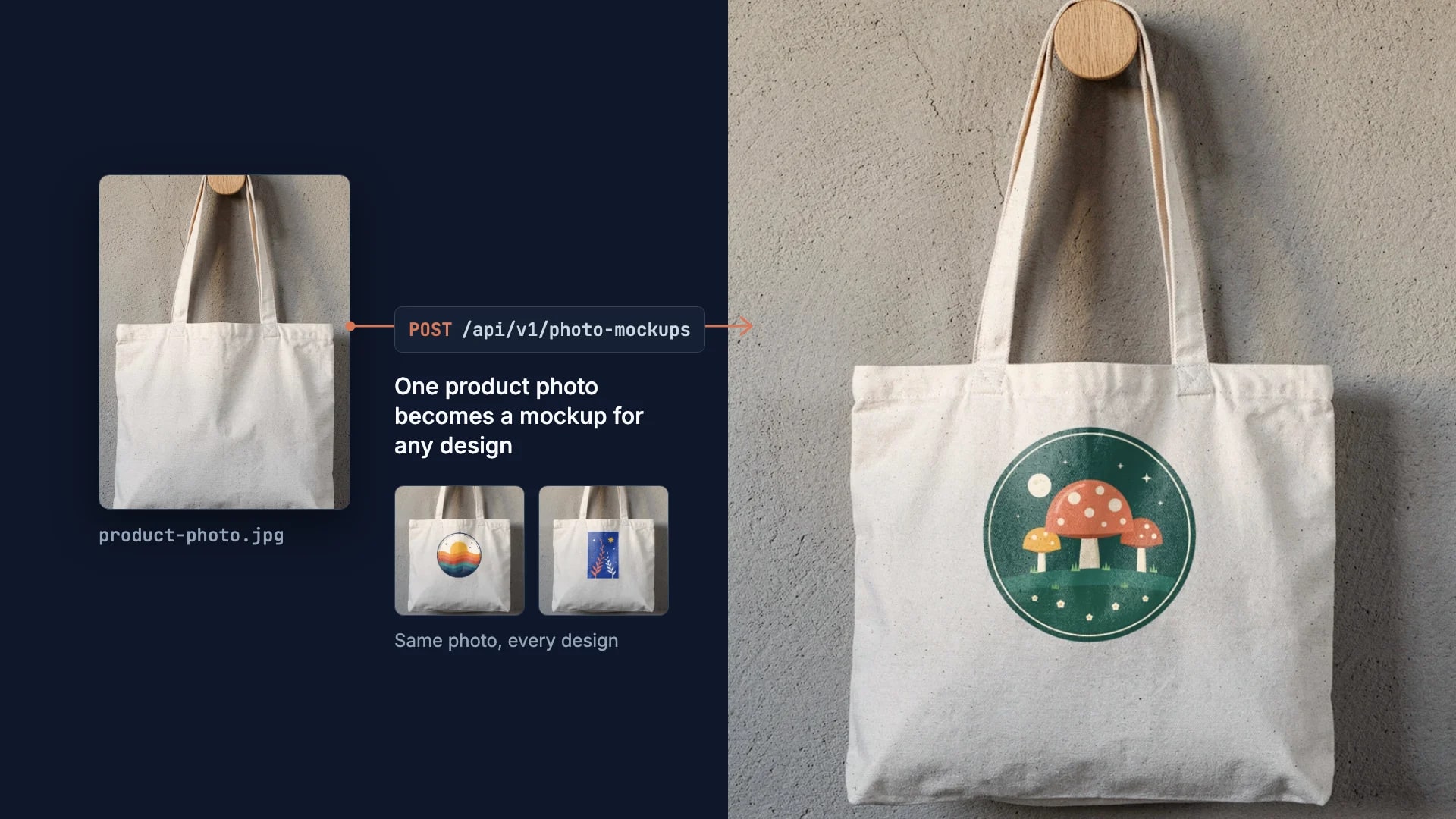
How to Make Your Own Mockup from Any Product Photo
One photo of your own product becomes a reusable mockup: the create call, the render call and real renders of four designs on a canvas tote.
7 min read
Explore by use case
See SudoMock in action for your specific product category
Your own PSD, rendered via API
Render your own PSD through the API. Start with 500 one-time credits, no card.