Jersey Mockups for a Whole Roster: Name and Number by API
A team order is one jersey design with a different name and number on every back, so each player needs renders of their own. Fill a jersey PSD's name and number text layers per request, or letter each player's back file from the roster and render it on a saved jersey photo, one front and one back per CSV row.
Published 8 min readBeck
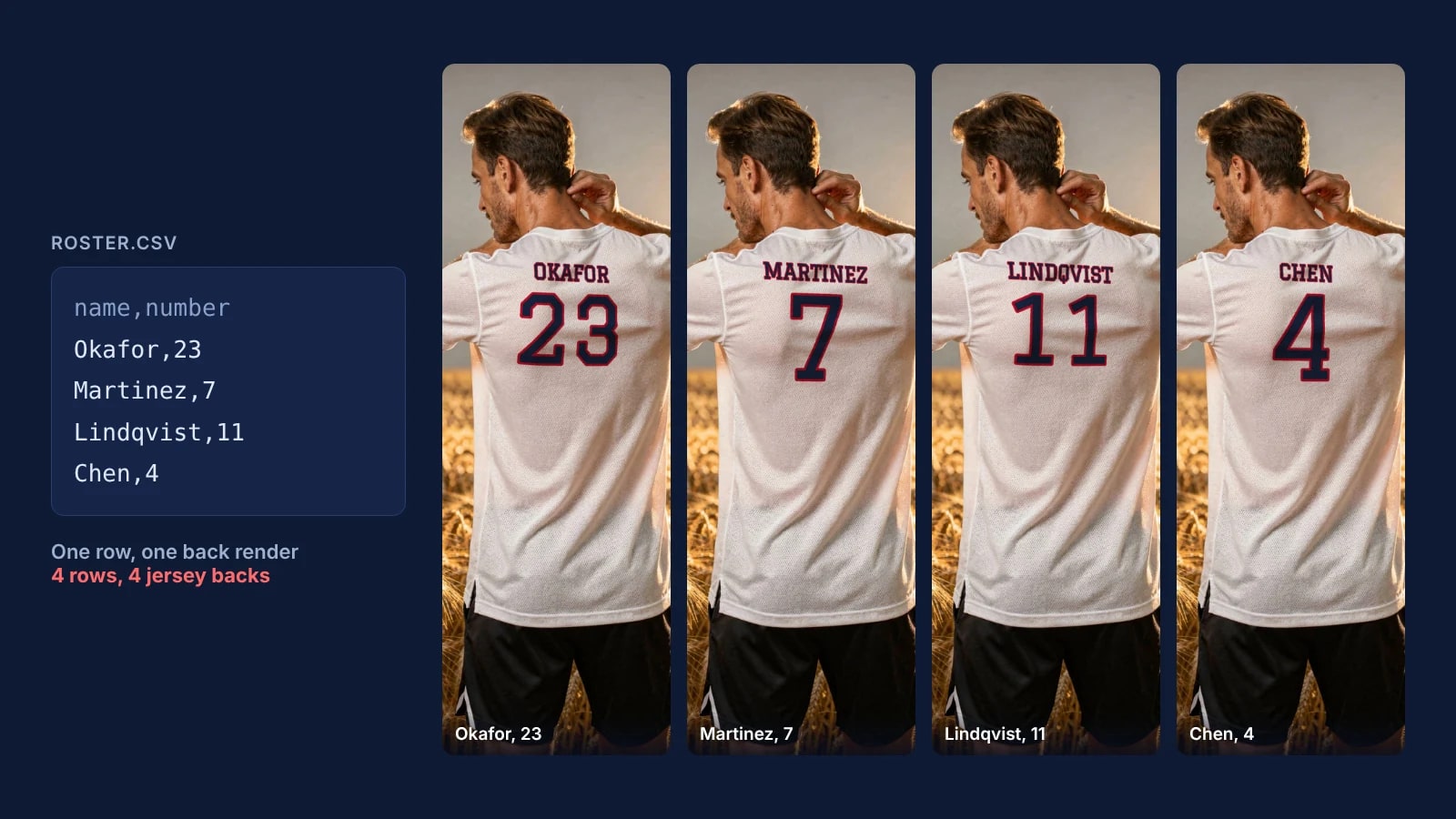
Key takeaways
- Keep jersey numbers as text, so 0, 00 and 07 reach the render the way the player wears them.
- A long name is drawn smaller to the name band's width, so it never runs past the shoulder blades.
- Read font_available and set font before the first render, so every name gets the team's typeface.
What a roster order needs from a mockup
Per row, the name sits across the shoulders with the number under it, and many jerseys repeat the number on the front. How the name and number reach the print depends on the blank. On an all-over print jersey they are part of the complete back panel file, so every player has a whole back file of their own. On a DTF jersey they are a transfer printed inside the back area. Printify's catalog (read 11 September 2026) lists these files, and its product pages (printify.com, read 20 November 2026) give the Rival Basketball Rev Jersey a DTF print with two print areas, front and back.
| Jersey | Print method | Back file | Front file |
|---|---|---|---|
| Basketball Jersey (AOP) | All-over print | 3,519 x 4,625 px | 3,529 x 4,636 px |
| Men's Sports Jersey (AOP) | All-over print | 3,644 x 4,248 px | 3,640 x 4,250 px |
| Kids Sports Jersey (AOP) | All-over print | 2,048 x 2,726 px | 2,048 x 2,726 px |
| Rival Basketball Rev Jersey | DTF | 3,600 x 4,200 px | 3,600 x 4,200 px |
| Rugby Jersey | DTF | 3,600 x 4,200 px | Left or right chest, 1,200 x 1,050 px |
Other print providers list other sizes for the same kind of blank, so the files follow the provider that prints your jersey.
A jersey PSD with name and number text layers
When the jersey PSD carries the name and the number as live type layers, each render fills them by request, and the template's lettering, outline and placement stay as they were designed in Photoshop. Upload the file once and send one render per player.
POST /api/v1/psd/upload stores the template (upload a PSD) and lists every live type layer with its uuid under data.text_layers, or inside the entry of the smart object that holds it. In the dashboard, PSD uploads are capped at 300 MB, and API uploads support files up to Adobe's official PSD file size limit.
Read font_available on the name and number layers before the first render. When it is false, the team's typeface is not in your account's font catalogue, and a render that sends no font sets that layer in a default font and returns a TEXT_FONT_FALLBACK warning. Set font to the PostScript name of a catalogue family, such as Graduate-Regular, or upload the team's licensed font first (fonts). A font you name that the catalogue does not hold returns 422 FONT_NOT_FOUND, so a misspelled name never ships in a substitute typeface.
curl -X POST https://api.sudomock.com/api/v1/renders \-H "x-api-key: $SUDOMOCK_API_KEY" \-H "Content-Type: application/json" \-d '{"mockup_uuid": "JERSEY_PSD_ID","text_layers": [{ "uuid": "NAME_LAYER_ID", "text": "LINDQVIST", "font": "Graduate-Regular", "fit": "shrink" },{ "uuid": "NUMBER_LAYER_ID", "text": "11", "font": "Graduate-Regular" }],"export_options": { "image_format": "jpg", "image_size": 1024 }}'
const response = await fetch('https://api.sudomock.com/api/v1/renders', {method: 'POST',headers: {'x-api-key': process.env.SUDOMOCK_API_KEY,'Content-Type': 'application/json',},body: JSON.stringify({"mockup_uuid": "JERSEY_PSD_ID","text_layers": [{"uuid": "NAME_LAYER_ID","text": "LINDQVIST","font": "Graduate-Regular","fit": "shrink"},{"uuid": "NUMBER_LAYER_ID","text": "11","font": "Graduate-Regular"}],"export_options": {"image_format": "jpg","image_size": 1024}}),});const data = await response.json();console.log(data);
import osimport requestsresponse = requests.post("https://api.sudomock.com/api/v1/renders",headers={"x-api-key": os.environ["SUDOMOCK_API_KEY"],"Content-Type": "application/json",},json={"mockup_uuid": "JERSEY_PSD_ID","text_layers": [{"uuid": "NAME_LAYER_ID","text": "LINDQVIST","font": "Graduate-Regular","fit": "shrink",},{"uuid": "NUMBER_LAYER_ID","text": "11","font": "Graduate-Regular",},],"export_options": {"image_format": "jpg","image_size": 1024,},},)print(response.json())
package mainimport ("bytes""fmt""io""net/http""os")func main() {payload := []byte(`{"mockup_uuid": "JERSEY_PSD_ID","text_layers": [{"uuid": "NAME_LAYER_ID","text": "LINDQVIST","font": "Graduate-Regular","fit": "shrink"},{"uuid": "NUMBER_LAYER_ID","text": "11","font": "Graduate-Regular"}],"export_options": {"image_format": "jpg","image_size": 1024}}`)req, err := http.NewRequest("POST", "https://api.sudomock.com/api/v1/renders", bytes.NewBuffer(payload))if err != nil {panic(err)}req.Header.Set("x-api-key", os.Getenv("SUDOMOCK_API_KEY"))req.Header.Set("Content-Type", "application/json")resp, err := http.DefaultClient.Do(req)if err != nil {panic(err)}defer resp.Body.Close()body, _ := io.ReadAll(resp.Body)fmt.Println(string(body))}
<?php$payload = <<<'JSON'{"mockup_uuid": "JERSEY_PSD_ID","text_layers": [{"uuid": "NAME_LAYER_ID","text": "LINDQVIST","font": "Graduate-Regular","fit": "shrink"},{"uuid": "NUMBER_LAYER_ID","text": "11","font": "Graduate-Regular"}],"export_options": {"image_format": "jpg","image_size": 1024}}JSON;$ch = curl_init('https://api.sudomock.com/api/v1/renders');curl_setopt_array($ch, [CURLOPT_CUSTOMREQUEST => 'POST',CURLOPT_RETURNTRANSFER => true,CURLOPT_HTTPHEADER => ['x-api-key: ' . getenv('SUDOMOCK_API_KEY'),'Content-Type: application/json',],CURLOPT_POSTFIELDS => $payload,]);$response = curl_exec($ch);curl_close($ch);echo $response;
data.print_files[0].export_path in the response is the rendered jersey. "fit": "shrink" brings a name longer than the designed layer down to its width, as Etsy personalization orders shows with a long name, and text layers covers size, colour and outline overrides. Without code, the PSD Mockup: Render operation of the n8n node takes the same text layers from each row of a roster sheet, and text on t-shirt mockups shows the name and number request on a tee.
A jersey PSD whose front and back are smart objects takes the two files that lettering.py draws below in one render per player: each file goes to its smart object as asset.base64, the PNG as a base64 string without a data: prefix, which is what lettering.py returns. It is the PSD request of front and back t-shirt mockups with the player's two files, and the render matches Photoshop's own output.
{"mockup_uuid": "JERSEY_PSD_ID","smart_objects": [{ "uuid": "FRONT_SMART_OBJECT_ID", "asset": { "base64": "FRONT_FILE_BASE64", "fit": "fit" } },{ "uuid": "BACK_SMART_OBJECT_ID", "asset": { "base64": "BACK_FILE_BASE64", "fit": "fit" } }],"export_options": { "image_format": "jpg", "image_size": 1024 }}
Save the back and front photos with their print areas
Save one straight-on photo of the jersey's back and one of its front as photo mockups, each with one print area where the provider prints. The back area starts just below the collar and keeps the shape of the back file, so a name and number laid out on that file land where they print.
Our photos are the back view and the front view of the white polyester mesh jersey template from the jersey template library, saved through the same call (start from a ready-made template). Both areas are 6:7 rectangles, the shape of the 3,600 x 4,200 px DTF back file in the table: 320 by 373 pixels on the back photo and 300 by 350 on the front.
curl -X POST https://api.sudomock.com/api/v1/photo-mockups \-H "x-api-key: $SUDOMOCK_API_KEY" \-H "Content-Type: application/json" \-d '{"source_url": "https://cdn.example.com/photos/white-jersey-back.png","name": "Jersey, back","print_areas": [{ "points": [[500, 475], [820, 475], [820, 848], [500, 848]], "name": "Back" }]}'
const response = await fetch('https://api.sudomock.com/api/v1/photo-mockups', {method: 'POST',headers: {'x-api-key': process.env.SUDOMOCK_API_KEY,'Content-Type': 'application/json',},body: JSON.stringify({"source_url": "https://cdn.example.com/photos/white-jersey-back.png","name": "Jersey, back","print_areas": [{"points": [[500,475],[820,475],[820,848],[500,848]],"name": "Back"}]}),});const data = await response.json();console.log(data);
import osimport requestsresponse = requests.post("https://api.sudomock.com/api/v1/photo-mockups",headers={"x-api-key": os.environ["SUDOMOCK_API_KEY"],"Content-Type": "application/json",},json={"source_url": "https://cdn.example.com/photos/white-jersey-back.png","name": "Jersey, back","print_areas": [{"points": [[500,475,],[820,475,],[820,848,],[500,848,],],"name": "Back",},],},)print(response.json())
package mainimport ("bytes""fmt""io""net/http""os")func main() {payload := []byte(`{"source_url": "https://cdn.example.com/photos/white-jersey-back.png","name": "Jersey, back","print_areas": [{"points": [[500,475],[820,475],[820,848],[500,848]],"name": "Back"}]}`)req, err := http.NewRequest("POST", "https://api.sudomock.com/api/v1/photo-mockups", bytes.NewBuffer(payload))if err != nil {panic(err)}req.Header.Set("x-api-key", os.Getenv("SUDOMOCK_API_KEY"))req.Header.Set("Content-Type", "application/json")resp, err := http.DefaultClient.Do(req)if err != nil {panic(err)}defer resp.Body.Close()body, _ := io.ReadAll(resp.Body)fmt.Println(string(body))}
<?php$payload = <<<'JSON'{"source_url": "https://cdn.example.com/photos/white-jersey-back.png","name": "Jersey, back","print_areas": [{"points": [[500,475],[820,475],[820,848],[500,848]],"name": "Back"}]}JSON;$ch = curl_init('https://api.sudomock.com/api/v1/photo-mockups');curl_setopt_array($ch, [CURLOPT_CUSTOMREQUEST => 'POST',CURLOPT_RETURNTRANSFER => true,CURLOPT_HTTPHEADER => ['x-api-key: ' . getenv('SUDOMOCK_API_KEY'),'Content-Type: application/json',],CURLOPT_POSTFIELDS => $payload,]);$response = curl_exec($ch);curl_close($ch);echo $response;
The points are pixel positions in the photo, listed clockwise from the top left (create a mockup from a product photo). Keep data.mockup_id and data.quads[0].print_area_id from each response. The front is the same call with the front photo and its own four points.
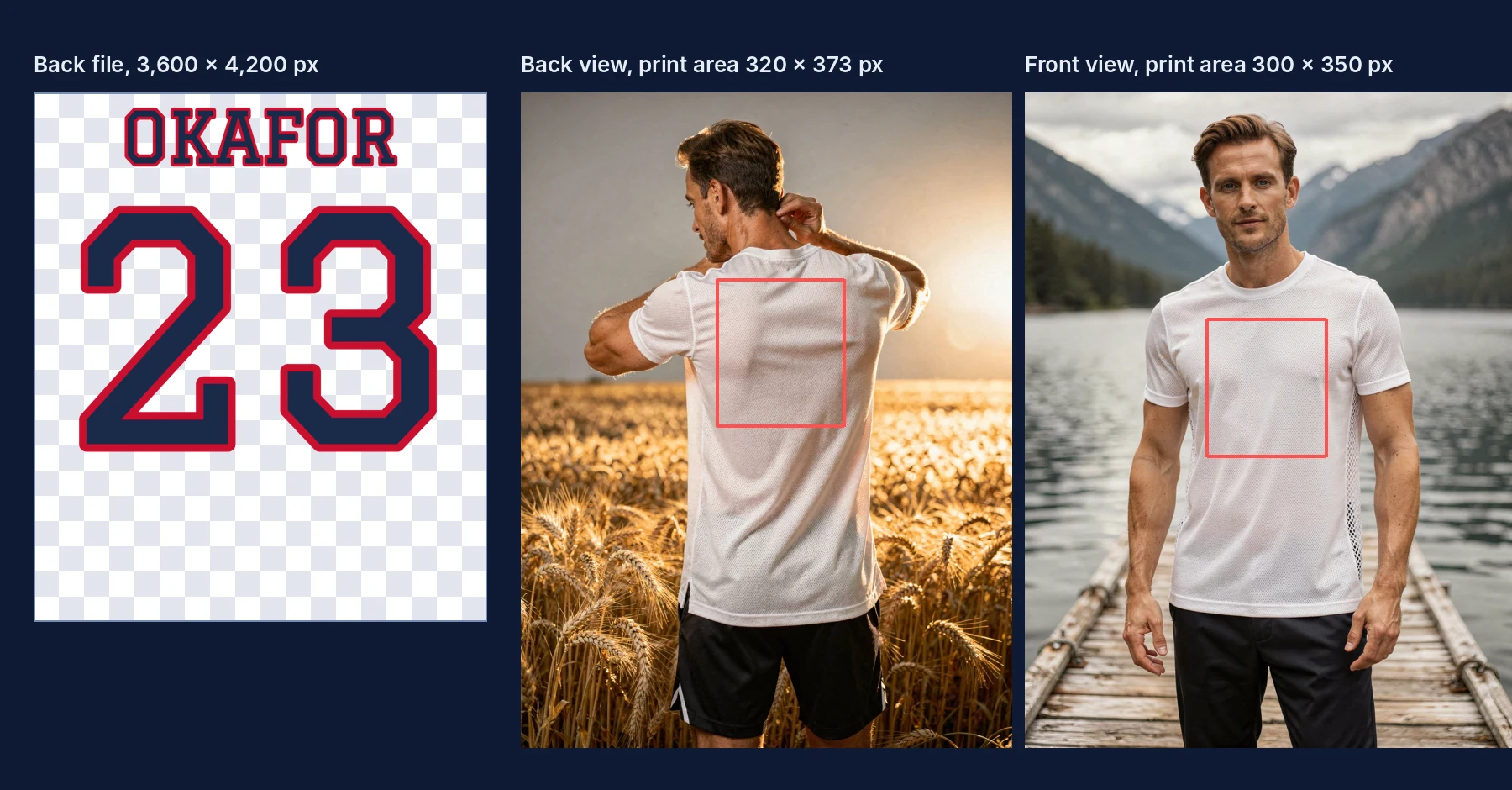 The back file at the size of a DTF jersey back, and the two print areas we sent, outlined on the library jersey views.
Letter each player's files from the roster
A player's back file is the team's lettering on a transparent canvas at the provider's size: the name in a band across the top and the number below it. A short Pillow module draws both in the team's font and draws a long name smaller until it fits the band.
import base64, iofrom PIL import Image, ImageDraw, ImageFontFONT = "team-font.ttf" # the team's licensed typefaceW, H = 3600, 4200 # the provider's back fileNAVY, RED = (27, 42, 74, 255), (200, 16, 46, 255)def place(draw, text, top, max_w, max_h, stroke):size = max_hwhile True:font = ImageFont.truetype(FONT, size)l, t, r, b = draw.textbbox((0, 0), text, font=font, stroke_width=stroke)if (r - l <= max_w and b - t <= max_h) or size <= 10:breaksize -= 10x = (W - (r - l)) // 2 - ldraw.text((x, top - t), text, font=font, fill=NAVY, stroke_width=stroke, stroke_fill=RED)def jersey_file(lines):image = Image.new("RGBA", (W, H), (0, 0, 0, 0))draw = ImageDraw.Draw(image)for text, top, max_w, max_h, stroke in lines:place(draw, text, top, max_w, max_h, stroke)buf = io.BytesIO()image.save(buf, "PNG")return base64.b64encode(buf.getvalue()).decode()def back_file(name, number):return jersey_file([(name.upper(), 120, 3300, 560, 24), (number, 900, 3300, 3000, 60)])def front_file(number):return jersey_file([("COMETS", 200, 3300, 760, 30), (number, 1350, 2600, 1900, 48)])
Each line gives the text, its top edge, the widest and tallest it may be, and the outline width, in pixels of the 3,600 by 4,200 file. Change COMETS, the two colours and the bands to your design. Keep the number as text from the roster to the file: a spreadsheet that stores 07 as a number writes 7, and 0 and 00 are two different jerseys, so the script reads every cell as a string and letters it as written.
Render one front and one back per player
Each player's two files go to the two saved photos, with fit keeping the whole file inside the area. The photos and areas are saved once, so every player after the first is two render requests and nothing else.
curl -X POST https://api.sudomock.com/api/v1/photo-mockups/BACK_MOCKUP_ID/render \-H "x-api-key: $SUDOMOCK_API_KEY" \-H "Content-Type: application/json" \-d '{"print_areas": [{"uuid": "BACK_AREA_ID","artwork_url": "https://cdn.example.com/roster/back-23-okafor.png","placement": { "fit": "fit" }}],"export_options": { "image_format": "jpg", "image_size": 1024 }}'
const response = await fetch('https://api.sudomock.com/api/v1/photo-mockups/BACK_MOCKUP_ID/render', {method: 'POST',headers: {'x-api-key': process.env.SUDOMOCK_API_KEY,'Content-Type': 'application/json',},body: JSON.stringify({"print_areas": [{"uuid": "BACK_AREA_ID","artwork_url": "https://cdn.example.com/roster/back-23-okafor.png","placement": {"fit": "fit"}}],"export_options": {"image_format": "jpg","image_size": 1024}}),});const data = await response.json();console.log(data);
import osimport requestsresponse = requests.post("https://api.sudomock.com/api/v1/photo-mockups/BACK_MOCKUP_ID/render",headers={"x-api-key": os.environ["SUDOMOCK_API_KEY"],"Content-Type": "application/json",},json={"print_areas": [{"uuid": "BACK_AREA_ID","artwork_url": "https://cdn.example.com/roster/back-23-okafor.png","placement": {"fit": "fit",},},],"export_options": {"image_format": "jpg","image_size": 1024,},},)print(response.json())
package mainimport ("bytes""fmt""io""net/http""os")func main() {payload := []byte(`{"print_areas": [{"uuid": "BACK_AREA_ID","artwork_url": "https://cdn.example.com/roster/back-23-okafor.png","placement": {"fit": "fit"}}],"export_options": {"image_format": "jpg","image_size": 1024}}`)req, err := http.NewRequest("POST", "https://api.sudomock.com/api/v1/photo-mockups/BACK_MOCKUP_ID/render", bytes.NewBuffer(payload))if err != nil {panic(err)}req.Header.Set("x-api-key", os.Getenv("SUDOMOCK_API_KEY"))req.Header.Set("Content-Type", "application/json")resp, err := http.DefaultClient.Do(req)if err != nil {panic(err)}defer resp.Body.Close()body, _ := io.ReadAll(resp.Body)fmt.Println(string(body))}
<?php$payload = <<<'JSON'{"print_areas": [{"uuid": "BACK_AREA_ID","artwork_url": "https://cdn.example.com/roster/back-23-okafor.png","placement": {"fit": "fit"}}],"export_options": {"image_format": "jpg","image_size": 1024}}JSON;$ch = curl_init('https://api.sudomock.com/api/v1/photo-mockups/BACK_MOCKUP_ID/render');curl_setopt_array($ch, [CURLOPT_CUSTOMREQUEST => 'POST',CURLOPT_RETURNTRANSFER => true,CURLOPT_HTTPHEADER => ['x-api-key: ' . getenv('SUDOMOCK_API_KEY'),'Content-Type: application/json',],CURLOPT_POSTFIELDS => $payload,]);$response = curl_exec($ch);curl_close($ch);echo $response;
data.print_files[0].export_path is the URL of the rendered jersey, and the front is the same request with the front mockup, its area and the front file. The average SudoMock render finishes in under a second. A file you already host goes in as artwork_url, as here; the script below sends the file it just drew as base64 (render a photo mockup).
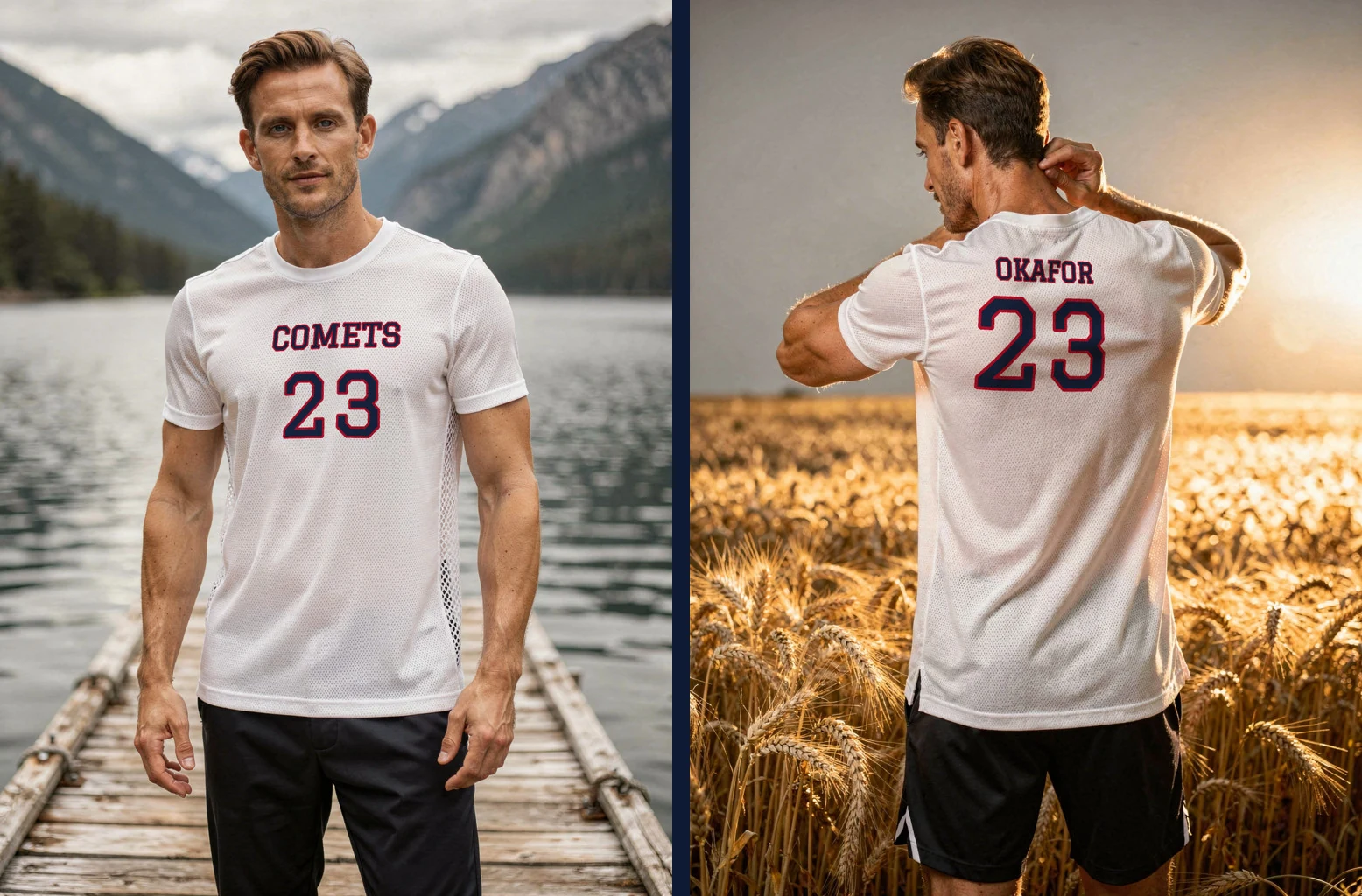 Front and back of one roster row, Okafor 23. SudoMock renders on the library jersey views, 20 November 2026.
The mesh texture and the folds of the jersey run through the lettering, and the outline keeps its width on every letter. The name band takes the longest name on the roster at full height, and a one-digit number stands centered under a short name.
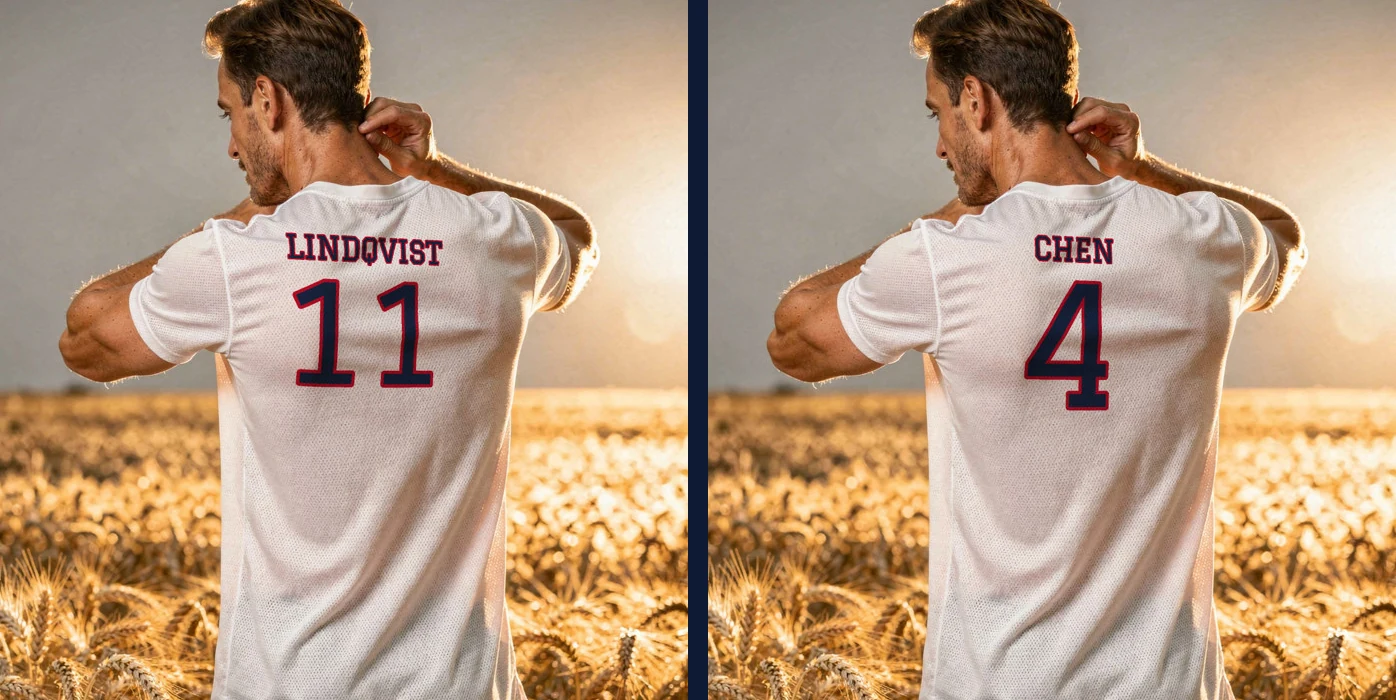 The longest name and a one-digit number on the same back area, both lettered by lettering.py. SudoMock renders, 20 November 2026.
Render the whole roster by script
One CSV row per player is the whole input. The script letters both files for each row, renders them on the two saved photos and names every image after the number and the name.
name,numberOkafor,23Martinez,7Lindqvist,11Chen,4
Fill FRONT and BACK with the ids from the two create calls, put the team's font next to the scripts as team-font.ttf, set SUDOMOCK_API_KEY in the environment and run python roster.py roster.csv.
import csv, os, sys, timefrom concurrent.futures import ThreadPoolExecutorimport requestsfrom lettering import back_file, front_fileFRONT = {"mockup": "FRONT_MOCKUP_ID", "area": "FRONT_AREA_ID"}BACK = {"mockup": "BACK_MOCKUP_ID", "area": "BACK_AREA_ID"}API = "https://api.sudomock.com/api/v1/photo-mockups"HEADERS = {"x-api-key": os.environ["SUDOMOCK_API_KEY"]}def render(side, artwork, name):body = {"print_areas": [{"uuid": side["area"], "base64": artwork, "placement": {"fit": "fit"}}],"export_options": {"image_format": "jpg", "image_size": 1024}}url = f"{API}/{side['mockup']}/render"res = requests.post(url, json=body, headers=HEADERS, timeout=120)if res.status_code == 429:time.sleep(int(res.headers.get("Retry-After", 5)))res = requests.post(url, json=body, headers=HEADERS, timeout=120)if not res.ok:return f"{name} failed {res.status_code} {res.text}"image = requests.get(res.json()["data"]["print_files"][0]["export_path"], timeout=60)if not image.ok:return f"{name} download failed {image.status_code}"with open(name, "wb") as f:f.write(image.content)return f"{name} saved"def player(row):name, number = row["name"].strip(), row["number"].strip()stem = f"{number}-{name.lower().replace(' ', '-')}"return [render(FRONT, front_file(number), f"{stem}-front.jpg"),render(BACK, back_file(name, number), f"{stem}-back.jpg")]with open(sys.argv[1], newline="") as f:rows = list(csv.DictReader(f))with ThreadPoolExecutor(max_workers=8) as pool:for lines in pool.map(player, rows):print("\n".join(lines))
The four rows come out as eight images, from 23-okafor-front.jpg to 4-chen-back.jpg, and a name such as Van Der Berg becomes 00-van-der-berg-back.jpg. For a league order of several hundred players, add "is_async": true to each body and collect every image from its job.
Next step
Render one player before the roster: save the back and front views of the white polyester mesh jersey template or two photos of your own blank, letter one row and check that the name and number sit where your provider prints them. With the ids in FRONT and BACK, the script covers the team. For other jersey scenes, start from the jersey templates and the jersey mockup guide. Name and number layers in your own PSD are in text layers and fonts, and garments with one front file and one back file per design are in front and back t-shirt mockups.
Frequently asked questions
What size is a jersey back print file?
Printify's catalog, read in September 2026, lists 3,519 by 4,625 pixels for the back of its Basketball Jersey (AOP) and 3,600 by 4,200 pixels for the back of DTF jerseys such as the Rival Basketball Rev Jersey. Lay the file out at the size your provider lists for the jersey you sell.
How do I make jersey mockups for a whole team?
Keep the roster as one row per player with the name and the number, and render each row as its own front and back. With a jersey PSD, the name and number go into its text layers in each render request. With jersey photos, a script letters each player's files and renders them on the two saved photos.
How do I render every name in the team's font?
Set font on the name and number layers to a catalogue family, or upload the team's licensed font, and every name renders in it. The font_available field of the upload response shows which layers need it before the first render. A layer sent without a font comes back in a default font with a TEXT_FONT_FALLBACK warning.
Can I put a name and number on a jersey mockup without Photoshop?
Yes. Draw the name and number onto a transparent file at the provider's size with any image library or editor, then render that file on a jersey photo saved as a photo mockup. The jersey's mesh texture and folds run through the lettering in the render.
Sources
- Upload a PSD (opens in new tab), SudoMock docs
- What is the PSD file size limit (opens in new tab), SudoMock docs
- Use fonts in PSD text layers (opens in new tab), SudoMock docs
- Text layers (opens in new tab), SudoMock docs
- Render mockups with n8n and SudoMock (opens in new tab), SudoMock docs
- Start From a Ready-Made Template: No File of Your Own (opens in new tab), SudoMock docs
- Create a mockup from a product photo (opens in new tab), SudoMock docs
- Render a photo mockup (opens in new tab), SudoMock docs
- Retrieve a single job (opens in new tab), SudoMock docs
Beck
CTO
Related articles
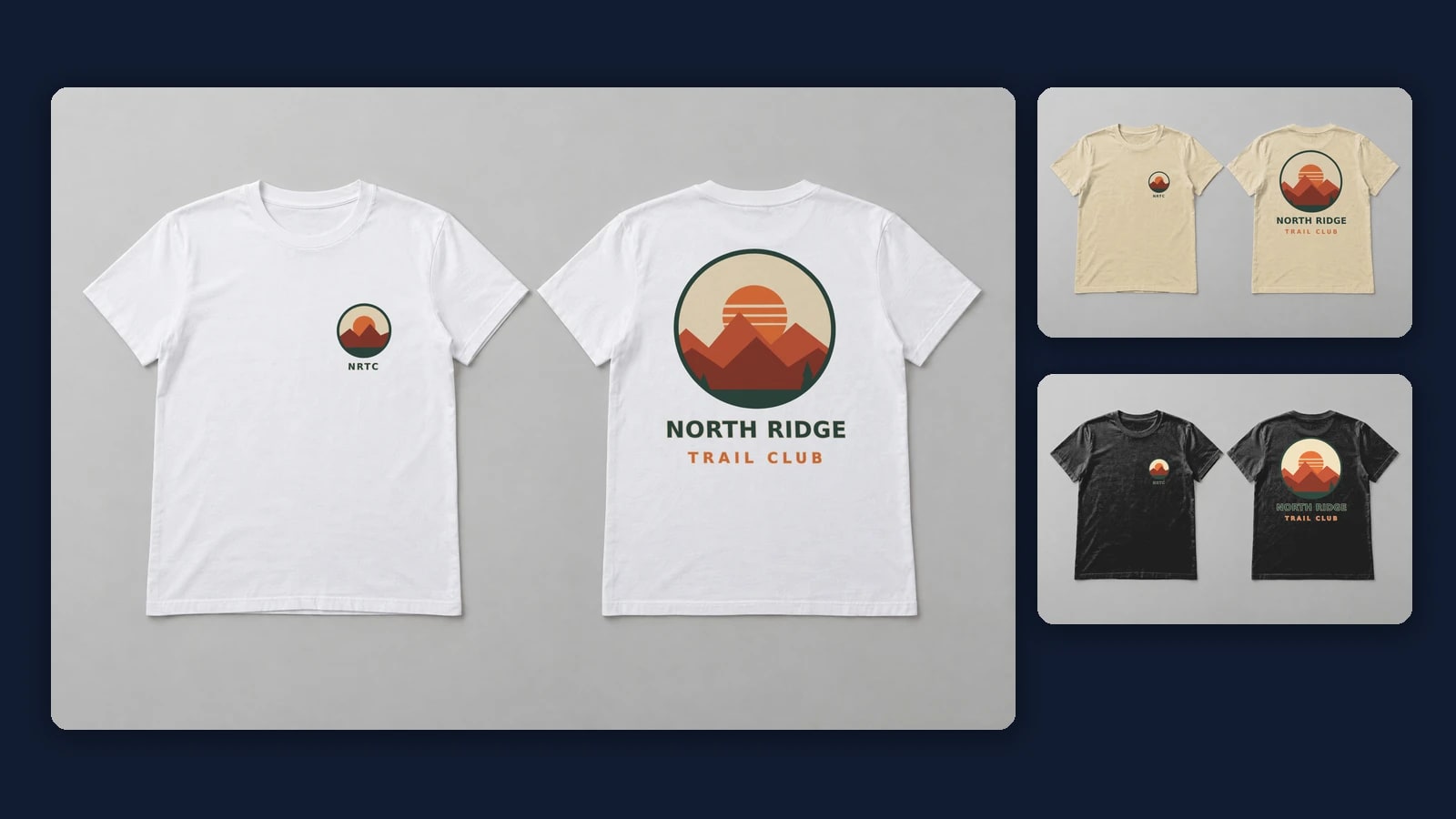
Front and Back T-Shirt Mockups: Both Prints in One Render
Put the chest badge and the back print of every design pair on one mockup, in every shirt color, with one render request each.
6 min read
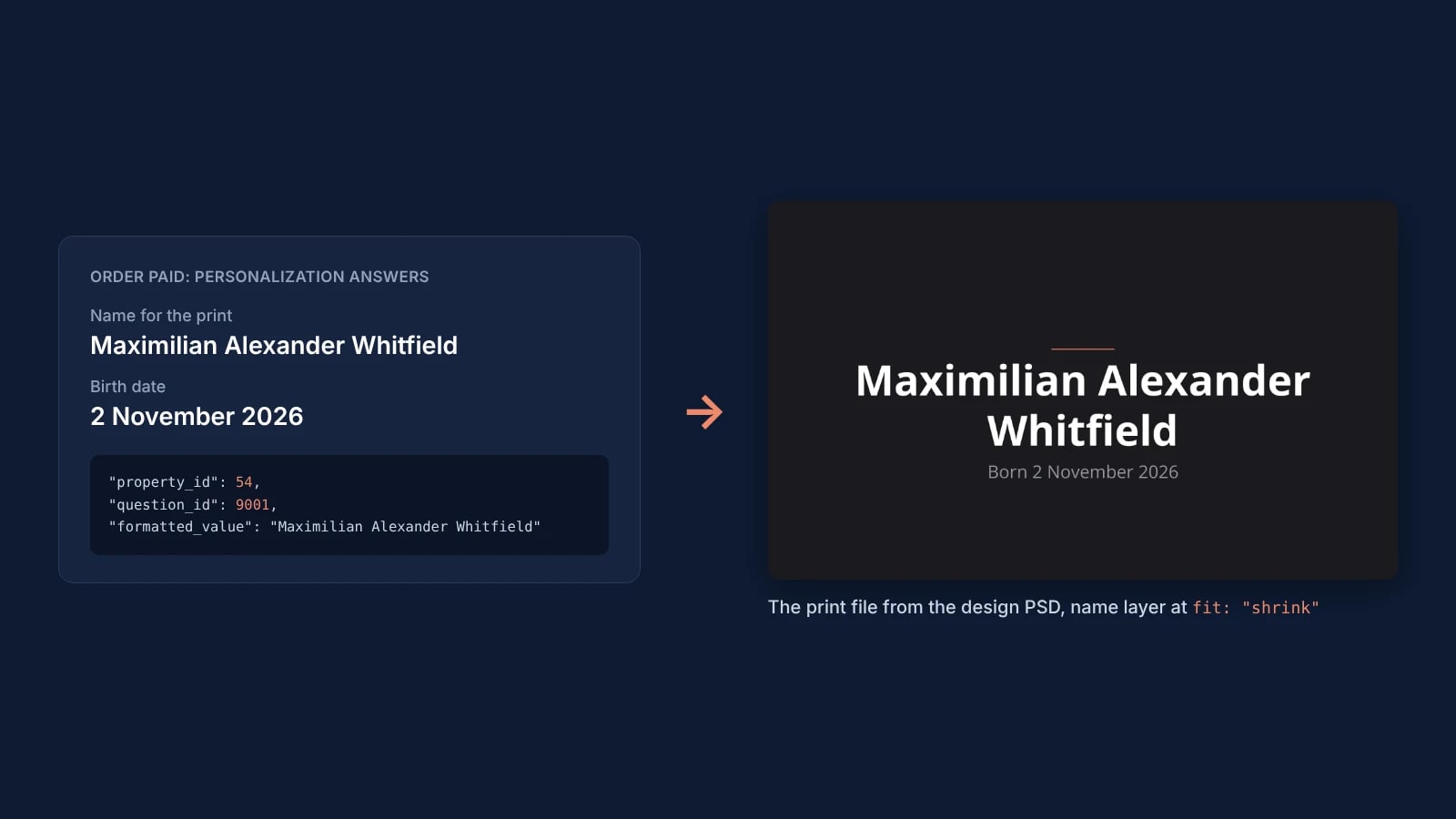
Etsy Personalization Orders: Render Each Buyer's Name on Your Own PSD
When an Etsy order is paid, render each buyer's personalization answers on your own PSD, with long names fitted to the box the designer drew.
7 min read
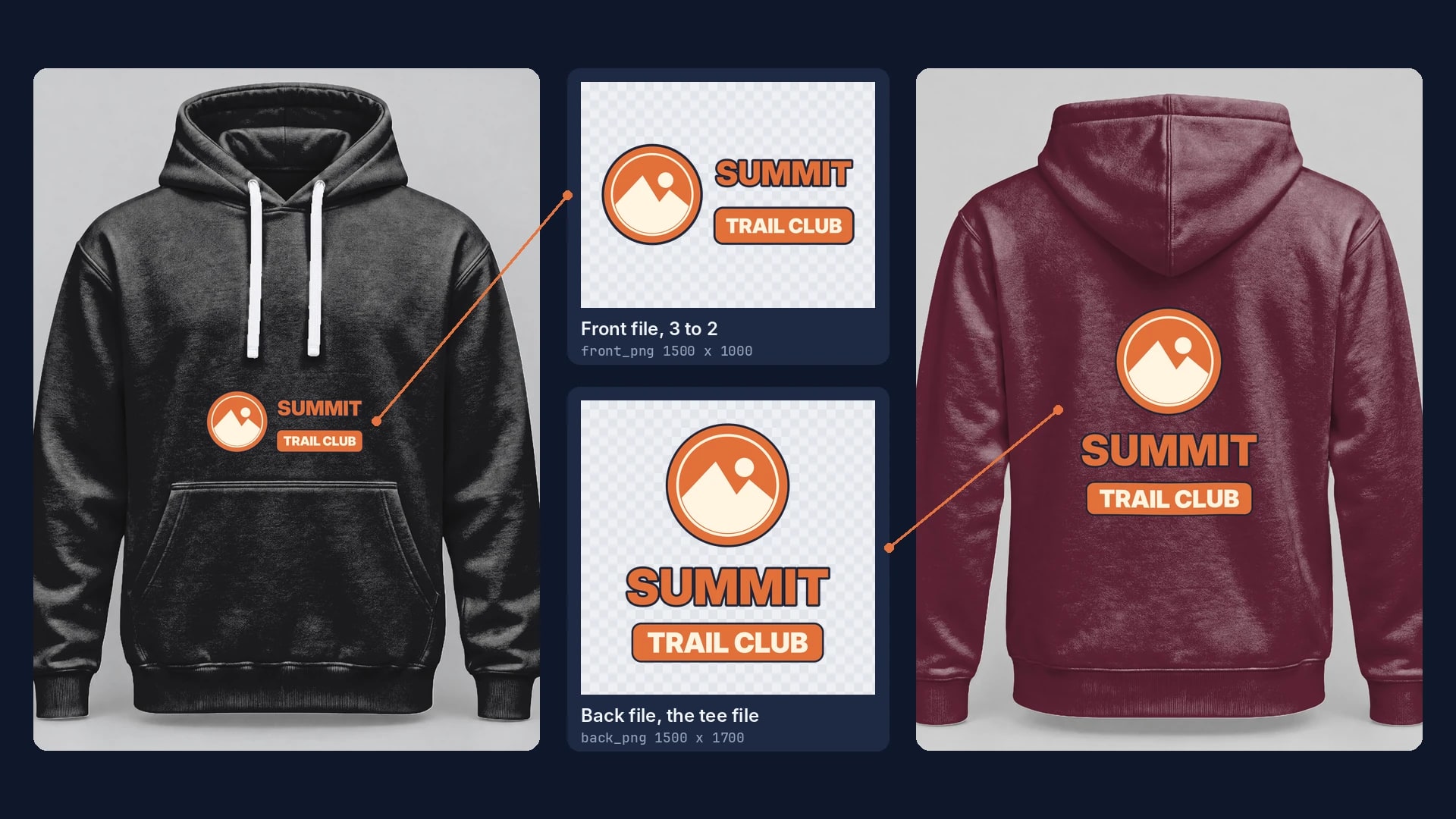
Hoodie Mockups: A Wide Front File Above the Pocket, Every Color
Draw the front area above the pocket and the back area below the hood, then render each design, side and color by API.
9 min read
Latest articles
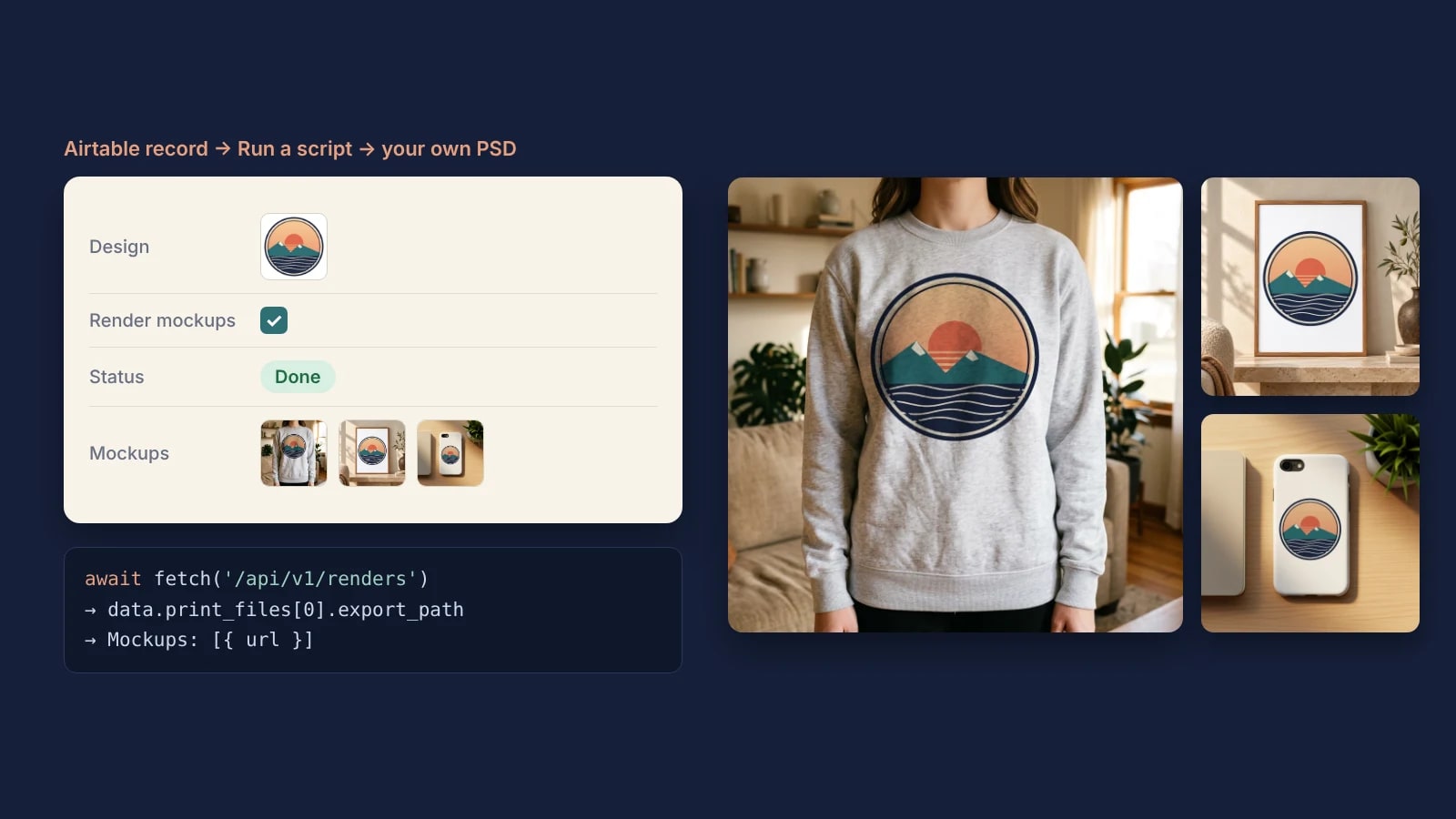
Airtable Mockup Automation: Render Your Own PSD per Record
One Run a script action turns a ticked record into finished mockups on your own templates, attached to the same record, with real sweatshirt, poster and phone case renders.
8 min read
Ad Variants From Your Own PSD Templates With Claude or ChatGPT
Claude or ChatGPT fills each headline into your own ad PSDs and renders every placement, with real renders, the request and the long headline fix.
8 min read
ChatGPT PSD Mockups: Render Your Own Template With ChatGPT or Claude
Connected to SudoMock, ChatGPT or Claude uploads your PSD mockup and renders every design, shirt color and slogan into it, with real tee renders.
6 min read
Explore by use case
See SudoMock in action for your specific product category
Your own PSD, rendered via API
Render your own PSD through the API. Start with 500 one-time credits, no card.