Tumbler Mockups: Front and Back Views From One Wrap File
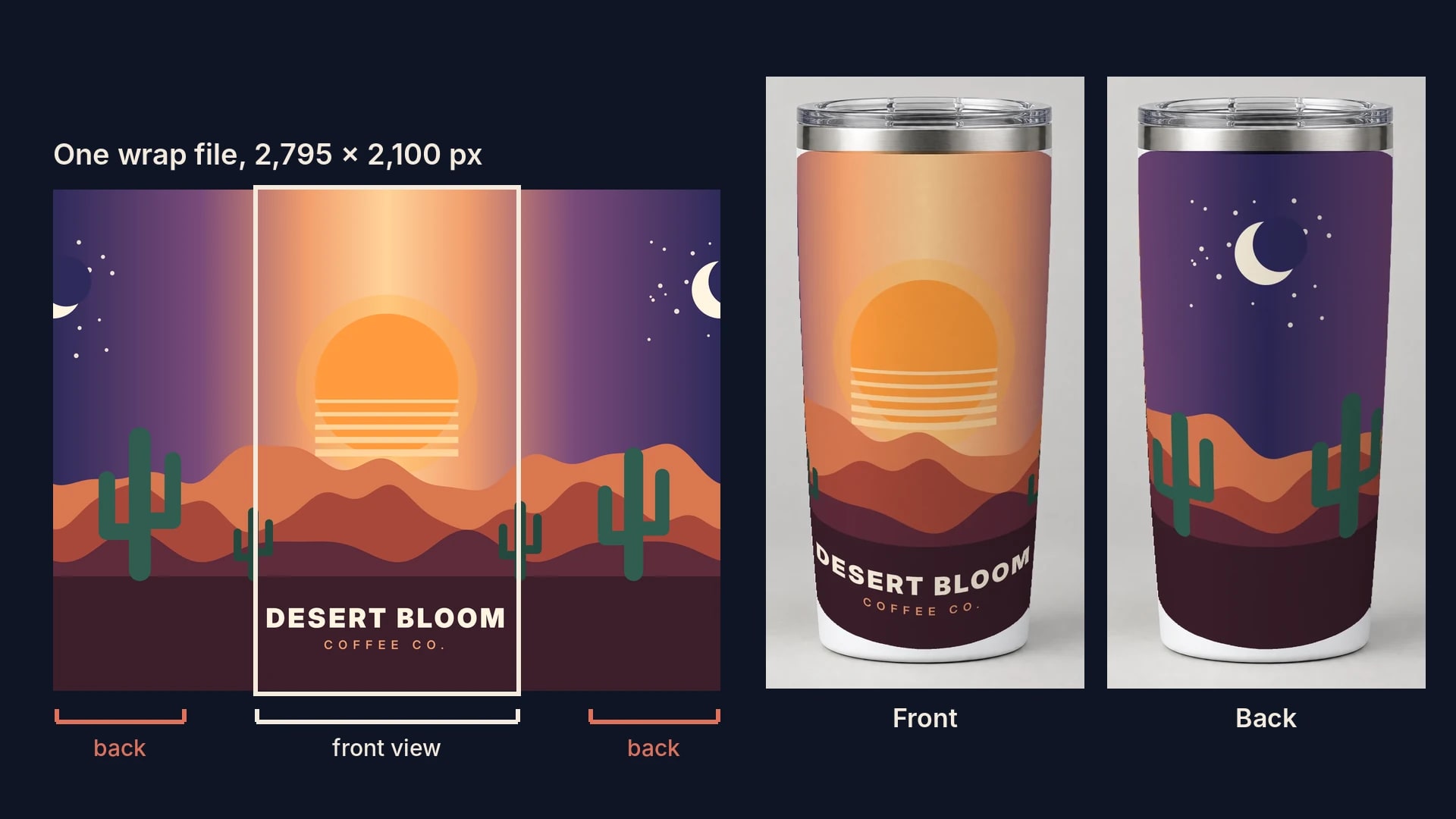
A tumbler photo shows the middle of a wraparound print: the front view is the center of the wrap file and the back view its two ends, joined at the seam. Send the wrap with crop for the front and the wrap rolled by half its width for the back, and send a DTF tumbler's front and back files whole.
Published 8 min readBeck
Key takeaways
- The seam sits in the middle of the back view, so the two short edges of the file must line up.
- A tumbler with no handle looks the same from behind, so one photo serves both sides.
- Keep the lettering inside the middle third of the wrap; the front view shows its center.
Which print layout your tumbler takes
Sublimation and UV tumblers print one wraparound file that covers the body, while DTF tumblers print a separate front file and back file. The layout decides what each render sends, so check it on the blank you sell before you make a single mockup.
Printify's catalog (read 11 September 2026) lists these files for its 20 to 40 oz tumblers, and its product pages (printify.com, read 19 November 2026) give the Tumbler 20oz a dye sublimation print with a "Wraparound exterior" print area and the Skinny Tumbler 22oz a DTF print.
| Tumbler | Print method | Print file |
|---|---|---|
| Tumbler 20oz | Dye sublimation | One wrap, 2,795 x 2,100 px |
| Stainless Steel Tumbler 20oz | UV | One wrap, 2,776 x 2,374 px |
| Vagabond 20oz Tumbler | Dye sublimation | One wrap, 3,058 x 1,715 px |
| Tumbler 40oz | UV | One wrap, 3,000 x 1,713 px |
| Skinny Tumbler 22oz | DTF | Front and back, 750 x 1,200 px each |
| Insulated Tumbler 20oz | DTF | Front and back, 900 x 900 px each |
Other print providers list other sizes for the same kind of blank, so the file follows the provider that prints your tumbler.
A tumbler PSD you already sell with
Upload it once and render it by request: anything that works in Photoshop renders as an exact match, with no extra setup. Its smart object takes the file it was built for, and the template's own curve, shading and lid stay as they are in Photoshop.
Open the smart object in Photoshop to see which file it expects, the whole wrap or one side, and send that file. POST /api/v1/psd/upload stores the template (upload a PSD) and answers with its data.uuid and one uuid per smart object in data.smart_objects. In the dashboard, PSD uploads are capped at 300 MB, and API uploads support files up to Adobe's official PSD file size limit.
curl -X POST https://api.sudomock.com/api/v1/renders \-H "x-api-key: $SUDOMOCK_API_KEY" \-H "Content-Type: application/json" \-d '{"mockup_uuid": "TUMBLER_PSD_ID","smart_objects": [{"uuid": "WRAP_SMART_OBJECT_ID","asset": { "url": "https://cdn.example.com/tumblers/desert-bloom-wrap.png", "fit": "fill" }}],"export_options": { "image_format": "jpg", "image_size": 1024 }}'
const response = await fetch('https://api.sudomock.com/api/v1/renders', {method: 'POST',headers: {'x-api-key': process.env.SUDOMOCK_API_KEY,'Content-Type': 'application/json',},body: JSON.stringify({"mockup_uuid": "TUMBLER_PSD_ID","smart_objects": [{"uuid": "WRAP_SMART_OBJECT_ID","asset": {"url": "https://cdn.example.com/tumblers/desert-bloom-wrap.png","fit": "fill"}}],"export_options": {"image_format": "jpg","image_size": 1024}}),});const data = await response.json();console.log(data);
import osimport requestsresponse = requests.post("https://api.sudomock.com/api/v1/renders",headers={"x-api-key": os.environ["SUDOMOCK_API_KEY"],"Content-Type": "application/json",},json={"mockup_uuid": "TUMBLER_PSD_ID","smart_objects": [{"uuid": "WRAP_SMART_OBJECT_ID","asset": {"url": "https://cdn.example.com/tumblers/desert-bloom-wrap.png","fit": "fill",},},],"export_options": {"image_format": "jpg","image_size": 1024,},},)print(response.json())
package mainimport ("bytes""fmt""io""net/http""os")func main() {payload := []byte(`{"mockup_uuid": "TUMBLER_PSD_ID","smart_objects": [{"uuid": "WRAP_SMART_OBJECT_ID","asset": {"url": "https://cdn.example.com/tumblers/desert-bloom-wrap.png","fit": "fill"}}],"export_options": {"image_format": "jpg","image_size": 1024}}`)req, err := http.NewRequest("POST", "https://api.sudomock.com/api/v1/renders", bytes.NewBuffer(payload))if err != nil {panic(err)}req.Header.Set("x-api-key", os.Getenv("SUDOMOCK_API_KEY"))req.Header.Set("Content-Type", "application/json")resp, err := http.DefaultClient.Do(req)if err != nil {panic(err)}defer resp.Body.Close()body, _ := io.ReadAll(resp.Body)fmt.Println(string(body))}
<?php$payload = <<<'JSON'{"mockup_uuid": "TUMBLER_PSD_ID","smart_objects": [{"uuid": "WRAP_SMART_OBJECT_ID","asset": {"url": "https://cdn.example.com/tumblers/desert-bloom-wrap.png","fit": "fill"}}],"export_options": {"image_format": "jpg","image_size": 1024}}JSON;$ch = curl_init('https://api.sudomock.com/api/v1/renders');curl_setopt_array($ch, [CURLOPT_CUSTOMREQUEST => 'POST',CURLOPT_RETURNTRANSFER => true,CURLOPT_HTTPHEADER => ['x-api-key: ' . getenv('SUDOMOCK_API_KEY'),'Content-Type: application/json',],CURLOPT_POSTFIELDS => $payload,]);$response = curl_exec($ch);curl_close($ch);echo $response;
data.print_files[0].export_path in the response is the rendered tumbler; the render reference lists every field. The rest of this post is for a seller who has a photo of the blank tumbler and no layered file.
Which part of the wrap the front and the back show
A render keeps the file's own proportions when it takes the part of the file a view shows and nothing else, so a round shape in the design stays round. The fit value of the request decides which part that is.
A whole wrap sent with fill puts the entire design on one side: the round sun in its middle is squeezed into a narrow oval, and the crescent moon, which sits across the two ends of the file and belongs on the back, shows at both edges. With crop, the face fills edge to edge from the center of the file at the file's proportions, which gives the front view; the slice it keeps is as wide as the area's shape allows, about two fifths of the wrap on our photo. The same crop on the file rolled by half its width, so that its two ends meet in the middle, gives the back view.
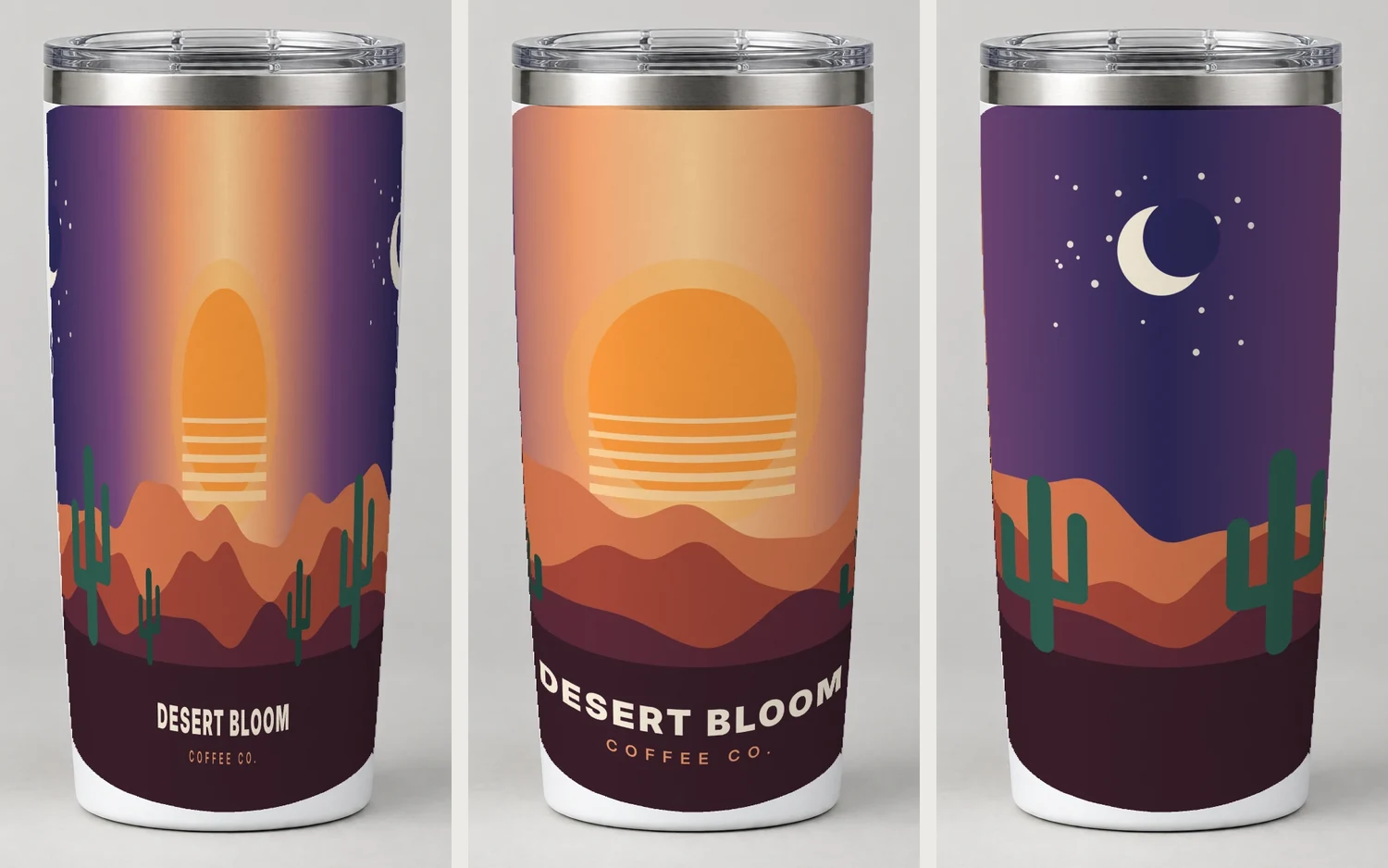 Left to right: the whole wrap with fill, the wrap with crop, the rolled wrap with crop. Same tumbler photo and print area. SudoMock renders, 19 November 2026.
Save the tumbler photo with its face as the print area
Save one straight-on photo of the blank tumbler as a photo mockup, with one print area over the face of the body. Its four corners follow the tumbler's edges, so on a tapered tumbler the area is narrower at the bottom than at the top.
Our test photo shows a white 20 oz tumbler with a press-in lid, 1,152 by 1,536 pixels, generated for this test. The area covers the band the provider prints, from just below the steel rim down to the base, and it runs a little past the outline of the body at the sides and the bottom: only the tumbler itself takes the print.
curl -X POST https://api.sudomock.com/api/v1/photo-mockups \-H "x-api-key: $SUDOMOCK_API_KEY" \-H "Content-Type: application/json" \-d '{"source_url": "https://cdn.example.com/photos/white-tumbler-20oz.jpg","name": "Tumbler 20oz, front","print_areas": [{ "points": [[291, 322], [855, 322], [800, 1395], [341, 1395]], "name": "Wrap" }]}'
const response = await fetch('https://api.sudomock.com/api/v1/photo-mockups', {method: 'POST',headers: {'x-api-key': process.env.SUDOMOCK_API_KEY,'Content-Type': 'application/json',},body: JSON.stringify({"source_url": "https://cdn.example.com/photos/white-tumbler-20oz.jpg","name": "Tumbler 20oz, front","print_areas": [{"points": [[291,322],[855,322],[800,1395],[341,1395]],"name": "Wrap"}]}),});const data = await response.json();console.log(data);
import osimport requestsresponse = requests.post("https://api.sudomock.com/api/v1/photo-mockups",headers={"x-api-key": os.environ["SUDOMOCK_API_KEY"],"Content-Type": "application/json",},json={"source_url": "https://cdn.example.com/photos/white-tumbler-20oz.jpg","name": "Tumbler 20oz, front","print_areas": [{"points": [[291,322,],[855,322,],[800,1395,],[341,1395,],],"name": "Wrap",},],},)print(response.json())
package mainimport ("bytes""fmt""io""net/http""os")func main() {payload := []byte(`{"source_url": "https://cdn.example.com/photos/white-tumbler-20oz.jpg","name": "Tumbler 20oz, front","print_areas": [{"points": [[291,322],[855,322],[800,1395],[341,1395]],"name": "Wrap"}]}`)req, err := http.NewRequest("POST", "https://api.sudomock.com/api/v1/photo-mockups", bytes.NewBuffer(payload))if err != nil {panic(err)}req.Header.Set("x-api-key", os.Getenv("SUDOMOCK_API_KEY"))req.Header.Set("Content-Type", "application/json")resp, err := http.DefaultClient.Do(req)if err != nil {panic(err)}defer resp.Body.Close()body, _ := io.ReadAll(resp.Body)fmt.Println(string(body))}
<?php$payload = <<<'JSON'{"source_url": "https://cdn.example.com/photos/white-tumbler-20oz.jpg","name": "Tumbler 20oz, front","print_areas": [{"points": [[291,322],[855,322],[800,1395],[341,1395]],"name": "Wrap"}]}JSON;$ch = curl_init('https://api.sudomock.com/api/v1/photo-mockups');curl_setopt_array($ch, [CURLOPT_CUSTOMREQUEST => 'POST',CURLOPT_RETURNTRANSFER => true,CURLOPT_HTTPHEADER => ['x-api-key: ' . getenv('SUDOMOCK_API_KEY'),'Content-Type: application/json',],CURLOPT_POSTFIELDS => $payload,]);$response = curl_exec($ch);curl_close($ch);echo $response;
The points are pixel positions in the photo, listed clockwise from the top left. Keep two ids from the response: the mockup (data.mockup_id) and its area (data.quads[0].print_area_id). A photo from your blank supplier or your own shoot works the same way, and so does a tumbler view from the tumbler template library, saved through the same call (start from a ready-made template).
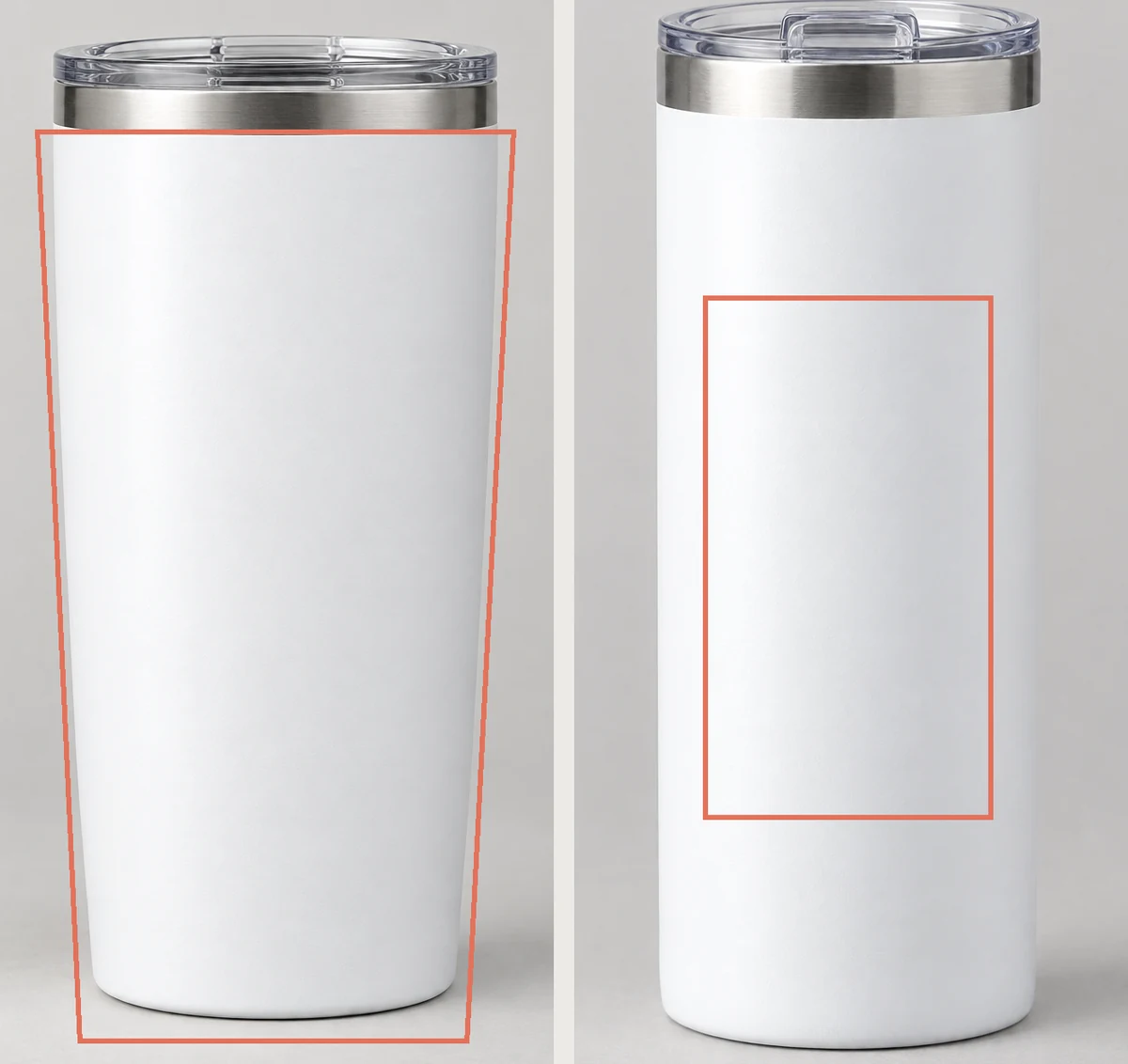 The two areas we sent, outlined: the wrap area on the tapered 20 oz tumbler and the side area on the skinny 22 oz tumbler. Both tumbler photos were generated for this test, 19 November 2026.
Render the front and the back from one wrap file
Send the wrap file with fit set to crop for the front, and the same file rolled by half its width for the back. Both renders use the one saved photo and print area, and the print reaches both edges of the body the way the wrap does.
from PIL import Imagewrap = Image.open("desert-bloom-wrap.png")w, h = wrap.sizeback = Image.new(wrap.mode, (w, h))back.paste(wrap.crop((w // 2, 0, w, h)), (0, 0))back.paste(wrap.crop((0, 0, w // 2, h)), (w - w // 2, 0))back.save("desert-bloom-wrap-back.png")
curl -X POST https://api.sudomock.com/api/v1/photo-mockups/WRAP_MOCKUP_ID/render \-H "x-api-key: $SUDOMOCK_API_KEY" \-H "Content-Type: application/json" \-d '{"print_areas": [{"uuid": "WRAP_AREA_ID","artwork_url": "https://cdn.example.com/tumblers/desert-bloom-wrap.png","placement": { "fit": "crop" }}],"export_options": { "image_format": "jpg", "image_size": 1024 }}'
const response = await fetch('https://api.sudomock.com/api/v1/photo-mockups/WRAP_MOCKUP_ID/render', {method: 'POST',headers: {'x-api-key': process.env.SUDOMOCK_API_KEY,'Content-Type': 'application/json',},body: JSON.stringify({"print_areas": [{"uuid": "WRAP_AREA_ID","artwork_url": "https://cdn.example.com/tumblers/desert-bloom-wrap.png","placement": {"fit": "crop"}}],"export_options": {"image_format": "jpg","image_size": 1024}}),});const data = await response.json();console.log(data);
import osimport requestsresponse = requests.post("https://api.sudomock.com/api/v1/photo-mockups/WRAP_MOCKUP_ID/render",headers={"x-api-key": os.environ["SUDOMOCK_API_KEY"],"Content-Type": "application/json",},json={"print_areas": [{"uuid": "WRAP_AREA_ID","artwork_url": "https://cdn.example.com/tumblers/desert-bloom-wrap.png","placement": {"fit": "crop",},},],"export_options": {"image_format": "jpg","image_size": 1024,},},)print(response.json())
package mainimport ("bytes""fmt""io""net/http""os")func main() {payload := []byte(`{"print_areas": [{"uuid": "WRAP_AREA_ID","artwork_url": "https://cdn.example.com/tumblers/desert-bloom-wrap.png","placement": {"fit": "crop"}}],"export_options": {"image_format": "jpg","image_size": 1024}}`)req, err := http.NewRequest("POST", "https://api.sudomock.com/api/v1/photo-mockups/WRAP_MOCKUP_ID/render", bytes.NewBuffer(payload))if err != nil {panic(err)}req.Header.Set("x-api-key", os.Getenv("SUDOMOCK_API_KEY"))req.Header.Set("Content-Type", "application/json")resp, err := http.DefaultClient.Do(req)if err != nil {panic(err)}defer resp.Body.Close()body, _ := io.ReadAll(resp.Body)fmt.Println(string(body))}
<?php$payload = <<<'JSON'{"print_areas": [{"uuid": "WRAP_AREA_ID","artwork_url": "https://cdn.example.com/tumblers/desert-bloom-wrap.png","placement": {"fit": "crop"}}],"export_options": {"image_format": "jpg","image_size": 1024}}JSON;$ch = curl_init('https://api.sudomock.com/api/v1/photo-mockups/WRAP_MOCKUP_ID/render');curl_setopt_array($ch, [CURLOPT_CUSTOMREQUEST => 'POST',CURLOPT_RETURNTRANSFER => true,CURLOPT_HTTPHEADER => ['x-api-key: ' . getenv('SUDOMOCK_API_KEY'),'Content-Type: application/json',],CURLOPT_POSTFIELDS => $payload,]);$response = curl_exec($ch);curl_close($ch);echo $response;
data.print_files[0].export_path is the URL of the rendered tumbler, and the back view is the same request with desert-bloom-wrap-back.png. The average SudoMock render finishes in under a second. Our design is one 2,795 by 2,100 pixel wrap drawn for this test, the size of the Tumbler 20oz file above.
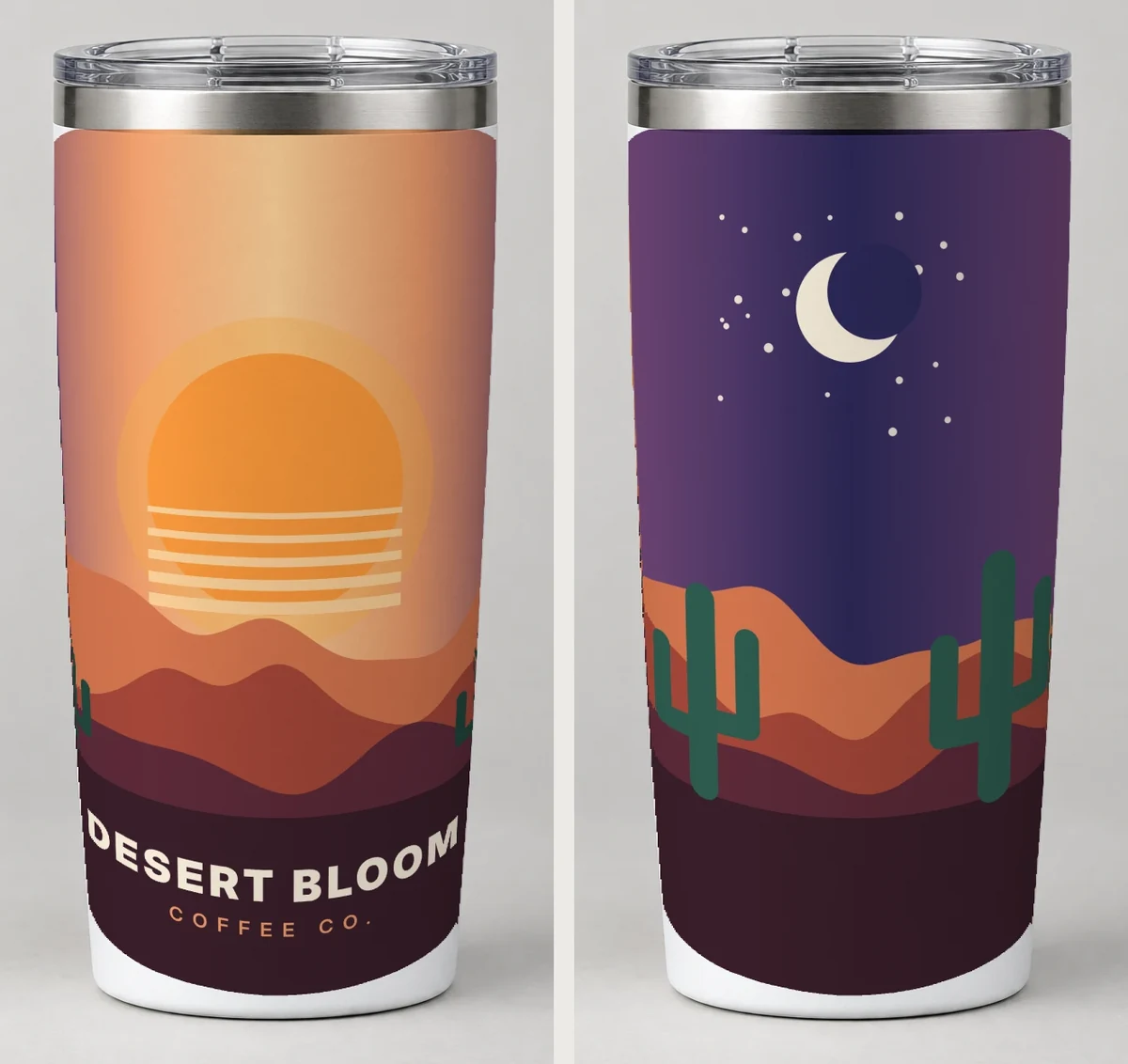 Front: the wrap with crop. Back: the rolled wrap with crop. SudoMock renders on one saved photo, 19 November 2026.
The back view is where the two short edges of the file meet. The moon in our design sits across those edges, so it comes together in the middle of the back; a design whose ends do not line up shows a line there. Lettering as wide as the front slice turns away toward the edges of the body, so the name of a design fits inside the middle third of the wrap.
Front and back files on a DTF tumbler
A DTF tumbler takes two files, each printed in its own area, so each goes whole into one render. A tumbler with no handle looks the same from behind, so one straight-on photo with one side area serves both sides.
On our skinny 22 oz test photo the side area is a tall rectangle centered on the body, 340 by 620 pixels. The render request is the one above with the side mockup's ids, the front file as artwork_url and fit left at its default, fit, which keeps the whole file inside the area. The back is the same request with the back file.
{ "uuid": "SIDE_AREA_ID", "artwork_url": "https://cdn.example.com/tumblers/desert-bloom-badge-front.png", "placement": { "fit": "fit" } }
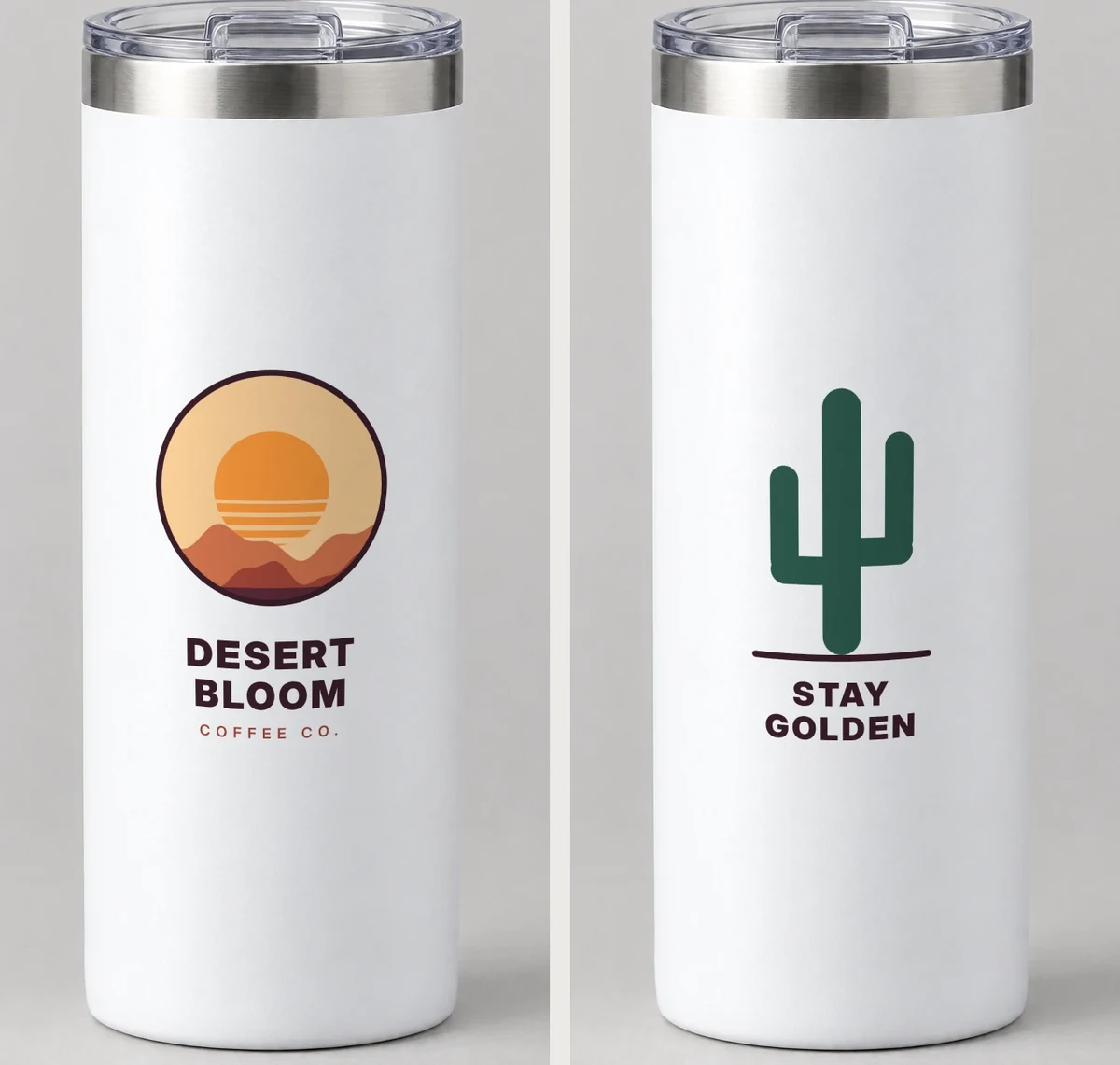 Front file and back file, 750 by 1,200 pixels each, rendered whole into the same side area. SudoMock renders, 19 November 2026.
Render the whole line by script
Two saved photos carry the whole catalog: each CSV row names either a wrap file or a front and back pair, and every row comes out as a front view and a back view. The script sends each wrap file as it is for the front, rolls it by half its width in memory for the back and sends that as base64, and names every image after the row's SKU and the view.
sku,wrap_png,front_png,back_pngTB-DESERT-01,https://cdn.example.com/tumblers/desert-bloom-wrap.png,,SK-DESERT-01,,https://cdn.example.com/tumblers/desert-bloom-badge-front.png,https://cdn.example.com/tumblers/desert-bloom-cactus-back.png
Fill WRAP and SIDE with the ids from the two create calls, set SUDOMOCK_API_KEY in the environment and run python tumblers.py tumblers.csv.
import base64, csv, io, os, sys, timefrom concurrent.futures import ThreadPoolExecutorimport requestsfrom PIL import ImageWRAP = {"mockup": "WRAP_MOCKUP_ID", "area": "WRAP_AREA_ID"}SIDE = {"mockup": "SIDE_MOCKUP_ID", "area": "SIDE_AREA_ID"}API = "https://api.sudomock.com/api/v1/photo-mockups"HEADERS = {"x-api-key": os.environ["SUDOMOCK_API_KEY"]}def rolled(url):wrap = Image.open(io.BytesIO(requests.get(url, timeout=60).content)).convert("RGBA")w, h = wrap.sizeback = Image.new("RGBA", (w, h))back.paste(wrap.crop((w // 2, 0, w, h)), (0, 0))back.paste(wrap.crop((0, 0, w // 2, h)), (w - w // 2, 0))return backdef encode(image):buf = io.BytesIO()image.save(buf, "PNG")return base64.b64encode(buf.getvalue()).decode()def render(side, entry, name):body = {"print_areas": [{"uuid": side["area"], **entry}],"export_options": {"image_format": "jpg", "image_size": 1024}}url = f"{API}/{side['mockup']}/render"res = requests.post(url, json=body, headers=HEADERS, timeout=120)if res.status_code == 429:time.sleep(int(res.headers.get("Retry-After", 5)))res = requests.post(url, json=body, headers=HEADERS, timeout=120)if not res.ok:return f"{name} failed {res.status_code} {res.text}"image = requests.get(res.json()["data"]["print_files"][0]["export_path"], timeout=60)if not image.ok:return f"{name} download failed {image.status_code}"with open(name, "wb") as f:f.write(image.content)return f"{name} saved"def design(row):if row["wrap_png"]:crop = {"fit": "crop"}return [render(WRAP, {"artwork_url": row["wrap_png"], "placement": crop}, f"{row['sku']}-front.jpg"),render(WRAP, {"base64": encode(rolled(row["wrap_png"])), "placement": crop}, f"{row['sku']}-back.jpg")]return [render(SIDE, {"artwork_url": row[f"{v}_png"], "placement": {"fit": "fit"}}, f"{row['sku']}-{v}.jpg")for v in ("front", "back")]with open(sys.argv[1], newline="") as f:rows = list(csv.DictReader(f))with ThreadPoolExecutor(max_workers=8) as pool:for lines in pool.map(design, rows):print("\n".join(lines))
The two rows above come out as four images, from TB-DESERT-01-front.jpg to SK-DESERT-01-back.jpg. For a line of several hundred designs, add "is_async": true to each body and collect every image from its job. Without code, the two files can sit in a sheet that a Make scenario on Google Sheets renders row by row: roll each wrap once in any image editor for the back, moving its left half to the right of its right half.
Next step
Take one straight-on photo of the blank tumbler you sell, save it with an area over the face of the body, and render one design's front and back: the wrap and the rolled wrap with crop, or the two files of a DTF pair. With the ids in WRAP and SIDE, the script covers the rest of the line. For tumbler scenes without a photo of your own, start from the tumbler templates, such as the straight-on views of the white stainless steel tumbler template. fill, fit and crop are defined in the render reference, wraparound mugs on your own PSD are in mug mockups by API, and garments with a front and a back print are in hoodie mockups.
Frequently asked questions
What size is a 20 oz tumbler wrap file?
It depends on the blank and the print provider. Printify's catalog, read in September 2026, lists 2,795 by 2,100 pixels for its sublimation Tumbler 20oz and 2,776 by 2,374 pixels for its UV Stainless Steel Tumbler 20oz. Lay the file out at the size your provider lists for the tumbler you sell.
How much of a tumbler wrap shows in a product photo?
The part that faces the camera: the middle of the wrap file on the front and its two joined ends on the back. The sides of the file sit at the edges of the body, where they turn away from the camera. Keep the main artwork and the lettering in the middle of the file for the front view.
Where does the seam of a tumbler wrap go?
The seam is the line where the two short edges of the wrap file meet. Put it at the back, away from the front view, and make the two edges line up, because a back view of the tumbler shows that line.
Can I make tumbler mockups from my own photo or PSD?
Yes. Save a straight-on photo of the blank tumbler as a photo mockup with a print area over the face of the body, and every design renders onto it by request. A tumbler PSD you already sell with is uploaded once and renders through its smart object.
Sources
- Create a mockup from a product photo (opens in new tab), SudoMock docs
- Render a photo mockup (opens in new tab), SudoMock docs
- Start From a Ready-Made Template: No File of Your Own (opens in new tab), SudoMock docs
- Upload a PSD (opens in new tab), SudoMock docs
- Render a PSD mockup (opens in new tab), SudoMock docs
- What is the PSD file size limit (opens in new tab), SudoMock docs
- Retrieve a single job (opens in new tab), SudoMock docs
Beck
CTO
Related articles
Hoodie Mockups: A Wide Front File Above the Pocket, Every Color
Draw the front area above the pocket and the back area below the hood, then render each design, side and color by API.
9 min read
Virtual Samples for Promotional Products: One Client Logo on Every Quote Line
One client logo, one saved imprint area per supplier product and one render request per quote line, with real renders on a mug, a tote and a tumbler.
6 min read
Make.com Mockup Scenario: Render Each New Google Sheets Row on Your Own PSD or Product Photo
Three Make modules turn each new sheet row into a finished mockup on your own template, with real renders of a tee, a mug, a framed print and a tote.
9 min read
Latest articles
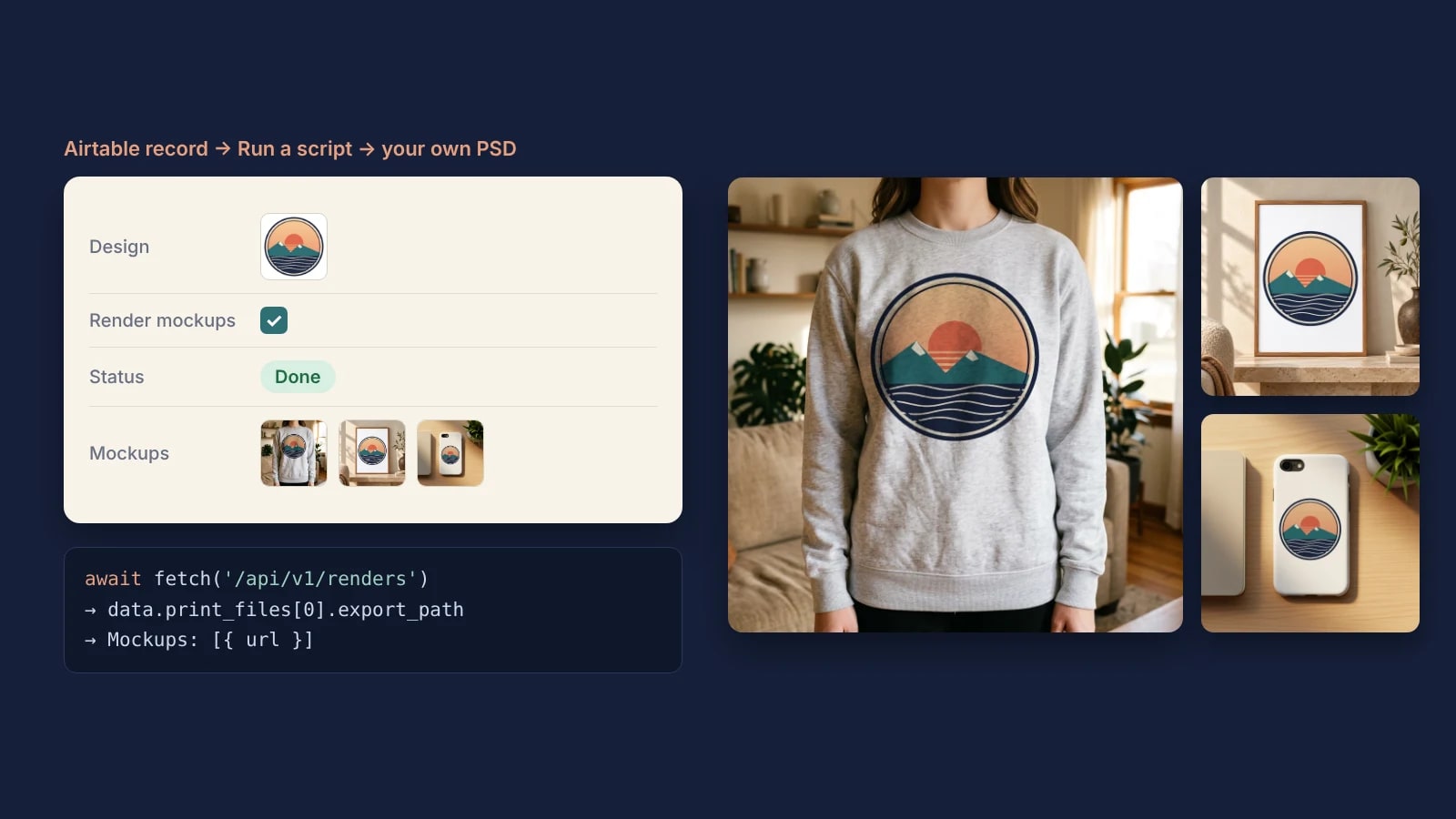
Airtable Mockup Automation: Render Your Own PSD per Record
One Run a script action turns a ticked record into finished mockups on your own templates, attached to the same record, with real sweatshirt, poster and phone case renders.
8 min read
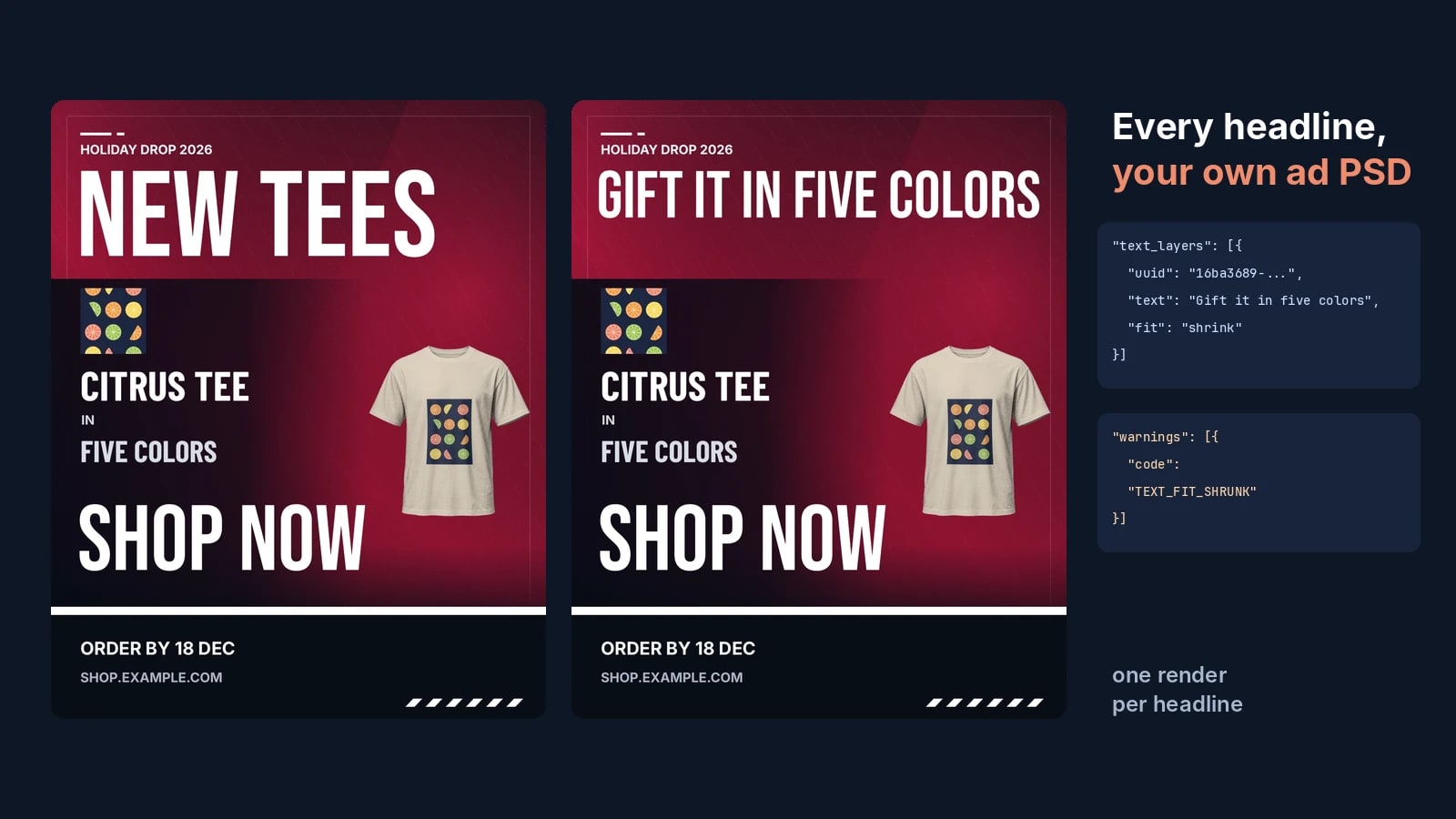
Ad Variants From Your Own PSD Templates With Claude or ChatGPT
Claude or ChatGPT fills each headline into your own ad PSDs and renders every placement, with real renders, the request and the long headline fix.
8 min read
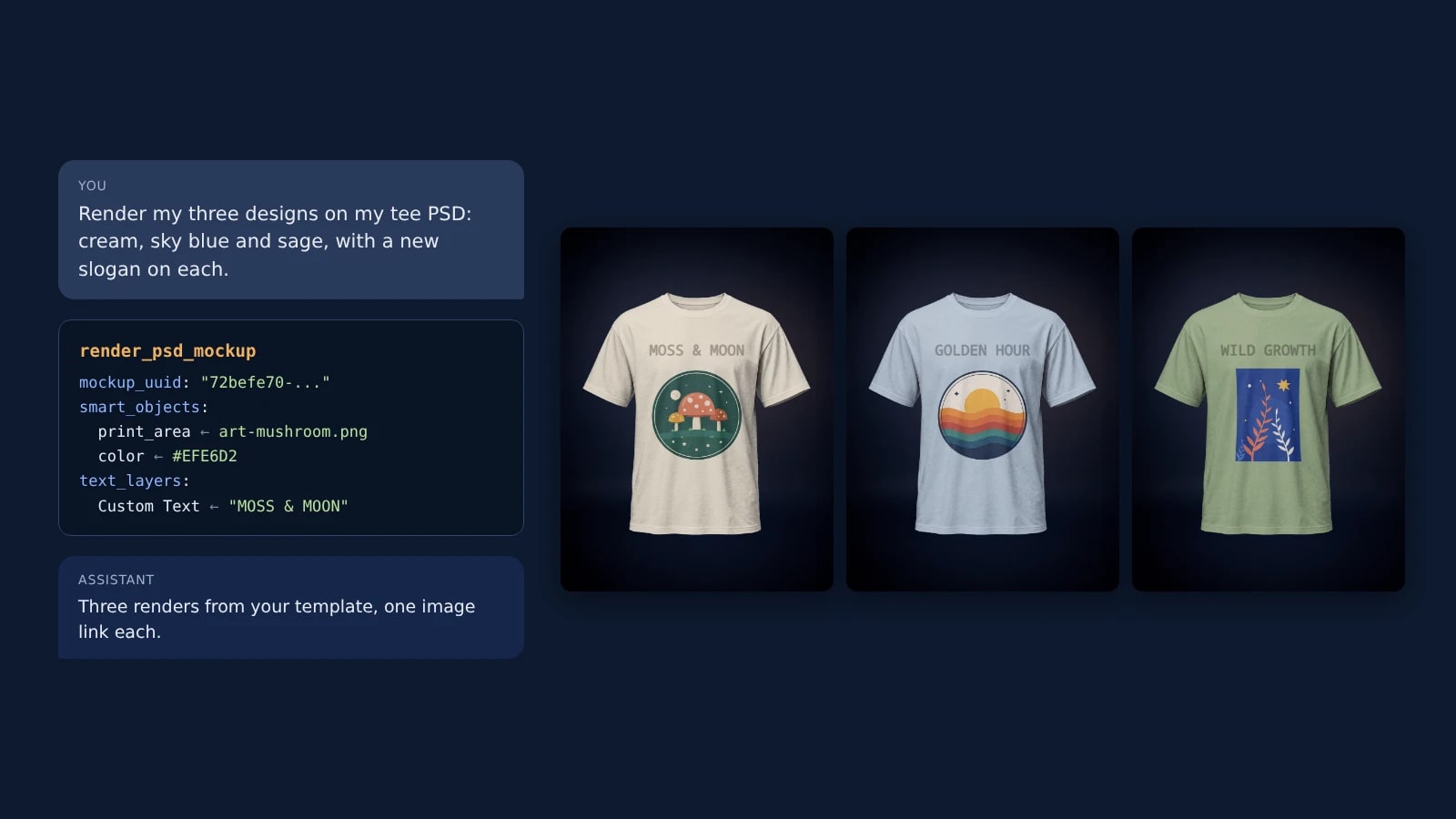
ChatGPT PSD Mockups: Render Your Own Template With ChatGPT or Claude
Connected to SudoMock, ChatGPT or Claude uploads your PSD mockup and renders every design, shirt color and slogan into it, with real tee renders.
6 min read
Explore by use case
See SudoMock in action for your specific product category
Your own PSD, rendered via API
Render your own PSD through the API. Start with 500 one-time credits, no card.