Zapier Mockup Automation: Render Your Own PSD on Any Trigger
A Zap can render a mockup on your own PSD each time its trigger fires. A Webhooks by Zapier Custom Request posts the design link to SudoMock's render endpoint, and the finished image link comes back in the response for the next step: a sheet row, a product image or an approval email.
Published 8 min readBeck
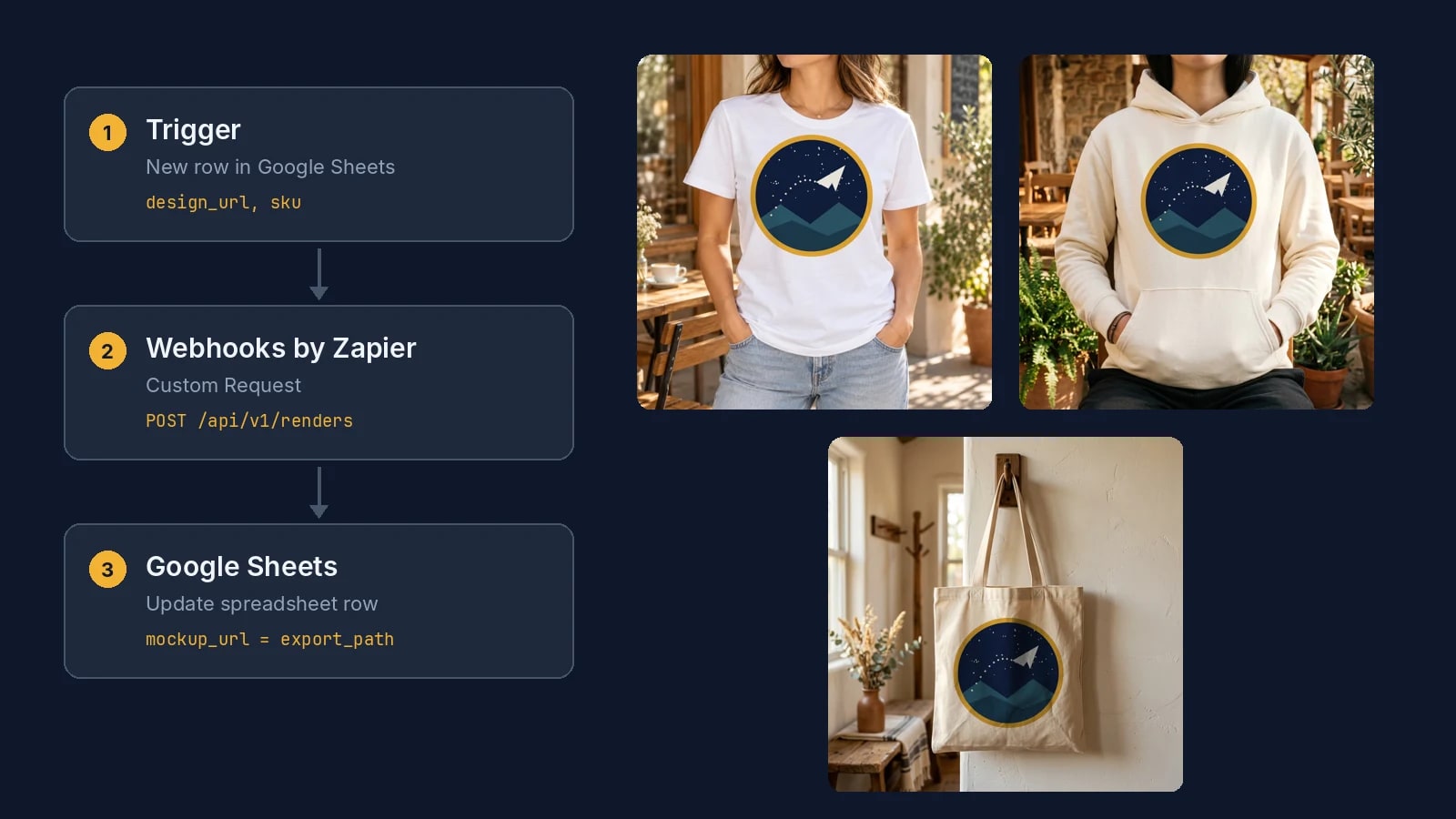
Key takeaways
- Copy each template's mockup_uuid and smart object uuid once; every render reuses the pair.
- Map data print_files 0 export_path into the next step to pass the finished image on.
- One request per color: Looping by Zapier sends them, one task per render.
What the Zap needs before the first run
A Zap that renders mockups needs three things: a SudoMock API key, the two ids of the template it fills, and a design file at a link that opens without signing in. The ids are the template's mockup_uuid and the uuid of the smart object that takes the design. Nothing is installed in Zapier: the render is one HTTP request from the Webhooks by Zapier app.
Webhooks by Zapier is a premium app. Zapier's pricing page, read on 25 November 2026, lists webhooks and multi-step Zaps on the Professional plan and up, while the Free plan runs two-step Zaps, so a Zap that renders and then passes the image on runs on a paid Zapier plan. A Shopify seller asked the Zapier community on 3 April 2022 which app could put each order's uploaded photos onto a printable template; the one reply sent them back to the upload app's support. A render step on your own template is that missing app.
The template is your own PSD, uploaded once. Upload it in the dashboard, which takes files up to 300 MB, or over the API, which has no file size limit. The render keeps the PSD's warp, shadows and blend modes, so the result matches Photoshop's own output.
Read both ids with one call to the list of your templates. Each entry carries its uuid and a smart_objects array with the uuid, name and size of every layer you can fill:
curl -X GET "https://api.sudomock.com/api/v1/psd-mockups" \-H "x-api-key: YOUR_API_KEY"
const response = await fetch('https://api.sudomock.com/api/v1/psd-mockups', {method: 'GET',headers: {'x-api-key': 'YOUR_API_KEY',},});const data = await response.json();console.log(data);
import requestsresponse = requests.get("https://api.sudomock.com/api/v1/psd-mockups",headers={"x-api-key": "YOUR_API_KEY",},)print(response.json())
package mainimport ("fmt""io""net/http")func main() {req, err := http.NewRequest("GET", "https://api.sudomock.com/api/v1/psd-mockups", nil)if err != nil {panic(err)}req.Header.Set("x-api-key", "YOUR_API_KEY")resp, err := http.DefaultClient.Do(req)if err != nil {panic(err)}defer resp.Body.Close()body, _ := io.ReadAll(resp.Body)fmt.Println(string(body))}
<?php$ch = curl_init('https://api.sudomock.com/api/v1/psd-mockups');curl_setopt_array($ch, [CURLOPT_CUSTOMREQUEST => 'GET',CURLOPT_RETURNTRANSFER => true,CURLOPT_HTTPHEADER => ['x-api-key: YOUR_API_KEY',],]);$response = curl_exec($ch);curl_close($ch);echo $response;
Keep the pair for every template the Zap will use. In our run the tee template's design layer is named "Front Design" and measures 3,600 x 3,379 px; the hoodie and tote templates each have one design layer as well.
The render step: one Custom Request
The render is a Webhooks by Zapier action with the Custom Request event: method POST, URL https://api.sudomock.com/api/v1/renders, two headers and a JSON body. Only the design link changes from run to run; the method, URL and headers stay the same in every Zap.
| Field in the Custom Request | Value |
|---|---|
| Method | POST |
| URL | https://api.sudomock.com/api/v1/renders |
| Headers | x-api-key: your key, Content-Type: application/json |
| Data | The JSON body below, with the design link mapped from the trigger |
Zapier's help page on sending webhooks says of this event's Data field: "Zapier will not parse or format this data for you and it will be sent exactly as entered" (read 25 November 2026). So Data has to be valid JSON, and the query string fields and data pass-through stay empty.
This is the request the step sends, written as curl so you can run it once from a terminal before you build the Zap:
curl -X POST "https://api.sudomock.com/api/v1/renders" \-H "x-api-key: YOUR_API_KEY" \-H "Content-Type: application/json" \-d '{"mockup_uuid": "YOUR_MOCKUP_UUID","smart_objects": [{"uuid": "YOUR_SMART_OBJECT_UUID","asset": {"url": "https://example.com/designs/paper-plane.png","fit": "fit"}}],"export_options": {"image_format": "webp","image_size": 1024}}'
const response = await fetch('https://api.sudomock.com/api/v1/renders', {method: 'POST',headers: {'x-api-key': 'YOUR_API_KEY','Content-Type': 'application/json',},body: JSON.stringify({"mockup_uuid": "YOUR_MOCKUP_UUID","smart_objects": [{"uuid": "YOUR_SMART_OBJECT_UUID","asset": {"url": "https://example.com/designs/paper-plane.png","fit": "fit"}}],"export_options": {"image_format": "webp","image_size": 1024}}),});const data = await response.json();console.log(data);
import requestsresponse = requests.post("https://api.sudomock.com/api/v1/renders",headers={"x-api-key": "YOUR_API_KEY","Content-Type": "application/json",},json={"mockup_uuid": "YOUR_MOCKUP_UUID","smart_objects": [{"uuid": "YOUR_SMART_OBJECT_UUID","asset": {"url": "https://example.com/designs/paper-plane.png","fit": "fit",},},],"export_options": {"image_format": "webp","image_size": 1024,},},)print(response.json())
package mainimport ("bytes""fmt""io""net/http")func main() {payload := []byte(`{"mockup_uuid": "YOUR_MOCKUP_UUID","smart_objects": [{"uuid": "YOUR_SMART_OBJECT_UUID","asset": {"url": "https://example.com/designs/paper-plane.png","fit": "fit"}}],"export_options": {"image_format": "webp","image_size": 1024}}`)req, err := http.NewRequest("POST", "https://api.sudomock.com/api/v1/renders", bytes.NewBuffer(payload))if err != nil {panic(err)}req.Header.Set("x-api-key", "YOUR_API_KEY")req.Header.Set("Content-Type", "application/json")resp, err := http.DefaultClient.Do(req)if err != nil {panic(err)}defer resp.Body.Close()body, _ := io.ReadAll(resp.Body)fmt.Println(string(body))}
<?php$payload = <<<'JSON'{"mockup_uuid": "YOUR_MOCKUP_UUID","smart_objects": [{"uuid": "YOUR_SMART_OBJECT_UUID","asset": {"url": "https://example.com/designs/paper-plane.png","fit": "fit"}}],"export_options": {"image_format": "webp","image_size": 1024}}JSON;$ch = curl_init('https://api.sudomock.com/api/v1/renders');curl_setopt_array($ch, [CURLOPT_CUSTOMREQUEST => 'POST',CURLOPT_RETURNTRANSFER => true,CURLOPT_HTTPHEADER => ['x-api-key: YOUR_API_KEY','Content-Type: application/json',],CURLOPT_POSTFIELDS => $payload,]);$response = curl_exec($ch);curl_close($ch);echo $response;
In Zapier, paste the body into Data and replace the example link with the trigger's design field from the field picker, keeping the quotes around it. fit decides how the design meets the layer: fit keeps the whole design inside it with its proportions, crop fills the layer and trims the overflow, and fill stretches the design to the layer's edges. image_size is the output width in pixels; the height follows the template.
We sent this request on 25 November 2026 with one design, a round paper plane badge, to three templates in our account: a tee, a hoodie and a canvas tote. Each answer carried a 1,024 x 1,024 WebP at export_path. The average SudoMock render finishes in under a second; we measure render time in milliseconds.
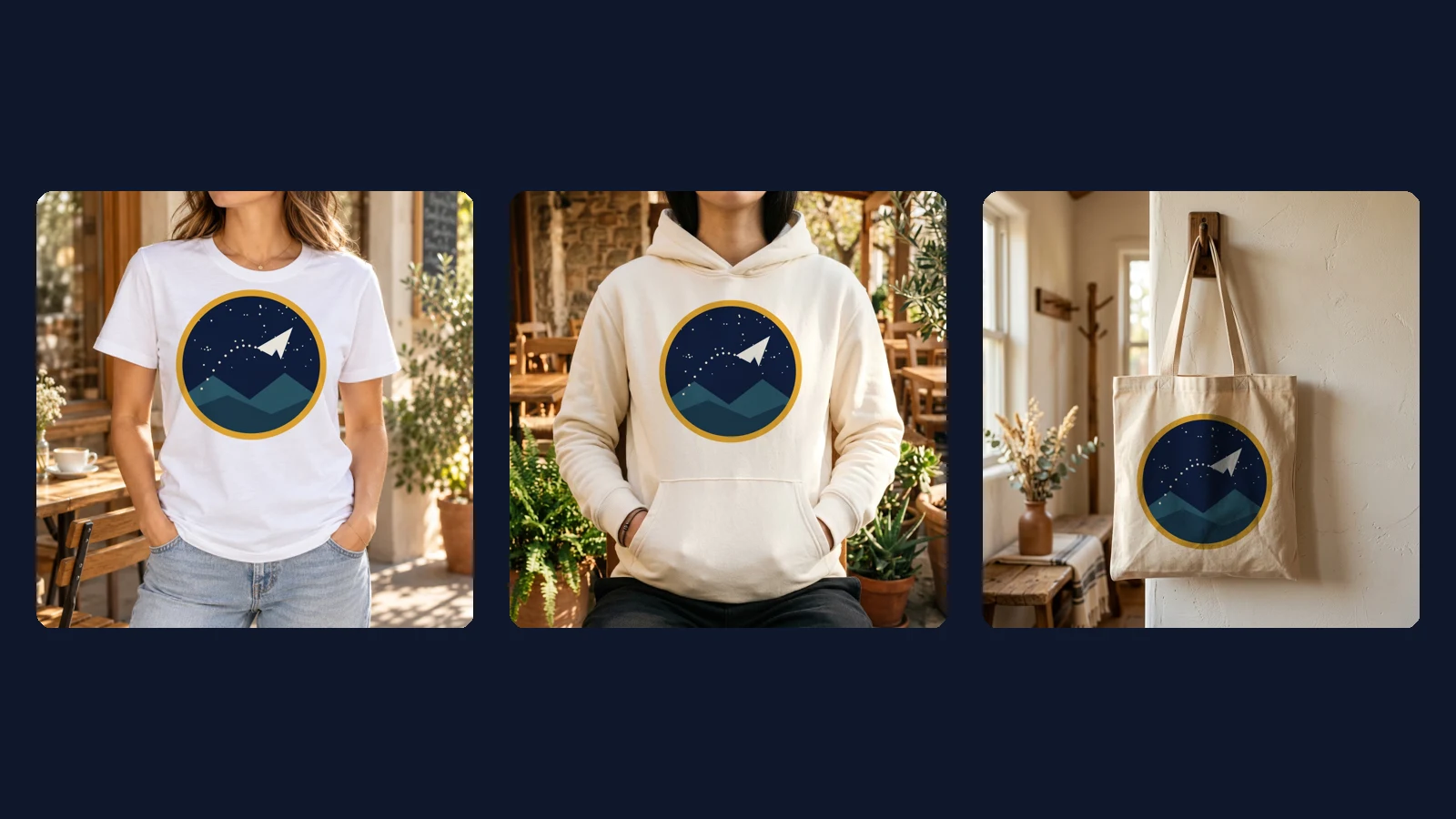 One design, three of our templates: the tee, hoodie and tote renders the Custom Request returned on 25 November 2026.
The part of the answer the next step reads looks like this (ids shortened):
{"success": true,"data": {"print_files": [{"export_path": "https://cdn.sudomock.com/mockup-assets/renders/346ee7a3-.../render_7a9df1ed-....webp","smart_object_uuid": "92f033f0-...","render_uuid": "7a9df1ed-..."}],"render_uuid": "7a9df1ed-2fb6-4463-a29d-41fd4e5ea969"}}
Use the image link in the next step
The finished image link sits at data.print_files[0].export_path, and Zapier usually offers it in the next step's field picker as data print_files 0 export_path. Map that field into whatever receives the mockup: a cell, a product image, an email.
When the field picker does not offer it, add a Code by Zapier step that reads the response and returns the link as a named field.
A Zap that fills a sheet uses three steps from Zapier's own apps:
| Step | Zapier app and event | What it does |
|---|---|---|
| 1 | Google Sheets, New Spreadsheet Row | Fires for each new row with design_url and sku |
| 2 | Webhooks by Zapier, Custom Request | Renders the row's design on your template |
| 3 | Google Sheets, Update Spreadsheet Row | Writes the image link into the row's mockup_url column |
Add a Filter by Zapier step after the trigger when some rows have no design yet, so the render runs only for rows that have one. The same middle step works behind any trigger Zapier offers: a new order that carries a custom design, a form entry, a new file in a folder. For the same sheet job in Make, see Make scenario for mockups; for n8n, the n8n pipeline.
One design on every color
A template with a color layer renders any garment color with the same request body; only the hex in smart_objects[].color changes. One request per color keeps each color its own image, and Looping by Zapier sends them from one Zap.
The request for one color fills two layers: the template's color layer and its design layer. blending_mode multiply keeps the fabric's folds and shadows under the new color:
curl -X POST "https://api.sudomock.com/api/v1/renders" \-H "x-api-key: YOUR_API_KEY" \-H "Content-Type: application/json" \-d '{"mockup_uuid": "YOUR_MOCKUP_UUID","smart_objects": [{"uuid": "YOUR_COLOR_LAYER_UUID","color": { "hex": "#9CAF88", "blending_mode": "multiply" }},{"uuid": "YOUR_DESIGN_LAYER_UUID","asset": {"url": "https://example.com/designs/paper-plane.png","fit": "fit"}}],"export_options": {"image_format": "webp","image_size": 1024}}'
const response = await fetch('https://api.sudomock.com/api/v1/renders', {method: 'POST',headers: {'x-api-key': 'YOUR_API_KEY','Content-Type': 'application/json',},body: JSON.stringify({"mockup_uuid": "YOUR_MOCKUP_UUID","smart_objects": [{"uuid": "YOUR_COLOR_LAYER_UUID","color": {"hex": "#9CAF88","blending_mode": "multiply"}},{"uuid": "YOUR_DESIGN_LAYER_UUID","asset": {"url": "https://example.com/designs/paper-plane.png","fit": "fit"}}],"export_options": {"image_format": "webp","image_size": 1024}}),});const data = await response.json();console.log(data);
import requestsresponse = requests.post("https://api.sudomock.com/api/v1/renders",headers={"x-api-key": "YOUR_API_KEY","Content-Type": "application/json",},json={"mockup_uuid": "YOUR_MOCKUP_UUID","smart_objects": [{"uuid": "YOUR_COLOR_LAYER_UUID","color": {"hex": "#9CAF88","blending_mode": "multiply",},},{"uuid": "YOUR_DESIGN_LAYER_UUID","asset": {"url": "https://example.com/designs/paper-plane.png","fit": "fit",},},],"export_options": {"image_format": "webp","image_size": 1024,},},)print(response.json())
package mainimport ("bytes""fmt""io""net/http")func main() {payload := []byte(`{"mockup_uuid": "YOUR_MOCKUP_UUID","smart_objects": [{"uuid": "YOUR_COLOR_LAYER_UUID","color": {"hex": "#9CAF88","blending_mode": "multiply"}},{"uuid": "YOUR_DESIGN_LAYER_UUID","asset": {"url": "https://example.com/designs/paper-plane.png","fit": "fit"}}],"export_options": {"image_format": "webp","image_size": 1024}}`)req, err := http.NewRequest("POST", "https://api.sudomock.com/api/v1/renders", bytes.NewBuffer(payload))if err != nil {panic(err)}req.Header.Set("x-api-key", "YOUR_API_KEY")req.Header.Set("Content-Type", "application/json")resp, err := http.DefaultClient.Do(req)if err != nil {panic(err)}defer resp.Body.Close()body, _ := io.ReadAll(resp.Body)fmt.Println(string(body))}
<?php$payload = <<<'JSON'{"mockup_uuid": "YOUR_MOCKUP_UUID","smart_objects": [{"uuid": "YOUR_COLOR_LAYER_UUID","color": {"hex": "#9CAF88","blending_mode": "multiply"}},{"uuid": "YOUR_DESIGN_LAYER_UUID","asset": {"url": "https://example.com/designs/paper-plane.png","fit": "fit"}}],"export_options": {"image_format": "webp","image_size": 1024}}JSON;$ch = curl_init('https://api.sudomock.com/api/v1/renders');curl_setopt_array($ch, [CURLOPT_CUSTOMREQUEST => 'POST',CURLOPT_RETURNTRANSFER => true,CURLOPT_HTTPHEADER => ['x-api-key: YOUR_API_KEY','Content-Type: application/json',],CURLOPT_POSTFIELDS => $payload,]);$response = curl_exec($ch);curl_close($ch);echo $response;
We ran it three times on 25 November 2026 on one tee template in our account, with #9CAF88, #1F2A44 and #D8C3A5:
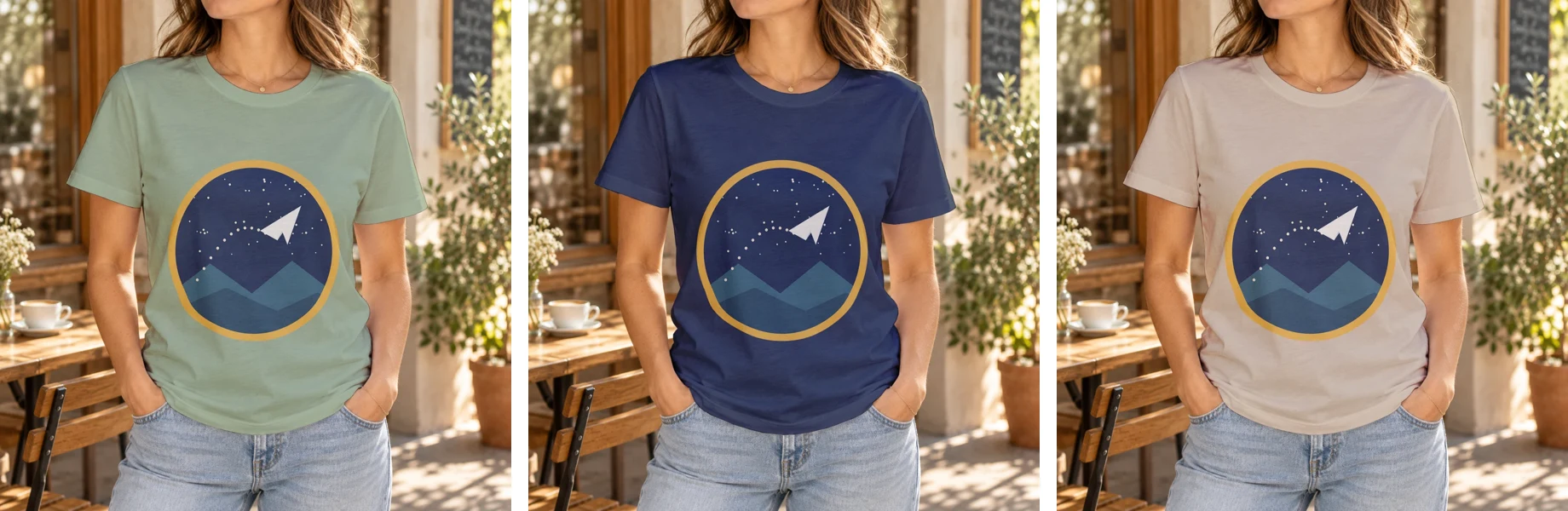 One tee template, three hex values, three renders: sage #9CAF88, navy #1F2A44 and sand #D8C3A5.
Looping by Zapier runs the steps after it once for each item of a list, up to 500 times, with every iteration in parallel (Zapier's help page, read 25 November 2026). Zapier counts one task for each successful action step and none for the Looping or Filter step (Zapier's help page, read 25 November 2026), so three colors are three render tasks. Put the hex values in one cell of the row (#9CAF88,#1F2A44,#D8C3A5), let Looping by Zapier run the Custom Request once per value, and map the loop's value into color.hex. A template can also keep your own color names: send color.label with a name saved on the mockup instead of a hex, as Every T-Shirt Color Variant Mockup from One PSD shows.
A seller without a PSD can start from a ready template such as this Bella+Canvas 3001 tee mockup, place a design on it in the browser before signing up, and render the same template from the Zap.
When a step fails
A failed render step says in its status code what to fix: the header, the body or the design link. A body or link problem returns the same answer until the input changes, while a server error is safe to run again.
| What Zapier shows | What it means | Fix |
|---|---|---|
401 | The x-api-key header is missing or incomplete | Re-enter the key in the header field |
422 | The body failed validation, and the answer names the field | Fix the input first; an empty trigger field sent as "" is the usual cause, so add a Filter step |
422 with ASSET_UNREACHABLE | The design could not be downloaded | Use a link that opens the file without signing in |
429 | The rate limit was reached | Wait the seconds in the Retry-After header, then run it again |
500 or 502 | A server or image source error | Run it again after a pause |
Every code and how to retry it is listed in Errors.
Next step
Run the curl request above once with one of your own templates, then build the Zap from the Zapier guide in the docs. The render reference lists every field the body takes, from text layers to the export format, and Automate PSD mockups shows the other ways to run the same render.
Frequently asked questions
Do I need a SudoMock app in Zapier to render mockups?
No. The Webhooks by Zapier app sends the render request directly, with your API key in the x-api-key header and the design link in a JSON body. The finished image link comes back in the response for the next step to use.
Which Zapier plan does the render step need?
Webhooks by Zapier is a premium app that Zapier lists on its Professional, Team and Enterprise plans. The Free plan runs two-step Zaps, and a Zap that renders and then writes the image somewhere has at least three steps. Zapier's pricing page listed both on 25 November 2026.
How many Zapier tasks does one render use?
One. Zapier counts one task for each successful action step, and the render is one action step; the step that writes the link to a sheet or product is another. Filter steps and the Looping step itself use no task, so a loop over three colors uses three tasks for the renders.
Can one Zap render the same design on several products?
Yes. Add one Custom Request step per template, each with that template's mockup_uuid and the uuid of its design layer. Every step returns its own image link, so the next steps can attach each one where it belongs.
How fast is a render and what comes back?
The average SudoMock render finishes in under a second. The answer carries the finished image link at data.print_files[0].export_path, in the format set by export_options.image_format and at the width set by image_size.
Sources
- Render mockups with Zapier and SudoMock (opens in new tab), SudoMock Docs
- Render a PSD mockup (opens in new tab), SudoMock Docs
- Error codes and how to retry them (opens in new tab), SudoMock Docs
- Plans & Pricing | Zapier (opens in new tab), Zapier
- Send webhooks in Zap workflows (opens in new tab), Zapier Help Center
- How is task usage measured in Zapier? (opens in new tab), Zapier Help Center
- Understanding Looping by Zapier (opens in new tab), Zapier Help Center
- Google Sheets Integrations (opens in new tab), Zapier
- Using Zapier to automate Upload kit/Shopify order photos onto print template (opens in new tab), Zapier Community
Beck
CTO
Related articles
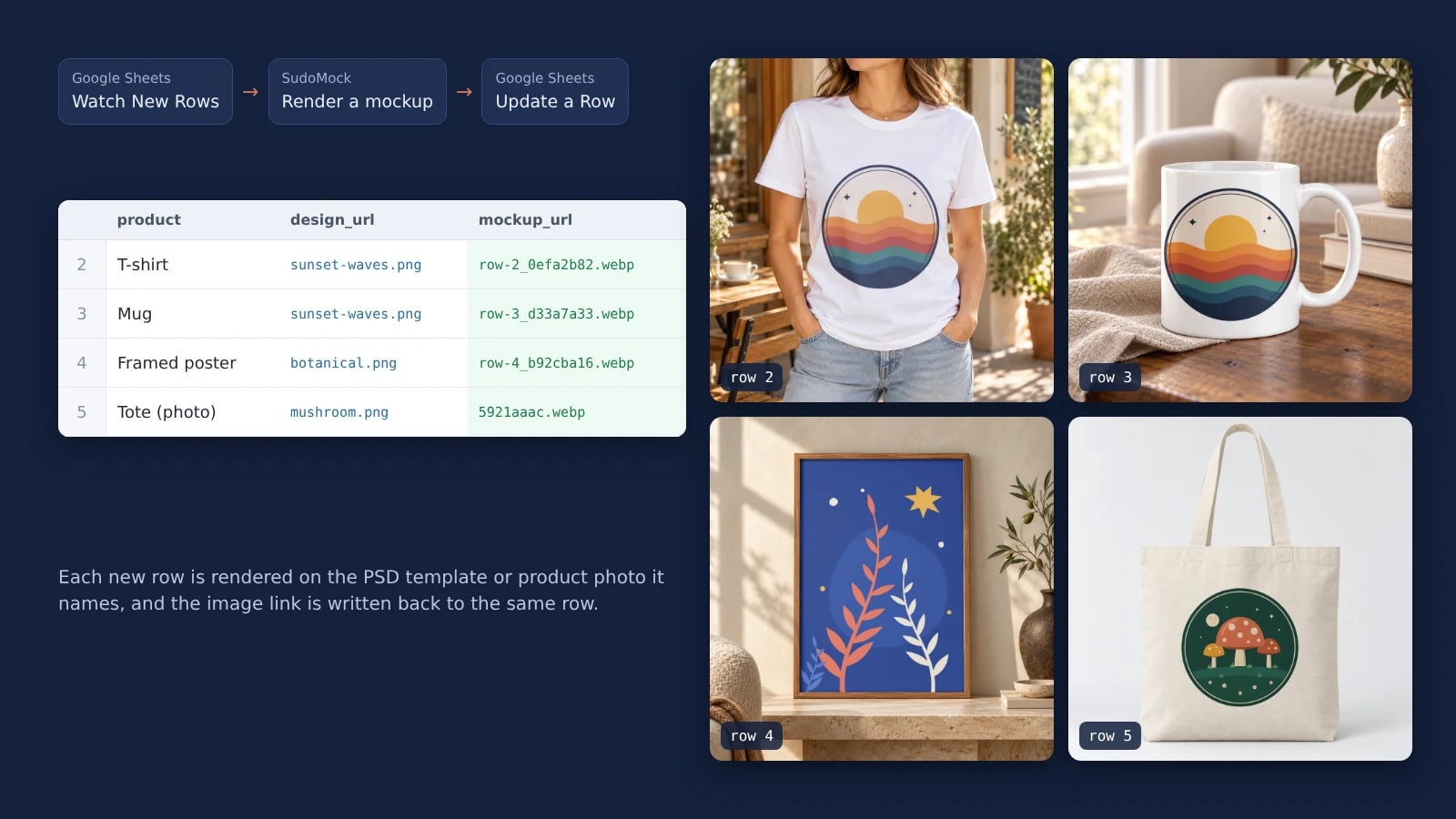
Make.com Mockup Scenario: Render Each New Google Sheets Row on Your Own PSD or Product Photo
Three Make modules turn each new sheet row into a finished mockup on your own template, with real renders of a tee, a mug, a framed print and a tote.
9 min read
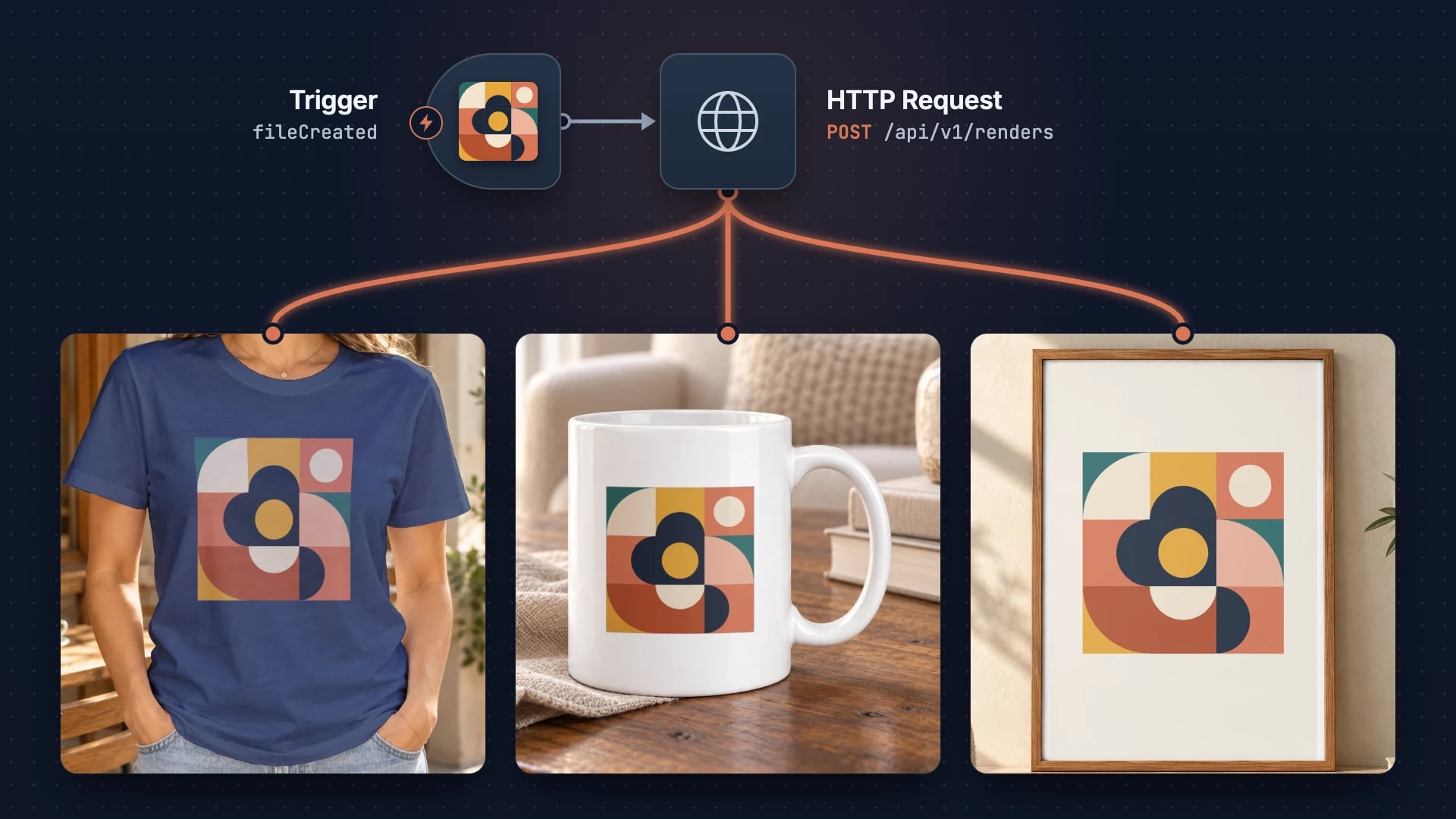
Building a Print-on-Demand Pipeline with n8n
Build an automated print-on-demand pipeline with n8n and SudoMock API. Step-by-step guide from design upload to Etsy/Shopify listing creation from $0.002 per render.
2 min read
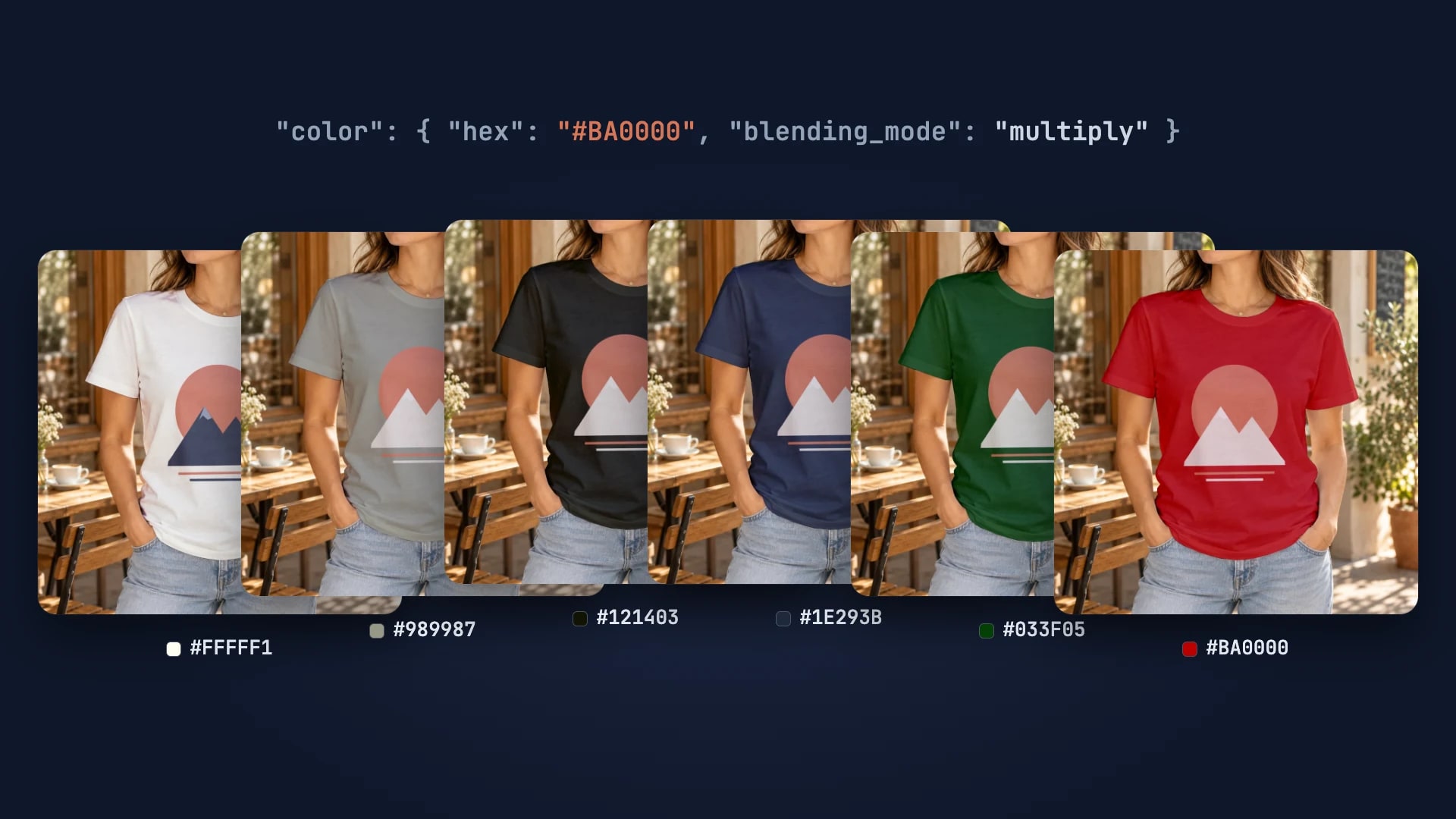
Every T-Shirt Color Variant Mockup from One PSD by API
One PSD with a color smart object renders every t-shirt colorway: one request per color, shown with six real renders.
4 min read
Latest articles
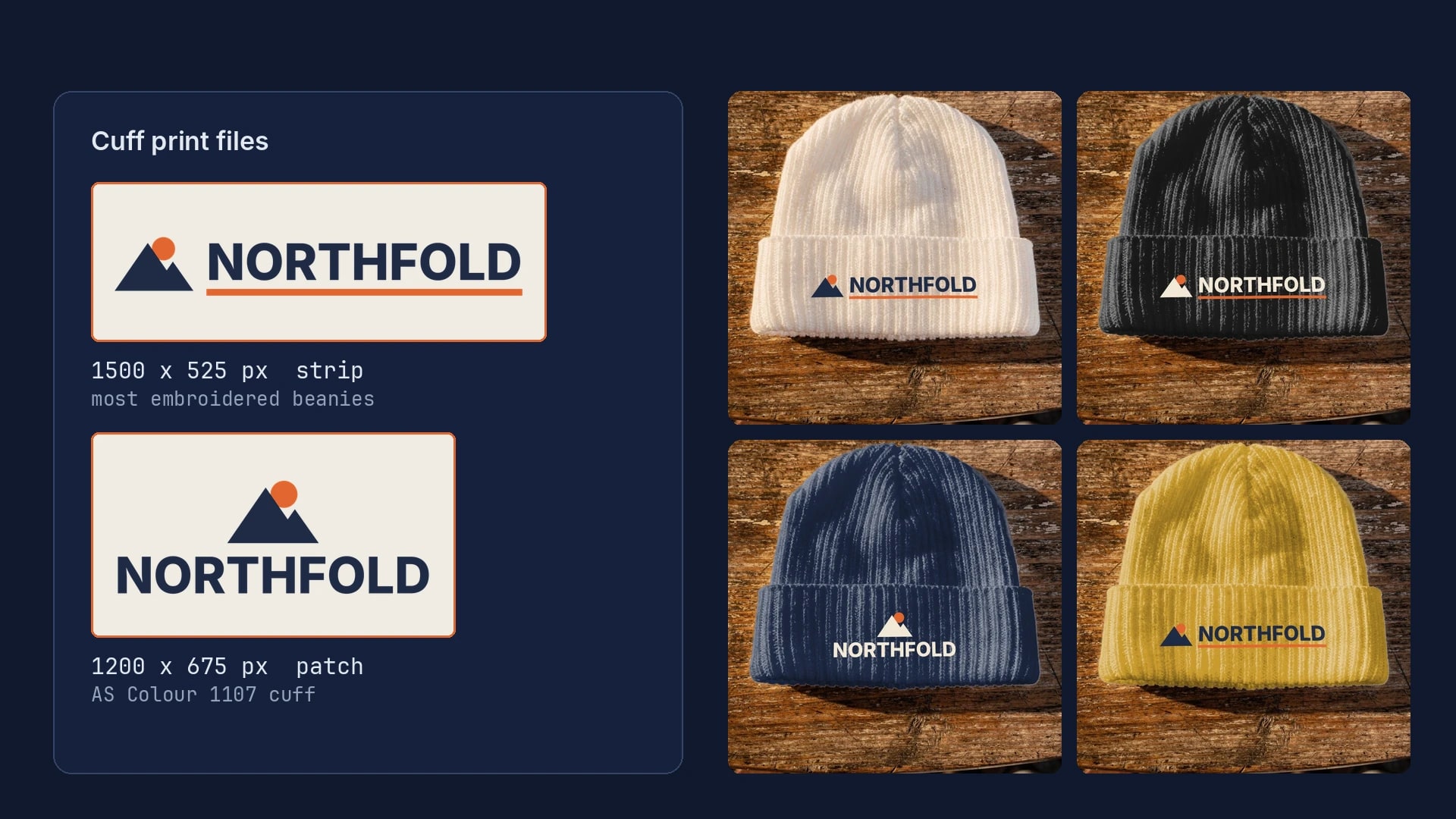
Beanie Mockups: Lay the Logo Out at the Cuff File, Render Every Color
Lay the logo out at the cuff file of your blank, draw that area on one beanie photo, and render every knit color by API.
8 min read
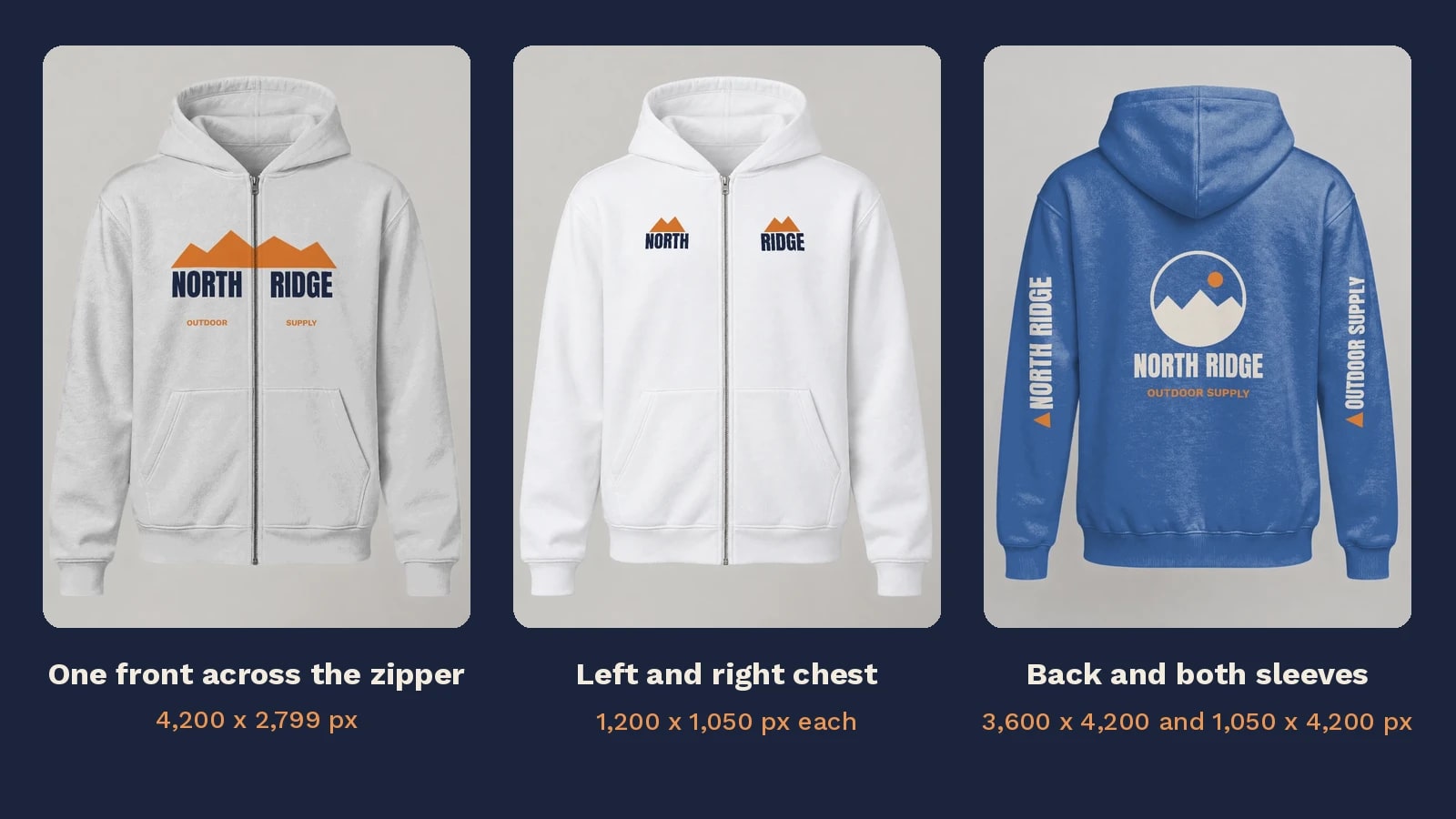
Zip Hoodie Mockups: Across the Zipper or a Chest Pair, Every Color
Render each zip hoodie design across the zipper or as a chest pair, with the back and both sleeves, in every color from saved photos.
11 min read
Tote Bag Mockups: Print Sizes, Front and Back, Every Canvas Color
Render every tote design front and back at your bag's print file shape, in every canvas color, from one saved tote photo.
8 min read
Explore by use case
See SudoMock in action for your specific product category
Your own PSD, rendered via API
Render your own PSD through the API. Start with 500 one-time credits, no card.