Beanie Mockups: Lay the Logo Out at the Cuff File, Render Every Color
Most embroidered beanies on Printify take a 1,500 by 525 pixel cuff file, a 5 by 1.75 inch strip, and the AS Colour 1107 takes a 1,200 by 675 file at 16:9. Lay the logo out at that shape in at most six solid thread colors, save one beanie photo with the cuff area, and render it on every knit color by API.
Published 8 min readBeck
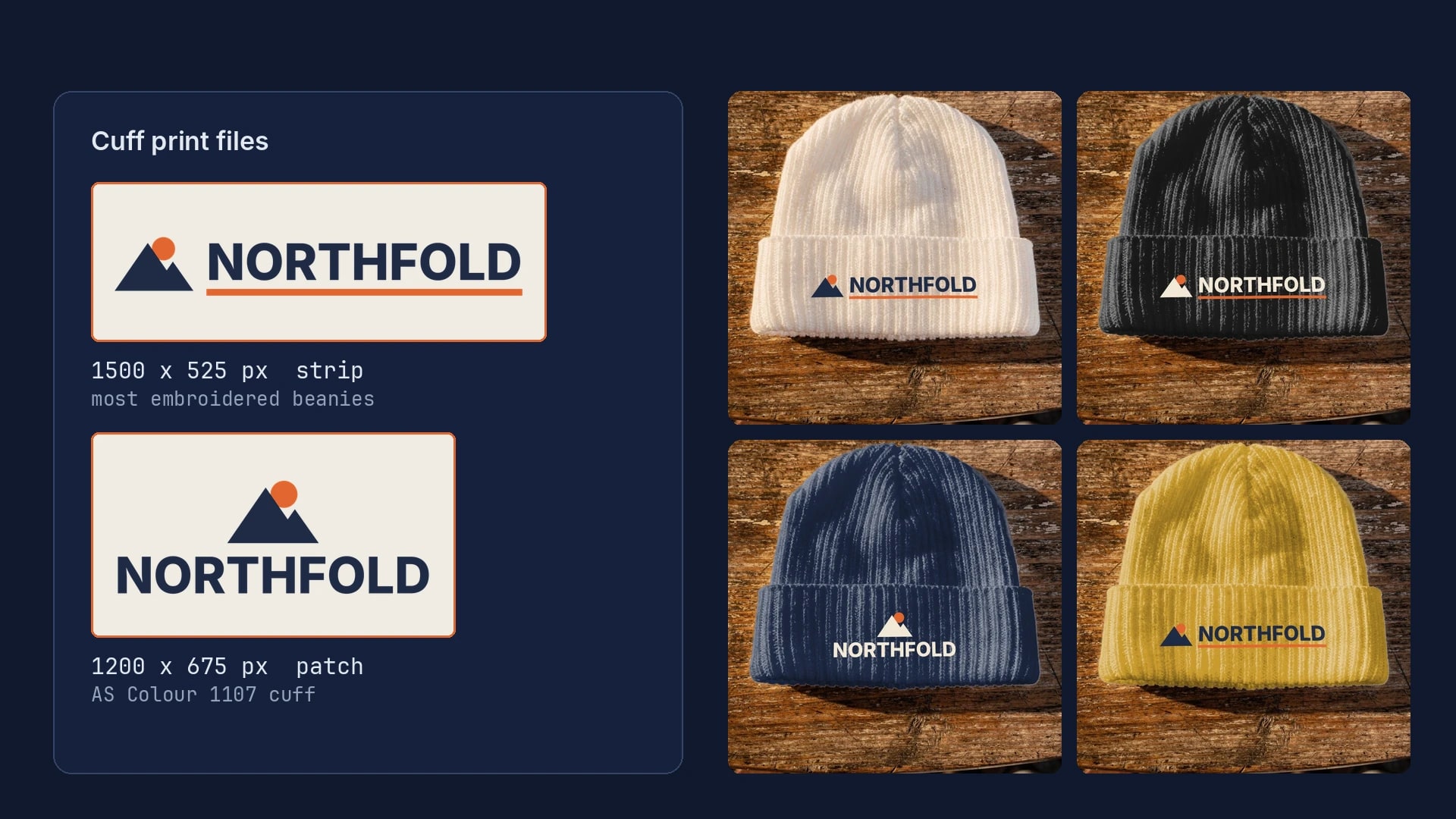
Key takeaways
- A square logo fills only the middle of a wide cuff strip: lay it out at the strip's shape.
- Capitals at least 90 pixels tall in the 1,500 pixel strip meet Printify's 0.3 inch minimum.
- Blend mode normal renders each thread color exactly as the logo file sets it.
The cuff file is a wide strip on most beanies
A cuffed beanie prints or stitches its logo on the folded cuff, and on most blanks the file for it is a wide strip, about three times as wide as it is tall. Printify's embroidery guide gives the beanie front embroidery area as 5 by 1.75 inches, "best suited for bold text or horizontal logos" (printify.com/guide/embroidery-guide, read 24 November 2026).
Printify's catalog lists one front file per beanie blank, and its shape depends on the blank (catalog read 11 September 2026):
| Beanie blank | Decoration | Front file |
|---|---|---|
| Yupoong 1501KC Classic Cuffed Beanie | Embroidery | 1,500 x 525 px |
| OTTO Cap 82-480 Knit Beanie | Embroidery | 1,500 x 525 px |
| Atlantis Headwear Ribbed Knit Beanie | Embroidery | 1,500 x 525 px |
| Sportsman SP15 Pom-Pom Knit Cap | Embroidery | 1,500 x 525 px |
| AS Colour 1120 Cuff Beanie | Embroidery | 1,500 x 526 px |
| AS Colour 1107 Cuff Beanie | Embroidery | 1,200 x 675 px |
| Sport-Tek STC68 Pom Beanie | DTF print | 1,200 x 705 px |
| The Laughing Giraffe Baby Beanie | All-over print | 2,400 x 2,400 px |
So five of the six embroidered blanks take the same wide strip, 1,500 by 525 pixels (526 on the AS Colour 1120), and the AS Colour 1107 takes a 16:9 file. Lay the logo out at the shape of the blank you sell: a square logo sent into the strip with fit fills only the middle third of it, the same way a file at another shape renders smaller on a tote.
Lay the logo out for embroidery
On an embroidered blank the file becomes stitches, so it follows the provider's thread rules before it follows any mockup. Printify's embroidery guide allows six of its 15 thread colors per design, asks for solid colors with no gradients or photos, lines at least 0.05 inch thick, and lettering from 0.25 inch in lowercase and 0.3 inch in capitals; it resizes or removes text smaller than 0.18 inch (printify.com/guide/embroidery-guide, read 24 November 2026). The DTF file of the Sport-Tek STC68 is a print and carries no thread rule.
The strip is 5 inches across 1,500 pixels, 300 pixels to the inch, so capitals of 0.3 inch are at least 90 pixels tall in the file. Our test logo uses two thread colors, navy and orange, with capitals 124 pixels tall and an underline 22 pixels thick. For black, navy and green beanies we made a second file with cream in place of navy, because dark thread on a dark knit disappears; the next sections send it in the requests for those colors.
Draw the cuff area on a flat beanie photo
Pick a view where the cuff faces the camera flat, so the print area is a plain four-point shape across it. Our photo is the flat lay view of the white ribbed knit cuffed beanie template, 1,440 by 1,440 pixels.
Draw the area where the provider puts the logo: centered on the cuff, about two thirds of its width, as Printify's own beanie product photos show it. We drew two areas on the same photo, a 624 by 218 pixel Cuff strip at the strip's 1,500 to 525 shape and a 480 by 270 pixel Cuff patch at the 16:9 shape of the AS Colour 1107, and each render fills only the area it names.
curl -X POST https://api.sudomock.com/api/v1/photo-mockups \-H "x-api-key: $SUDOMOCK_API_KEY" \-H "Content-Type: application/json" \-d '{"source_url": "https://assets.sudomock.com/library/5a4085e6c15cf3e2001378425e97e45918dda62caaa4577ed317b131e735b757.png","name": "White cuffed beanie, flat lay","print_areas": [{ "points": [[408, 786], [1032, 786], [1032, 1004], [408, 1004]], "name": "Cuff strip" },{ "points": [[480, 760], [960, 760], [960, 1030], [480, 1030]], "name": "Cuff patch" }]}'
const response = await fetch('https://api.sudomock.com/api/v1/photo-mockups', {method: 'POST',headers: {'x-api-key': process.env.SUDOMOCK_API_KEY,'Content-Type': 'application/json',},body: JSON.stringify({"source_url": "https://assets.sudomock.com/library/5a4085e6c15cf3e2001378425e97e45918dda62caaa4577ed317b131e735b757.png","name": "White cuffed beanie, flat lay","print_areas": [{"points": [[408,786],[1032,786],[1032,1004],[408,1004]],"name": "Cuff strip"},{"points": [[480,760],[960,760],[960,1030],[480,1030]],"name": "Cuff patch"}]}),});const data = await response.json();console.log(data);
import osimport requestsresponse = requests.post("https://api.sudomock.com/api/v1/photo-mockups",headers={"x-api-key": os.environ["SUDOMOCK_API_KEY"],"Content-Type": "application/json",},json={"source_url": "https://assets.sudomock.com/library/5a4085e6c15cf3e2001378425e97e45918dda62caaa4577ed317b131e735b757.png","name": "White cuffed beanie, flat lay","print_areas": [{"points": [[408,786,],[1032,786,],[1032,1004,],[408,1004,],],"name": "Cuff strip",},{"points": [[480,760,],[960,760,],[960,1030,],[480,1030,],],"name": "Cuff patch",},],},)print(response.json())
package mainimport ("bytes""fmt""io""net/http""os")func main() {payload := []byte(`{"source_url": "https://assets.sudomock.com/library/5a4085e6c15cf3e2001378425e97e45918dda62caaa4577ed317b131e735b757.png","name": "White cuffed beanie, flat lay","print_areas": [{"points": [[408,786],[1032,786],[1032,1004],[408,1004]],"name": "Cuff strip"},{"points": [[480,760],[960,760],[960,1030],[480,1030]],"name": "Cuff patch"}]}`)req, err := http.NewRequest("POST", "https://api.sudomock.com/api/v1/photo-mockups", bytes.NewBuffer(payload))if err != nil {panic(err)}req.Header.Set("x-api-key", os.Getenv("SUDOMOCK_API_KEY"))req.Header.Set("Content-Type", "application/json")resp, err := http.DefaultClient.Do(req)if err != nil {panic(err)}defer resp.Body.Close()body, _ := io.ReadAll(resp.Body)fmt.Println(string(body))}
<?php$payload = <<<'JSON'{"source_url": "https://assets.sudomock.com/library/5a4085e6c15cf3e2001378425e97e45918dda62caaa4577ed317b131e735b757.png","name": "White cuffed beanie, flat lay","print_areas": [{"points": [[408,786],[1032,786],[1032,1004],[408,1004]],"name": "Cuff strip"},{"points": [[480,760],[960,760],[960,1030],[480,1030]],"name": "Cuff patch"}]}JSON;$ch = curl_init('https://api.sudomock.com/api/v1/photo-mockups');curl_setopt_array($ch, [CURLOPT_CUSTOMREQUEST => 'POST',CURLOPT_RETURNTRANSFER => true,CURLOPT_HTTPHEADER => ['x-api-key: ' . getenv('SUDOMOCK_API_KEY'),'Content-Type: application/json',],CURLOPT_POSTFIELDS => $payload,]);$response = curl_exec($ch);curl_close($ch);echo $response;
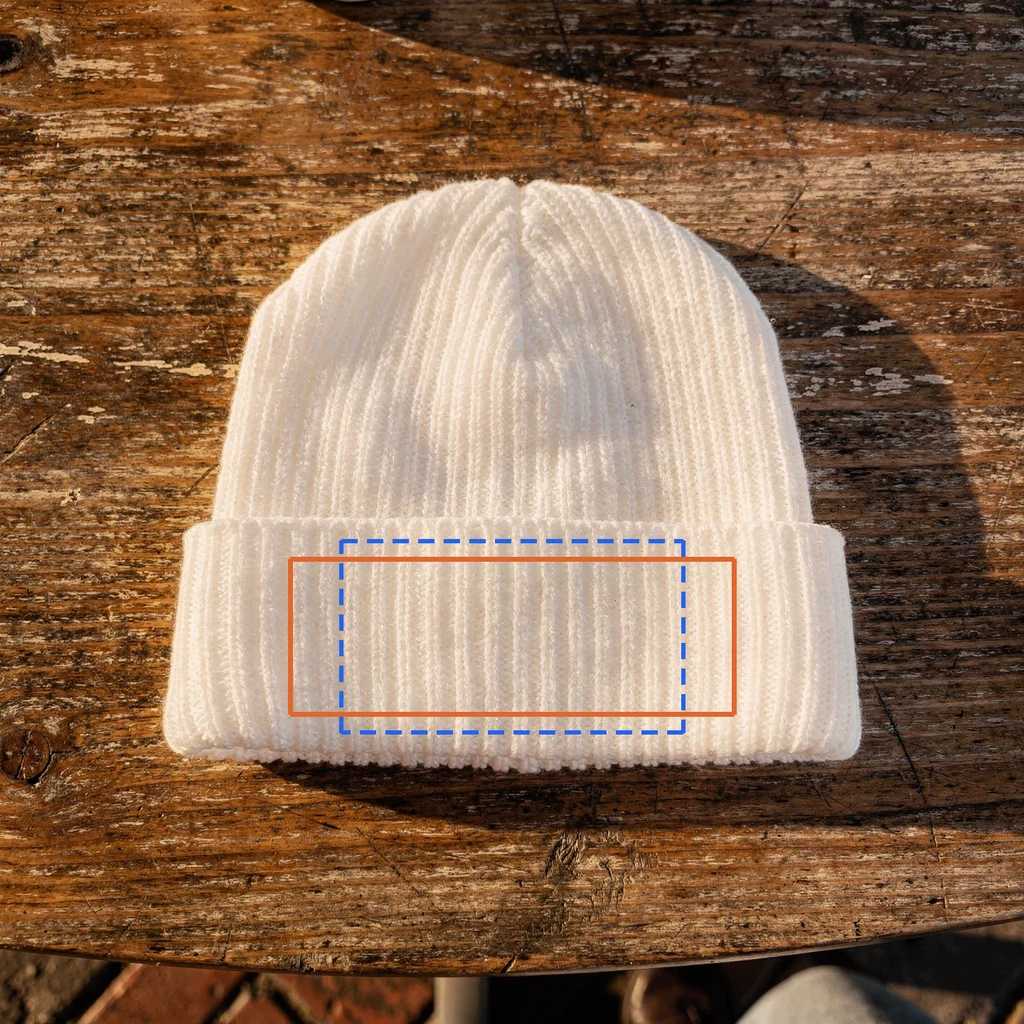 The two areas we sent with the create request: Cuff strip in orange, 624 by 218 pixels at the 1,500 by 525 file shape, and Cuff patch dashed in blue, 480 by 270 pixels at 16:9. Template photo from the SudoMock library, 24 November 2026.
The mockup comes back with both areas in data.quads and the beanie as one entry in data.surfaces. Keep data.mockup_id, the print_area_id of the area you will fill and the beanie's surface_uuid: the area takes the logo and the surface takes the knit color. On 24 November 2026 our mockup came back ready with both areas saved under their names and the whole beanie returned as a surface labeled white beanie. The print areas and surfaces guide explains both lists.
Render the logo with its thread colors
One render request names the area and the logo file. Set blend_mode to normal so the thread colors render exactly as the file sets them; the render reference describes normal as the mode that "reproduces the artwork colors exactly, whatever the product color".
curl -X POST https://api.sudomock.com/api/v1/photo-mockups/MOCKUP_ID/render \-H "x-api-key: $SUDOMOCK_API_KEY" \-H "Content-Type: application/json" \-d '{"print_areas": [{"uuid": "CUFF_STRIP_AREA_ID","artwork_url": "https://cdn.example.com/beanies/northfold-strip-1500x525.png","placement": { "fit": "fit" },"adjustments": { "blend_mode": "normal" }}],"export_options": { "image_format": "jpg", "image_size": 1024 }}'
const response = await fetch('https://api.sudomock.com/api/v1/photo-mockups/MOCKUP_ID/render', {method: 'POST',headers: {'x-api-key': process.env.SUDOMOCK_API_KEY,'Content-Type': 'application/json',},body: JSON.stringify({"print_areas": [{"uuid": "CUFF_STRIP_AREA_ID","artwork_url": "https://cdn.example.com/beanies/northfold-strip-1500x525.png","placement": {"fit": "fit"},"adjustments": {"blend_mode": "normal"}}],"export_options": {"image_format": "jpg","image_size": 1024}}),});const data = await response.json();console.log(data);
import osimport requestsresponse = requests.post("https://api.sudomock.com/api/v1/photo-mockups/MOCKUP_ID/render",headers={"x-api-key": os.environ["SUDOMOCK_API_KEY"],"Content-Type": "application/json",},json={"print_areas": [{"uuid": "CUFF_STRIP_AREA_ID","artwork_url": "https://cdn.example.com/beanies/northfold-strip-1500x525.png","placement": {"fit": "fit",},"adjustments": {"blend_mode": "normal",},},],"export_options": {"image_format": "jpg","image_size": 1024,},},)print(response.json())
package mainimport ("bytes""fmt""io""net/http""os")func main() {payload := []byte(`{"print_areas": [{"uuid": "CUFF_STRIP_AREA_ID","artwork_url": "https://cdn.example.com/beanies/northfold-strip-1500x525.png","placement": {"fit": "fit"},"adjustments": {"blend_mode": "normal"}}],"export_options": {"image_format": "jpg","image_size": 1024}}`)req, err := http.NewRequest("POST", "https://api.sudomock.com/api/v1/photo-mockups/MOCKUP_ID/render", bytes.NewBuffer(payload))if err != nil {panic(err)}req.Header.Set("x-api-key", os.Getenv("SUDOMOCK_API_KEY"))req.Header.Set("Content-Type", "application/json")resp, err := http.DefaultClient.Do(req)if err != nil {panic(err)}defer resp.Body.Close()body, _ := io.ReadAll(resp.Body)fmt.Println(string(body))}
<?php$payload = <<<'JSON'{"print_areas": [{"uuid": "CUFF_STRIP_AREA_ID","artwork_url": "https://cdn.example.com/beanies/northfold-strip-1500x525.png","placement": {"fit": "fit"},"adjustments": {"blend_mode": "normal"}}],"export_options": {"image_format": "jpg","image_size": 1024}}JSON;$ch = curl_init('https://api.sudomock.com/api/v1/photo-mockups/MOCKUP_ID/render');curl_setopt_array($ch, [CURLOPT_CUSTOMREQUEST => 'POST',CURLOPT_RETURNTRANSFER => true,CURLOPT_HTTPHEADER => ['x-api-key: ' . getenv('SUDOMOCK_API_KEY'),'Content-Type: application/json',],CURLOPT_POSTFIELDS => $payload,]);$response = curl_exec($ch);curl_close($ch);echo $response;
The finished image is at data.print_files[0].export_path, and the average SudoMock render finishes in under a second. A transparent PNG at the strip's own shape fills the area edge to edge with fit.
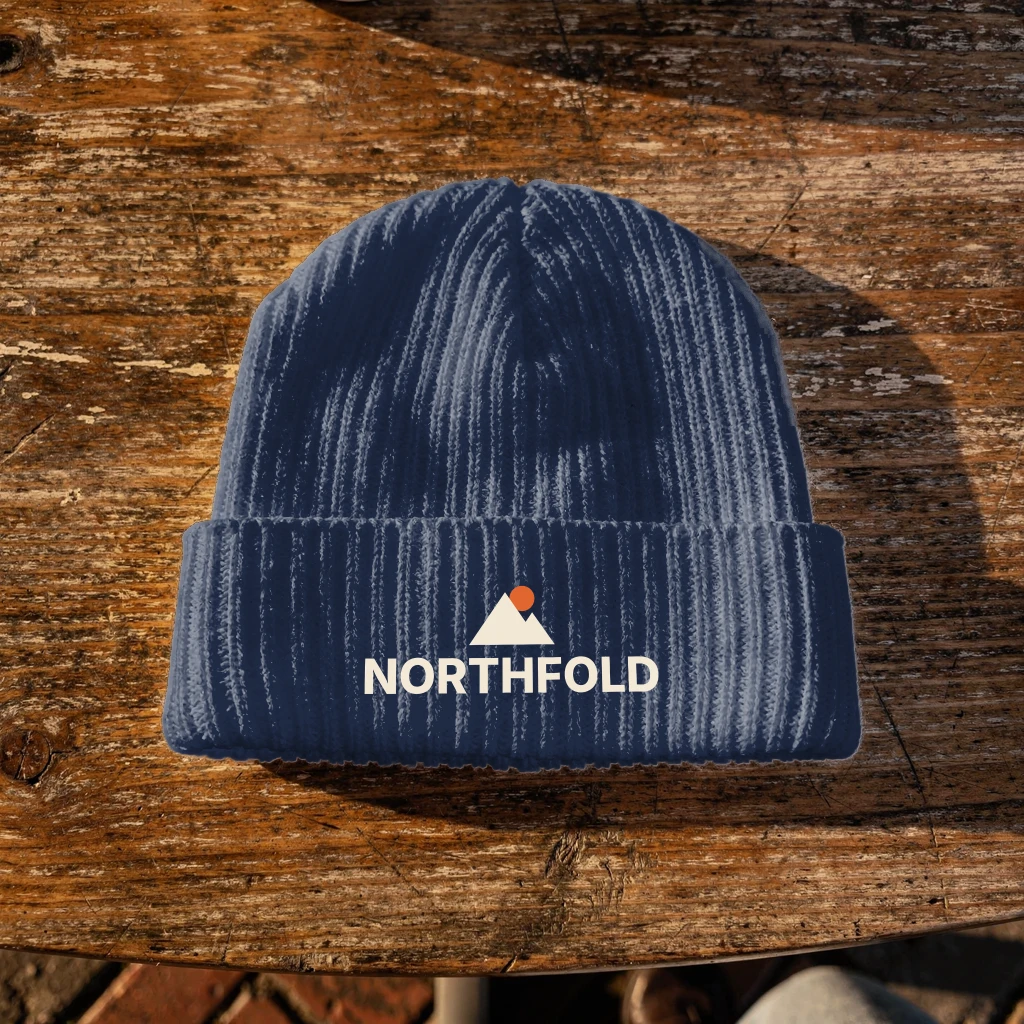
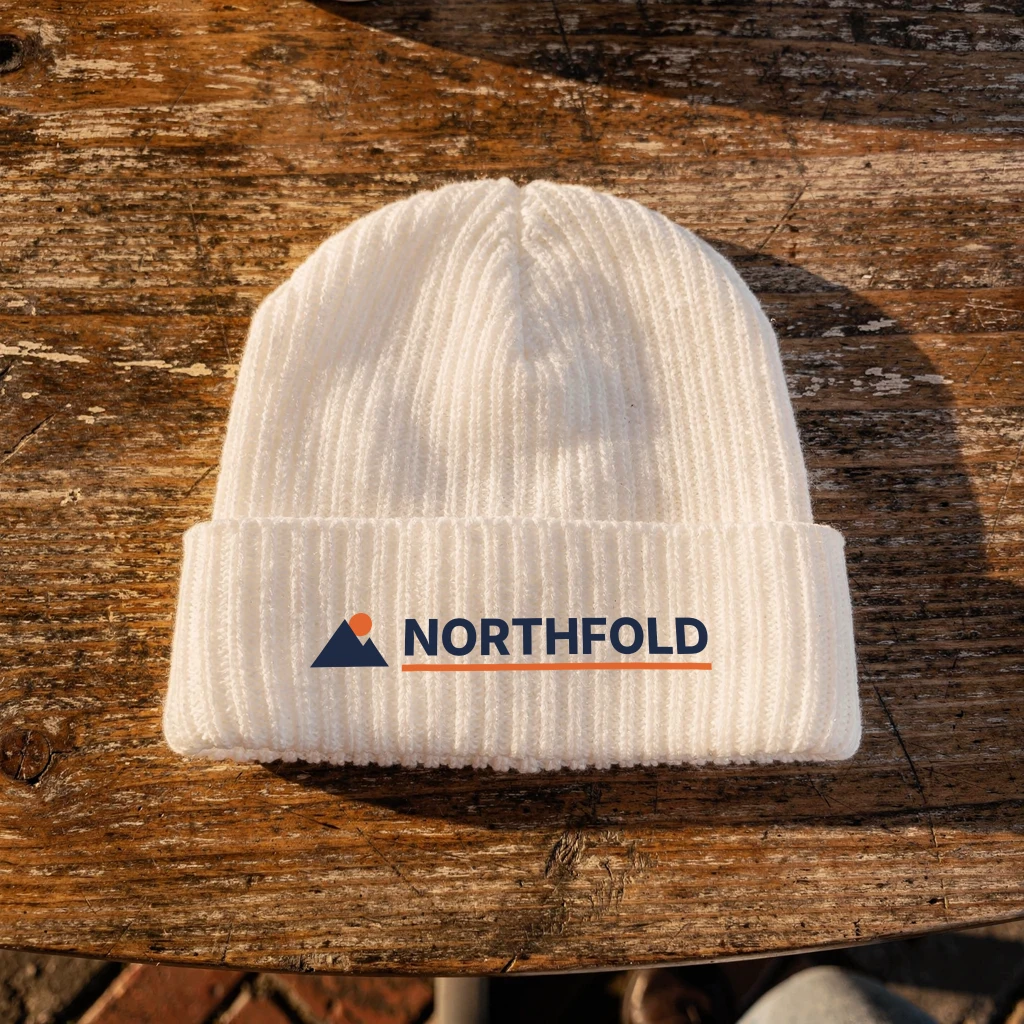 The 1,500 by 525 logo file in the Cuff strip area, blend mode normal. SudoMock render on the white beanie template, 24 November 2026.
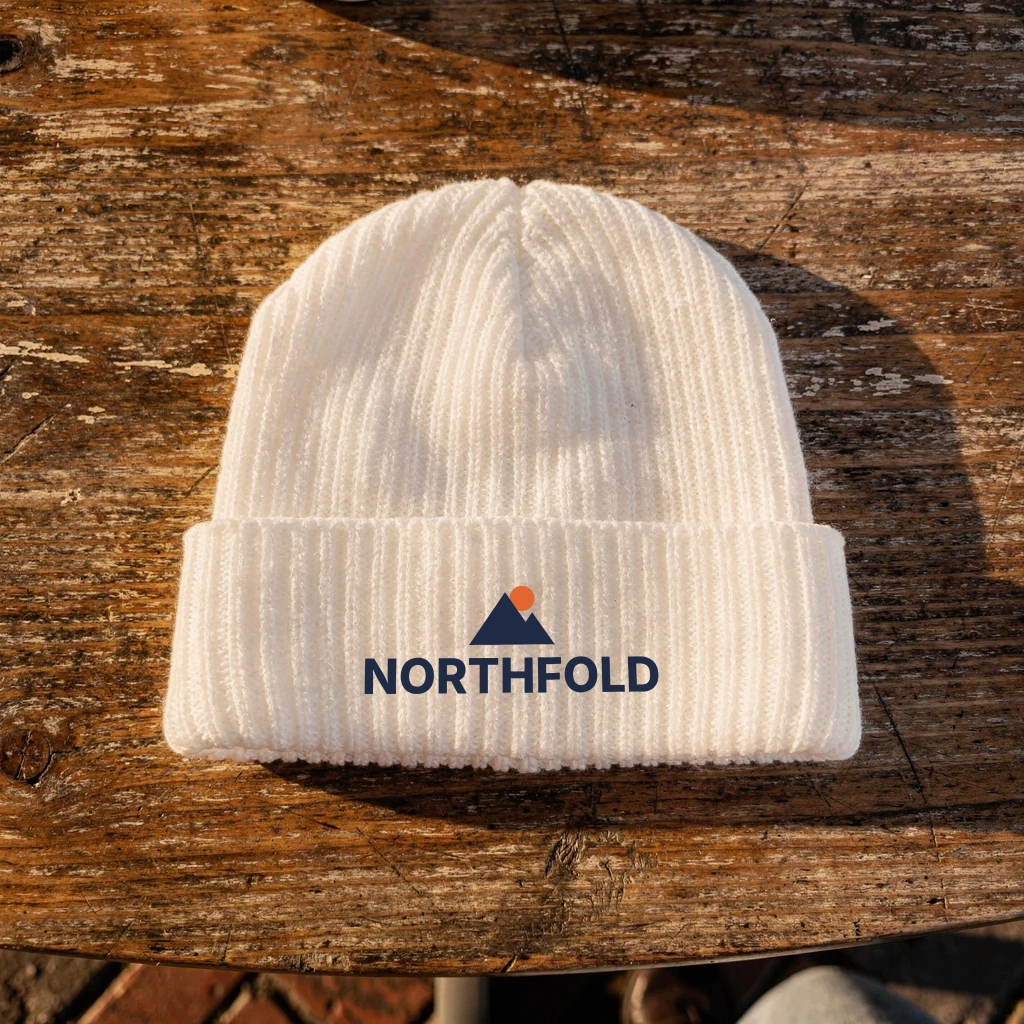
For the AS Colour 1107, send the 1,200 by 675 file to the Cuff patch area instead. The logo stacks the mark above the word mark, which suits the taller file.
| White, navy thread | Navy #1F2A44, cream thread |
|---|---|
 |  |
Every knit color from the same photo
Add the beanie's surface to the request with a hex color, and the knit takes that color while its ribs, folds and shadows stay. For dark knits, send the cream file in the same request.
curl -X POST https://api.sudomock.com/api/v1/photo-mockups/MOCKUP_ID/render \-H "x-api-key: $SUDOMOCK_API_KEY" \-H "Content-Type: application/json" \-d '{"print_areas": [{ "surface_uuid": "BEANIE_SURFACE_ID", "color": "#1C1C1C" },{"uuid": "CUFF_STRIP_AREA_ID","artwork_url": "https://cdn.example.com/beanies/northfold-strip-1500x525-cream.png","placement": { "fit": "fit" },"adjustments": { "blend_mode": "normal" }}],"export_options": { "image_format": "jpg", "image_size": 1024 }}'
const response = await fetch('https://api.sudomock.com/api/v1/photo-mockups/MOCKUP_ID/render', {method: 'POST',headers: {'x-api-key': process.env.SUDOMOCK_API_KEY,'Content-Type': 'application/json',},body: JSON.stringify({"print_areas": [{"surface_uuid": "BEANIE_SURFACE_ID","color": "#1C1C1C"},{"uuid": "CUFF_STRIP_AREA_ID","artwork_url": "https://cdn.example.com/beanies/northfold-strip-1500x525-cream.png","placement": {"fit": "fit"},"adjustments": {"blend_mode": "normal"}}],"export_options": {"image_format": "jpg","image_size": 1024}}),});const data = await response.json();console.log(data);
import osimport requestsresponse = requests.post("https://api.sudomock.com/api/v1/photo-mockups/MOCKUP_ID/render",headers={"x-api-key": os.environ["SUDOMOCK_API_KEY"],"Content-Type": "application/json",},json={"print_areas": [{"surface_uuid": "BEANIE_SURFACE_ID","color": "#1C1C1C",},{"uuid": "CUFF_STRIP_AREA_ID","artwork_url": "https://cdn.example.com/beanies/northfold-strip-1500x525-cream.png","placement": {"fit": "fit",},"adjustments": {"blend_mode": "normal",},},],"export_options": {"image_format": "jpg","image_size": 1024,},},)print(response.json())
package mainimport ("bytes""fmt""io""net/http""os")func main() {payload := []byte(`{"print_areas": [{"surface_uuid": "BEANIE_SURFACE_ID","color": "#1C1C1C"},{"uuid": "CUFF_STRIP_AREA_ID","artwork_url": "https://cdn.example.com/beanies/northfold-strip-1500x525-cream.png","placement": {"fit": "fit"},"adjustments": {"blend_mode": "normal"}}],"export_options": {"image_format": "jpg","image_size": 1024}}`)req, err := http.NewRequest("POST", "https://api.sudomock.com/api/v1/photo-mockups/MOCKUP_ID/render", bytes.NewBuffer(payload))if err != nil {panic(err)}req.Header.Set("x-api-key", os.Getenv("SUDOMOCK_API_KEY"))req.Header.Set("Content-Type", "application/json")resp, err := http.DefaultClient.Do(req)if err != nil {panic(err)}defer resp.Body.Close()body, _ := io.ReadAll(resp.Body)fmt.Println(string(body))}
<?php$payload = <<<'JSON'{"print_areas": [{"surface_uuid": "BEANIE_SURFACE_ID","color": "#1C1C1C"},{"uuid": "CUFF_STRIP_AREA_ID","artwork_url": "https://cdn.example.com/beanies/northfold-strip-1500x525-cream.png","placement": {"fit": "fit"},"adjustments": {"blend_mode": "normal"}}],"export_options": {"image_format": "jpg","image_size": 1024}}JSON;$ch = curl_init('https://api.sudomock.com/api/v1/photo-mockups/MOCKUP_ID/render');curl_setopt_array($ch, [CURLOPT_CUSTOMREQUEST => 'POST',CURLOPT_RETURNTRANSFER => true,CURLOPT_HTTPHEADER => ['x-api-key: ' . getenv('SUDOMOCK_API_KEY'),'Content-Type: application/json',],CURLOPT_POSTFIELDS => $payload,]);$response = curl_exec($ch);curl_close($ch);echo $response;
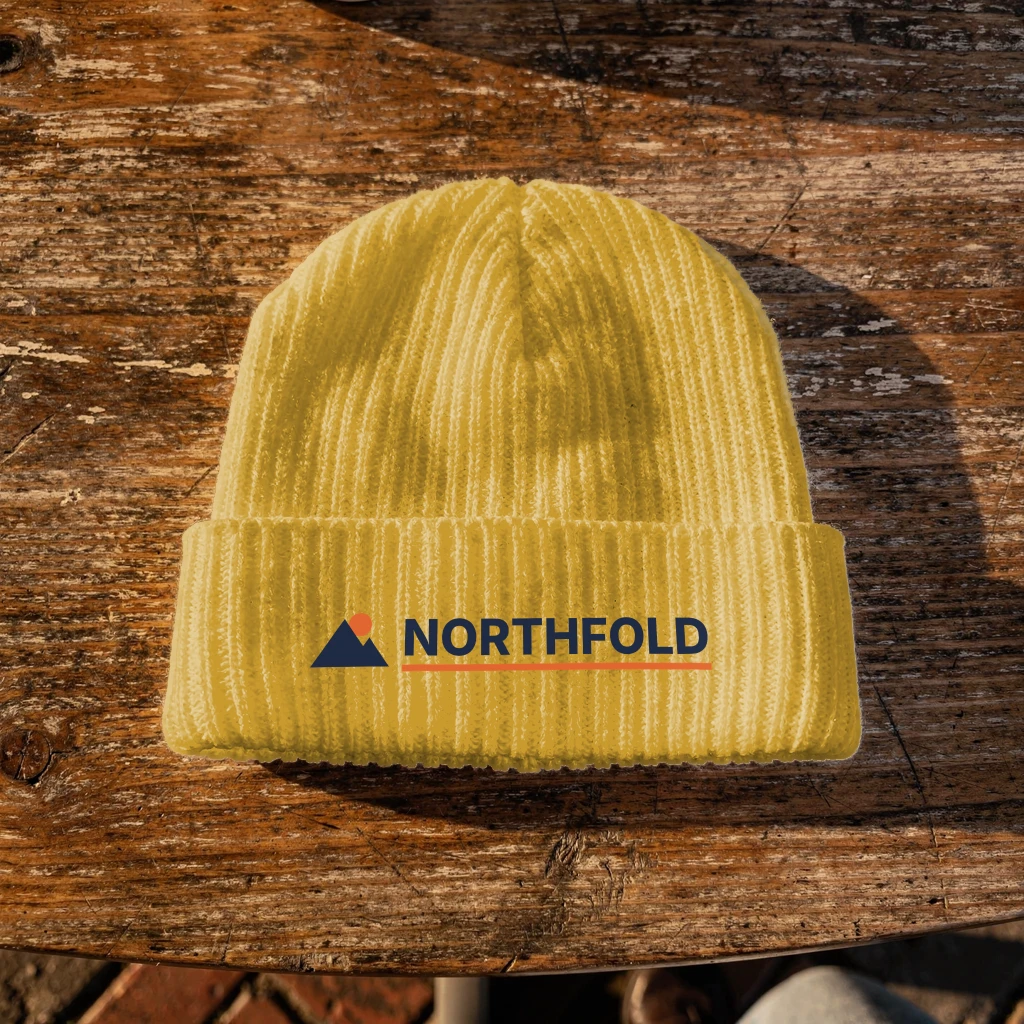
On 24 November 2026 we rendered the strip logo on five knit colors from the one white beanie photo; only the hex and the logo file changed between the requests.
| White | Black #1C1C1C | Navy #1F2A44 | Forest #2E4A3B | Mustard #C99A2E |
|---|---|---|---|---|
| 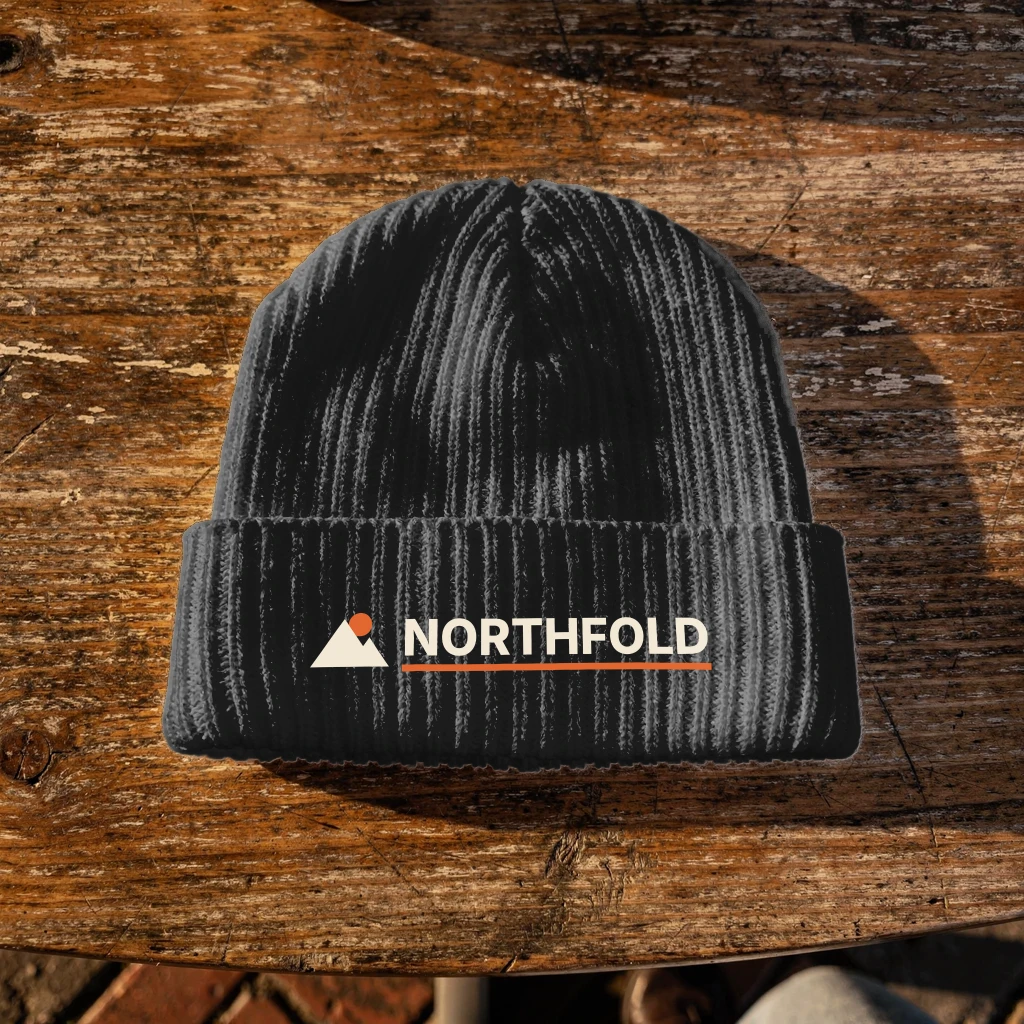 | 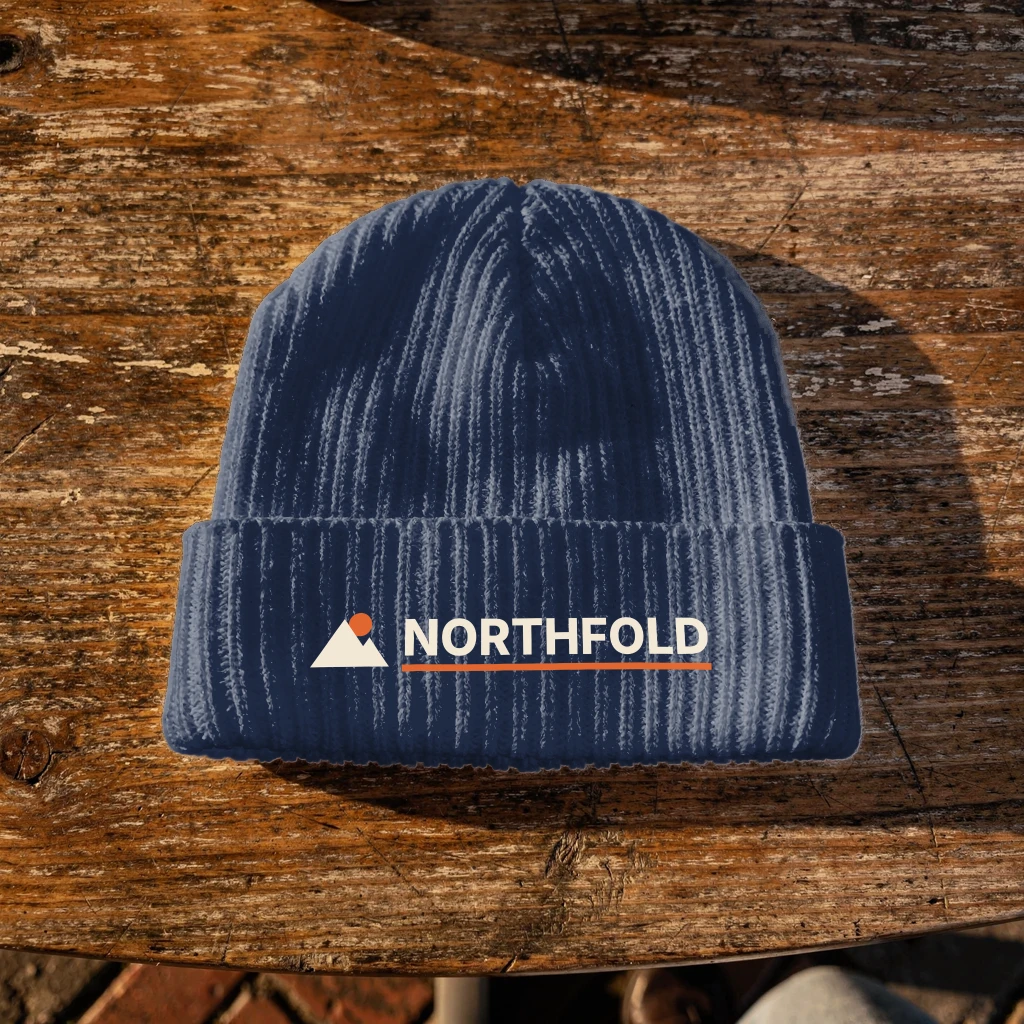 | 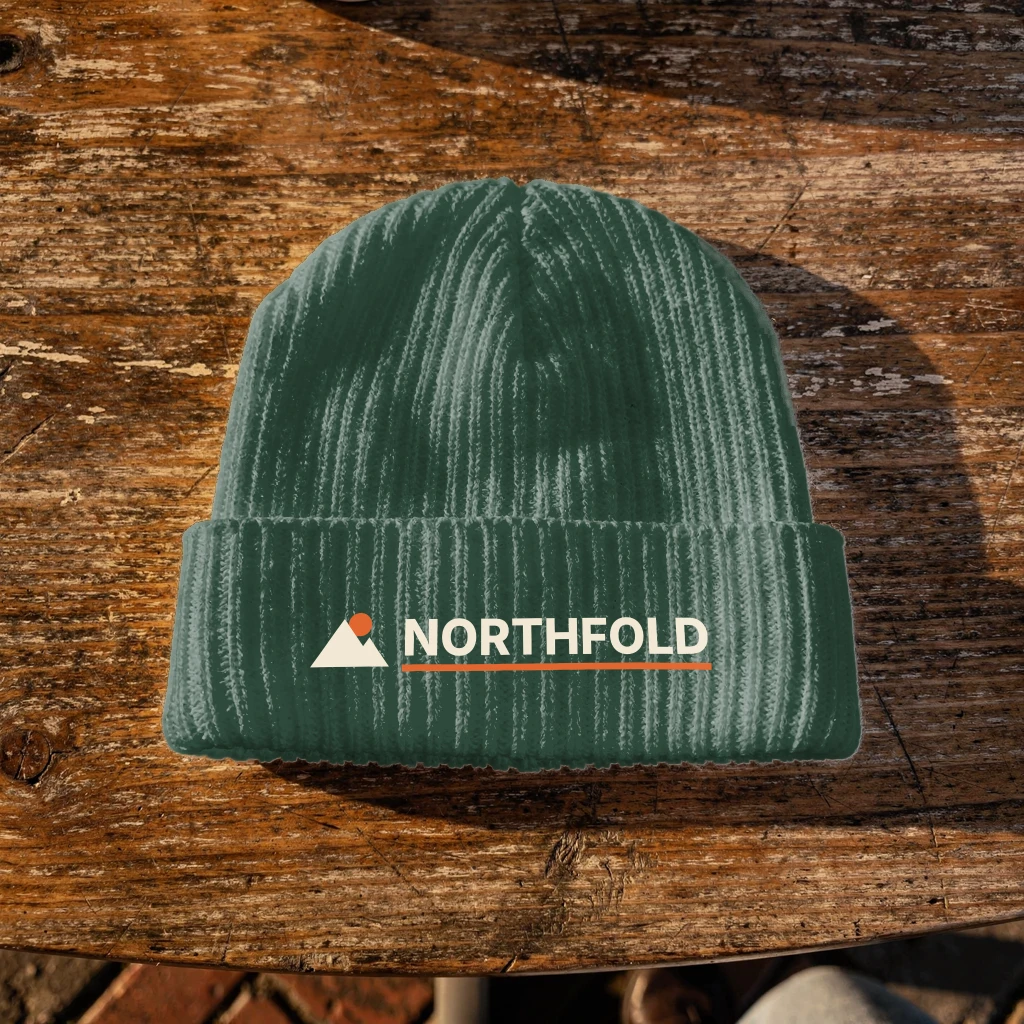 |  |
All five are SudoMock renders on the white beanie template. A catalog that already names its colors can save them on the mockup once with PATCH /api/v1/photo-mockups/{mockup_id} and render by name, as hat mockups shows for cap colors.
Render every logo on every color
A beanie line is the same grid as a cap line: every logo on every knit color, one render per pair against the same mockup. The caps.py script in hat mockups renders that grid from a CSV: set its three ids to the beanie's (the cuff area for FRONT_AREA_ID, the beanie surface for CAP_SURFACE_ID), list your knit colors in COLORS and the dark ones in DARK, and add "adjustments": {"blend_mode": "normal"} to the area entry.
Without code, keep one sheet row per logo and knit color: the Make scenario for Google Sheets renders each new row, and the n8n node does the same from a workflow.
A beanie PSD of your own
A beanie PSD takes the same two logo files: upload it once with POST /api/v1/psd/upload (upload a PSD) and send each file to POST /api/v1/renders on the cuff smart object, built at 1,500 by 525 or 1,200 by 675. In the dashboard, PSD uploads are capped at 300 MB. API uploads support files up to Adobe's official PSD file size limit.
Next step
Open the flat lay view of the white ribbed knit cuffed beanie template as a photo mockup, draw the cuff area at your blank's file shape, and render your logo on a light and a dark knit; then run the script over your colors. The render reference lists every target, placement and blend field. The beanie templates and the beanie mockup guide hold on-model and lifestyle views of the same beanie, and lettering-only designs are covered on text mockups for hats.
Frequently asked questions
What size is a beanie embroidery file?
On Printify most embroidered beanies take a cuff file of 1,500 by 525 pixels, a strip of 5 by 1.75 inches, and the AS Colour 1107 takes 1,200 by 675 pixels. Lay the logo out at the shape of the blank you sell, as a transparent PNG at that size.
Where does the logo go on a beanie?
On a cuffed beanie, on the folded cuff, centered on the front and across about two thirds of the cuff's width. That is where providers stitch or print the front file, and where Printify's own beanie product photos show the design area.
How do I make a beanie mockup with my logo?
Save one photo of a light beanie, cuff facing the camera, as a photo mockup with a print area on the cuff at your blank's file shape. Each render then places your logo PNG in that area, and the beanie's surface takes the knit color you send.
How do I show my logo on every beanie color?
Render the same logo against the same mockup once per knit color, sending each hex on the beanie's surface. On black, navy or dark green knits, send a second logo file in light thread colors so it stays readable.
Can a beanie logo have a gradient or a photo?
Not on an embroidered beanie: Printify's embroidery guide asks for solid colors with no gradients or photos, and at most six of its 15 thread colors per design. A DTF printed beanie such as the Sport-Tek STC68 takes a printed file without those thread rules.
Sources
- Embroidery Guide: Best Practices & Tips, Printify, printify.com, read November 24, 2026
- Create a mockup from a product photo (opens in new tab), SudoMock docs
- Print areas and surfaces (opens in new tab), SudoMock docs
- Render a photo mockup (opens in new tab), SudoMock docs
- Fit and blend modes (opens in new tab), SudoMock docs
- Update an existing photo mockup (opens in new tab), SudoMock docs
- Upload a PSD (opens in new tab), SudoMock docs
- What is the PSD file size limit? (opens in new tab), SudoMock docs
- Render mockups with n8n and SudoMock (opens in new tab), SudoMock docs
- Render mockups with Make and SudoMock (opens in new tab), SudoMock docs
Beck
CTO
Related articles
Hat Mockups for Every Design and Cap Color by API
Save one cap photo with a front print area, recolor the cap in each request, and render every design on every color by API.
7 min read
Polo Shirt Mockups: A Client Logo on the Left Chest, Every Color
Draw the left chest area on one white polo photo, then render each client logo in every polo color by API.
6 min read
Tote Bag Mockups: Print Sizes, Front and Back, Every Canvas Color
Render every tote design front and back at your bag's print file shape, in every canvas color, from one saved tote photo.
8 min read
Latest articles
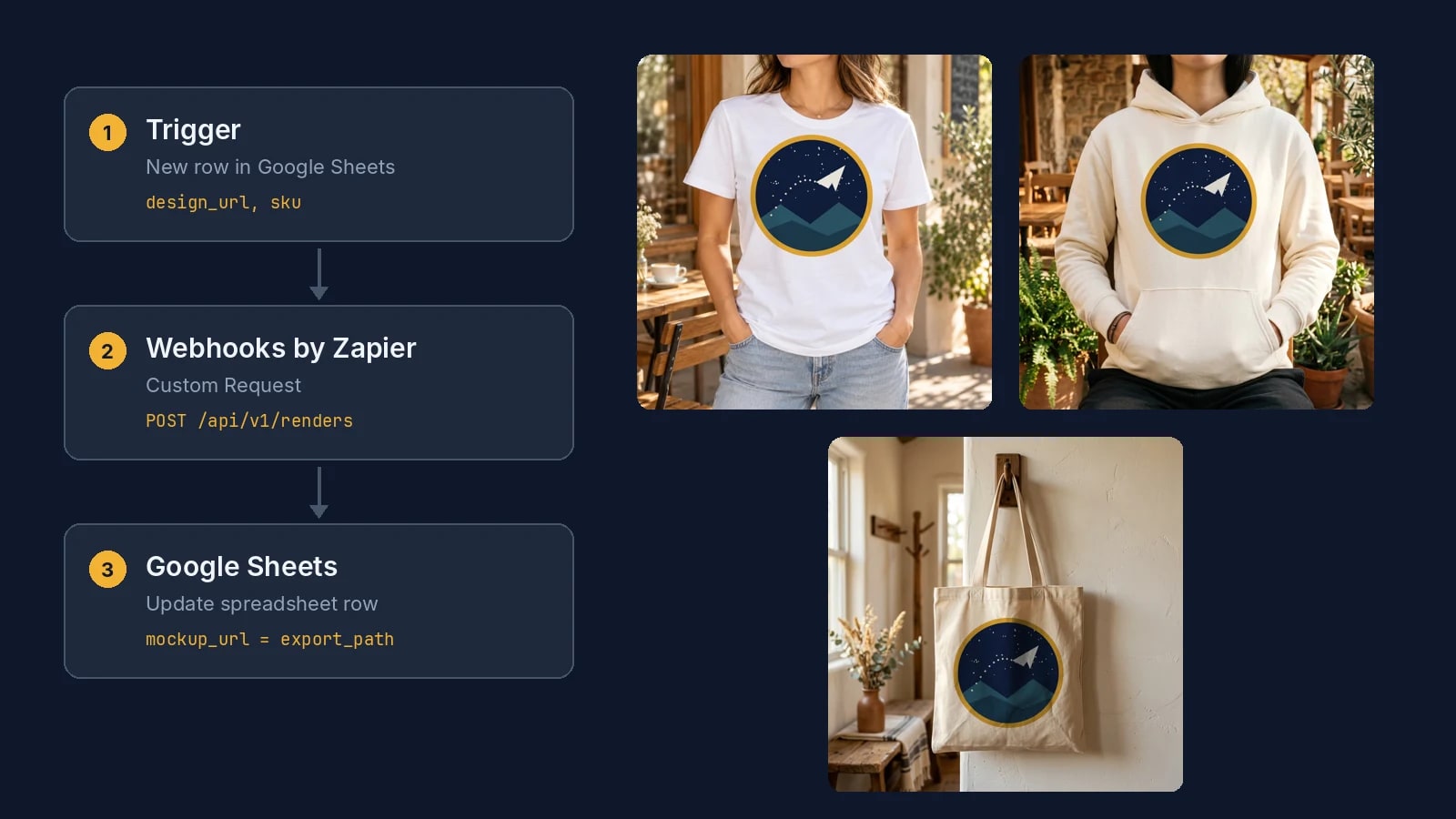
Zapier Mockup Automation: Render Your Own PSD on Any Trigger
One Webhooks by Zapier request turns each trigger into a finished mockup on your own template, with real tee, hoodie, tote and color renders.
8 min read
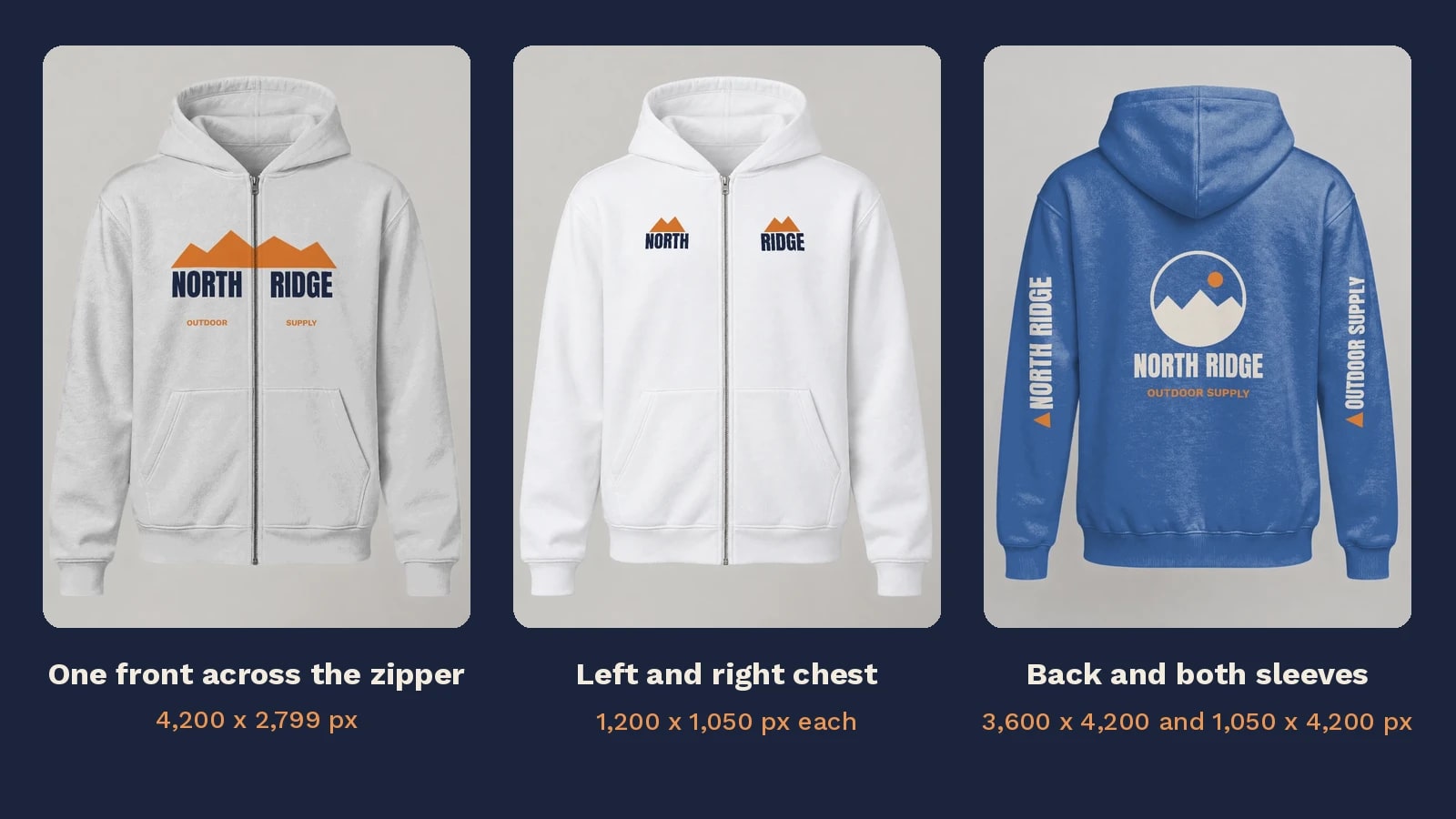
Zip Hoodie Mockups: Across the Zipper or a Chest Pair, Every Color
Render each zip hoodie design across the zipper or as a chest pair, with the back and both sleeves, in every color from saved photos.
11 min read
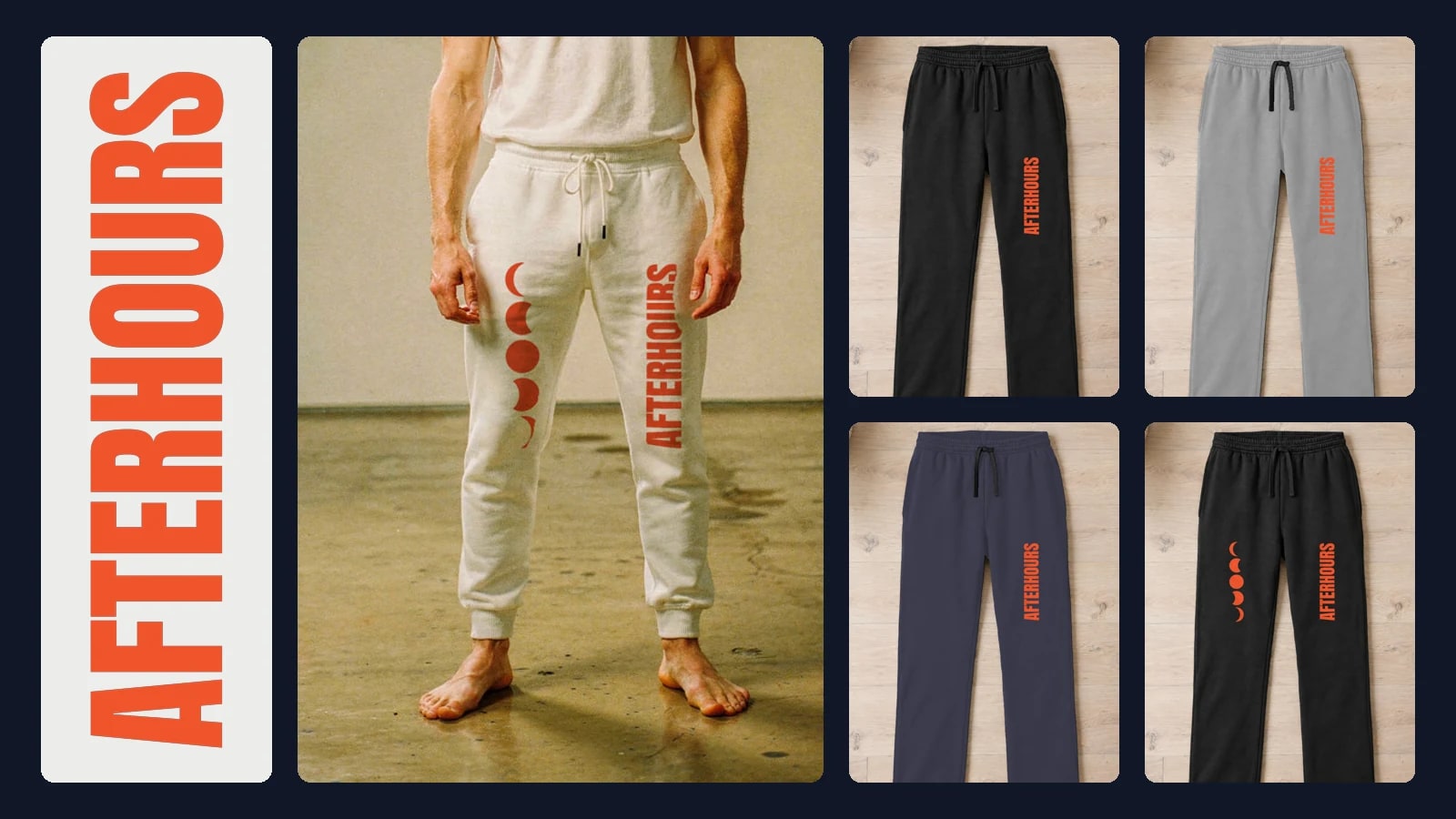
Sweatpants Mockups: A Leg Print Down the Thigh, Every Color
Render a leg print down the thigh of sweatpants at your provider's file size, on one leg or both, in every color from one saved photo.
8 min read
Explore by use case
See SudoMock in action for your specific product category
Your own PSD, rendered via API
Render your own PSD through the API. Start with 500 one-time credits, no card.