Zip Hoodie Mockups: Across the Zipper or a Chest Pair, Every Color
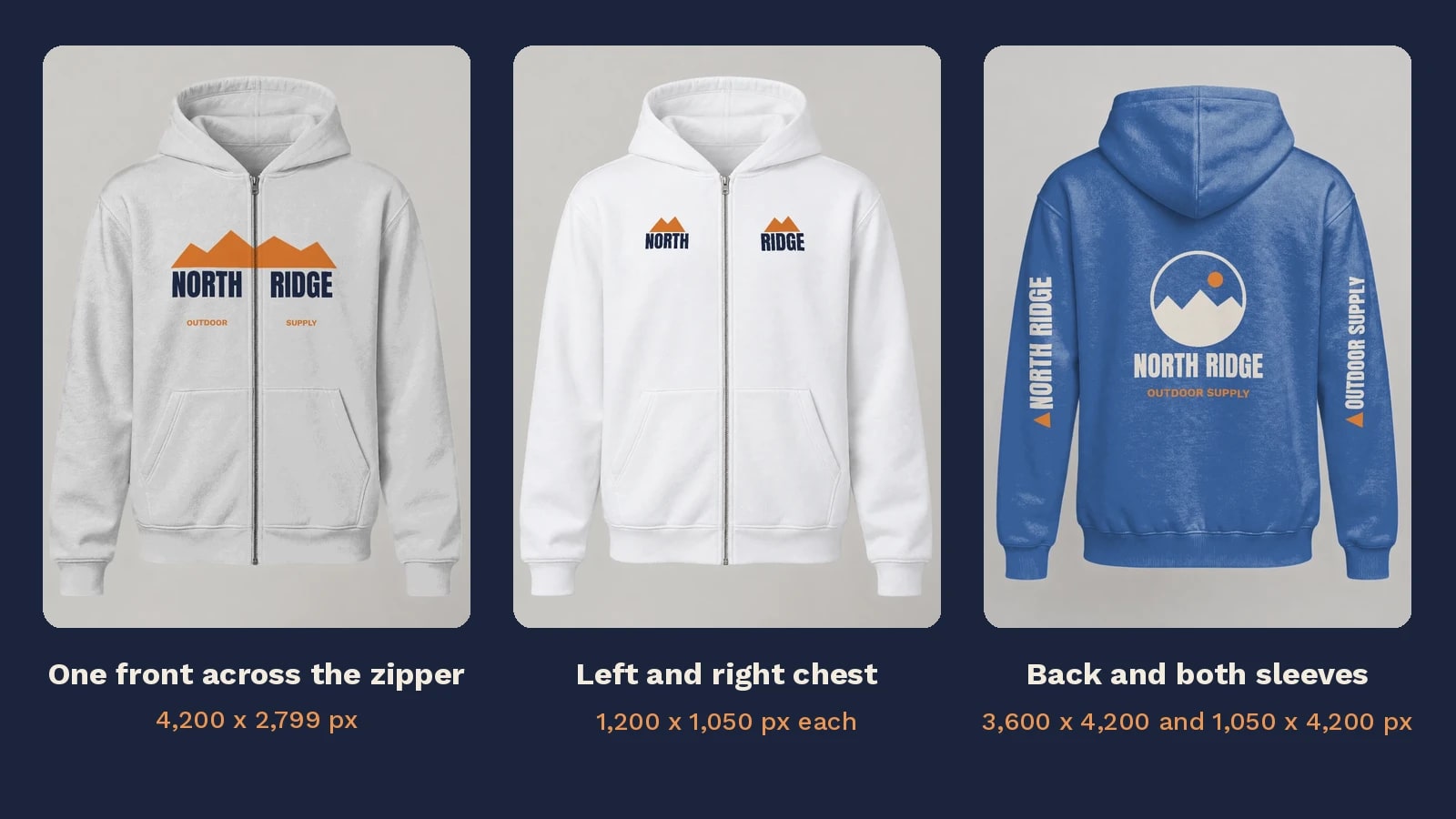
A zip hoodie prints its front in one of two main ways on Printify: one file across the zipper, 4,200 by 2,799 pixels on the Gildan 18600, or a left and right chest pair of 1,200 by 1,050 on most other blanks. Save front and back photos with an area per placement, then render every placement and color by API.
Published 11 min readBeck
Key takeaways
- Leave a clear band down the middle of a front file so the zipper falls between words.
- Areas left out of a request stay blank, so one front photo serves both layouts.
- The back and both sleeves come back from one request on one photo.
Where a zip hoodie prints on Printify's blanks
The blank decides the front layout. Of the 56 full-zip hoodies and zip sweatshirts in Printify's catalog, read in September 2026, 5 print one front file across the zipper, 45 print a left and a right chest file on either side of it, and 5 print a left chest only.
| Front layout | Blank on Printify | Front file (pixels) | Back file (pixels) |
|---|---|---|---|
| One front across the zipper | Gildan 18600 Heavy Blend Full Zip Hooded Sweatshirt | 4,200 x 2,799 | 4,200 x 4,800 |
| One front across the zipper | Lane Seven LS14003 Unisex Zip Hoodie | 3,600 x 2,398 | 3,600 x 4,110 |
| One front across the zipper | AWDIS JH050 Unisex Full Zip Hoodie | 4,500 x 5,700 | 4,500 x 5,700 |
| Left and right chest | District DT1302 Perfect Tri Fleece Full-Zip Hoodie | 1,200 x 1,050 each | 3,600 x 4,200 |
| Left and right chest | Bella+Canvas 3939 Triblend Full-Zip Hooded Long Sleeve Tee | 1,200 x 1,050 each | 3,600 x 4,200 |
| Left and right chest | Gildan SF600 Softstyle Full-Zip Hooded Sweatshirt | 1,200 x 1,050 each | 4,500 x 5,100 |
| Left chest only | AS Colour 5148 Heavy Zip Hood | 1,200 x 1,050 | 3,600 x 4,200 |
The District, Bella+Canvas and AS Colour blanks above add a sleeve file of 1,050 x 4,200 on each arm, and the Gildan 18600 adds sleeves of 1,181 x 4,134 with one of its providers.
The layout can also change with the provider of one blank. On Printify's Lane Seven LS14003 page, most providers list Front side and Back side, while one lists Right Chest, Left Chest, Back side and both wrists (printify.com/app/products/445/lane-seven/unisex-zip-hoodie, read 23 November 2026). Size each design for the provider that prints your order.
Draw every placement on one front photo and one back photo
A photo mockup holds up to eight print areas, so one front photo carries the area across the zipper and both chest areas, and one back photo carries the back and both sleeves. Each area is four corners in the photo's pixels, drawn at its file's shape. Left and right are the wearer's, so the left chest sits on the right side of a front photo.
Our test photos are a white full-zip hoodie, front and back, 1,600 by 2,000 pixels. On the front we drew the Gildan 18600 front at 620 by 413 pixels, the 3 to 2 shape of its 4,200 by 2,799 file, centered on the zipper below the collar, and a chest area of 176 by 154 pixels on each side, the 8 to 7 shape of a 1,200 by 1,050 file.
curl -X POST https://api.sudomock.com/api/v1/photo-mockups \-H "x-api-key: $SUDOMOCK_API_KEY" \-H "Content-Type: application/json" \-d '{"source_url": "https://cdn.example.com/photos/white-zip-hoodie-front.png","name": "White full-zip hoodie, front","print_areas": [{ "points": [[480, 580], [1100, 580], [1100, 993], [480, 993]], "name": "Front" },{ "points": [[504, 570], [680, 570], [680, 724], [504, 724]], "name": "Right chest" },{ "points": [[900, 570], [1076, 570], [1076, 724], [900, 724]], "name": "Left chest" }]}'
const response = await fetch('https://api.sudomock.com/api/v1/photo-mockups', {method: 'POST',headers: {'x-api-key': process.env.SUDOMOCK_API_KEY,'Content-Type': 'application/json',},body: JSON.stringify({"source_url": "https://cdn.example.com/photos/white-zip-hoodie-front.png","name": "White full-zip hoodie, front","print_areas": [{"points": [[480,580],[1100,580],[1100,993],[480,993]],"name": "Front"},{"points": [[504,570],[680,570],[680,724],[504,724]],"name": "Right chest"},{"points": [[900,570],[1076,570],[1076,724],[900,724]],"name": "Left chest"}]}),});const data = await response.json();console.log(data);
import osimport requestsresponse = requests.post("https://api.sudomock.com/api/v1/photo-mockups",headers={"x-api-key": os.environ["SUDOMOCK_API_KEY"],"Content-Type": "application/json",},json={"source_url": "https://cdn.example.com/photos/white-zip-hoodie-front.png","name": "White full-zip hoodie, front","print_areas": [{"points": [[480,580,],[1100,580,],[1100,993,],[480,993,],],"name": "Front",},{"points": [[504,570,],[680,570,],[680,724,],[504,724,],],"name": "Right chest",},{"points": [[900,570,],[1076,570,],[1076,724,],[900,724,],],"name": "Left chest",},],},)print(response.json())
package mainimport ("bytes""fmt""io""net/http""os")func main() {payload := []byte(`{"source_url": "https://cdn.example.com/photos/white-zip-hoodie-front.png","name": "White full-zip hoodie, front","print_areas": [{"points": [[480,580],[1100,580],[1100,993],[480,993]],"name": "Front"},{"points": [[504,570],[680,570],[680,724],[504,724]],"name": "Right chest"},{"points": [[900,570],[1076,570],[1076,724],[900,724]],"name": "Left chest"}]}`)req, err := http.NewRequest("POST", "https://api.sudomock.com/api/v1/photo-mockups", bytes.NewBuffer(payload))if err != nil {panic(err)}req.Header.Set("x-api-key", os.Getenv("SUDOMOCK_API_KEY"))req.Header.Set("Content-Type", "application/json")resp, err := http.DefaultClient.Do(req)if err != nil {panic(err)}defer resp.Body.Close()body, _ := io.ReadAll(resp.Body)fmt.Println(string(body))}
<?php$payload = <<<'JSON'{"source_url": "https://cdn.example.com/photos/white-zip-hoodie-front.png","name": "White full-zip hoodie, front","print_areas": [{"points": [[480,580],[1100,580],[1100,993],[480,993]],"name": "Front"},{"points": [[504,570],[680,570],[680,724],[504,724]],"name": "Right chest"},{"points": [[900,570],[1076,570],[1076,724],[900,724]],"name": "Left chest"}]}JSON;$ch = curl_init('https://api.sudomock.com/api/v1/photo-mockups');curl_setopt_array($ch, [CURLOPT_CUSTOMREQUEST => 'POST',CURLOPT_RETURNTRANSFER => true,CURLOPT_HTTPHEADER => ['x-api-key: ' . getenv('SUDOMOCK_API_KEY'),'Content-Type: application/json',],CURLOPT_POSTFIELDS => $payload,]);$response = curl_exec($ch);curl_close($ch);echo $response;
The back is the same call with the back photo and three areas: Back at [[563, 680], [1037, 680], [1037, 1233], [563, 1233]] for the 3,600 by 4,200 file, and Left sleeve and Right sleeve at 138 by 553 pixels down each arm for the 1,050 by 4,200 file. On a back photo the wearer's left sleeve is on the left side of the image.
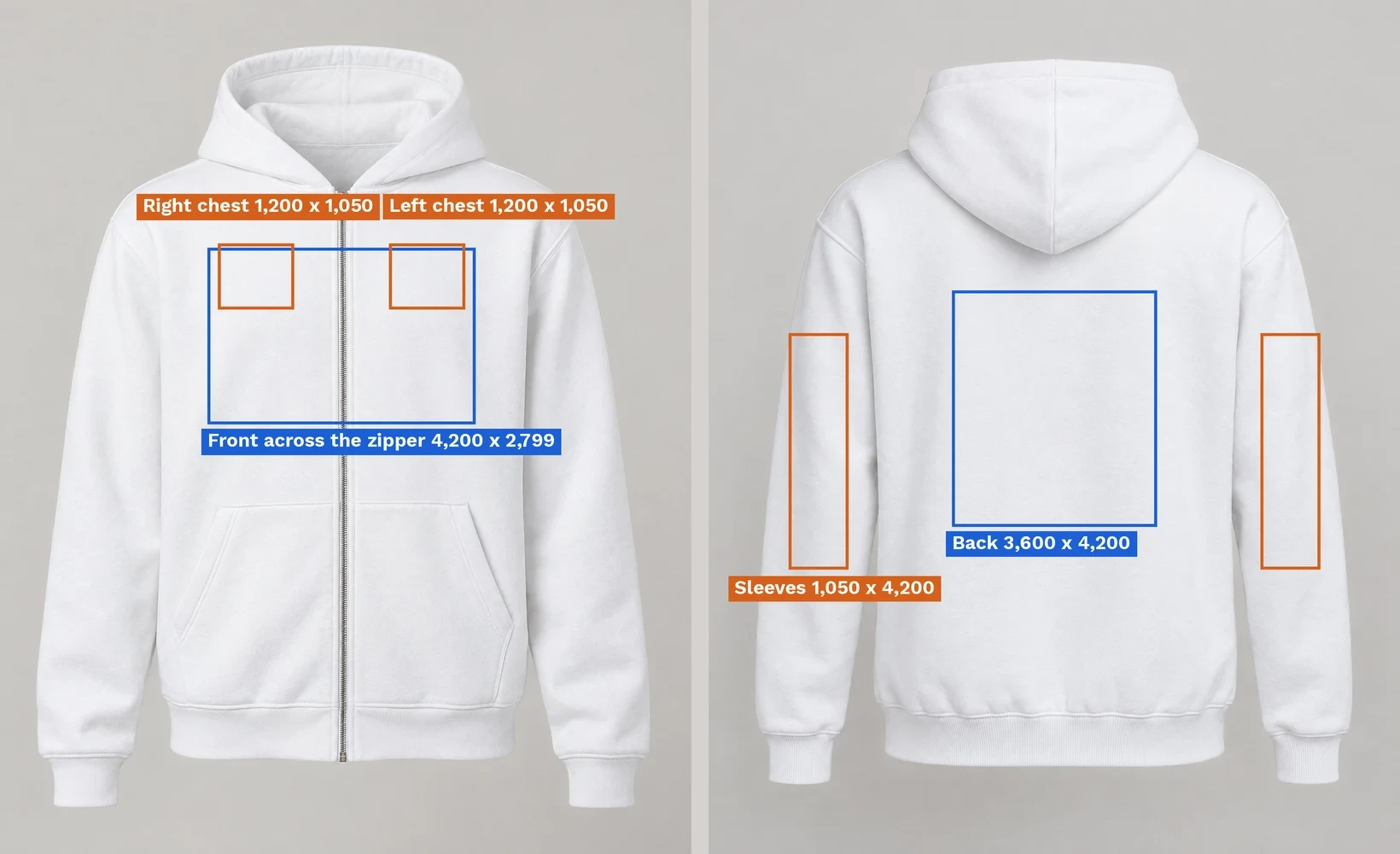 The six areas we sent, labeled with the Printify file each one takes. The white hoodie photos were generated for this test, 23 November 2026.
From each response keep data.mockup_id, the print_area_id of every area in data.quads, matched by its name, and the hoodie's surface_uuid in data.surfaces.
One front file across the zipper
On a blank like the Gildan 18600, the front is one file across both halves, and the zipper runs down its middle. Lay the 4,200 by 2,799 file out with a clear band down its center, so the zipper falls between words rather than through a letter.
Printify's hoodie logo placement guide (printify.com/blog/hoodie-logo-placement-guide, updated 29 September 2026, read 23 November 2026) puts the rule in one line: "Don't cross the zipper line unless the split design looks intentional." Our file sets NORTH and RIDGE on either side of that band, and lets the mountain line run across it on purpose.
curl -X POST https://api.sudomock.com/api/v1/photo-mockups/FRONT_MOCKUP_ID/render \-H "x-api-key: $SUDOMOCK_API_KEY" \-H "Content-Type: application/json" \-d '{"print_areas": [{ "uuid": "FRONT_AREA_ID", "artwork_url": "https://cdn.example.com/zips/ridge-front-dark.png", "placement": { "fit": "fit" } }],"export_options": { "image_format": "jpg", "image_size": 1024 }}'
const response = await fetch('https://api.sudomock.com/api/v1/photo-mockups/FRONT_MOCKUP_ID/render', {method: 'POST',headers: {'x-api-key': process.env.SUDOMOCK_API_KEY,'Content-Type': 'application/json',},body: JSON.stringify({"print_areas": [{"uuid": "FRONT_AREA_ID","artwork_url": "https://cdn.example.com/zips/ridge-front-dark.png","placement": {"fit": "fit"}}],"export_options": {"image_format": "jpg","image_size": 1024}}),});const data = await response.json();console.log(data);
import osimport requestsresponse = requests.post("https://api.sudomock.com/api/v1/photo-mockups/FRONT_MOCKUP_ID/render",headers={"x-api-key": os.environ["SUDOMOCK_API_KEY"],"Content-Type": "application/json",},json={"print_areas": [{"uuid": "FRONT_AREA_ID","artwork_url": "https://cdn.example.com/zips/ridge-front-dark.png","placement": {"fit": "fit",},},],"export_options": {"image_format": "jpg","image_size": 1024,},},)print(response.json())
package mainimport ("bytes""fmt""io""net/http""os")func main() {payload := []byte(`{"print_areas": [{"uuid": "FRONT_AREA_ID","artwork_url": "https://cdn.example.com/zips/ridge-front-dark.png","placement": {"fit": "fit"}}],"export_options": {"image_format": "jpg","image_size": 1024}}`)req, err := http.NewRequest("POST", "https://api.sudomock.com/api/v1/photo-mockups/FRONT_MOCKUP_ID/render", bytes.NewBuffer(payload))if err != nil {panic(err)}req.Header.Set("x-api-key", os.Getenv("SUDOMOCK_API_KEY"))req.Header.Set("Content-Type", "application/json")resp, err := http.DefaultClient.Do(req)if err != nil {panic(err)}defer resp.Body.Close()body, _ := io.ReadAll(resp.Body)fmt.Println(string(body))}
<?php$payload = <<<'JSON'{"print_areas": [{"uuid": "FRONT_AREA_ID","artwork_url": "https://cdn.example.com/zips/ridge-front-dark.png","placement": {"fit": "fit"}}],"export_options": {"image_format": "jpg","image_size": 1024}}JSON;$ch = curl_init('https://api.sudomock.com/api/v1/photo-mockups/FRONT_MOCKUP_ID/render');curl_setopt_array($ch, [CURLOPT_CUSTOMREQUEST => 'POST',CURLOPT_RETURNTRANSFER => true,CURLOPT_HTTPHEADER => ['x-api-key: ' . getenv('SUDOMOCK_API_KEY'),'Content-Type: application/json',],CURLOPT_POSTFIELDS => $payload,]);$response = curl_exec($ch);curl_close($ch);echo $response;
data.print_files[0].export_path in the response is the finished image (render a photo mockup). The average SudoMock render finishes in under a second. The two chest areas saved on the same photo were left out of this request, so they stay blank.
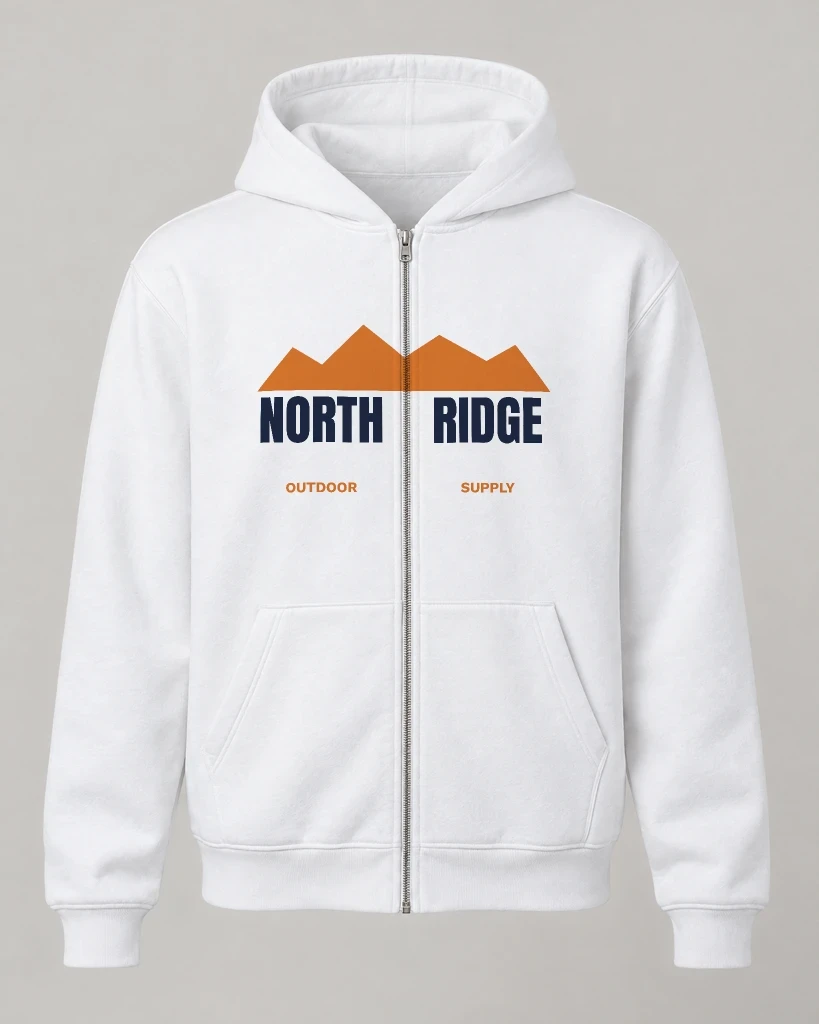 One 4,200 by 2,799 file across the zipper, the zipper running through the gap between the words. SudoMock render, 23 November 2026.
A left and right chest pair in one request
On the District, Bella+Canvas and Gildan SF600 blanks, the front is two files of 1,200 by 1,050, one on each side of the zipper. Both go into one render request with one entry per area, and the front area across the zipper, left out of this request, stays blank.
curl -X POST https://api.sudomock.com/api/v1/photo-mockups/FRONT_MOCKUP_ID/render \-H "x-api-key: $SUDOMOCK_API_KEY" \-H "Content-Type: application/json" \-d '{"print_areas": [{ "uuid": "RIGHT_CHEST_ID", "artwork_url": "https://cdn.example.com/zips/north-dark.png", "placement": { "fit": "fit" } },{ "uuid": "LEFT_CHEST_ID", "artwork_url": "https://cdn.example.com/zips/ridge-dark.png", "placement": { "fit": "fit" } }],"export_options": { "image_format": "jpg", "image_size": 1024 }}'
const response = await fetch('https://api.sudomock.com/api/v1/photo-mockups/FRONT_MOCKUP_ID/render', {method: 'POST',headers: {'x-api-key': process.env.SUDOMOCK_API_KEY,'Content-Type': 'application/json',},body: JSON.stringify({"print_areas": [{"uuid": "RIGHT_CHEST_ID","artwork_url": "https://cdn.example.com/zips/north-dark.png","placement": {"fit": "fit"}},{"uuid": "LEFT_CHEST_ID","artwork_url": "https://cdn.example.com/zips/ridge-dark.png","placement": {"fit": "fit"}}],"export_options": {"image_format": "jpg","image_size": 1024}}),});const data = await response.json();console.log(data);
import osimport requestsresponse = requests.post("https://api.sudomock.com/api/v1/photo-mockups/FRONT_MOCKUP_ID/render",headers={"x-api-key": os.environ["SUDOMOCK_API_KEY"],"Content-Type": "application/json",},json={"print_areas": [{"uuid": "RIGHT_CHEST_ID","artwork_url": "https://cdn.example.com/zips/north-dark.png","placement": {"fit": "fit",},},{"uuid": "LEFT_CHEST_ID","artwork_url": "https://cdn.example.com/zips/ridge-dark.png","placement": {"fit": "fit",},},],"export_options": {"image_format": "jpg","image_size": 1024,},},)print(response.json())
package mainimport ("bytes""fmt""io""net/http""os")func main() {payload := []byte(`{"print_areas": [{"uuid": "RIGHT_CHEST_ID","artwork_url": "https://cdn.example.com/zips/north-dark.png","placement": {"fit": "fit"}},{"uuid": "LEFT_CHEST_ID","artwork_url": "https://cdn.example.com/zips/ridge-dark.png","placement": {"fit": "fit"}}],"export_options": {"image_format": "jpg","image_size": 1024}}`)req, err := http.NewRequest("POST", "https://api.sudomock.com/api/v1/photo-mockups/FRONT_MOCKUP_ID/render", bytes.NewBuffer(payload))if err != nil {panic(err)}req.Header.Set("x-api-key", os.Getenv("SUDOMOCK_API_KEY"))req.Header.Set("Content-Type", "application/json")resp, err := http.DefaultClient.Do(req)if err != nil {panic(err)}defer resp.Body.Close()body, _ := io.ReadAll(resp.Body)fmt.Println(string(body))}
<?php$payload = <<<'JSON'{"print_areas": [{"uuid": "RIGHT_CHEST_ID","artwork_url": "https://cdn.example.com/zips/north-dark.png","placement": {"fit": "fit"}},{"uuid": "LEFT_CHEST_ID","artwork_url": "https://cdn.example.com/zips/ridge-dark.png","placement": {"fit": "fit"}}],"export_options": {"image_format": "jpg","image_size": 1024}}JSON;$ch = curl_init('https://api.sudomock.com/api/v1/photo-mockups/FRONT_MOCKUP_ID/render');curl_setopt_array($ch, [CURLOPT_CUSTOMREQUEST => 'POST',CURLOPT_RETURNTRANSFER => true,CURLOPT_HTTPHEADER => ['x-api-key: ' . getenv('SUDOMOCK_API_KEY'),'Content-Type: application/json',],CURLOPT_POSTFIELDS => $payload,]);$response = curl_exec($ch);curl_close($ch);echo $response;
Printify's guide gives the pair two jobs: one logo on one side, or a design "split symmetrically across both sides of the hoodie." We split the name, so NORTH reads on the wearer's right chest and RIDGE on the left, and the pair reads as one word line when the hoodie is zipped.
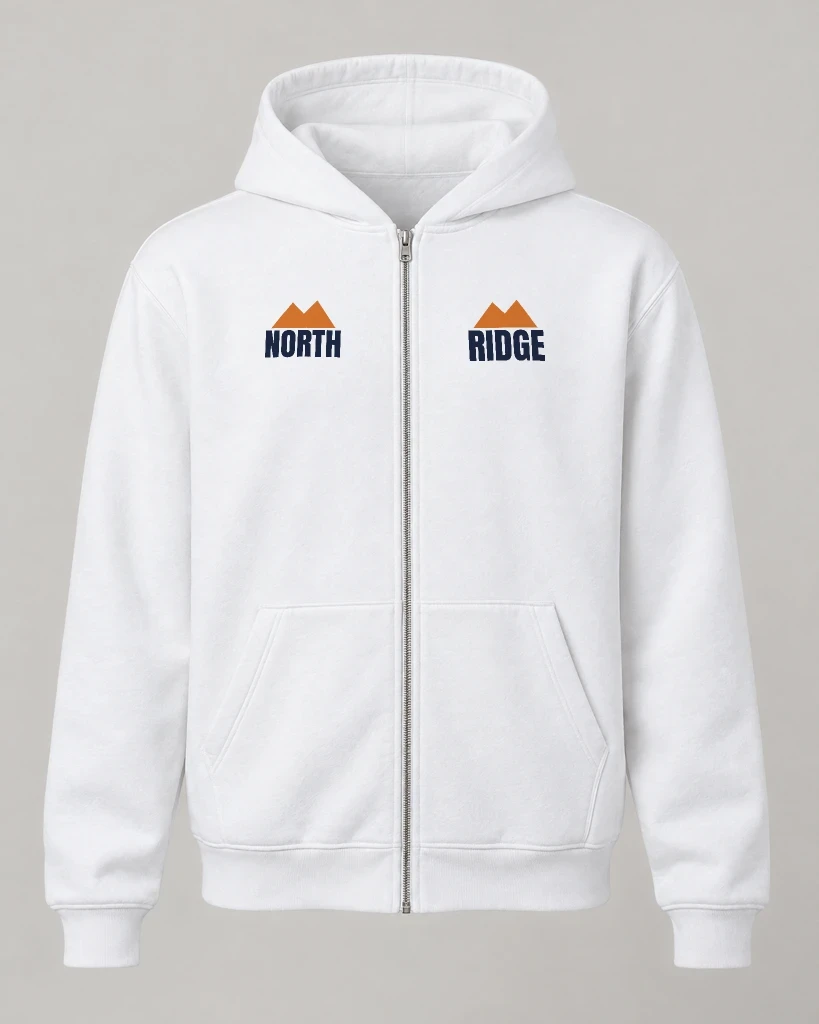 Two 1,200 by 1,050 files, one in each chest area, from one request. SudoMock render, 23 November 2026.
For a blank that prints a left chest only, such as the AS Colour 5148, send the LEFT_CHEST_ID entry alone.
The back and both sleeves in one request
The back photo takes three entries in one request: the 3,600 by 4,200 back file and a 1,050 by 4,200 file down each sleeve. Lay the sleeve lettering out on its side in the file, and it runs along the arm in the render.
curl -X POST https://api.sudomock.com/api/v1/photo-mockups/BACK_MOCKUP_ID/render \-H "x-api-key: $SUDOMOCK_API_KEY" \-H "Content-Type: application/json" \-d '{"print_areas": [{ "uuid": "BACK_AREA_ID", "artwork_url": "https://cdn.example.com/zips/ridge-back-dark.png", "placement": { "fit": "fit" } },{ "uuid": "LEFT_SLEEVE_ID", "artwork_url": "https://cdn.example.com/zips/sleeve-left-dark.png", "placement": { "fit": "fit" } },{ "uuid": "RIGHT_SLEEVE_ID", "artwork_url": "https://cdn.example.com/zips/sleeve-right-dark.png", "placement": { "fit": "fit" } }],"export_options": { "image_format": "jpg", "image_size": 1024 }}'
const response = await fetch('https://api.sudomock.com/api/v1/photo-mockups/BACK_MOCKUP_ID/render', {method: 'POST',headers: {'x-api-key': process.env.SUDOMOCK_API_KEY,'Content-Type': 'application/json',},body: JSON.stringify({"print_areas": [{"uuid": "BACK_AREA_ID","artwork_url": "https://cdn.example.com/zips/ridge-back-dark.png","placement": {"fit": "fit"}},{"uuid": "LEFT_SLEEVE_ID","artwork_url": "https://cdn.example.com/zips/sleeve-left-dark.png","placement": {"fit": "fit"}},{"uuid": "RIGHT_SLEEVE_ID","artwork_url": "https://cdn.example.com/zips/sleeve-right-dark.png","placement": {"fit": "fit"}}],"export_options": {"image_format": "jpg","image_size": 1024}}),});const data = await response.json();console.log(data);
import osimport requestsresponse = requests.post("https://api.sudomock.com/api/v1/photo-mockups/BACK_MOCKUP_ID/render",headers={"x-api-key": os.environ["SUDOMOCK_API_KEY"],"Content-Type": "application/json",},json={"print_areas": [{"uuid": "BACK_AREA_ID","artwork_url": "https://cdn.example.com/zips/ridge-back-dark.png","placement": {"fit": "fit",},},{"uuid": "LEFT_SLEEVE_ID","artwork_url": "https://cdn.example.com/zips/sleeve-left-dark.png","placement": {"fit": "fit",},},{"uuid": "RIGHT_SLEEVE_ID","artwork_url": "https://cdn.example.com/zips/sleeve-right-dark.png","placement": {"fit": "fit",},},],"export_options": {"image_format": "jpg","image_size": 1024,},},)print(response.json())
package mainimport ("bytes""fmt""io""net/http""os")func main() {payload := []byte(`{"print_areas": [{"uuid": "BACK_AREA_ID","artwork_url": "https://cdn.example.com/zips/ridge-back-dark.png","placement": {"fit": "fit"}},{"uuid": "LEFT_SLEEVE_ID","artwork_url": "https://cdn.example.com/zips/sleeve-left-dark.png","placement": {"fit": "fit"}},{"uuid": "RIGHT_SLEEVE_ID","artwork_url": "https://cdn.example.com/zips/sleeve-right-dark.png","placement": {"fit": "fit"}}],"export_options": {"image_format": "jpg","image_size": 1024}}`)req, err := http.NewRequest("POST", "https://api.sudomock.com/api/v1/photo-mockups/BACK_MOCKUP_ID/render", bytes.NewBuffer(payload))if err != nil {panic(err)}req.Header.Set("x-api-key", os.Getenv("SUDOMOCK_API_KEY"))req.Header.Set("Content-Type", "application/json")resp, err := http.DefaultClient.Do(req)if err != nil {panic(err)}defer resp.Body.Close()body, _ := io.ReadAll(resp.Body)fmt.Println(string(body))}
<?php$payload = <<<'JSON'{"print_areas": [{"uuid": "BACK_AREA_ID","artwork_url": "https://cdn.example.com/zips/ridge-back-dark.png","placement": {"fit": "fit"}},{"uuid": "LEFT_SLEEVE_ID","artwork_url": "https://cdn.example.com/zips/sleeve-left-dark.png","placement": {"fit": "fit"}},{"uuid": "RIGHT_SLEEVE_ID","artwork_url": "https://cdn.example.com/zips/sleeve-right-dark.png","placement": {"fit": "fit"}}],"export_options": {"image_format": "jpg","image_size": 1024}}JSON;$ch = curl_init('https://api.sudomock.com/api/v1/photo-mockups/BACK_MOCKUP_ID/render');curl_setopt_array($ch, [CURLOPT_CUSTOMREQUEST => 'POST',CURLOPT_RETURNTRANSFER => true,CURLOPT_HTTPHEADER => ['x-api-key: ' . getenv('SUDOMOCK_API_KEY'),'Content-Type: application/json',],CURLOPT_POSTFIELDS => $payload,]);$response = curl_exec($ch);curl_close($ch);echo $response;
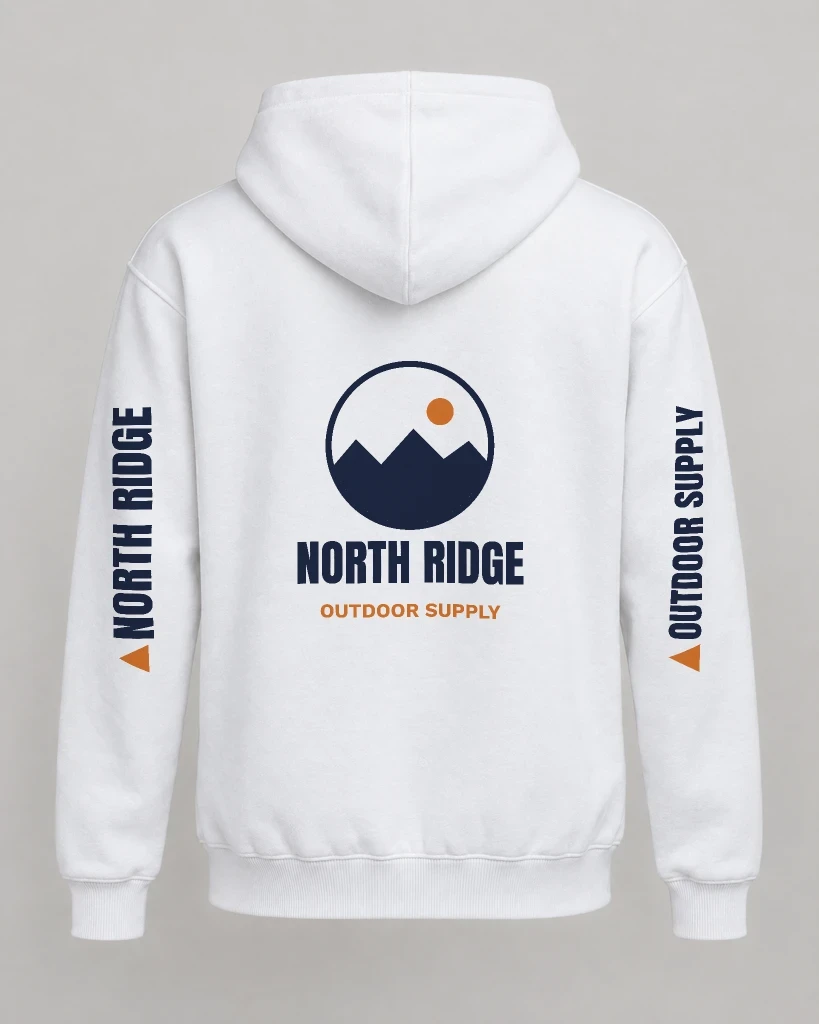 The back file and both sleeve files, three areas filled by one request. SudoMock render, 23 November 2026.
Every color: one surface entry under every area
One surface entry recolors the hoodie under every area of the request, so the back and both sleeves change color in the same call. It goes first in print_areas, before the three artwork entries; hoodie mockups covers painting a garment through its surface.
{ "surface_uuid": "HOODIE_SURFACE_ID", "color": "#262626" }
Printify lists the District DT1302 in Black, Military Green Frost, Grey Frost, Navy Frost, Royal Frost and Heathered Charcoal, and both of its providers print the back and both sleeves (printify.com/app/products/3459/district/perfect-tri-fleece-full-zip-hoodie, read 23 November 2026). The renders below send four of those hex values with the light-ink files.
| Color | Back and both sleeves |
|---|---|
| Black #262626 | 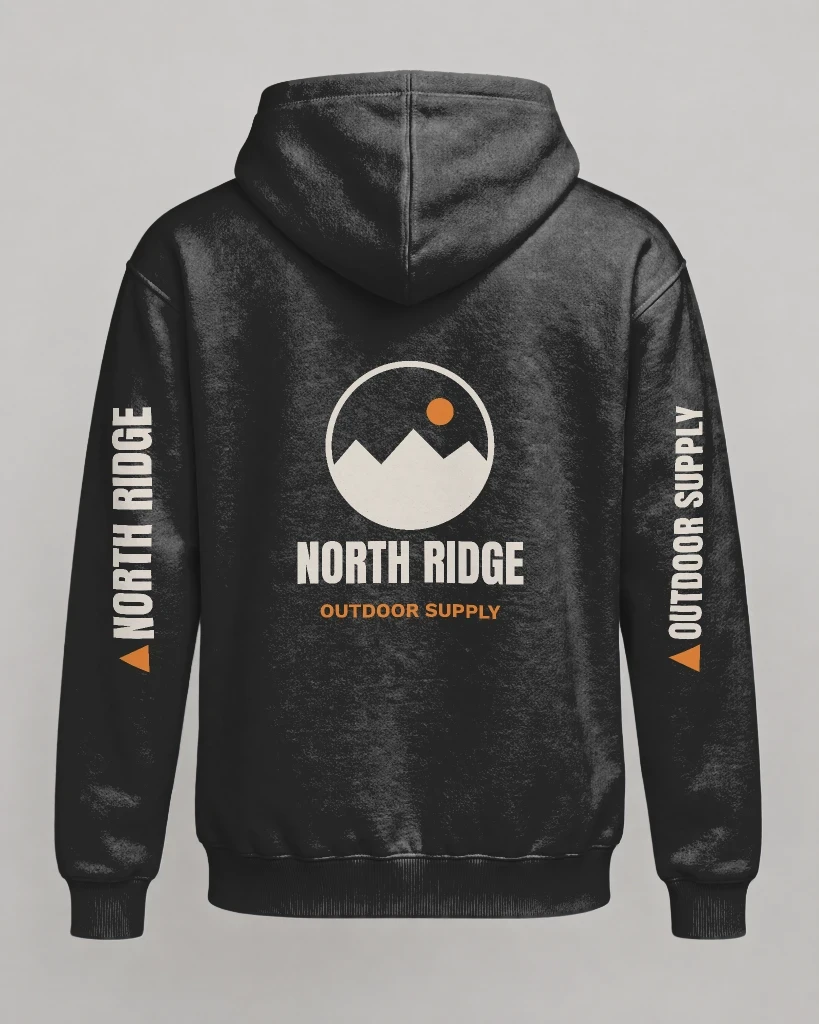 |
| Navy Frost #727D92 | 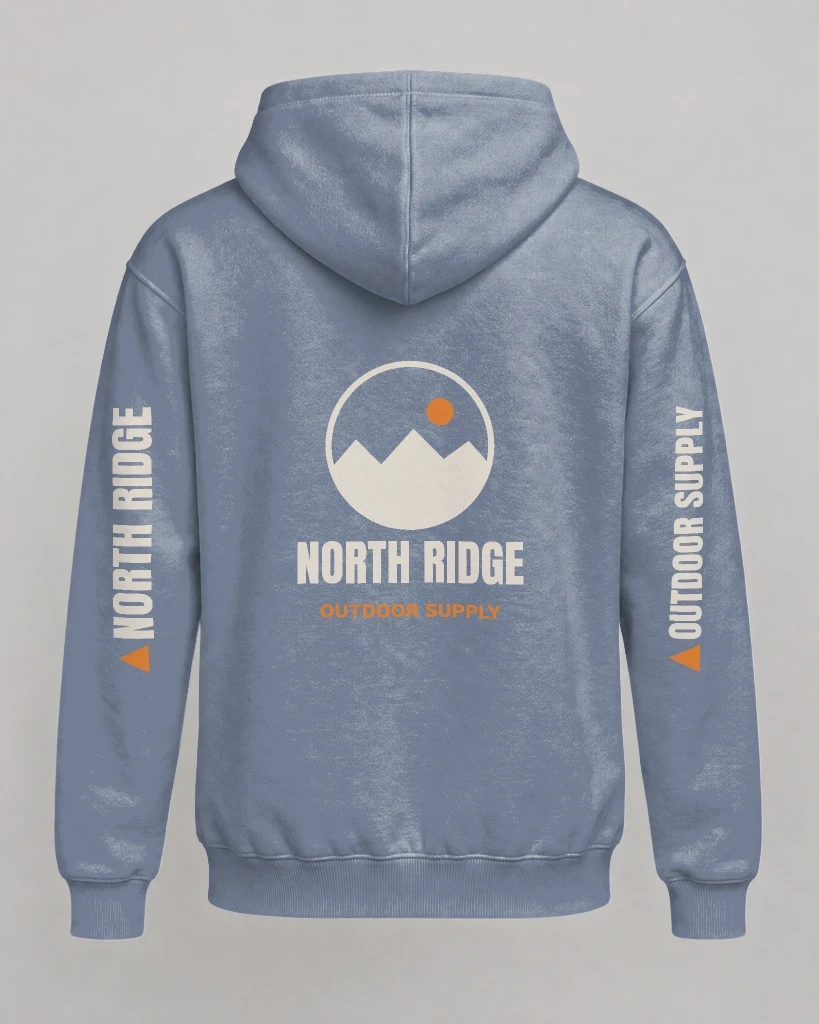 |
| Royal Frost #385E98 | 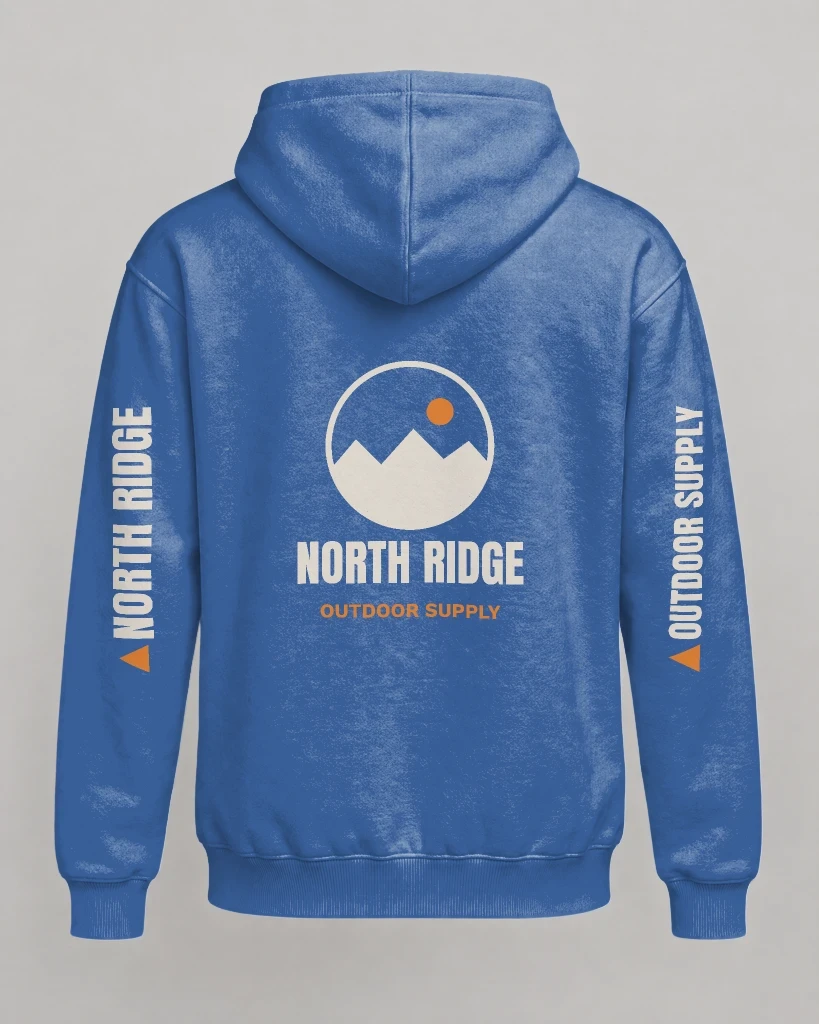 |
| Heathered Charcoal #5D585A | 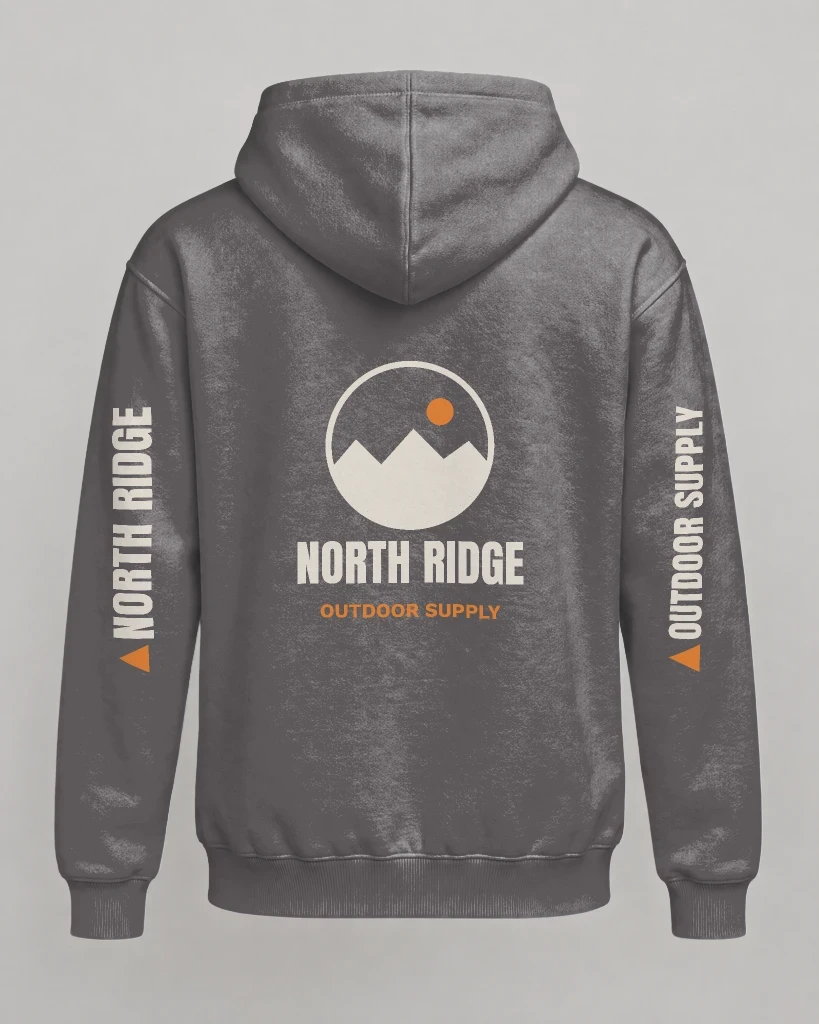 |
All four are SudoMock renders made on 23 November 2026 with the default blend mode, multiply, which keeps the fleece texture under the ink and adapts to a dark garment. To send a brand color exactly as it is in the file, set blend_mode to normal in the entry's adjustments (render reference).
The front takes the same entry. Below is the Gildan 18600 front in Sport Grey #CACACA, one of the colors Printify Choice lists for it (printify.com/app/products/66/gildan/unisex-heavy-blend-full-zip-hooded-sweatshirt, read 23 November 2026), with the dark-ink file; pairing ink with color works as in t-shirt color variant mockups.
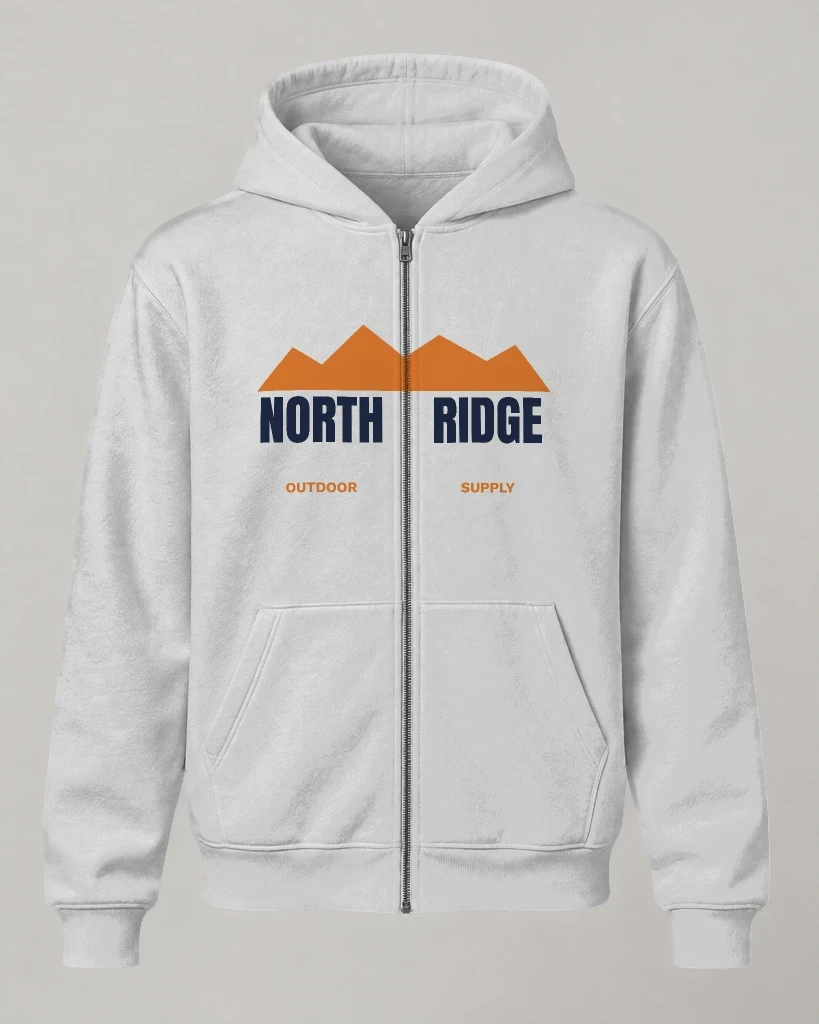 The 4,200 by 2,799 file across the zipper on the front recolored to Sport Grey #CACACA. SudoMock render, 23 November 2026.
A dark front comes from a photo of the dark blank, saved as its own photo mockup with the same placements drawn at the same file shapes. Its renders send the light-ink files and no surface entry, because the photo is already in that color.
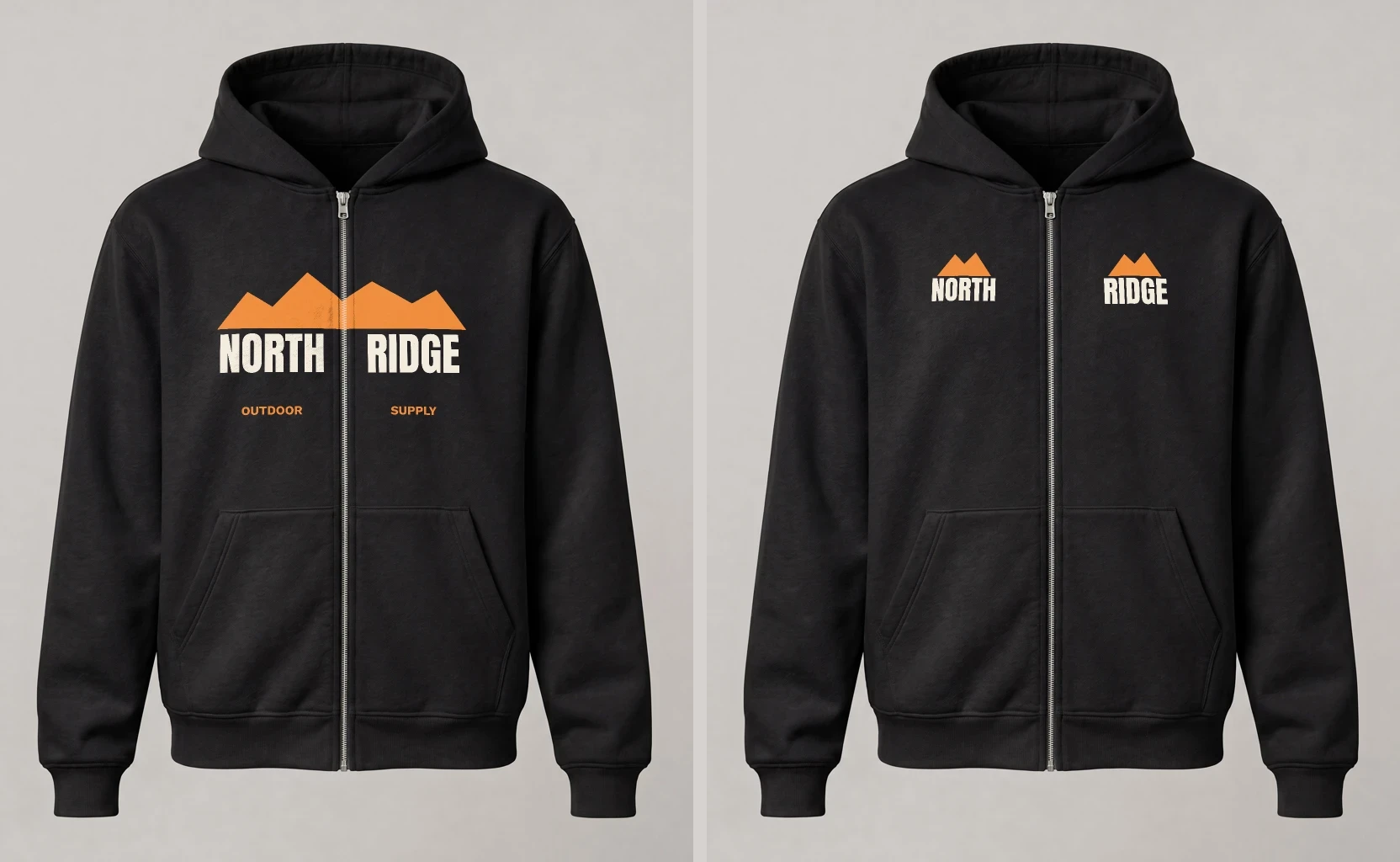 The front file and the chest pair on a black front photo, rendered with no surface entry. The black hoodie photo was generated for this test. SudoMock renders, 23 November 2026.
The same placements on a model photo
The library's zip-up hoodie templates take the same placements, drawn on each photo at the same file shapes, when you want the hoodie worn. Below, the chest pair sits on either side of the open neck on the zipper-open front view of the white zip-up hoodie on a female model template, and the back and sleeves on the Worn Back view of the white zip-up hoodie office template.
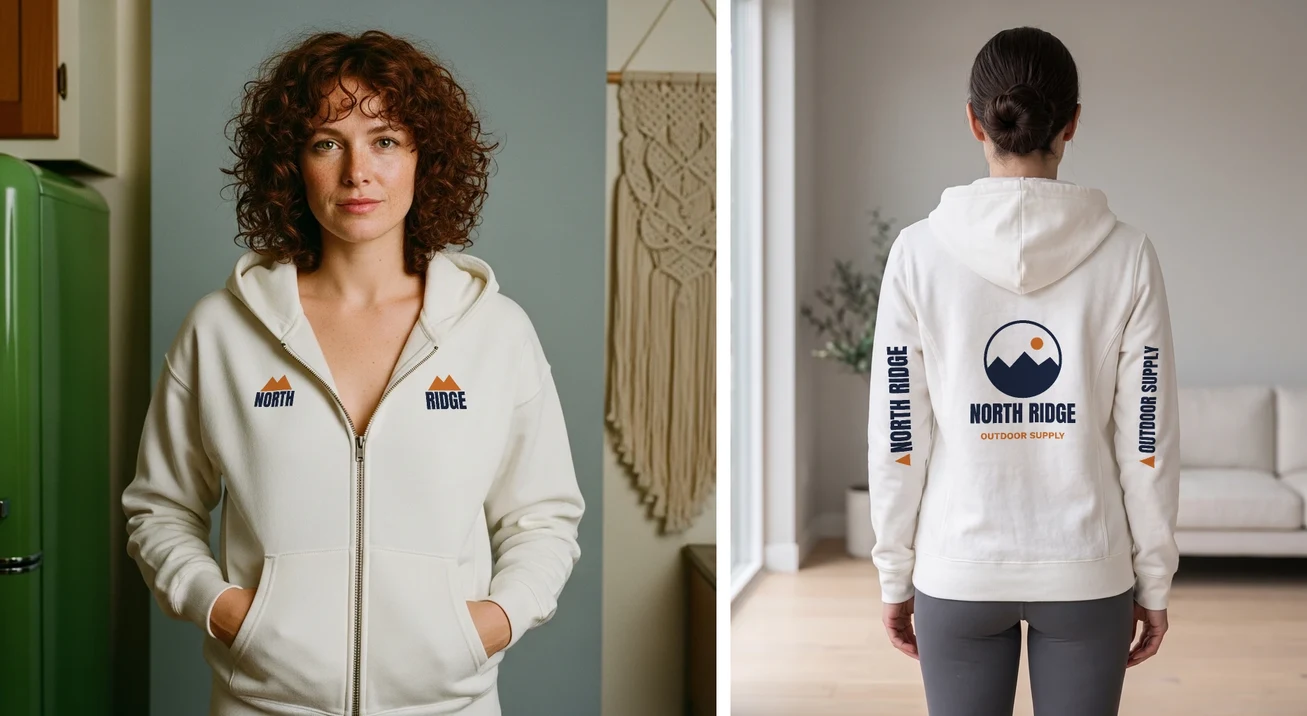 The same chest and back files on two template photos. SudoMock renders, 23 November 2026.
GET /api/v1/library/templates/white-zip-up-hoodie-female-model-retro-home-82sb lists the template's views with the source_url each create call takes (start from a ready-made template).
Render the catalog from a CSV
Each CSV row is one design on one blank: the blank's name, a column per placement and {ink} where the file name says light or dark. A row fills the columns its blank prints, and the script renders each saved photo in the colors listed for it, skipping a photo whose columns are all empty.
sku,blank,front,right_chest,left_chest,back,left_sleeve,right_sleeveZIP-RIDGE-18600,18600,https://cdn.example.com/zips/ridge-front-{ink}.png,,,https://cdn.example.com/zips/ridge-back-{ink}.png,,ZIP-RIDGE-DT1302,DT1302,,https://cdn.example.com/zips/north-{ink}.png,https://cdn.example.com/zips/ridge-{ink}.png,https://cdn.example.com/zips/ridge-back-{ink}.png,https://cdn.example.com/zips/sleeve-left-{ink}.png,https://cdn.example.com/zips/sleeve-right-{ink}.png
Paste the ids from the create responses into VIEWS, one entry per saved photo, list each blank's colors from its own Printify page in COLORS under the photo that renders them, export your key as SUDOMOCK_API_KEY and start the script with the CSV path as its only argument. A mockup saved earlier gives back its ids through retrieve a single photo mockup.
import csv, os, sys, timefrom concurrent.futures import ThreadPoolExecutorimport requests# One entry per saved photo mockup. "surface" is set on the white photos,# which take a hex color; a photo of a dark blank renders in its own color.VIEWS = {"front": {"side": "front", "mockup": "FRONT_MOCKUP_ID", "surface": "FRONT_SURFACE_ID","areas": {"front": "FRONT_AREA_ID", "right_chest": "RIGHT_CHEST_ID", "left_chest": "LEFT_CHEST_ID"}},"front-black": {"side": "front", "mockup": "BLACK_FRONT_MOCKUP_ID", "surface": None,"areas": {"front": "BLACK_FRONT_AREA_ID", "right_chest": "BLACK_RIGHT_CHEST_ID", "left_chest": "BLACK_LEFT_CHEST_ID"}},"back": {"side": "back", "mockup": "BACK_MOCKUP_ID", "surface": "BACK_SURFACE_ID","areas": {"back": "BACK_AREA_ID", "left_sleeve": "LEFT_SLEEVE_ID", "right_sleeve": "RIGHT_SLEEVE_ID"}},}# Each blank's colors from its Printify page, per photo: the hex to paint (None on a# photo already in that color) and the ink that reads on itCOLORS = {"18600": {"front": {"sport-grey": ("#CACACA", "dark")},"front-black": {"black": (None, "light")},"back": {"sport-grey": ("#CACACA", "dark"), "black": ("#000000", "light"), "navy": ("#1a2237", "light")},},"DT1302": {"front-black": {"black": (None, "light")},"back": {"black": ("#262626", "light"), "navy-frost": ("#727d92", "light"), "royal-frost": ("#385e98", "light")},},}HEADERS = {"x-api-key": os.environ["SUDOMOCK_API_KEY"]}def render(row, view, color):v = VIEWS[view]hex_code, ink = COLORS[row["blank"]][view][color]targets = [{"uuid": area, "artwork_url": row[col].format(ink=ink), "placement": {"fit": "fit"}}for col, area in v["areas"].items() if row[col]]if hex_code:targets.insert(0, {"surface_uuid": v["surface"], "color": hex_code})body = {"print_areas": targets, "export_options": {"image_format": "jpg", "image_size": 1024}}url = f"https://api.sudomock.com/api/v1/photo-mockups/{v['mockup']}/render"for attempt in range(3):res = requests.post(url, json=body, headers=HEADERS, timeout=120)if res.status_code != 429:breaktime.sleep(int(res.headers.get("Retry-After", 5)))if not res.ok:return f"{row['sku']} {color} {v['side']} failed {res.status_code} {res.text}"image = requests.get(res.json()["data"]["print_files"][0]["export_path"], timeout=60)if not image.ok:return f"{row['sku']} {color} {v['side']} download failed {image.status_code}"name = f"{row['sku']}-{color}-{v['side']}.jpg"with open(name, "wb") as f:f.write(image.content)return f"{name} saved"with open(sys.argv[1], newline="") as f:rows = list(csv.DictReader(f))jobs = [(row, view, color) for row in rows for view, colors in COLORS[row["blank"]].items()if any(row[col] for col in VIEWS[view]["areas"]) for color in colors]with ThreadPoolExecutor(max_workers=8) as pool:for line in pool.map(lambda job: render(*job), jobs):print(line)
The two rows above come out as 9 images, from ZIP-RIDGE-18600-sport-grey-front.jpg to ZIP-RIDGE-DT1302-royal-frost-back.jpg. The 18600 row fills the front area and the back, the DT1302 row fills both chests, the back and both sleeves, the black fronts come from the black photo, and a 429 answer is retried after the wait it names.
A zip hoodie PSD of your own
A zip hoodie PSD with one smart object per placement takes the same files in one render request. Size each smart object at its file, 4,200 by 2,799 for a Gildan 18600 front or 1,200 by 1,050 for each chest, so the files go in unchanged; front and back t-shirt mockups shows the request with one smart_objects entry per placement. In the dashboard, PSD uploads are capped at 300 MB, and API uploads support files up to Adobe's official PSD file size limit. SudoMock renders match Photoshop's own output.
Next step
Find your blank in the table and lay one design out at its files in a light-ink and a dark-ink version. Take a straight-on front and back photo of a white zip hoodie off the body, and a front photo of each dark color you sell, from your blank supplier or your own shoot; save each with an area for every placement and render one design on white and on black before you run the CSV. The zip-up hoodie templates hold worn white front and back views for on-model listings, and the zip-up hoodie mockup guide compares them. The print areas guide covers replacing a saved area, hoodie mockups covers a pullover's front above the pocket, and hoodie mockups by API adds webhooks to the same workflow. Without code, render the same rows from a Google Sheet in a Make scenario.
Frequently asked questions
What size is a zip hoodie front print?
It depends on the blank and the provider. In Printify's catalog, read in September 2026, the Gildan 18600 prints one front file of 4,200 by 2,799 pixels across the zipper, while the District DT1302, the Bella+Canvas 3939 and most other full-zip blanks print a left and a right chest file of 1,200 by 1,050 pixels. The back takes a tall file such as 3,600 by 4,200.
Can you print across the zipper on a zip-up hoodie?
Yes, on blanks whose provider lists one front area, such as the Gildan 18600 on Printify. The zipper runs down the middle of the print, so lay the design out with a clear band at its center or split it into two halves that read as one. Blanks with a chest pair print each side as its own file.
How do I make zip hoodie mockups in every color?
Save a white front and back photo as photo mockups and send the hoodie's surface with a hex color in each render request; the fleece changes color while the folds and the design stay in place. For a dark color's front, save a front photo of that color as its own mockup and render it without a surface color. Use a light-ink file on dark colors and a dark-ink file on light ones.
Can one zip hoodie mockup show the back and both sleeves?
Yes. Draw a back area and an area down each sleeve on a back photo, then send all three files in one render request. The image comes back with the back print and both sleeve prints in place.
Sources
- Create a mockup from a product photo (opens in new tab), SudoMock docs
- Render a photo mockup (opens in new tab), SudoMock docs
- Start From a Ready-Made Template: No File of Your Own (opens in new tab), SudoMock docs
- Print areas and surfaces (opens in new tab), SudoMock docs
- What is the PSD file size limit (opens in new tab), SudoMock docs
Beck
CTO
Related articles
Hoodie Mockups: A Wide Front File Above the Pocket, Every Color
Draw the front area above the pocket and the back area below the hood, then render each design, side and color by API.
9 min read
Front and Back T-Shirt Mockups: Both Prints in One Render
Put the chest badge and the back print of every design pair on one mockup, in every shirt color, with one render request each.
6 min read
Beanie Mockups: Lay the Logo Out at the Cuff File, Render Every Color
Lay the logo out at the cuff file of your blank, draw that area on one beanie photo, and render every knit color by API.
8 min read
Latest articles
Zapier Mockup Automation: Render Your Own PSD on Any Trigger
One Webhooks by Zapier request turns each trigger into a finished mockup on your own template, with real tee, hoodie, tote and color renders.
8 min read
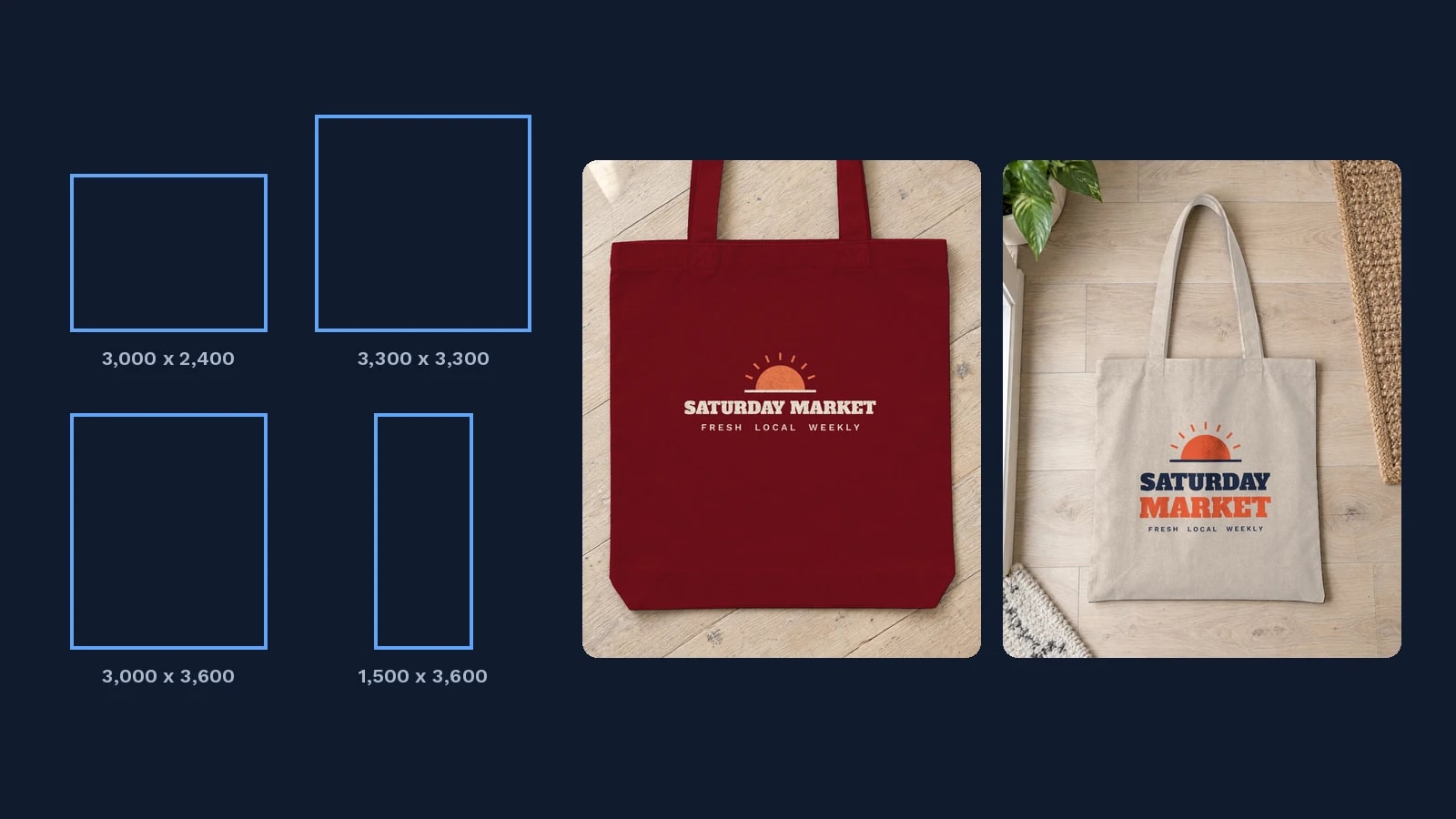
Tote Bag Mockups: Print Sizes, Front and Back, Every Canvas Color
Render every tote design front and back at your bag's print file shape, in every canvas color, from one saved tote photo.
8 min read
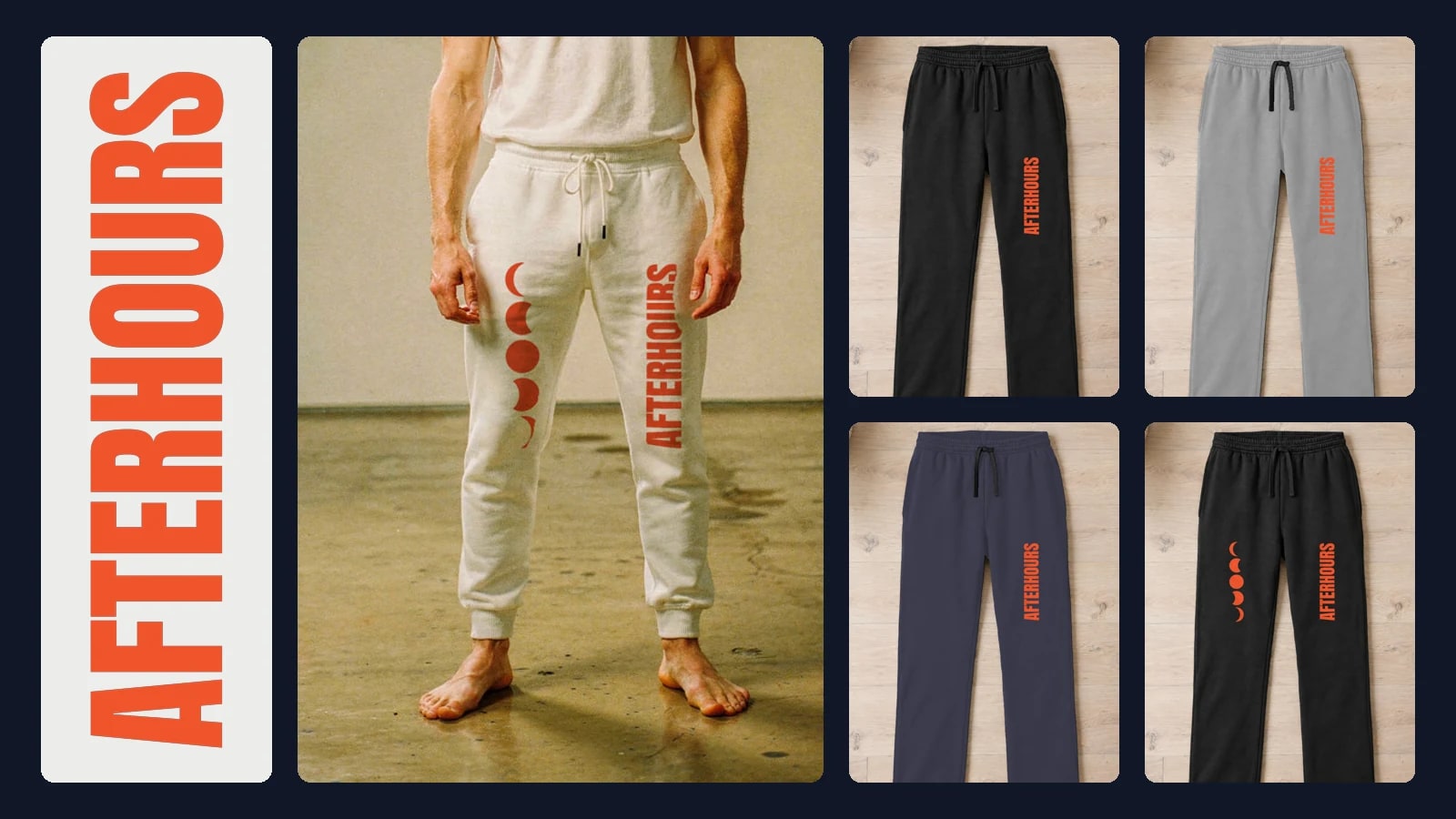
Sweatpants Mockups: A Leg Print Down the Thigh, Every Color
Render a leg print down the thigh of sweatpants at your provider's file size, on one leg or both, in every color from one saved photo.
8 min read
Explore by use case
See SudoMock in action for your specific product category
Your own PSD, rendered via API
Render your own PSD through the API. Start with 500 one-time credits, no card.