Tote Bag Mockups: Print Sizes, Front and Back, Every Canvas Color
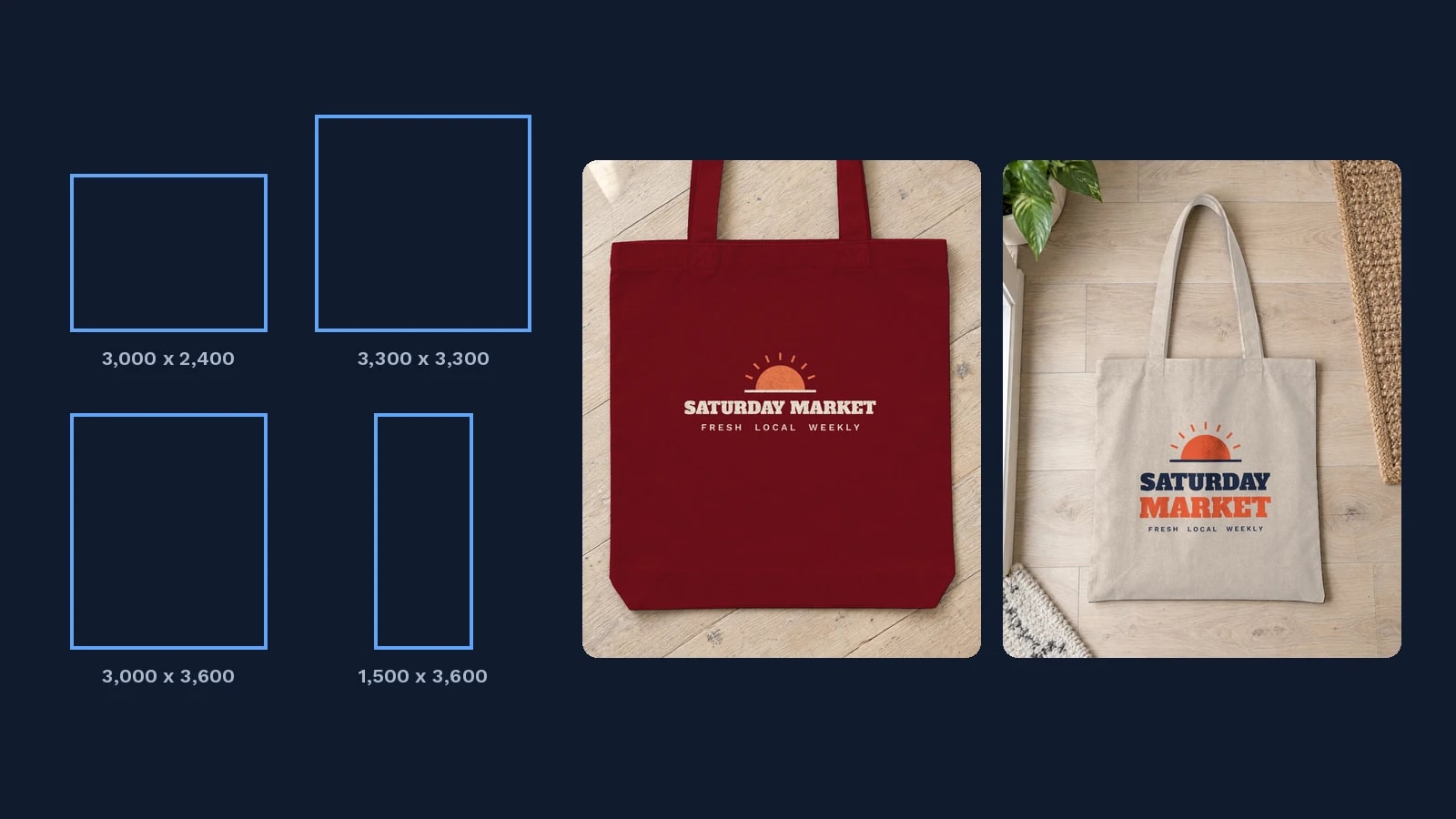
On Printify a tote prints from a landscape, square, tall or narrow file depending on the bag, such as 3,000 by 2,400 pixels on the AS Colour 1001 and 1,500 by 3,600 on the AS Colour 1008. Save one straight-on tote photo with a print area at your bag's shape, then render the front, the back and every canvas color by API.
Published 8 min readBeck
Key takeaways
- A square bag can still print from a landscape file, so size the file from your provider's list.
- The back of a flat tote is a second render of the same photo with the back file.
- Keep a light-ink and a dark-ink file of each design and pair each canvas color with one.
Tote print file sizes on Printify's bags
The bag's outline does not give the file's shape: the AS Colour 1001 is a square bag, 42 by 42 cm on its Printify page (printify.com, read 22 November 2026), and still prints from a landscape file. On every tote in the table below, the back prints from a file the same size as the front.
| Shape | File (pixels) | Totes on Printify |
|---|---|---|
| Landscape | 3,000 x 2,400 | AS Colour 1001 Cotton Tote Bag |
| Landscape | 3,000 x 2,700 | Econscious EC8040 Organic Canvas Tote Bag |
| Landscape | 2,400 x 1,800 | Q-Tees Q1300 Zippered Canvas Tote (DTF) |
| Square | 3,300 x 3,300 | AS Colour 1007 Basic Tote |
| Square | 3,600 x 3,600 | AS Colour 1000 Parcel Tote, 1002 Shoulder Tote and 1012 Carrie Denim Tote |
| Square | 3,000 x 3,000 | Econscious EC8001 Large Eco Tote |
| Tall | 3,000 x 3,600 | Liberty Bags OAD113 Cotton Canvas Tote Bag, Bagmasters A250 Canvas Shopping Tote, S&S Bags Natural Tote Bag |
| Tall | 2,953 x 3,543 | Westford Mill W801 Organic Cotton Tote Bag |
| Narrow | 1,500 x 3,600 | AS Colour 1008 Two-Tone Carrie Tote |
| Narrow | 1,350 x 3,600 | Comfort Colors Nomad Carry-All Tote Bag |
The sizes come from Printify's catalog, read in September 2026, and each row is its own layout of the same design.
Draw the print area at the file's shape
Save one straight-on photo of the bag as a photo mockup with a print area drawn at the file's shape. The area is four corners in the photo's own pixels, centered across the front and starting below the top hem, where the print sits on the real bag.
Our photo is the Front Close-Up view of the AS Colour 1001 tote template: black canvas laid flat, 1,600 by 2,000 pixels. Its area is 824 by 659 pixels, the 1.25 to 1 shape of the 3,000 by 2,400 file, centered below the handle seams.
curl -X POST https://api.sudomock.com/api/v1/photo-mockups \-H "x-api-key: $SUDOMOCK_API_KEY" \-H "Content-Type: application/json" \-d '{"source_url": "https://assets.sudomock.com/library/1fefc4465d89b6fb44542914b93cc1793f490a09de4f0ff4299715ca37605c90.png","name": "AS Colour 1001 tote, front close-up","print_areas": [{ "points": [[382, 600], [1206, 600], [1206, 1259], [382, 1259]], "name": "Front" }]}'
const response = await fetch('https://api.sudomock.com/api/v1/photo-mockups', {method: 'POST',headers: {'x-api-key': process.env.SUDOMOCK_API_KEY,'Content-Type': 'application/json',},body: JSON.stringify({"source_url": "https://assets.sudomock.com/library/1fefc4465d89b6fb44542914b93cc1793f490a09de4f0ff4299715ca37605c90.png","name": "AS Colour 1001 tote, front close-up","print_areas": [{"points": [[382,600],[1206,600],[1206,1259],[382,1259]],"name": "Front"}]}),});const data = await response.json();console.log(data);
import osimport requestsresponse = requests.post("https://api.sudomock.com/api/v1/photo-mockups",headers={"x-api-key": os.environ["SUDOMOCK_API_KEY"],"Content-Type": "application/json",},json={"source_url": "https://assets.sudomock.com/library/1fefc4465d89b6fb44542914b93cc1793f490a09de4f0ff4299715ca37605c90.png","name": "AS Colour 1001 tote, front close-up","print_areas": [{"points": [[382,600,],[1206,600,],[1206,1259,],[382,1259,],],"name": "Front",},],},)print(response.json())
package mainimport ("bytes""fmt""io""net/http""os")func main() {payload := []byte(`{"source_url": "https://assets.sudomock.com/library/1fefc4465d89b6fb44542914b93cc1793f490a09de4f0ff4299715ca37605c90.png","name": "AS Colour 1001 tote, front close-up","print_areas": [{"points": [[382,600],[1206,600],[1206,1259],[382,1259]],"name": "Front"}]}`)req, err := http.NewRequest("POST", "https://api.sudomock.com/api/v1/photo-mockups", bytes.NewBuffer(payload))if err != nil {panic(err)}req.Header.Set("x-api-key", os.Getenv("SUDOMOCK_API_KEY"))req.Header.Set("Content-Type", "application/json")resp, err := http.DefaultClient.Do(req)if err != nil {panic(err)}defer resp.Body.Close()body, _ := io.ReadAll(resp.Body)fmt.Println(string(body))}
<?php$payload = <<<'JSON'{"source_url": "https://assets.sudomock.com/library/1fefc4465d89b6fb44542914b93cc1793f490a09de4f0ff4299715ca37605c90.png","name": "AS Colour 1001 tote, front close-up","print_areas": [{"points": [[382,600],[1206,600],[1206,1259],[382,1259]],"name": "Front"}]}JSON;$ch = curl_init('https://api.sudomock.com/api/v1/photo-mockups');curl_setopt_array($ch, [CURLOPT_CUSTOMREQUEST => 'POST',CURLOPT_RETURNTRANSFER => true,CURLOPT_HTTPHEADER => ['x-api-key: ' . getenv('SUDOMOCK_API_KEY'),'Content-Type: application/json',],CURLOPT_POSTFIELDS => $payload,]);$response = curl_exec($ch);curl_close($ch);echo $response;
From the response, keep data.mockup_id, the area's print_area_id in data.quads and the bag's surface_uuid in data.surfaces. The area came back exactly as drawn, and the whole tote came back as one surface. The other views of the 1001 set, the Flat Lay and On the Shoulder among them, are listed with their source_url by GET /api/v1/library/templates/as-colour-1001-cotton-tote-bag-mockup-f2da (start from a ready-made template). A straight-on photo of your own tote takes an area the same way.
For the tall 3,000 by 3,600 file, the Flat Lay view of the Liberty Bags OAD113 tote template takes an area of 590 by 708 pixels, the same 1 to 1.2 shape.
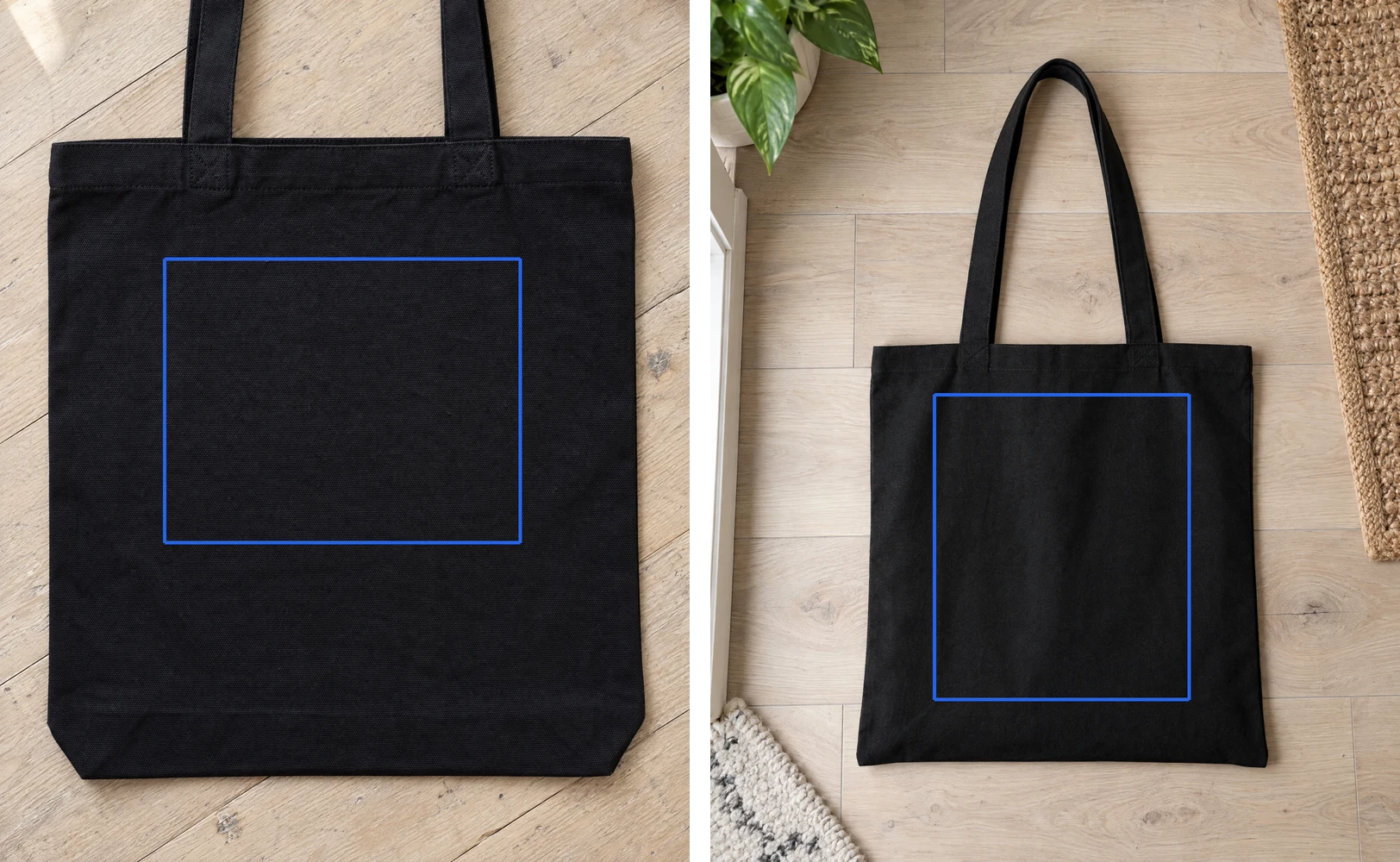 The areas we sent: 824 by 659 pixels on the AS Colour 1001 close-up, 590 by 708 pixels on the Liberty Bags OAD113 flat lay. Library photos, 22 November 2026.
Render the front, then the back
One render request puts a design into the area. The back of a flat tote is the same panel with a file of the same size, so the back image is a second request on the same photo with the back file.
curl -X POST https://api.sudomock.com/api/v1/photo-mockups/MOCKUP_ID/render \-H "x-api-key: $SUDOMOCK_API_KEY" \-H "Content-Type: application/json" \-d '{"print_areas": [{ "uuid": "PRINT_AREA_ID", "artwork_url": "https://cdn.example.com/totes/market-front-light.png", "placement": { "fit": "fit" } }],"export_options": { "image_format": "jpg", "image_size": 1024 }}'
const response = await fetch('https://api.sudomock.com/api/v1/photo-mockups/MOCKUP_ID/render', {method: 'POST',headers: {'x-api-key': process.env.SUDOMOCK_API_KEY,'Content-Type': 'application/json',},body: JSON.stringify({"print_areas": [{"uuid": "PRINT_AREA_ID","artwork_url": "https://cdn.example.com/totes/market-front-light.png","placement": {"fit": "fit"}}],"export_options": {"image_format": "jpg","image_size": 1024}}),});const data = await response.json();console.log(data);
import osimport requestsresponse = requests.post("https://api.sudomock.com/api/v1/photo-mockups/MOCKUP_ID/render",headers={"x-api-key": os.environ["SUDOMOCK_API_KEY"],"Content-Type": "application/json",},json={"print_areas": [{"uuid": "PRINT_AREA_ID","artwork_url": "https://cdn.example.com/totes/market-front-light.png","placement": {"fit": "fit",},},],"export_options": {"image_format": "jpg","image_size": 1024,},},)print(response.json())
package mainimport ("bytes""fmt""io""net/http""os")func main() {payload := []byte(`{"print_areas": [{"uuid": "PRINT_AREA_ID","artwork_url": "https://cdn.example.com/totes/market-front-light.png","placement": {"fit": "fit"}}],"export_options": {"image_format": "jpg","image_size": 1024}}`)req, err := http.NewRequest("POST", "https://api.sudomock.com/api/v1/photo-mockups/MOCKUP_ID/render", bytes.NewBuffer(payload))if err != nil {panic(err)}req.Header.Set("x-api-key", os.Getenv("SUDOMOCK_API_KEY"))req.Header.Set("Content-Type", "application/json")resp, err := http.DefaultClient.Do(req)if err != nil {panic(err)}defer resp.Body.Close()body, _ := io.ReadAll(resp.Body)fmt.Println(string(body))}
<?php$payload = <<<'JSON'{"print_areas": [{"uuid": "PRINT_AREA_ID","artwork_url": "https://cdn.example.com/totes/market-front-light.png","placement": {"fit": "fit"}}],"export_options": {"image_format": "jpg","image_size": 1024}}JSON;$ch = curl_init('https://api.sudomock.com/api/v1/photo-mockups/MOCKUP_ID/render');curl_setopt_array($ch, [CURLOPT_CUSTOMREQUEST => 'POST',CURLOPT_RETURNTRANSFER => true,CURLOPT_HTTPHEADER => ['x-api-key: ' . getenv('SUDOMOCK_API_KEY'),'Content-Type: application/json',],CURLOPT_POSTFIELDS => $payload,]);$response = curl_exec($ch);curl_close($ch);echo $response;
data.print_files[0].export_path in the response is the finished image (render a photo mockup). The average SudoMock render finishes in under a second. The default blend mode, multiply, lets the canvas weave show through the ink and adapts to a dark bag, so the cream and orange file reads on black canvas.
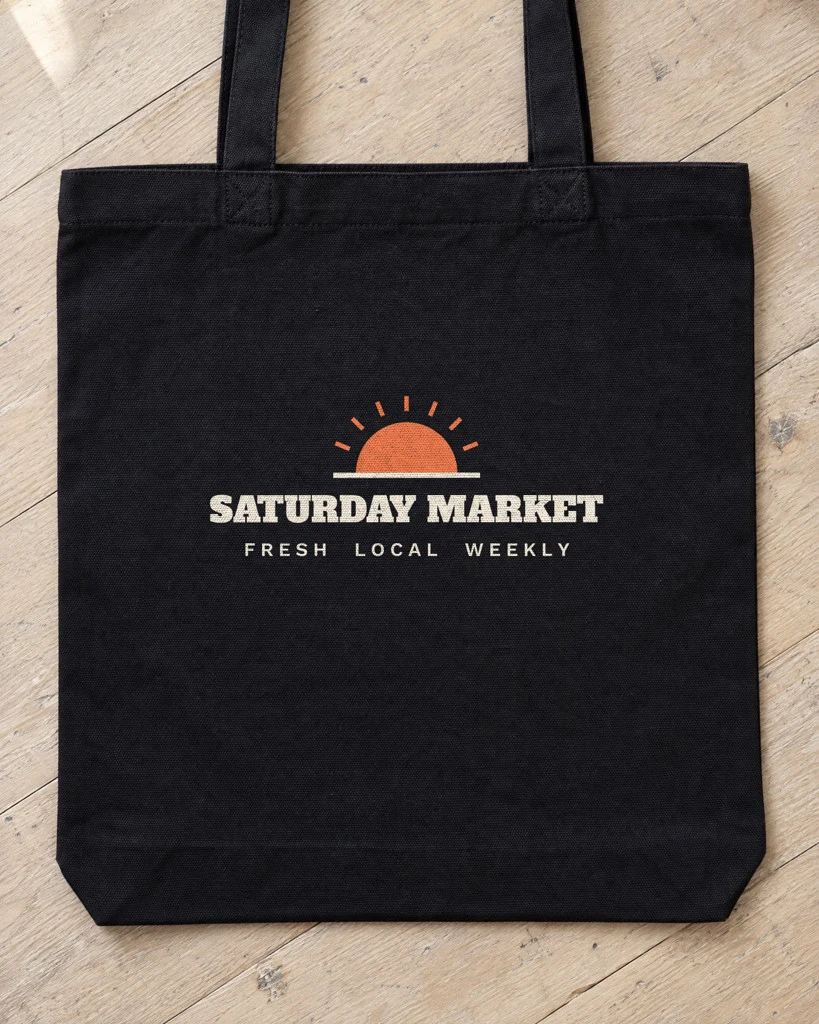 Front: the 3,000 by 2,400 file in the front area of the AS Colour 1001 photo. SudoMock render, 22 November 2026.
A back design that should print smaller than the front stays in a file of the full size, with empty space around it, so it lands in the middle of the area at the size you drew it.
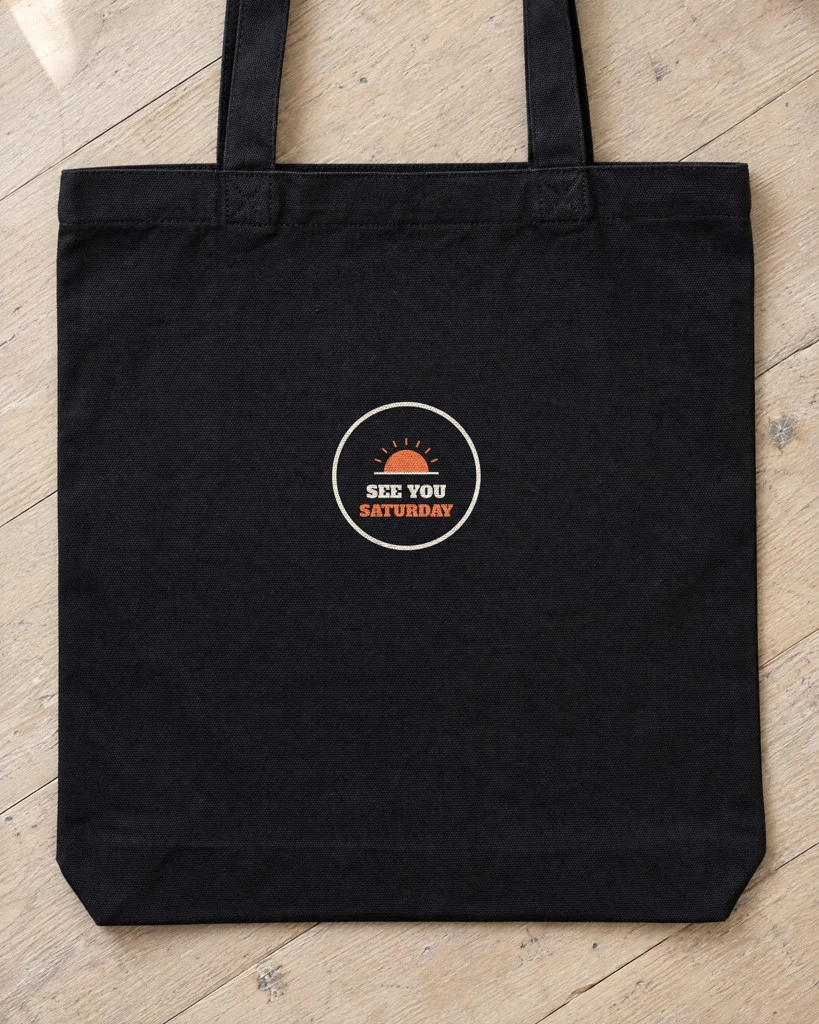 Back: a badge in the middle of a 3,000 by 2,400 file, rendered into the same area of the same photo. SudoMock render, 22 November 2026.
To show both sides in one image, start from a photo with both sides in view and an area on each, as in front and back t-shirt mockups.
Every canvas color from one photo
Each color is the same request with one more entry: the bag's surface_uuid and a hex value. The canvas weave, seams and handles stay in place, and the design lands where it did on black.
{ "surface_uuid": "TOTE_SURFACE_ID", "color": "#ded8cc" }
On Printify, the AS Colour 1001 comes in Bone, Khaki, Camel, Coal, Pink, Cardinal, Sage, Black and Cream with its US provider, and the Liberty Bags OAD113 in Natural and Black (printify.com product pages, read 22 November 2026). The renders below send Printify's own hex values for those colors.
| Tote and color | Render |
|---|---|
| AS Colour 1001, Bone #DED8CC | 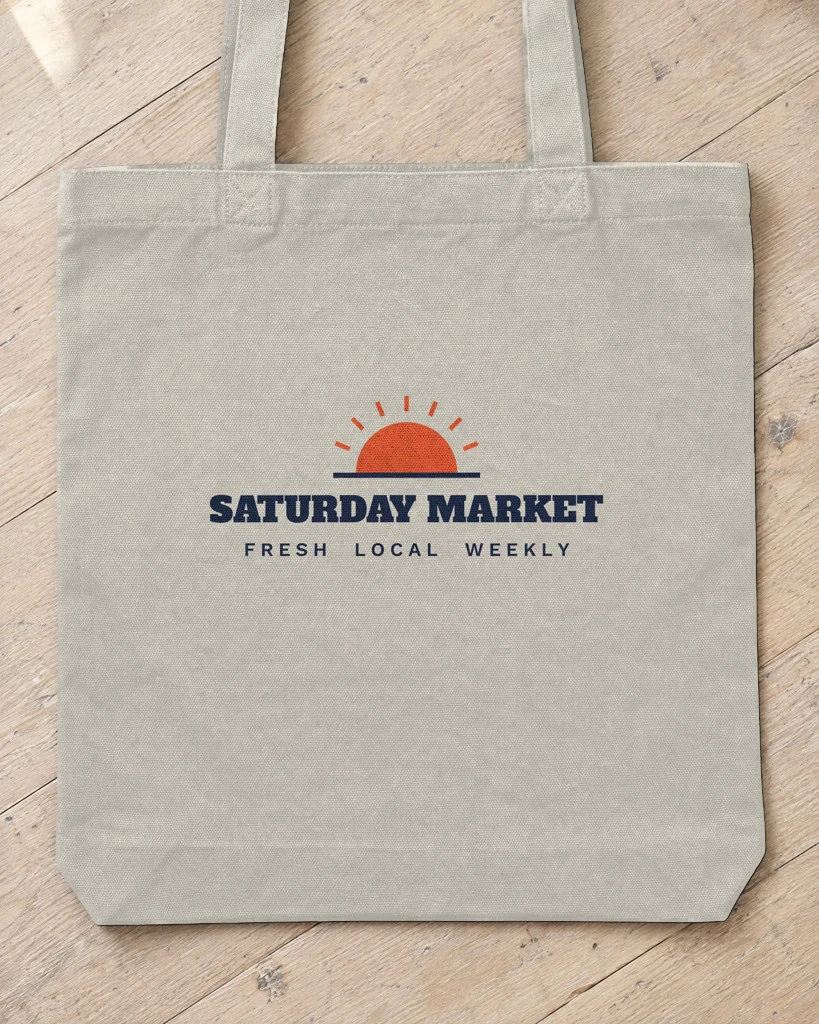 |
| AS Colour 1001, Sage #8AA69D | 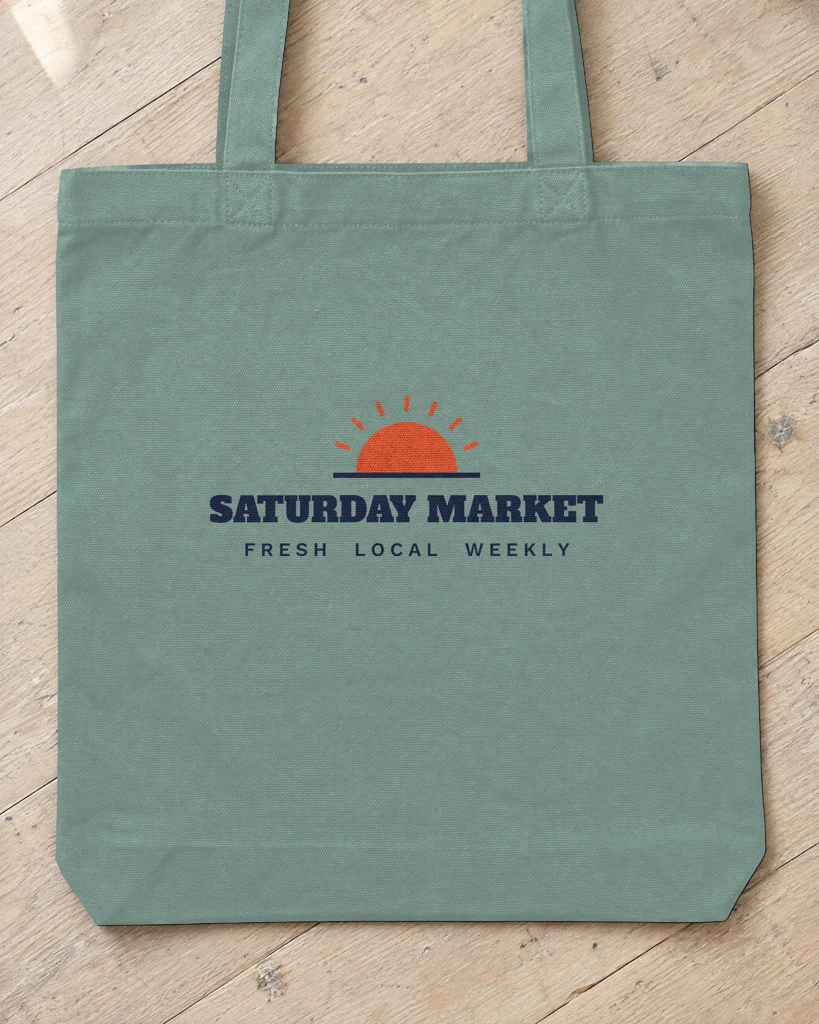 |
| AS Colour 1001, Cardinal #7C121C | 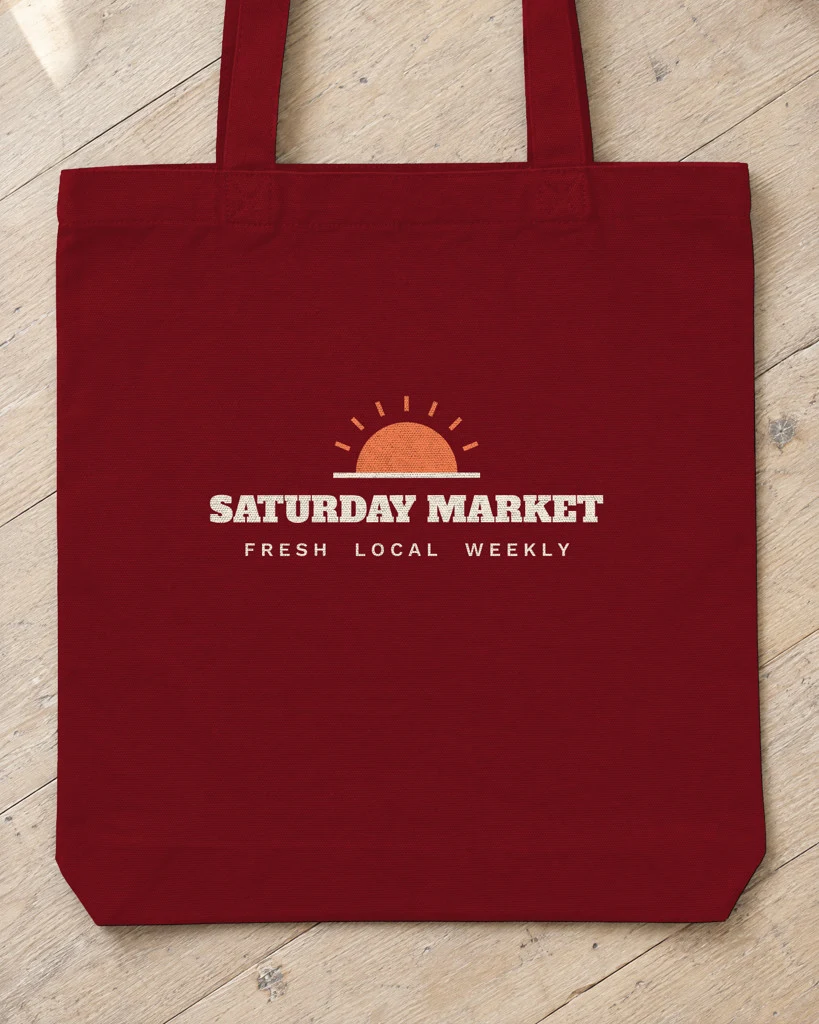 |
| Liberty Bags OAD113, Natural #E0D2C5 | 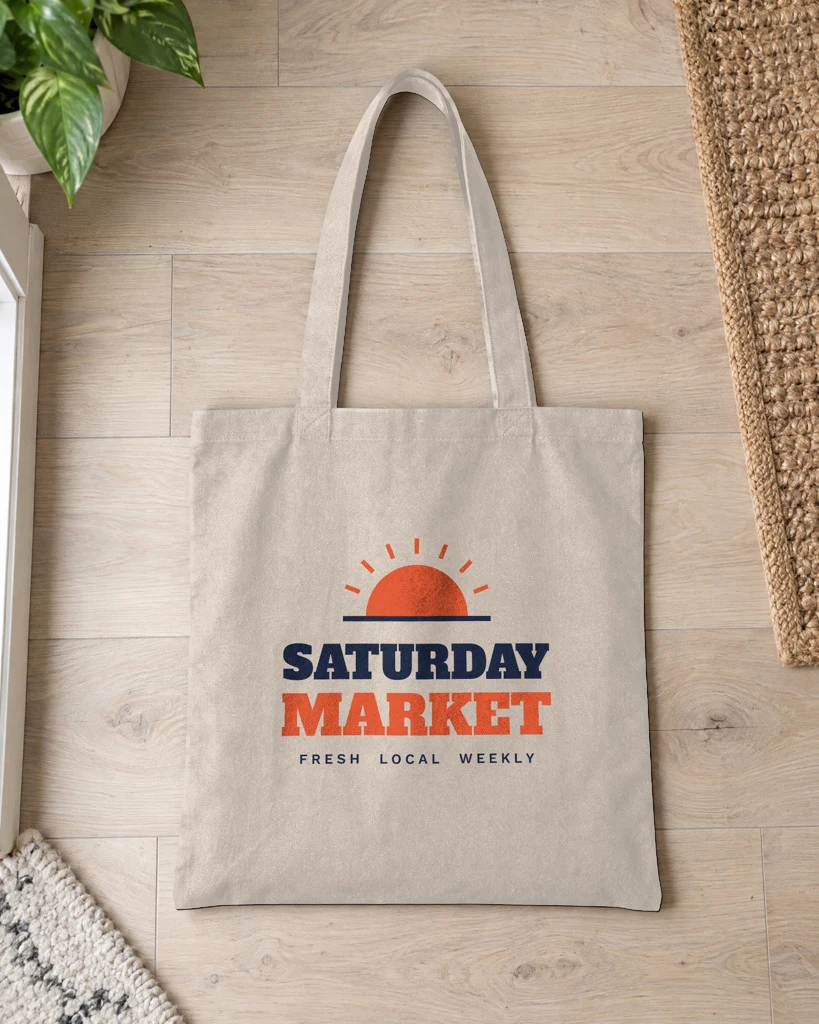 |
| Liberty Bags OAD113, Black, the photo's own | 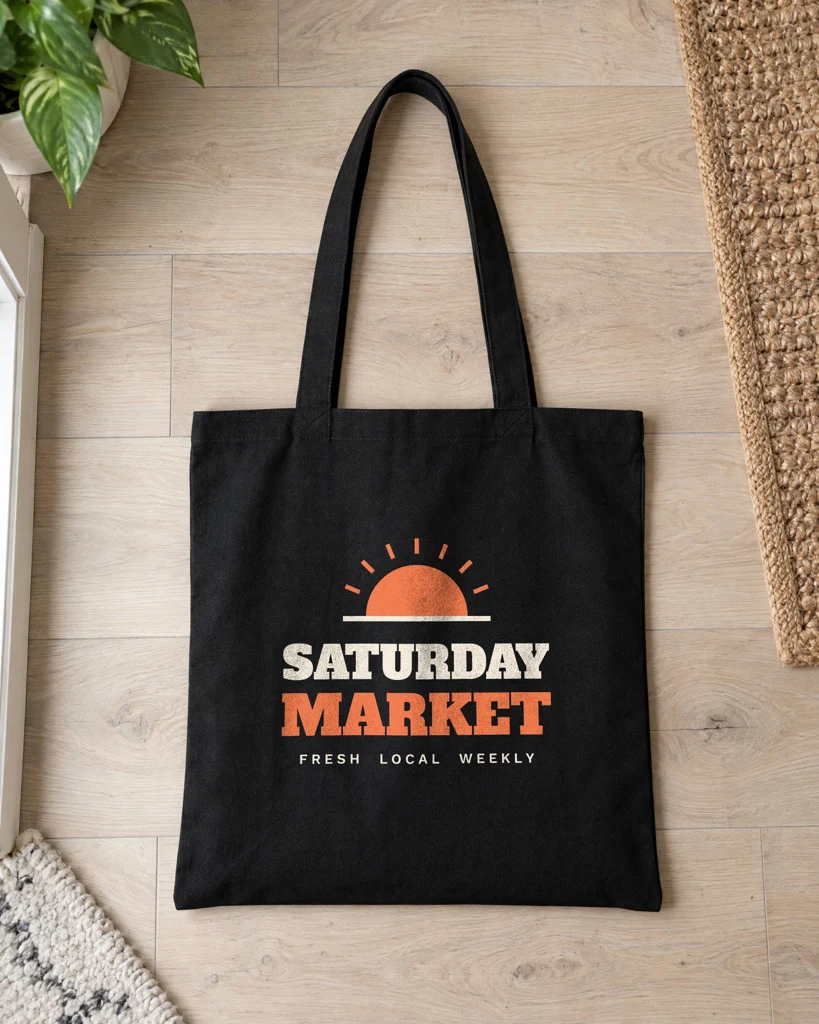 |
All five are SudoMock renders made on 22 November 2026, the AS Colour rows on the black close-up photo and the OAD113 rows on the black flat lay. Cream ink fades on Bone, Sage and Natural canvas, so those bags get the dark-ink version of the design, as in t-shirt color variant mockups. To send Printify's color names instead of hex values, save them on the mockup once, as hat mockups shows.
A file at another shape renders smaller
With the default fit, a file keeps its proportions inside the area, so a landscape file in a tall area renders at the area's width with empty canvas above and below. Make one file per shape you sell instead of sending one file to every bag.
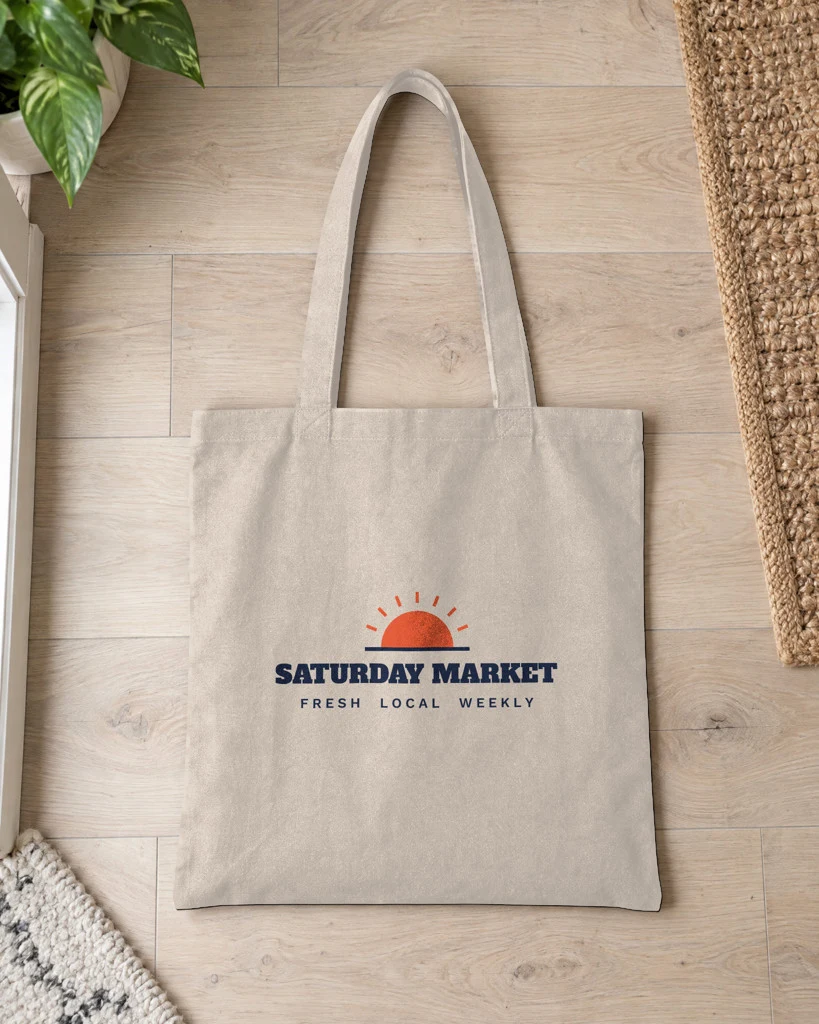 The 3,000 by 2,400 file of the AS Colour 1001 sent to the 590 by 708 area of the OAD113: it fills the width and two thirds of the height. SudoMock render, 22 November 2026.
The tall file in the Natural row above fills the same area from top to bottom. Hoodie mockups shows what crop and fill do when a file and its area differ.
Render the catalog from a CSV
Each CSV row names a design's front and back files, with {ink} where the file name says light or dark, and the script renders both sides in every color of the bag. The three ids at the top of the script come from the create response, the key from SUDOMOCK_API_KEY, and the CSV path is the one argument.
sku,front,backTOTE-MARKET,https://cdn.example.com/totes/market-front-{ink}.png,https://cdn.example.com/totes/market-back-{ink}.pngTOTE-FERN,https://cdn.example.com/totes/fern-front-{ink}.png,
import csv, os, sys, timefrom concurrent.futures import ThreadPoolExecutorimport requestsMOCKUP = "MOCKUP_ID"AREA = "PRINT_AREA_ID"SURFACE = "TOTE_SURFACE_ID"# Printify's AS Colour 1001 colors: the hex to paint, and the ink that reads on itCOLORS = {"black": (None, "light"),"bone": ("#ded8cc", "dark"),"sage": ("#8aa69d", "dark"),"cardinal": ("#7c121c", "light"),}HEADERS = {"x-api-key": os.environ["SUDOMOCK_API_KEY"]}URL = f"https://api.sudomock.com/api/v1/photo-mockups/{MOCKUP}/render"def render(row, side, color):hex_code, ink = COLORS[color]targets = [{"uuid": AREA, "artwork_url": row[side].format(ink=ink), "placement": {"fit": "fit"}}]if hex_code:targets.insert(0, {"surface_uuid": SURFACE, "color": hex_code})body = {"print_areas": targets, "export_options": {"image_format": "jpg", "image_size": 1024}}for attempt in range(3):res = requests.post(URL, json=body, headers=HEADERS, timeout=120)if res.status_code != 429:breaktime.sleep(int(res.headers.get("Retry-After", 5)))if not res.ok:return f"{row['sku']} {color} {side} failed {res.status_code} {res.text}"image = requests.get(res.json()["data"]["print_files"][0]["export_path"], timeout=60)if not image.ok:return f"{row['sku']} {color} {side} download failed {image.status_code}"name = f"{row['sku']}-{color}-{side}.jpg"with open(name, "wb") as f:f.write(image.content)return f"{name} saved"with open(sys.argv[1], newline="") as f:rows = list(csv.DictReader(f))jobs = [(row, side, color) for row in rows for side in ("front", "back") if row[side] for color in COLORS]with ThreadPoolExecutor(max_workers=8) as pool:for line in pool.map(lambda job: render(*job), jobs):print(line)
The two rows above come out as 12 images, from TOTE-MARKET-black-front.jpg to TOTE-FERN-cardinal-front.jpg. The empty back cell is skipped, and a 429 answer is retried after the wait it names.
A tote PSD of your own
Size the print smart object of a tote PSD at the bag's file shape, 3,000 by 2,400 for the AS Colour 1001, so the same light-ink and dark-ink files go into the PSD unchanged. Front and back t-shirt mockups shows the request with one smart_objects entry per side. In the dashboard, PSD uploads are capped at 300 MB, and API uploads support files up to Adobe's official PSD file size limit. SudoMock renders match Photoshop's own output.
Next step
Find the bag you sell in the table, lay one design out at its file size in a light-ink and a dark-ink version, save a straight-on photo of that bag with an area at the same shape, and render it on two colors before you run the CSV. The tote bag templates hold more bags and views, among them the AS Colour 1007 template for the square 3,300 by 3,300 file, and the tote bag mockup guide compares the views. The print areas guide covers replacing a saved area, and tote bag mockups by API covers the PSD route. Without code, open a view from the template page in the editor, or render the same rows from a Google Sheet in a Make scenario.
Frequently asked questions
What size is a tote bag print file?
It depends on the bag. Printify's catalog, read in September 2026, lists 3,000 by 2,400 pixels for the AS Colour 1001, 3,300 by 3,300 for the AS Colour 1007, 3,000 by 3,600 for the Liberty Bags OAD113 and 1,500 by 3,600 for the AS Colour 1008 Two-Tone Carrie Tote. On each of them the back uses a file the same size as the front.
How do I show the back of a tote bag in a mockup?
Render the back file into the same print area of the same tote photo, because a flat tote's back panel has the same shape and print size as its front. Keep a small back design inside a file of the full size so it lands centered at the size you drew. Each side then becomes its own listing image.
How do I make tote bag mockups in every color?
Save one straight-on tote photo as a photo mockup, then send the bag's surface with a hex color in each render request. The canvas texture, seams and handles stay in place while the color changes. Pair light bags with a dark-ink version of the design and dark bags with a light-ink one.
Why does my design look small on a tote mockup?
The file and the print area probably have different shapes. With the default fit, a landscape file in a tall area renders at the area's width and leaves empty canvas above and below. Lay the design out at the file size your provider lists for that bag.
Sources
- Create a mockup from a product photo (opens in new tab), SudoMock docs
- Render a photo mockup (opens in new tab), SudoMock docs
- Start From a Ready-Made Template: No File of Your Own (opens in new tab), SudoMock docs
- Print areas and surfaces (opens in new tab), SudoMock docs
- What is the PSD file size limit (opens in new tab), SudoMock docs
Beck
CTO
Related articles
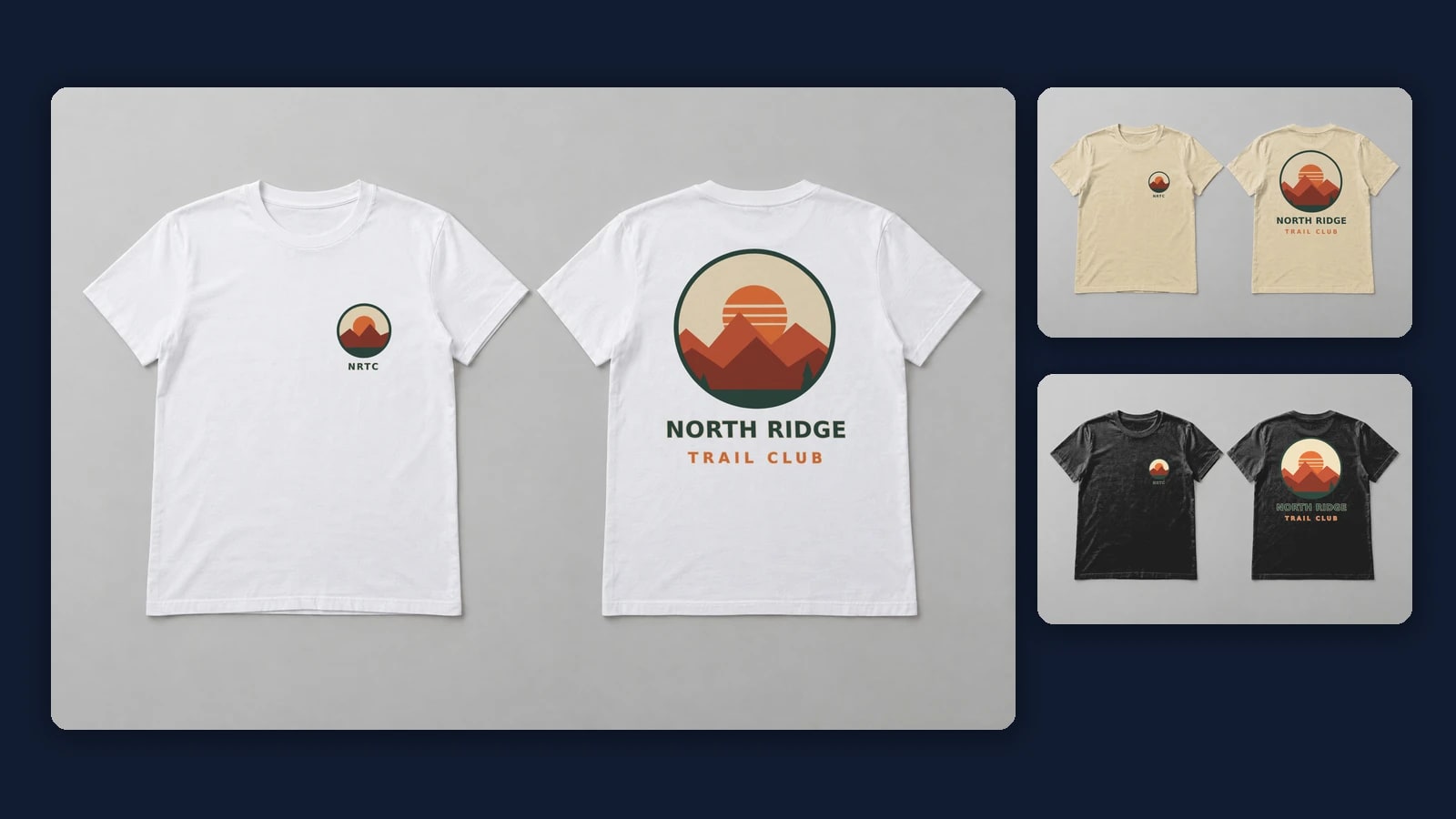
Front and Back T-Shirt Mockups: Both Prints in One Render
Put the chest badge and the back print of every design pair on one mockup, in every shirt color, with one render request each.
6 min read
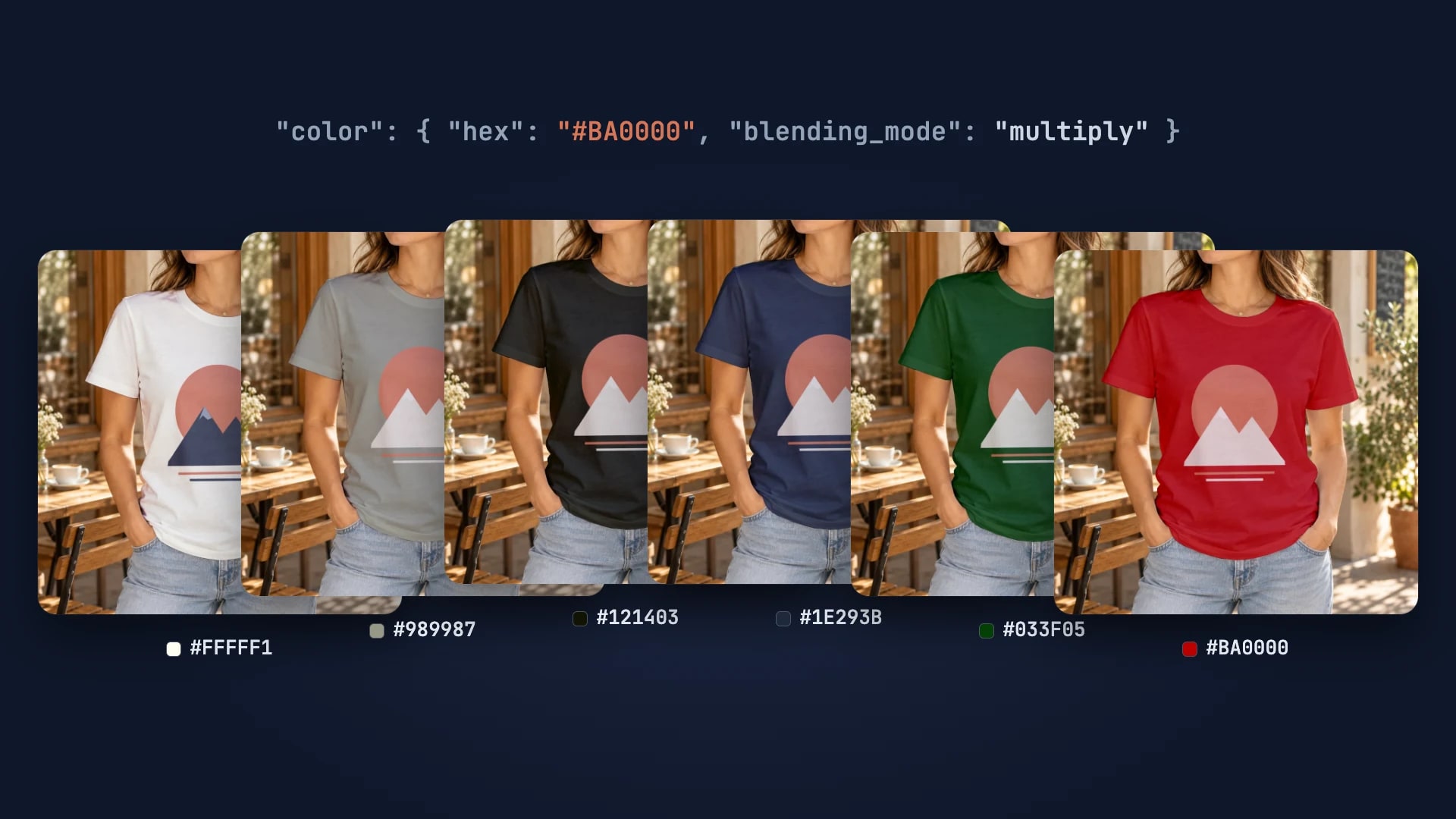
Every T-Shirt Color Variant Mockup from One PSD by API
One PSD with a color smart object renders every t-shirt colorway: one request per color, shown with six real renders.
4 min read
Merch Mockups With ChatGPT or Claude: One Design on a Tee, a Mug and a Tote
One design file, one mockup per product, and one message to ChatGPT or Claude that renders the tee, the mug and the tote exactly.
6 min read
Latest articles
Zapier Mockup Automation: Render Your Own PSD on Any Trigger
One Webhooks by Zapier request turns each trigger into a finished mockup on your own template, with real tee, hoodie, tote and color renders.
8 min read
Beanie Mockups: Lay the Logo Out at the Cuff File, Render Every Color
Lay the logo out at the cuff file of your blank, draw that area on one beanie photo, and render every knit color by API.
8 min read
Zip Hoodie Mockups: Across the Zipper or a Chest Pair, Every Color
Render each zip hoodie design across the zipper or as a chest pair, with the back and both sleeves, in every color from saved photos.
11 min read
Explore by use case
See SudoMock in action for your specific product category
Your own PSD, rendered via API
Render your own PSD through the API. Start with 500 one-time credits, no card.