Shopify Product Images at Scale: API Approach
To automate Shopify product images, upload each PSD mockup template to SudoMock once, then render every new design onto it by API and attach the image URLs with the Shopify Admin API. A product webhook or a Zapier flow triggers each render, and a short loop covers an existing catalog. Each render returns in under a second.
Published 2 min readBeck
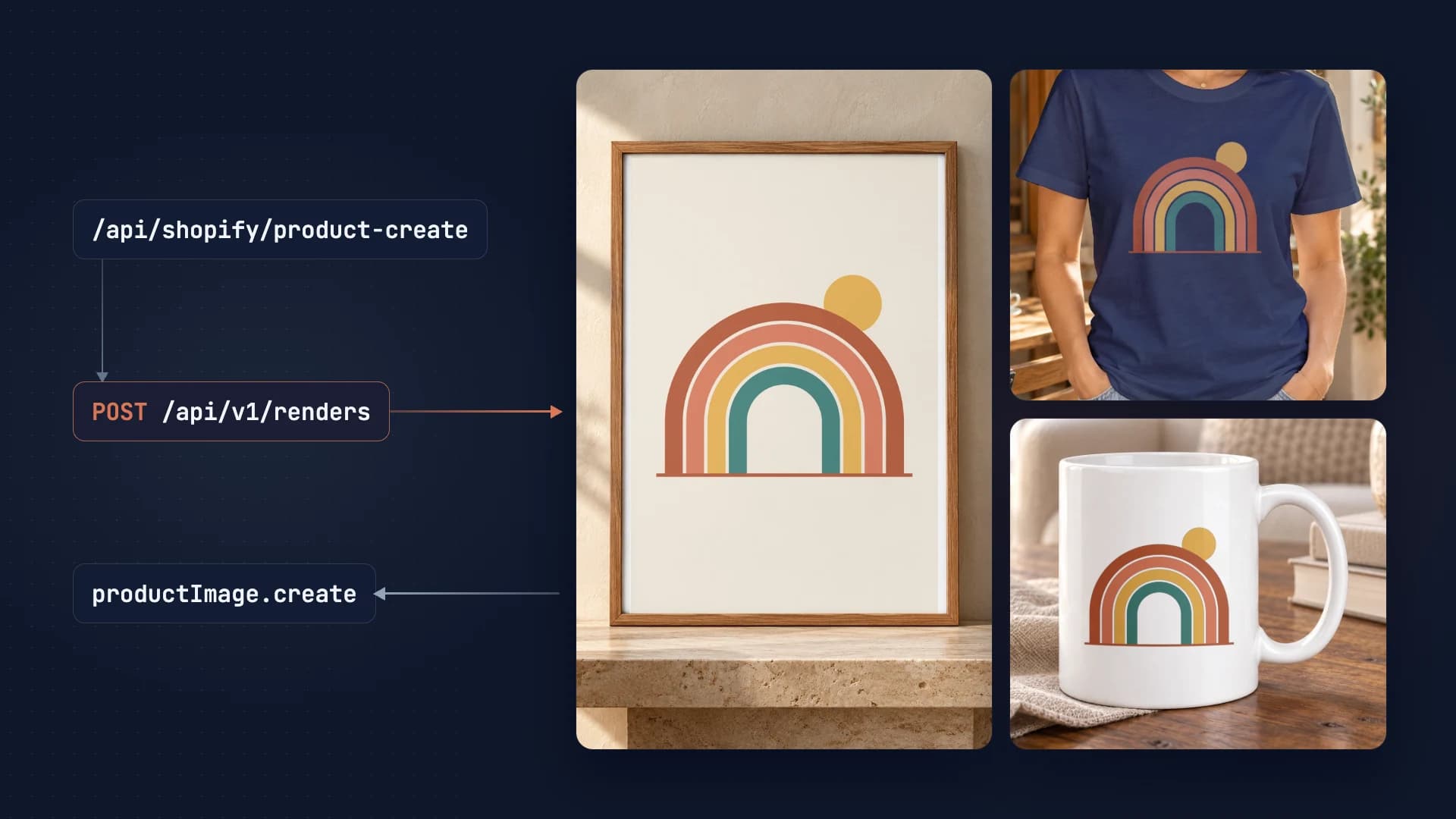
Running a Shopify store with hundreds of products? Learn how to automate product image generation using mockup APIs - creating professional visuals for your entire catalog in minutes.
from $0.002
Cost
Per render
API
Integration
Shopify + SudoMock
The Shopify Image Problem
Every Shopify product needs multiple high-quality images. For POD stores, that means mockups showing your designs on actual products. Manual creation doesn't scale.
- Multiple angles: Front, back, detail shots per product
- Color variants: Same design, different product colors
- Size consistency: Shopify expects uniform image dimensions
- Fast updates: New designs need images immediately
Solution: API-Powered Pipeline
1 Upload Your Templates
Create mockup templates for each product type in your store. Upload them to SudoMock once.
Upload template
curl -X POST "https://api.sudomock.com/api/v1/psd/upload" \-H "X-API-KEY: YOUR_API_KEY" \-H "Content-Type: application/json" \-d '{"psd_file_url": "https://storage.com/tshirt-front.psd","psd_name": "T-Shirt Front View"}'
const response = await fetch('https://api.sudomock.com/api/v1/psd/upload', {method: 'POST',headers: {'X-API-KEY': 'YOUR_API_KEY','Content-Type': 'application/json',},body: JSON.stringify({"psd_file_url": "https://storage.com/tshirt-front.psd","psd_name": "T-Shirt Front View"}),});const data = await response.json();console.log(data);
import requestsresponse = requests.post("https://api.sudomock.com/api/v1/psd/upload",headers={"X-API-KEY": "YOUR_API_KEY","Content-Type": "application/json",},json={"psd_file_url": "https://storage.com/tshirt-front.psd","psd_name": "T-Shirt Front View",},)print(response.json())
package mainimport ("bytes""fmt""io""net/http")func main() {payload := []byte(`{"psd_file_url": "https://storage.com/tshirt-front.psd","psd_name": "T-Shirt Front View"}`)req, err := http.NewRequest("POST", "https://api.sudomock.com/api/v1/psd/upload", bytes.NewBuffer(payload))if err != nil {panic(err)}req.Header.Set("X-API-KEY", "YOUR_API_KEY")req.Header.Set("Content-Type", "application/json")resp, err := http.DefaultClient.Do(req)if err != nil {panic(err)}defer resp.Body.Close()body, _ := io.ReadAll(resp.Body)fmt.Println(string(body))}
<?php$payload = <<<'JSON'{"psd_file_url": "https://storage.com/tshirt-front.psd","psd_name": "T-Shirt Front View"}JSON;$ch = curl_init('https://api.sudomock.com/api/v1/psd/upload');curl_setopt_array($ch, [CURLOPT_CUSTOMREQUEST => 'POST',CURLOPT_RETURNTRANSFER => true,CURLOPT_HTTPHEADER => ['X-API-KEY: YOUR_API_KEY','Content-Type: application/json',],CURLOPT_POSTFIELDS => $payload,]);$response = curl_exec($ch);curl_close($ch);echo $response;
2 Generate Mockups on Product Create
Use Shopify's product webhook to trigger mockup generation whenever you add a new product.
// Express.js endpoint for Shopify webhookapp.post('/api/shopify/product-create', async (req, res) => {const product = req.body;// Get design URL from product metafield or descriptionconst designUrl = product.metafields?.design_url;if (!designUrl) {return res.status(200).send('No design URL');}// Generate mockups for all templatesconst templates = ['tshirt_front', 'tshirt_back', 'lifestyle'];const mockupUrls = [];for (const template of templates) {const response = await fetch('https://api.sudomock.com/api/v1/renders', {method: 'POST',headers: {'X-API-KEY': process.env.SUDOMOCK_API_KEY,'Content-Type': 'application/json'},body: JSON.stringify({mockup_uuid: TEMPLATE_IDS[template],smart_objects: [{uuid: SO_IDS[template],asset: { url: designUrl }}],export_options: {image_format: 'webp',image_size: 1024,quality: 90}})});const result = await response.json();mockupUrls.push(result.data.print_files[0].export_path);}// Add images to Shopify productawait addImagesToProduct(product.id, mockupUrls);res.status(200).send('Mockups generated');});
3 Attach Images to Shopify
Use Shopify's GraphQL Admin API (productUpdate with the media field, Shopify reference read 10 October 2026) to attach the generated mockups to your product.
async function shopifyGraphQL(query, variables) {const response = await fetch('https://' + process.env.SHOPIFY_SHOP + '.myshopify.com/admin/api/2026-10/graphql.json',{method: 'POST',headers: {'Content-Type': 'application/json','X-Shopify-Access-Token': process.env.SHOPIFY_ACCESS_TOKEN},body: JSON.stringify({ query, variables })});return response.json();}async function addImagesToProduct(productId, imageUrls) {return shopifyGraphQL('mutation AddMedia($product: ProductUpdateInput!, $media: [CreateMediaInput!]) {' +' productUpdate(product: $product, media: $media) {' +' product { id } userErrors { field message } } }',{product: { id: 'gid://shopify/Product/' + productId },media: imageUrls.map((url) => ({ originalSource: url, mediaContentType: 'IMAGE' }))});}
No-Code Alternative: Zapier
Not a developer? Use Zapier to connect Shopify and SudoMock without writing code.
- Trigger: New Shopify Product
- Action 1: Webhooks by Zapier → SudoMock API
- Action 2: Shopify → Add Product Image
Batch Processing Existing Products
Have an existing catalog? Process all products at once:
const { data } = await shopifyGraphQL('{ products(first: 250) { nodes { legacyResourceId title media(first: 1) { nodes { id } } } } }');for (const product of data.products.nodes) {const designUrl = getDesignUrl(product);if (product.media.nodes.length === 0 && designUrl) {const mockups = await generateMockups(designUrl);await addImagesToProduct(product.legacyResourceId, mockups);console.log(`Generated images for: ${product.title}`);// Respect rate limitsawait sleep(500);}}
Plans start at $25/month. Subscriptions from $0.002 per render.
Next steps
Start with one product: upload a PSD template and render one design, which the quickstart covers in two requests. The Shopify API guide has a Node.js receiver for the products/create webhook and a per-variant text example.
If you have no PSD yet, the mockup templates for Shopify merchants are ready for your artwork. For the no-code route, Render mockups with Zapier walks through the Webhooks by Zapier action, and SudoMock also has an n8n node and a Make app. The Shopify mockups use case covers webhook-triggered renders and variant images, and How to Automate Etsy Product Mockups applies a similar workflow to Etsy.
Frequently asked questions
How do I automate product image generation for Shopify?
Use a mockup API to generate images, then Shopify's Admin API to upload them to products. Automation platforms like n8n or Zapier can orchestrate the workflow - triggering on new products and automatically attaching generated mockups.
Can I update existing Shopify product images via API?
Yes, Shopify's Admin API supports creating, updating, and deleting product images. You can replace existing images with new mockups or add additional variants - all programmatically without accessing the Shopify admin dashboard.
What image specifications does Shopify require?
Shopify accepts JPEG, PNG, GIF, and WebP formats up to 20MB. Recommended size is 2048x2048 pixels square for best quality. Configure your mockup API output to match these specs for optimal display.
How do I generate mockups for all Shopify product variants?
Fetch all variants via Shopify API, loop through each, call the mockup API with variant-specific designs (colors, sizes), then upload images back to corresponding variants. This can be fully automated with workflow tools.
Can I use Shopify's CDN for mockup storage?
Yes, when you upload images via Shopify's API, they're automatically stored on Shopify's CDN. This provides fast, reliable delivery without managing your own image hosting infrastructure.
Sources
- productUpdate - GraphQL Admin (opens in new tab), Shopify Dev Docs
Beck
CTO
Related articles
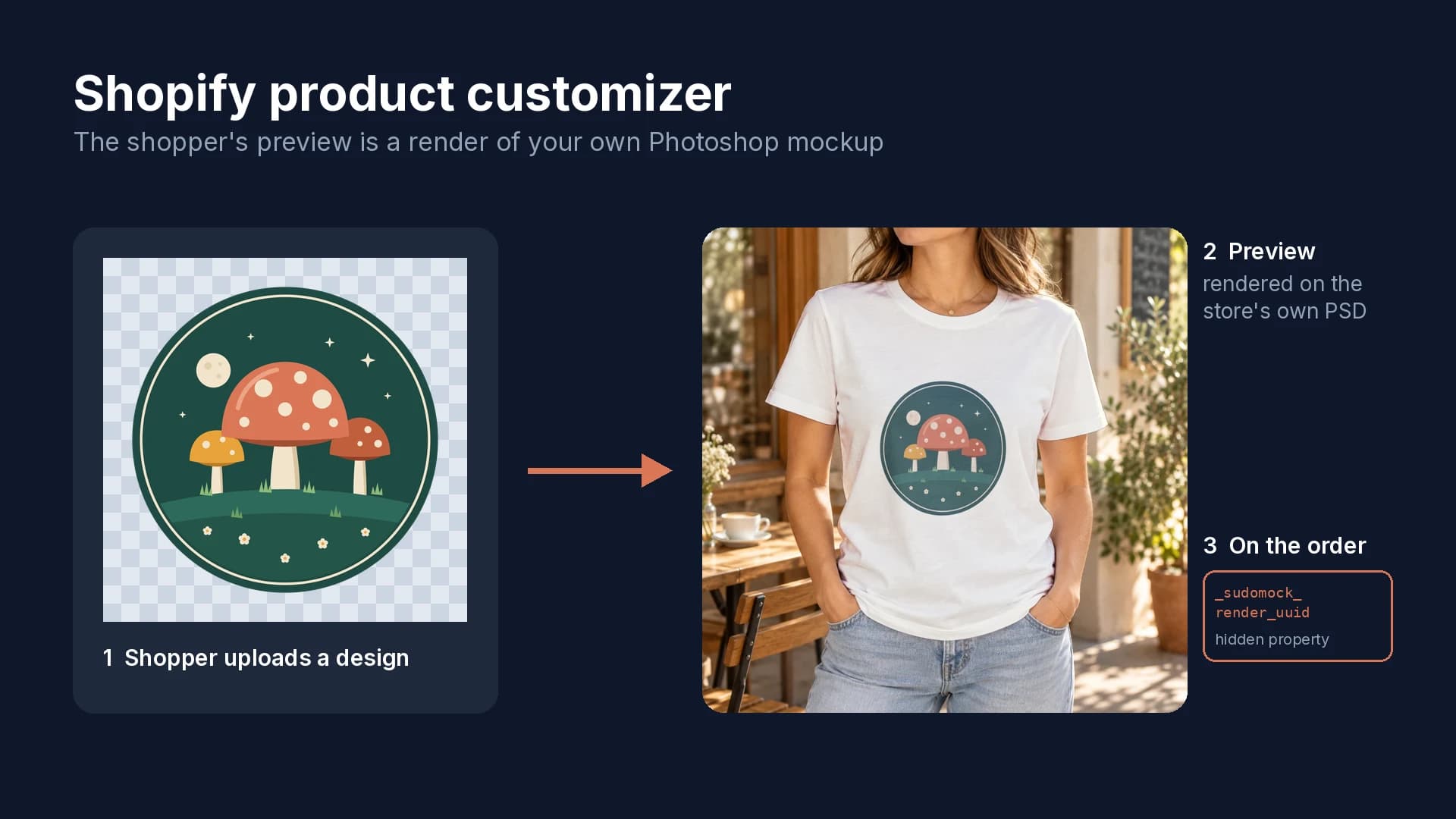
How to Add a Product Customizer to Shopify With a Live Preview
Five setup steps, a live preview rendered from your own mockup, and the two hidden properties that tie each order to the approved design.
6 min read
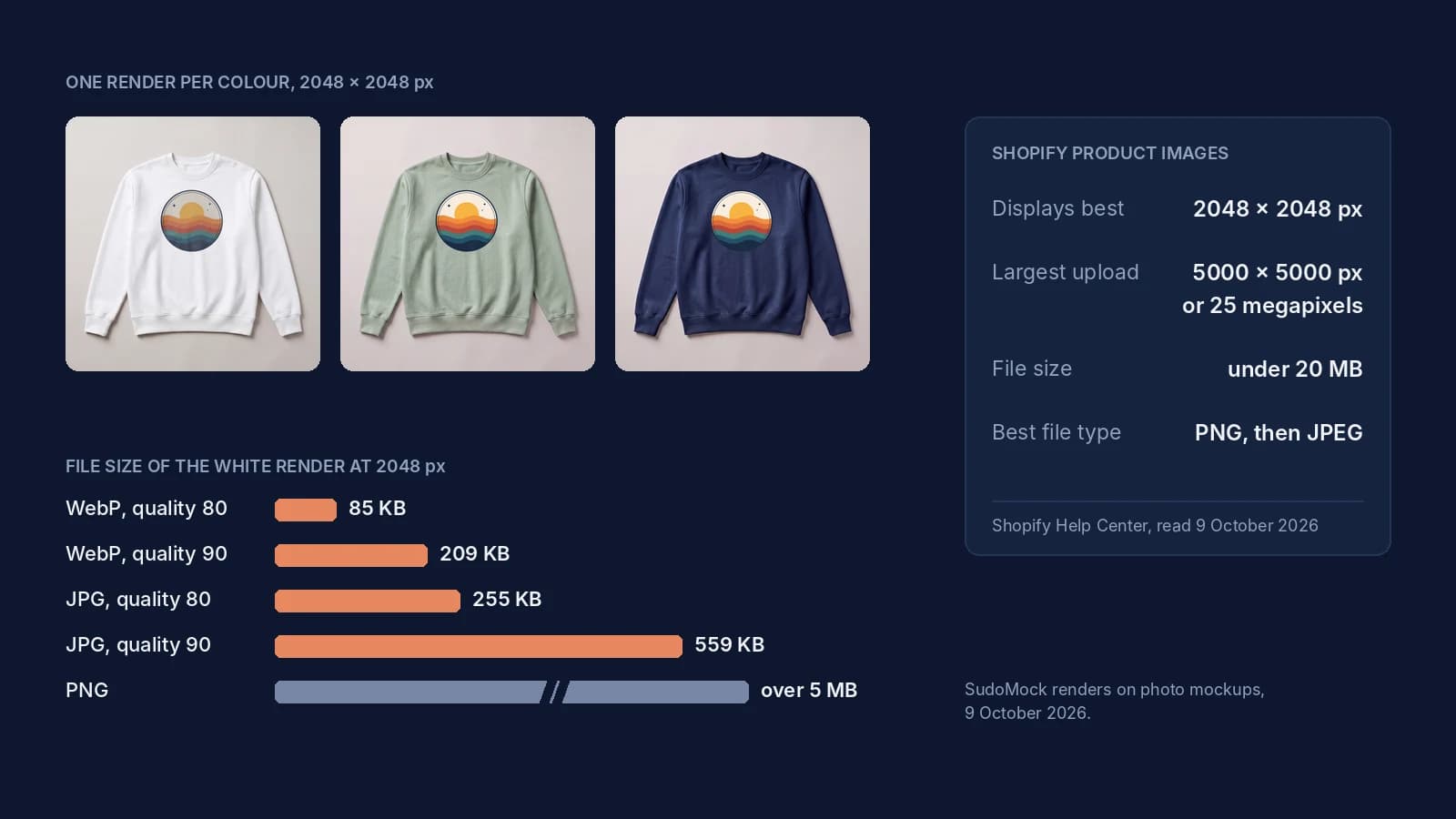
Shopify Product Image Size: 2048 px, the Real Limits and Files
Shopify's image limits quoted page by page, the old 4472 px figure explained, and 2048 px renders measured by format.
8 min read
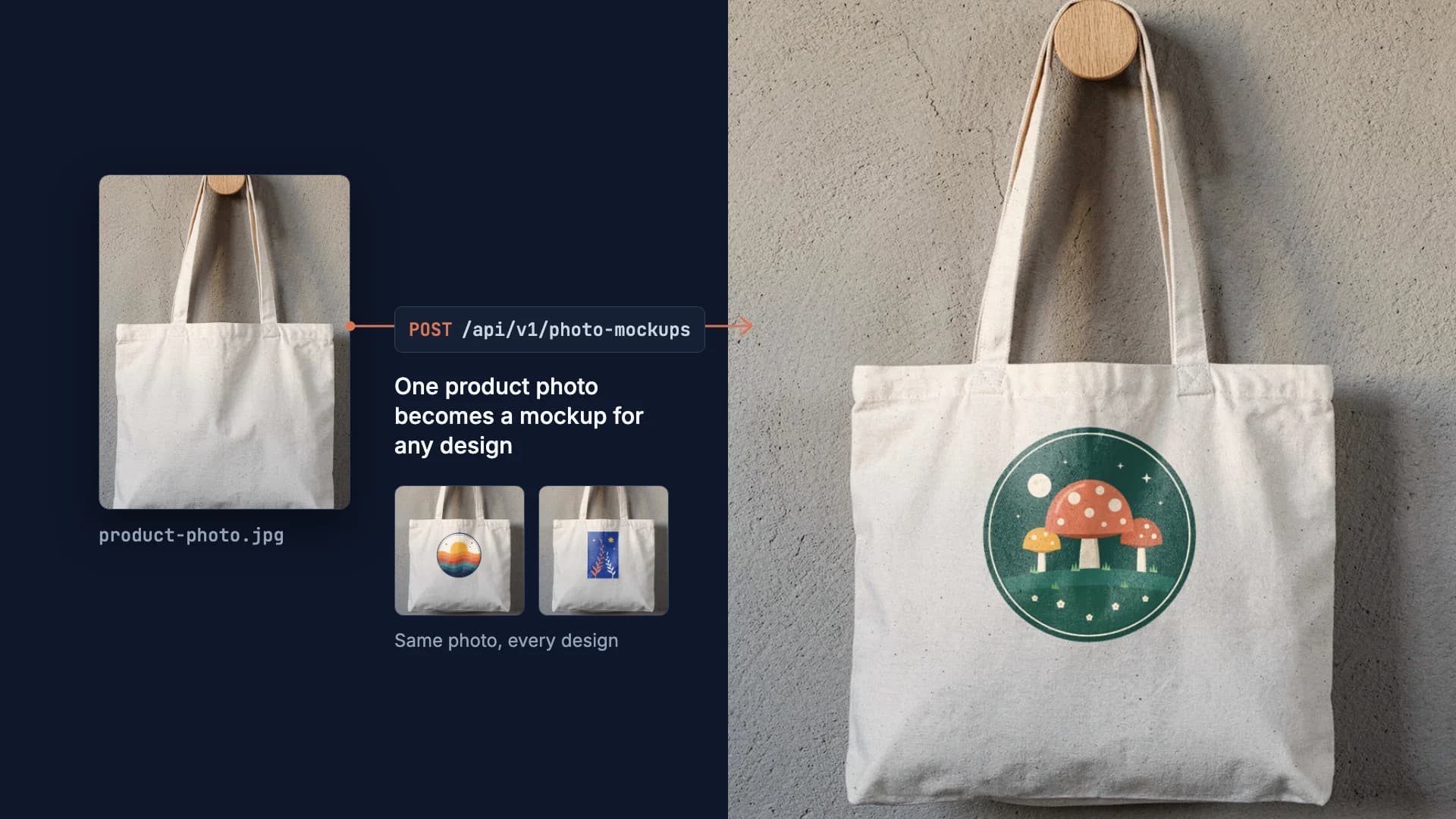
How to Make Your Own Mockup from Any Product Photo
One photo of your own product becomes a reusable mockup: the create call, the render call and real renders of four designs on a canvas tote.
7 min read
Explore by use case
See SudoMock in action for your specific product category
Your own PSD, rendered via API
Render your own PSD through the API. Start with 500 one-time credits, no card.