Vibe Coding Your POD Business: Build Mockup Automation Without Writing Code
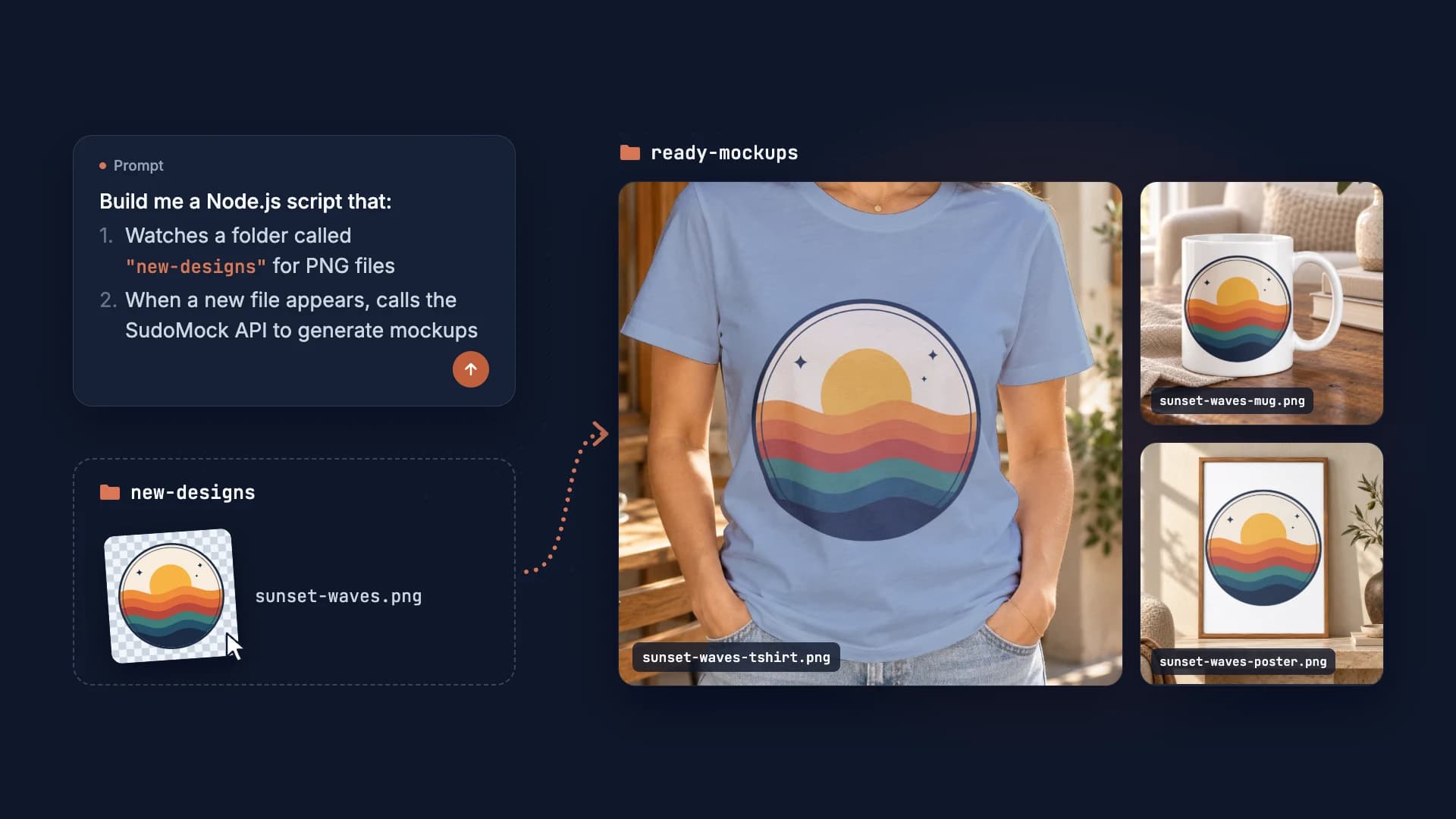
Vibe coding a print-on-demand mockup automation takes one prompt and no coding experience. Upload your PSD templates to SudoMock, then ask an AI coding tool such as Cursor or Replit to write the script. It watches a folder and renders each new design into every template through the SudoMock API, from $0.002 per render.
Published Updated 6 min readBeck
Key takeaways
- Automate mockup creation in 15-20 minutes
- SudoMock generates unlimited mockups via API, with no Photoshop installation required
- Start with one job, test it on 5 designs, then scale to 1,000
The print-on-demand game changed in 2026. While your competitors still manually create mockups in Canva, a new generation of POD sellers is using AI to build entire automation systems without writing a single line of code.
Welcome to vibe coding: the practice of describing what you want to an AI, and watching it build the solution for you.
This guide shows you how to use vibe coding to automate your mockup workflow, saving hours every week and scaling your POD business faster than ever.
What Is Vibe Coding and Why POD Sellers Should Care
Vibe coding is exactly what it sounds like: you describe the "vibe" of what you want, and AI builds it. No programming knowledge required.
Here is how it works in practice:
You say: "I need a tool that takes my design uploads and automatically creates mockups for t-shirts, hoodies, and mugs, then saves them to my Google Drive."
AI builds: A complete automation system with file handling, API calls, and cloud storage integration.
This is not science fiction. Tools like Cursor, Replit, and Lovable have made this possible for anyone. In fact, Y Combinator managing partner Jared Friedman said that for a quarter of its Winter 2025 batch, 95% of the code was AI-generated (TechCrunch, March 2025).
Why This Matters for POD Sellers
The traditional POD workflow looks like this:
- Create design in Canva or Photoshop
- Open mockup template
- Insert design manually
- Export mockup
- Upload to Etsy/Shopify
- Repeat 50+ times per product line
With vibe coding, you can automate steps 2-5 entirely.
The Tools You Need to Start Vibe Coding
You do not need expensive software or technical skills. Here is your starter kit:
AI Coding Assistants
| Tool | Best For | Price |
|---|---|---|
| Cursor | Building complete apps | Free tier available |
| Replit | Quick automations | Free tier available |
| Lovable | Visual-first projects | Free tier available |
| Claude | Complex logic | Free tier available |
Mockup API (The Engine)
Your AI assistant needs an API to generate mockups. This is where SudoMock comes in:
- Upload your PSD templates once
- Generate unlimited mockups via API
- Plans start at $25/month. Subscriptions from $0.002 per render.
- No Photoshop installation required
Supporting Tools
- Google Drive or Dropbox - Store your mockups
- Airtable or Google Sheets - Track your products
- Zapier or Make - Connect everything together
Step-by-Step: Building Your First Mockup Automation
Let us build a real automation. We will create a system that:
- Watches a folder for new designs
- Generates mockups automatically
- Saves them organized by product type
Step 1: Set Up Your SudoMock Account
First, get your API credentials:
- Sign up at sudomock.com (free tier includes 500 credits)
- Upload your PSD mockup templates
- Copy your API key from the dashboard
Step 2: Open Your AI Coding Tool
Open Cursor, Replit, or your preferred tool. Start a new project.
Step 3: Describe What You Want
Here is the magic. Type this prompt:
Build me a Node.js script that:1. Watches a folder called "new-designs" for PNG files2. When a new file appears, calls the SudoMock API to generate mockups3. Uses these mockup templates: tshirt-front, tshirt-back, hoodie-front4. Saves the generated mockups to a folder called "ready-mockups"5. Requests PNG output (export_options.image_format png) and names files like: [design-name]-[mockup-type].png
Step 4: Watch the AI Work
The AI will generate complete, working code. It handles:
- File system monitoring
- API authentication
- Error handling
- File naming conventions
- Parallel processing for speed
Step 5: Run and Test
Run the script, drop a design in the folder, and watch mockups appear automatically.
Total time: 15-20 minutes. No coding knowledge required.
Advanced Automation Ideas for POD Sellers
Once you have mastered the basics, here are powerful automations to build:
Bulk Product Launcher
The vibe: "Create a system that takes a CSV of design names and descriptions, generates all mockups, and creates draft Etsy listings automatically."
This automation can launch 100 products in under an hour.
Smart Color Variants
The vibe: "Build a tool that takes one design and automatically creates versions in 10 different colors, then generates mockups for each color variant."
Multiply your product catalog without multiplying your work.
Social Media Content Machine
The vibe: "Create an automation that takes my best-selling products, generates lifestyle mockups, and schedules them as Instagram posts."
Keep your social media active without daily effort.
Quality Control Bot
The vibe: "Build a system that checks if mockup images meet Etsy requirements (size, format, quality) before I upload them."
Avoid rejected listings and wasted time.
Common Mistakes to Avoid
Mistake 1: Overcomplicating the First Project
Start simple. Your first automation should do one thing well. Do not try to build a complete business system on day one.
Mistake 2: Not Testing with Small Batches
Before running 1,000 designs through your automation, test with 5. Catch errors early when they are cheap to fix.
Mistake 3: Ignoring Error Handling
Ask your AI to add error handling. Things like "if a request fails, retry 3 times, then save to an errors folder."
Mistake 4: Forgetting About Costs
Per-render costs on a subscription are low, but track them. Set up alerts if daily spend exceeds your budget.
The Economics of Vibe-Coded Automation
What each workflow pays for in subscriptions:
Manual Workflow Costs
| Item | Monthly Cost |
|---|---|
| Placeit subscription | $14.95 a month (placeit.net/pricing, read 4 October 2026) |
Vibe-Coded Automation Costs
| Item | Monthly Cost |
|---|---|
| SudoMock API (Starter plan) | $25 |
| Cursor/Replit (free tier) | $0 |
Getting Started Today
Here is your action plan:
This Week
- Sign up for SudoMock (free 500 credits to test)
- Download Cursor or open Replit
- Upload one PSD mockup template
- Build your first automation (folder watcher to mockup generator)
This Month
- Expand to 5+ mockup templates
- Add organization (folders by product type)
- Connect to your product spreadsheet
- Automate for all new designs
This Quarter
- Add Etsy/Shopify listing automation
- Build social media content pipeline
- Create quality control checks
- Scale to 100+ products/week
The Future Is Already Here
Vibe coding is not coming. It is here. The POD sellers who adopt it now will have a massive advantage over those still doing things manually.
The barrier to entry has never been lower:
- No coding skills required
- Free tools available
- Results in hours, not weeks
Your competitors are still dragging and dropping in Canva. You could be running an automated mockup factory.
The only question is: how long will you wait?
Frequently asked questions
What is vibe coding for POD businesses?
Vibe coding is describing what you want to an AI coding assistant (like Cursor or Replit), and having it build the automation for you. For POD sellers, this means automating mockup creation, file organization, and listing uploads without writing code yourself.
Do I need programming experience to use vibe coding?
No. That is the whole point of vibe coding. You describe what you want in plain English, and AI tools like Cursor, Replit, or Claude generate the working code. You just need to explain your workflow clearly.
How much does mockup automation cost with SudoMock?
Plans start at $25/month. Subscriptions from $0.002 per render. Without one, $0.05 per render, the same rate standalone mockup APIs charge on a paid plan; for reference, Adobe's published Photoshop API rate was $0.15 per successful call (2023 public pricing, since moved to enterprise-only). New accounts get 500 free credits to test the automation before committing.
What AI tools work best for building POD automations?
Cursor is best for building complete applications, Replit for quick automations, and Claude for complex logic. All have free tiers and work well with mockup APIs like SudoMock.
Can I automate mockups for multiple product types?
Yes. Upload each PSD template (t-shirts, hoodies, mugs, posters) to SudoMock once, then have your automation render each design into every template.
Sources
Beck
CTO
Related articles
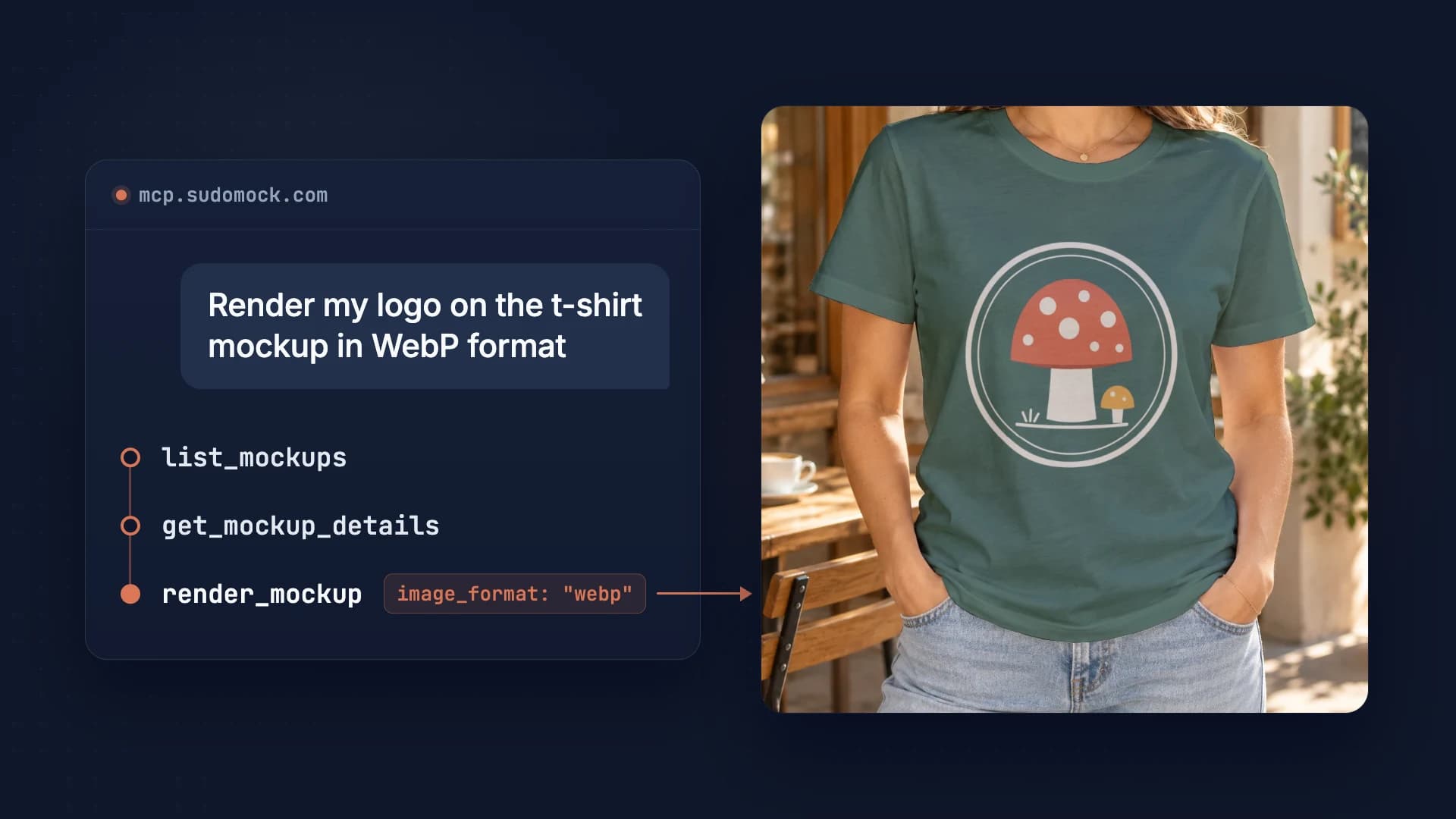
SudoMock Now Works with Claude, Cursor, ChatGPT, and Any MCP-Compatible AI Tool
Render product mockups directly from any AI assistant that supports MCP. Claude, Cursor, VS Code, ChatGPT, Windsurf, and more.
7 min read
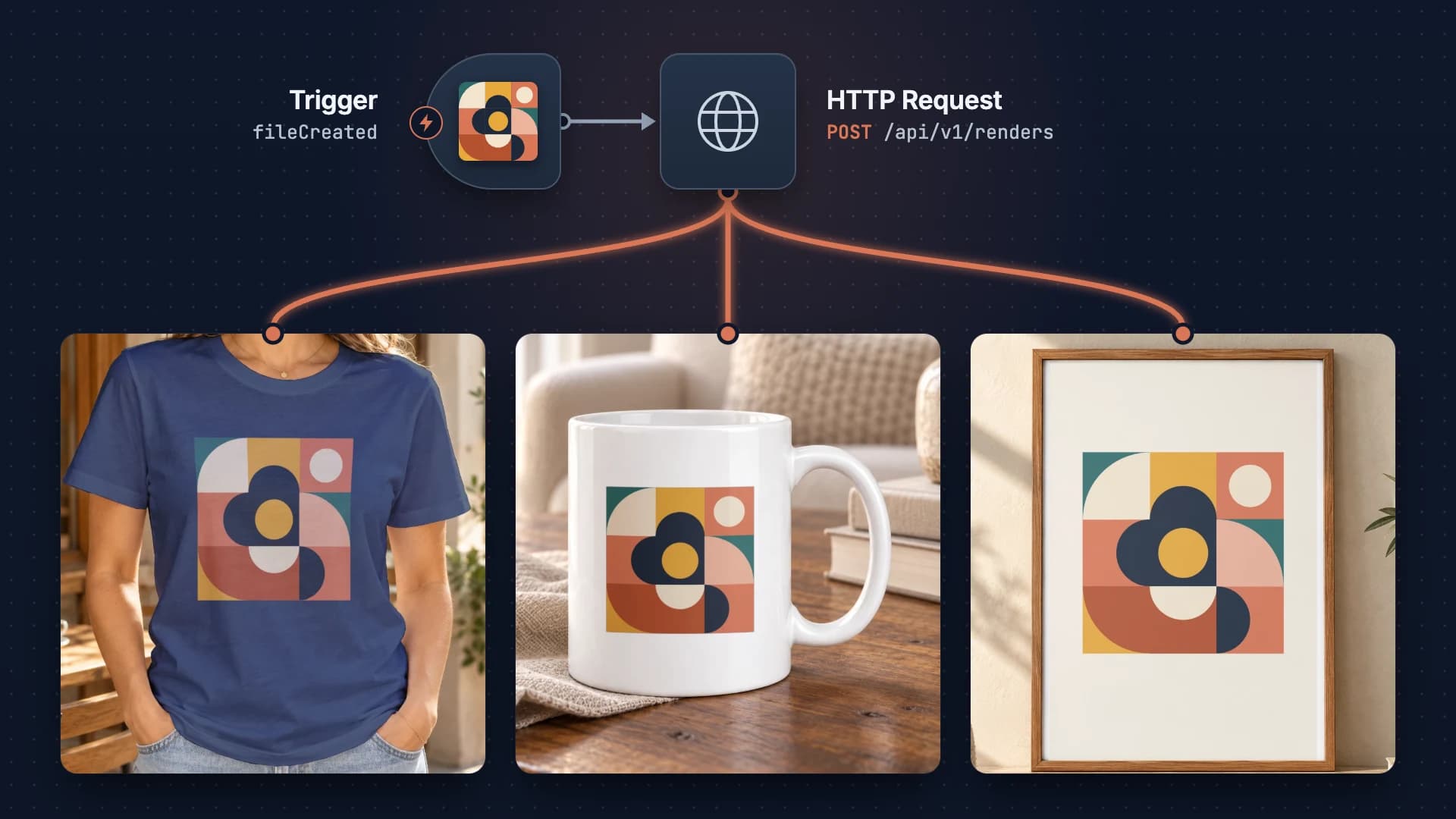
Building a Print-on-Demand Pipeline with n8n
Build an automated print-on-demand pipeline with n8n and SudoMock API. Step-by-step guide from design upload to Etsy/Shopify listing creation from $0.002 per render.
2 min read
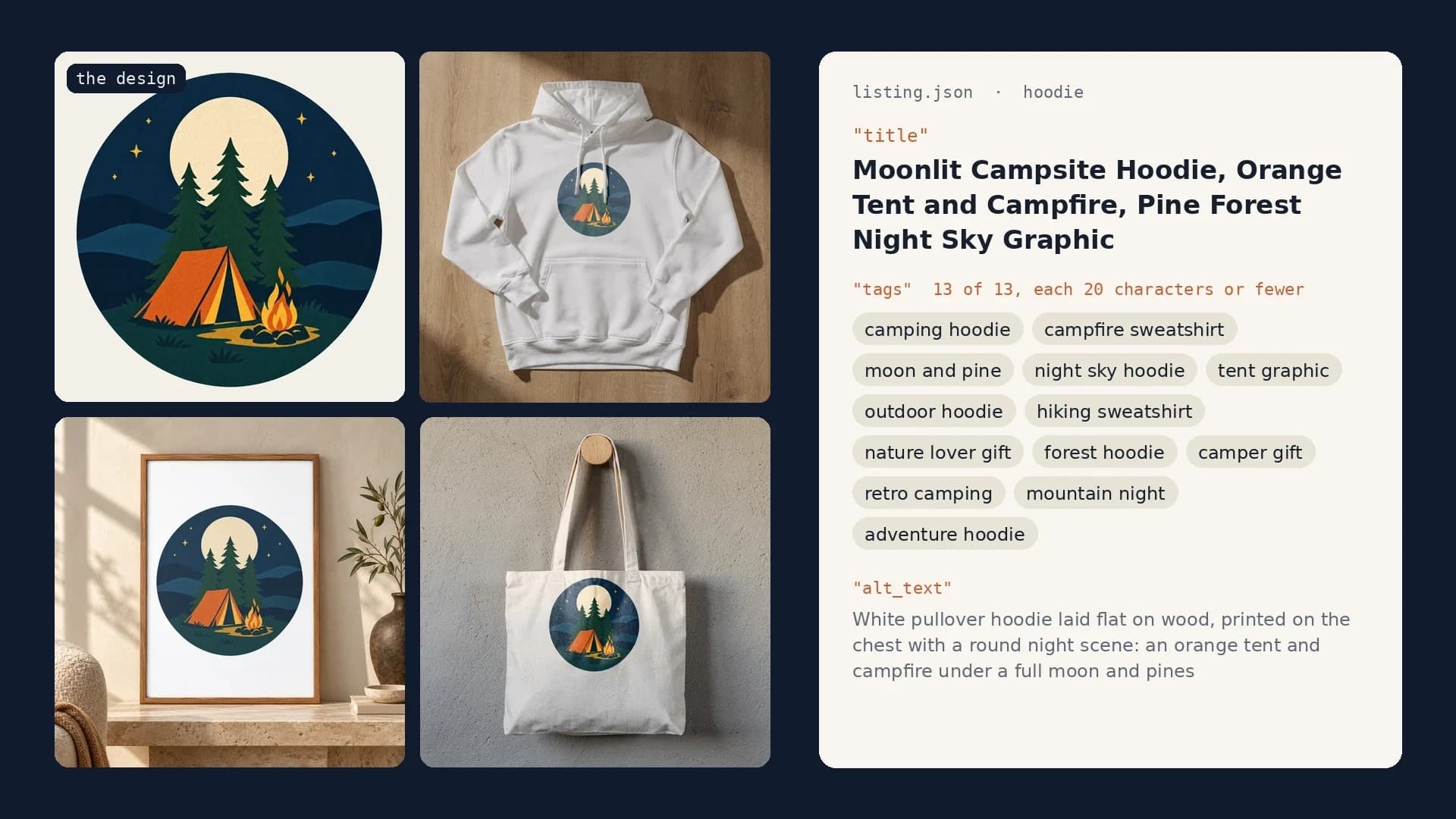
Etsy Listing Generator: Build Your Own With Claude and SudoMock
One design in, a full Etsy listing out: photos rendered on your own templates, then the title, tags and alt text Claude writes from them.
10 min read
Explore by use case
See SudoMock in action for your specific product category
Your own PSD, rendered via API
Render your own PSD through the API. Start with 500 one-time credits, no card.