Overview
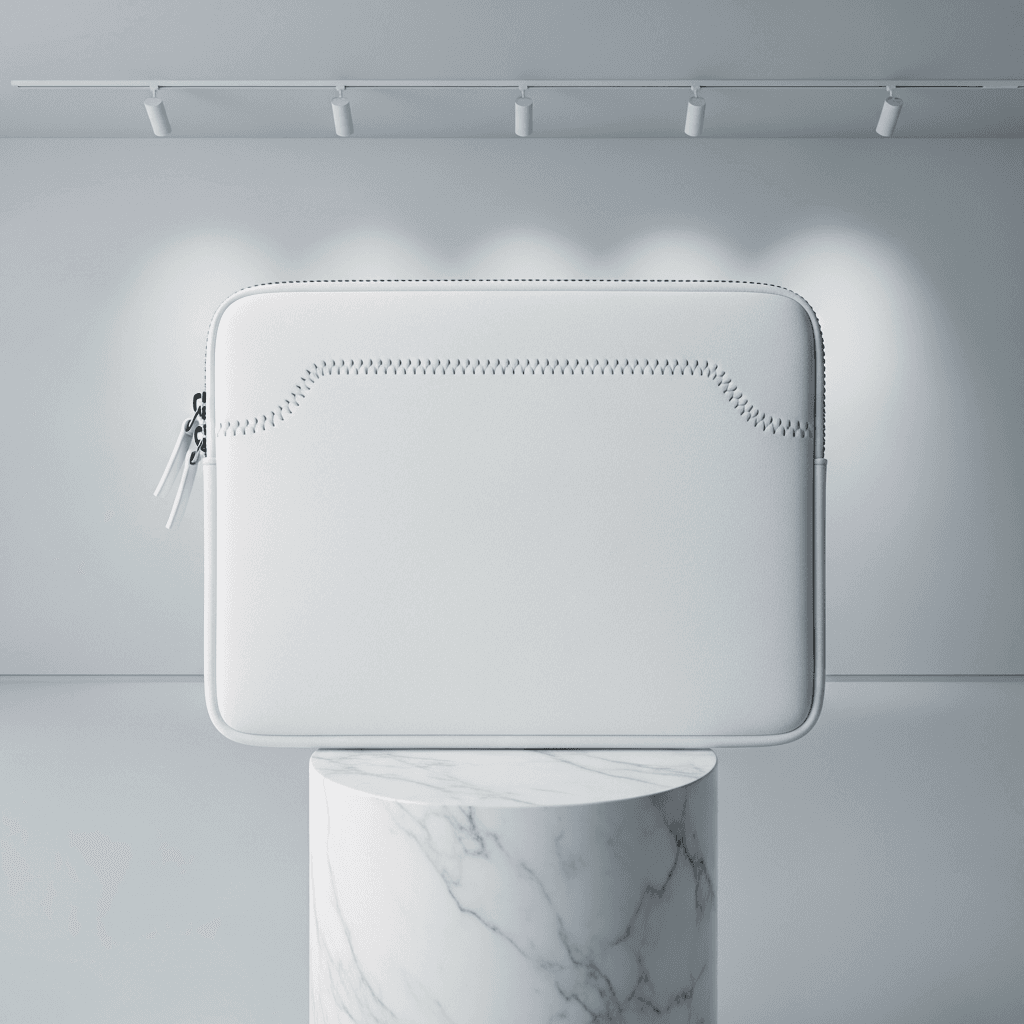
This mockup template displays a white cotton laptop sleeve photographed across five angles in a gallery-inspired setting. The sleeve is a rectangular, zip-around design with rounded corners, a padded body, and a clean white surface throughout. All five shots use controlled lighting that creates soft, directional highlights and gentle shadows, keeping the white product surface distinct from the surrounding environment.
What the Mockup Shows
The primary image is a flat lay front view showing the sleeve centered on a cylindrical marble pedestal against a light gray gallery wall. Track lighting mounted overhead casts pools of light onto the wall behind the product, creating an art gallery atmosphere. The front face of the sleeve shows a decorative zigzag stitch detail that curves across the upper portion and a zip closure running along the top and right edges, with two white zipper pulls visible on the left side.
The three-quarter angled view presents the sleeve leaning against a white rectangular block in a minimalist studio environment. Geometric shadow patterns fall across the background wall and surface. This angle reveals the sleeve's thickness and padding, along with a vertical stitch line running down the back panel and a small stitched label tab near the top. A single zipper pull is visible on the right edge.
The desk context shot places the sleeve upright on a light oak wooden desk surface. A laptop is partially inserted into the open top of the sleeve, with the white computer edge visible above the zipper line. The background includes a gray wall, a framed black-and-white art print, and a window with natural light. A horizontal zippered pocket runs across the front panel of the sleeve in this view, with two zipper pulls at the top.
The close-up detail shot is a macro-style capture of one corner of the sleeve. This reveals the fabric texture at close range: a fine woven cotton surface with visible thread grain. Double-row stitching runs along the edges, and the white coil zipper with two chrome-finish metal pulls is shown in sharp focus. A rounded reinforcement patch is stitched into the corner where the zipper curves. The sleeve rests on a gray reflective surface.
The flat lay back view shows the reverse side from directly overhead. The sleeve sits on a white rectangular surface against a gray background with a subtle shadow on the right edge. A horizontal stitch line divides the upper quarter from the main body panel. The zipper track is visible along the top and right edges, with a single pull on the left side. The surface is plain white with fine cotton texture.
Technical Details
The white base surface across all five angles serves as the design placement zone for SudoMock's rendering engine. When a user submits artwork through the API or Dashboard Playground, the design composites onto this white area. For cotton fabric like this sleeve, the Multiply blend mode allows the underlying weave texture to show through the applied design, producing a realistic printed-fabric appearance.
This template is suitable for e-commerce product listings on platforms such as Etsy, Amazon, and Shopify. POD sellers using services like Printful, Printify, or Gelato can generate catalog imagery across all five angles from a single design upload. The gallery and desk settings provide both clean product shots and lifestyle context imagery without requiring separate photo sessions.
Sizing Reference
The sleeve dimensions shown accommodate standard laptop sizes. The proportions visible in the desk context shot, with a laptop partially inserted, suggest compatibility with 13-inch to 15-inch devices. According to Flowfold's laptop sleeve size guide, most standard sleeves range from approximately 13.5 x 9.5 inches for 13-inch laptops to 15.5 x 11 inches for 15-inch models.
Rendering Compatibility
All five angles are available through SudoMock's PSD rendering API at $0.002 per render. The API accepts design files via URL and returns rendered mockups in WebP, PNG, or JPEG formats at resolutions up to 10,000 pixels. Batch rendering across all five angles can be automated through n8n, Zapier, Make, or direct API integration.