Print on Demand Ornaments: A Mockup for Every Holiday Design
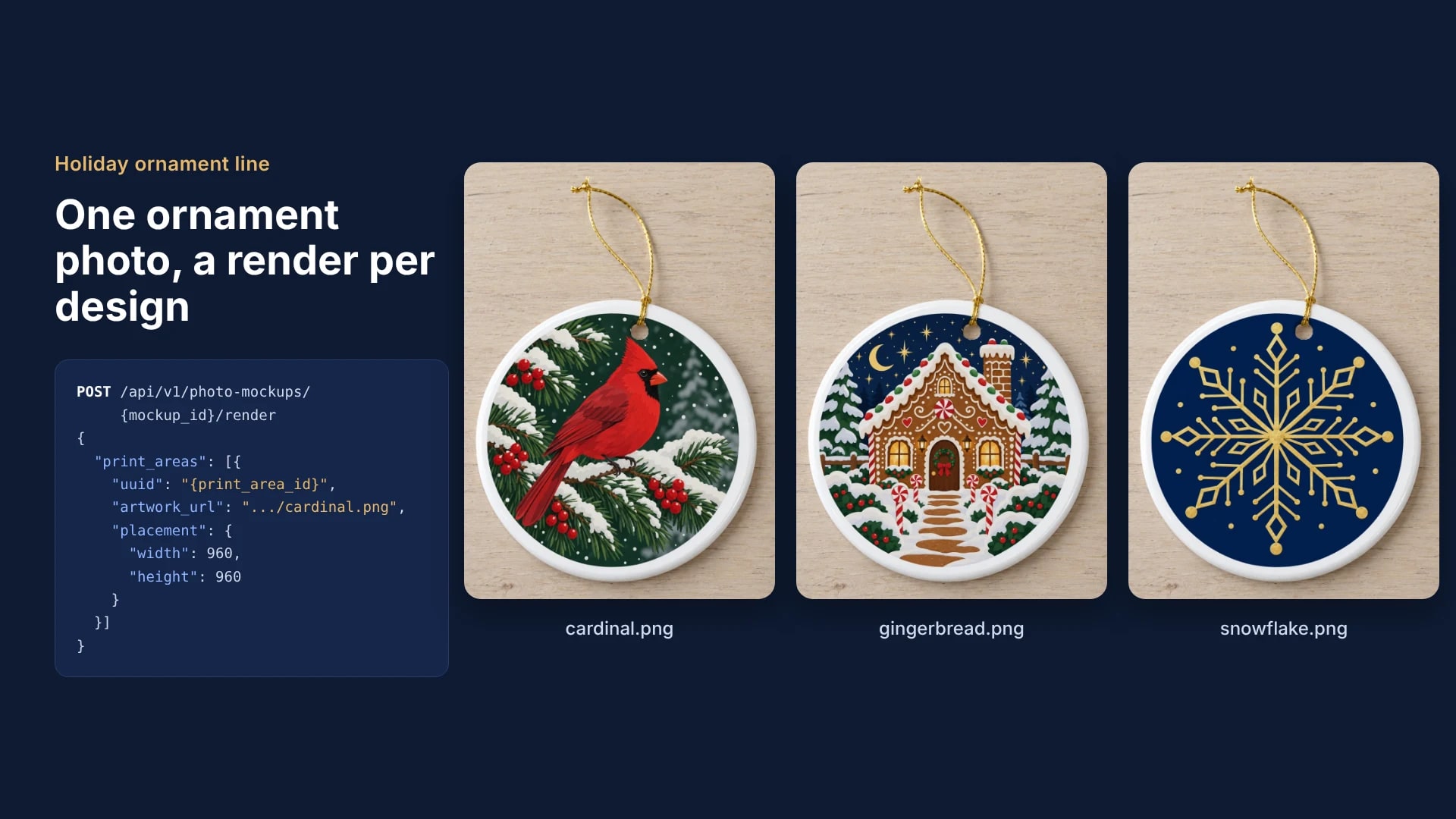
Render ornament mockups instead of editing a template per design. Save one ornament photo as a photo mockup with a square print area over the round face, export each design as a round PNG with transparent corners, and send one render request per design to the same saved mockup.
Published 6 min readBeck
Key takeaways
- A square file filled to its corners shows a square with straight edges on a round ornament.
- A box a little smaller than the print area keeps a margin of white glaze around the design.
- With is_async set to true the whole set queues at once and each image lands in its job's result_url.
Start from one ornament photo
Every design in the set renders on the same saved photo, so the photo is chosen once: your own blank ornament shot straight on, or a ready template. Save it as a photo mockup with one print area, the square that just holds the round face.
curl -X POST https://api.sudomock.com/api/v1/photo-mockups \-H "x-api-key: $SUDOMOCK_API_KEY" \-H "Content-Type: application/json" \-d '{"source_url": "https://cdn.example.com/blanks/ceramic-ornament-round.png","name": "Ceramic ornament, round, front","print_areas": [{ "points": [[268, 605], [1278, 605], [1278, 1615], [268, 1615]], "name": "Front" }]}'
const response = await fetch('https://api.sudomock.com/api/v1/photo-mockups', {method: 'POST',headers: {'x-api-key': process.env.SUDOMOCK_API_KEY,'Content-Type': 'application/json',},body: JSON.stringify({"source_url": "https://cdn.example.com/blanks/ceramic-ornament-round.png","name": "Ceramic ornament, round, front","print_areas": [{"points": [[268,605],[1278,605],[1278,1615],[268,1615]],"name": "Front"}]}),});const data = await response.json();console.log(data);
import osimport requestsresponse = requests.post("https://api.sudomock.com/api/v1/photo-mockups",headers={"x-api-key": os.environ["SUDOMOCK_API_KEY"],"Content-Type": "application/json",},json={"source_url": "https://cdn.example.com/blanks/ceramic-ornament-round.png","name": "Ceramic ornament, round, front","print_areas": [{"points": [[268,605,],[1278,605,],[1278,1615,],[268,1615,],],"name": "Front",},],},)print(response.json())
package mainimport ("bytes""fmt""io""net/http""os")func main() {payload := []byte(`{"source_url": "https://cdn.example.com/blanks/ceramic-ornament-round.png","name": "Ceramic ornament, round, front","print_areas": [{"points": [[268,605],[1278,605],[1278,1615],[268,1615]],"name": "Front"}]}`)req, err := http.NewRequest("POST", "https://api.sudomock.com/api/v1/photo-mockups", bytes.NewBuffer(payload))if err != nil {panic(err)}req.Header.Set("x-api-key", os.Getenv("SUDOMOCK_API_KEY"))req.Header.Set("Content-Type", "application/json")resp, err := http.DefaultClient.Do(req)if err != nil {panic(err)}defer resp.Body.Close()body, _ := io.ReadAll(resp.Body)fmt.Println(string(body))}
<?php$payload = <<<'JSON'{"source_url": "https://cdn.example.com/blanks/ceramic-ornament-round.png","name": "Ceramic ornament, round, front","print_areas": [{"points": [[268,605],[1278,605],[1278,1615],[268,1615]],"name": "Front"}]}JSON;$ch = curl_init('https://api.sudomock.com/api/v1/photo-mockups');curl_setopt_array($ch, [CURLOPT_CUSTOMREQUEST => 'POST',CURLOPT_RETURNTRANSFER => true,CURLOPT_HTTPHEADER => ['x-api-key: ' . getenv('SUDOMOCK_API_KEY'),'Content-Type: application/json',],CURLOPT_POSTFIELDS => $payload,]);$response = curl_exec($ch);curl_close($ch);echo $response;
The points are the area's corners in the photo's own pixels, from the top left clockwise, and SudoMock uses them exactly as sent. Keep data.mockup_id and data.quads[0].print_area_id from the response: every design in the set renders against those two ids. Print areas and surfaces lists every field the create call returns.
Without a photo of your own blank, start from the ceramic ornament template: its Straight-On view is the photo we used here, and Use This Mockup opens that view in your account as a photo mockup. Edit areas in the mockup editor sets the square over the round face, and its Code tab prints the render request with your mockup id and area id. On 1 November 2026 we saved its 1600 x 2000 pixel photo with the area above, and the call answered with the mockup ready to render and the ornament found as a surface labelled ceramic ornament. For a flat rectangular ornament, the metal plaque ornament template works the same way.
Export each design as a round PNG
A round ornament takes a round design. Export each file as a square PNG whose circle touches all four edges, with the corners transparent, and the render shows the design round inside the ornament's white rim. The hanging hole stays open with either file.
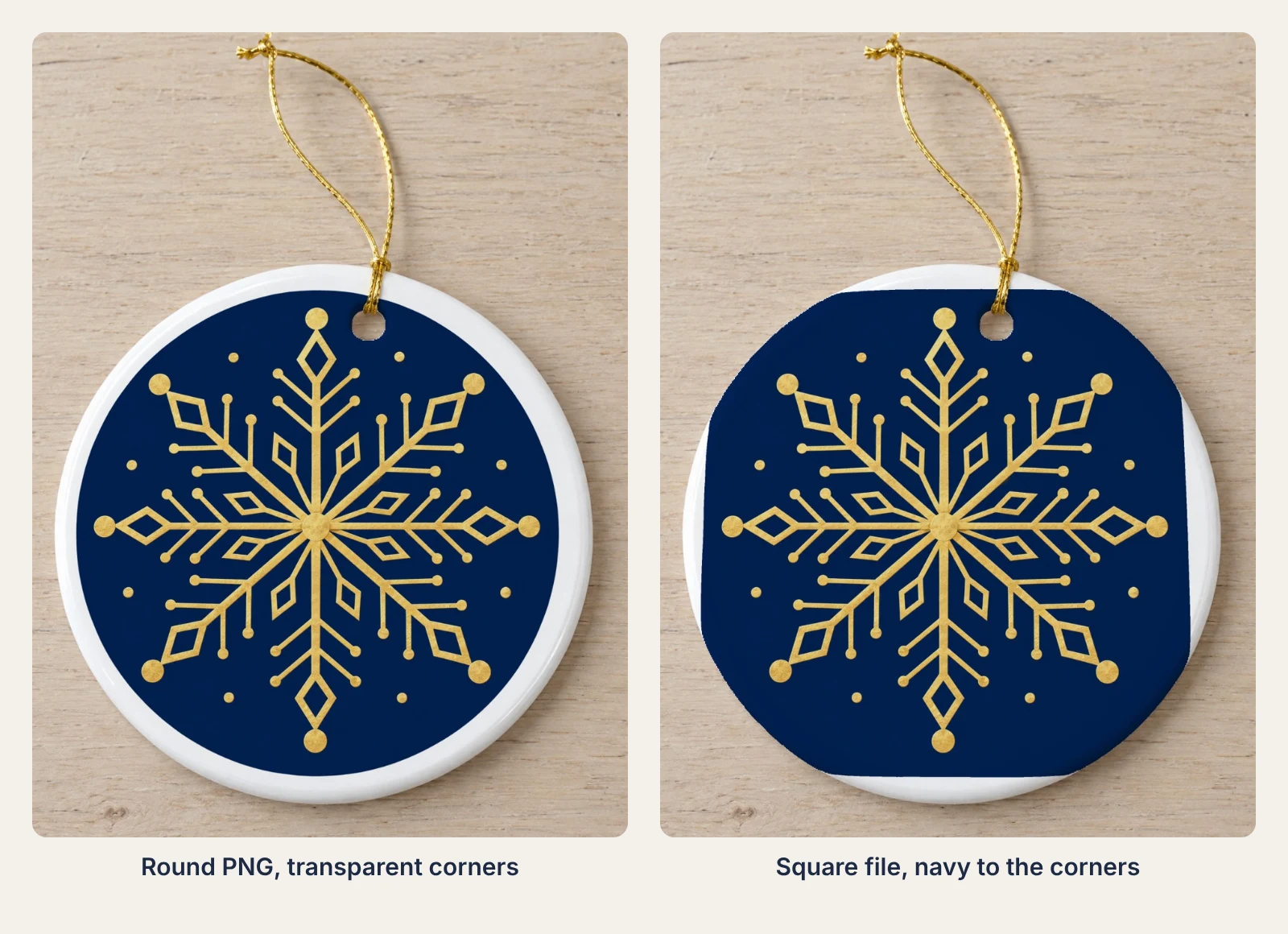 Same snowflake, same saved area: a round PNG on the left, a square file on the right.
Both renders use one design on one saved area. The square file on the right carries navy into its corners, so the navy prints as a square with four straight edges and its corners run to the ornament's edge. The render keeps the color on the ornament either way, which makes the square file easy to miss at thumbnail size and plain to see on the product page.
Export the design once at the size your print provider asks for, and the same round PNG serves the print order and the listing image.
Render every design on the saved ornament
Each design is one render request against the same mockup and print area, and only artwork_url changes between them. The finished image comes back at data.print_files[0].export_path.
curl -X POST https://api.sudomock.com/api/v1/photo-mockups/f52a175c-b6f3-465d-9428-77a9a90d752e/render \-H "x-api-key: $SUDOMOCK_API_KEY" \-H "Content-Type: application/json" \-d '{"print_areas": [{"uuid": "148c91f0-a464-4426-b15b-25ee773942a0","artwork_url": "https://cdn.example.com/holiday-2026/cardinal.png","placement": { "width": 960, "height": 960 }}],"export_options": { "image_format": "jpg", "image_size": 1024 }}'
const response = await fetch('https://api.sudomock.com/api/v1/photo-mockups/f52a175c-b6f3-465d-9428-77a9a90d752e/render', {method: 'POST',headers: {'x-api-key': process.env.SUDOMOCK_API_KEY,'Content-Type': 'application/json',},body: JSON.stringify({"print_areas": [{"uuid": "148c91f0-a464-4426-b15b-25ee773942a0","artwork_url": "https://cdn.example.com/holiday-2026/cardinal.png","placement": {"width": 960,"height": 960}}],"export_options": {"image_format": "jpg","image_size": 1024}}),});const data = await response.json();console.log(data);
import osimport requestsresponse = requests.post("https://api.sudomock.com/api/v1/photo-mockups/f52a175c-b6f3-465d-9428-77a9a90d752e/render",headers={"x-api-key": os.environ["SUDOMOCK_API_KEY"],"Content-Type": "application/json",},json={"print_areas": [{"uuid": "148c91f0-a464-4426-b15b-25ee773942a0","artwork_url": "https://cdn.example.com/holiday-2026/cardinal.png","placement": {"width": 960,"height": 960,},},],"export_options": {"image_format": "jpg","image_size": 1024,},},)print(response.json())
package mainimport ("bytes""fmt""io""net/http""os")func main() {payload := []byte(`{"print_areas": [{"uuid": "148c91f0-a464-4426-b15b-25ee773942a0","artwork_url": "https://cdn.example.com/holiday-2026/cardinal.png","placement": {"width": 960,"height": 960}}],"export_options": {"image_format": "jpg","image_size": 1024}}`)req, err := http.NewRequest("POST", "https://api.sudomock.com/api/v1/photo-mockups/f52a175c-b6f3-465d-9428-77a9a90d752e/render", bytes.NewBuffer(payload))if err != nil {panic(err)}req.Header.Set("x-api-key", os.Getenv("SUDOMOCK_API_KEY"))req.Header.Set("Content-Type", "application/json")resp, err := http.DefaultClient.Do(req)if err != nil {panic(err)}defer resp.Body.Close()body, _ := io.ReadAll(resp.Body)fmt.Println(string(body))}
<?php$payload = <<<'JSON'{"print_areas": [{"uuid": "148c91f0-a464-4426-b15b-25ee773942a0","artwork_url": "https://cdn.example.com/holiday-2026/cardinal.png","placement": {"width": 960,"height": 960}}],"export_options": {"image_format": "jpg","image_size": 1024}}JSON;$ch = curl_init('https://api.sudomock.com/api/v1/photo-mockups/f52a175c-b6f3-465d-9428-77a9a90d752e/render');curl_setopt_array($ch, [CURLOPT_CUSTOMREQUEST => 'POST',CURLOPT_RETURNTRANSFER => true,CURLOPT_HTTPHEADER => ['x-api-key: ' . getenv('SUDOMOCK_API_KEY'),'Content-Type: application/json',],CURLOPT_POSTFIELDS => $payload,]);$response = curl_exec($ch);curl_close($ch);echo $response;
This is the cardinal request from our run of 1 November 2026; put your own mockup id and area id in place of ours. The images below were rendered with image_size 1600, and the example asks for 1024. width and height ask for an exact box a little smaller than the print area, 960 pixels in our 1010 pixel square, so a margin of white glaze stays around the design; the box is centered by default. On your own photo, set it to about 95 percent of your area's side. The default multiply blend reads like ink on the glaze. The average SudoMock render finishes in under a second.
The three holiday designs were made with an AI image model; their placement on the ornament is a SudoMock render.
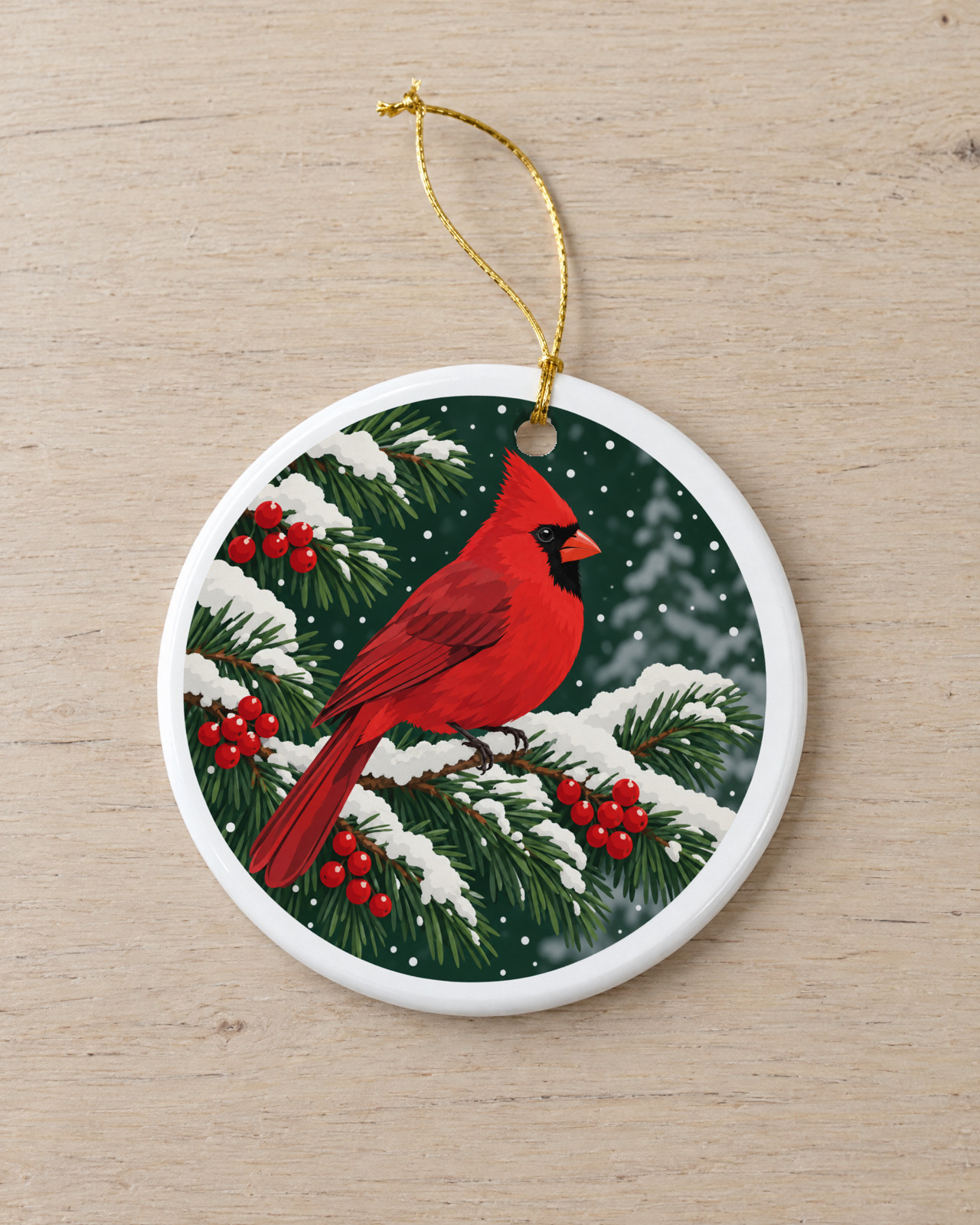 Design 1: cardinal.png on the saved ornament.
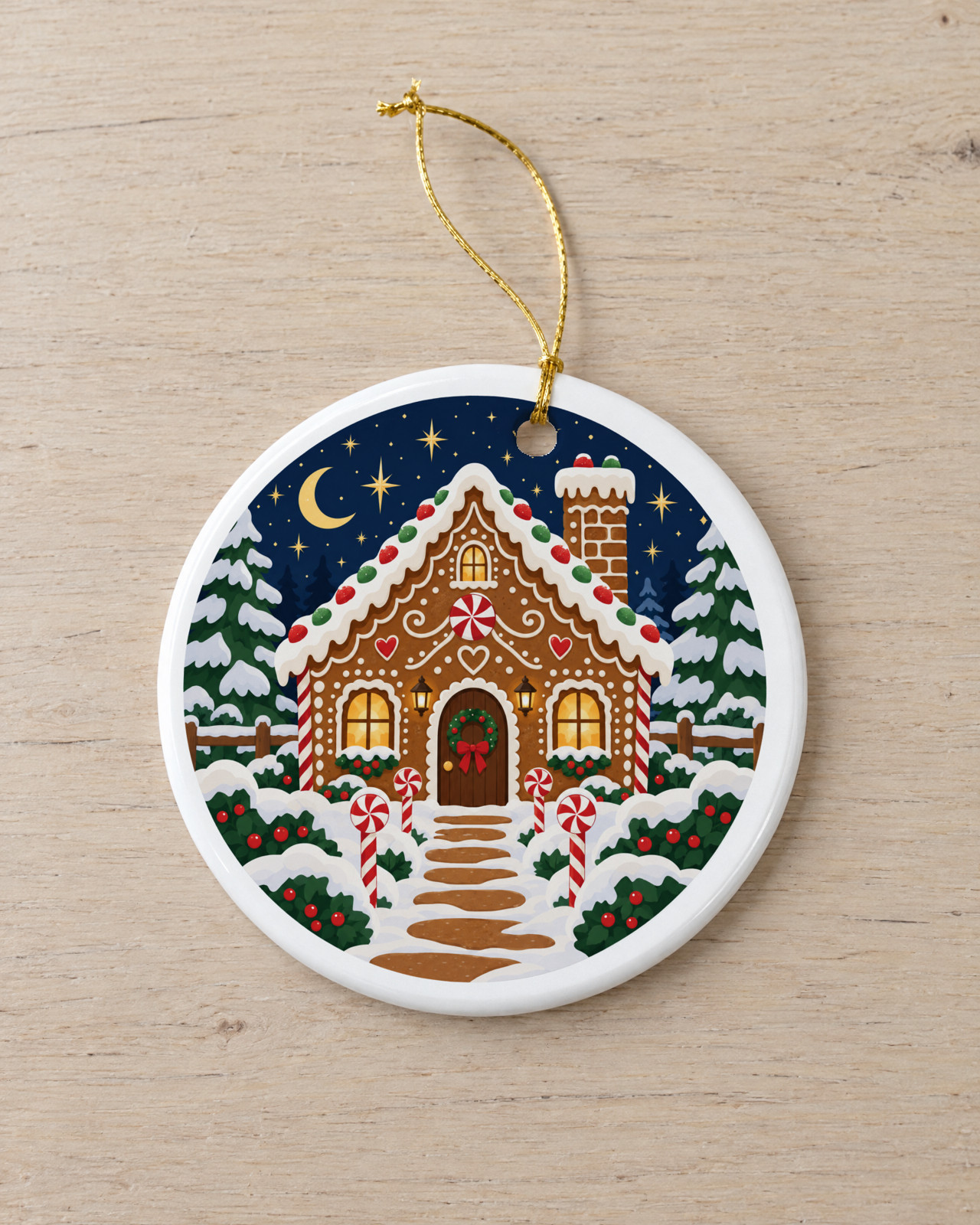 Design 2: gingerbread.png, same mockup and area, only the artwork link changed.
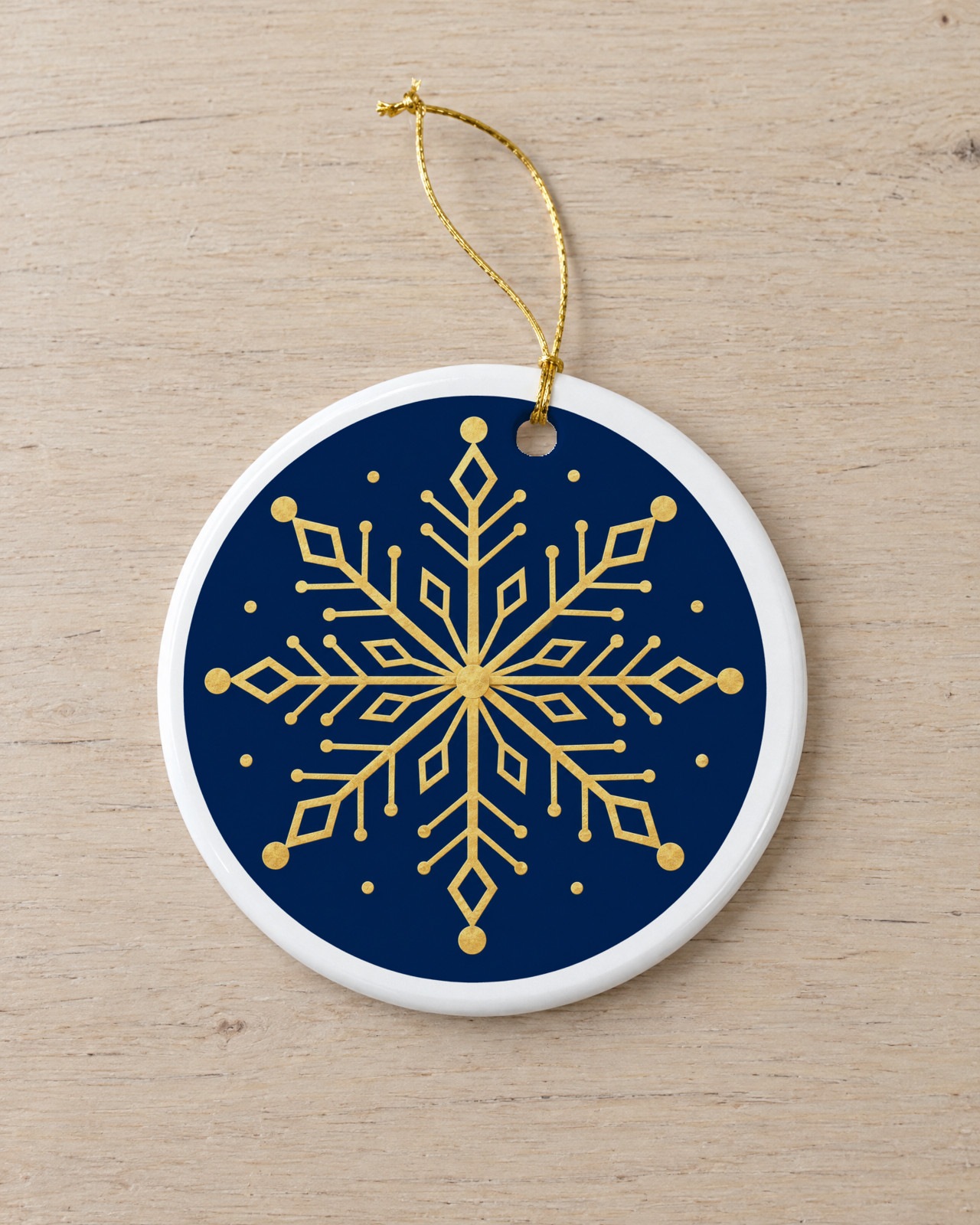 Design 3: snowflake.png as a round PNG with transparent corners.
A double sided ornament gets a second image the same way: render the back design on the same mockup, and the listing shows both faces.
Queue the whole set and collect it
A holiday line is a list of design links, so send every request with is_async set to true and collect the images once they are done. Each call answers at once with 202, a job_id and a status_url, and GET /api/v1/jobs/{job_id} reads succeeded with the image link in result_url when the render has finished.
import { readFile, writeFile } from 'node:fs/promises'const API = 'https://api.sudomock.com/api/v1'const headers = { 'x-api-key': process.env.SUDOMOCK_API_KEY, 'Content-Type': 'application/json' }const MOCKUP = 'YOUR_MOCKUP_ID'const AREA = 'YOUR_PRINT_AREA_ID'const BOX = 960 // about 95% of your print area's side in photo pixels; ours is 1010const sleep = (s) => new Promise((r) => setTimeout(r, s * 1000))// [{ "sku": "ORN-CARDINAL", "artwork": "https://cdn.example.com/holiday-2026/cardinal.png" }]const designs = JSON.parse(await readFile('designs.json', 'utf8'))async function queue(d) {for (;;) {const res = await fetch(`${API}/photo-mockups/${MOCKUP}/render`, {method: 'POST',headers,body: JSON.stringify({print_areas: [{ uuid: AREA, artwork_url: d.artwork, placement: { width: BOX, height: BOX } }],export_options: { image_format: 'jpg', image_size: 1024 },is_async: true,}),})if (res.status === 429) {await sleep(Number(res.headers.get('Retry-After') ?? 5))continue}const body = await res.json()if (res.status !== 202) return { sku: d.sku, error: body.detail ?? `HTTP ${res.status}` }return { sku: d.sku, job: body.job_id }}}async function collect(q) {if (!q.job) return { sku: q.sku, status: 'not queued', error: q.error }for (;;) {const res = await fetch(`${API}/jobs/${q.job}`, { headers })if (res.status === 429) {await sleep(Number(res.headers.get('Retry-After') ?? 5))continue}const job = await res.json()if (['succeeded', 'failed', 'cancelled'].includes(job.status)) {return { sku: q.sku, status: job.status, image: job.result_url, error: job.error?.message }}await sleep(5)}}const queued = []for (const d of designs) queued.push(await queue(d))const results = await Promise.all(queued.map(collect))await writeFile('ornament-images.json', JSON.stringify(results, null, 2))console.table(results)
The script queues every design first, then reads each job until it is over, and writes one line per SKU with its listing image. A job that fails reads failed with its reason in error while the rest of the set renders, and a failed job is refunded. A request the API refuses outright, such as one without artwork, is listed with its reason instead of a job. When the API answers 429, the script waits for the seconds in Retry-After and sends the same design again.
Without code, the SudoMock node for n8n runs Photo Mockup: Render for each row of a sheet, and an agent connected to SudoMock can render the whole set from one session, as producing a seasonal set with an agent shows.
Next step
Save one ornament photo with its square print area, render three designs from your holiday line, then queue the rest. The render reference lists every field a design's request can set, and render artwork onto a photo mockup covers placement and blend modes. With no blank photo, open the ceramic ornament template. For a styled holiday scene around the same ornament, generate the scene once and render every design on it.
Frequently asked questions
How do I make mockups for all my ornament designs at once?
Save one photo of the blank ornament as a photo mockup with a print area over its face, then send one render request per design with the design's link. Sent with is_async set to true, the whole list queues at once and each finished image is read from its job. The mockup stays in your account for the next collection.
What file should a round ornament design be?
A square PNG with the round design touching all four edges and the corners transparent. Rendered in a box a little smaller than the print area, the design sits round inside the ornament's white rim. A square file filled to its corners shows a square with straight edges, its corners cut by the ornament's edge.
Do I need a PSD template to make ornament mockups?
No. A straight on photo of the blank ornament, saved once with a square print area over its round face, is enough. A ready ornament template from the SudoMock library opens in your account as a photo mockup. Ornament PSD templates you already keep render the same design list.
Does the ornament mockup show the design exactly as it prints?
Yes. A render places your file as it is, in the same place on every render, so the design in the listing is the one you send to print. The glaze, light and shadow come from the ornament photo.
Sources
- Print areas and surfaces (opens in new tab), SudoMock Docs
- Render artwork onto a photo mockup (opens in new tab), SudoMock Docs
- Create a mockup from a product photo (opens in new tab), SudoMock Docs
- Render a photo mockup (opens in new tab), SudoMock Docs
- Retrieve a single job (opens in new tab), SudoMock Docs
- Rate limits and concurrency limits (opens in new tab), SudoMock Docs
- How to produce a seasonal set with an agent (opens in new tab), SudoMock Docs
- Render mockups with n8n and SudoMock (opens in new tab), SudoMock Docs
Beck
CTO
Related articles
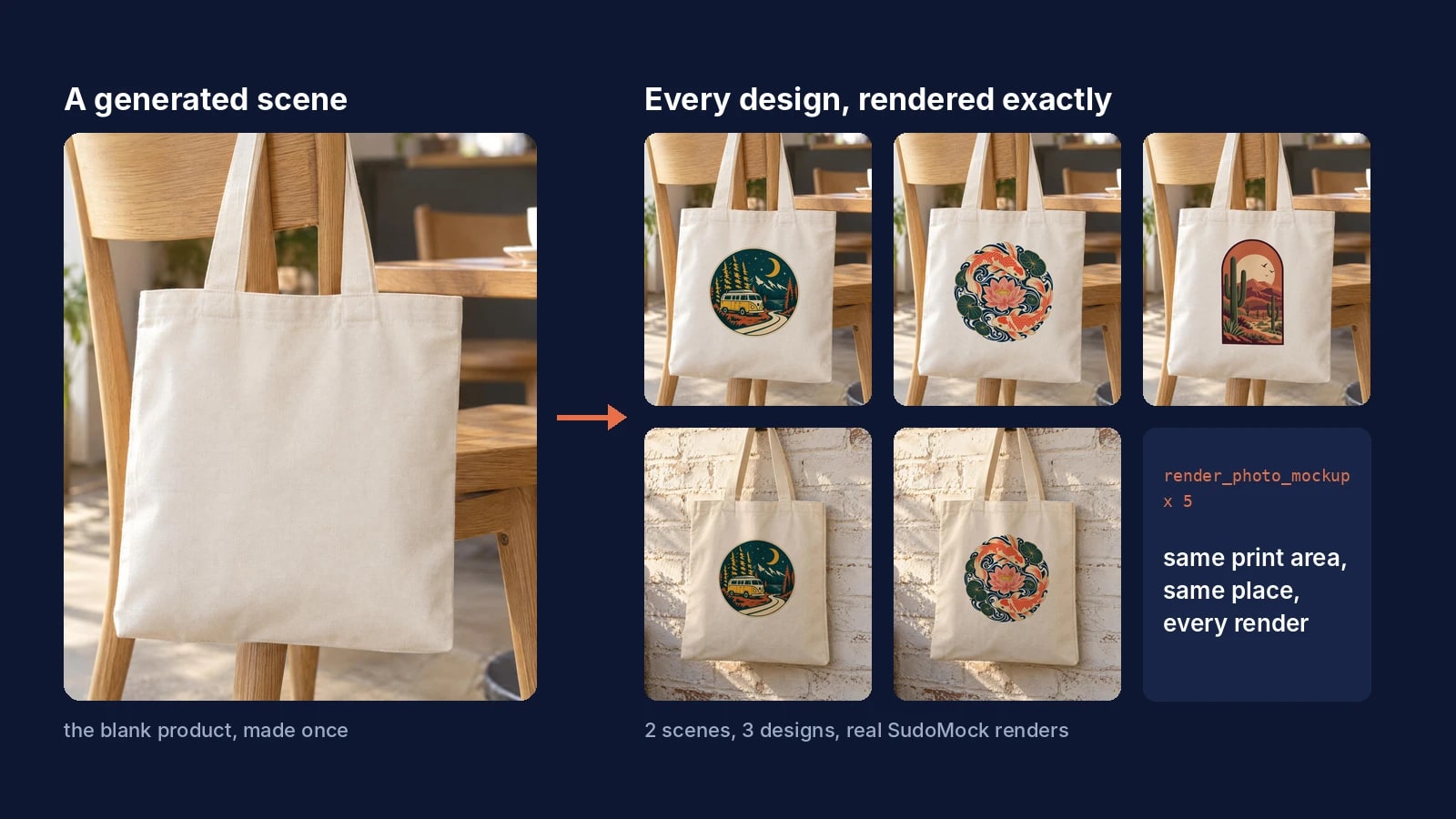
AI Product Photography for Print on Demand: Generate the Scene Once, Render Every Design Exactly
Generate the product scene once, make it a reusable mockup, and render every design on it exactly from ChatGPT, Claude or the API.
7 min read
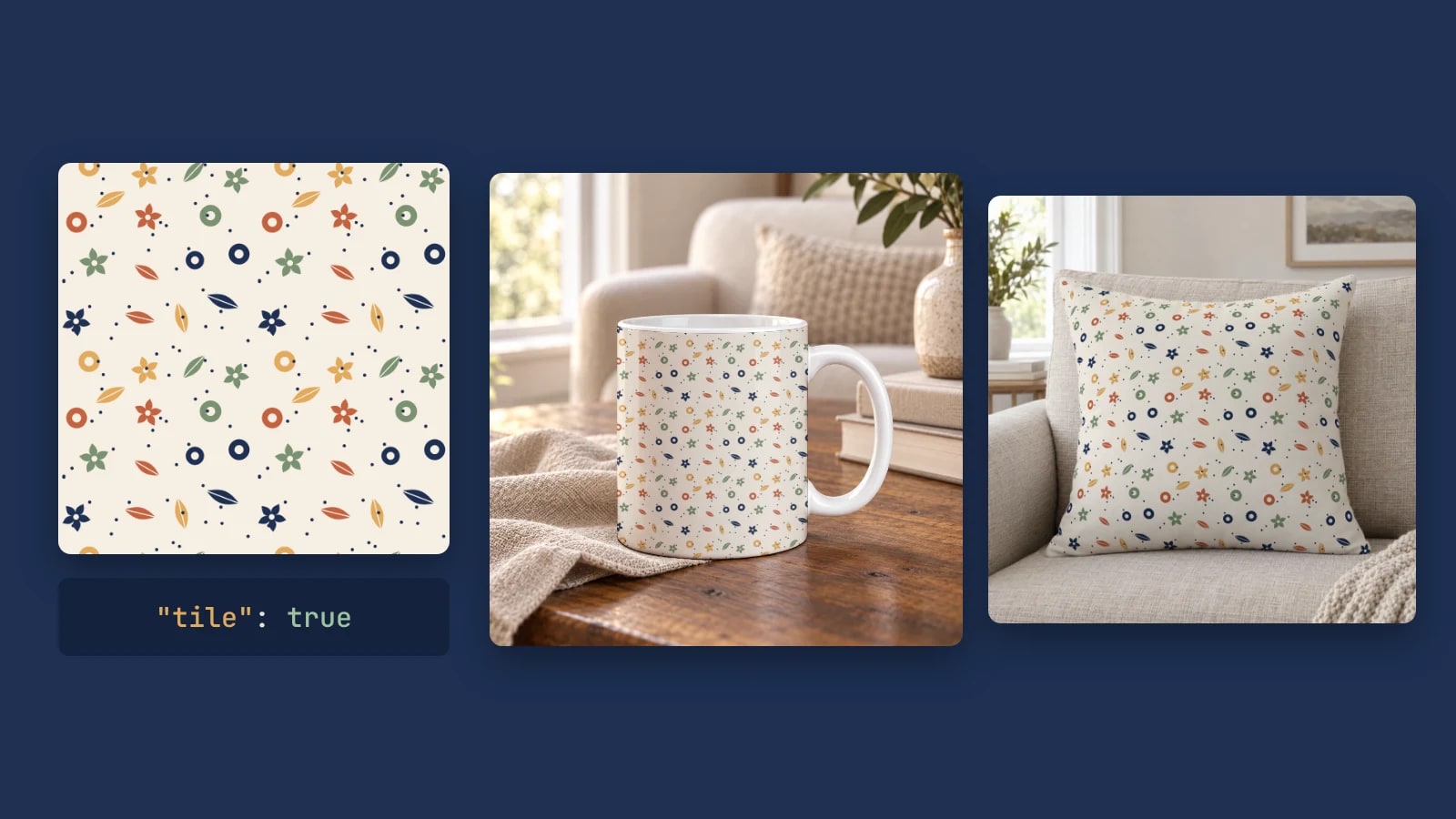
Pattern Mockups by API: Repeat a Seamless Design on Your Own PSD or Photo
Repeat one seamless tile across a mug, a pillow or any smart object with one render request: set the tile size, add spacing and render a collection.
6 min read
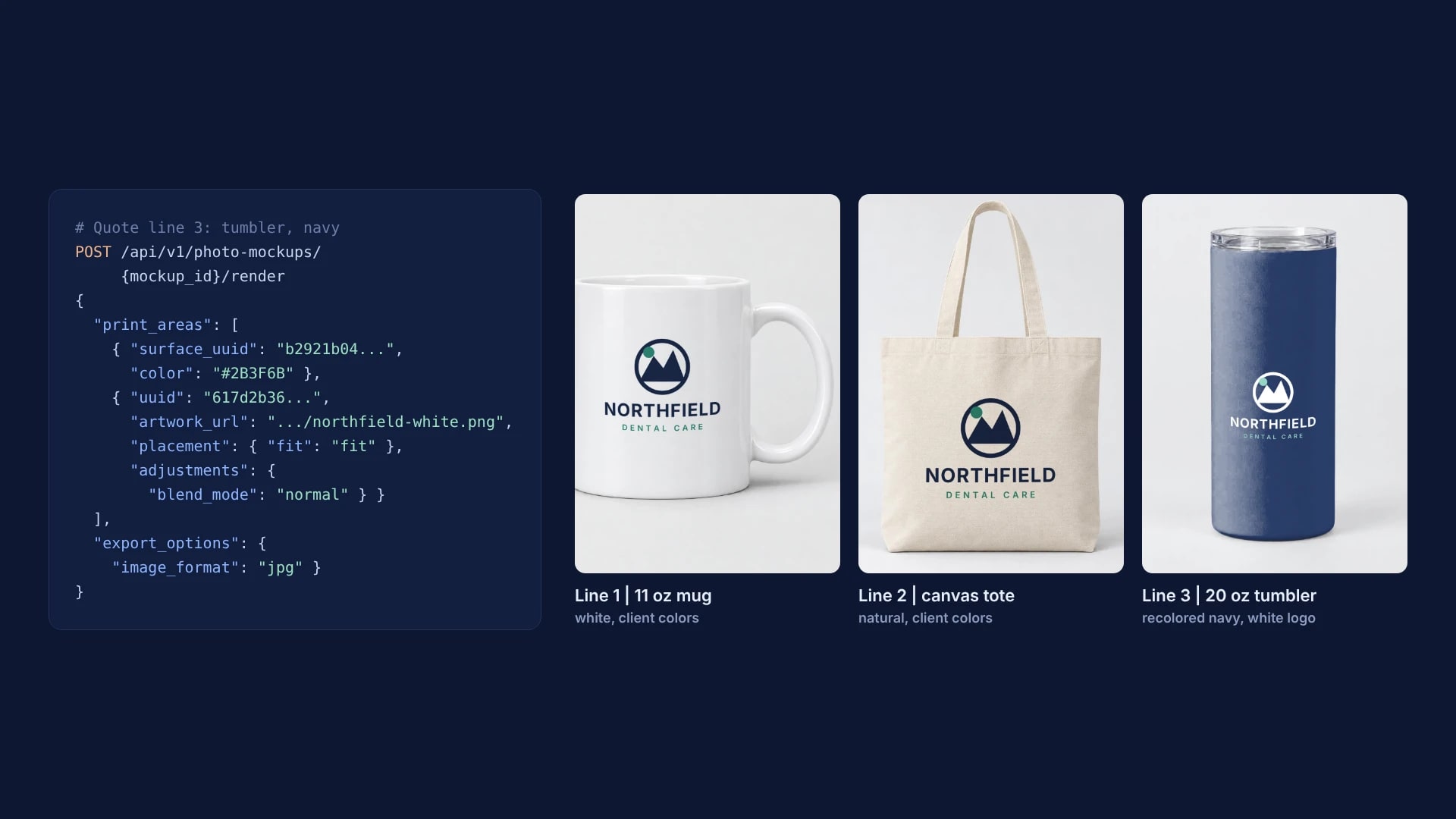
Virtual Samples for Promotional Products: One Client Logo on Every Quote Line
One client logo, one saved imprint area per supplier product and one render request per quote line, with real renders on a mug, a tote and a tumbler.
6 min read
Explore by use case
See SudoMock in action for your specific product category
Your own PSD, rendered via API
Render your own PSD through the API. Start with 500 one-time credits, no card.